OBDLink MX+ compatible vehicles: what works and what doesn’t
OBDLink MX+ works best on many standard US OBD2 vehicles, especially gasoline cars and light trucks, but feature depth still depends on the vehicle and app. If you need deep service functions or hybrid and EV high-voltage work, a more advanced tool is usually the better choice.
OBDLink MX+ compatible vehicles are usually any car, truck, SUV, or motorcycle with a working OBD2 port and a supported phone app, but the exact features you get still depend on the vehicle’s year, protocol, and software. For many US drivers, that means the adapter can read codes and live data on a wide range of vehicles, while some advanced functions may stay limited or unavailable.
- Compatibility is layered: A vehicle may connect, yet still limit live data, resets, or special module access.
- Gas vehicles are the easiest fit: Most standard US gasoline OBD2 vehicles give the smoothest experience.
- Check app support first: The adapter is only as useful as the app and protocol support behind it.
- Safety still comes first: Brake, airbag, steering, and high-voltage warnings need professional judgment, not code clearing alone.
- Privacy matters: Diagnostic apps can expose VIN and live vehicle data, so review permissions before pairing.
OBDLink MX+ compatible vehicles: the quick answer for 2026 buyers
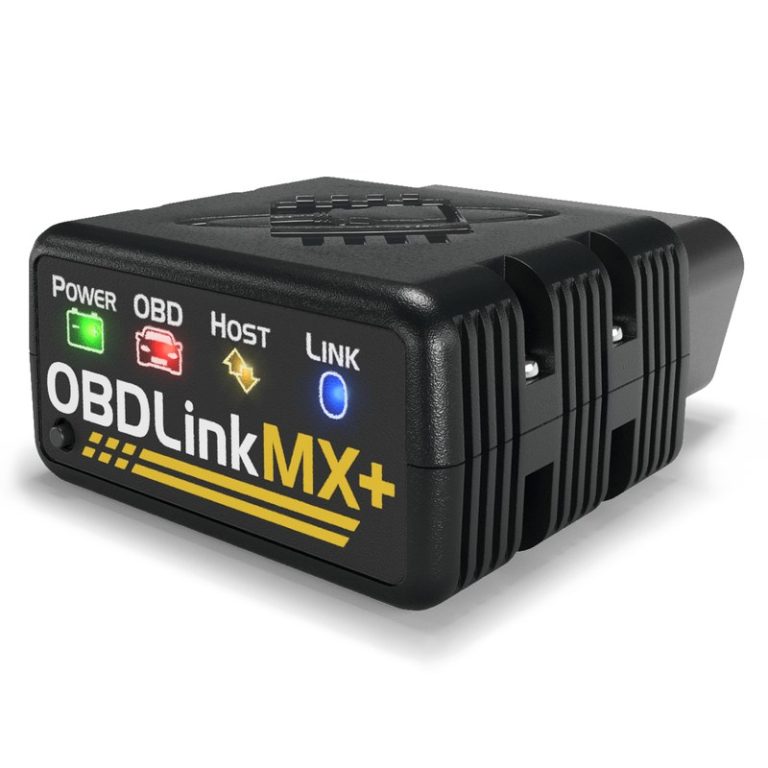
If you want the short version, the OBDLink MX+ is best thought of as a broad-coverage Bluetooth OBD2 adapter, not a magic key to every module in every vehicle. It is a strong fit for many everyday drivers who want code reading, live data, and emissions checks, but compatibility still varies by make, model, year, engine, and app.
What “compatible” really means across cars, trucks, SUVs, and motorcycles
“Compatible” can mean three different things. First, the vehicle may physically connect to the adapter. Second, the app may be able to talk to the vehicle’s diagnostic system. Third, the app may unlock the exact data or service function you want.
That last part matters most. A vehicle can be compatible enough to read a check-engine light, yet still block special functions like ABS bleeding, steering angle resets, or deep module access. For that reason, buyers should check both the vehicle and the app, not just the adapter box.
Which vehicles are most likely to work well right away
Most gasoline passenger vehicles with a standard US OBD2 system are the easiest match. That includes many sedans, crossovers, light trucks, and SUVs from the late 1990s forward, especially when the app supports the vehicle’s communication protocol.
Vehicles with straightforward emissions systems and broad app support usually give the smoothest experience. If you mainly want to read and clear engine codes, view live sensor data, and check readiness monitors, these are the vehicles most likely to feel plug-and-play.
Which vehicles may connect but still have limited data or features
Some vehicles will connect but still limit what you can see. That can happen with older platforms, diesel models, hybrids, motorcycles, imported vehicles, or vehicles that use manufacturer-specific modules beyond basic OBD2.
In those cases, the adapter may still be useful, but not for every job. If your goal is service resets, airbag codes, transmission data, or bidirectional controls, you may need a more advanced scan tool or a vehicle-specific app.
Check: Verify make, model, year, trim, voltage, ports, mounting space, and OEM requirements. Limitations: State verified exclusions.
How OBDLink MX+ compatibility works: OBD2 ports, model years, and protocols
Compatibility starts with the vehicle’s diagnostic port and the communication language it uses. In the United States, most OBD2-capable vehicles use a standardized 16-pin port, but the way the vehicle talks to the adapter can still vary.
Federal OBD2 model-year coverage in the United States
As a general rule, US gasoline vehicles became OBD2-compliant in the mid-1990s, with light-duty trucks following similar timing. That is why many owners hear “1996 and newer” as the simple rule of thumb, though there are exceptions by fuel type, weight class, and market.
That rule helps with basic emissions diagnostics, but it does not guarantee every app feature. A vehicle may be OBD2-compliant and still not support the advanced data stream or reset you want.
Protocol support: CAN, ISO, KWP, J1850, and vehicle-specific quirks
Different vehicles use different protocols, including CAN, ISO, KWP, and older J1850 variants. Broad protocol support is one reason the MX+ reaches across many model years and brands.
Still, protocol support is only part of the story. Some vehicles use quirks in the way they report data, and some apps interpret that data better than others. That is why two owners with the same adapter can have very different experiences.
Port location, ignition mode, and why some vehicles need the key in a specific position
The OBD2 port is usually under the dash, near the steering column, or close to the driver’s knee area. Some vehicles need the ignition in accessory or run mode before the adapter will wake up and communicate.
If the vehicle does not respond right away, do not assume the adapter is bad. Check the owner’s manual, confirm the port has power, and make sure the ignition state matches the app’s instructions.
What you can and cannot do with OBDLink MX+ on supported vehicles
On supported vehicles, the MX+ is mainly a diagnostics and data-reading tool. That is useful, but it is not the same as a dealer-level scan tool or a full repair computer.
Reading codes, clearing codes, and live-data limits
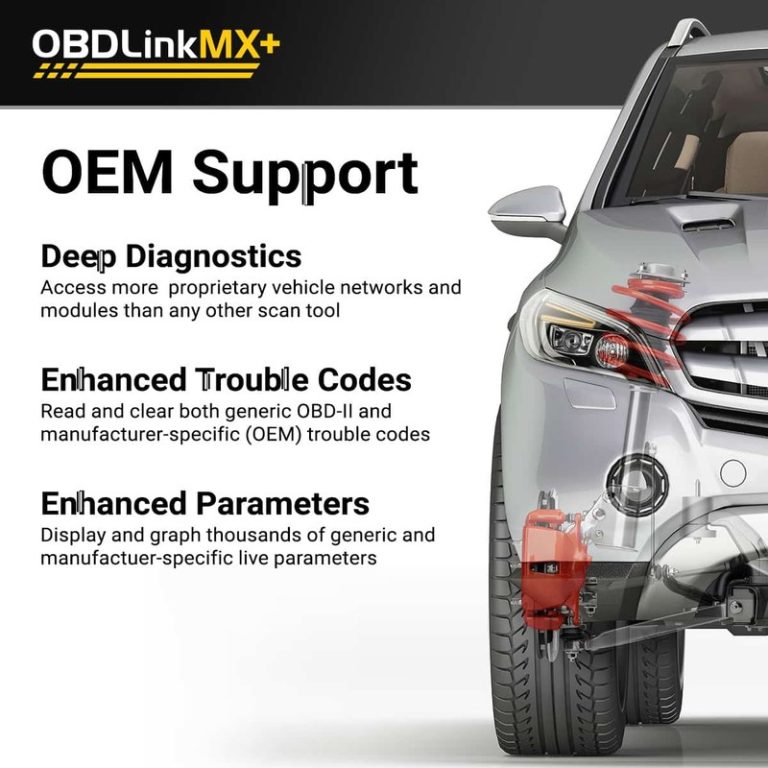
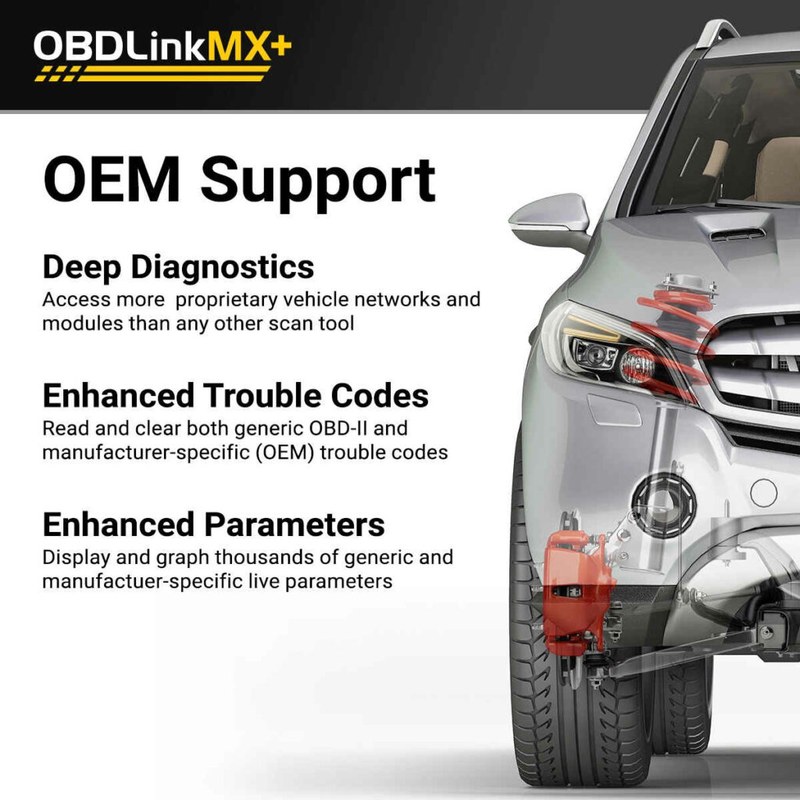
The adapter is well suited for reading diagnostic trouble codes, clearing many engine-related codes, and viewing live data such as coolant temperature, intake readings, fuel trims, and oxygen sensor behavior. That makes it helpful for early troubleshooting and routine monitoring.
Even so, live data is only as useful as the vehicle and app allow. Some vehicles stream more values than others, and some apps display those values more clearly than others.
Emissions readiness, smog checks, and monitor status
For many US drivers, emissions readiness is one of the most practical uses. The adapter can help you see whether monitors are ready before a smog or emissions inspection, which can save a wasted trip.
That said, state inspection rules vary, and a ready monitor does not guarantee a clean result if another issue is present. If you are in a state with strict inspection steps, confirm the current local requirements before relying on the tool alone.
Reset limitations: service lights, adaptations, and functions that still need a scan tool
Some reset jobs are outside the scope of a Bluetooth OBD2 adapter. Oil life resets, battery registration, throttle adaptations, ABS service work, steering resets, and module coding often require a more capable scan tool or a manufacturer-specific platform.
That is where buyer expectations matter. The MX+ can be a strong everyday diagnostic tool without being the right answer for every maintenance reset.
When diagnosis should stop and a professional should take over
If a code points to brakes, steering, airbags, high-voltage systems, or a drivability issue that gets worse under load, stop and get a professional opinion. Clearing codes without understanding the cause can hide a real safety issue.
Use the adapter to gather information, not to guess at repairs that affect safe driving.
Vehicle categories that matter most: gas, diesel, hybrid, EV, and motorcycles
Vehicle type affects both compatibility and usefulness. The adapter may physically connect across categories, but the depth of data and app support can change a lot.
Gasoline vehicles: broadest compatibility and typical app support
Gasoline vehicles are usually the easiest match because they align best with standard OBD2 expectations. That makes them the safest starting point for buyers who want a general-purpose scanner for a family car or daily driver.
For many owners, this is where the MX+ makes the most sense: check-engine diagnosis, readiness checks, and basic live data without a steep learning curve.
Diesel vehicles: where protocol and app support can vary
Diesel vehicles can be more complicated. Some light-duty diesel models work well with standard OBD2 functions, while others expose fewer useful details or need app support that is more specific to the platform.
If you own a diesel truck or SUV, check whether the app you plan to use supports the exact engine and emissions setup. Diesel owners often care about more than generic engine codes, so app depth matters.
Hybrids and EVs: safety cautions, module access, and what the adapter should not be used for
Hybrids and EVs may still support basic OBD2 functions, but owners should be cautious. The adapter is not a tool for high-voltage work, battery pack service, or anything that the manufacturer reserves for trained technicians.
It can help with general diagnostics where supported, but it should not be treated like a battery-service device or a shortcut around insulated tools, training, and factory procedures.
Motorcycles and powersports: which models are more likely to work and where limits appear
Some motorcycles and powersports vehicles can work well, but support is less predictable than with passenger cars. Fit, port style, and app compatibility can all become limiting factors.
Owners should verify the exact model and adapter support before buying. If the vehicle is not a standard street-legal OBD2 setup, assume compatibility may be partial until proven otherwise.
Installation and setup guide for first-time users
Setup is usually simple, but simple does not mean skip the basics. A poor connection, wrong ignition step, or app permission issue can look like a product failure when it is really a setup mistake.
Finding the OBD2 port and checking physical fit
Start by locating the OBD2 port and confirming the adapter clears nearby trim, pedals, and knee space. Some vehicles have a tight port area, and a bulky adapter can be awkward in daily use.
If the adapter sticks out where a leg or shoe could hit it, think twice before leaving it installed all the time.
Correct connection order, ignition steps, and pairing with iPhone or Android
Most users should plug the adapter in first, then turn the ignition to the correct mode, and then pair it in the app. Some vehicles and apps are picky about order, so follow the app’s setup flow carefully.
On iPhone or Android, Bluetooth permissions matter. If the phone blocks location, Bluetooth, or nearby-device access, the app may not see the adapter even though the hardware is fine.
Firmware updates, app permissions, and avoiding connection problems
Firmware updates can improve compatibility, but they should be done only through the manufacturer’s instructions. A failed update can create a new problem you did not have before.
Also, close other OBD apps before connecting. Competing apps can hold the adapter and make it look unstable.
Verify the vehicle, power, ports, mounting space, hardware, and manufacturer instructions.
Keep cables and hardware away from airbags, pedals, controls, sensors, and moving parts.
Complete setup while parked, verify key functions, and secure all parts before driving.
How to confirm a stable link before driving
Before you roll, make sure the app shows a stable connection, the vehicle data refreshes, and the phone is secured. If the link drops while parked, it is not ready for road use.
Once confirmed, avoid interacting with the app while driving unless you can do it without distraction and the vehicle is safely stopped.
Battery, electrical, and charging-system checks: safety and limits
Many owners use OBD2 data to understand battery and charging behavior. That can be helpful, but it is easy to overread what the numbers mean.
System voltage, battery chemistry, and state of charge versus battery health
Live voltage can show whether the system is charging, resting, or sagging under load. It can also help you notice a weak battery before it leaves you stranded.
But voltage is not the same as battery health. A battery can show decent voltage and still fail under real starting load.
What live data can reveal about charging and alternator performance
On supported vehicles, live data may show charging trends, idle behavior, and how the electrical system reacts with lights, blower motors, or accessories on. That can help narrow down whether the problem is battery-related or charging-related.
Use those clues as a starting point, not a final diagnosis.
Damaged-battery stop conditions and when not to keep testing
If a battery is swollen, leaking, cracked, hot, or smells unusual, stop testing and follow the vehicle and battery manufacturer guidance. Do not keep plugging in tools just to gather data.
That is a repair-and-replace situation, not a diagnostics challenge.
Hybrid and EV high-voltage cautions that owners should not ignore
On hybrids and EVs, low-voltage diagnostics are one thing; high-voltage pack work is another. The adapter does not make the vehicle safer to service, and it does not replace isolation procedures.
If the issue touches the traction battery, orange cabling, or inverter systems, use the factory service information or a qualified technician.
Keep the adapter’s connector clean, update firmware only through official instructions, and store it where the plug cannot be bent or crushed. A damaged connector can create intermittent communication problems.
Tire pressure, TPMS, and roadside use: what the adapter does and does not help with
OBD2 tools can sometimes show TPMS-related information or help with certain relearn workflows, but they are not a substitute for proper tire service. Tire safety still starts with the door-jamb placard and a reliable gauge.
Using the door-jamb placard and cold pressure as the reference point
Use the tire pressure listed on the vehicle placard, not the number molded into the tire sidewall. Check pressure when the tires are cold for the most accurate reading.
That advice comes before any scan tool use. If the tire is underinflated, the fix is air and inspection, not a code clear.
Gauge accuracy, inflator duty cycle, and safe top-off habits
If you are topping off tires on the roadside, make sure your inflator and gauge are in good condition. A bad gauge can mislead you into overinflating or underinflating the tire.
Also watch the inflator’s duty cycle and let it cool if the manufacturer says so. Heat buildup can damage the tool or slow the job down.
TPMS relearn limits, sensor issues, and when a scan tool is not enough
Some vehicles need a TPMS relearn after tire rotation, sensor replacement, or wheel changes. A Bluetooth OBD2 adapter may help on certain models, but it will not fix a dead sensor or a damaged valve stem.
If the warning comes back after inflation, the problem may be hardware, not software.
Puncture location, temporary-repair limits, and professional-repair thresholds
Not every puncture is repairable. Sidewall damage, large cuts, and repeated air loss usually need professional evaluation or replacement.
A scan tool cannot make an unsafe tire safe, so do not let the presence of electronics distract from the actual rubber problem.
Roadside and emergency-tool considerations for drivers carrying OBDLink MX+
Many drivers keep a diagnostic adapter in the glove box or center console for emergencies. That can be useful, but only if the tool stays protected and the scene is safe.
Safe location, traffic visibility, and working around live traffic
If you are diagnosing a car on the shoulder, your first job is scene safety. Get well off the lane, use hazard lights as appropriate, and avoid standing in traffic.
Do not spend time staring at live data while you are exposed to passing vehicles.
Storage conditions, cable or pack condition, and current limits
Store the adapter where heat, moisture, and crushing are unlikely. If you use it with a phone cable, keep the cable from fraying or bending sharply at the connectors.
For any external power pack or accessory, follow the maker’s current limits and storage guidance. Damaged accessories should be replaced, not improvised.
Tool completeness, post-use inspection, and keeping the kit ready
After use, confirm the adapter is not loose, bent, or dirty, and make sure the companion app still connects. A quick check after each use reduces surprises the next time a warning light appears.
That small habit helps owners, especially commuters and rideshare drivers who need fast, repeatable diagnostics.
OBDLink MX+ versus common alternatives: which driver or vehicle fits best
Choosing the MX+ is usually about balancing compatibility, app support, and ease of use. It is not always the cheapest option, but it can be a better fit than bargain adapters that connect unreliably or support fewer apps.
MX+ versus basic Bluetooth OBD2 adapters: compatibility, speed, and app support
Compared with many generic Bluetooth adapters, the MX+ is typically the safer pick for buyers who care about broader app support and fewer connection headaches. That matters if you want a tool you can trust on more than one vehicle.
For a deeper comparison, see our OBDLink MX+ vs BlueDriver guide.
| Option | Best for | Owner consideration | Driver consideration |
|---|---|---|---|
| OBDLink MX+ | Multi-app Bluetooth OBD2 use | Higher upfront cost than basic clones | Usually smoother setup and fewer connection issues |
| Basic Bluetooth adapter | Cheap code reading on one vehicle | May have weaker support or reliability | Can be frustrating if the app drops connection |
MX+ versus higher-end scan tools: features, cost, and repair depth
A higher-end scan tool usually wins on service resets, bidirectional tests, and deeper module access. The MX+ is more about portable convenience and broad everyday diagnostics.
If your repairs often involve ABS, airbag, or special service functions, a more advanced tool may be the better long-term purchase.
Best match by driver type: DIY commuter, used-car owner, weekend mechanic, or multi-vehicle household
For a DIY commuter, the MX+ is a strong fit because it helps with warning lights and readiness checks. For a used-car owner, it can be a smart pre-purchase and maintenance companion.
Weekend mechanics may want more depth, while multi-vehicle households often value the adapter’s broad compatibility across different makes and model years. If you are comparing this category more broadly, our Foxwell NT301 compatibility guide can help you see how a basic scan tool differs from a Bluetooth adapter.
Buying guidance, ownership cost, privacy, and final verdict
Before you buy, think about support, app compatibility, privacy, and how often you will actually use the adapter. A tool that works well once a year may not justify the same price as one used every month.
Warranty, support, firmware updates, and long-term value
Long-term value depends on whether the manufacturer keeps the product updated and supported. Firmware updates and responsive support matter more than flashy packaging when a vehicle refuses to connect.
Check the current warranty terms and update policy before you buy, because those details can change by retailer or product revision.
App permissions, data privacy, and what information the adapter can expose
Connected diagnostic tools may see VIN-related data, trouble codes, live sensor values, and in some cases account-linked vehicle information. That means app permissions and account security matter.
Review the app’s privacy settings, keep your phone updated, and be careful about sharing screenshots or logs that contain vehicle or location details.
Compatibility checklist before purchase and the next step for unsure owners
If you are unsure, start with the vehicle’s year, fuel type, and diagnostic needs. Then check whether the app you want supports your exact make and model, not just the broad platform.
- Confirm vehicle, model-year, voltage, port, tire, battery, or system compatibility
- Check included accessories, required apps, adapters, hoses, cables, and power needs
- Review warranty, returns, support, firmware, and update policy
- Count replacement parts, batteries, subscriptions, storage, and maintenance costs
- Confirm the tool can be used safely in the intended roadside, garage, or diagnostic task
Transparent verdict: who should buy the OBDLink MX+ and who should look elsewhere
The MX+ makes the most sense for US drivers who want a dependable Bluetooth OBD2 adapter for everyday diagnosis, emissions checks, and multi-vehicle use. It is especially appealing if you value broader app support over the cheapest possible price.
If you need deep service resets, heavy repair-shop features, or full hybrid and EV service access, look elsewhere. The best choice is the one that matches your vehicle, your app, and the jobs you actually plan to do.
- Best for: US drivers who want a reliable Bluetooth OBD2 adapter for broad basic diagnostics, emissions readiness, and multi-vehicle home use.
- Think twice if: You need advanced service resets, deep module access, or high-voltage hybrid and EV repair functions.
- Next step: Verify your exact year, fuel type, app support, and the specific functions you want before buying.
Frequently Asked Questions
Most 1996-and-newer US gasoline vehicles with a standard OBD2 port are the easiest fit. Many trucks, SUVs, and some motorcycles also work, but app support and vehicle protocol still matter.
Yes, you need a compatible app on iPhone or Android to read data and codes. The adapter may connect physically, but the app determines how much information you can see.
It can clear many engine-related codes on supported vehicles after you fix the problem. It should not be used to erase a warning before recording useful diagnostic information.
That depends on the vehicle and how it powers the OBD2 port. Check the vehicle manual and watch for battery drain, heat, or a location where the adapter could be bumped.
It may support some basic diagnostic functions, but it is not for high-voltage service or pack work. Follow the vehicle manual and use a qualified technician for orange-cable or battery-pack repairs.
Check your exact year, fuel type, app support, and the functions you want, such as code reading or readiness checks. Also review warranty, firmware support, and privacy settings before pairing it with your phone.