OBDLink MX+ vs BlueDriver: Which OBD2 Scanner Is Right for You?
Choosing between the OBDLink MX+ and BlueDriver depends on how you plan to diagnose your vehicle. BlueDriver gives you a simple app with guided reports, while OBDLink MX+ offers broader app support and more flexibility.
Choose BlueDriver for easier diagnostics and repair guidance; choose OBDLink MX+ for faster live data, third-party apps, and wider tool flexibility. Your vehicle, phone, and preferred features can also affect the better choice.
This comparison covers vehicle support, connection quality, diagnostic functions, apps, pricing, and everyday use to help you pick the right scanner.
Key Takeaways
- BlueDriver suits guided diagnostics and simple app-based use.
- OBDLink MX+ suits advanced tools and flexible app support.
- Vehicle compatibility should guide your final choice.
Core Capabilities And Vehicle Coverage
Both tools read standard OBD-II data, including trouble codes, emissions readiness, and live sensor readings. Your choice matters most when you need manufacturer-specific modules, broader app support, or guided repair information.
Supported OBD-II Protocols
OBDLink MX+ and BlueDriver support the main OBD-II communication protocols used by modern vehicles, including CAN, ISO 9141-2, ISO 14230-4, and SAE J1850. This gives you broad coverage across many cars, trucks, and SUVs sold in North America and other markets.
Both adapters connect wirelessly to a phone or tablet through Bluetooth. BlueDriver focuses on its own iOS and Android app, while OBDLink MX+ works with the OBDLink app and compatible third-party apps such as Torque Pro, OBD Fusion, Car Scanner, and DashCommand. OBDLink MX+ also supports Windows PCs through compatible software.
Your vehicle must have a working 16-pin OBD-II port, usually found below the dashboard. Standard OBD-II access does not guarantee access to every vehicle system, especially airbag, ABS, body, or transmission modules.
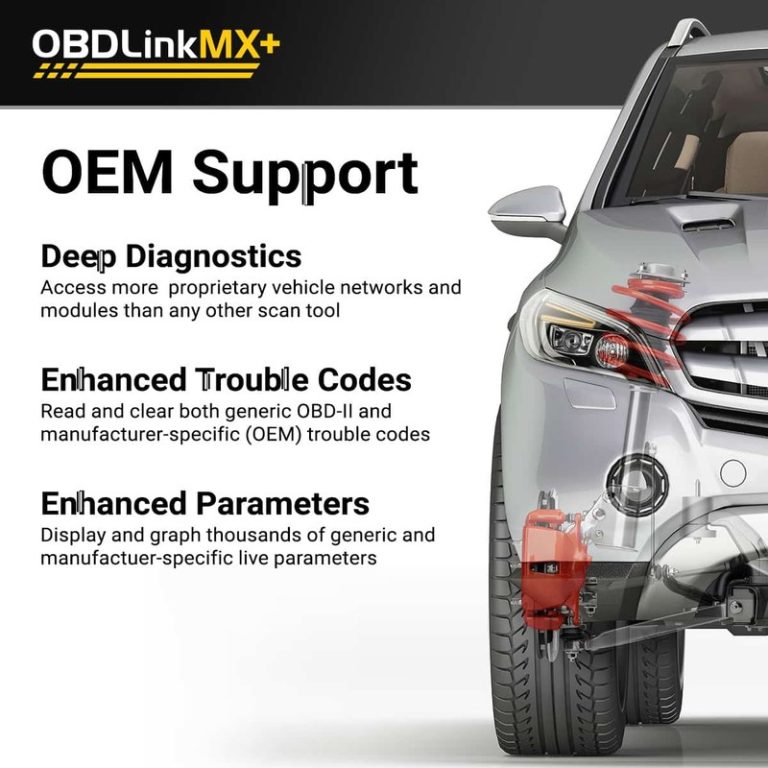
Enhanced Diagnostics And Brand Compatibility
BlueDriver combines its adapter with an app that can read enhanced codes on many supported vehicles. It can provide manufacturer-specific fault information, repair reports, and possible causes, but coverage varies by make, model, year, and system.
OBDLink MX+ offers enhanced diagnostics through the OBDLink app and selected compatible software. Its coverage also depends on the vehicle and app. You should check the manufacturer’s compatibility lists before buying, especially if you need ABS, airbag, transmission, or body-control access.
BlueDriver suits you if you want a simpler app with built-in repair information. OBDLink MX+ suits you if you want to choose among several apps, use a Windows computer, or monitor vehicle data with more flexibility. Neither device automatically provides complete access to every module in every vehicle.
Hardware Design And Connection Experience
Both adapters use Bluetooth to send vehicle data to a phone or tablet, but they serve different users. BlueDriver focuses on simple setup, while OBDLink MX+ offers broader device and software support.
Adapter Size And Build Quality
BlueDriver uses a compact plug-in design that stays connected to your vehicle’s OBD-II port. Its simple shape makes it easy to install, remove, and store. The adapter works with the BlueDriver app, so you do not need a separate display or cable.
OBDLink MX+ also uses a small OBD-II adapter designed for regular vehicle use. Its hardware includes support for additional vehicle communication networks, including certain Ford and GM systems. This can give you access to more manufacturer-specific data than BlueDriver on compatible vehicles.
Before buying either adapter, check the port location in your vehicle. A tight space near the driver’s footwell may make a compact adapter easier to use. Neither device replaces professional equipment for advanced programming, coding, or module replacement.
Bluetooth Compatibility And Pairing
BlueDriver works with Android and iOS devices through its dedicated app. Pairing and setup are designed for users who want to connect the adapter, scan the vehicle, and review results without configuring third-party software.
OBDLink MX+ supports Android and iOS, and it also supports Windows computers. You can use it with compatible third-party apps, which gives you more control over data displays, logging, and vehicle functions. This flexibility may require extra setup because each app handles pairing and configuration differently.
Both adapters use Bluetooth rather than Wi-Fi, so your phone can usually keep its normal internet connection while you scan. Keep the adapter connected only while needed, especially if your vehicle’s OBD-II port remains powered after you turn off the ignition.
Diagnostic Features And Live Data
Both tools read and clear standard OBD-II codes, show sensor data, and connect to a phone through Bluetooth. BlueDriver focuses on guided, vehicle-specific reports, while OBDLink MX+ gives you broader app support, faster data handling, and more control over how you view the information.
Trouble Code Reading And Clearing
You can use either scanner to read and clear standard check-engine codes. Both also support enhanced manufacturer codes on many vehicles, but coverage depends on the make, model, year, and control module. Neither tool can guarantee access to every system, such as airbag or body-control modules.
BlueDriver presents codes through its own app and adds repair reports for supported vehicles. These reports may show likely causes, related fixes, and technical information, which can help you decide what to test next. OBDLink MX+ works with the OBDLink app, OBDwiz on Windows, and many third-party apps. This gives you more software choices, but the quality and depth of enhanced diagnostics can vary by app.
Clearing a code does not repair the fault. It also resets emissions monitors, so you may need to drive through a complete readiness cycle before an emissions test.
Live Gauges And Data Logging
OBDLink MX+ has an advantage when you need fast, smooth live-data updates. Its higher data throughput can make gauges and graphs respond more quickly, especially when you monitor several parameters at once. You can view items such as engine speed, coolant temperature, fuel trims, oxygen-sensor readings, and vehicle speed.
BlueDriver displays live data in its app and lets you watch selected values while testing the vehicle. Its interface suits quick checks, but it offers fewer software and customization options than the MX+ ecosystem. Your vehicle determines which data parameters each scanner can access.
For deeper testing, OBDLink MX+ supports more third-party logging and dashboard tools. BlueDriver works best when you want a simple app-based workflow and clear reports rather than extensive data customization.
App Ecosystem And Advanced Tools
BlueDriver gives you a simple, guided mobile experience with built-in repair information. OBDLink MX+ gives you more software choices, including Windows support and third-party apps, but those options may require more setup and technical knowledge.
Included Mobile Applications
BlueDriver works with its own app on iOS and Android. The app reads and clears trouble codes, displays live data, and creates vehicle-specific diagnostic reports. Its Repair Reports can connect fault codes with common causes and reported fixes, which helps you decide what to check next.
The app also supports enhanced diagnostics for some vehicle makes. These features can access manufacturer-specific systems beyond basic emissions data, but coverage depends on your vehicle’s year, make, model, and system.
OBDLink MX+ includes the OBDLink app for iOS and Android. You can use it to view live sensor data, read and clear codes, create dashboards, and monitor vehicle parameters. The adapter also includes an OBDwiz license for Windows, giving you a computer-based option.
Check vehicle coverage before buying either scanner. Advanced functions vary by manufacturer, and neither device guarantees access to every module or dealer-level procedure.
Third-Party App Support
OBDLink MX+ uses an open design that works with many third-party automotive apps. Depending on the app and vehicle, you can use software such as Car Scanner, Torque, or FORScan for custom dashboards, data logging, and deeper diagnostics. Some apps may require separate purchases or subscriptions.
This flexibility benefits you if you want to compare data displays, save diagnostic logs, or use one adapter with different vehicles. It also lets you choose software that matches your skill level and testing needs.
BlueDriver keeps you inside its proprietary app ecosystem. That limits customization, but it also reduces compatibility issues and gives you one consistent interface. If you prefer guided reports and minimal setup, BlueDriver may suit you better. If you want broader software support, custom tools, or Windows access, OBDLink MX+ offers more flexibility.
Performance, Pricing, And Overall Value
You get faster live-data updates and wider app support with the OBDLink MX+. BlueDriver costs more for its single-purpose system but combines scanning, repair reports, and guided code explanations in one app.
Speed And Reliability
The OBDLink MX+ generally suits you better when you want quick, continuous data. It supports apps such as OBDLink, Torque Pro, OBD Fusion, Car Scanner, and DashCommand. This gives you more choices for gauges, logging, and vehicle monitoring.
Its battery-saving design also helps protect your vehicle’s battery when you leave the adapter connected. The MX+ supports Android, iOS, and Windows, although exact features depend on the app and vehicle.
BlueDriver offers a simpler setup. Its adapter works through the BlueDriver app on iOS and Android, which reduces compatibility choices but also limits setup decisions. The app can provide enhanced diagnostics for supported vehicles, including manufacturer-specific trouble codes and some extra system tests. Neither scanner works as a complete replacement for factory service equipment.
Cost Considerations
The purchase price of each adapter can change with sales, but both sit in the same general consumer price range. BlueDriver includes its main diagnostic features without a required monthly subscription, which improves its long-term value if you want repair information in one app.
The OBDLink MX+ may provide better value when you already own a preferred diagnostic app. You can choose free or paid software, but some advanced apps require separate purchases. You should also check whether your vehicle receives enhanced manufacturer data before buying.
| Your priority | Better value |
|---|---|
| Guided repair reports | BlueDriver |
| Multiple apps and platforms | OBDLink MX+ |
| Windows support | OBDLink MX+ |
| Simple phone-based diagnosis | BlueDriver |
Best Fit By Driver Type
Choose BlueDriver if you want a focused tool for diagnosing warning lights. Its app explains many trouble codes, displays likely causes, and offers repair reports based on data from other users. That makes it useful when you prefer guidance instead of comparing several apps.
Choose OBDLink MX+ if you want flexibility. It works well for live gauges, data recording, emissions checks, and vehicle monitoring. You also gain Windows support and access to many third-party apps.
For occasional home repairs, BlueDriver’s built-in reports can save time. For enthusiasts, multiple vehicles, or long-term data logging, the MX+ gives you more control. Before purchase, verify vehicle coverage, phone compatibility, and support for enhanced diagnostics.
Frequently asked questions
Which scanner works with more apps?
The OBDLink MX+ supports the OBDLink app and many third-party apps, including Torque Pro, OBD Fusion, Car Scanner, and DashCommand. BlueDriver uses its own iOS and Android app.
Does BlueDriver provide repair information?
Yes. BlueDriver can show vehicle-specific trouble-code explanations and repair reports. This feature helps you understand possible causes without searching for each code separately.
Can either scanner perform advanced manufacturer diagnostics?
Both tools may support enhanced diagnostics, but coverage depends on your vehicle’s make, model, year, and system. Check compatibility before buying if you need access beyond standard OBD2 codes.
Which device is better for live data?
Both can display live sensor data. The MX+ may suit you better if you want to choose among several apps, while BlueDriver offers a more guided experience through its dedicated app.
Do you need a subscription?
BlueDriver’s core diagnostic features generally come through the app without a required recurring subscription. The MX+ works with the free OBDLink app, but some third-party apps may charge separately.
Which scanner should you choose for a Windows PC?
The OBDLink MX+ offers broader platform support and can work with Windows software. BlueDriver mainly targets iPhone, iPad, and Android devices.
Will either scanner reset every warning light?
No. Both devices focus on supported OBD2 functions. Vehicle-specific systems and manufacturer software may require a professional scan tool.
Conclusion
Your choice depends on how you plan to diagnose vehicles. BlueDriver suits you if you want a simple app, clear repair reports, and guided data without choosing separate software.
Choose OBDLink MX+ if you want more control. It supports the OBDLink app, Windows computers, and many third-party apps. That flexibility makes it a stronger fit for enthusiasts, multiple vehicles, and Ford or GM owners who need enhanced manufacturer-specific diagnostics.
| Choose | Best fit |
|---|---|
| BlueDriver | Simple phone-based diagnosis and repair guidance |
| OBDLink MX+ | Flexible apps, wider device support, and deeper customization |
Both scanners can read standard OBD2 trouble codes and display live vehicle data. Before buying, check your vehicle’s compatibility and confirm whether you need manufacturer-specific functions, such as service resets or advanced module access.
If you want a guided experience with fewer setup choices, BlueDriver should meet your needs. If you value software options, broader device support, and room to expand, OBDLink MX+ gives you more flexibility.