What Can OBDLink MX+ Do? Clear Codes, Live Data and More
Last Updated: September 15, 2026
Does OBDLink MX Allow You to Clear Codes?
Yes, OBDLink MX and OBDLink MX+ can clear standard OBD-II engine codes when the vehicle and app support the function. The important part is fixing or confirming the problem first. If the fault is still active, the check engine light can come back after you clear it.
OBDLink MX+ useful features go beyond clearing codes: live data, freeze-frame details, emissions readiness, enhanced diagnostics on supported vehicles, dashboard gauges, and app-based logging.

Best fit: OBDLink MX+ for clear codes plus deeper live data
Choose MX+ if you want a Bluetooth adapter that can clear codes, show live data, and work with stronger apps than a basic code reader.
OBDLink MX+ Useful Features Besides Codes
| Feature | Why It Helps |
|---|---|
| Read and clear codes | Handles common check-engine diagnostics after the fault is fixed. |
| Live data | Lets you watch sensors while diagnosing rough idle, fuel trim, coolant temperature, or voltage issues. |
| Freeze-frame data | Shows what was happening when the code triggered. |
| Emissions readiness | Helps you know whether monitors are ready before inspection. |
| App dashboards | Useful for drivers who want real-time gauges and trip data. |

If you mainly need app compatibility: compare OBDLink CX
CX can be a better fit for certain app-specific workflows, especially if you are choosing based on phone/app compatibility instead of maximum vehicle coverage.
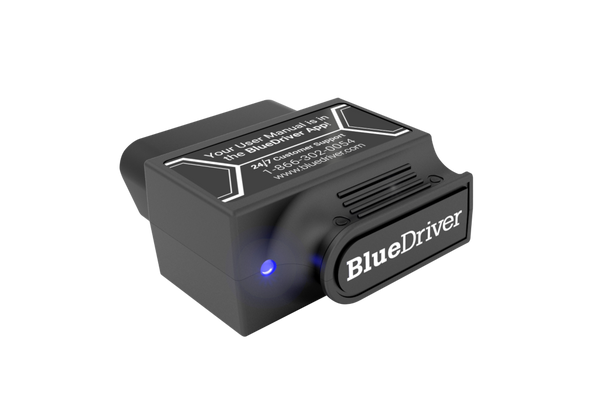
If you want a simpler repair-report style app
BlueDriver is easier for many beginners because the app explains likely fixes. OBDLink gives more app flexibility; BlueDriver feels more guided.
OBDLink MX Clear Codes and Features FAQ
Does OBDLink MX allow you to clear codes?
Yes. OBDLink MX/MX+ can clear standard OBD-II engine codes through a compatible app. Clear codes after fixing or confirming the issue, because active faults can return.
What can OBDLink MX+ do besides codes?
OBDLink MX+ can show live sensor data, freeze-frame information, emissions readiness, custom dashboards, and app-based logs. On supported vehicles and apps, it may also access enhanced data.
OBDLink MX+ is mainly for drivers who want more than a basic code reader, especially live data, code checks, and app-based diagnostics. It is useful, but only if your vehicle and app support the functions you need.
What can you do with OBDLink MX+? In plain terms, you can turn a phone or tablet into a deeper diagnostic tool for many OBD2-equipped vehicles, with live data, code reading, emissions checks, and app-based service functions. It is not a magic fix for car problems, but it can help you find the problem faster and decide when a shop is the safer move.
- Compatibility first: Check your vehicle year, protocol, and app support before buying.
- Best use: Read codes, view live data, and review readiness monitors before clearing anything.
- Safety matters: Set it up while parked and keep cables or adapters away from pedals and.
- Battery and tire limits: The tool can help you interpret data, but it cannot prove battery health or.
- Ownership value: It can save time for DIY troubleshooting, but it is not a full pro.
What can you do with OBDLink MX+? Quick answer for deeper diagnostics and smarter maintenance
The OBDLink MX+ is best thought of as a Bluetooth bridge between your vehicle and a compatible app. It can help you read diagnostic trouble codes, view live sensor data, check readiness monitors, and review some system information that basic code readers do not show clearly.
For many drivers, that means less guessing. Instead of clearing a warning light and hoping for the best, you can gather clues first and make a better repair decision.
How the OBDLink MX+ fits the 2026 Bluetooth OBD2 adapter market in the United States
Bluetooth OBD2 adapters now sit between simple handheld code readers and expensive pro scan tools. In that middle space, the MX+ competes on app support, protocol coverage, and the ability to pull more useful data from many vehicles without needing a bulky device.
If you want a deeper look at how it stacks up against a popular rival, see our OBDLink MX+ vs. BlueDriver comparison. If you are wondering what shops and independent techs often use, our guide on what OBD scanners mechanics use helps set expectations.
Who it is for: daily drivers, DIY owners, used-car shoppers, and light professional use
Daily drivers can use it to check why a light came on, confirm whether a fault is active, and see whether a repair actually changed the data. DIY owners often value the live-data view, because it can help narrow down issues like rough idle, weak battery behavior, or a sensor that is drifting out of range.
Used-car shoppers can use the tool as a quick pre-purchase helper, but it should never replace a real inspection. Light professional use is possible for basic diagnostics, yet many shops still need a more advanced scan tool for deeper manufacturer-specific functions.
What kind of value it can add compared with basic code readers
A basic reader usually gives you codes and maybe a few live values. The MX+ can go further when the app and vehicle support it, which may include richer live data, more detailed module access, and better help with emissions readiness checks.
That extra detail matters most when the problem is not obvious. A check-engine light could point to a loose gas cap, a failing sensor, or a real engine issue, and the MX+ can help separate those possibilities before you spend money.
- Useful live data for deeper troubleshooting
- Compact Bluetooth setup for phone-based diagnostics
- Better fit for drivers who want more than code clearing
- Depends on app quality and vehicle compatibility
- Not a full replacement for pro bidirectional tools
- Some advanced functions vary by make, model, and module
Compatibility checklist: model years, OBD2 protocols, and vehicle systems it can access
Compatibility is the first thing to verify before buying any Bluetooth adapter. The MX+ may work very well on one vehicle and only partly on another, depending on model year, protocol support, app choice, and the system you want to read.
Check: Verify make, model, year, trim, voltage, ports, mounting space, and OEM requirements. Limitations: State verified exclusions.
Gas vehicles, light trucks, and the model-year cutoff most U.S. drivers should know
Most U.S. gasoline vehicles and light-duty trucks built for OBD2 compliance are the most straightforward match. In the United States, the common cutoff is 1996 and newer for gasoline vehicles, though some earlier or specialty vehicles may vary by engine, market, or equipment.
That does not mean every 1996-and-newer vehicle will expose every feature. It only means the vehicle is more likely to support standard OBD2 communication.
Protocol coverage, app support, and why some modules are easier to read than others
The adapter’s value depends on both the protocol and the app. Some apps can pull more data from engine and emissions systems, while access to body, transmission, ABS, or airbag modules may be limited by the vehicle and software.
That is why one scanner can show a lot on one car and very little on another. For readers comparing options, our guide to what is better than BlueDriver is useful for understanding where app-based tools fit in the wider market.
Hybrid and EV cautions: when extra care or a different tool is needed
Hybrid and EV owners should be extra careful. Standard OBD2 access may still work for some general information, but high-voltage battery systems, inverter issues, and brand-specific modules often need manufacturer-level software or a scanner built for that platform.
Setup and installation guide: port location, ignition mode, firmware, and app permissions
Setup is usually simple, but simple does not mean careless. A loose adapter, bad pairing order, or rushed app setup can waste time and create confusion when you are trying to diagnose a real issue.
Moderate: The physical plug-in is easy, but app pairing, permissions, and vehicle-specific setup can take careful attention.
Finding the OBD2 port and confirming the adapter seats correctly
The OBD2 port is commonly under the dash near the steering column, but the exact location varies. Push the adapter in until it seats firmly, and do not force it if the shape or orientation seems wrong.
Correct connection order, ignition-on behavior, and safe pairing steps
In general, the safest order is to plug in the adapter while parked, switch the ignition to the required on position, then pair through the app. Some vehicles need the engine off but ignition on; others may allow engine-running data checks. Always follow the vehicle and app instructions.
Pairing should happen before you start moving. That keeps your attention on the road and helps avoid random disconnects during a diagnostic session.
Firmware updates, Bluetooth permissions, and privacy settings to review before use
Many connected tools rely on app permissions, firmware updates, and account settings. Before you begin, review Bluetooth access, location permissions if required by the app, and any cloud or account features that store vehicle data.
What deeper diagnostics can reveal: codes, live data, readiness monitors, and reset limits
This is where the MX+ earns its place for many owners. Instead of only showing a warning light, it can help you look at the system behind the warning and decide whether the problem is minor, intermittent, or urgent.
Reading and clearing codes: what the MX+ can do and what it cannot fix
The adapter can help you read diagnostic trouble codes and clear them when appropriate. But clearing a code does not repair the cause, and it can erase helpful clues if you do it too soon.
Always record the code first, along with freeze-frame data if the app shows it. That information can matter when a problem returns later.
Live-data examples: fuel trims, misfire clues, sensor trends, and system voltage
Live data can show how the vehicle behaves in real time. Useful examples include fuel trims, oxygen sensor activity, coolant temperature, intake readings, battery voltage, and misfire-related clues when the app and vehicle support them.
Those readings are not a final diagnosis by themselves. They are clues that help you narrow the search so you are not replacing parts at random.
Emissions readiness, inspection prep, and why some resets should stay with a professional
Readiness monitors help show whether the vehicle has completed the self-checks needed for emissions testing in many states. If you clear codes right before an inspection, you may reset those monitors and fail the readiness portion even if the car seems to run fine.
Some reset functions are best left to a professional, especially when they affect steering angle, transmission learning, or other systems that need precise calibration. If you are unsure, stop and check the service manual first.
Do not clear codes before documenting the fault if the vehicle is running poorly, stalling, overheating, or showing multiple warnings. Capture the data first so you do not erase the evidence you need.
Battery and electrical checks: state of charge, battery health, and safe test boundaries
Battery-related readings are one of the most practical uses of a Bluetooth adapter. They are also one of the easiest areas to misunderstand, because voltage, state of charge, and battery health are not the same thing.
State of charge versus battery health: what the app can suggest and what it cannot prove
State of charge is a snapshot of how full the battery seems right now. Battery health is about how well it can still perform under load and how much life it has left.
An app may suggest that a battery looks weak, but that is not the same as a verified bench test. If the battery is old, slow to crank, or fails after sitting, a proper load test or professional inspection is still the better proof.
Battery chemistry, voltage limits, and damaged-battery stop conditions
Vehicles can use different battery types and charging strategies, especially with start-stop systems, hybrids, and EVs. The adapter can help with basic electrical readings, but it cannot safely override battery chemistry limits or repair a damaged battery.
If you see swelling, leaking, heat, odor, or repeated low-voltage faults, stop and follow the vehicle manual or get professional help. Those are not “keep testing” conditions.
Connection order, jump-start caution, and when hybrid/EV systems require professional service
When troubleshooting electrical issues, connect and disconnect carefully and avoid creating sparks near a damaged battery. Do not use the adapter as a substitute for safe jump-start procedure or battery service instructions.
Hybrid and EV systems need extra caution because high-voltage components are a separate safety category. If the issue involves orange cables, isolation faults, or HV warnings, professional service is the safer path.
Tire and TPMS use cases: pressure checks, relearns, and repair decision points
The MX+ is not a tire inflator, but it can still support tire-related decisions when paired with the right app and vehicle data. That makes it useful for drivers who want to understand a TPMS warning before heading to a shop.
Door-jamb placard pressure, cold inflation checks, and gauge accuracy limits
Start with the vehicle’s door-jamb placard, not a guess or a number from memory. Tire pressure should be checked cold, and any electronic reading should be compared with a quality tire gauge if accuracy matters.
TPMS data can help you spot a problem, but it should not replace a physical pressure check. If one tire is low, verify all four and inspect for visible damage.
Inflator duty cycle, TPMS relearn limitations, and what the MX+ cannot replace
If you are using a portable inflator, duty cycle and power limits matter. The MX+ does not change those limits, and it cannot make a weak compressor or worn valve stem safe to ignore.
TPMS relearns may require a vehicle-specific procedure or a shop tool. The adapter may help you see the data, but it cannot replace every relearn function or sensor service step.
Puncture location, temporary-repair limits, and when tire damage needs a shop
A slow leak near the tread center can sometimes be repairable, while sidewall damage or shoulder damage usually is not. Temporary sealants and plugs have limits, and they are not a permanent fix for every puncture.
Roadside and emergency-tool value: how to use the MX+ safely during a breakdown
In a breakdown, the MX+ can be helpful, but only after the scene is safe. The first job is always to protect people, not to plug in a tool.
Safe location, traffic visibility, and keeping the vehicle stable before plugging in
Pull over where traffic exposure is as low as possible, use hazard lights if appropriate, and keep everyone clear of moving traffic. Once the vehicle is stable and parked, then think about diagnostics.
Storage conditions, cable/adapter condition, current limits, and tool completeness
Store the adapter where it will not overheat, get crushed, or get lost in the glove box. Check the connector for bent pins, cracked housing, or grime before use, because a damaged plug can create unreliable readings.
Also make sure you have the right app installed and updated before a roadside problem happens. A tool you cannot pair quickly is much less useful in an emergency.
Post-use inspection: verifying no warning lights, loose connectors, or battery drain
After use, remove the adapter if you do not need it left in the port. Some vehicles handle powered accessories differently, and leaving a device connected can be a nuisance or, in some cases, contribute to battery drain.
Before driving away, confirm the connector is fully removed, no warning lights appeared because of a loose plug, and nothing was left hanging near the pedals or steering area.
Comparison and buying guidance: OBDLink MX+ versus cheaper adapters and pro-grade scan tools
The right choice depends on what kind of owner you are. A cheap adapter may be enough for occasional code checks, while a pro-grade scanner may be better for repeated repairs, advanced service work, or multi-system diagnostics.
| Option | Best for | Owner consideration | Driver consideration |
|---|---|---|---|
| OBDLink MX+ | Drivers who want deeper app-based diagnostics | May cost more than basic adapters, but offers stronger features and support | Compact and phone-based, so setup discipline matters to avoid distraction |
| Cheap Bluetooth adapter | Very light occasional code reading | Lower upfront cost, but app quality and reliability can be inconsistent | May be slower or less stable in live use |
| Pro scan tool | Advanced repair work and frequent diagnostics | Higher ownership cost, but more service functions and broader control | Usually better for shop use than casual phone-based troubleshooting |
Side-by-side criteria: compatibility, live data depth, app ecosystem, speed, support, and warranty
Before buying, compare the adapter on the criteria that matter most: your vehicle list, the app ecosystem, how much live data you need, and whether the seller or manufacturer supports firmware updates and warranty claims. Those factors often matter more than a headline feature.
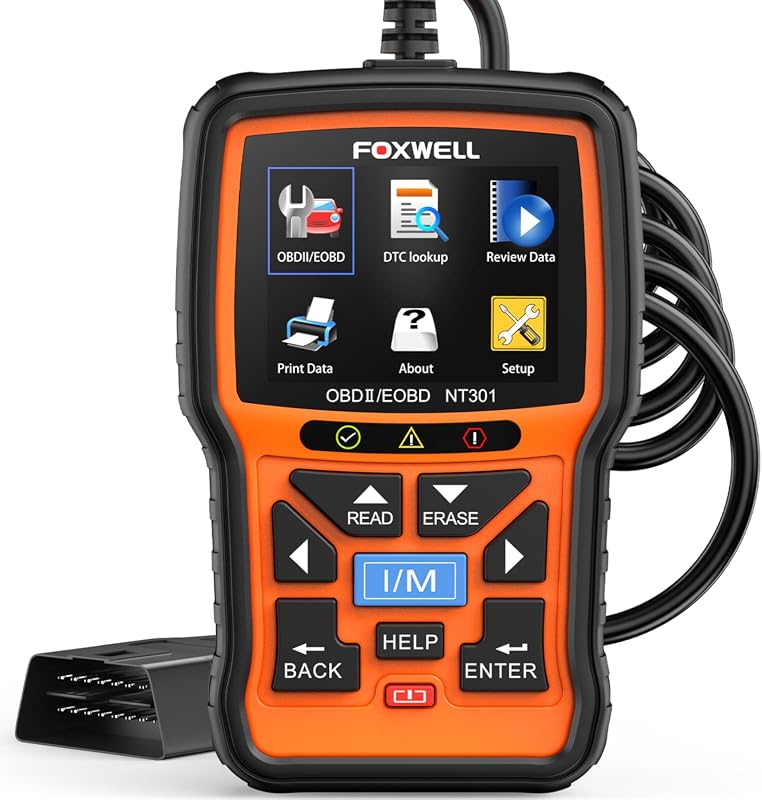
If you want a broader look at vehicle fit, our article on what vehicles are compatible with Foxwell NT301 can help you think through compatibility questions in a practical way.
Best fit by driver type: budget commuter, DIY mechanic, multi-vehicle household, and advanced user
A budget commuter may be happier with a basic reader if all they want is a quick code check. A DIY mechanic or multi-vehicle household is more likely to benefit from the MX+ because the extra data can save time across different repair tasks.
Advanced users should compare it with a full scan tool if they need regular service resets, deeper module access, or more control over vehicle systems. For some owners, the app-based convenience is enough; for others, it is only the starting point.
Limitations, alternatives, ownership cost, and transparent verdict for CarValleyNJ readers
The biggest limitation is not the Bluetooth connection itself. It is the fact that vehicle support, app features, and module access can vary enough that no single adapter is perfect for every driver.
For many US drivers, the MX+ makes sense when the goal is smarter diagnostics, not full shop-level programming. If that matches your needs, it is easier to justify than a bargain adapter that may leave you guessing.
- Best for: Drivers, DIY owners, and used-car shoppers who want deeper app-based diagnostics than a basic code reader can offer.
- Think twice if: You need full pro-level programming, every module on every vehicle, or a tool for high-voltage hybrid and EV service.
- Next step: Confirm your vehicle compatibility, app support, and the exact functions you need before you buy.
Frequently Asked Questions
It is generally aimed at OBD2-compliant vehicles, which in the U.S. usually means 1996 and newer gasoline vehicles and light trucks. Exact support still depends on the vehicle, module, and app.
It can clear many codes, but clearing a code does not fix the cause. Record the code and freeze-frame data first if the app provides it.
The plug-in step is usually simple, but pairing, permissions, and app setup take some attention. Set it up while parked and keep it out of the way of pedals and steering movement.
It can show useful voltage and live data clues, but it cannot prove battery health by itself. A load test or professional inspection is still better for confirming a weak battery.
It can, because connected tools may collect vehicle data, app activity, and account information. Review Bluetooth, location, and cloud-sharing settings before you pair it.
Check vehicle compatibility, app support, warranty terms, and the functions you actually need. Also compare it with cheaper adapters and pro scan tools so you do not overbuy or underbuy.


3 Comments