What Is the Best OBD2 Scanner for Personal Use? Top Features to Consider
If you want a simple, reliable tool for personal car checks, the BlueDriver Bluetooth Pro stands out for most vehicle owners. It connects to your phone, explains trouble codes in plain language, and provides repair information without a subscription.
The best OBD2 scanner for personal use is the BlueDriver Bluetooth Pro if you want detailed diagnostics, broad system coverage, and an easy phone-based setup. A basic code reader may suit you if you only need to check the engine light, while a higher-end scanner can access systems such as ABS and airbags.
Your vehicle’s model year and diagnostic systems matter, so check compatibility before buying. The right scanner can help you understand warning lights, view live data, and avoid unnecessary repair costs.
Key Takeaways
- BlueDriver suits most personal vehicle owners.
- Basic scanners work well for engine fault codes.
- Check vehicle compatibility before purchasing.
OBD2 Scanner Types And Core Functions
Your best choice depends on whether you only need to read check-engine codes or want deeper access to systems such as ABS, airbags, and transmission controls. Connection type also affects convenience, screen size, update costs, and how easily you can use the tool during repairs.
Code Readers Versus Diagnostic Scan Tools
A basic code reader checks the engine computer for generic OBD2 trouble codes. It can display codes, clear them, show readiness monitors, and provide limited live data. This suits simple check-engine-light checks, emissions testing preparation, and basic maintenance.
A diagnostic scan tool supports more control modules and functions. Depending on your vehicle and the tool, it may read ABS, SRS, transmission, and body-control codes. Some models also offer graphing, battery tests, service resets, bi-directional tests, or electronic parking-brake support.
Check the product details before buying. A scanner that claims “full system” coverage may support only selected functions on certain vehicles. You should also confirm compatibility with your car’s model year, engine, and region.
Bluetooth, Wi-Fi, And Handheld Models
Bluetooth and Wi-Fi scanners plug into your vehicle’s OBD2 port and connect to a phone or tablet. They take up little space and often provide clear graphs, code descriptions, and repair information through an app. Bluetooth models usually work best with compatible phones, while Wi-Fi models may affect your device’s internet connection.
A handheld scanner includes its own screen and controls. You do not need a phone, account, or wireless connection, which makes it useful in a garage or roadside situation. Larger screens can make live data easier to read, but the tool may cost more and take up more storage space.
Before choosing a wireless model, check whether the app requires a subscription. Also confirm support for your phone’s operating system and the diagnostic functions you need.
Key Features For Personal Vehicle Diagnostics
For personal use, prioritize a scanner that shows useful engine data, preserves fault conditions, and explains codes clearly. If you need to diagnose systems beyond the engine, check for manufacturer-specific coverage and service functions before you buy.
Live Data And Freeze-Frame Information
Live data lets you watch sensor readings while the engine runs. Useful values include coolant temperature, engine speed, vehicle speed, fuel trims, oxygen-sensor readings, throttle position, and system voltage. A scanner with graphing can help you spot readings that change erratically or stay outside a normal range.
Freeze-frame data records conditions at the moment a fault code appeared. It may show engine speed, load, temperature, fuel trim, and vehicle speed. This information helps you recreate the problem instead of testing parts at random.
Look for a scanner that lets you:
- View several data values at once
- Graph readings over time
- Record a short drive
- Display units in metric or U.S. measurements
- Save or share diagnostic reports
Live data supports diagnosis, but it does not prove that one part caused the fault. Use the readings with wiring checks, service information, and other tests.
Manufacturer-Specific Codes And Service Functions
Basic OBD2 readers usually handle standard engine and emissions codes. For access to ABS, airbag, transmission, body, or all-wheel-drive systems, you need a scanner with full-system coverage for your vehicle’s make, model, and year. Confirm coverage before purchase because features can vary by vehicle.
Manufacturer-specific codes often provide more detail than a generic powertrain code. A compatible scanner may also show the vehicle maker’s code description and related test information.
Service functions can include:
- ABS and airbag code access
- Oil-life reset
- Battery registration
- Electronic parking-brake service mode
- Steering-angle calibration
- Diesel particulate filter support
- Throttle or injector relearn procedures
Some advanced functions require paid software updates, an active subscription, or extra equipment. A scanner may list a function but support it only on certain models. Check the manufacturer’s coverage tool before relying on it for a repair.
Compatibility With Your Vehicle
Before buying, confirm that the scanner supports your vehicle’s model year, diagnostic protocol, and needed systems. You should also check whether its app works with your phone, tablet, or computer.
Model Year, Protocol, And Brand Coverage
Most vehicles sold in the United States from 1996 onward support OBD2 emissions diagnostics. European vehicles generally adopted OBD2-based systems later, often from 2001 for gasoline cars and 2004 for diesel cars. Check your owner’s manual or the scanner maker’s compatibility list before buying.
A basic scanner may read and clear engine fault codes across many brands. It may not support ABS, airbag, transmission, battery, or body-control modules. If you need those systems, choose a tool that lists the exact functions for your vehicle’s make, model, year, and engine.
Different vehicles use different communication protocols, including CAN, ISO 9141, and KWP2000. Most current scanners support several protocols automatically, but older vehicles may require extra checks. Manufacturer-specific features can also vary, even when the scanner connects successfully.
iOS, Android, And Windows App Support
Bluetooth scanners often depend on a mobile app. Before you buy, check whether the app supports your device’s operating system and version. Some models work with both iOS and Android, while others support only Android or require a specific app.
iOS devices usually need scanners that support Bluetooth Low Energy (BLE) or Wi-Fi. Traditional Bluetooth adapters may not work with iPhones and iPads. Android phones often support a wider range of Bluetooth adapters, but you should still check the required Android version.
Windows support matters if you plan to use a laptop. Some scanners include Windows software, while others work only through a phone app. Also check whether important features require a subscription, such as enhanced manufacturer codes, repair reports, or ongoing software updates.
Choosing The Right Scanner For Your Needs
Choose a scanner based on the work you plan to do, your vehicle, and the systems you need to access. A basic reader suits simple engine-code checks, while a more advanced tool can support live data, ABS and SRS diagnostics, service resets, and active tests.
Casual Code Checking And Check Engine Light Resets
For occasional use, choose a simple OBD2 reader or a reliable Bluetooth adapter. It should read and clear generic powertrain codes, show code definitions, and display basic live data such as engine speed, coolant temperature, and oxygen-sensor readings.
A wired reader offers quick setup and does not depend on a phone app. A Bluetooth model takes more setup but can provide better graphs and record data through a compatible app. Check that the adapter supports your phone and your vehicle before buying.
Important limits:
- Clearing a code does not repair the cause.
- The check engine light may return after the vehicle detects the same fault.
- Clearing codes also resets emissions monitors, which can prevent an immediate emissions test.
Avoid the cheapest unbranded adapters if you need dependable readings. Look for clear instructions, current software, and support for your vehicle’s model year.
DIY Repairs And Advanced Maintenance
If you perform your own repairs, choose a scanner with live data, graphing, code history, and full-system access. Basic OBD2 tools often cover only the engine and transmission. A broader scanner can check systems such as ABS, airbags, body control, and electronic parking brakes when your vehicle supports those functions.
Service features can also save time. Depending on the model, the scanner may reset oil-life indicators, register a battery, perform steering-angle calibration, or place an electronic brake system into service mode. Confirm each feature for your exact vehicle before purchase.
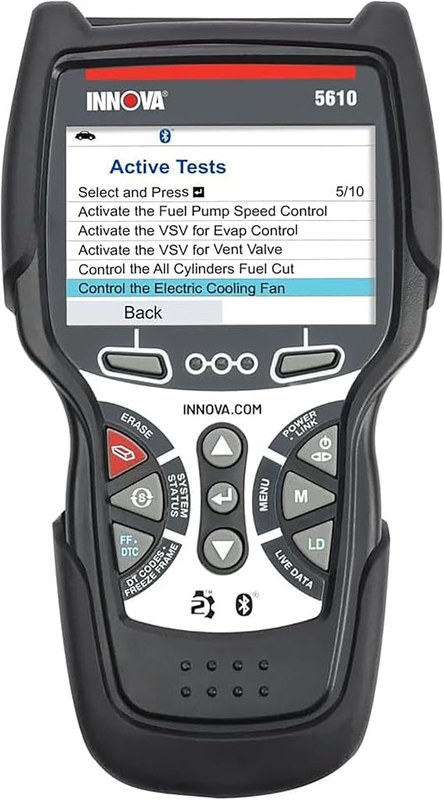
For deeper troubleshooting, look for bidirectional controls. These let you command supported components, such as cooling fans or fuel-pump relays, while testing a fault. They do not replace wiring diagrams, a multimeter, or repair knowledge, but they can narrow the problem more quickly. Choose a tool with regular software updates if you expect to keep it for several years.
Cost, Reliability, And Ongoing Value
Your best choice depends on more than the purchase price. Check whether the scanner needs paid software, how often it receives updates, and whether its hardware and support can withstand regular use.
App Subscriptions And Update Policies
Bluetooth scanners often cost less than handheld tools, but many depend on a phone app. BlueDriver, for example, provides detailed reports through its app and does not require a recurring subscription for basic use. Check the current app features before buying, since advanced functions can vary by vehicle.
Some professional-grade scanners include broad coverage, active tests, and service resets but may charge for yearly software updates. A low purchase price can become expensive if you need frequent updates to support newer vehicles.
For occasional home use, choose a scanner with free or clearly priced updates. A basic reader that displays and clears engine codes may provide better value than a costly tool with functions you will not use. Confirm that the tool supports your vehicle’s model year and required systems.
Build Quality, Support, And Warranty
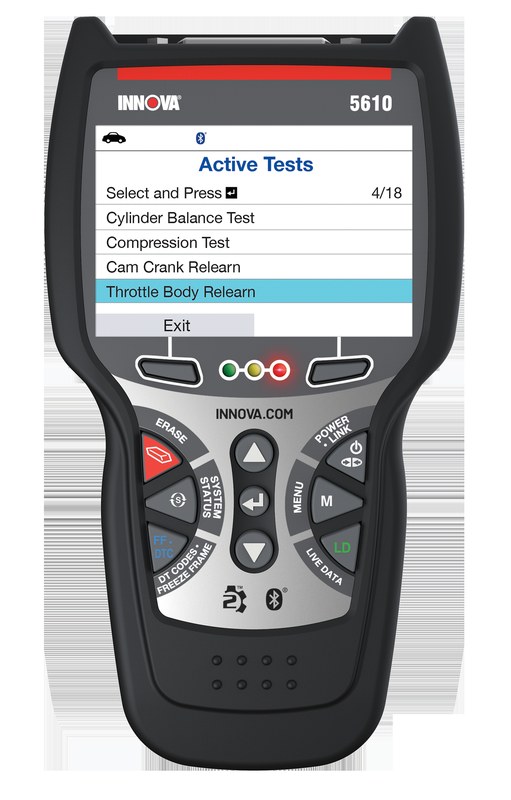
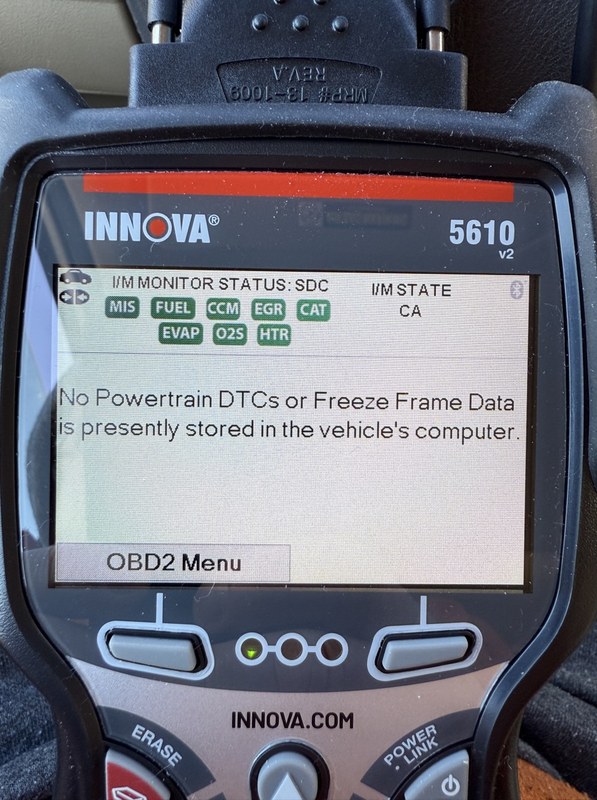
A personal scanner should have a sturdy cable, readable display, and controls that you can use without difficulty. A handheld model such as the Innova 5610 can suit you if you prefer a dedicated device instead of relying on a phone. Bluetooth models take less storage space but depend on your phone, app, and wireless connection.
Check the warranty length and the company’s support options before you buy. Clear manuals, firmware instructions, and responsive customer service matter when a scan result seems unclear. A lifetime update policy can add value, but you should verify what the policy covers and whether it applies to all vehicle systems.
Avoid choosing only by the number of advertised functions. For reliable personal use, match the scanner’s supported features, update costs, warranty, and build quality to the repairs you expect to handle.
FAQs
What is an OBD2 scanner used for?
You can use an OBD2 scanner to read diagnostic trouble codes from your vehicle’s computer. It can help you investigate a check-engine light, view live data, and clear codes after you repair the problem.
Will any OBD2 scanner work with your car?
Most vehicles sold in the United States since 1996 support standard OBD2 functions. Check the scanner’s vehicle coverage before buying, especially if you own a newer, diesel, hybrid, or imported vehicle.
Do you need a Bluetooth scanner or a handheld model?
A Bluetooth scanner works with a phone app and usually offers a compact design. A handheld scanner has its own screen and does not require a phone. Choose the type that feels easier for you to use.
Can a basic scanner diagnose ABS or airbag faults?
Usually, no. Many basic models only read engine and emissions codes. If you need ABS, airbag, transmission, or body-system access, choose a scanner that clearly lists those systems.
Can a scanner tell you exactly what to replace?
No. A trouble code identifies a system or condition, not always a failed part. Use the code with live data, service information, and basic testing before replacing components.
Do OBD2 scanners require subscriptions?
Some advanced scanners require paid software or yearly updates. Check the app and update policy before you buy, since subscription costs can affect the long-term price.
Conclusion
The best OBD2 scanner for personal use depends on the systems you need to check and how much control you want. A basic reader can handle engine codes and emissions data, while a more advanced model may add live data, ABS and airbag diagnostics, service resets, and vehicle-specific tests.
For many drivers, BlueDriver offers a practical balance of ease of use and diagnostic coverage through a smartphone app. It can help you read trouble codes, view live data, and access repair information without the cost or complexity of professional equipment.
Before you buy, check that the scanner supports your vehicle’s year, make, and model. You should also consider:
- Basic code reading: Best for occasional check-engine alerts
- Live data: Useful for tracking sensor readings while the engine runs
- ABS and SRS support: Important if you need brake or airbag diagnostics
- Service functions: Helpful for tasks such as oil or battery resets
- Updates and app costs: Check whether the tool requires subscriptions
A scanner can point you toward a possible fault, but it cannot replace proper testing or repair knowledge. Use its results with your vehicle’s service information, and seek professional help when the problem involves safety systems or complex electrical faults.




2 Comments