Best Foxwell Scanner: NT301 vs NT710 vs NT809BT Compared
Choosing the best Foxwell scanner is easier when you begin with the job you actually need the tool to perform. A basic code reader can help with a check-engine light, while a more advanced scanner can access additional vehicle systems, perform service resets, and run supported active tests.
For most DIY owners who mainly maintain one vehicle brand, the Foxwell NT710 offers the strongest balance of diagnostic depth, usability, and long-term value. The Foxwell NT301 is the simpler budget choice for engine-code checks, while the Foxwell NT809BT is better suited to multi-brand households, serious home mechanics, and small repair shops.
Choose the NT301 for basic check-engine diagnostics, the NT710 for deeper work on one selected vehicle brand, or the NT809BT when you need broader multi-brand coverage and wireless bidirectional testing. Always verify the exact make, model, year, engine, and required function before ordering.
- Best budget pick: Foxwell NT301 for check-engine lights, emissions readiness, and basic OBD2 diagnostics.
- Best DIY pick: Foxwell NT710 for deeper brand-specific diagnostics, service functions, and supported active tests.
- Best advanced pick: Foxwell NT809BT for broader multi-brand coverage and wireless workshop-style diagnostics.
Foxwell NT710: It is the most practical choice for many advanced DIY users because it combines full-system access, supported active tests, service functions, Wi-Fi updates, and brand-focused coverage without requiring the cost of a larger professional tablet. Its main limitation is that you must select the correct vehicle-brand software.
- The best Foxwell scanner depends on your vehicle and the systems you need to diagnose.
- The NT301 is designed mainly for standard OBD2 engine and emissions checks.
- The NT710 provides deeper brand-specific diagnostics and service functions on supported vehicles.
- The NT809BT adds broader multi-brand coverage, wireless operation, and supported bidirectional tests.
- Compatibility and update terms matter more than the number of features printed on a product page.
Best Foxwell Scanners Compared
The Foxwell NT301, NT710, and NT809BT are built for different levels of diagnostic work. The NT301 focuses on standard engine and emissions codes, the NT710 adds deeper brand-specific system access, and the NT809BT provides broader multi-brand coverage with wireless operation and supported active tests.
Because the right choice depends on both vehicle compatibility and the repairs you plan to perform, first consider the level of access each tool provides. The next sections explain coverage, features, software updates, and buying mistakes before narrowing the options to three practical recommendations.
How Foxwell Scanners Differ by Vehicle Coverage
Product names can make these scanners look similar, but their access level changes significantly. Understanding the difference between generic OBD2 coverage, brand-specific diagnostics, and broad multi-system coverage prevents both overspending and buying a tool that cannot reach the module you need.
OBD2 Code Readers
A basic OBD2 reader such as the NT301 communicates mainly with the standard engine and emissions system. It can read and clear supported powertrain codes, show readiness-monitor status, and display selected sensor information. That is often enough to investigate a check-engine light before scheduling a repair.
The limitation is system access. A generic reader may not communicate directly with the ABS, airbag, transmission, electronic parking brake, or body control modules. It may show a transmission-related generic powertrain code, but that does not mean it offers complete transmission diagnostics.
Brand-Specific Diagnostic Tools
A brand-specific scanner such as the NT710 is designed to go deeper into a selected manufacturer’s control systems. On supported vehicles, that can include the engine, transmission, ABS, SRS, battery system, steering, instrument cluster, and other modules.
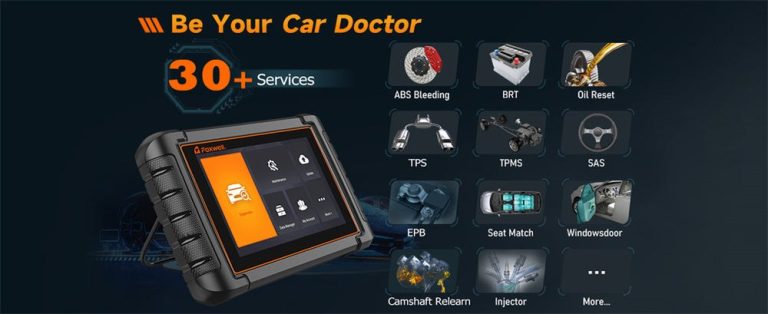
That deeper access can also unlock service procedures such as oil reset, battery registration, electronic parking-brake service, steering-angle calibration, ABS bleeding, or diesel-particulate-filter functions. However, a function listed for the scanner may still vary by model year, engine, trim, market, and module.
Professional Multi-System Scanners
A multi-brand tablet such as the NT809BT is intended for users who diagnose several makes or need a broader workshop-style tool. It can combine automatic vehicle identification, full-system scanning, live-data viewing, service functions, and supported active tests in one device.
The additional coverage can improve efficiency, but no aftermarket scanner supports every possible test on every vehicle. A professional-looking tablet should therefore be judged by its exact coverage for your vehicles, not by its screen size or total feature count.
Check before purchase: vehicle make, model, year, engine, market, control module, and the exact reset or active test you need. Important: basic code-reading support does not prove that every full-system function, service reset, or bidirectional test is available.
Features That Determine Real-World Value
Once you know the required coverage level, compare the features that will actually change your diagnostic process. Live data, service functions, and bidirectional control are useful only when the vehicle supports them and the user understands what the results mean.
Live Data and Graphing
Live data displays sensor readings while the vehicle is operating. Common examples include engine speed, coolant temperature, fuel trims, oxygen-sensor activity, throttle position, and vehicle speed. These readings provide context that a trouble code alone cannot show.
Graphing becomes useful when a value changes too quickly to understand as a number. A graph may reveal an intermittent signal, a slow sensor response, or a value that drops out under a specific condition. Larger tablet displays generally make it easier to compare several data streams, while handheld readers are better for a smaller number of focused checks.
Service Reset Functions
Service functions support maintenance tasks after parts or fluids have been replaced. Depending on the scanner and vehicle, these may include oil-life reset, battery registration, electronic parking-brake service, steering-angle calibration, throttle relearn, ABS bleeding, injector coding, or DPF procedures.
The words “all resets” should never be treated as universal coverage. A scanner may support a reset for one vehicle but not another model from the same manufacturer. Confirm the exact procedure before purchasing the tool for a specific repair.
Bidirectional Control and Active Tests
Bidirectional control allows the scanner to send a command to a supported module. For example, an active test may operate a cooling fan, fuel pump, relay, window, door lock, or other actuator. This helps determine whether a component responds when commanded.
That capability can narrow a diagnosis, but it does not replace electrical testing or repair information. If a component fails to respond, the cause could still involve the component, wiring, power supply, ground, communication network, or control module.
Software Updates and Long-Term Ownership
A scanner’s purchase price is only part of its long-term cost. Updates can add vehicle coverage, improve existing functions, correct software problems, and support newer model years. The included update period therefore matters most for buyers who work on changing or recently released vehicles.
The current Foxwell product information lists lifetime free updates for the NT301 and NT710, while the NT809BT includes a limited free-update period and remains usable afterward. Terms can change by seller, region, package, or promotion, so confirm them on the exact listing before ordering.
How to Choose the Right Foxwell Scanner
Instead of comparing every specification at once, use a short decision process. This keeps the choice focused on the vehicle and the repairs you are likely to perform.
Decide whether you only need engine codes or also need ABS, SRS, transmission, battery, parking-brake, body, or other module access.
Write down the exact functions you expect to use, such as battery registration, ABS bleeding, EPB service, DPF regeneration, steering calibration, or active tests.
Check the make, model, year, engine, market, and function in Foxwell’s current coverage information rather than relying only on a retailer title.
Review the included update period, possible software purchases, warranty, return policy, and whether the scanner remains usable without renewal.
- Confirm the exact vehicle, engine, model year, and regional version.
- Verify every required system and service function separately.
- For the NT710, choose the correct brand-software version.
- Review update terms, warranty, returns, and technical support.
- Check whether the tool requires Wi-Fi, a computer, account registration, or charging.
- Keep a record of the seller and exact product listing you purchased.
Common Buying Mistakes to Avoid
- Buy according to required module access.
- Check function-level compatibility.
- Compare update terms and return policies.
- Save diagnostic codes before clearing them.
- Assume “all systems” means every function.
- Buy the wrong NT710 brand package.
- Replace parts based only on a code description.
- Clear faults before recording useful data.
Another common mistake is comparing scanners only by price. Two tools at similar prices may target completely different vehicles or diagnostic levels. For a closer look at how features can differ between entry-level code readers, see the Foxwell NT301 vs. Autel AL519 comparison.
Recommended Foxwell Scanners for Different Needs
After comparing diagnostic coverage, service functions, active tests, software updates, and common buying mistakes, the choice becomes more straightforward. The three models below cover the most common buyer needs, from basic check-engine diagnostics to broader workshop-style testing.
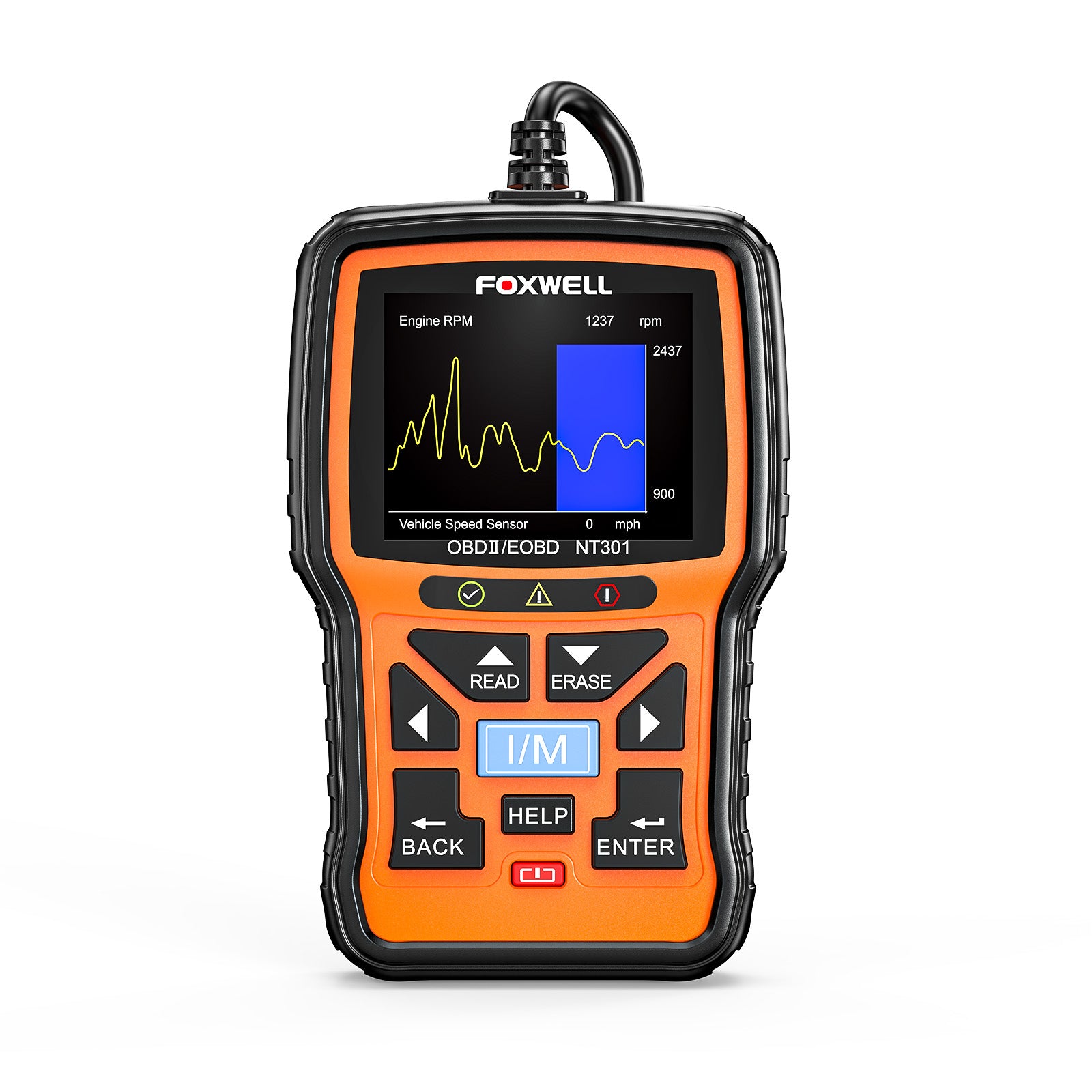
Foxwell NT301 — Best for Basic DIY Diagnostics
The NT301 is a straightforward wired code reader for owners who want to read and clear supported check-engine codes, check emissions readiness, view freeze-frame information, and monitor selected live data. It is easy to keep in a glove box or home tool kit, but it is not the right choice for full ABS, airbag, body-module, coding, or bidirectional work.
- Best for: Check-engine lights, emissions readiness, and basic live data
- Strong point: Simple controls with no tablet setup
- Think twice if: You need transmission-module, ABS, SRS, or service-reset access
The NT301 makes sense when your goal is quick engine-code information rather than complete vehicle diagnostics. Readers concerned specifically about transmission faults should also review the NT301 transmission-code limitations before deciding that a basic reader is enough.
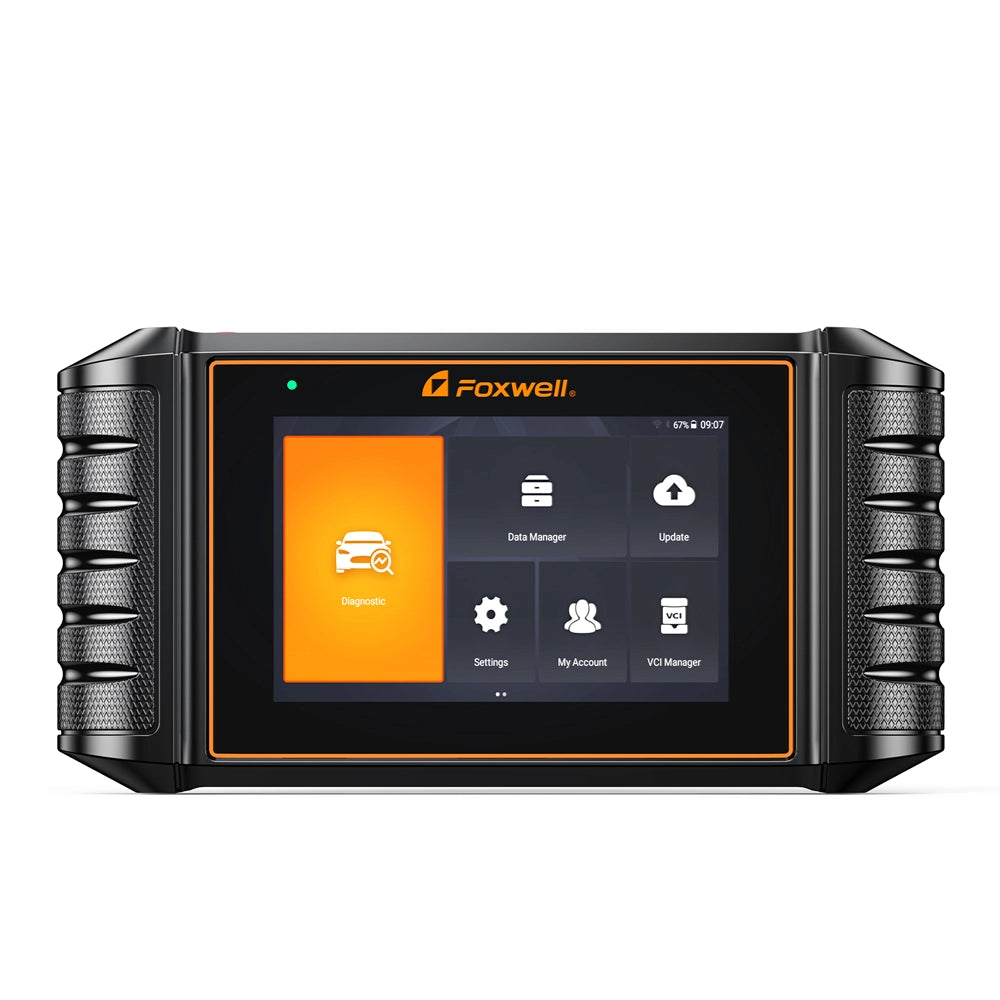
Foxwell NT710 — Best for Advanced Home Mechanics
The NT710 moves beyond generic OBD2 checks by providing deeper access for one selected vehicle brand. Depending on the vehicle and software package, it can scan multiple control modules, display live data, perform supported maintenance functions, and run bidirectional tests. This makes it a strong value for owners who regularly maintain the same brand.
- Best for: BMW, Ford, GM, Mercedes-Benz, Toyota, VAG, and other supported brand-focused use
- Strong point: Deeper diagnostics without the size and price of a workshop tablet
- Think twice if: Your household includes several unrelated vehicle brands
The NT710 offers more diagnostic depth than the NT301, but its value depends on choosing the correct brand version. That makes compatibility checking essential rather than optional. Once the selected software matches the vehicle, it can be the most sensible upgrade for a serious DIY owner.
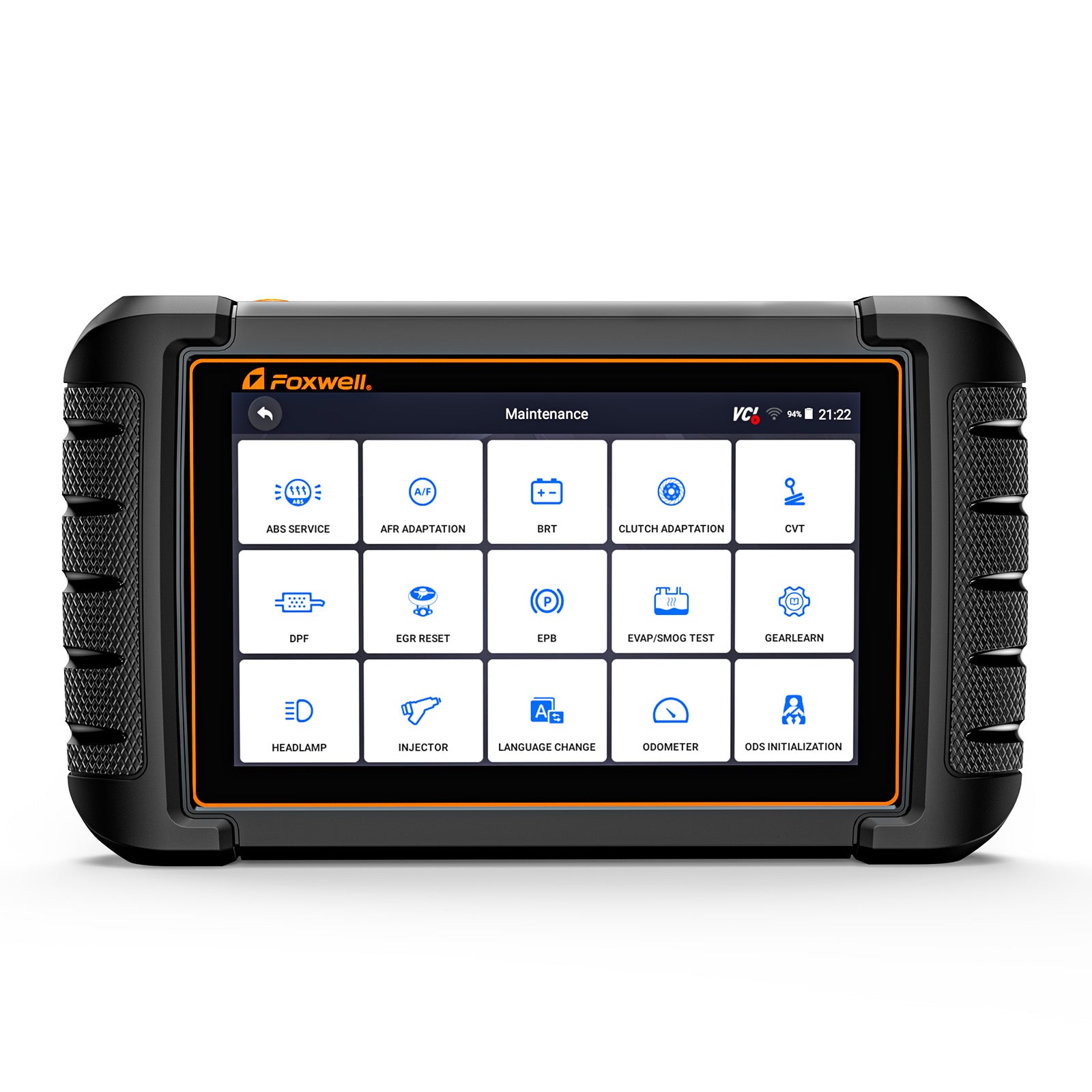
Foxwell NT809BT — Best for Broad Multi-Brand Coverage
The NT809BT is the better fit when one scanner must work across several makes or when supported bidirectional testing is part of the normal workflow. Its Bluetooth vehicle interface allows the tablet to be moved around the car, while full-system scanning, service procedures, and active tests can shorten diagnostic work on compatible vehicles.
- Best for: Multi-car households, experienced DIY users, and small workshops
- Strong point: Wireless operation and broader multi-brand system access
- Think twice if: You only need occasional engine-code checks
These recommendations are based on the level of access each scanner is designed to provide. Before choosing one, confirm your exact vehicle and the specific system, reset, or active test you need, because supported functions can vary by year, engine, market, and control module.
Frequently Asked Questions
The Foxwell NT710 is the best fit for many advanced DIY users who mainly work on one supported vehicle brand. It offers deeper diagnostics and maintenance functions than a basic reader without requiring a larger professional tablet.
Yes, when you need standard OBD2 engine-code reading, clearing, readiness checks, freeze-frame data, and selected live data. It is not intended to provide complete access to every ABS, SRS, transmission, or body module.
No. The NT710 is sold with software for a selected vehicle brand. Choose the correct version and verify the exact vehicle and required functions before buying.
It can suit a small shop that needs broad multi-brand diagnostics, wireless operation, service functions, and supported active tests. A shop should still confirm coverage for its most common vehicle brands and repair procedures.
Selected advanced models, including the NT710 and NT809BT, support bidirectional tests on compatible vehicles. The available tests vary by vehicle, module, model year, and software coverage.
Update policies differ by model and seller. Some models list lifetime free updates, while professional tablets may include updates for a limited period. Verify the terms on the exact product listing before purchase.
A scanner identifies codes, data, and test results; it does not automatically prove that a specific part has failed. Use the results with wiring checks, service information, and additional testing before replacing components.
Final Verdict: Which Foxwell Scanner Should You Buy?
The Foxwell NT301 is the sensible choice when you want a low-cost scanner for standard engine codes, readiness checks, and basic live data. It gives everyday drivers useful information without adding features they may never use.
The Foxwell NT710 is my preferred recommendation for advanced DIY owners who mainly service one supported brand. Its deeper system access, supported maintenance functions, active tests, and lifetime update policy create a strong middle ground between a basic code reader and a full professional tablet.
The Foxwell NT809BT is the better investment when you regularly diagnose multiple brands or need a wireless tool with broader system coverage. Its higher cost makes sense only when those additional capabilities will be used.
- Best budget choice: Foxwell NT301 for standard OBD2 engine diagnostics.
- Best choice for most advanced DIY owners: Foxwell NT710 for one supported vehicle brand.
- Best for broad coverage: Foxwell NT809BT for multi-brand and workshop-style use.
- Next step: Verify your exact vehicle and required functions before opening the retailer listing.




2 Comments