Is the Foxwell NT301 OBD2 Scanner Good? Features, Performance, And Value
If you want a simple way to check a check-engine light, the Foxwell NT301 deserves a close look. I see it as a practical wired OBD2 scanner for most cars, SUVs, and light trucks built from 1996 onward.
Yes, the Foxwell NT301 is good for basic engine diagnostics, live sensor data, and emissions-readiness checks, but it does not replace a professional scanner for advanced vehicle systems. Its color screen, code-clearing function, graphing tools, and dedicated readiness button make everyday troubleshooting easier.
I will examine its accuracy, ease of use, limits, and value against other affordable scanners so you can decide whether it fits your vehicle and repair needs.
Key Takeaways
- The NT301 handles basic engine codes and live data.
- Its simple controls suit many DIY vehicle owners.
- Advanced systems may require a more capable scanner.
What the Foxwell NT301 Does
I use the Foxwell NT301 mainly for engine-related fault checks. It reads trouble codes, displays selected live sensor data, checks emissions readiness, and can clear the check-engine light after I record the fault information.
Core Diagnostic Functions
The NT301 reads and clears standard OBD2 diagnostic trouble codes (DTCs). It can show stored codes, pending codes, and some manufacturer-specific powertrain codes, depending on the vehicle. I can also view code definitions on the scanner, which helps me identify the general system involved.
Its live-data function displays readings such as engine speed, coolant temperature, throttle position, and oxygen-sensor information when the vehicle provides those values. Some versions support data graphs, making changes easier to track while the engine runs.
The scanner also includes an I/M readiness check. I use this feature to see whether the vehicle’s emissions monitors have completed their tests before an inspection. Clearing codes may turn off the warning light, but it also resets readiness monitors and does not repair the underlying fault.
Supported Vehicle Systems
The NT301 works with most OBD2-compliant cars, SUVs, and light trucks sold in the United States from 1996 onward. It supports common OBD2 communication protocols, including vehicles from domestic and imported brands. Compatibility can vary by model, engine, market, and production year.
The device focuses on the engine and emissions control system. It can access the powertrain control module through the standard diagnostic port and retrieve information that triggers the check-engine light.
I would not treat it as a full vehicle scanner. It generally does not provide broad access to systems such as the airbag, anti-lock brakes, transmission, body controls, or manufacturer-specific service functions. For those systems, I need a scanner with enhanced or full-system coverage.
Diagnostic Accuracy and Ease of Use
I find the Foxwell NT301 accurate for reading standard engine fault codes and checking emissions-related data. Its value depends on using the code as a starting point, not treating it as a complete diagnosis.
Live Data and Readiness Monitors
The NT301 displays live data from the engine control module, including vehicle speed, engine speed, coolant temperature, fuel trims, oxygen-sensor readings, and other supported parameters. I can view values as numbers or use graphs to spot changes that may be hard to notice in a static reading.
Live data accuracy depends on the vehicle, sensor, and control module. The scanner reports what the vehicle sends; it does not independently test whether a sensor works correctly. For example, an incorrect coolant reading may point to a sensor, wiring, or another engine problem.
The scanner also checks emissions readiness monitors. I can use this feature before an emissions test, but clearing codes resets many monitors to incomplete. The vehicle may need several normal driving cycles before it becomes ready again.
Display and Navigation Experience
I find the NT301 simple to operate because it uses a wired connection and draws power through the vehicle’s OBD2 port. I do not need to charge a battery or pair the scanner with a phone. The buttons and menu structure support basic tasks such as reading codes, viewing freeze-frame data, checking readiness, and clearing codes.
The color display presents fault codes and live data clearly enough for garage use. Graphing helps me compare changing readings, although the small screen limits how much information I can view at once.
I can usually reach the main diagnostic functions without complex setup. Still, I must confirm that the ignition is on and that the vehicle supports the selected data. Clearing a code does not repair the cause, and I should save the code and freeze-frame details before erasing it.
Strengths for Everyday Drivers
I find the Foxwell NT301 useful for basic engine diagnostics because it reads and clears many check-engine codes, displays live sensor data, and works with standard OBD2 systems. Its wired design keeps setup simple, while the built-in screen avoids the need for a phone or separate app.
Check Engine Light Troubleshooting
I can plug the NT301 into the vehicle’s OBD2 port and scan for diagnostic trouble codes. The reader shows the code number and a basic description, which helps me identify possible problems before visiting a repair shop. It can also clear codes after I record them, though clearing a code does not fix the underlying fault.
The NT301 supports live data, including readings from sensors such as engine speed, coolant temperature, and oxygen sensors, when the vehicle provides that information. I can watch these values while the engine runs and use the graphing feature to spot changes. This information can support testing, but I still need a service manual or qualified technician for accurate repairs.
Because the NT301 focuses on engine and emissions diagnostics, it may not access systems such as airbags, anti-lock brakes, or body controls. I should also confirm that my vehicle uses a compatible OBD2 system.
Emissions Test Preparation
I can use the NT301’s readiness monitor function before an emissions inspection. It shows whether required self-tests have completed and can indicate whether the vehicle remains ready for testing. This helps me avoid arriving at an inspection station with incomplete monitors.
The tool also reports stored, pending, and permanent emissions-related codes on supported vehicles. A pending code may signal a developing problem even when the check-engine light has not turned on. I should investigate these codes instead of simply clearing them.
If I recently cleared codes or disconnected the battery, the monitors may reset to not ready. I then need to drive through the manufacturer’s required conditions before testing. The exact rules vary by location, so I should check local inspection requirements.
Limitations to Consider
I see the Foxwell NT301 as a focused engine diagnostic tool, not a complete vehicle scan system. Its main limits involve missing advanced service functions and restricted vehicle coverage.
Advanced Service Functions
The NT301 reads and clears engine-related OBD2 trouble codes, displays live data, shows freeze-frame information, and checks emissions readiness monitors. These features help me investigate problems linked to the check-engine light.
It does not provide full access to systems such as ABS, airbags, automatic transmissions, body modules, or parking brakes. I would need a more advanced scanner for those systems, especially when a warning light does not come from the engine computer.
The scanner also lacks functions such as key programming, injector coding, electronic parking-brake service, battery registration, and bidirectional controls. It can show sensor data, but it generally cannot command vehicle components to test their operation.
Vehicle Coverage Constraints
The NT301 works with vehicles that support standard OBD2 protocols. In the United States, that usually means cars and light trucks from 1996 onward, but exact coverage still depends on the vehicle, engine, and market.
It may not communicate with older vehicles, some imported models, or vehicles that use manufacturer-specific systems. Even when it connects, it may only access the standard engine computer rather than every module in the vehicle.
I also need to check Foxwell’s compatibility information before buying. The NT301 is best suited to diagnosing common check-engine problems, emissions faults, and readiness status—not manufacturer-specific repairs or complete vehicle scans.
Value Compared With Alternatives
The Foxwell NT301 offers useful engine-diagnostic tools without the cost of a full-system scanner. Its value depends on whether I need basic code diagnosis or access to systems such as ABS, airbags, transmission, and TPMS.
Best-Fit Buyers
I find the NT301 a good fit for DIY owners who want to diagnose check-engine lights and monitor emissions-related faults. It supports standard OBD2 functions, including stored and pending codes, freeze-frame data, live data, and emissions-readiness checks. Its live-data graphing can help me watch sensor readings while the engine runs.
The NT301 also suits buyers who prefer a dedicated wired tool. I do not need to charge a battery, pair a phone, or rely on a separate app. Compared with simpler readers such as the Foxwell NT201, the NT301 provides more data for troubleshooting rather than only displaying and clearing codes.
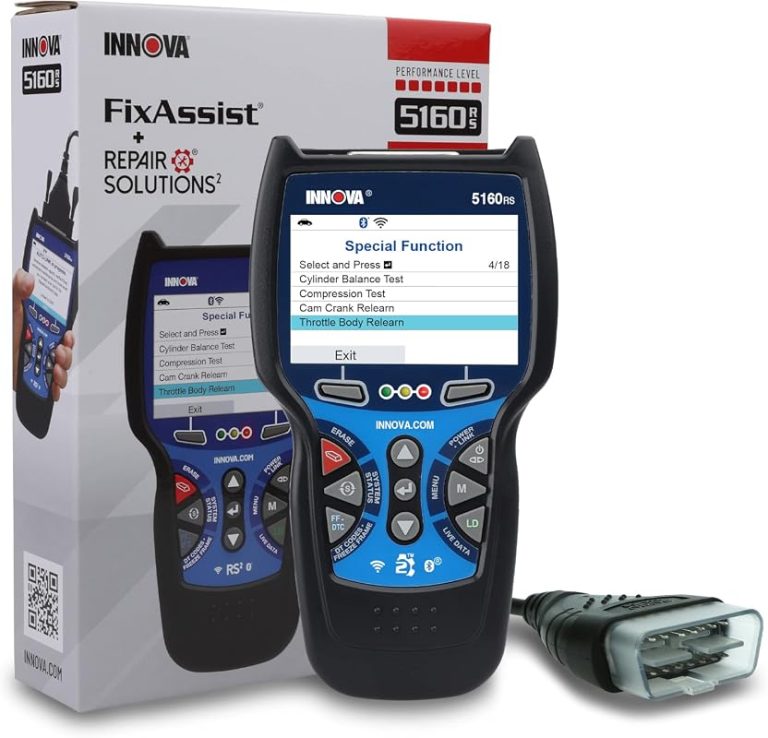
It competes with readers such as the ANCEL AD410 and Innova 5210. These models also focus mainly on engine diagnostics, so I would compare screen layout, live-data features, update support, warranty, and current price before buying. The NT301 makes the most sense when its live-data functions cost little more than a basic code reader.
When to Choose a More Advanced Scanner
I would choose a more advanced scanner when I need to diagnose systems beyond the engine computer. The NT301 does not provide ABS, SRS airbag, transmission, or TPMS diagnostics. Clearing an engine code will not identify a warning light from one of those systems.
A higher-level Foxwell model or a comparable multi-system scanner can access more vehicle modules and may offer service functions, bidirectional tests, or broader vehicle coverage. I should confirm support for my exact make, model, year, and system before purchasing because feature coverage varies.
For occasional check-engine-light work, paying more may add features I will not use. However, a more advanced scanner usually offers better value if I regularly repair several vehicles, need to diagnose airbag or ABS faults, or want deeper testing than standard OBD2 data provides.
Frequently asked questions
Can the Foxwell NT301 read and clear trouble codes?
Yes. I can use it to read and clear engine-related diagnostic trouble codes. Clearing a code does not fix the cause, so I would check the problem before erasing it.
Does it show live data?
Yes. The NT301 displays live readings from supported sensors, such as engine speed, coolant temperature, and oxygen sensor data. I find this useful for basic checks, although the results depend on the vehicle and sensor system.
Can it check emissions readiness?
Yes. Its inspection or smog check function shows whether the vehicle’s emissions monitors are ready. I would check this before an emissions test, especially after repairs or a battery disconnect.
Will it work with every vehicle?
It supports vehicles that use standard OBD2 protocols, generally models sold in the United States from 1996 onward. I would confirm compatibility for older vehicles, imported models, and vehicles with advanced manufacturer-specific systems.
Does it need batteries?
No. The scanner receives power through the vehicle’s OBD2 port. I connect the cable, switch on the ignition, and follow the on-screen instructions.
Is it suitable for professional repairs?
I consider it a good tool for basic engine diagnostics and DIY maintenance. It does not replace a professional scan tool because it may not access systems such as airbags, anti-lock brakes, body controls, or manufacturer-specific functions.
Conclusion
I find the Foxwell NT301 a good choice for basic engine diagnostics. It can read and clear check-engine codes, display live data, show freeze-frame information, and check I/M readiness on compatible vehicles.
Its color screen and simple controls make it practical for DIY users. The wired design keeps the price low, but it also means I must stay close to the vehicle while using it.
The NT301 does not replace a professional scan tool. It focuses mainly on emissions-related OBD2 functions, so it may not access systems such as airbags, anti-lock brakes, or body control modules.
| Best for | Less suitable for |
|---|---|
| Reading engine codes | Advanced module diagnosis |
| Viewing live data | Wireless use |
| Checking emissions readiness | Manufacturer-specific repairs |
| Basic home troubleshooting | Professional-level diagnostics |
I would choose the NT301 for routine check-engine-light checks and basic troubleshooting. Before buying, I would confirm that my vehicle supports standard OBD2 functions and check Foxwell’s compatibility information.




One Comment