FOXWELL NT301 OBD2 Scanner Live vs ANCEL BD310 Bluetooth OBD2 Scanne
For US drivers and DIY vehicle owners, the real question in FOXWELL NT301 OBD2 Scanner Live vs ANCEL BD310 Bluetooth OBD2 Scanner is not which one has more buzz. It is whether you want a simple plug-in code reader with a screen, or a more connected tool that leans on a phone app and adds battery and dashboard-style features. Both can help with check-engine-light problems, but they fit different ownership styles.
Choose the FOXWELL NT301 if you want a straightforward handheld scanner that plugs in, shows live data on its own screen, and keeps ownership simple. Choose the ANCEL BD310 if you want app-based features, Bluetooth convenience, HUD-style viewing, and battery-related monitoring in a more modern setup. The key trade-off is simplicity versus flexibility: FOXWELL is easier to keep self-contained, while ANCEL asks you to live with a phone/app workflow but gives you more display and data options.
Quick Comparison
| Decision Area | FOXWELL NT301 OBD2 Scanner Live | ANCEL BD310 Bluetooth OBD2 Scanner |
|---|---|---|
| Connection style | Wired handheld scanner with built-in screen | Dual-mode wired + Bluetooth design with app support |
| Best fit | DIY owners who want a simple plug-and-read tool | DIY users who want app features and phone-style monitoring |
| Live data | Live sensor data with graphing | Live data through the app, plus trip analytics and performance tests |
| Smog / readiness help | I/M readiness hotkeys and LED status indicator | I/M readiness, EVAP leak checks, and O₂ sensor status |
| Reset / service depth | Basic OBDII functions only; no ABS, SRS, EPB, A/C, or bidirectional controls | All 10 OBDII/EOBD modes; ABS, SRS, and transmission codes cannot be cleared |
| Display and usability | 2.8-inch color screen, no phone required | Phone-style body, magnetic mount, HUD mode, app-based interface |
| Battery-related tools | Not verified in supplied data | Battery voltage graphs and battery health tracking are verified |
| Subscriptions / fees | No subscription requirement was verified | Free app, no subscriptions or hidden fees stated in listing |
Where the Decision Really Changes
The choice changes most when you think about how you actually diagnose a car. If you want a tool that works like a dedicated appliance, the FOXWELL NT301 is the cleaner fit. You plug it in, read codes, check readiness, and view live data without depending on a phone or app. If you prefer a more connected setup and want more visual options, the ANCEL BD310 is built for that style of use. It is less about a plain screen and more about turning your phone into part of the diagnostic workflow.
That matters for real owners because many people do not need advanced shop-level functions. They need a reliable way to understand a check engine light, confirm emissions readiness, and decide whether a repair can wait. If you are comparing these two because you want to avoid paying for features you will never use, a good starting point is our Bluetooth vs wired OBD2 scanner guide. It helps frame the ownership style before you commit.
FOXWELL NT301 OBD2 Scanner Live Deep Dive
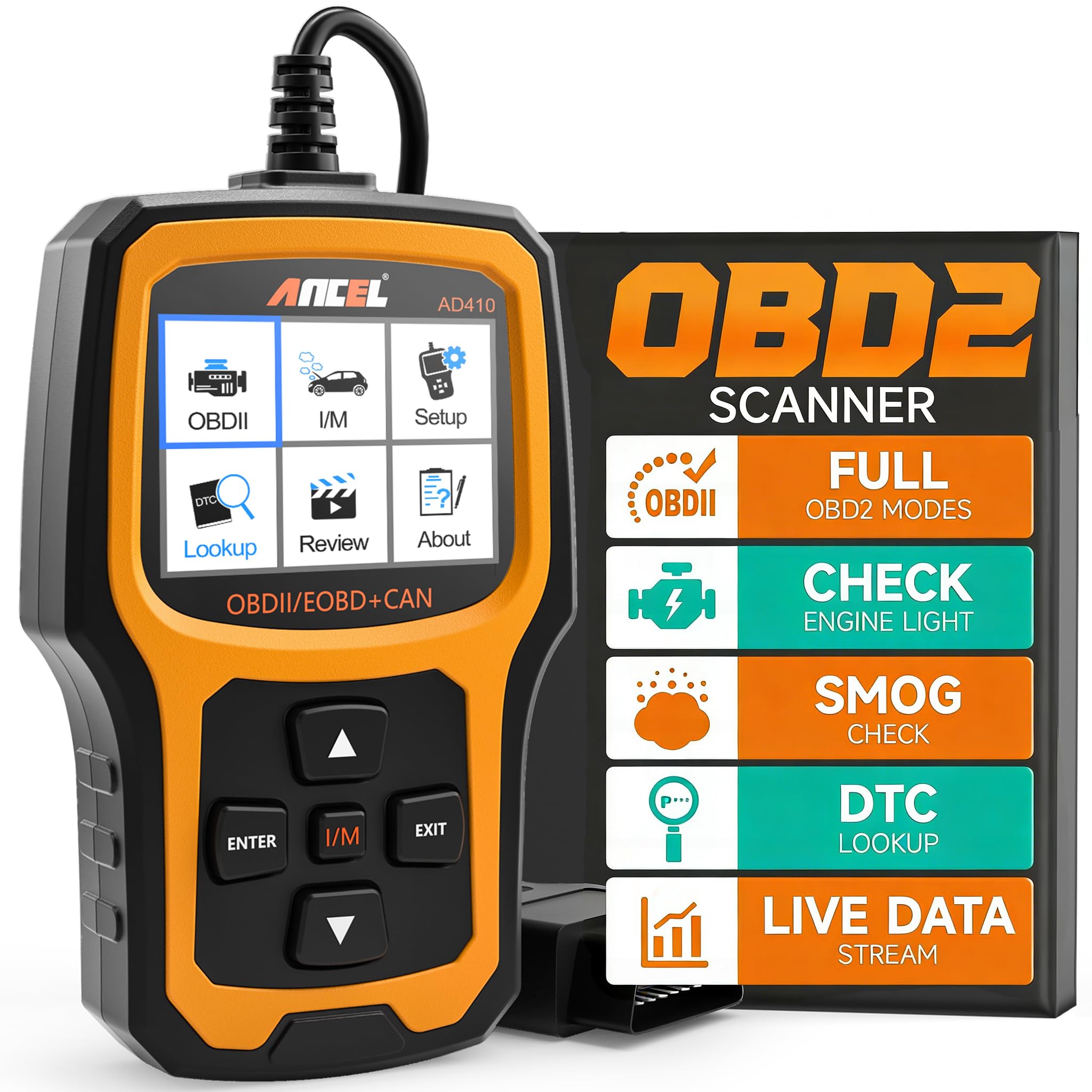
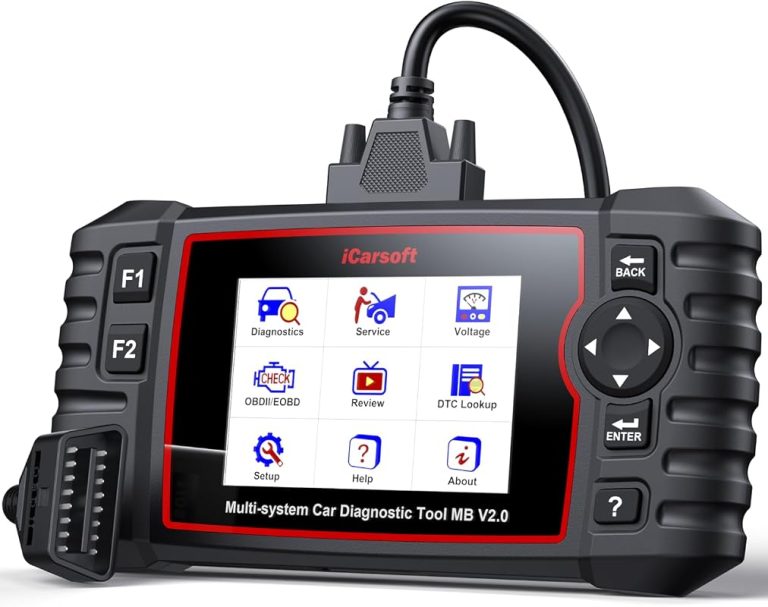
FOXWELL NT301 OBD2 Scanner Live
The NT301 is a straightforward OBD2 code reader for drivers who want a built-in screen, live data graphing, and emissions-readiness help without using a phone app. It is a strong fit for basic check-engine-light diagnosis, but it is still a basic code reader, so it does not cover ABS, SRS, EPB, A/C, battery systems, or advanced bidirectional functions.
Product Specifications
- Reads diagnostic trouble codes when the ignition is on and the vehicle is compatible.
- Clears check engine light or MIL after repair.
- Retrieves VIN.
- Shows live data and graphing for sensor values such as oxygen sensors, fuel trims, coolant temperature, and RPM.
- Supports advanced OBDII modes including O2 sensor test and EVAP system leak monitor.
- Has a 2.8-inch color screen.
- Includes I/M readiness hotkeys, LED status indicator, and speaker feedback.
- Supports OBDII protocols including KWP2000, J1850 VPW, ISO9141, J1850 PWM, and CAN.
- Compatible with most 1996+ gasoline cars, light trucks, and SUVs sold in the U.S., plus many 2000+ European and Asian models, and some 12V diesel vehicles with OBD2.
Pros
- Self-contained design, so you do not need a phone to use it.
- Useful live data graphing for spotting trends, not just reading codes.
- Clear emissions-readiness tools for pre-smog checks.
- Simple ownership for drivers who want a dedicated handheld scanner.
Cons
- No support for ABS, SRS, EPB, A/C, battery, or other non-OBD2 systems.
- No verified bidirectional control or advanced reset functions.
- Compatibility still depends on vehicle year, model, and VIN, so you should confirm before buying.
Vehicle Compatibility and Ownership Notes
The NT301 is aimed at common OBD2 vehicles, especially 1996 and newer U.S. gas vehicles. That makes it relevant for many home garages, but not every vehicle will support every function. The listing also notes that fault-code reading requires the ignition to be on and the vehicle to be compatible. If you want a deeper look at setup and use, our Foxwell NT301 usage guide and vehicle compatibility article for the NT301 are good follow-ups.
ANCEL BD310 Bluetooth OBD2 Scanner Deep Dive
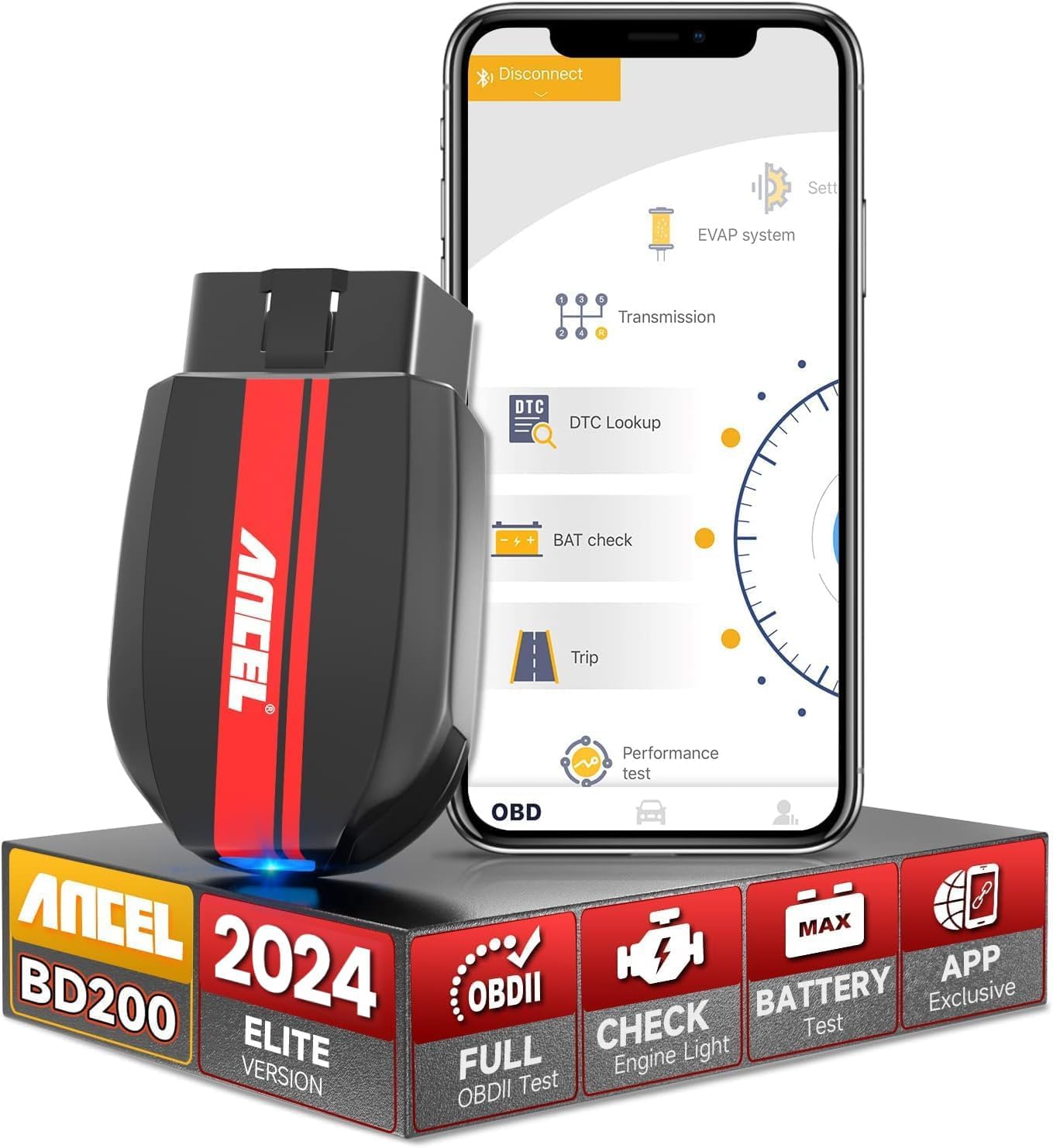
ANCEL BD310 Bluetooth OBD2 Scanner
The BD310 is built for DIY users who want a phone-connected scanner with Bluetooth convenience, HUD mode, trip analytics, and battery voltage graphs. It covers all 10 OBDII/EOBD modes and adds app-based reporting, but it still cannot clear ABS, SRS, or transmission codes, so it is not a full-system scan tool.
Product Specifications
- Dual-mode wired + Bluetooth design.
- Uses a free app with no subscription or hidden fee stated in the listing.
- Reads and clears engine fault codes.
- Supports all 10 OBDII/EOBD modes.
- Includes EVAP and O2 sensor tests.
- Checks I/M readiness and captures freeze-frame data.
- Offers live battery voltage graphs and battery health tracking.
- Includes trip analytics such as speed, braking, and coolant temperature.
- Has HUD mode for windshield-style data display.
- Built-in DTC lookup is linked directly to Google Search.
Pros
- More app-driven features than a basic handheld reader.
- HUD mode can make live driving data easier to view at a glance.
- Battery and trip data may be useful for owners who want more than engine codes.
- Free app model avoids a verified subscription requirement.
Cons
- Depends more on a phone/app workflow than the FOXWELL NT301.
- Still does not clear ABS, SRS, or transmission codes.
- Some buyers may not need the extra app features and could be paying for unused capability.
Compatibility and Ownership Notes
The BD310 is aimed at DIY users who want a smarter interface, but the listing still implies the same basic OBD2 compatibility limits as most scan tools. Before buying, confirm that your vehicle supports standard OBD2 communication and that the app-based workflow fits how you like to work. If you want more detail on setup and feature use, see our ANCEL BD310 review and BD310 compatibility guide.
Head-to-Head: What Matters Most for DIY Owners
Compatibility and Vehicle Coverage
Winner: Tie, with a caution. Both tools are built around standard OBD2 coverage, and both depend on vehicle year, model, and system support. The FOXWELL NT301 specifically lists 1996+ U.S. gas vehicles and many 2000+ EU/Asian models, while the ANCEL BD310 is also positioned as a general OBDII/EOBD reader. Because compatibility varies by vehicle, the buyer should verify the exact model-year fit before ordering.
Live Data and Diagnostic Depth
Winner: ANCEL BD310. The BD310 adds battery voltage graphs, trip analytics, HUD mode, and app-based reporting. The NT301 does offer live data graphing and useful OBD2 modes like EVAP and O2 testing, but the ANCEL package is broader in the verified listing data.
Ease of Use and Ownership Simplicity
Winner: FOXWELL NT301. If you want a tool that works on its own screen with no phone dependency, the NT301 is simpler. That matters for quick garage checks, emissions readiness, and drivers who do not want to manage app pairing or phone placement.
Emissions and Smog Pre-Check Help
Winner: Tie. Both tools support readiness-style diagnosis. The FOXWELL has dedicated I/M readiness hotkeys and a clear LED indicator, while the ANCEL offers I/M readiness plus EVAP and O2 sensor checks. If your main goal is to avoid a failed inspection, both can help, but the BD310 gives a little more app-side detail while the NT301 gives a more direct handheld workflow.
Ownership Requirements and Hidden Friction
Winner: FOXWELL NT301. The NT301 is plug-and-go and does not require a phone to show data. The BD310’s free app is a plus, but app-based tools always ask more of the owner: phone compatibility, Bluetooth behavior, and a willingness to use the app interface. If you want to avoid that friction, the FOXWELL is the safer fit.
- Confirm your vehicle is standard OBD2-compatible for your model year and market.
- Decide whether you want a standalone screen or a phone/app workflow.
- Check whether you only need engine-code reading or also want battery, trip, and HUD-style features.
- Verify that the tool supports the systems you care about; neither one clears ABS, SRS, or transmission codes.
- Make sure you are comfortable with the setup steps the tool requires, especially Bluetooth pairing for the BD310.
- If emissions testing matters, confirm the readiness and EVAP functions are enough for your state’s pre-check routine.
- Choose FOXWELL NT301 OBD2 Scanner Live if: you want a simple, dedicated handheld scanner for check-engine-light diagnosis, live data, and emissions readiness without depending on a phone.
- Choose ANCEL BD310 Bluetooth OBD2 Scanner if: you want app-based diagnostics, HUD mode, battery voltage graphs, and more dashboard-style features in a DIY-friendly setup.
- Think twice if: you need ABS, SRS, transmission, or other full-system diagnostics, because neither tool is verified for that job.
- Next step: verify your exact vehicle year, engine type, and whether you prefer a standalone scanner or a Bluetooth/app workflow before ordering.
No. The NT301 is a handheld scanner with its own display, so it does not require a phone app to read codes or view live data.
No. The verified listing notes that ABS, SRS, and transmission codes cannot be cleared.
The FOXWELL NT301 is usually the simpler choice because it works as a standalone handheld scanner with fewer setup steps.
Both can help with readiness checks. The NT301 has dedicated I/M readiness hotkeys and LED guidance, while the BD310 adds EVAP and O2 sensor checks in the app.
The BD310 listing says its app is free with no subscriptions or hidden fees. No subscription requirement was verified for the NT301 from the supplied data.
Check your vehicle’s model year, confirm standard OBD2 support, and make sure the features you need are actually included before you order.