Bluetooth vs wired OBD2 scanner: which is safer and easier?
Bluetooth is usually easier for quick phone-based checks, while wired OBD2 scanners are often simpler and more stable for direct diagnosis. The safer choice is the one that matches your vehicle, your comfort with apps, and how much distraction you want to avoid.
Bluetooth vs wired OBD2 scanner is mostly a choice between convenience and simplicity. For most U.S. drivers, Bluetooth is easier for quick checks, while wired scanners are often steadier for repeated diagnostics and do not depend on a phone app.
- Compatibility first: Confirm 1996-and-newer OBD2 support, protocol coverage, and vehicle-specific limits before buying.
- Bluetooth trade-off: Easier to use with a phone, but app permissions, pairing, and subscription features may.
- Wired trade-off: Fewer app variables and a direct feel, but cable routing and screen placement need.
- Safety rule: Use either scanner while parked, and avoid clearing codes before recording useful diagnostic information.
- Best value: Choose the format that fits your daily use, privacy comfort, and need for live.
Bluetooth vs wired OBD2 scanner: quick answer for U.S. drivers in 2026
If you want the easiest everyday option, Bluetooth usually wins because you can leave the adapter in place and read data on a phone. If you want fewer app steps and a more direct connection, a wired handheld scanner is usually the safer, simpler pick.
The better choice depends on how you use it. Commuters, used-car shoppers, and drivers who only need check-engine codes may prefer Bluetooth, while DIY owners who want a dedicated screen and fewer software variables often prefer wired tools.
How OBD2 scanners work: what both Bluetooth and wired models can actually read
Both types plug into the vehicle’s OBD2 port and communicate with the car’s diagnostic computer. In plain terms, they can pull trouble codes, show some live data, and sometimes clear certain codes after a repair.
What they cannot do is just as important. A basic OBD2 scanner does not fix the problem, and it does not replace factory-level diagnostic equipment for every module, every vehicle, or every fault.
Model-year and protocol coverage: 1996-and-newer vehicles, CAN, and older protocol exceptions
Most U.S. passenger vehicles and light trucks from model year 1996 and newer support OBD2, but there are exceptions by make, fuel type, and market. Many newer vehicles use CAN-based communication, while some older or specialty vehicles may use different protocols or have limited support.
Check: Verify make, model, year, trim, voltage, ports, mounting space, and OEM requirements. Limitations: State verified exclusions.
Before buying, confirm that the scanner supports your vehicle’s protocol and your intended use. If you are shopping for a specific brand, our best OBD2 scanner for Ford guide can help narrow the field by vehicle family.
Code reading vs live data vs reset functions: what each option can and cannot do
Code reading tells you what the vehicle detected. Live data shows sensor and system information in real time, which helps you understand whether a fault is intermittent, electrical, or mechanical.
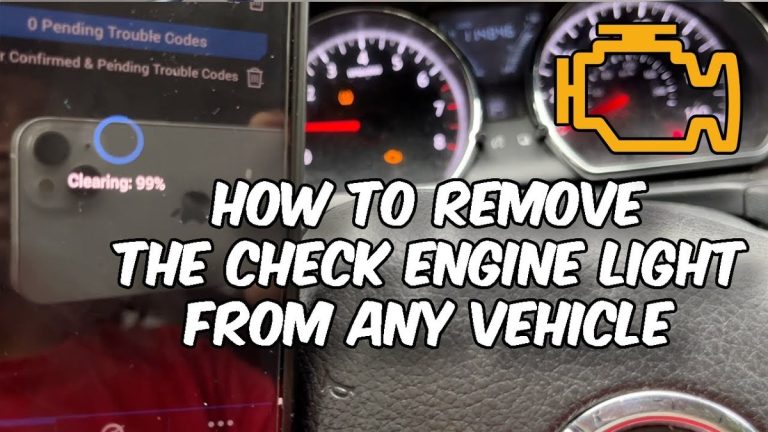
Reset functions are where people get into trouble. Clearing codes too early can erase useful clues, and some resets should only be done after the repair is confirmed and the vehicle manual says it is appropriate.
Emissions readiness, inspection use, and why some resets should be left alone
In many states, an emissions inspection checks readiness monitors and stored fault history. Clearing codes can reset those monitors, which may delay inspection readiness even if the underlying issue is gone.
If you want a broader overview of feature levels, the best OBD2 scanner guide is a useful starting point, especially if you are comparing code readers against more advanced tools.
Safety, privacy, and legal considerations: which scanner is safer to use
“Safer” can mean different things. A wired scanner may be safer from a privacy standpoint because it usually has no phone pairing or cloud account, while Bluetooth may be safer from a convenience standpoint because it reduces clutter and lets you keep the display where you want it.
Neither option is automatically risk-free. The main safety issues are distraction, cable routing, app permissions, and whether you use the tool while parked or while the vehicle is moving.
Bluetooth app permissions, data sharing, and pairing risks
Bluetooth adapters often rely on a phone app. That means you should review requested permissions, account sign-in requirements, and whether the app stores vehicle data, trip data, or diagnostic history in the cloud.
Connected diagnostic tools may collect VIN, trouble codes, live data, location, and account details. Review app permissions, cloud-retention terms, and sharing settings before pairing.
Pairing risk is usually low when you use a trusted app and keep your phone secure, but it is still worth checking firmware updates and account settings. If you want a deeper look at app-based use, see this BlueDriver app guide and our phone-as-OBD2-scanner overview.
Wired connection safety, accidental disconnects, and in-cabin cable management
Wired scanners avoid Bluetooth pairing, but they can create their own hazards. A loose cable can snag a foot, interfere with controls, or get in the way of a driver or front passenger if it is routed poorly.
For that reason, wired tools are often best used as parked diagnostic devices rather than in-motion accessories. If you want a no-subscription handheld option, compare it with our best OBD2 scanner without subscription guide.
State-by-state inspection rules, emissions testing, and why placement and ignition mode matter
U.S. inspection rules vary by state, county, and vehicle age. Some programs care about readiness monitors, some check for stored codes, and some have additional rules for modified vehicles or diesel applications.
Placement also matters. Always follow the vehicle’s ignition instructions and use the scanner in the correct mode, because some vehicles wake modules differently depending on key position, start button behavior, or accessory power settings.
Installation and setup guide: port location, connection order, and first-use checks
Most OBD2 scanners are easy to use, but the first connection still deserves care. A rushed setup can create false errors, poor app pairing, or a bad connection that looks like a scanner failure when the vehicle is the real issue.
Finding the OBD2 port and checking ignition mode before plugging in
The OBD2 port is commonly under the dash on the driver’s side, but the exact location varies. Check the owner’s manual if you do not see it right away, and make sure the vehicle is safely parked before plugging anything in.
Correct connection order for battery-safe use and avoiding damaged-battery stop conditions
Use the vehicle and scanner instructions in the proper order. In general, that means secure the vehicle, plug in the scanner, then power the ignition only as needed for diagnosis.
- Confirm vehicle, tool, voltage, port, tire, or battery compatibility
- Follow the vehicle and tool instructions in the correct order
- Inspect, store, and maintain the tool after use
- Clear codes before recording useful diagnostic information
- Work near traffic, moving parts, heat, or damaged batteries without proper precautions
- Rely on an unverified specification or temporary repair as a permanent fix
Firmware updates, app setup, and when a failed handshake points to a deeper issue
Bluetooth adapters may need firmware updates, app updates, or both. A failed handshake can mean the adapter is outdated, the app is incompatible, the ignition is in the wrong mode, or the vehicle uses a protocol the tool does not fully support.
If the scanner will not connect after the basics are checked, do not keep forcing it. Recheck the vehicle compatibility list, try a different app if the manufacturer allows it, and consider a deeper vehicle issue if the port has no power or the adapter repeatedly drops out.
Battery and electrical diagnostics: what each scanner is best for
OBD2 scanners can help with basic electrical clues, but they are not full battery analyzers unless the product specifically includes that function. For many drivers, the key value is seeing voltage-related symptoms before a no-start turns into a roadside problem.
System voltage, battery chemistry, state of charge, and battery health differences
Some scanners show system voltage or charging behavior, which can help spot a weak battery or alternator concern. That is different from measuring battery chemistry or true battery health, which often requires a dedicated tester.
Basic voltage data can help you document a weak charging system, confirm a repair, or decide whether a battery should be tested professionally before winter or a long trip.
If your main need is battery testing rather than engine diagnostics, compare it with a dedicated tester such as the tools covered in our battery tester comparison.
Hybrid and EV cautions: when a basic OBD2 tool is not enough
Hybrid and EV owners should be careful. A basic OBD2 tool may read some general faults, but high-voltage systems, battery packs, and manufacturer-specific modules often need more advanced diagnostic support.
When diagnosis requires a professional: charging system faults, parasitic draw, and module communication problems
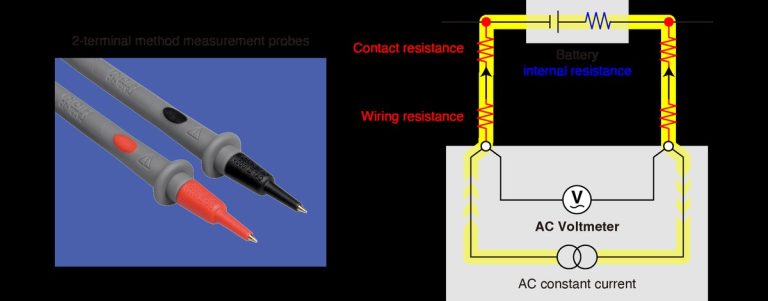
If you see repeated low-voltage warnings, multiple communication codes, or symptoms that point to parasitic draw, the scanner is only the starting point. Those issues often need a meter, a load test, wiring checks, and a methodical diagnostic plan.
That is especially true when several modules stop talking at once. In that case, the problem may be a network fault, a fuse issue, water intrusion, or a power supply problem that a simple code reader cannot isolate.
Side-by-side comparison: Bluetooth vs wired OBD2 scanner for ease, safety, cost, and reliability
There is no universal winner. Bluetooth is usually easier for phone-based use, while wired scanners usually feel more straightforward when you want a dedicated screen and fewer app variables.
| Option | Best for | Owner consideration | Driver consideration |
|---|---|---|---|
| Bluetooth adapter | Quick checks, phone-based live data, casual DIY use | Possible app permissions, firmware updates, and subscription features | Less clutter on the dash, but more phone interaction |
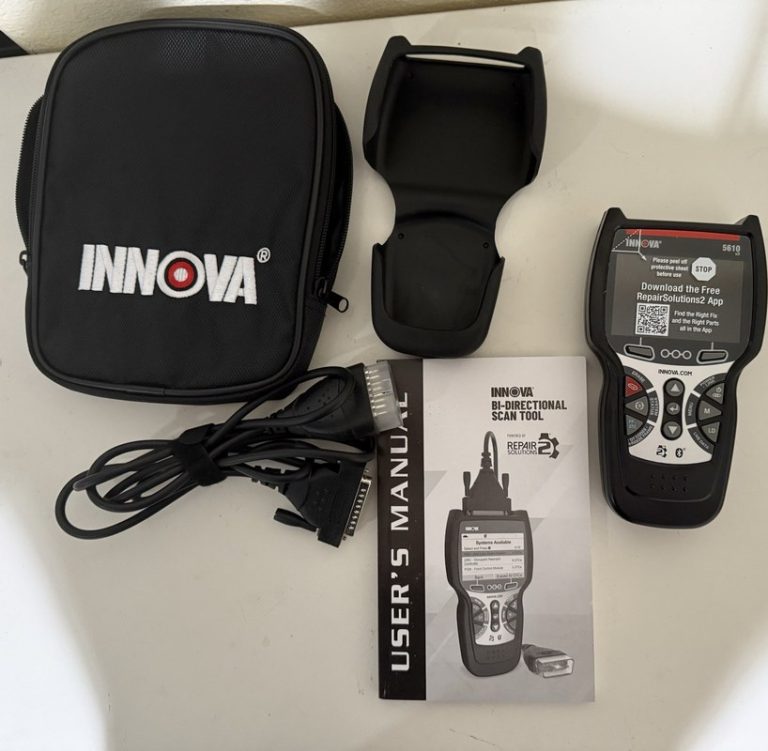
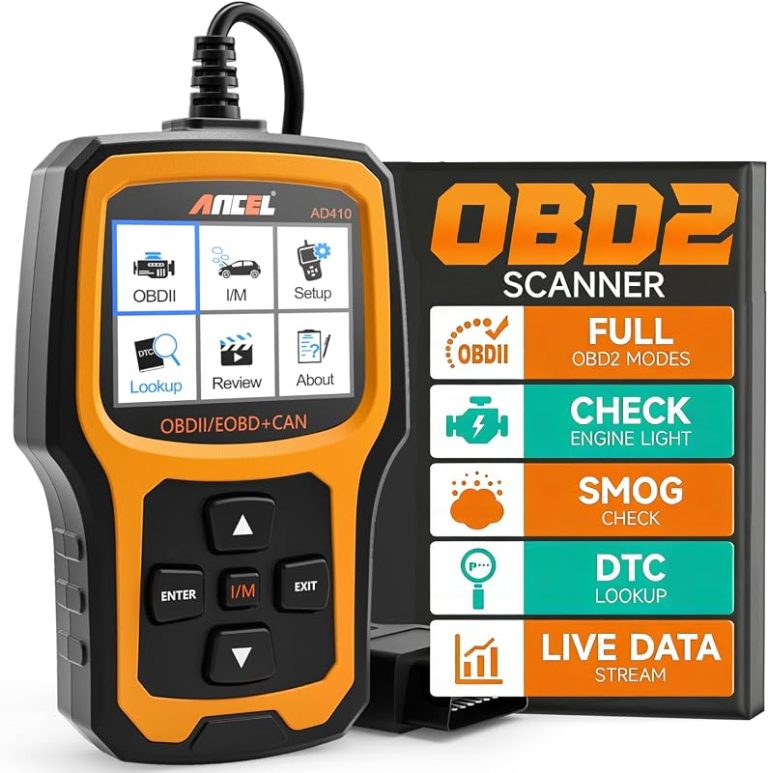
| Wired handheld scanner | Direct code reading, simple menus, frequent garage use | Usually fewer app dependencies, but a separate screen and cable to manage | More stable feel, but cable routing matters |
Ease of use, setup time, and everyday convenience for commuter drivers
Bluetooth often wins on convenience because one adapter can stay in the car and pair with a phone when needed. That is useful for commuters, parents, and anyone who wants a fast check after a warning light appears.
Wired scanners are still easy, but they usually require you to hold or place the device and read a built-in screen. That can be a plus if you do not want to depend on a phone battery, app login, or notification clutter.
Connection stability, live-data speed, and limitations under heavy diagnostic use
Wired scanners often feel more stable because the connection is direct and there is no wireless pairing step. Bluetooth can be very usable, but app quality, adapter quality, and phone compatibility can affect speed and reliability.
For a broad look at adapter choices, see the Bluetooth OBD2 adapters category and the best Bluetooth OBD2 scanner roundup.
Ownership cost, app subscriptions, warranty/support, and long-term value
Ownership cost is not just the sticker price. Bluetooth adapters may look cheaper at first, but some rely on paid app tiers or vehicle-specific subscriptions. Wired scanners may cost more up front, but they can be simpler to keep using over time.
Before buying, compare warranty terms, app support, and return policy. If you are weighing value against features, our cheap vs expensive OBD2 scanner guide explains where extra cost usually matters.
Best fit by driver type: DIY owner, roadside emergency kit, used-car buyer, and shop-light user
DIY owners who like phone dashboards and quick data logging often prefer Bluetooth. Used-car buyers and roadside kit users may also like the compact size and simple storage.
Wired scanners fit drivers who want a dedicated handheld tool, shop-light users who work in a garage often, and anyone who values direct controls over app menus. If you want a practical midrange handheld example, compare it with our Foxwell NT301 code reader coverage.
Tire, TPMS, and roadside use: where an OBD2 scanner fits and where it does not
OBD2 scanners are useful for some tire-related warning lights, but they are not tire inflators, pressure gauges, or full TPMS service tools by default. Know the difference before you rely on one in an emergency.
Door-jamb placard, cold pressure, gauge accuracy, and inflator duty cycle
For tire pressure, the correct starting point is the vehicle door-jamb placard, not a generic number online. Measure cold tire pressure when possible, and use a gauge or inflator that is appropriate for the job.
An OBD2 scanner may tell you why a TPMS light is on, but it will not inflate the tire or verify gauge accuracy. If you need a roadside inflation tool, check the product’s duty cycle and storage guidance separately.
TPMS relearn limits, puncture location, temporary-repair limits, and professional-repair thresholds
Some vehicles need a TPMS relearn after tire service, but not every scanner can perform that function. Even when a tool advertises TPMS support, the exact relearn method can vary by vehicle and trim.
Temporary sealants and plug kits also have limits. Sidewall damage, repeated air loss, or punctures outside the repairable tread area usually call for professional inspection or tire replacement.
Roadside emergency-tool checklist: safe location, traffic visibility, storage conditions, cable or pack condition, current limits, and post-use inspection
- Confirm vehicle, model-year, voltage, port, tire, battery, or system compatibility
- Check included accessories, required apps, adapters, hoses, cables, and power needs
- Review warranty, returns, support, firmware, and update policy
- Count replacement parts, batteries, subscriptions, storage, and maintenance costs
- Confirm the tool can be used safely in the intended roadside, garage, or diagnostic task
Keep any roadside tool in a safe location, away from heat and moisture, and inspect cables or adapters after use. For emergency use, the safest plan is usually to diagnose first, then repair or tow if the problem is beyond simple recovery.
Compatibility and troubleshooting guide: common problems with Bluetooth and wired scanners
Most scanner problems come from compatibility, weak power, a poor adapter, or user setup errors. Start with the basics before assuming the vehicle has a major fault.
Vehicle/app compatibility, adapter quality, and protocol mismatches
Bluetooth adapters are especially sensitive to app support and protocol matching. A cheap adapter may connect poorly, drop live data, or fail to read certain vehicles even if the listing sounds universal.
Wired scanners can also miss features if the vehicle uses a protocol or module layout the tool does not support. That is why it helps to check the exact vehicle coverage before you buy, not after the warning light appears.
Connection failures, unreadable codes, no live data, and weak battery symptoms
If the scanner powers on but will not read codes, check the ignition mode, the port power, and the vehicle battery voltage. A weak battery can cause strange communication problems that look like a scanner defect.
If live data is missing, the issue may be the app, the adapter, or the vehicle’s available data stream. In some cases, only generic codes are available, while manufacturer-specific data requires a more advanced tool.
Maintenance tips: keeping ports clean, updating firmware, and storing the scanner correctly
Keep the OBD2 port clean, update firmware when the manufacturer recommends it, and store the scanner away from heat, moisture, and crushed cables.
Do not force an adapter into a damaged port, and do not leave a low-quality dongle plugged in forever if the manufacturer warns against it. Periodic checks help you catch loose connectors, worn cables, and outdated software before they become a no-start surprise.
Buying guidance and transparent verdict: which scanner CarValleyNJ readers should choose
The right scanner depends on how often you diagnose, how much you value a dedicated screen, and whether you are comfortable using a phone app. Both can be useful, but they solve slightly different problems.
Ideal user and vehicle match for Bluetooth adapters
Bluetooth is best for drivers who want quick code checks, live data on a phone, and a compact tool that is easy to store. It fits commuters, used-car shoppers, and DIY owners who like app-based dashboards and occasional diagnostics.
If you want more app-driven features, compare options against our BlueDriver vs FIXD comparison and the OBDLink MX Plus vs BlueDriver guide.
Ideal user and vehicle match for wired scanners
Wired scanners are best for drivers who want a direct handheld tool, fewer app permissions, and a more traditional diagnostic workflow. They are also a good fit for people who do not want to troubleshoot Bluetooth pairing or phone compatibility.
They can be especially appealing for garage use, where the scanner stays in one place and cable management is easy to control. A wired handheld is often the calmer choice when you just want to read, record, and move on.
Evidence limits, drawbacks, alternatives, and final recommendation for 2026
- Best for: Bluetooth adapters for quick, phone-based checks; wired scanners for simple, direct, low-distraction diagnosis.
- Think twice if: You need advanced module access, hybrid/EV service, or a tool that must work without app or protocol surprises.
- Next step: Verify your vehicle’s year, protocol, and intended use before buying, then match the tool to your privacy and setup preferences.
Frequently Asked Questions
Bluetooth is often easier if you like using a phone and want a compact setup. Wired scanners are simpler if you want a dedicated screen and fewer app steps.
It can, depending on the vehicle and the adapter. Check the product instructions and remove the scanner if the manufacturer warns against leaving it plugged in.
Usually yes. Most Bluetooth adapters rely on a phone app for codes, live data, and settings, so app quality matters a lot.
Yes, but rules vary by state and testing program. Clearing codes can reset readiness monitors, so verify local inspection rules before making changes.
Check vehicle compatibility, protocol support, app or firmware support, warranty, and whether you need live data or just code reading. Also consider privacy and subscription costs.
Check ignition mode, port power, battery voltage, and vehicle compatibility first. If those are fine, the issue may be the adapter, app, or a deeper vehicle fault.



9 Comments