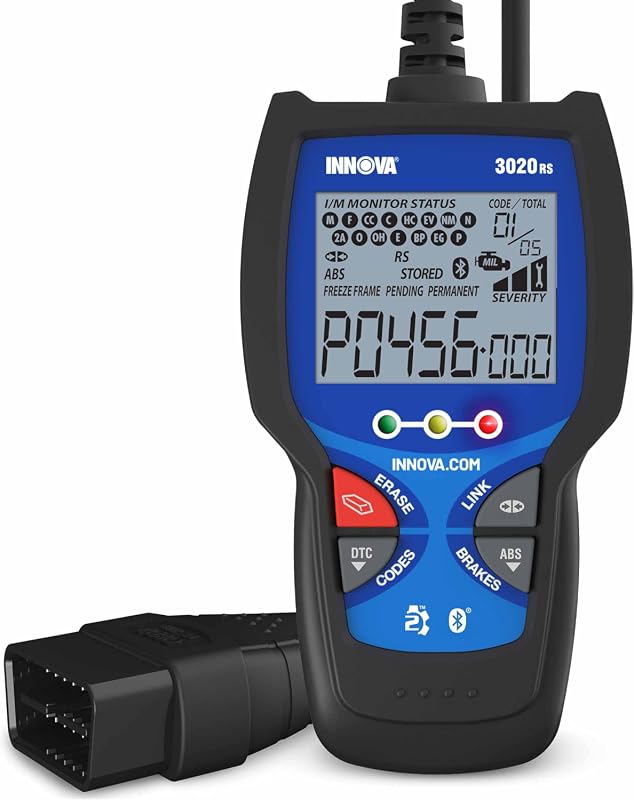
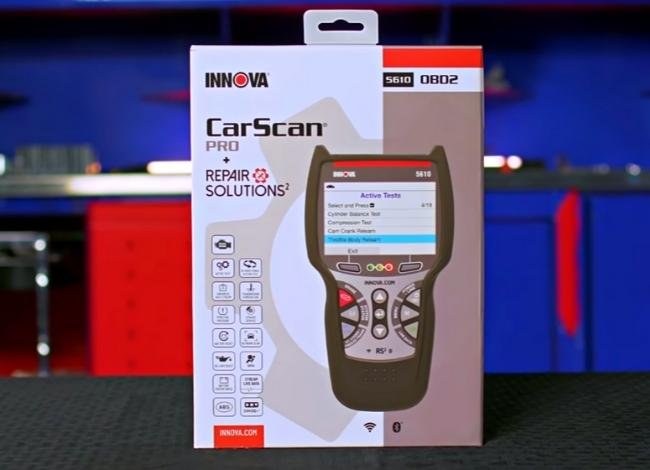
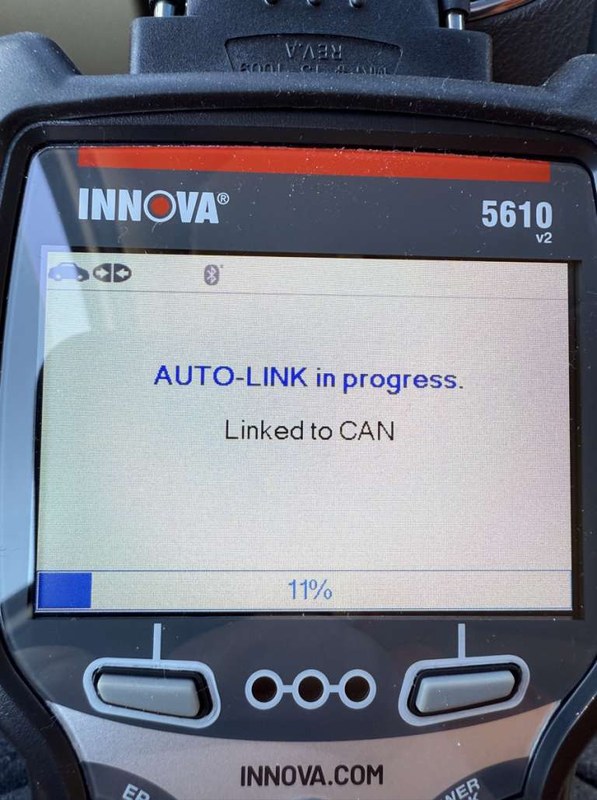
Innova 5610 V3 Review: Best OBD2 Scanner for DIY Diagnostics
Innova 5610 V3 is a practical choice for DIY drivers who want more diagnostic depth than a basic code reader. It is useful for codes, live data, and maintenance checks, but it does not replace advanced shop-level tools.
Innova 5610 V3 is a strong fit for DIY drivers who want more than a basic code reader, but do not need dealer-level programming. It can help you read faults, review live data, check readiness, and handle several common maintenance checks with less guesswork.
- Best fit: DIY owners who want useful scan data without paying for pro-level programming.
- Main limit: It cannot handle every module, actuator, or coding task.
- Compatibility matters: Verify your exact vehicle, year, and system support before buying.
- Safety first: Scan only while parked and keep cables clear of pedals and controls.
- Ownership value: Good support, updates, and privacy settings matter as much as features.
Innova 5610 V3 Review: Is It the Best OBD2 Scanner for DIY Diagnostics in 2026?
Quick verdict: who the Innova 5610 V3 is best for, what it can diagnose, and where it falls short
The Innova 5610 V3 makes the most sense for home mechanics, used-car shoppers, and commuters who want a clearer picture before paying for a shop visit. It is best viewed as a practical diagnostic scanner, not a full repair platform.
In everyday use, the value comes from code reading, live data, freeze frame information, readiness checks, and battery or charging system support. Its main limit is that it does not replace advanced bi-directional tools, module programming, or dealer-level system access.
What this review will cover: scan power, compatibility, safety, cost, and real-world ownership value
This guide focuses on the things that matter after the box is opened: what the scanner can actually help you confirm, which vehicles it is more likely to support, how safely to use it, and what ownership may cost over time. It also looks at where a lower-cost reader may be enough, and where a step up to a more advanced tool is smarter.
What the Innova 5610 V3 Does Well: Core Features, Code Coverage, and Live Data Limits
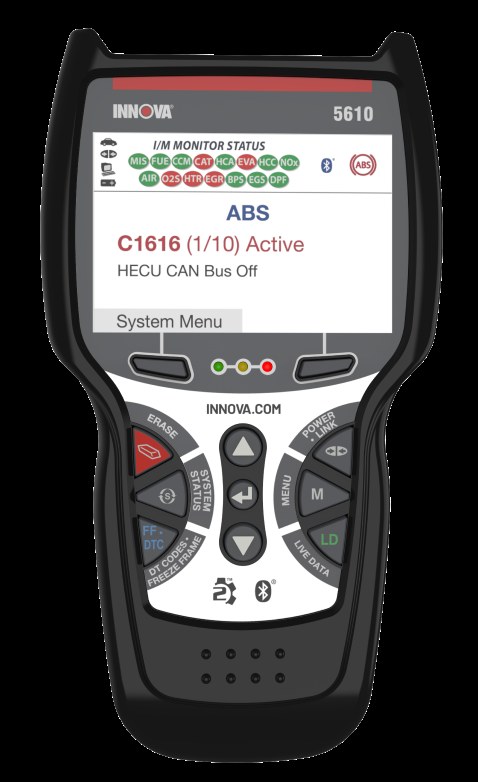
Supported OBD2 functions: reading and clearing codes, live data, freeze frame, readiness monitors, and battery/charging checks
For most DIY owners, the core appeal is simple: the scanner can help you identify why a check engine light came on, then give you enough data to decide whether the issue looks minor or needs deeper diagnosis. That usually includes stored and pending trouble codes, freeze frame data, live sensor readings, and emissions readiness status.
Battery and charging checks are also useful because many drivability complaints are really voltage problems in disguise. A weak battery, poor alternator output, or unstable electrical supply can create strange symptoms that look like sensor failure at first.
What it cannot do: advanced bi-directional controls, module-level programming, and full dealer-level diagnostics
It is important not to overread a midrange scanner’s abilities. The Innova 5610 V3 is not the same thing as a professional factory scan tool that can command actuators, program modules, or dig deeply into every vehicle system.
That matters when a problem lives outside the engine computer. Airbag, transmission, ABS, body control, and network faults may need a more advanced tool, a subscription-based platform, or shop-level diagnostics depending on the vehicle.
How to judge scan quality: code depth, data refresh rate, graphing usefulness, and reset limitations
Good scan quality is not just about whether the screen lights up. A useful scanner should show enough code detail to guide next steps, refresh live data often enough to catch changes, and graph information clearly enough to spot patterns.
Reset limits matter too. Some tools clear codes but do not truly help verify the repair. A better scanner should support enough follow-up data to confirm whether the fault returned after the repair or whether the monitor has completed.
Vehicle Compatibility Guide: Model Years, Protocol Support, Port Location, and Ignition Requirements
US OBD2 model-year coverage and protocol basics for 2026 buyers
In the United States, OBD2 became mandatory for most gasoline passenger vehicles starting with the 1996 model year. Many light-duty trucks and some diesel applications also fall within OBD2 coverage, but support can vary by engine, market, and vehicle electronics.
For a buyer in 2026, that means the first question is not just “Does it plug in?” but “Will it read the systems I care about on this exact vehicle?” A scanner may communicate with one car better than another even when both have the same 16-pin diagnostic port.
Check: Verify make, model, year, trim, voltage, ports, mounting space, and OEM requirements. Limitations: Some diesel, hybrid, and non-U.S. vehicles may have reduced function or different support levels.
Finding the diagnostic port, choosing the correct ignition mode, and avoiding connection mistakes
The OBD2 port is usually under the dash near the steering column, but the exact location varies. Always inspect the area carefully before forcing the connector, and make sure the plug is fully seated in the correct orientation.
Most scans should be done with the vehicle in the parked position and the ignition in the mode the scanner instructions require. If the tool asks for key-on-engine-off, follow that exactly. Guessing at the ignition state can lead to communication errors or misleading readings.
Compatibility differences by gas, diesel, hybrid, and light-duty truck applications
Gasoline vehicles are usually the simplest match for OBD2 scanners. Light-duty trucks often work well too, but owners should still verify system access, especially if the truck has extra modules or work-specific electronics.
Diesel and hybrid vehicles can be more complicated. Some functions may be available, while others may be limited by manufacturer software or by the way the vehicle manages emissions and battery systems.
DIY Diagnostic Workflow: Using the Innova 5610 V3 Safely and Correctly
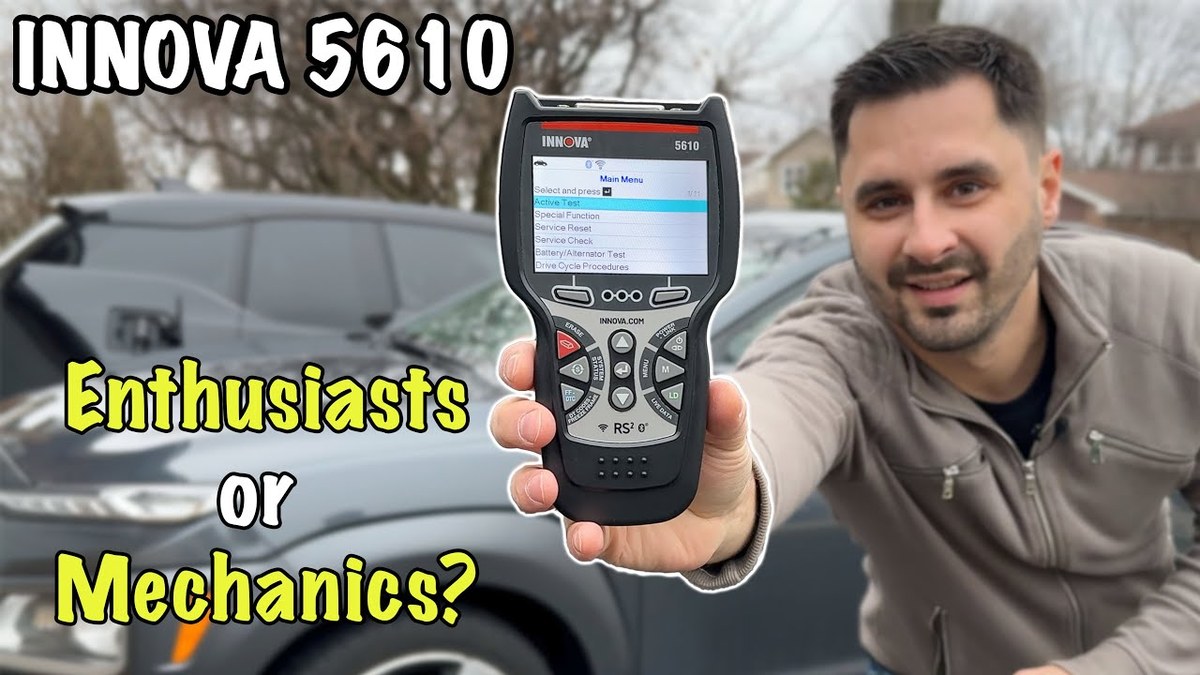
Step-by-step scan sequence: connect, key-on, read codes, review live data, verify readiness, and document findings
A safe scan sequence starts before any code is cleared. First, connect the scanner while the vehicle is parked. Next, turn the ignition to the required mode and read all stored and pending codes.
After that, review freeze frame data and live data. Then check readiness monitors if the goal is emissions-related diagnosis. Save or write down what you see before making changes, because the first scan often contains the best clue.
- Confirm the vehicle and scanner are compatible before starting
- Record codes and data before clearing anything
- Inspect cables and connectors after each use
- Erase fault codes before capturing useful diagnostic information
- Work in traffic, on unstable ground, or around moving parts
- Assume a cleared code means the repair is complete
When a code points to a symptom versus a root cause
A trouble code is often a clue, not the full answer. For example, a misfire code may be caused by spark, fuel, air, compression, or wiring problems. The scanner tells you where to look; it does not automatically tell you which part failed.
That is why live data matters. If one sensor reading looks odd while the rest look normal, the cause may be upstream. If several readings are off together, the problem may be electrical, mechanical, or related to a system-wide fault.
When diagnosis requires a professional shop, advanced tools, or repair verification after clearing codes
Some problems are simply beyond a handheld scanner. If the fault involves airbag systems, transmission control, ABS, high-voltage hybrid components, or repeated communication faults, a professional shop may have the right tools and service information.
Clearing a code should also be followed by verification. If the same fault returns, the underlying problem was not solved. If the vehicle runs normally but the monitor has not reset, the repair still may not be confirmed.
Battery, Electrical, and Charging Checks: What the Scanner Can Help You Confirm
System voltage basics, battery chemistry considerations, and state of charge versus battery health
Battery testing is useful because voltage problems can create false alarms and hard-to-trace drivability issues. But voltage alone does not tell the whole story. State of charge, battery health, and charging performance are related but not identical.
Different battery chemistries and vehicle charging strategies can affect what the scanner reports. A reading that looks acceptable at rest may still fail under load, which is why a scanner should be used as one piece of the diagnostic picture.
Correct connection order, damaged-battery stop conditions, and when not to continue testing
Always follow the scanner’s connection order and the vehicle manual’s safety steps. If the battery is visibly damaged, leaking, swollen, or hot, stop and get qualified help. Do not keep testing a battery that may be unstable or unsafe.
Hybrid and EV cautions: high-voltage systems, accessory battery checks, and when DIY stops
Hybrid and EV owners should be extra careful. A scanner may help with the 12-volt accessory system, but that is not the same as working on high-voltage components. High-voltage service should be left to trained personnel unless the manufacturer specifically allows a DIY procedure.
For these vehicles, the safest approach is to limit DIY work to functions the manual clearly supports. If the tool is used only for basic accessory battery checks, stay inside that boundary.
TPMS and Tire Safety: What the Innova 5610 V3 Can and Cannot Help With
Using the door-jamb placard, cold pressure checks, and gauge accuracy as the baseline
Even if a scanner can help with tire-related alerts on some vehicles, the starting point is still the tire placard on the driver door jamb. That label gives the vehicle’s recommended cold tire pressure, which should be checked with a reliable gauge before adding air.
TPMS warnings are helpful, but they do not replace a real pressure check. A scanner cannot tell you whether a tire is underinflated because of a slow leak, temperature change, or a damaged valve stem.
Inflator duty cycle, TPMS relearn limits, and what a scanner cannot fix after a puncture
If you use an inflator with the scanner during roadside work, remember that inflator duty cycle and hose condition matter. Overheating a small inflator or using a damaged hose can create more problems than it solves.
Also, a scanner cannot repair a puncture or fix a failed TPMS sensor. At best, it may help identify a warning condition or support a relearn process on some vehicles. It cannot make a damaged tire safe to keep using.
Temporary repair limits, puncture location concerns, and professional-repair thresholds for tire safety
Temporary tire repair products have strict limits. A puncture in the sidewall, shoulder, or a damaged area near the bead usually needs professional inspection or replacement. Even a simple tread puncture may not be repairable if the damage is too large or the tire was driven on while flat.
When in doubt, stop and have the tire inspected. Tire safety is one place where guessing is expensive and risky.
Roadside and Emergency Use: Power, Storage, Cable Condition, and Post-Use Inspection
Safe location, traffic visibility, and when to avoid roadside diagnostics altogether
Roadside diagnostics should only happen when the vehicle is fully out of traffic and the area is safe. If you are on a narrow shoulder, in poor weather, or near fast-moving traffic, it may be smarter to wait for a safer location or call for help.
Tool completeness, cable/pack condition, current limits, and storage conditions in a vehicle
Before storing a scanner in a vehicle, check the cable, connectors, and case for wear. Heat, cold, and vibration can shorten the life of electronics and accessories, especially if the tool is left loose in a cargo area or glove box.
If the scanner uses a companion battery or accessory pack, follow the storage instructions carefully. Do not assume any portable electrical tool is safe to leave in extreme temperatures for long periods.
Post-use inspection checklist: connectors, battery draw, error messages, and transport readiness
After use, inspect the connector pins and cable strain relief. Make sure the scanner powers off as expected and does not leave a confusing error message behind. If the vehicle behaves oddly after a scan, recheck the connection before assuming a new fault appeared.
For transport, keep the tool dry, clean, and secured so it does not get crushed or damaged by other gear. Good storage habits help the scanner last longer and reduce false connection problems later.
Keep the connector clean, avoid bending the cable sharply, update firmware when the manufacturer recommends it, and store the scanner away from heat and moisture.
Comparison Section: Innova 5610 V3 vs Budget Scanners vs Higher-End DIY Tools
Side-by-side comparison by code depth, live data quality, reset functions, app/privacy concerns, and update support
| Option | Best for | Owner consideration | Driver consideration |
|---|---|---|---|
| Basic budget reader | Simple check-engine code reading | Lower cost, fewer features, limited data depth | Easier to use, but less helpful for real diagnosis |
| Innova 5610 V3 | DIY diagnostics with useful live data and maintenance checks | Better balance of features and ownership value | Good for parked use, but still requires careful setup |
| Pro-level scan tool | Advanced troubleshooting and system access | Higher cost, more learning, possible software support needs | Powerful, but more complex than many home users need |
Which option fits commuters, home mechanics, used-car buyers, and light-truck owners
Commuters often need a tool that quickly explains a warning light and helps them decide whether the car is safe to keep driving. Home mechanics usually need more live data and better fault detail than a basic reader provides.
Used-car buyers benefit from a scanner that can reveal pending codes and readiness issues before purchase. Light-truck owners may want something that can handle everyday diagnostics without moving into expensive shop territory.
When to choose a cheaper reader, when to step up to a more advanced scanner, and when a pro-level tool is worth it
Choose a cheaper reader if your goal is occasional code lookup and you only need the basics. Step up to a tool like the Innova 5610 V3 if you want a better chance of diagnosing the problem instead of just reading the light.
Go pro-level if you work on many vehicle systems, need bi-directional control, or regularly handle complex faults. That extra cost only makes sense if you will use the extra depth.
Ownership, Maintenance, Privacy, and Final Buying Advice
Firmware updates, warranty/support expectations, and long-term ownership cost
Long-term value depends on support as much as hardware. Before buying, check the manufacturer’s update policy, warranty terms, and whether support is easy to reach if the tool stops communicating with a vehicle.
Because pricing and support terms can change, verify them with the seller and the manufacturer before checkout. That is especially important if you want future update access or plan to keep the scanner for several years.
App permissions, data privacy, and what information the scanner or companion software may access
If the scanner connects to an app or account, review permissions before pairing. Some connected diagnostic tools may access vehicle data, stored codes, user profiles, or device information, and cloud features can change how that data is stored or shared.
Check whether the scanner or companion software uses an account, stores VIN or diagnostic history, or shares data through the cloud. Review app permissions and privacy settings before connecting your phone.
Transparent verdict: ideal user, main drawbacks, best alternatives, and the next step before buying
The Innova 5610 V3 is a smart choice if you want a practical DIY scanner that goes beyond the cheapest readers without jumping into expensive pro gear. Its biggest strength is balanced usefulness: enough depth to help you diagnose, but still approachable for everyday owners.
The main drawback is that it still has limits. If you need deep module access, coding, or advanced bidirectional control, you should look higher up the ladder. If you only need a quick code lookup once in a while, a basic reader may be enough.
- Best for: DIY drivers, used-car shoppers, and home mechanics who want better-than-basic OBD2 diagnostics.
- Think twice if: You need dealer-level access, module programming, or advanced bi-directional controls.
- Next step: Verify your exact vehicle compatibility, support policy, and update terms before buying.
Common Questions
Yes, if you want a scanner that gives more help than a basic reader. It is still important to learn what codes and live data mean.
Often yes, if the vehicle is OBD2-compliant. Check exact model-year and system support before you buy.
Yes, but clearing a code does not fix the problem. Always record the code first so you do not lose useful clues.
That depends on the version and the features you use. If an app is involved, review permissions and privacy settings first.
Yes, to confirm the code does not return and readiness monitors move toward completion. That helps you verify the repair was effective.
Frequently Asked Questions
Check your vehicle’s model year, fuel type, and OBD2 support before buying. Most U.S. gasoline vehicles from 1996 onward are compatible, but function depth can still vary.
Follow the scanner and vehicle instructions for ignition mode first. In most cases, parked key-on testing is the safer starting point.
Many scanners benefit from periodic updates, especially if the manufacturer improves coverage or fixes bugs. Keep the connector clean and store the tool in a dry place.
If the tool uses an app or account, it may collect vehicle and device data. Review permissions, privacy settings, and cloud features before pairing.
Its biggest limit is advanced control. It is useful for diagnosis, but it does not replace a pro-level scan tool for deep module work.
Confirm exact compatibility, supported functions, warranty terms, update policy, and any app or subscription requirements. That helps avoid paying for features you will not use.