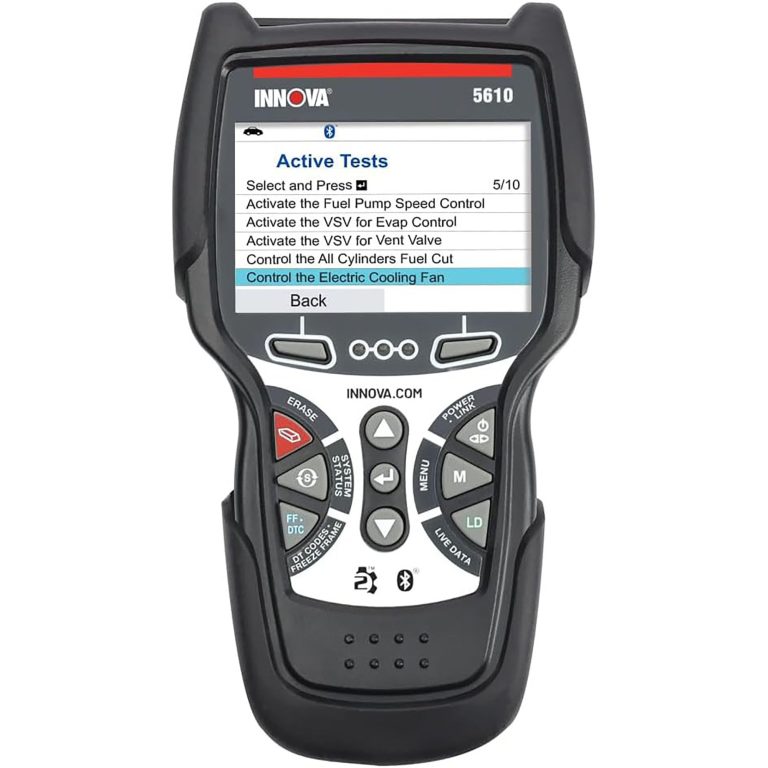
Innova 5610 Scan Tool Problems: Fix Common OBD2 Issues
Most Innova 5610 scan tool problems are caused by vehicle setup, low voltage, or compatibility limits rather than a bad scanner. Start with the port, ignition mode, battery health, and model-year coverage before deciding the tool is defective.
Innova 5610 scan tool problems usually come down to setup, vehicle compatibility, or weak vehicle power rather than a broken scanner. If your 5610 will not connect, misses data, or refuses a reset, this guide walks through the most common causes and the safest fixes.
- Check power first: Low vehicle voltage can cause failed scans and false trouble codes.
- Confirm compatibility: Some vehicles need more than basic OBD2 coverage.
- Read the limits: The 5610 is not a dealer-level bidirectional tool.
- Inspect the port: A damaged or loose OBD2 connector can mimic a scanner failure.
- Verify readiness: Clearing codes may reset emissions monitors and delay inspection.
Innova 5610 Scan Tool Problems: What Usually Goes Wrong and How to Fix It Fast
Why most “problems” come down to setup, vehicle compatibility, or power issues
Most OBD2 scanner complaints start with the same three things: the car is not fully in the right ignition mode, the adapter is not seated well, or the vehicle itself is not communicating cleanly. That is why a tool that seems “dead” often works after a simple recheck of the port, fuse, battery voltage, or menu selection.
Another common issue is expectation. The Innova 5610 is built for everyday OBD2 diagnosis, not full dealer-level control. If the car needs manufacturer-specific coding, advanced bi-directional testing, or module access beyond basic emissions and live-data work, the scanner may be fine and the task may simply exceed its design.
Quick answer for owners: when the 5610 is a simple fix and when it is not
If the 5610 powers up but will not link, start with the vehicle battery, ignition position, and OBD2 port fit. If it reads generic codes but not a special function, check the manual before assuming a defect.
If the scanner fails on multiple known-good OBD2 vehicles, then the problem may be the tool, its cable, or its firmware. If it fails only on one vehicle, the car’s port, fuse, network, or protocol is more likely the real issue.
Innova 5610 Overview for 2026 Buyers: What It Can and Cannot Do
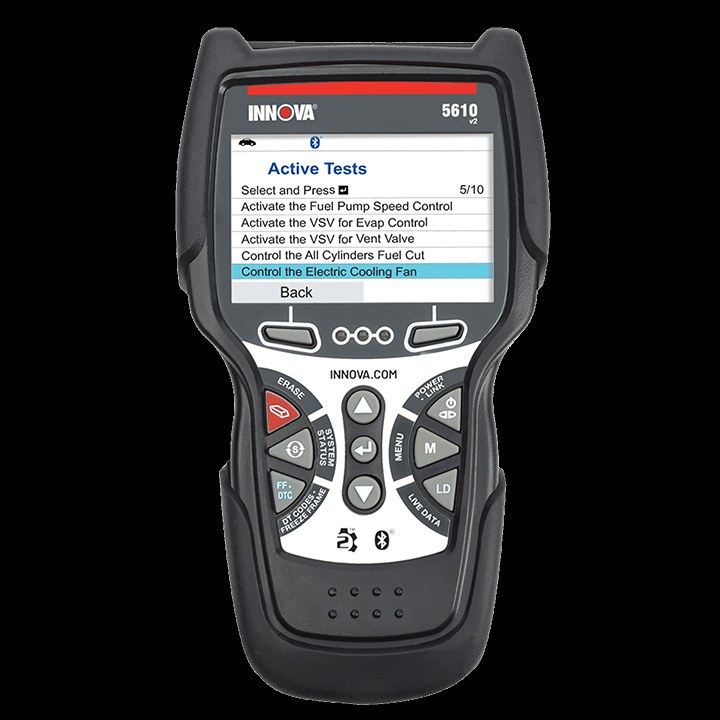
Core OBD2 functions, live data, smog/emissions readiness, and reset limits
The 5610 is meant to read and clear common engine-related trouble codes, view live data, and check readiness monitors for emissions testing. That makes it useful for drivers who want to understand why a check-engine light is on before visiting a shop.
It can also help with basic verification after a repair, but that does not mean it can reset every system in every vehicle. Some service functions are limited by the vehicle itself, the model year, or the software version loaded on the scanner.
Model-year and protocol coverage: why some vehicles connect and others do not
OBD2 is not universal across all model years, even though many drivers expect it to be. In the U.S., most gasoline vehicles sold since the mid-1990s are OBD2-compliant, but older cars, some diesels, and special-use vehicles can still create connection issues.
Protocol support also matters. A scanner may be fully functional yet still fail to communicate with a vehicle that uses an unsupported network, has a wiring fault, or needs a manufacturer-specific adapter or software path.
Best-fit drivers, ideal vehicle types, and where the 5610 falls short versus higher-end scan tools
The 5610 fits best with daily drivers, commuters, second-car owners, and DIY users who mainly want to confirm a fault code, review readiness monitors, or watch live engine data. It is also a practical choice for pre-inspection checks before an emissions test.
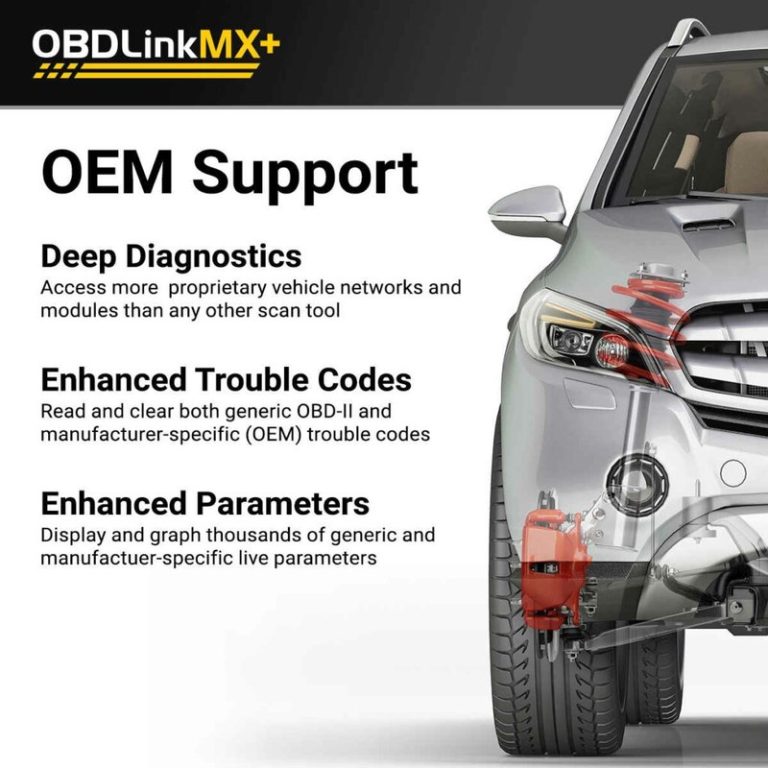
It falls short for advanced technicians, hybrid owners who need deeper system access, and drivers who want bidirectional controls such as commanding modules or running more advanced service routines. For that kind of work, a higher-end full-system tool is usually the better fit, such as the kind covered in our Topdon Topscan full-system tool guide.
Connection Problems: Port Location, Ignition Mode, and No-Link Errors
Finding the OBD2 port and confirming the vehicle is truly OBD2-compliant
The OBD2 port is usually under the dash near the steering column, but the exact spot varies by vehicle. If you are searching in the wrong place, the tool can look faulty when the real issue is simply a missed port location.
It is also worth confirming that the vehicle is actually OBD2-compliant. Some older vehicles, imported models, and specialty equipment may have a connector that looks similar but does not support standard scan-tool communication.
Check: Verify make, model, year, trim, voltage, ports, mounting space, and OEM requirements. Limitations: State verified exclusions.
Correct ignition mode, adapter seating, and common no-communication causes
Many no-link complaints come from the ignition being in the wrong position. Some vehicles require key-on-engine-off mode, while others need the engine running for certain live-data functions.
Also check that the connector is fully seated. A loose plug, bent pin, dirt in the port, or damaged cable can interrupt communication even when the scanner powers on normally.
When a blown fuse, damaged port, or vehicle network issue needs professional diagnosis
If the scanner will not power up from the port, a blown fuse may be part of the problem. If the port is physically loose, cracked, or missing pin tension, the vehicle may need repair before any scanner can work properly.
When multiple modules act strangely, or the vehicle shows communication faults beyond the scanner’s reach, a deeper network or wiring issue may be present. At that point, a shop with electrical diagnostic equipment is the safer next step.
Power and Battery-Related Scan Tool Problems
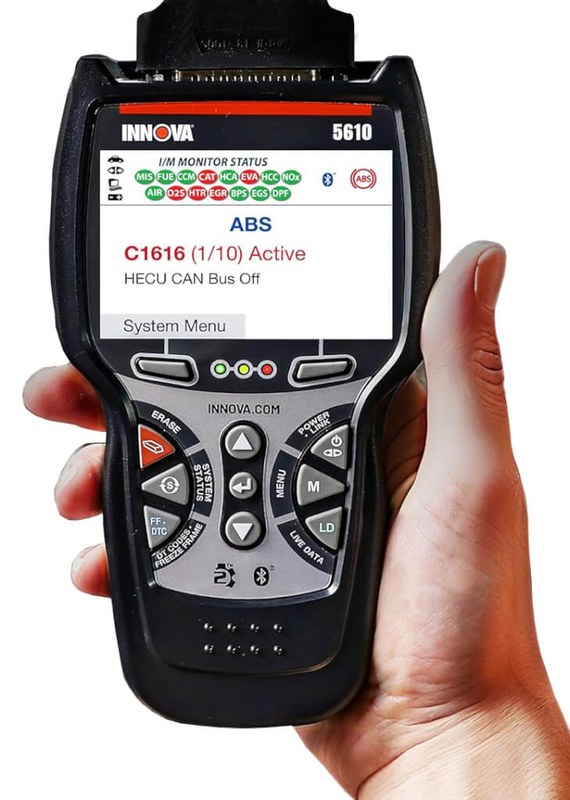
System voltage basics: why low voltage can cause false codes, dropouts, or failed scans
Low system voltage is one of the easiest reasons for scanner trouble to miss. A weak battery can cause the vehicle computer to behave erratically, which may lead to false codes, incomplete scans, or communication dropouts.
That is why a scan tool issue should not be diagnosed in isolation. If the battery is weak, the charging system is unstable, or the vehicle has been sitting for a long time, the scanner may only be exposing a real electrical problem.
Battery chemistry, state of charge versus battery health, and why both matter
State of charge is not the same as battery health. A battery can show enough charge to power the dash but still collapse under load, especially during scan sessions that require stable voltage for several minutes.
Battery chemistry also matters, especially in newer vehicles with start-stop systems or special charging strategies. If the vehicle uses an unusual battery setup, follow the owner’s manual before attempting resets or extended diagnostic sessions.
Correct connection order, damaged-battery stop conditions, and hybrid/EV cautions
Use the connection order recommended by the tool and vehicle manuals. In general, the safest approach is to keep the vehicle parked, confirm the ignition mode, then connect the scanner without disturbing the cable during communication.
If the battery is swollen, leaking, overheating, or physically damaged, stop. On hybrids and EVs, high-voltage systems add another layer of risk, so basic OBD2 work should stay within the manufacturer’s guidance and not cross into unsafe service areas.
How weak electrical systems affect live data, resets, and emissions readiness monitors
Weak electrical systems can make live data lag, freeze-frame data incomplete, or readiness monitors slow to update. That can be frustrating right before an inspection because the scanner may appear to work while the vehicle still fails a readiness check.
If you are preparing for a state test, make sure the charging system is healthy before clearing codes. Clearing codes too early can reset monitors and create a new wait cycle, which is a common reason drivers think the scanner failed.
Code Reading, Live Data, and Reset Limitations You Should Expect
Why generic OBD2 codes may appear while manufacturer-specific issues stay hidden
Generic OBD2 codes are only part of the picture. A scanner can show a common P-code while a deeper manufacturer-specific fault remains hidden in another module or subsystem.
That is why some owners feel the 5610 “missed” a problem. In reality, the issue may be beyond basic OBD2 coverage or stored in a system the tool is not designed to access.
Live-data sampling limits, freeze-frame usefulness, and what the tool cannot capture
Live data is helpful, but it is not the same as a lab-grade data logger. Sampling rates, sensor count, and graph detail can vary, so quick spikes or short faults may not appear clearly.
Freeze-frame data can still be valuable because it shows the conditions when a code set. For many DIY drivers, that snapshot is enough to narrow down whether the issue is fuel, air, ignition, or sensor related.
Emissions readiness, battery reset limitations, and why some procedures require dealer-level tools
The 5610 can help you check readiness monitors, but it cannot guarantee a vehicle will pass inspection. If a monitor has not completed, or a pending fault keeps returning, the scanner is doing its job by revealing the problem rather than hiding it.
Battery reset or service reset functions may be limited by vehicle brand, model, or software access. Some procedures require dealer-level tools, security access, or a specific service sequence that a consumer scanner cannot perform.
Firmware updates, app permissions, and data-sharing settings that can change tool behavior
Connected scan tools can change after a firmware update or app update. If a feature stops working after an update, review the release notes, app permissions, and account settings before assuming the hardware failed.
For connected diagnostic tools, privacy also matters. Some systems may store VIN, code history, or usage data in an app account, so check what is saved locally versus in the cloud.
Compatibility Guide: Vehicles, Protocols, and Special Cases
Gas, diesel, hybrid, and EV compatibility differences
Gasoline vehicles are usually the easiest match for a standard OBD2 scanner. Diesel, hybrid, and EV applications can be more complicated because the tool may support only certain modules or only basic emissions-related functions.
That does not mean the scanner is useless on those vehicles. It just means you should verify the exact use case before you buy, especially if you expect battery, charging, or hybrid-system diagnostics.
Protocol support by model year and why older or unusual vehicles may fail to communicate
Older vehicles may have a connector that looks compatible but still use a different communication standard. Unusual imports, converted vehicles, or specialty fleets can also create matching problems that have nothing to do with scanner quality.
If a vehicle is outside standard coverage, the best move is to check the manual and the seller’s compatibility notes first. That saves time and reduces the chance of returning a tool that was never meant for the vehicle in question.
State inspection needs, readiness monitor issues, and compatibility with U.S. emissions testing
For many U.S. drivers, the biggest reason to own a scanner is emissions prep. The 5610 can help you see whether readiness monitors are set, but state inspection rules vary and can change, so local verification matters.
If you are trying to pass a test after code clearing, remember that monitors may need a full drive cycle to reset. A scanner can show status, but it cannot force the vehicle to complete a monitor that the car itself has not finished.
When compatibility is the real issue versus a true tool defect
If the 5610 works on one vehicle but not another, compatibility is usually the first suspect. If it fails on several known-good OBD2 vehicles with stable voltage and a clean port, then the tool itself deserves closer scrutiny.
That distinction matters because it changes the fix. One path is a compatibility check; the other is warranty support, cable inspection, or a replacement decision.
Tire and TPMS Functions: What the Innova 5610 Can Help With and Where It Stops
Using the door-jamb placard, cold pressure checks, and gauge accuracy before inflating
If your 5610 setup includes tire-related features or you are pairing it with a portable inflator, start with the door-jamb placard. That sticker lists the vehicle’s recommended cold tire pressure, which is the number that matters most for safe inflation.
Always compare the tool or inflator reading with a known accurate gauge when possible. A small pressure mismatch can lead to underinflation, overinflation, or repeated TPMS warnings.
Inflator duty cycle, tire condition, and when a puncture is not safe for temporary repair
Portable inflators are useful for topping off a tire, but they are not a cure for serious damage. A sidewall cut, bead leak, or large puncture may not be safe for a temporary repair at all.
If the tire loses pressure again quickly, stop using it and inspect the tire condition. Repeated inflation without solving the leak can create heat buildup and make the tire unsafe.
TPMS relearn limits, sensor issues, and why some vehicles need a shop procedure
TPMS relearn steps vary widely by vehicle. Some cars will relearn easily after a drive, while others need a button sequence, scan-tool trigger, or a shop-level procedure.
If the warning light stays on after pressure is corrected, the sensor battery, sensor ID, or relearn sequence may be the real issue. In that case, the scanner may point you in the right direction but not finish the job.
Professional-repair thresholds for sidewall damage, bead leaks, and repeated low-pressure warnings
Sidewall damage is a red flag. So are tires that will not hold pressure after a proper inflation and inspection, because the problem may be structural rather than simple air loss.
If low-pressure warnings keep returning, a tire shop should inspect for nail damage, rim corrosion, valve-stem leaks, or sensor faults. Those are not problems a scanner alone can solve.
Roadside and Emergency Use: Safety, Storage, and Post-Use Inspection
Safe location, traffic visibility, and basic roadside setup before using the tool
Before using any diagnostic tool at the roadside, get the vehicle as far from traffic as possible and use hazard lights if appropriate. Good visibility matters because scanner use often keeps you near the driver’s door or under the dash.
If you are on a shoulder, avoid standing in traffic lanes or working in poor lighting without a safer setup. The scanner is a convenience tool, not a substitute for roadside caution.
Cable or pack condition, storage temperature, and current limits that affect reliability
Inspect the cable, connector, and any power source before storing the tool. Cracked insulation, bent pins, or a loose connector can turn into the next no-link problem.
Temperature also matters. Store the scanner in a place that stays within the manufacturer’s recommended range, and do not leave batteries or accessory packs in extreme heat or cold if the manual warns against it.
Tool completeness: hoses, adapters, power leads, and what to inspect after each use
If your setup includes accessories, make sure nothing is missing after use. A lost adapter, damaged lead, or dirty connector can make the next diagnosis harder than the original one.
This is a good time to clean the plug ends, coil the cable loosely, and check the case for damage. Small maintenance steps help the tool stay reliable when you need it most.
Keep connectors clean, update firmware when needed, and inspect cables for wear before every trip or scan session. Store the tool dry and away from heat so the plug and screen last longer.
When a roadside fix is enough and when towing or professional service is the safer call
Adding air, reading a code, or checking readiness may be enough to get you home or to a shop. But if the vehicle has braking, steering, overheating, or battery-safety issues, a scanner should not be used as a reason to keep driving.
If the problem affects safe control of the vehicle, towing is often the smarter option. The scanner can inform the decision, but it should not override common sense.
Innova 5610 vs. Alternatives: Which Scanner Fits Which Driver?
Side-by-side comparison criteria: price, code depth, live data, resets, compatibility, and support
When comparing the 5610 to alternatives, focus on what you actually need: code depth, live data quality, reset access, vehicle coverage, and support. A scanner that looks cheaper up front can cost more later if it cannot do the job on your car.
| Option | Best for | Owner consideration | Driver consideration |
|---|---|---|---|
| Innova 5610 | Basic OBD2 diagnosis and emissions prep | Useful coverage without dealer-level complexity | Simple interface can reduce distraction for casual users |
| Entry-level code reader | Occasional check-engine light checks | Lower cost, but fewer live-data and reset features | Fast to use, but limited insight |
| Full-system scan tool | Deeper diagnostics and broader vehicle access | Higher ownership cost and more learning curve | More capability, but can be more complex to navigate |
Best for DIY commuters, second-car owners, and emissions-test prep
The 5610 is a strong fit if you mainly want to check a warning light, verify a repair, or see whether your car is ready for an inspection. That makes it a practical tool for commuters and families who want quick answers without a steep learning curve.
Better options for advanced technicians, hybrid owners, and drivers needing bidirectional controls
If you need more than basic diagnosis, look at a full-system tool or a more advanced platform. For example, readers comparing entry-level live-data tools often also look at the tradeoffs in our Foxwell NT301 vs. Launch CR529 comparison.
Hybrid owners and drivers who want bidirectional controls should be especially careful. Those users often need broader coverage than a consumer OBD2 scanner can provide.
Warranty, update support, ownership cost, and long-term value comparison
Long-term value depends on support as much as features. A scanner with dependable updates, clear instructions, and a straightforward warranty can be worth more than a cheaper tool that becomes outdated or confusing.
Ownership cost is not just the purchase price. It can also include app access, accessories, replacement cables, or the time spent troubleshooting compatibility instead of fixing the car.
Maintenance, Privacy, and Legal Placement Considerations for 2026 Owners
Keeping firmware current, cables clean, and connectors protected from wear
Firmware updates can improve compatibility, but only when they are installed correctly. Before updating, make sure the vehicle is parked, the scanner has stable power, and you understand whether the update changes any features.
Clean connectors and gentle storage matter too. Repeated bending, dirty pins, or rough cable handling can create the same symptoms people blame on software.
App permissions, data privacy settings, and what diagnostic information may be stored or shared
Connected diagnostics can be convenient, but they can also collect data. Check whether the app stores VINs, trip history, freeze-frame data, or account details, and review any sharing settings before you sync the tool.
If the scanner is tied to an account, use a strong password and enable extra security where available. That is especially important if multiple drivers or family members use the same phone or tablet.
Legal variation by state for emissions checks, TPMS service, and roadside repair expectations
Rules for emissions testing, roadside equipment use, and repair procedures vary by state. TPMS service requirements can also differ depending on local inspection rules and the vehicle itself.
If the tool is being used for compliance-related work, confirm the current local rules instead of relying on old forum posts. What passed last year may not be enough today.
Transparent verdict: who should buy the Innova 5610, who should skip it, and the next troubleshooting step
The Innova 5610 makes sense for drivers who want a dependable, easy-to-understand scanner for basic engine codes, live data, and emissions prep. It is less compelling for anyone who expects full-system control or dealer-level functions.
If you are already seeing problems, the next best step is to separate vehicle issues from tool issues: test the scanner on a known-good OBD2 vehicle, confirm battery voltage, and inspect the port and cable before assuming the unit is defective.
- Best for: DIY drivers who need basic OBD2 diagnosis, readiness checks, and a simple way to understand check-engine lights.
- Think twice if: You need advanced bidirectional functions, deep module access, or consistent support on unusual vehicles.
- Next step: Verify your vehicle’s model year, OBD2 compliance, and battery health before troubleshooting the scanner itself.
Common Questions
Usually the ignition mode, connector seating, or vehicle compatibility is the cause. Start with the port and battery before assuming the scanner is broken.
Yes. Weak voltage can interrupt communication, create false codes, or cause the tool to drop offline during a scan.
No. It reads common OBD2 data well, but deeper manufacturer-specific modules may stay hidden.
It can show readiness status, but it cannot guarantee a pass. The car still has to complete the required drive cycle and stay code-free.
Not yet. If it works on other OBD2 vehicles, the issue is more likely with the car’s port, fuse, or protocol.
Frequently Asked Questions
Check the OBD2 port location, ignition position, and connector fit first. If the scanner works on other vehicles, the problem is more likely the car than the tool.
Yes. Weak voltage can trigger communication errors, incomplete live data, and failed resets. A quick battery and charging-system check is often worth doing before deeper troubleshooting.
No. Compatibility depends on model year, protocol support, and the vehicle’s own diagnostic system. Older, specialty, diesel, hybrid, or imported vehicles may have limits.
Not by itself. Clearing codes can erase helpful diagnostic clues and reset readiness monitors. If the fault returns, the real problem is still present.
Yes, if you stay out of traffic and keep cables away from pedals and moving parts. Stop immediately if you see battery damage, overheating, or other safety risks.
Confirm your vehicle compatibility, the functions you need, and whether the scanner’s reset limits are enough for your use. Also review warranty, update support, and privacy settings if the tool uses an app.