What OBD2 Scanner Features Do Beginners Need for Easy Code Reads
Beginners should look for a scanner that reads and explains basic codes, shows freeze frame and simple live data, and supports their vehicle. The safest choice is usually the one that is easy to use, clearly compatible, and limited enough to avoid confusing resets.
what OBD2 scanner features do beginners need is the right question to ask before buying a tool that should save time, not create confusion. For most first-time users, the best scanner is one that reads codes clearly, explains them in plain English, and works on the vehicle you already own.
- Code clarity: Plain-language fault descriptions matter more than flashy screens.
- Compatibility: Verify your vehicle year, port access, and supported systems before buying.
- Useful basics: Freeze frame, readiness monitors, and simple live data are the beginner essentials.
- Safety: Record data before clearing codes and stop if the car is overheating, stalling, or.
- Ownership: Check app permissions, firmware support, warranty, and any subscription fees.
What OBD2 Scanner Features Do Beginners Need for Easy Code Reads?
A beginner does not need a huge list of advanced functions to get useful results. The most important features are simple code reading, clear definitions, basic live data, emissions readiness checks, and reliable vehicle coverage.
Quick answer: the beginner must-haves for simple, reliable scans
Start with a scanner that can read and clear basic check-engine codes, show freeze frame data, and display live engine data like RPM, coolant temperature, and fuel trims. If it also shows readiness monitors in a simple way, that helps a lot before an emissions test or smog check.
For many drivers, a wired handheld reader is the easiest choice because it does not depend on app pairing, phone permissions, or subscription setup. If you want a phone-based tool, make sure the app is stable, the connection is supported on your vehicle, and the privacy settings are easy to control.
What “easy code reads” really means for a first-time user
“Easy code reads” means you can plug in the tool, see the fault code, and understand the likely system involved without guessing. A good beginner scanner should show a code like P0420 or P0171, then give a plain-language description and a short path for next steps.
That does not mean the scanner diagnoses the exact bad part. It means the tool helps you separate a loose gas cap, a sensor issue, a misfire, or a more serious engine problem before you spend money on repairs.
How to Choose a Beginner OBD2 Scanner: The Core Features That Matter Most

The best beginner scanner is the one that gives useful information without burying you in menus. Look for strong model-year coverage, readable data screens, and limited but helpful reset options.
Model-year support and OBD2 protocol coverage
OBD2 became standard in the United States for 1996-and-newer light-duty vehicles, but compatibility still varies by make, model, trim, and system. If you want a deeper compatibility check, see do OBD2 scanners work all cars for the common limits beginners run into.
A good first scanner should support the common OBD2 protocols your vehicle may use and clearly list the model years it covers. If the product page is vague, that is a warning sign, because “universal” does not always mean full-featured on every car.
Check: Verify make, model, year, trim, voltage, ports, mounting space, and OEM requirements. Limitations: Some tools read only generic engine codes, while others add brand-specific coverage.
Live data basics, freeze frame data, and code definitions
Live data helps you see what the engine is doing right now. For beginners, the most useful items are simple values such as engine speed, coolant temperature, oxygen sensor activity, and short-term fuel trim.
Freeze frame data is also important because it shows the conditions present when the fault was stored. That snapshot can help you understand whether the problem happened at idle, on the highway, or during a cold start.
If you want a simple tool with a clear learning curve, a basic handheld reader like the one covered in our Foxwell NT301 guide can be easier to understand than a phone app with extra menus.
Emissions readiness monitors and smog-check usefulness
Readiness monitors tell you whether the car has completed self-checks for emissions-related systems. That matters because a cleared code may turn off the warning light but still leave monitors “not ready,” which can cause a failed inspection.
Beginners should look for a scanner that displays readiness in plain language, not just a list of cryptic abbreviations. A simple “ready/not ready” view is much easier to use before a state inspection.
Reset limitations: what a beginner scanner should and should not clear
A beginner scanner should usually clear basic powertrain codes only after you have recorded the code and freeze frame data. It should not encourage you to erase information before you know what happened.
Some scanners also offer service resets or advanced system access, but those features are not always beginner-friendly. If a tool promises deep resets without explaining the risks, slow down and check the manual first.
Vehicle Compatibility and Setup: Will It Work on Your Car?
Compatibility is where many first-time buyers make mistakes. A scanner may look simple, but setup details like port access, ignition mode, and app permissions can make the difference between a smooth scan and a frustrating one.
Where to find the OBD2 port and how to check ignition mode
On most U.S. vehicles, the OBD2 port is under the dash near the steering wheel, but the exact location varies. The scanner often needs the key in the ON position, accessory mode, or the engine running, depending on the task.
Do not force the connector if it does not slide in easily. If you cannot find the port or the scan will not start, check the owner’s manual before trying random settings.
Gas, diesel, hybrid, and EV compatibility cautions
Most beginner OBD2 scanners work best on gasoline vehicles with standard emissions diagnostics. Diesel, hybrid, and electric vehicles may support different modules, different port behavior, or different scan limits.
That is why it helps to read the product’s vehicle list carefully instead of assuming every plug-in vehicle works the same way. If you drive a Ford and want model-specific guidance, our best OBD2 scanner for Ford article can help narrow the choices.
App permissions, Bluetooth/Wi-Fi pairing, and firmware updates
Bluetooth and Wi-Fi scanners can be convenient, but they add setup steps. You may need to pair the device, allow location or Bluetooth permissions, and keep the app updated for full function.
Firmware updates can improve compatibility, but only if the brand supports them well. If updates are hard to find or the app store reviews mention connection problems, a simple wired reader may be the safer beginner pick.
Ownership cost: device price, subscription fees, and support/warranty value
Price matters, but the cheapest scanner is not always the best value. Some tools include lifetime updates, while others charge for app access, enhanced vehicle coverage, or premium reports.
If you want to compare no-subscription options, this overview of the best OBD2 scanner without subscription is a useful place to start. Also check the warranty length, return policy, and whether customer support is easy to reach.
Safety, Power, and Battery Checks Before You Scan or Start Diagnostics
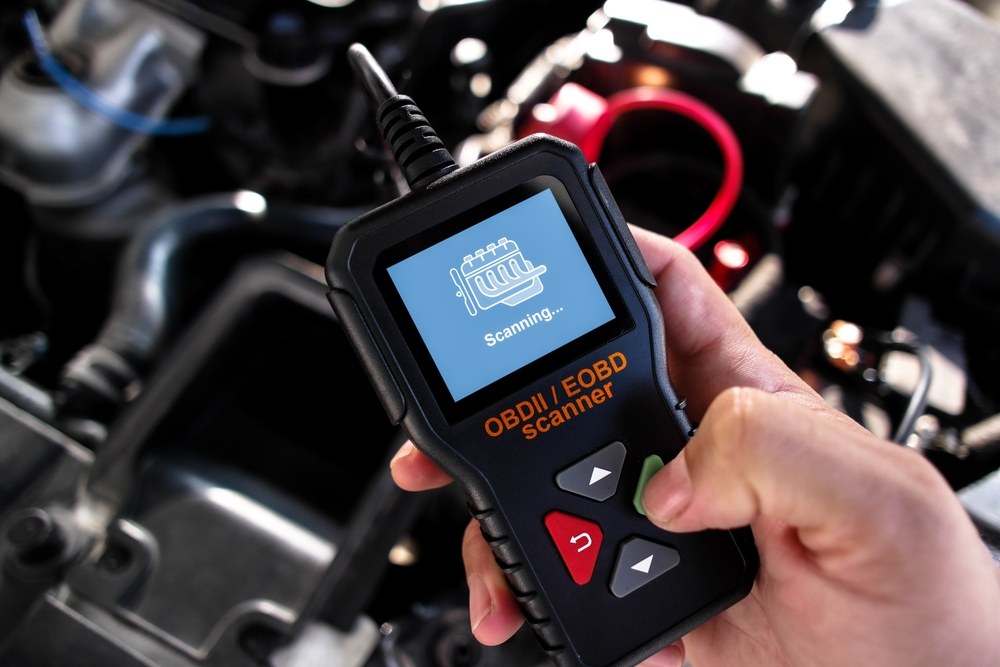
Most OBD2 scanners draw power from the vehicle, but the vehicle’s electrical condition still matters. Low voltage can cause communication problems, odd readings, or incomplete scans.
System voltage basics and what low voltage can do to scan results
If the battery is weak, the scanner may connect slowly or the vehicle modules may behave erratically. That can make the fault picture look worse or more confusing than it really is.
Before you blame the scanner, make sure the battery is charged enough for a stable scan. A weak battery can also cause multiple warning lights that do not all point to separate failures.
Battery chemistry, state of charge, and battery health are not the same
A battery can show charge on a charger and still have poor health. State of charge tells you how full it is right now, while battery health tells you how well it can hold and deliver power over time.
That distinction matters because a scanner may reveal voltage-related codes, but it cannot tell you everything about battery condition by itself. If battery testing is part of your plan, use the right tool and follow the instructions carefully.
Correct connection order for jump packs, chargers, and battery-powered tools
Follow the vehicle and charger instructions in the correct order. If you are using a jump pack or charger, connect it the way the manufacturer says before starting scans or diagnostics.
Do not stack risky shortcuts, like forcing a scan during a jump-start attempt or using damaged cables. If the battery area is hot, swollen, leaking, or smells unusual, stop and get help.
Damaged-battery stop conditions and hybrid/EV caution points
Stop immediately if the battery case is cracked, leaking, swollen, or physically damaged. For hybrid and electric vehicles, high-voltage systems add another layer of risk, so follow the owner’s manual and avoid touching orange high-voltage components.
Live Data, Code Limits, and When a Beginner Should Stop and Call a Pro
Live data is helpful, but it has limits. It can point you toward a likely problem area without proving the exact failed part.
What live data can reveal versus what it cannot diagnose
Live data can show patterns, such as a sensor reading that is stuck, a fuel trim problem, or an engine that is running too cold. That information helps narrow the search.
It cannot, by itself, confirm whether the issue is a bad sensor, wiring damage, vacuum leak, clogged part, or software-related problem. That is why code reading is a starting point, not the final answer.
Common limitations on ABS, SRS, transmission, and manufacturer-specific systems
Many beginner scanners only handle generic engine codes. They may not read ABS, airbag, transmission, or body system faults unless the product specifically says it can.
If you need more than engine codes, compare the scanner carefully before buying. For a broader look at feature levels, our cheap vs expensive OBD2 scanner guide explains why higher price often means deeper system access, not just a bigger screen.
When a code is only a symptom and professional diagnosis is the safer next step
Some codes are symptoms of a larger issue. A misfire code, for example, may come from ignition, fuel, air, compression, or even wiring problems.
If the car is shaking, losing power, overheating, or showing multiple warning lights, a pro diagnosis is often the safer move. The scanner can still help you explain the problem, but it should not replace a proper repair decision.
How to use scan results without clearing evidence too early
Save the code, freeze frame, and any readiness information before you clear anything. That record can help if the light comes back or if you need to explain the issue to a mechanic.
For a beginner, the safest habit is simple: read first, write down the result, then decide whether clearing the code is appropriate.
TPMS and Tire Features: What Beginners Need for Safer Pressure Checks
Some beginner tools include tire features or TPMS-related functions, but that does not make them a full tire service solution. Pressure checks still depend on a good gauge, the right inflation method, and knowing the repair limits.
Door-jamb placard pressure, cold pressure, and gauge accuracy
Use the pressure listed on the driver door-jamb placard, not the number molded into the tire sidewall. Check pressure when the tires are cold for the most accurate result.
Any built-in gauge or portable tool should be treated as a helper, not the final authority. If the reading seems off, verify it with a quality standalone gauge.
Inflator duty cycle and when a portable compressor is enough
A portable compressor can be useful for topping off a tire, but it is not always meant for long, continuous use. Duty cycle matters because some compact inflators need rest periods to avoid overheating.
If you are only correcting small pressure loss, a portable unit may be enough. If the tire is very low or flat, look for the cause first and do not assume air alone will solve it.
TPMS relearn limits, puncture location, and temporary-repair boundaries
TPMS relearn procedures vary by vehicle. Some cars relearn automatically, while others need a scan tool or a specific reset sequence.
Puncture location also matters. Damage in the sidewall or shoulder area is often not a safe candidate for a simple plug, and temporary repairs are not the same as a permanent fix.
When tire damage needs professional repair or replacement
If the tire has sidewall damage, a large cut, repeated air loss, or unsafe wear, replacement may be the better choice. A scanner or inflator cannot make damaged rubber safe again.
Roadside and Emergency Tools: Useful Add-Ons for First-Time Owners
Many beginners buy a scanner because they want peace of mind on the road. That is smart, but the most useful kit often includes a few extra safety items too.
Safe location, traffic visibility, and using tools away from moving traffic
If you need to scan a car roadside, move to a safe location first whenever possible. Stay away from moving traffic, keep your body clear of traffic lanes, and use hazard lights only as allowed by local rules.
Tools are most useful when they help you make a safer decision, not when they encourage you to diagnose a car in a dangerous spot.
Storage conditions, cable or pack condition, and post-use inspection
After use, inspect the cable, connector, and screen for damage. Store the tool in a dry place where it will not be crushed, overheated, or exposed to moisture.
For battery-powered accessories, follow the storage guidance in the manual. Good storage habits help the scanner stay reliable the next time you need it.
Current limits, tool completeness, and what to keep in the trunk kit
Keep the trunk kit simple: the scanner, any required cable or adapter, a tire gauge, gloves, and a flashlight. If the scanner depends on a phone, make sure the phone is charged and the app is already set up before you leave home.
Which emergency features pair well with a beginner scanner
The most useful add-ons are not flashy. A clear screen, a long enough cable, a sturdy case, and a simple code lookup function usually matter more than advanced claims you may never use.
Beginner Scanner Comparison: Budget Code Reader vs Bluetooth App Scanner vs Full Diagnostic Tool
There is no single best choice for every driver. The right tool depends on how often you scan, whether you prefer a phone or a handheld device, and how much system access you need.
| Option | Best for | Owner consideration | Driver consideration |
|---|---|---|---|
| Budget code reader | Simple check-engine light reads | Usually lower upfront cost and fewer extras | Easy to use, but limited to basic engine data |
| Bluetooth app scanner | Phone users who want live data | May involve app permissions or subscription features | Convenient, but setup can distract if the app is clunky |
| Full diagnostic tool | DIY users who want deeper system access | Higher cost and possibly more updates or support needs | More capable, but often more complex than a beginner needs |
Side-by-side comparison of code reading, live data, reset ability, and ease of use
Budget readers usually win on simplicity. Bluetooth scanners often win on live data display and portability. Full diagnostic tools usually offer the most features, but they can overwhelm a first-time user.
Which option fits daily drivers, DIY beginners, older vehicles, and newer cars
Daily drivers who only want to know why the check-engine light came on can usually start with a basic reader. DIY beginners who want to learn more may prefer a scanner with live data and code definitions.
Older vehicles may be easier to scan with a simple wired tool, while newer cars may benefit from stronger app support or broader system coverage. If you are comparing phone-based tools, our use phone as OBD2 scanner guide explains the trade-offs in plain terms.
Best use cases, drawbacks, compatibility notes, and transparent verdict criteria
My evaluation criteria for beginners are simple: readability, compatibility, code clarity, safe use, and total ownership cost. A tool scores better if it reduces confusion and gives useful data without forcing extra purchases.
The main drawback of cheaper tools is limited coverage. The main drawback of more advanced tools is complexity, which can slow down a new user who only wants a fast answer.
Review-style evaluation: evidence limits, ideal user/vehicle, warranty/support, and alternatives
Because no verified first-hand testing evidence is available here, the safest judgment comes from manufacturer documentation, feature lists, warranty terms, and common owner-use patterns. That means the best recommendation is based on fit, not on a claim of direct testing.
If you want a deeper comparison of scanner styles and feature levels, a broader buyer’s guide such as best OBD2 scanner can help you narrow the field before you buy.
Installation, Maintenance, and Privacy: Keeping the Scanner Reliable Over Time
A beginner scanner is usually low-maintenance, but it still needs setup, updates, and careful storage. If you ignore those basics, even a good tool can become frustrating.
How to install, update, and store the scanner correctly
Most handheld scanners are plug-and-play, but app-based tools may need installation steps first. Download the app from the correct source, pair the device while parked, and confirm the connection before you rely on it.
Store the scanner where heat, water, and crushed cables are not an issue. A glove box, center console, or trunk organizer can work if the tool stays protected.
Firmware upkeep, cable care, and battery/storage best practices
Firmware updates can improve compatibility, but only if the brand still supports the device. Check for update instructions before buying, especially if the scanner uses a phone app or a USB connection.
Do not wrap cables too tightly, and do not leave any battery-powered accessory in extreme heat for long periods. Small care steps can extend useful life and reduce repair headaches.
App data sharing, privacy settings, and permission control
Connected scanners may request access to Bluetooth, location, contacts, storage, or account data. Grant only the permissions the app truly needs, and review privacy settings before syncing vehicle information.
That matters even more if the app stores VINs, trouble codes, or trip-related data in the cloud. Read the privacy policy and decide whether you want automatic backups or a more private setup.
Final buying checklist for beginners and next steps before purchase
- Confirm your vehicle’s model year, port access, and OBD2 compatibility
- Choose the simplest feature set that still shows codes, freeze frame, and live data
- Check whether the scanner needs an app, subscription, or firmware updates
- Review warranty, support, returns, and replacement policy
- Make sure the tool fits your comfort level for safe, parked-only use
- Best for: New drivers, DIY beginners, and commuters who want fast check-engine answers with minimal setup.
- Think twice if: You need ABS, SRS, transmission, or advanced bidirectional functions right away.
- Next step: Verify your vehicle compatibility, decide between handheld or app-based use, and compare warranty and support before buying.
Frequently Asked Questions
Live data is very helpful because it shows what the engine is doing right now. For a beginner, basic live data like RPM, coolant temperature, and fuel trims is usually enough to learn a lot.
Not always. Most 1996-and-newer U.S. vehicles support OBD2, but feature depth still varies by make, model, year, trim, and system.
A handheld reader is often simpler for first-time users because it avoids pairing and app setup. A Bluetooth scanner can be useful if you want phone-based live data and do not mind extra permissions.
No, not if you have not recorded the code and freeze frame data first. Clearing too early can erase useful clues and make diagnosis harder.
Some do, but many basic code readers do not. Always check whether updates, app features, or enhanced vehicle coverage require a recurring fee.
Check vehicle compatibility, code-reading support, live data, readiness monitors, warranty, and whether the tool is easy to use safely while parked. If you want more than engine codes, confirm ABS, SRS, or transmission coverage before purchase.



3 Comments