Innova 5610 Bidirectional Code Updates for Faster Fixes
The Innova 5610 is best for drivers who want faster diagnosis than a basic code reader can offer. Its bidirectional features can save time, but only when the vehicle supports the function and the user verifies compatibility first.
Innova 5610 bidirectional code updates can help drivers move from basic code reading to faster, more targeted diagnosis when the vehicle and the fault both support it. For many U.S. owners, the real value is not magic fixes, but fewer guess-and-check steps and a clearer path to the next repair.
- Compatibility first: Bidirectional features vary by vehicle, year, module, and firmware.
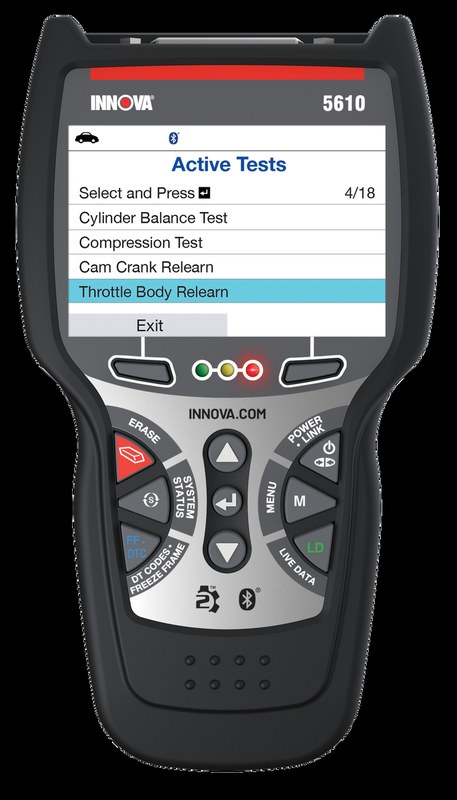
- Faster diagnosis: Active tests can confirm whether a fan, relay, or actuator responds correctly.
- Safety matters: Use the scanner only while parked and avoid high-voltage or airbag-related work.
- Updates count: Firmware and app support can affect coverage and long-term usefulness.
- Best use case: DIY owners who want quicker repair confirmation without shop-grade complexity.
Innova 5610 Bidirectional Code Updates: What It Does and Whether It’s Worth It for Faster Fixes
Quick answer: who should buy it, what “bidirectional” really changes, and the biggest limits to know in 2026
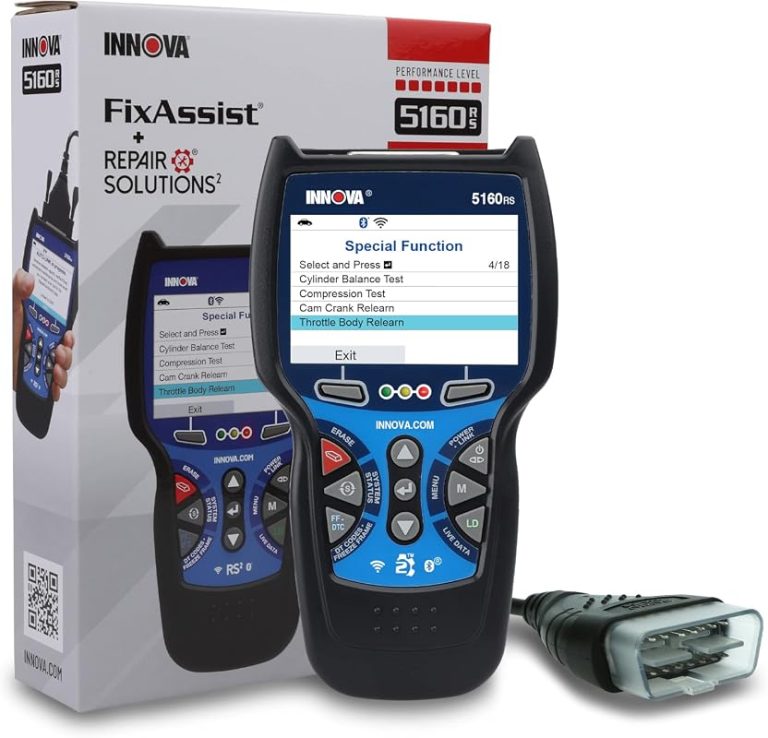
The Innova 5610 makes the most sense for DIY owners and light-support technicians who want more than a simple code reader, but do not need a full shop-level scan platform. “Bidirectional” means the tool can send commands to selected vehicle systems, which may help confirm whether a fan, relay, actuator, or solenoid is responding as expected.
That said, bidirectional control does not mean full control of every module on every vehicle. Coverage depends on the vehicle, the model year, the module, and the current firmware, so the same scanner can feel powerful on one car and limited on another.
How code updates, live data, and active tests can shorten diagnosis time for common U.S. vehicles
Code updates matter because the same basic fault can show up differently across model years, engines, and emission systems. Updated scanner software may improve code definitions, add vehicle coverage, or refine how the tool talks to newer modules.
Live data helps you see what the vehicle is doing right now, while active tests let you command a part or system and observe the response. Together, those features can shorten diagnosis time on common U.S. vehicles by helping you separate a sensor problem from a wiring issue, or a control issue from a failed component.
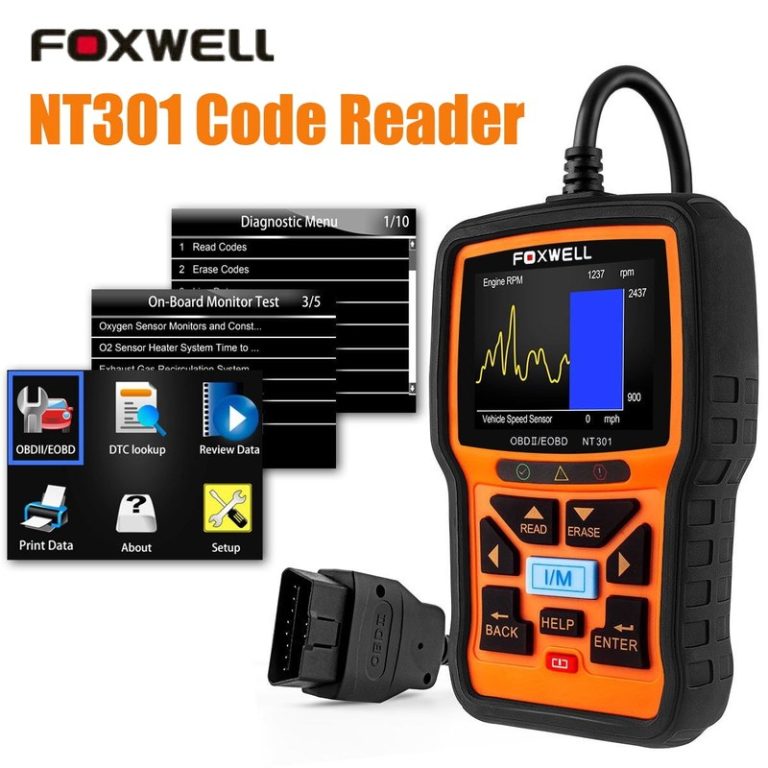
For readers comparing this kind of tool with a more basic reader, our guide to the Foxwell NT301 OBD2 code reader is useful because it shows what you gain when you move up from simple code retrieval to deeper diagnostics.
How the Innova 5610 Fits Real-World OBD2 Diagnosis in the United States
Model-year coverage, OBD2 protocol support, and what that means for gas, diesel, and newer vehicles
In the United States, OBD2 generally applies to gas vehicles starting with 1996 model year, while diesel and newer platform coverage can vary by exact configuration and market. The Innova 5610 is designed for OBD2 diagnosis, but exact compatibility still depends on the vehicle’s protocol and the module you want to access.
That matters because a scanner can only read what the vehicle exposes through the diagnostic port and supported communication standards. A tool may read engine codes easily while offering less depth on body, transmission, ABS, or other systems.
Check: Verify make, model, year, trim, voltage, ports, mounting space, and OEM requirements. Limitations: State verified exclusions.
Port location, ignition mode, and the basic connection sequence that prevents avoidable scan errors
Most OBD2 ports are under the dash near the steering column, but the exact location varies by vehicle. Before plugging in, make sure the ignition mode matches the scanner instructions, because some vehicles require key-on-engine-off while others use a different sequence for certain functions.
A clean connection process helps prevent avoidable errors. Seat the connector firmly, avoid forcing the plug, and keep the cable away from pedals, steering movement, and sharp trim edges.
Code reading versus live-data depth: emissions readiness, reset limits, and where a professional scan tool still wins
Code reading is the starting point, not the whole diagnosis. A scanner like this can help you view diagnostic trouble codes, clear some faults, and check readiness monitors, but it may not match the depth of a professional scan tool on every vehicle.
That difference matters for owners who need more than emissions checks. If you are chasing intermittent faults, module communication issues, or manufacturer-specific functions, a shop-grade platform can still be the better choice.
For shoppers comparing bidirectional options, our overview of the Topdon Topscan bidirectional scanner is a helpful reference point because it highlights how app-based tools can differ in workflow, coverage, and ownership trade-offs.
Bidirectional Functions Explained: What the 5610 Can Control and What It Cannot
Common active tests and service actions: fans, relays, solenoids, and select actuator commands
Bidirectional scanners are useful when you want to command a part instead of waiting for the vehicle to do it on its own. Common examples include cooling fan checks, relay activation, some solenoid tests, and selected actuator commands, depending on the vehicle.
These tests can be valuable because they create a clear yes-or-no response. If a fan turns on when commanded, the wiring and control path may be different from a dead fan that never responds.
Limitations by vehicle make, module access, and why some resets still require dealer-level software
Not every reset is available on every vehicle. Some maintenance items can be handled by the scanner, while others may require dealer-level software, a subscription login, or a factory procedure that is not exposed to aftermarket tools.
Module access is also uneven. A scanner may reach the engine control module easily but have limited access to a transmission, body control, or advanced driver assistance module, especially on newer vehicles with tighter software security.
When diagnosis should stop and a professional shop should take over
Stop and hand the job to a professional shop if the fault involves airbags, steering, braking, high-voltage hybrid systems, repeated communication failures, or a symptom that could make the vehicle unsafe to drive. The scanner can point you in the right direction, but it should not push you into unsafe guesses.
If a test produces inconsistent results, or if clearing the code makes the problem harder to trace, it is usually better to preserve the evidence and get help than to keep resetting the system.
Compatibility Guide for Drivers, DIY Owners, and Light-Support Technicians
Best-fit vehicle types: daily drivers, older OBD2 cars, light trucks, and mixed-fleet households
The Innova 5610 is a good fit for households with one or more gas vehicles, older OBD2 cars, and light trucks that need occasional diagnosis instead of constant shop-level work. It also fits drivers who want to confirm whether a repair actually solved the problem before paying for another part.
Mixed-fleet households often benefit because one tool can serve multiple vehicles, as long as each vehicle falls within the scanner’s supported coverage. That said, owners should still verify exact system support before depending on it for a specific job.
Hybrid and EV cautions: high-voltage safety, system isolation, and when not to use a standard scan workflow
Hybrid and EV owners should be more cautious. Standard scan workflows may still access some low-voltage systems, but high-voltage components require special safety procedures, and those should follow the vehicle manual or a trained technician’s process.
Firmware updates, app permissions, and privacy considerations before connecting a phone or account
If the scanner uses an app, update support matters as much as hardware support. Firmware updates can improve compatibility, but app permissions can also expose vehicle data, location data, and account details if you are not careful.
Comparison Section: Innova 5610 vs. Basic Code Readers vs. Higher-End Bidirectional Scanners
Side-by-side criteria: price, code coverage, live data, active tests, update support, and learning curve
Basic code readers are usually the easiest to learn, but they often stop at code retrieval and a few reset functions. Higher-end bidirectional scanners can do more, but they tend to cost more and may require a steeper learning curve.
| Option | Best for | Owner consideration | Driver consideration |
|---|---|---|---|
| Basic code reader | Quick engine-code checks | Lower cost, fewer functions | Simple to use, but limited troubleshooting depth |
| Innova 5610 | DIY diagnosis with active tests | More capability, more to learn | Can reduce repeat trips if used carefully while parked |
| Higher-end bidirectional scanner | Frequent wrenching or broader module work | Higher ownership cost and complexity | More control, but more setup and more ways to misuse it |
Which option fits budget DIYers, frequent wrenchers, and users who need faster repair confirmation
Budget DIYers usually do fine with a simple reader unless they already know they need active tests. Frequent wrenchers and owners who keep vehicles longer may get better value from a bidirectional tool because it can shorten diagnosis and help confirm repairs.
If your main goal is faster repair confirmation, bidirectional capability is the bigger upgrade than a prettier screen or extra menus. The tool is most useful when you can pair it with a symptom, a code, and a logical test plan.
Ownership cost over time: updates, accessory needs, warranty/support, and expected lifespan
Ownership cost is more than the sticker price. You should also think about firmware updates, cable wear, storage, support quality, and whether the tool needs an app or account to keep its best features working.
Battery and Electrical Safety Guide Before Using Bidirectional Tests
System voltage checks, battery chemistry awareness, and the difference between state of charge and battery health
Before any bidirectional test, check the vehicle battery condition. A battery can show enough voltage to power the scanner but still be weak under load, which can distort scan results or cause false communication problems.
State of charge is not the same as battery health. A fully charged battery can still be old, damaged, or unable to hold voltage during a test, especially in cold weather or after repeated short trips.
Correct connection order, low-voltage warning signs, and damaged-battery stop conditions
Connect the scanner only when the vehicle is parked and secure. If the dash lights flicker, modules boot slowly, or the scanner loses communication during a test, low voltage may be part of the problem.
Post-test inspection: when a weak battery can distort scan results or trigger false faults
After testing, recheck the battery and confirm the vehicle starts normally. A weak battery can create phantom trouble codes, make a good module look bad, or cause a clean repair to seem unresolved.
This is one of the biggest reasons to avoid clearing codes too early. Save the fault data first, then decide whether the next step is charging, testing, or repair.
Tire, TPMS, and Roadside Readiness: Using the 5610 Alongside Common Emergency Tasks
Door-jamb placard pressures, cold inflation checks, and gauge accuracy before topping off tires
Although the 5610 is not a tire inflator, many owners use a scanner alongside basic roadside maintenance. If you are checking a TPMS light, start with the door-jamb placard pressure and measure tires cold whenever possible.
Use a reliable gauge before adding air. A TPMS warning does not always mean the tire is safe to drive on, and it does not tell you the exact pressure in every tire with the same level of certainty a manual gauge can provide.
Inflator duty cycle, TPMS relearn limits, and why some warning lights need more than a reset
If you use a portable inflator, respect its duty cycle and power limits. Overheating a small inflator can turn a simple top-off into a broken tool, and some TPMS lights will not clear until the underlying pressure or sensor issue is fixed.
That is where scanner knowledge helps. A reset may be part of the process, but it should not replace proper inflation, relearn steps, or sensor repair when needed.
Puncture location, temporary-repair limits, and professional-repair thresholds for safer driving
Not every tire puncture is repairable. Sidewall damage, large cuts, shoulder-area damage, or repeated air loss can make a tire unsafe even if the pressure can be temporarily restored.
If the leak is more than a simple tread puncture, or if the tire has been driven while flat, professional inspection is the safer move. A scanner cannot make a damaged tire safe.
Roadside and emergency-tool basics: safe location, traffic visibility, storage conditions, cable or pack condition, current limits, tool completeness, and post-use inspection
Keep any roadside setup well away from traffic, and make sure you are visible before you work. Store the scanner, cables, and any power accessories in a dry place, and inspect them after use for wear, bent pins, or damaged insulation.
Installation, Setup, and Maintenance for Reliable Updates and Long-Term Use
Unboxing, first activation, and the cleanest way to apply code and firmware updates
Start by confirming what is in the box and reading the setup instructions before connecting anything to the car. If the tool uses registration or activation, complete that step first so updates and support features work as intended.
Verify the vehicle, power, ports, mounting space, hardware, and manufacturer instructions.
Keep cables and hardware away from airbags, pedals, controls, sensors, and moving parts.
Complete setup while parked, verify key functions, and secure all parts before driving.
Keeping the scanner accurate: cable care, connector inspection, app settings, and periodic update checks
Regular maintenance is simple but important. Keep the connector pins clean, avoid bending the cable sharply, and check for loose ports or cracked housings before each use.
Troubleshooting common issues: no communication, incomplete reads, failed resets, and compatibility mismatches
If the tool will not communicate, start with the basics: ignition mode, connector seating, vehicle battery condition, and supported protocol. Incomplete reads often point to compatibility gaps rather than a broken scanner.
Failed resets can happen when the vehicle requires a different sequence, a stronger battery, or a dealer-level function the scanner cannot reach. When that happens, do not keep clearing codes in a loop; capture the fault, then move to the next diagnostic step.
Transparent Verdict: Who Gets the Most Value from the Innova 5610 in 2026
Ideal user and vehicle profile, notable drawbacks, and the strongest alternatives if your needs are different
The Innova 5610 is strongest for U.S. drivers who want a step up from a basic code reader without jumping all the way to a high-priced professional scanner. It is most appealing for people who work on one or two vehicles, want faster confirmation after repairs, and value active tests when the vehicle supports them.
The main drawback is that “bidirectional” does not mean universal coverage. If you need deep module access, frequent advanced resets, or broad support across many late-model systems, a higher-end scanner may be the better fit.
Evidence limits, support expectations, and the final buying recommendation for CarValleyNJ readers
Because no verified first-hand testing evidence is available here, this guide relies on manufacturer-style feature claims, general OBD2 workflow, and ownership judgment rather than hands-on measurement. That means the safest buying decision is to verify your exact vehicle coverage, update policy, and support terms before purchase.
If your goal is faster fixes on supported vehicles, the Innova 5610 is worth a close look. If you mainly need simple code reads, a basic scanner may be enough; if you need dealer-like depth, shop-grade software is still the stronger choice.
- Best for: DIY owners and light-support techs who want faster diagnosis with selective active tests on supported U.S. vehicles.
- Think twice if: You need broad module access, frequent advanced resets, or guaranteed coverage across many late-model systems.
- Next step: Verify your exact vehicle compatibility, update policy, and app or account requirements before buying.
Common Questions
It can be, if the user wants more than a basic reader and is willing to learn the menus. Beginners should still start with simple code reading before using active tests.
Maybe, but exact support depends on the vehicle and the function you want. Check the coverage list before buying.
Yes, on supported vehicles it can clear some codes after the repair. Do not clear codes before saving the fault information.
That depends on the version and update method. Review permissions, registration steps, and any cloud features before connecting.
It is if you diagnose problems often or want faster confirmation after repairs. If you only need basic code reads, a simpler tool may be enough.
Frequently Asked Questions
It tends to fit daily drivers, older OBD2 vehicles, and light trucks that need occasional diagnosis. The biggest value comes when the supported vehicle includes the active tests you actually need.
Yes. Active tests should be done while parked in a safe location, with the vehicle secured and the scanner cable kept clear of pedals and moving parts.
Check periodically, especially before diagnosing a new vehicle or after a firmware release. Updates can improve compatibility, but the exact schedule depends on the tool and support policy.
No. It can help you identify likely causes, but a weak or damaged battery can still create bad scan results and false faults. Test the battery first if communication seems unstable.
If the scanner uses an app, review what data it can store or share. VINs, trouble codes, and live data may be tied to an account depending on the platform.
Compare vehicle coverage, active-test support, live data, update terms, warranty, and ease of use. Also decide whether you need a simple reader, a midrange bidirectional tool, or a more advanced platform.