foxwell nt301 freeze frame data: what it reveals about codes
foxwell nt301 freeze frame data helps you see the conditions that were present when a code set, which makes troubleshooting faster and more focused. It is useful for basic diagnosis, but it cannot tell you the exact failed part on its own.
foxwell nt301 freeze frame data can help you connect a fault code to the driving conditions that likely triggered it. For many US drivers, that snapshot is useful because it shows what the engine was doing when the code set, even though it does not diagnose the root cause by itself.
- Freeze frame value: It links a code to real driving conditions like RPM, speed, and coolant temp.
- Scanner limit: The NT301 is a basic OBD2 tool, not a full system diagnostic scanner.
- Compatibility matters: Vehicle year, protocol, and system type affect what data you can read.
- Safety first: Scan while parked, and stop if the vehicle is overheating, stalling, or running badly.
foxwell nt301 freeze frame data: what it reveals about codes and why it matters
Freeze frame data is a saved snapshot of key sensor readings at the moment an OBD2 fault code was stored. On a Foxwell NT301, that can make a check-engine light more meaningful because you are not just seeing the code name; you are also seeing the context around it.
If you want a broader look at the scanner itself, see our guide on the Foxwell NT301 OBD2 code reader and our breakdown of whether the NT301 can clear codes. Those topics matter because freeze frame data is most useful when you use it before erasing anything.
How freeze frame snapshots help you connect a fault code to real driving conditions
A code like a misfire, fuel trim, or oxygen sensor fault often needs context. Freeze frame can show engine speed, coolant temperature, vehicle speed, load, and fuel-related readings when the fault was captured. That helps you ask better questions, such as whether the problem appeared at idle, during highway cruising, or under hard acceleration.
That context can also point to patterns. For example, a problem that appears only when the engine is cold may suggest a different path than one that shows up after the vehicle is fully warmed up. In that way, freeze frame helps separate the symptom from the likely trigger.
What the NT301 can show at a glance versus what it cannot diagnose on its own
The NT301 is designed to read generic OBD2 information, which usually includes stored trouble codes, some live data, and freeze frame details when the vehicle supports it. That is enough for many emissions-related checks and basic troubleshooting.
What it cannot do is replace deeper diagnostics. It cannot inspect every manufacturer-specific module, and it cannot tell you whether a sensor is lying, a wire is damaged, or a mechanical issue is hiding behind the code. If you need help deciding whether the scanner is a fit at all, our article on what vehicles are compatible with the Foxwell NT301 is a useful next stop.
How the Foxwell NT301 reads codes, live data, and freeze frame information
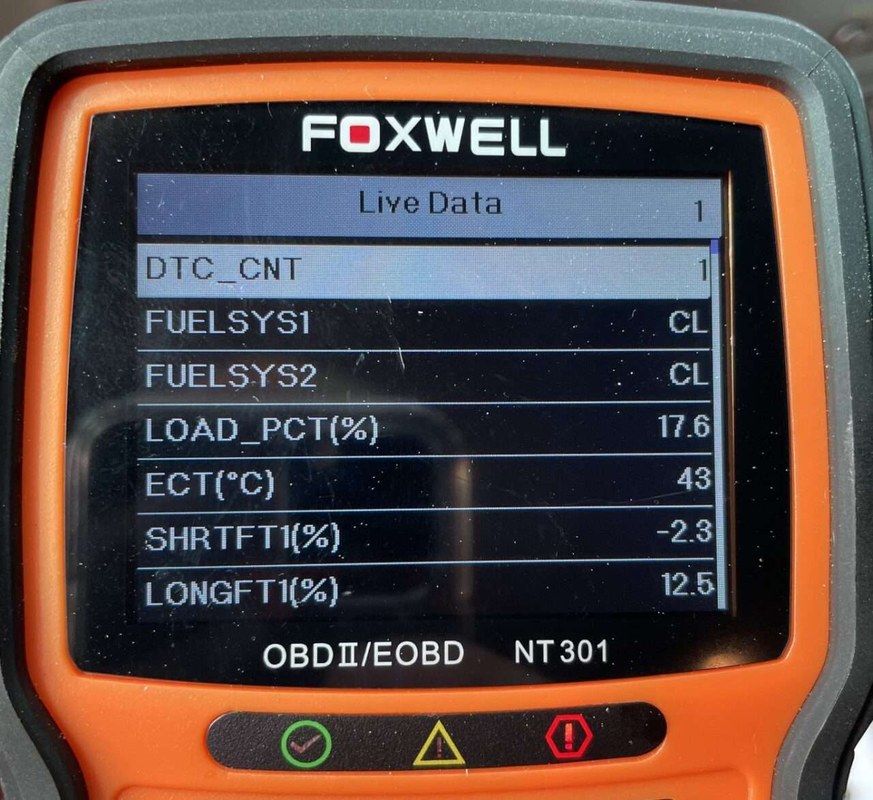
The scanner communicates through the vehicle’s OBD2 port and requests data from the emissions system. Depending on the vehicle, it may show current codes, pending codes, freeze frame data, and live sensor readings on its screen.
OBD2 model-year coverage and protocol support for U.S. vehicles
In the U.S., OBD2 became standard on gasoline vehicles starting with model year 1996, but actual support still varies by vehicle, engine type, and system. Some older vehicles and specialty vehicles may use different connectors or older diagnostic protocols, while newer vehicles may still present limitations in the areas the NT301 can access.
Protocol support matters because a scanner can only read what the vehicle exposes through the OBD2 system. For many owners, that means the NT301 is a solid fit for common passenger cars and light trucks, but not a universal answer for every drivetrain or module.
Ignition mode, port location, and basic connection steps before reading data
Before scanning, the vehicle usually needs to be in the proper ignition state so the diagnostic link can power up and communicate. The OBD2 port is commonly under the dash on the driver side, but exact placement varies by make and model.
Keep the vehicle parked, set the parking brake, and avoid reaching around pedals or steering components while plugging in the tool. If the port is hard to reach, use the owner’s manual rather than forcing the connector at an angle.
- Read freeze frame before clearing codes
- Confirm the vehicle is in a safe parked position
- Use the scanner only on supported OBD2 systems
- Assume one code tells the full story
- Force the connector into a damaged port
- Clear data before saving useful details
Code limits, live-data limits, and why emissions readiness still matters
The NT301 is useful for basic OBD2 work, but its limits matter. It is not a full professional scan tool, so it may not access every system on the vehicle. Readiness monitors also matter because they show whether emissions self-tests have completed after repairs or code clearing.
If a vehicle is not ready, an emissions inspection can still fail even when the check-engine light is off. That is why freeze frame data, code status, and readiness status should be viewed together instead of in isolation.
What freeze frame data can reveal about drivability, safety, and repair priority
Freeze frame data is not just for curiosity. It can help you judge whether a problem is minor, intermittent, or serious enough to stop driving until it is checked.
Engine load, RPM, coolant temperature, fuel trim, and speed clues
Engine load and RPM can show whether the fault happened at idle, during acceleration, or under steady cruising. Coolant temperature can tell you whether the engine was cold or fully warmed up. Fuel trim can hint at whether the engine was running too rich or too lean at the time.
Vehicle speed is another clue. A fault that appears only at highway speed may point to a different cause than one that appears in stop-and-go traffic. These details do not give a final answer, but they narrow the field.
When a stored snapshot points to an intermittent problem versus a serious fault
An intermittent issue often shows up in freeze frame under a narrow set of conditions, such as hot weather, low fuel, or a specific speed range. That can be helpful because it gives you a repeatable test condition to watch for later.
A serious fault may show a pattern that lines up with rough running, stalling, overheating, or severe drivability changes. If the vehicle is running poorly, the code and snapshot should be treated as a warning, not just a maintenance note.
When the evidence is not enough and a professional diagnosis is the smarter next step
If the code returns quickly, multiple codes appear together, or the vehicle has symptoms that do not match the snapshot, the NT301 has reached its limit. At that point, a shop with access to enhanced data, wiring checks, smoke testing, or bidirectional functions may be the smarter path.
Compatibility guide: which vehicles and systems the NT301 fits best
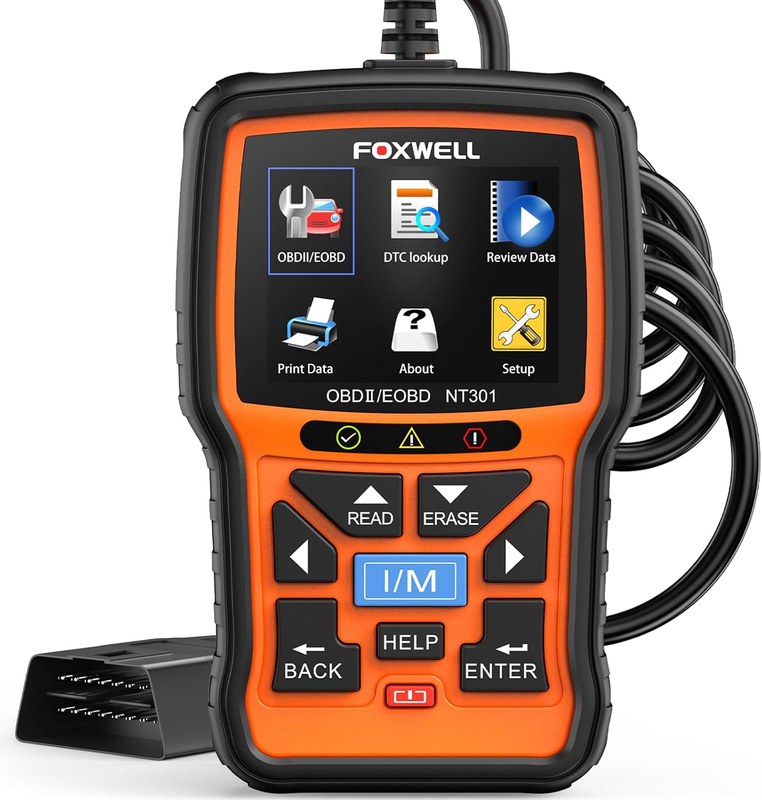
The NT301 fits best when you want a straightforward OBD2 reader for common engine and emissions checks. It is less useful when you need deep system access or manufacturer-specific functions.
Gasoline cars and light trucks versus diesel, hybrid, and EV cautions
Many gasoline cars and light trucks are the best match because they usually expose standard OBD2 data in a way this scanner can read. Diesel, hybrid, and EV coverage can be more complicated, especially when the issue lives outside the generic emissions system.
That does not mean the scanner is useless on those vehicles, but it does mean you should verify the exact model-year and system support before buying. For a broader buying perspective, our post on the Foxwell NT301 worth buying question may help.
Check: Verify make, model, year, trim, voltage, ports, mounting space, and OEM requirements. Limitations: State verified exclusions.
Model-year and protocol gaps that affect older, newer, or specialty vehicles
Older vehicles may not be fully OBD2 compliant, while some newer or specialty vehicles may use systems that go beyond generic scanner access. Even when the port fits, the data you want may not be available.
That is why a compatibility check should happen before purchase, not after the box arrives. If you are comparing options, our best Foxwell NT301 scanner guide can help you sort use cases.
TPMS, ABS, airbag, and manufacturer-specific system limitations
The NT301 is not a dedicated TPMS, ABS, or airbag scan tool. Some drivers expect a code reader to handle every warning light, but generic OBD2 tools usually focus on engine and emissions data first.
If your concern is a brake, airbag, or tire-pressure warning, you may need a scanner that supports those modules or a technician with the right software. A code reader alone should not be treated as a full system diagnosis tool.
Power, battery, and electrical checks before and after scanning
A scanner is only helpful if the vehicle has enough stable power to communicate. Low voltage can create confusing results, interrupted scans, or communication errors that look like tool problems when the real issue is electrical.
System voltage basics, battery chemistry, and state of charge versus battery health
State of charge is not the same as battery health. A battery can be charged and still be weak, sulfated, or unable to supply steady power under load. That matters because diagnostic tools depend on stable vehicle voltage.
For day-to-day ownership, a quick battery check before scanning can save time. If the vehicle has slow cranking, dim lights, or repeated no-start issues, the scanner may reveal symptoms, but it will not replace proper battery testing.
Correct connection order, damaged-battery stop conditions, and safe voltage thresholds
Follow the vehicle and tool instructions in the proper order, and do not connect or disconnect carelessly while the engine is running unless the manual specifically allows it. If the battery is visibly damaged, leaking, hot, or swollen, stop and get professional help.
Hybrid and EV cautions, accessory power behavior, and post-scan battery inspection
Hybrid and EV owners should be extra careful because high-voltage systems and accessory power behavior vary by vehicle. A generic OBD2 scanner does not make those systems simple or automatically safe to probe.
After scanning, inspect the connector, store the tool dry, and note any battery or charging concerns that could affect the next use. That small habit helps keep the scanner reliable and the vehicle easier to diagnose later.
Installation, firmware, and maintenance: keeping the scanner reliable
The NT301 is simple to use, but reliability still depends on basic care. Firmware, cable condition, and screen readability all affect how useful the tool feels over time.
Firmware update expectations, menu navigation, and screen readability
Firmware support can change by product revision, so check the manufacturer’s current instructions before assuming an update path. Menu structure should be simple enough that you can move from code reading to freeze frame and live data without guesswork.
For many owners, screen readability matters just as much as feature count. If you plan to use the scanner in a bright driveway or dim garage, a clear display and simple controls reduce mistakes and distraction.
Cable condition, storage conditions, and post-use inspection for long-term ownership
Inspect the cable and connector for bent pins, cuts, or loose fit after use. Store the scanner away from heat, moisture, and trunk clutter so the display and wiring stay in better shape.
Ownership cost, warranty/support expectations, and evidence limits in a product review
Because prices and warranty terms can change by seller and revision, verify current details before you buy. The real ownership cost is not just the scanner price; it also includes time spent learning the menus, checking compatibility, and keeping the tool updated.
If you want a broader perspective on value, compare features against your actual repair needs rather than the biggest spec list. A basic scanner that you will actually use is often better than a more advanced one that sits in the glove box.
Tire, TPMS, and roadside use: where freeze frame data fits into real-world decisions
Freeze frame data is not a tire tool, but it can still matter when a tire issue triggers a warning light or affects drivability. Roadside decisions should start with safety, not with code clearing.
Door-jamb placard checks, cold pressure, and gauge accuracy before tire work
Before any tire adjustment, check the door-jamb placard for the vehicle’s recommended cold tire pressure. Use a reliable gauge and measure the tire before driving far, because heat raises pressure and can hide a low tire.
If you are also dealing with a check-engine light, remember that a scan tool will not tell you whether a tire is underinflated, damaged, or leaking. It only helps with the vehicle systems it can access.
Inflator duty cycle, puncture location, temporary-repair limits, and professional thresholds
If you are using an inflator, watch the duty cycle and allow cooling breaks when the tool or compressor needs them. A puncture in the sidewall, shoulder, or near the tread edge is often a different problem than a small tread puncture.
Temporary repair products have limits, and some damage should go straight to a tire shop. If the tire is losing air quickly or the sidewall is damaged, professional inspection is the safer choice.
TPMS relearn limits and why a scan tool cannot replace proper tire inspection
TPMS relearn steps vary by vehicle, and a generic OBD2 scanner may not handle them. Even when a tool can read engine data well, it may not solve a tire-pressure warning or a sensor issue.
A proper tire inspection still matters because a warning light is only the start of the diagnosis. The scanner can support the process, but it cannot replace a visual check, pressure check, or repair decision.
Privacy, legal, and emergency-tool considerations for U.S. drivers in 2026
Even a simple scanner can raise privacy and safety questions if you use it often, keep it in a shared vehicle, or pair it with other tools. The best setup is one that protects your data and keeps the driver focused.
App permissions, data handling, and what the NT301 does or does not share
The NT301 is a standalone scanner, so it is different from app-based tools that may request account access, Bluetooth permissions, or cloud storage. That can be a plus for privacy-minded drivers because there is less connected data to manage.
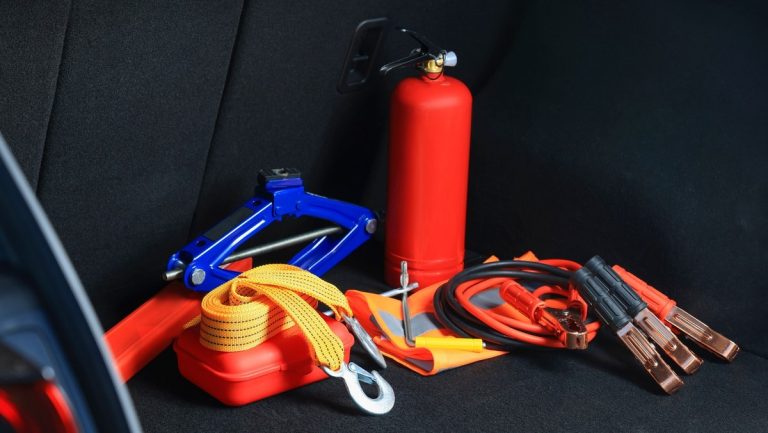
Safe location, traffic visibility, tool completeness, and roadside emergency setup
If you use the scanner roadside, park in a safe, visible location and keep yourself out of traffic. A tool that is easy to read and operate can reduce distraction, but only if you use it while the vehicle is stationary and secure.
Which drivers should choose the NT301, which should choose a higher-end scanner, and the transparent verdict
The NT301 makes the most sense for drivers who want basic code reading, freeze frame context, and live-data snapshots without paying for advanced shop-level features. It is a practical fit for commuters, used-car owners, and DIY drivers who mainly need emissions and drivability clues.
If you need ABS, airbag, TPMS, bidirectional controls, or deep module access, a higher-end scanner is the better match. For a broader comparison, see our Foxwell NT301 vs BlueDriver guide.
- Best for: US drivers who want a simple way to read codes, check freeze frame data, and understand when a check-engine light happened.
- Think twice if: You need ABS, airbag, TPMS, bidirectional controls, or full-system diagnostics.
- Next step: Verify your vehicle’s OBD2 compatibility and confirm the scanner’s supported functions before buying.
Frequently Asked Questions
It shows a saved snapshot of engine and emissions data when a fault code was stored. That usually includes values like RPM, coolant temperature, load, and speed if the vehicle supports them.
No. Support depends on the vehicle’s OBD2 system, model year, and protocol compatibility. Some vehicles may show limited data or no freeze frame at all.
No. Save the code and snapshot first, because clearing can erase the evidence that helps explain the problem. After that, you can decide whether to clear or seek repair.
Not as a general rule. The NT301 is mainly a generic OBD2 engine and emissions scanner, so those other systems usually need a different tool or a shop-level scanner.
No. Use it only while parked and in a safe location. Reading data while driving can distract the driver and raise the risk of a crash.
Check your vehicle’s OBD2 compatibility, the scanner’s supported functions, and the seller’s current warranty and return terms. Also confirm whether you need more than basic code reading and freeze frame data.




One Comment