What Is Mode 6 Data on an OBD2 Scanner: Practical Guide for Drivers
Mode 6 data on an OBD2 scanner shows your vehicle’s emissions monitor test results — the measured values, thresholds, and pass/fail counts that reveal problems before the check engine light comes on. Any driver can read it with a Mode 6-capable scanner, and it’s one of the best early-warning tools for avoiding failed emissions inspections.
If you’ve ever wondered what is Mode 6 data on an OBD2 scanner, here’s the short answer: it’s the part of your vehicle’s diagnostic system that stores emissions monitor test results — measured values, pass/fail counts, and thresholds that reveal problems before the check engine light comes on.
- What it is: Mode 6 stores emissions monitor test results, including measured values, thresholds, and pass/fail counts.
- Why it matters: It can reveal borderline failures before a trouble code or check engine light appears.
- Scanner support: Basic code readers often skip Mode 6; you need a tool or app that.
- Legal caution: Clearing codes wipes Mode 6 data and resets emissions monitors, which can cause an.
- Safety first: Check battery voltage before scanning, and never scan a visibly damaged battery.
What Is Mode 6 Data on an OBD2 Scanner? A Five-Minute Straight Answer
Mode 6 is one of the standardized diagnostic modes built into every OBD2 system. It stores results from emissions monitors — catalyst efficiency, oxygen sensor response, EGR flow, EVAP leaks, and misfire counts. A trouble code tells you a monitor failed. Mode 6 shows you the actual measurements and the limits the manufacturer set.
How Mode 6 Fits Into the OBD2 Standard: Modes 1 Through 10 Explained Briefly
The OBD2 standard defines ten modes. Mode 1 shows live data, Mode 2 shows freeze frame, Mode 3 displays stored codes, Mode 4 clears codes, Mode 5 covers oxygen sensor tests, Mode 6 is the onboard monitoring results, Mode 7 shows pending codes, Mode 8 handles bidirectional controls, Mode 9 reports vehicle info, and Mode 10 covers permanent codes.
Mode 6 vs Mode 1 (Live Data), Mode 3 (Codes), and Freeze Frame: The Key Differences
Mode 1 live data is a real-time snapshot — current RPM, coolant temperature, speed, and sensor voltages. Mode 3 codes are the stored trouble codes that trigger the check engine light. Freeze frame captures conditions at the moment a code was set.
Mode 6 is different. It records tests the computer has already completed, with values, thresholds, and pass/fail counts. Live data shows what the engine is doing right now; Mode 6 shows how its internal tests have been performing. That makes it useful for catching intermittent issues before they set a code. For more, see our guide on how to find live data on an OBD2 scanner.
Where to Find the OBD2 Port and How to Prepare Your Vehicle Before Scanning
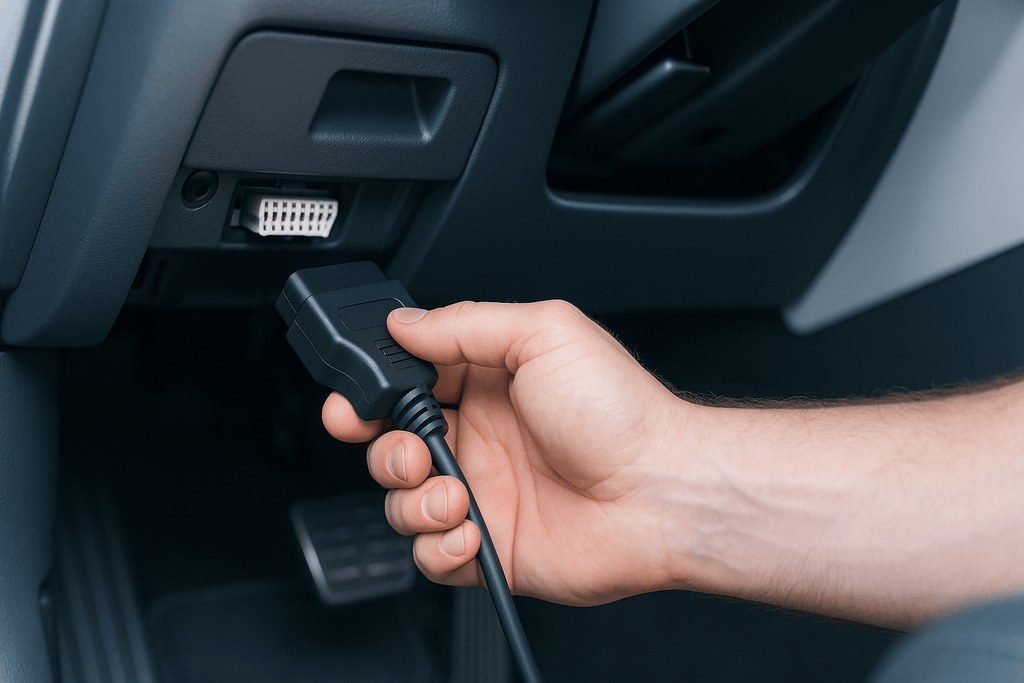
The OBD2 port is almost always under the driver’s side dashboard, near the steering column or hood release. Some vehicles hide it behind a small panel, so check the owner’s manual if you can’t find it.
Standard Port Location and Correct Ignition Mode: Key On, Engine Off
For Mode 6 data, you don’t need the engine running. Turn the ignition to “Key On, Engine Off” — the dash lights up but the engine stays off. This powers the scan tool and the computer without noise from a running engine.
Some Mode 6 tests only produce meaningful results after a completed drive cycle. If the computer hasn’t run a monitor yet, the screen will show zeros or “not ready.” Learn more in our guide on whether you need the engine running to use an OBD2 scanner.
Check System Voltage First: State of Charge vs Battery Health
A weak battery can cause false readings. With the ignition on, check the voltage on the scanner. A healthy resting battery reads around 12.4 to 12.6 volts. If it’s lower, charge the battery before scanning.
State of charge tells you how full the battery is. State of health tells you how much life it has left. Mode 6 won’t give you a true battery health reading — that needs a dedicated tester.
Which OBD2 Scanners Support Mode 6 Data (and Which Ones Won’t)
Not every scanner can read Mode 6. Basic code readers often only display and clear codes. You need a scanner that lists “Mode 6,” “onboard monitors,” or “emissions readiness” support.
Model-Year and Protocol Coverage: OBD2 from 1996 and CAN from 2008
OBD2 became mandatory for gasoline vehicles in the US in 1996, so vehicles from then on should support Mode 6 in some form. The data structure changed when CAN protocol became standard around 2008. Older vehicles may show fewer tests, and some early systems display raw hex values that are hard to read without a service manual.
Scanner Tiers: Basic Code Readers, Bluetooth App-Based Tools, Enhanced Scan Tools, and Pro-Level Units
Basic code readers typically skip Mode 6. Bluetooth app-based tools often support it, but the app must include a Mode 6 viewer. Enhanced scan tools display Mode 6 in readable form with test names and thresholds. Pro-level units add bidirectional controls and factory tests, but cost far more than most drivers need.
Firmware Updates and App Permissions: What to Verify Before You Buy
Before buying, confirm the scanner or app supports Mode 6 for your vehicle. Firmware updates matter — manufacturers expand coverage over time. For app-based tools, review the permissions the app requests; some collect diagnostic data, VIN information, or location data.
How to Read and Interpret Mode 6 Values Without a Service Manual
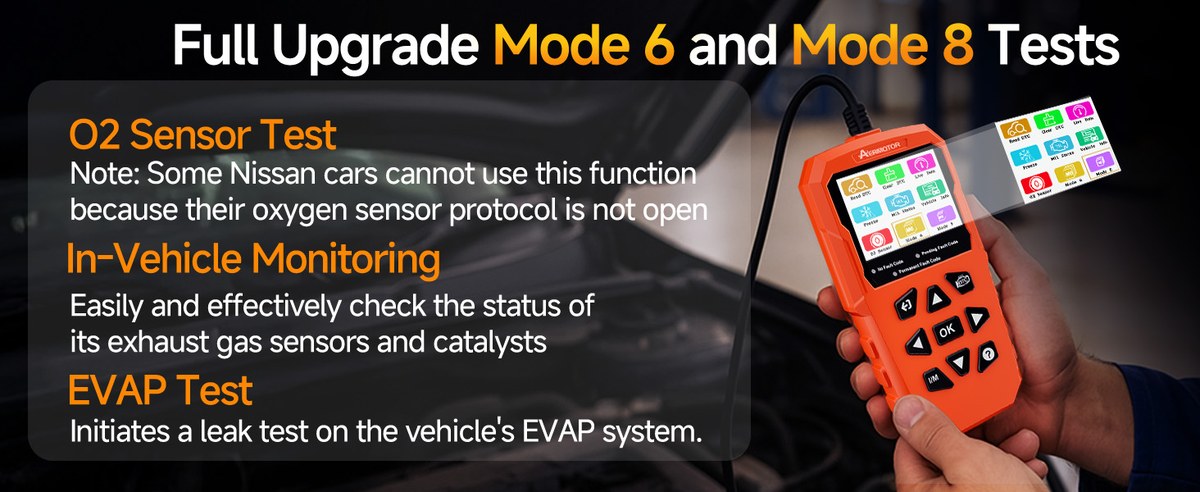
Mode 6 data looks intimidating — long numbers, hex values, and strange abbreviations. But the structure is consistent once you understand two key identifiers.
Test IDs and Monitor IDs: The Two Numbers You Must Match to Make Sense of Data
Every Mode 6 entry has a Test ID (TID) and a Monitor ID (MID). The MID identifies which system the test belongs to — catalyst, oxygen sensor, EGR, or EVAP. The TID identifies the specific test within that system. Together, they tell you what the measurement means.
Many scanners translate these IDs into plain English. If yours doesn’t, look up the TID/MID combination for your vehicle. The values are usually straightforward: a measured number, min and max thresholds, and a pass/fail count.
Pass/Fail Counts and Thresholds: How to Spot a Borderline Monitor Before It Becomes a Problem
Each test shows a current value, thresholds, and pass/fail counts. If the value sits close to a threshold but hasn’t failed, you’re looking at a borderline monitor — a warning that a code may be coming. A rising fail count is a strong signal to act.
- Record Mode 6 values before clearing any codes
- Compare the current value against both thresholds
- Watch for fail counts that keep rising
- Clear codes before saving the data you need
- Ignore borderline values just because no code is set
- Condemn a part on Mode 6 alone without live-data confirmation
Common Mode 6 Tests You’ll Actually See: Misfire, Catalyst, O2 Sensor, EGR, and EVAP
The most common Mode 6 tests cover misfire counts, catalytic converter efficiency, oxygen sensor response, EGR flow, and EVAP leak size. Misfire counts are especially useful — they show how many misfires occurred per cylinder, helping you find a weak coil or plug before the light starts flashing.
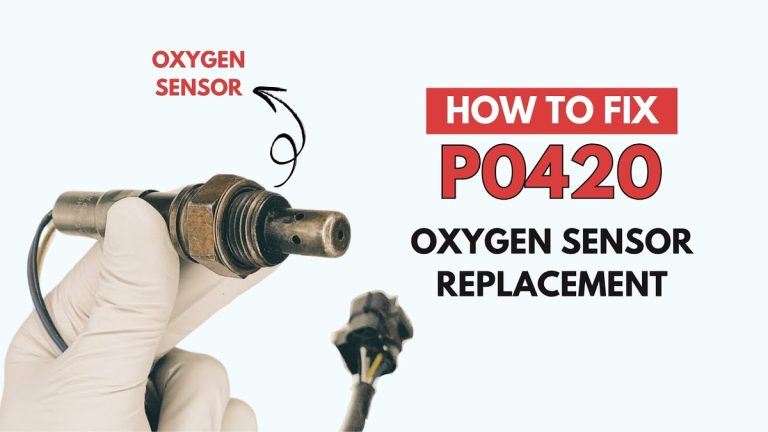
For oxygen sensors, Mode 6 shows response times and voltage ranges that help identify a failing sensor. Our guide on whether an OBD2 scanner can tell which oxygen sensor is bad explains how far this data goes.
Mode 6 Data and Emissions Readiness: Passing Inspection and Understanding the Law
Mode 6 and emissions readiness are closely related. The readiness monitors that state inspections check are the same tests that populate Mode 6 data.
How I/M Monitor Readiness Relates to Mode 6 Results
I/M readiness stands for Inspection and Maintenance readiness. It shows whether each emissions monitor has completed a self-test. “Not ready” means the vehicle hasn’t completed the required drive cycle — not always that something is broken. Mode 6 gives the underlying data; the readiness screen gives a simple pass or not-ready summary.
State-by-State Legal Variation: CARB States, EPA Standards, and Emissions Inspection Requirements
Emissions inspection rules vary by state. California and other CARB states have stricter requirements, while some states don’t test at all. The number of monitors allowed to be “not ready” also varies by state and model year. Check your state’s current rules before your appointment.
Why Clearing Codes Resets Monitors and Wipes Mode 6 Data (Reset Limitations)
Clearing codes with Mode 4 resets all emissions monitors and wipes Mode 6 results. You can’t clear a code and pass inspection the next day — the monitors need time to re-run. That’s why you should record Mode 6 data before clearing anything.
If you clear codes and scan immediately, you’ll see mostly zeros and “not ready” statuses — a common reason drivers think their scanner is broken. Our article on why a scanner says no codes but the check engine light is on covers a related situation.
What Mode 6 Can’t Tell You: Limitations and When a Pro Is Required
Mode 6 is powerful, but it has limits. It only covers emissions-related systems, and it won’t diagnose most non-emissions problems.
Limits vs Live Data: Intermittent Faults and Freeze Frame Gaps
Mode 6 captures test results at specific moments, not continuous streams. If a fault is intermittent, Mode 6 might show a borderline count but no code — useful, but it won’t tell you when or why it happened. Live data and freeze frame are better for catching intermittent faults in the act.
What Mode 6 Doesn’t Cover: TPMS, ABS, Airbags, and True Battery Health
Mode 6 covers emissions monitors only. Tire pressure monitoring, anti-lock brakes, airbags, and battery health are separate systems with their own modules. A standard OBD2 scanner may not read them at all. Our article on whether an OBD2 scanner can read airbag codes explains the difference.
When Diagnosis Requires a Professional: Bidirectional Controls, Factory Tools, and Wiring Diagnostics
Mode 6 tells you what’s failing, but not always why. A catalyst test might fail because the converter is bad — or because a downstream oxygen sensor is lying. Proper diagnosis needs live data, wiring checks, and sometimes bidirectional controls. If you’re not comfortable with electrical testing, a professional with a factory-level scan tool is safer.
Battery, Voltage, and Electrical Safety Cautions for DIY Diagnostics
Scanning is a low-risk task, but it involves the vehicle’s electrical system. A few precautions keep you safe.
Correct Connection Order and Damaged-Battery Stop Conditions
Plug the scan tool into the OBD2 port before turning the ignition on, and turn the ignition off before unplugging. This avoids voltage spikes that can confuse the tool or computer.
If the battery shows signs of damage — a swollen case, leaking fluid, cracked terminals, or a strong sulfur smell — stop immediately. Don’t scan, don’t jump-start, and don’t touch the battery.
Hybrid and EV Cautions: High-Voltage Systems, Scanner Isolation, and What Not to Touch
Hybrid and electric vehicles have high-voltage battery systems — often 200 volts or more. The OBD2 port is isolated and safe to use, but the orange cables under the hood are not. Never touch orange high-voltage wiring or poke around the battery pack.
If you’re scanning a hybrid, the same Mode 6 emissions tests apply to the gasoline engine side. The high-voltage system needs specialized training to service.
Turning Mode 6 Data Into a Repair Plan: Costs, Next Steps, and Maintenance
Mode 6 data is only useful if you act on it. Here’s how to turn those numbers into a practical plan.
How to Translate Mode 6 Results Into a Repair Budget and Parts Priority List
Start by listing every test with a value near or beyond its threshold. Rank them by severity — a failing misfire count is more urgent than a slow oxygen sensor response. Then research typical repair costs for likely parts: spark plugs, ignition coils, oxygen sensors, catalytic converters, EGR valves, or EVAP components.
Retesting After Repairs: Drive Cycles, Monitor Relearn, and Re-Scanning Tips
After a repair, clear the codes and drive a complete drive cycle — cold starts, idle, acceleration, cruising, and deceleration; the exact pattern varies by vehicle. Once the monitors run, re-scan and check Mode 6 again.
The values should move away from the thresholds. If they don’t, the repair didn’t solve the root cause. Some monitors need multiple drive cycles, so don’t panic if everything isn’t “ready” after one trip.
Building a Long-Term Maintenance Schedule Around Mode 6 Trends to Prevent Failed Inspections
Make Mode 6 scanning part of your regular routine. Scan every oil change or few thousand miles and record the values. Over time, you’ll spot trends — a catalyst value creeping toward its threshold, or misfire counts slowly rising.
Catching trends early means fixing an inexpensive part before it damages a catalytic converter or fails an inspection.
- Best for: Drivers who want to catch failing emissions monitors early, avoid surprise inspection failures, and understand what’s happening before the check engine light comes on.
- Think twice if: You only need to read and clear basic codes, or you expect Mode 6 to diagnose ABS, airbags, or TPMS — it won’t.
- Next step: Check your scanner’s menu for Mode 6 or Onboard Monitors, and verify support before buying a new one.
Frequently Asked Questions
No. Basic code readers often only display and clear trouble codes. You need a scanner or app that explicitly supports Mode 6, onboard monitors, or emissions readiness.
No. Use the Key On, Engine Off position for most Mode 6 readings. Some tests require a completed drive cycle, but the engine doesn’t need to run while you scan.
A trouble code says a monitor failed. Mode 6 shows the actual measured values, thresholds, and pass/fail counts behind that result — and it can reveal borderline failures before a code is set.
It gives strong clues. Mode 6 shows whether emissions monitors have run and how close their values are to failing. But state rules for monitor readiness vary, so check your state’s requirements.
Clearing codes resets all emissions monitors and wipes Mode 6 results. The data returns only after the vehicle completes the required drive cycles.
No. Mode 6 covers emissions-related monitors only. ABS, airbag, and tire pressure systems use separate modules and typically require a scanner with expanded system coverage.



One Comment