Why Won’t My OBD2 Scanner Connect? Push-Button Start Fixes
Last Updated: September 15, 2026
How to Put a Scanner on a Push Button Start Car
To put a scanner on a push button start car, plug the OBD2 scanner into the port, keep your foot off the brake, then press the Start button until the dash powers on without starting the engine. Most scanners need ignition ON/engine OFF to communicate correctly.
If the scanner still will not connect, check that the OBD port has power, the vehicle battery is not weak, and the scanner/app is paired correctly.
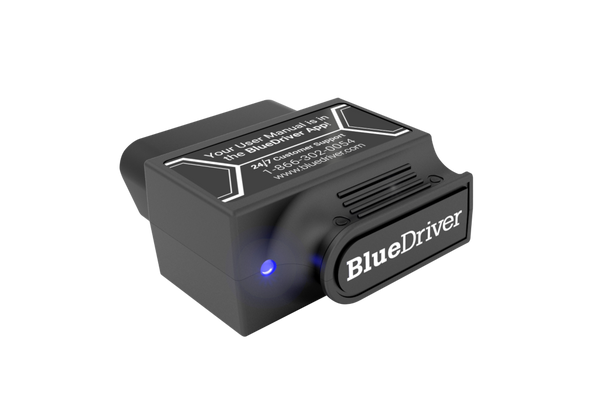
Best simple option: guided Bluetooth scanner
A guided Bluetooth scanner is less stressful when the car has push-button start because the app can walk you through connection and readiness steps.
Push Button Start Scanner Setup Steps
| Step | Action |
|---|---|
| 1 | Plug the scanner into the OBD2 port. |
| 2 | Keep your foot off the brake pedal. |
| 3 | Press Start once or twice until the dash powers on. |
| 4 | Wait for the scanner/app to connect before reading codes. |

If connection is the main problem: use a stronger adapter
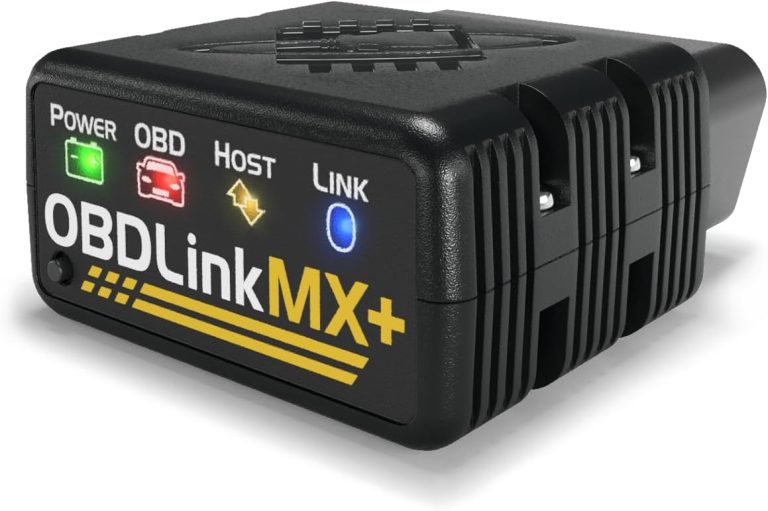
OBDLink MX+ is a better fit for users who want stable app diagnostics, live data, and more control over connection settings.
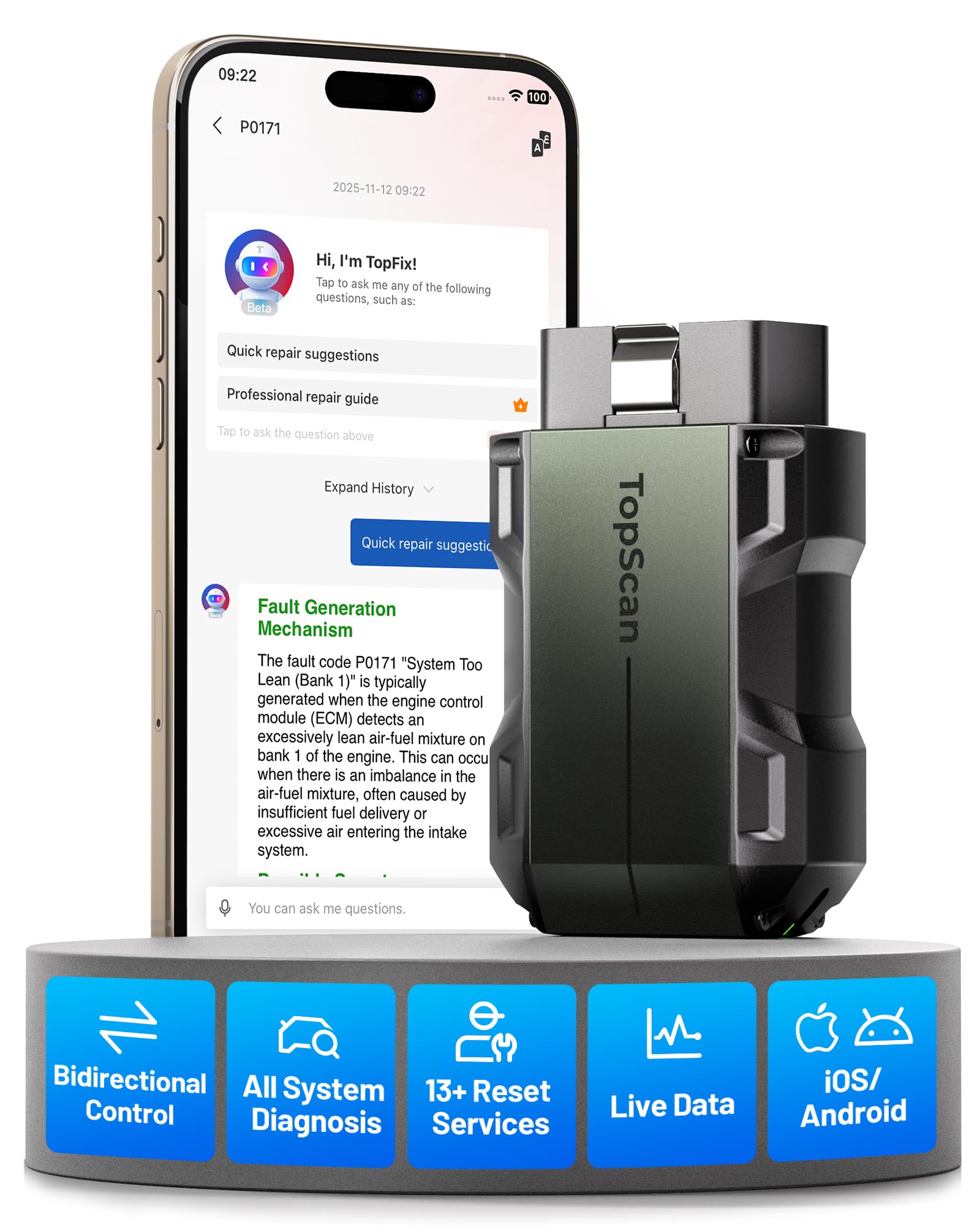
If you want more app-based functions
TOPDON TopScan Pro is useful if you want a phone-based scanner with broader diagnostic functions than a basic code reader.
Push Button Start OBD2 Scanner FAQ
How do you put a scanner on a push button start car?
Plug in the scanner, keep your foot off the brake, press the Start button until the dash turns on, then connect the scanner or app. Do not start the engine unless the scan tool asks for running data.
Why will my OBD2 scanner not connect on a push-button car?
The car may not be in ignition ON mode, the OBD port may lack power, the battery may be weak, or the Bluetooth/app pairing may not be complete.
Most OBD2 connection problems come from ignition position, port power, battery voltage, vehicle compatibility, or app/pairing issues. Start with the simple checks first, then stop and get help if the port, wiring, or module communication looks damaged.
why won’t my OBD2 scanner connect is usually a power, port, protocol, or app problem—not a sign that your car is “too new” or your scanner is broken. The fastest fix is to check ignition position, make sure the plug is fully seated, and confirm the tool matches your vehicle’s year and communication system.
- Power first: If the scanner is dark, check the ignition mode, port fuse, and connector seating.
- Compatibility matters: Model year, protocol, and vehicle type can stop a scanner from linking even when.
- Battery voltage counts: Weak or unstable voltage can block communication and create false scan failures.
- Wireless tools add variables: Bluetooth, Wi-Fi, app permissions, and firmware can fail before the scanner ever talks to.
- Stop when wiring looks damaged: Bent pins, broken housings, or repeated no-communication faults need professional diagnosis.
Why Won’t My OBD2 Scanner Connect? The Most Common Reasons and Fast Fixes
Most connection failures come down to a short list of issues. The scanner may not be getting power, the vehicle may not be awake in the right ignition mode, or the tool may not support the car’s protocol or model-year coverage.
Start with the basics: power, ignition mode, and a fully seated connector
Before you assume the scanner is defective, check the simple stuff first. The key or push-button system usually needs to be in ON or RUN, not fully off, and the connector should click into the OBD2 port without wobbling.
If the scanner stays dark, the port may not have power. If it powers on but cannot read the car, the issue may be communication, not electricity.
When the scanner powers on but still won’t talk to the car
This is the most confusing situation for drivers. The tool has power, but it cannot handshake with the vehicle computer. That often points to a fuse, damaged port pins, a protocol mismatch, or software/app trouble.
If you are using a phone-based adapter, the problem may be in the app pairing or permissions instead of the scanner hardware. For a deeper walkthrough on a common handheld unit, see how to use a Foxwell NT301 OBD2 scanner.
Quick answer for drivers: what usually causes the connection failure
In plain terms, the most common causes are these: the ignition is in the wrong mode, the connector is loose, the port fuse is blown, the vehicle is not OBD2-compatible with that tool, or the app/device needs an update. If the car cranks but the scanner stays blank, battery voltage can also be part of the problem.
OBD2 Compatibility: Model Year, Protocol, and Vehicle Coverage

Not every scanner works with every vehicle. A tool may be fine for one car and useless on another because of model-year coverage, protocol support, or limited brand-specific features.
Why most gas vehicles after 1996 should connect, but not always
In the U.S., most gasoline vehicles from 1996 and newer use OBD2, but that does not guarantee a perfect connection. Some vehicles have quirks in the port wiring, some need the ignition in a certain position, and some scanners only read basic emissions codes.
Diesels, hybrids, and EVs can be more complicated. They may still have an OBD2-style port, but the scanner may only access a limited set of systems unless it supports that exact vehicle family.
OBD2 protocol differences: CAN, ISO, J1850, and older exceptions
OBD2 is a standard, but the communication language can still vary. Common protocols include CAN, ISO, and older J1850 systems. A scanner that does not support the vehicle’s protocol may power up yet never establish a data link.
That is one reason a “universal” label can be misleading. It may mean broad emissions coverage, not full support for every make, year, and module.
Why some scanners fail on certain makes, trims, diesels, hybrids, and EVs
Some makes use enhanced diagnostics that basic code readers cannot access. Certain trims also add more modules, gateways, or security layers that limit what a low-cost scanner can see.
If you are shopping for a tool with broader coverage, compare protocol support, app support, and brand coverage carefully. A good starting point is do OBD2 scanners work all cars, especially if you are checking an older, specialty, or electrified vehicle.
Check: Verify make, model, year, trim, voltage, ports, mounting space, and OEM requirements. Limitations: Some scanners only read generic powertrain codes, while others support brand-specific data, resets, or bidirectional tests.
Port Location, Ignition Position, and Physical Connection Problems
Even a good scanner can fail if the port is hard to reach, damaged, or not making solid contact. Physical problems are common and easy to miss.
Where the OBD2 port is usually located in U.S. vehicles
In most U.S. vehicles, the port is under the dash near the steering column, lower center console, or driver-side knee area. It should be easy to reach without tools, though some vehicles hide it better than others.
If you cannot find it, check the owner’s manual before forcing anything. A damaged port can create a bigger repair than the original scan problem.
Loose pins, broken housings, blown fuses, and damaged wiring
If the plug slides in loosely or only works at an angle, inspect the port for bent pins, cracks, or debris. A blown fuse can cut power to the diagnostic connector even when the car still runs normally.
Wiring damage is less obvious. If the port was kicked, tugged, or used with a heavy adapter hanging from it, the problem may be behind the dash rather than inside the connector.
Using extension cables and splitters: when they help and when they create problems
Short extension cables can improve access in tight footwells, but they also add another failure point. Cheap splitters may cause poor contact or communication errors, especially if multiple devices stay plugged in at once.
If you use an extension, keep it secure and out of the pedals. Loose diagnostic cables can become a distraction or snag hazard while driving.
Power and Battery Issues That Block OBD2 Communication

Low voltage is a common reason scanners act strangely. A car can still start or crank and yet have enough voltage trouble to confuse a scan tool.
System voltage, battery state of charge, and battery health are not the same thing
A battery may show some power and still be weak under load. That matters because the scanner and vehicle modules need stable voltage to exchange data cleanly.
If the battery is old, discharged, or failing, the scan tool may boot but never finish connecting. This is especially common after long storage, short trips, or repeated jump-starts.
Correct connection order for jump packs, chargers, and scan tools
When using a charger or jump pack, follow the vehicle and device instructions in the correct order. In general, stabilize the battery first, then connect the scanner, then switch the ignition to the required mode.
Do not plug in random accessories while the battery is unstable. Voltage spikes or poor connections can create new faults or confuse the scan session.
When a weak, damaged, or swollen battery means stop and inspect first
If the battery case is swollen, leaking, hot, or smells unusual, stop troubleshooting. That is no longer a scanner issue; it is a safety issue.
At that point, the safest move is to inspect the battery and charging system before using any diagnostic tool again.
Hybrid and EV cautions: high-voltage systems and accessory power behavior
Hybrids and EVs can behave differently from standard gas cars. Some keep accessory power available in a special mode, while others require a specific sequence before the diagnostic port wakes up.
Do not open high-voltage service areas or assume a scanner issue is isolated to the 12-volt system. Follow the owner’s manual and use a qualified technician when the vehicle’s electrical layout is unfamiliar.
Keep the OBD2 port clean, inspect cables for wear, and store the scanner where the connector and cable will not be crushed. If the tool uses a battery or app, check firmware and charge status before a long trip.
Scanner, App, and Firmware Problems That Prevent a Handshake
Modern scan tools often rely on apps, pairing settings, and firmware. That means the scanner may be fine, but the software chain is broken.
Bluetooth, Wi-Fi, and wired scanners: which connection type fails most often
Wired scanners usually fail for physical or vehicle reasons. Bluetooth and Wi-Fi adapters add another layer: the phone, the app, and the wireless link.
Wireless tools are convenient, but they can be more sensitive to pairing errors, background app restrictions, and phone compatibility limits. If you prefer an app-based setup, compare it against a simple wired tool before buying.
App permissions, pairing settings, and phone compatibility limits
Phone-based adapters often need Bluetooth permissions, location access, and the correct app selection. If any of those are blocked, the scanner may appear connected in one place but not actually communicate with the car.
Older phones, outdated operating systems, and limited app support can also create false connection failures. If the app cannot see the adapter reliably, the car may never become part of the conversation.
Firmware updates, outdated software, and device reset limitations
Some scanners need firmware updates to support newer vehicles or fix communication bugs. Others may need a full reset if the device gets stuck on an old pairing or a failed session.
Before you assume the scanner is dead, check the manufacturer’s update instructions. For readers comparing wireless options, our guide to the best Bluetooth OBD2 scanner can help narrow the right style for your phone and vehicle.
What code reading can do versus live data, readiness monitors, and reset functions
Not every scanner does the same job. A basic code reader may pull emissions trouble codes but not show live data, readiness monitors, or reset features.
If the tool connects but only partly works, that may be a feature limit rather than a fault. Knowing the difference saves time and avoids blaming the car for a missing function the scanner never had.
Safety, Privacy, and Legal Considerations Before You Scan
OBD2 scanning is usually simple, but the setup still matters. Safe location, data privacy, and state rules can all affect how and where you use the tool.
Safe location, traffic visibility, and avoiding roadside risk
Scan the car in a parked, well-lit area whenever possible. If you must work roadside, stay visible to traffic and keep the scanner, cables, and your body clear of moving vehicles.
Do not lean into the driver footwell while the vehicle is in gear or while traffic is close. A quick scan is never worth a close call.
What data the scanner and app may collect, store, or share
Some tools store fault codes, freeze-frame data, VINs, and user profiles. App-based systems may also share diagnostic history through cloud accounts or device backups.
If you are selling the car or lending the scanner, clear saved profiles when possible and review the app’s privacy settings first.
Why emissions, inspection, and tamper rules can vary by state
State inspection rules are not identical. Some places care mainly about readiness monitors and codes, while others have stricter procedures for emissions-related repairs or tamper concerns.
For legal questions, verify current state guidance before clearing codes right before an inspection. The rules can change, and the safest answer is the current one from your state agency.
When OBD2 use is helpful but not enough for a full diagnosis
A scanner can point you in the right direction, but it cannot always tell you the root cause. A code for an oxygen sensor, for example, may also involve wiring, exhaust leaks, or a charging issue.
If the scanner connects but the fix is still unclear, use the data as a starting point, not the final answer.
OBD2 Scanner Comparison: Basic Code Readers vs Advanced Scan Tools vs Phone-Based Adapters
Choosing the right tool can prevent a lot of frustration. The best option depends on how much detail you need, how often you scan, and whether you want a screen or a phone app.
| Option | Best for | Owner consideration | Driver consideration |
|---|---|---|---|
| Basic code reader | Quick emissions code checks | Lower cost, fewer features, usually no subscription | Simple to use, but limited live data |
| Advanced scan tool | Deeper diagnostics and resets | Higher cost, more updates, broader coverage | More capable, but menus can be slower |
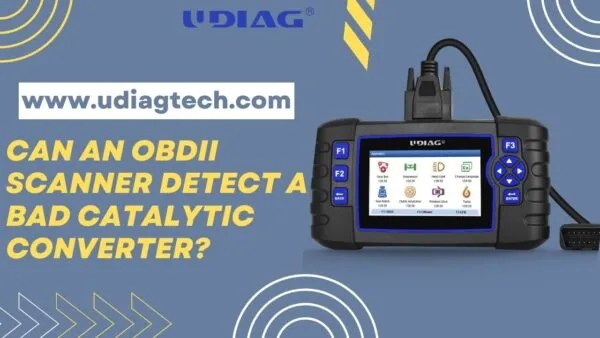
| Phone-based adapter | Convenient app-based scanning | Depends on app quality, phone support, and firmware | Easy to carry, but wireless pairing can fail |
Side-by-side comparison by compatibility, live data, reset support, and ease of use
Basic readers are easiest for simple code checks, but they often stop there. Advanced tools usually offer more coverage and more functions, while phone adapters trade convenience for a greater chance of pairing problems.
If you want to compare styles before buying, our breakdown of Bluetooth vs wired OBD2 scanner is a helpful place to start.
Which option fits DIY drivers, commuters, used-car buyers, and shop-level users
DIY drivers and commuters often do fine with a basic reader or a good phone adapter. Used-car buyers may want live data and readiness checks, while more advanced users usually benefit from a tool with broader system access.
Shop-level users and serious DIY owners should think about coverage first, not just price. A cheap tool that cannot connect is more expensive than a better one that works when needed.
Warranty, support, update frequency, and ownership cost differences
Support matters because scanner problems are often software-related. A tool with regular updates and responsive support can stay useful longer than a cheaper device with no clear update path.
Ownership cost is not only the purchase price. It can also include app subscriptions, paid updates, replacement cables, and time spent troubleshooting a weak platform.
Transparent verdict: which type is best when the scanner won’t connect
If your current tool will not connect, a basic wired reader is often the easiest way to isolate whether the problem is the vehicle or the device. If the wired reader works and the app-based adapter does not, the issue is likely software, pairing, or phone compatibility.
For readers who want a no-subscription path, see best OBD2 scanner without subscription for a broader buying comparison.
Related Driver Tools: Tire Pressure, TPMS, and Roadside Emergency Gear
Many drivers who troubleshoot OBD2 issues also keep other roadside tools nearby. Tire pressure, jump-start gear, and TPMS tools can help you stay safer when a warning light appears away from home.
Using the door-jamb placard, cold pressure checks, and gauge accuracy
For tire checks, use the pressure listed on the driver door-jamb placard, not the number on the tire sidewall. Measure when the tires are cold for the most reliable reading.
A decent gauge is only useful if it is checked occasionally. If your readings seem inconsistent, compare the gauge against another known good tool before trusting it on the road.
Inflator duty cycle, tire puncture limits, and temporary-repair boundaries
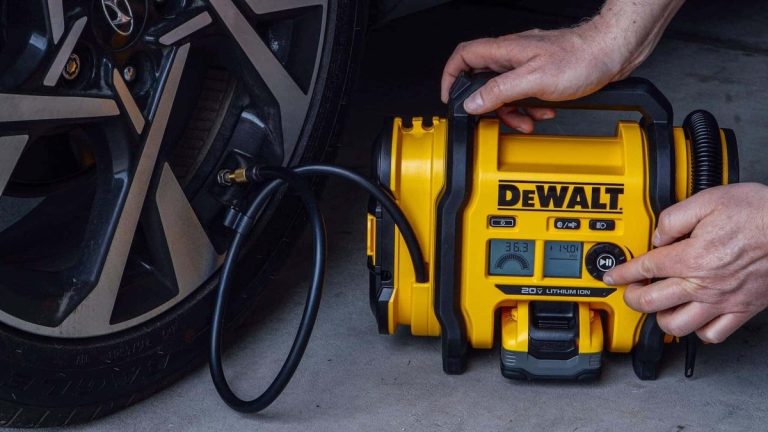
Portable inflators are handy, but they are not meant for every job. Duty cycle, heat buildup, and hose quality all affect how long an inflator can run safely.
Temporary sealants and plug kits also have limits. Sidewall damage, large punctures, and repeated low-pressure driving usually need professional repair or replacement.
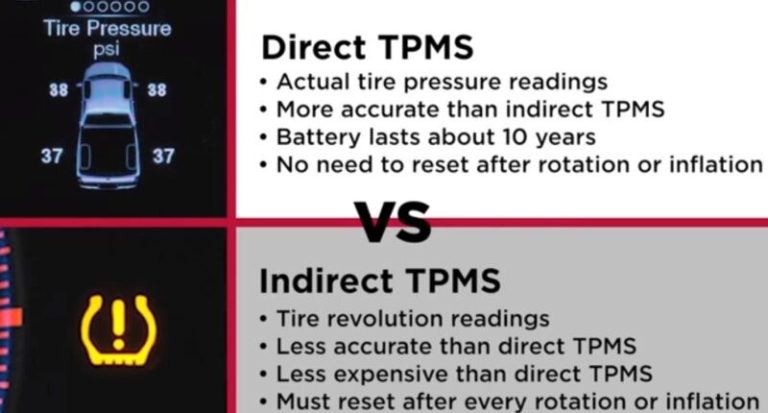
TPMS relearn limits, sensor compatibility, and when a tire needs professional repair
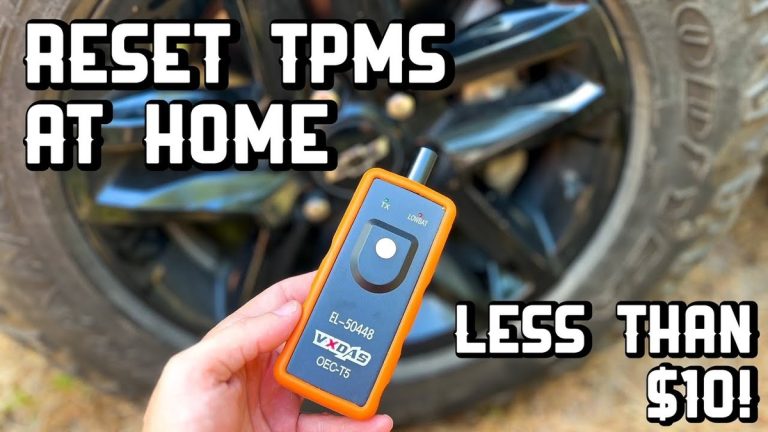
TPMS tools can help with relearns and sensor checks, but they do not fix damaged sensors or poor tire repairs. If the warning returns quickly, there may be a deeper tire or sensor issue.
When a tire keeps losing pressure, do not rely on the light alone. Inspect for nails, valve damage, bead leaks, or sidewall cuts as soon as possible.
Roadside kits, jump starters, and storage conditions: cable condition, current limits, and post-use inspection
Jump starters and roadside kits are useful back-ups, especially when a weak battery is part of the OBD2 problem. Check cable condition, clamp wear, and storage temperature before you count on the pack.
After use, inspect the pack and cables again. Heat, moisture, and crushed storage can shorten life and make the next roadside event harder.
When to Stop Troubleshooting and Call a Professional
Some connection problems are simple. Others point to a failing module, damaged wiring, or a vehicle network issue that a home scanner cannot solve.
Signs the issue is electrical, network-related, or tied to a module failure
If multiple scanners fail, the port has no power, or the vehicle acts strangely in other electrical ways, stop and look deeper. A dead gateway, blown fuse, or communication fault may be involved.
Repeated failed attempts can waste time and can also hide the real fault if the vehicle is already showing other symptoms.
When a scan tool cannot clear codes, access live data, or complete readiness checks
If the tool connects but cannot clear codes, show live data, or finish readiness checks, the issue may be beyond a simple reader. That can happen with enhanced systems, security access limits, or a vehicle fault that needs repair first.
Do not keep clearing the same code without understanding why it returned. That can delay the actual fix and complicate inspection readiness.
Best next steps for owners: inspection, repair estimate, and follow-up diagnostics
Start by checking the fuse, the port, the battery, and the scanner’s compatibility. If those are fine and the problem remains, get an inspection estimate from a qualified technician who can test power, ground, and network communication.
That approach saves time, protects the vehicle, and gives you a clear path from “scanner won’t connect” to a real repair plan.
- Best for: Drivers who want a fast, practical answer for a scanner that powers on but will not communicate with the vehicle.
- Think twice if: The car has battery issues, damaged port wiring, hybrid/EV electrical complexity, or a phone adapter with app and pairing limits.
- Next step: Verify ignition mode, port power, vehicle compatibility, and scanner software before replacing parts or booking a repair.
Frequently Asked Questions
That usually means the scanner has power but the vehicle link is failing. Common causes include the wrong ignition mode, a blown port fuse, bent pins, or a protocol mismatch.
No. Most U.S. gas vehicles from 1996 and newer support OBD2, but scanner coverage still varies by make, model, year, protocol, and features like live data or resets.
Yes. Low or unstable voltage can keep vehicle modules from communicating correctly, even if the car still has enough power to crank or start.
They can be. Bluetooth and Wi-Fi adapters add pairing, app, and phone compatibility issues, while wired scanners usually fail for vehicle or connector reasons.
Usually not. Clearing codes too early can erase useful diagnostic clues and may affect readiness checks or inspection results, depending on state rules.
Check vehicle coverage, protocol support, live data, reset functions, app compatibility, update policy, and whether the tool needs a subscription or phone pairing.

2 Comments