How to Reset TPMS Light After Tire Rotation: 3 Easy Checks
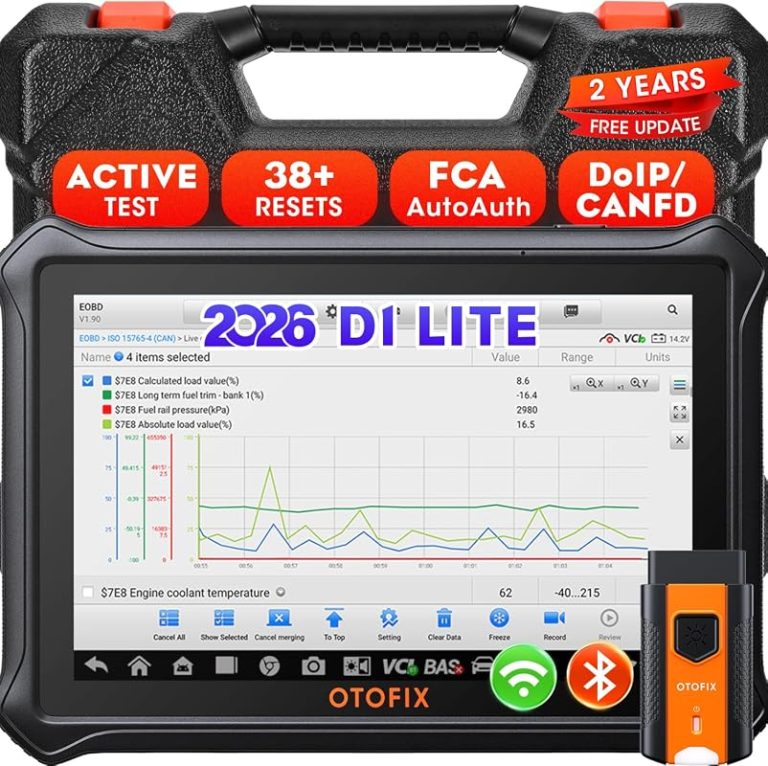
Related Product Pick: TPMS Reset/Relearn Tool
Use a reset tool when the light stays on after rotation and the car does not relearn sensors automatically.
Reset the TPMS light only after all four tires are set to the door-jamb placard pressure when cold. If the warning stays on, follow the vehicle’s reset or relearn procedure and inspect for a real tire or sensor problem.
how to reset TPMS light after tire rotation usually comes down to three checks: make sure the tires are set correctly, confirm the vehicle only needs a relearn, and rule out a real tire problem first. If the warning stays on after rotation, the fix is often simple, but it should never replace a pressure or leak check.
- Start with pressure: A correct cold tire check solves many post-rotation TPMS warnings.
- Know your system: Direct and indirect TPMS use different reset and relearn methods.
- Don’t ignore leaks: Repeated warnings can point to punctures, valve damage, or a weak sensor.
- Use the right tool: Some vehicles need a scan tool or shop relearn, not just a dash reset.
How to Reset TPMS Light After Tire Rotation: Start with the 3 Checks That Solve Most Cases
After a tire rotation, the TPMS light may come on because the system sees a pressure mismatch, needs a relearn, or is reacting to a tire issue that happened to show up at the same time. Start with the basics before you chase menus or tools.
Check 1: Verify all four tires match the door-jamb placard pressure when cold
The door-jamb placard is the correct pressure reference for your vehicle, not the number molded into the tire sidewall. Set all four tires cold, then give the system a few minutes or a short drive to see if the warning clears.
“Cold” means the vehicle has been parked long enough that the tires are near ambient temperature. Even a small mismatch can trigger TPMS, especially on vehicles with sensitive indirect systems or after a rotation changed the tire positions.
Check 2: Confirm the TPMS system needs a reset, relearn, or drive cycle—not a repair
Some cars have a dashboard reset button or menu item. Others need a drive cycle so the vehicle can relearn wheel positions and pressures. A few need an OBD2-based relearn or a scan tool command instead.
If the light came on right after rotation and the tires are at the correct pressure, the problem may be procedural rather than mechanical. In that case, the next step is to follow the owner’s manual reset sequence exactly, not guess or clear random codes.
Check 3: Inspect for a real tire issue before assuming the light is “just stuck”
Look for nails, sidewall cuts, bent rims, damaged valve stems, or a tire that is visibly lower than the others. A TPMS warning is a safety alert, not just an annoyance, and a slow leak can show up right after a rotation by coincidence.
TPMS Reset Basics for 2026 Drivers: What the Light Means and Why It Comes On After Rotation
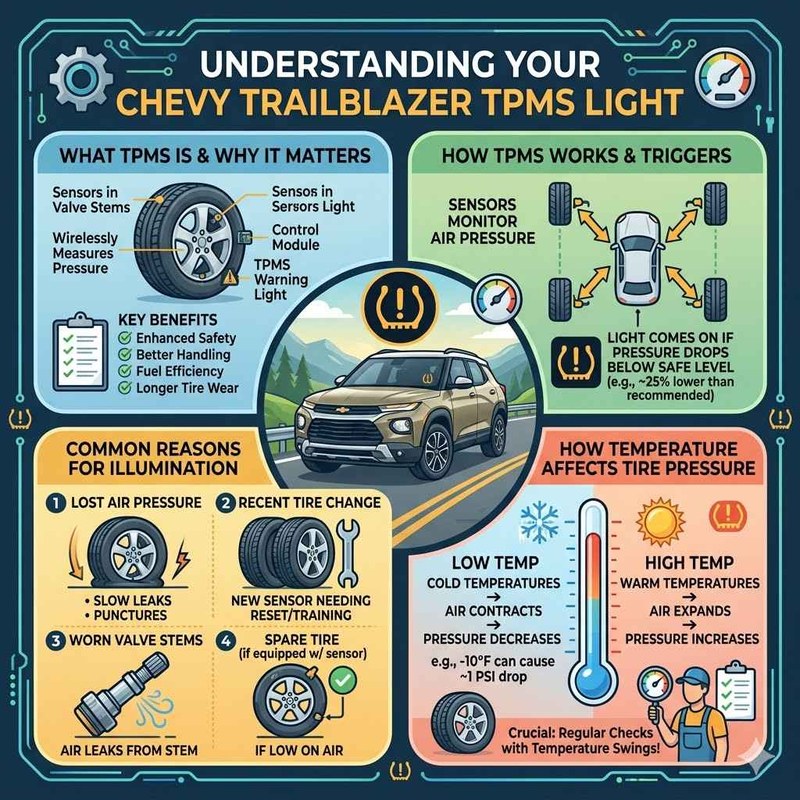
TPMS stands for tire pressure monitoring system. It is designed to warn you when one or more tires are low, but it does not replace a full tire inspection. After rotation, the system may need help understanding where each wheel is now located.
Direct vs. indirect TPMS systems and how each reacts to tire rotation
Direct TPMS uses sensors inside the wheel, usually attached to the valve stem area, to measure pressure directly. When tires are rotated, the sensors move with the wheels, so the vehicle may need a relearn to match the sensor ID or wheel position.
Indirect TPMS estimates pressure from wheel speed data and ABS sensors. Rotation can confuse the system because the wheel positions changed, so it may need a reset or drive cycle to recalibrate its baseline.
Why model year, trim, and wheel/tire size can change the reset process
The reset method can vary by model year, trim, drivetrain, and even whether the vehicle has factory wheels or a winter set. Some vehicles recognize a new wheel position automatically, while others require a manual relearn or a tool-assisted procedure.
Check: Verify make, model, year, trim, wheel size, and whether the vehicle uses direct or indirect TPMS. Limitations: Reset steps vary by OEM, and some mixed wheel setups need a scan tool or tire shop relearn.
What the TPMS warning can and cannot tell you about tire safety
TPMS can tell you that pressure is low or that the system sees a fault, but it cannot tell you everything. It will not diagnose tread separation, internal tire damage, or every slow leak source.
Before You Reset: Tire Pressure, Gauge Accuracy, and Rotation-Related Checks
Before you reset anything, make sure the tires are truly set where they should be. A reset will not fix an underinflated tire, and it will not make a bad gauge more accurate.
Using the door-jamb placard as the correct pressure reference
Use the pressure listed on the driver-side door-jamb placard. That number is based on the vehicle, not the tire brand, and it is the safest baseline for daily driving unless the owner’s manual says otherwise.
Cold pressure, ambient temperature, and why “close enough” can still trigger the light
Pressure drops as temperatures fall, so a tire that looked fine yesterday can trigger TPMS today. After rotation, a tire that is only a few PSI off may be enough to keep the warning on until you correct it and drive the vehicle again.
Checking gauge accuracy, inflator duty cycle, and compressor limitations
Gauge accuracy matters because a weak gauge can make all four tires look “close enough” when they are not. If you use a portable inflator, check whether it is meant for short bursts, how long it can run, and whether the hose and chuck seal properly.
If you want a deeper setup guide for roadside inflation, see how to use a portable tire inflator. A good inflator helps you hit the placard pressure, but it still cannot confirm whether a tire has hidden internal damage.
When puncture location, temporary repairs, or uneven wear require professional inspection
If the tire has a plug, patch, sidewall issue, or unusual wear pattern, treat the TPMS warning as a reason to inspect further. Temporary repairs have limits, and a rotation can reveal wear that was easier to miss when the tire sat in a different position.
How to Reset TPMS Light After Tire Rotation: Vehicle Controls, Drive Cycles, and Relearn Steps

Once the tires are correctly inflated, use the reset method your vehicle expects. The exact sequence varies, but the logic is usually the same: set pressure, enter reset mode, and let the car relearn.
Common reset methods through the dash menu, steering-wheel controls, or center display
Many newer vehicles let you reset TPMS through the infotainment screen or instrument cluster menu. Others use steering-wheel buttons, a dash-set switch, or a sequence in the vehicle settings menu.
Follow the owner’s manual step by step. If the system asks for a confirmation, a horn chirp, or a light flash, that usually means the vehicle accepted the reset request and is ready for a drive cycle or relearn.
Ignition mode requirements: accessory, on, engine running, and hybrid/EV cautions
Some reset steps require the ignition in accessory mode, while others need the engine running. Hybrid and EV models can behave differently because accessory power and system wake-up logic may not work like a gas car.
Drive-cycle relearns: when they work, how long they take, and when they fail
Some TPMS systems relearn after a short drive at steady speed. Others need several minutes of mixed driving, and a few will not relearn at all without a scan tool or sensor activation device.
Drive cycles can fail if tire pressure is wrong, a sensor battery is weak, or the vehicle has a stored fault. If the light stays on after the expected drive pattern, move to diagnostics instead of repeating the same loop.
TPMS relearn limits on older vehicles, newer vehicles, and mixed wheel setups
Older vehicles often need a more manual relearn, while newer models may store wheel positions more intelligently. Mixed wheel setups, winter tires, and aftermarket wheels can complicate the process if sensor IDs are not matched correctly.
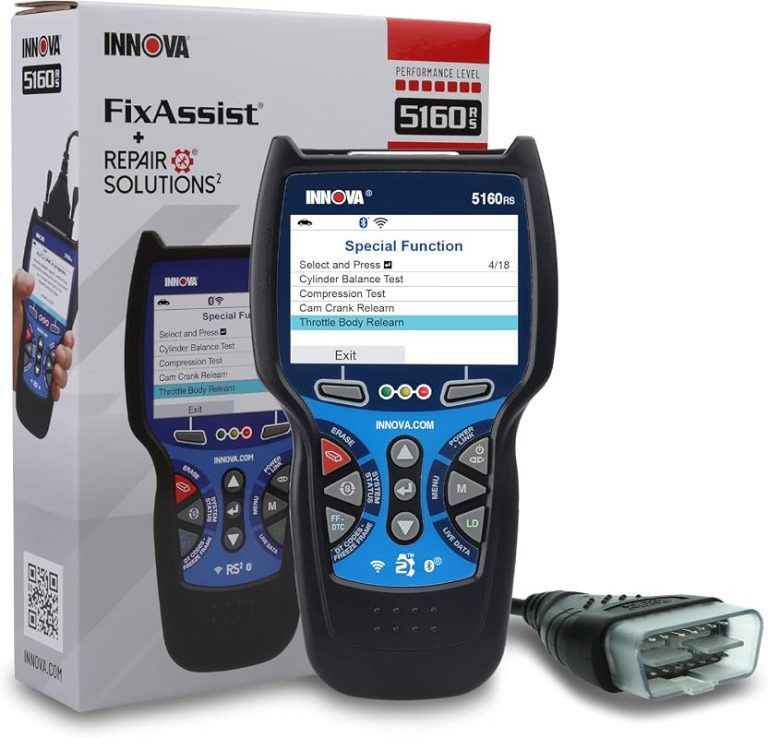
If you also need help with an aftermarket scan tool, see how to use the Ancel BD310 and how to use the Innova 5610 OBD2 bidirectional scan tool. Those guides are useful when a vehicle needs a tool-assisted relearn instead of a simple dash reset.
Using an OBD2 Scanner for TPMS and Tire-Related Diagnostics
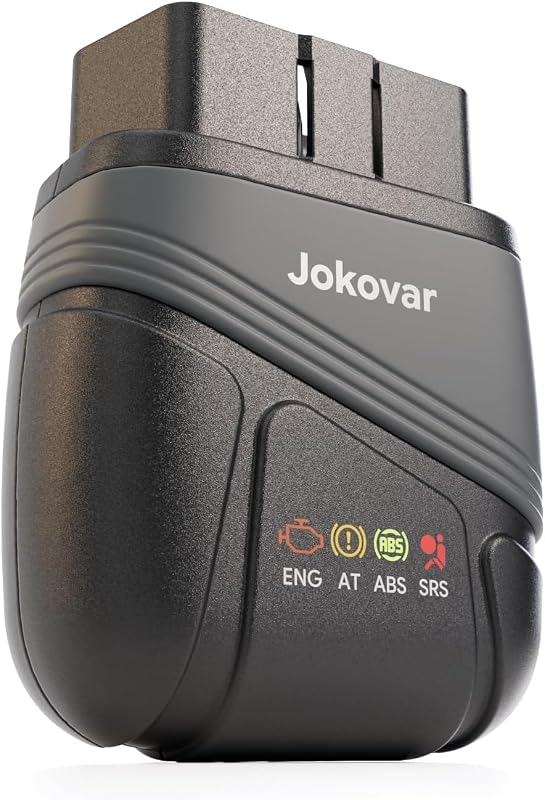
An OBD2 scanner can help you confirm whether the problem is a pressure issue, a stored code, or a relearn that did not complete. It is especially useful when the vehicle does not respond to the dashboard reset method.
Model-year and protocol coverage: which vehicles support scanner-based relearns
Not every scanner supports every vehicle. TPMS relearn coverage depends on model year, communication protocol, and the software functions built into the tool or app.
OBD2 port location, connection order, and safe use with low-voltage systems
The OBD2 port is usually under the dash on the driver side, but location varies. Plug the scanner in only when the vehicle instructions allow it, and be careful if the battery is weak because low voltage can interrupt the session.
What code reading and live data can confirm—and what they cannot
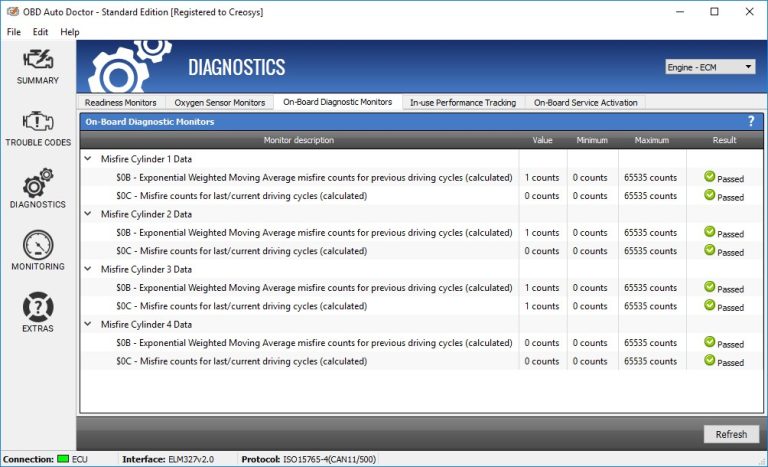
Code reading can show whether the vehicle stored a TPMS fault, sensor communication issue, or low-voltage problem. Live data may help confirm pressure readings or sensor response, but it will not fix a damaged tire or a dead sensor battery.
Emissions readiness, reset side effects, and why some tools clear more than TPMS
Some scanners do more than TPMS. They may clear other codes or affect readiness monitors, which matters if you need emissions testing later. That is why it helps to know exactly what the tool can reset before you clear anything.
Connected diagnostic tools may store VIN data, trouble codes, and app activity in the cloud. Review account settings, permissions, and privacy terms before syncing a vehicle profile to a phone or tablet.
When TPMS diagnosis needs a professional scan tool or tire shop calibration
If the vehicle needs sensor registration, module coding, or a manufacturer-specific relearn, a tire shop or professional-grade scan tool may be the faster path. That is especially true when the light returns after every reset attempt.
Battery, Electrical, and Hybrid/EV Considerations Before and After a TPMS Reset
Low voltage is a common reason resets fail or warnings act strangely. Before blaming the TPMS system, make sure the vehicle battery and charging system are healthy enough to support the relearn.
System voltage checks: why low voltage can cause false warnings or failed relearns
A weak 12-volt system can interrupt communication between modules. That can create false warnings, incomplete relearns, or scanner connection problems that look like a TPMS fault but are really an electrical issue.
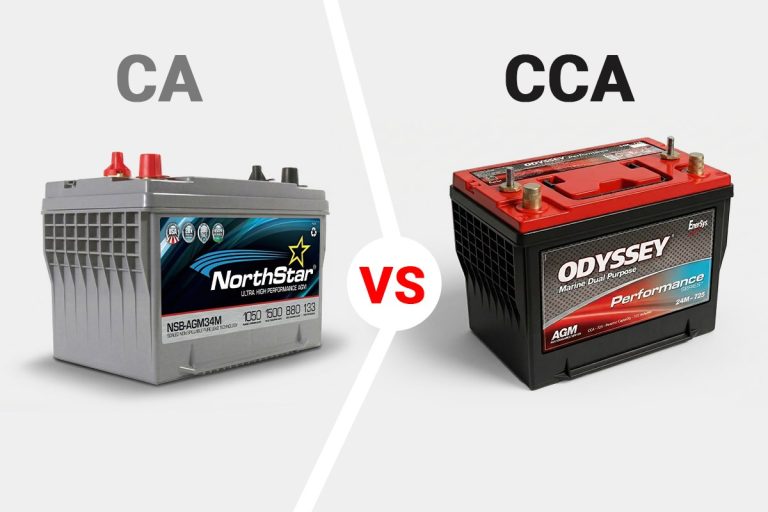
Battery chemistry, state of charge, and the difference between temporary weakness and battery health
A battery can be temporarily weak from cold weather, short trips, or sitting unused. That is different from a battery that is aging out or losing capacity, and the distinction matters if the vehicle keeps losing settings or failing resets.
For a more detailed battery check process, see how to test a battery with a battery tester. If you already use a diagnostic tool, how to test a battery with a Topdon scanner may also help you narrow down whether low voltage is part of the problem.
Correct connection order for jump packs or chargers and when to stop for a damaged battery
If you need a jump pack or charger to support a reset, follow the manufacturer’s connection order carefully. Stop immediately if the battery is swollen, leaking, cracked, or smells unusual, because that points to a damaged battery that should not be treated like a simple low-charge problem.
Hybrid and EV cautions: high-voltage systems, accessory power behavior, and service limits
Hybrids and EVs can keep some systems awake differently from gas vehicles, and high-voltage components add service risk. Use the owner’s manual and avoid working near orange cables or service points unless the procedure is clearly within DIY limits.
Roadside and Emergency Tools That Can Help During a TPMS Warning
A TPMS warning can happen at home, in a parking lot, or on a busy shoulder. The right emergency tools can help you get to a safe place without rushing the diagnosis.
Safe location, traffic visibility, and when to avoid working on the shoulder
If the warning appears while driving, pull over only where you can work safely. On a narrow shoulder or in poor visibility, it may be smarter to add air, confirm the warning, and move to a safer lot or service area.
Inflator and portable air compressor comparison: current limits, cable quality, and storage conditions
A portable inflator is useful for topping up a tire to placard pressure, but it should be matched to your vehicle size and typical use. Check hose length, power source, cable quality, and whether the unit is stored in a temperature range the manufacturer allows.
If you are comparing roadside air tools, our guide to best portable tire inflator can help you understand the trade-offs between compact size, power, and convenience.
Jump pack and roadside kit comparison: tool completeness, battery condition, and post-use inspection
A jump pack can help if low voltage is part of the TPMS problem, but it is not a tire repair tool. After use, inspect the clamps, cables, and battery condition so the pack is ready the next time you need it.
Which emergency tools fit commuters, families, and long-distance drivers best
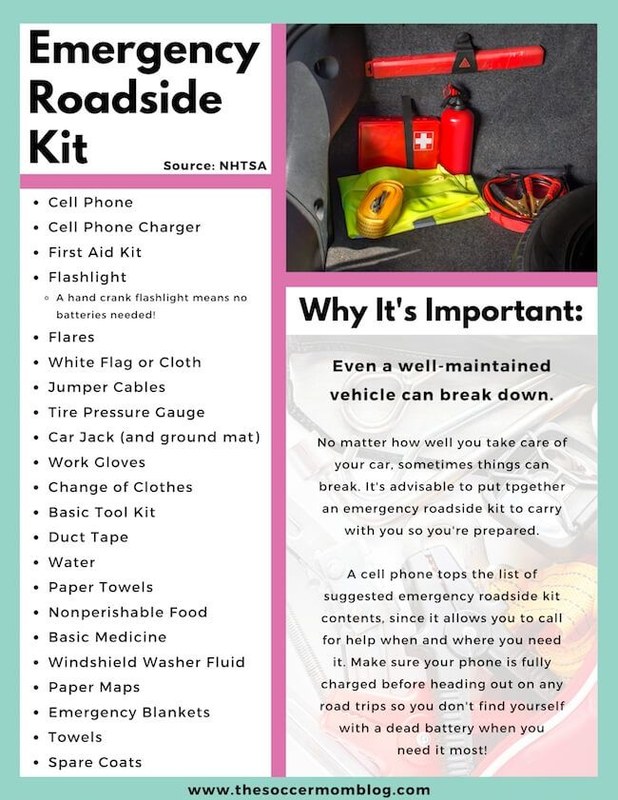
Commuters usually want a small inflator and basic gauge. Families and road-trip drivers may benefit from a more complete kit with a jump pack, gloves, flashlight, and a pressure tool that is easy to use in the dark or rain.
Compatibility, Costs, and When a Simple Reset Is Not Enough
The best reset method depends on the vehicle and how often you rotate tires. A simple dashboard reset is easiest, but it is not always enough for every car or wheel setup.
| Option | Best for | Owner consideration | Driver consideration |
|---|---|---|---|
| Dashboard reset | Vehicles with built-in TPMS menu support | Usually no extra tool cost | Fastest if the vehicle accepts it |
| Drive cycle | Systems that relearn while driving | No tool required, but may take time | Requires safe, uninterrupted driving |
| OBD2 relearn | Vehicles needing tool-assisted registration | Tool cost and possible app limits | More reliable when manual methods fail |
| Shop service | Mixed wheel sets, sensor faults, or repeated warnings | Service labor adds cost | Best when the warning may reflect a real hardware issue |
Comparing reset methods side by side: dashboard reset, drive cycle, OBD2 tool, and shop service
Dashboard resets are simplest when supported. Drive cycles are free but less predictable. OBD2 tools add flexibility, while shop service is usually the safest option when the warning keeps returning or the vehicle needs sensor registration.
Which option fits different vehicles: sedans, trucks, AWD systems, run-flat setups, and winter wheel sets
Sedans often have simpler relearn steps, while trucks and AWD vehicles may be more sensitive to tire size and rotation pattern. Winter wheel sets and run-flats can also change the way the TPMS system responds, especially if sensors are swapped between sets.
Ownership cost, time savings, and limitations of DIY versus professional service
DIY resets can save time and money when the issue is only pressure or relearn related. Professional service makes more sense when the vehicle has repeated faults, you need sensor programming, or you do not want to risk chasing the same warning twice.
Warranty, support, and firmware updates for TPMS tools and diagnostic apps
If you buy a scanner or tool for TPMS work, check update support, app permissions, and warranty terms before relying on it long term. Some tools need firmware updates to keep up with newer model years or changing vehicle software.
When to Stop Resetting and Schedule Tire or TPMS Service
Stop resetting if the same light returns after correct inflation and a proper relearn. At that point, the vehicle is telling you there may be a sensor, tire, or electrical problem that needs diagnosis.
Signs of sensor failure, damaged valve stems, or mismatched wheel sensors
If the scanner cannot see one wheel, the system may have a dead sensor battery or a damaged valve stem assembly. Mismatched sensors can also happen after wheel swaps, aftermarket rims, or a tire shop installed the wrong part.
When a slow leak, sidewall damage, or repeated low-pressure warning needs immediate repair
A tire that keeps losing air should be repaired or replaced before more driving. Sidewall damage, bulges, and repeated pressure loss are not “reset” problems, and they should be treated as safety issues.
How CarValleyNJ recommends deciding between DIY reset, tire shop visit, and full diagnosis
If the pressure is correct, the vehicle supports an easy reset, and the warning clears after a normal drive cycle, DIY is reasonable. If the warning stays on, comes back quickly, or involves a wheel sensor fault, a tire shop or qualified technician is the better next step.
- Best for: Drivers who want a fast, safe way to clear a TPMS light after rotation without skipping the pressure check.
- Think twice if: The warning returns after a reset, one tire keeps losing air, or your vehicle needs a sensor relearn you cannot confirm from the manual.
- Next step: Verify cold tire pressure at the placard spec, then follow the exact reset or relearn procedure for your vehicle.
Frequently Asked Questions
No. Some vehicles use a dashboard menu, some need a drive cycle, and others need an OBD2 relearn. The exact method depends on the make, model, year, and TPMS type.
Yes. If one or more tires are not set to the door-jamb placard pressure when cold, the light may stay on. Always correct pressure first before trying a reset.
No. A scanner can help with codes, live data, and some relearns, but it cannot repair a leak, bad sensor, or damaged tire. Some vehicles also need a manufacturer-specific tool.
Only if you have confirmed all tires are at the correct cold pressure and there is no sign of damage or leakage. If a tire keeps losing air or looks damaged, stop and inspect it.
Many connected tools can store VINs, codes, and live-data records in an app or cloud account. Check permissions, account security, and privacy settings before syncing a vehicle.
Go to a tire shop if the warning returns after a correct reset, the tire pressure keeps dropping, or the vehicle needs sensor registration you cannot complete. That is also the safer choice for damaged tires or valve stems.
Related CarValleyNJ Guides
Continue with these related guides in the same topic cluster:

5 Comments