Testing Battery and Alternator Voltage With a TOPDON Scanner
Last Updated: September 15, 2026
TOPDON Battery Tester Shows 11.1V and Medium Health: How Bad Is That?
If a TOPDON battery tester shows 11.1V and medium health, treat it as a warning, not an automatic replacement order. 11.1 volts is very low for a resting 12V battery, so the first move is usually to fully charge the battery, let it rest, and test again.
If voltage stays low after charging or the state of health stays weak/medium under a proper CCA test, the battery may be sulfated, aging, or unable to hold charge. If the battery tests okay after charging but drops again overnight, check for parasitic drain or charging-system problems.

Best tool for interpreting voltage plus health
A dedicated tester like the TOPDON BT200 is more useful than voltage alone because it compares charge level, health, and cranking ability before you decide to replace the battery.
TOPDON Battery Tester: State of Charge vs State of Health
| Reading | What It Means | Buyer/Repair Decision |
|---|---|---|
| State of Charge (SOC) | How much energy is in the battery right now. | Low SOC usually means charge it, then retest. |
| State of Health (SOH) | How much useful capacity/cranking ability the battery still has. | Low SOH after charging points toward replacement. |
| Voltage | A quick snapshot of battery charge, not full health. | 11.1V is deeply discharged and needs a careful retest. |
| CCA result | Measured starting power compared with the label rating. | Weak CCA with low SOH means the battery may fail under load. |

For confusing results: retest after a full charge
A battery can look scary at 11.1V and still deserve a recharge-and-retest before replacement. A tester helps you avoid panic buying when the real issue is low charge or a charging problem.

If the battery keeps going low, test the alternator next
When a battery repeatedly shows low voltage, the alternator or charging circuit may be part of the story. Use a charging-system test or a scanner that can monitor voltage while the engine is running.
TOPDON Battery Tester Reading FAQ
Topdon battery tester shows 11.1V and medium health. How bad is that?
It is a warning sign. 11.1V is deeply discharged for a 12V battery, so charge the battery fully and retest. If the TOPDON tester still shows medium/weak health or poor CCA after charging, the battery may be near replacement.
What is the difference between state of charge and state of health on a TOPDON battery tester?
State of charge tells you how full the battery is right now. State of health tells you how much useful life and starting ability the battery still has compared with its original/rated condition.
A TOPDON scanner can help you check battery voltage, charging clues, and related codes, but only if the vehicle is in a stable test condition. To avoid false reads, test with the engine off, accessories off, and the right vehicle coverage confirmed first.
How to Test a Battery With a TOPDON Scanner starts with knowing what the tool can really measure and what it cannot. A scanner can help you spot battery, charging, and system-voltage clues, but it can also create false reads if the vehicle is not in a stable test condition.
- False reads happen: Surface charge, recent jump-starts, and accessory load can make a weak battery look normal.
- Voltage is only part of the picture: Battery health, state of charge, and charging output are not the same thing.
- Compatibility matters: TOPDON features vary by model, firmware, vehicle year, and protocol support.
- Clear codes carefully: Save the data first, because code clearing is not a repair.
- Stop for damaged batteries: Swelling, leaks, heat, or odor mean you should not keep testing.
How to Test a Battery with a TOPDON Scanner: Quick Answer, Best Use Cases, and What It Can’t Tell You
The short answer is that a TOPDON scanner can help you check battery condition, state of charge, charging-system behavior, and related trouble codes on supported vehicles. It is most useful when you want a fast electrical snapshot before you decide whether the issue is the battery, alternator, wiring, or something else.
It cannot replace a full battery load test in every case, and it cannot prove that a battery is good just because voltage looks normal for a moment. If the battery is weak, recently charged, sitting in cold weather, or the vehicle has surface charge, the reading may look better than the real-world result.
What a TOPDON Scanner Actually Measures in 2026: Battery Health, State of Charge, and System Voltage
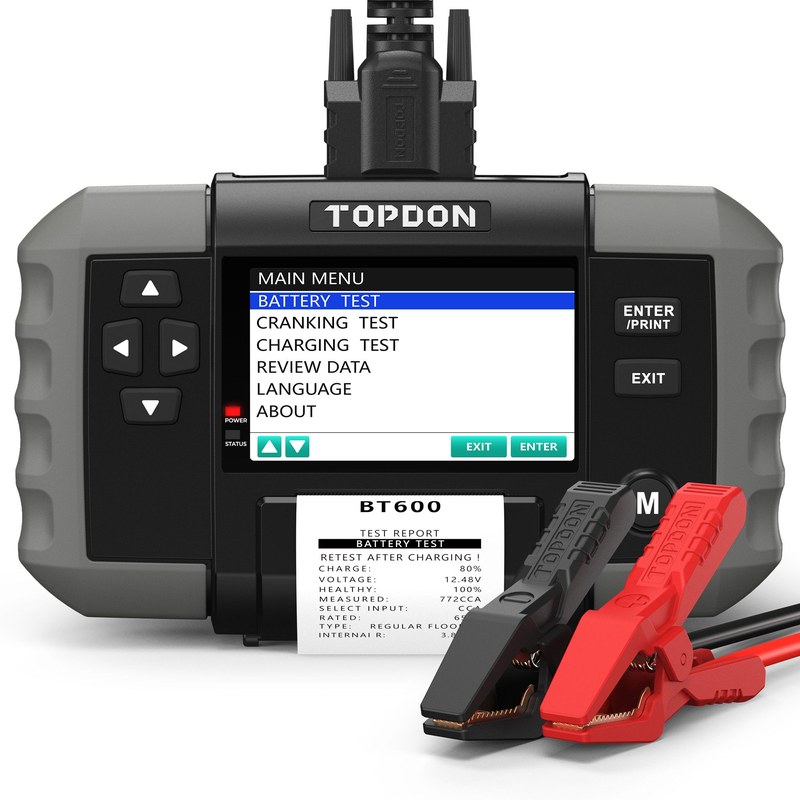
In plain English, a TOPDON scanner usually helps you read the electrical story the car is already telling through the OBD2 port and supported modules. Depending on the model, that may include battery voltage, alternator output clues, charging-system data, and diagnostic trouble codes tied to low voltage or power supply faults.
If you want a deeper look at how the brand’s battery-focused tools work, see how a TOPDON battery tester works. For shoppers comparing models, which TOPDON scanner is best can help narrow the field before you buy.
Battery health vs. state of charge: why false reads happen
Battery health means how well the battery can still hold and deliver power. State of charge means how full it is right now. Those are not the same thing, and confusing them is one of the biggest reasons people get false reads.
A battery can show a decent voltage after charging and still fail under load. It can also look “bad” right after a cold start or after accessories have been on for a while. That is why a single voltage number should be treated as a clue, not a final verdict.
12V system voltage, charging-system clues, and when voltage alone misleads
On most gas and many hybrid vehicles, the 12V system matters because it powers control modules, relays, lights, and starting functions. A scanner can show whether voltage is low, unstable, or outside the expected range, which may point to a weak battery, poor connection, or charging issue.
Voltage alone can mislead if the battery is surface-charged, if the engine was just running, or if a failing battery only drops under load. That is why the best reading comes from a stable parked test, then a start-up or live-data check if the tool supports it.
Choosing the Right TOPDON Scanner for Battery and Electrical Testing
Testing Battery and Alternator Voltage With a TOPDON OBD Scanner
A TOPDON OBD scanner can help you read system voltage and charging clues, but voltage alone is not the same as a true battery load test. For a weak-start or charging complaint, compare engine-off voltage, cranking behavior, and running alternator voltage, then use a dedicated battery tester if the result is borderline.
| Check | Healthy Clue | What It Means |
|---|---|---|
| Engine off | About 12.4V-12.7V | Battery has usable charge, but it may still fail under load. |
| Cranking | Voltage should not collapse severely | A big drop can point to a weak battery, poor cables, or starter load. |
| Engine running | About 13.7V-14.7V | Alternator is likely charging, but smart charging systems can vary. |
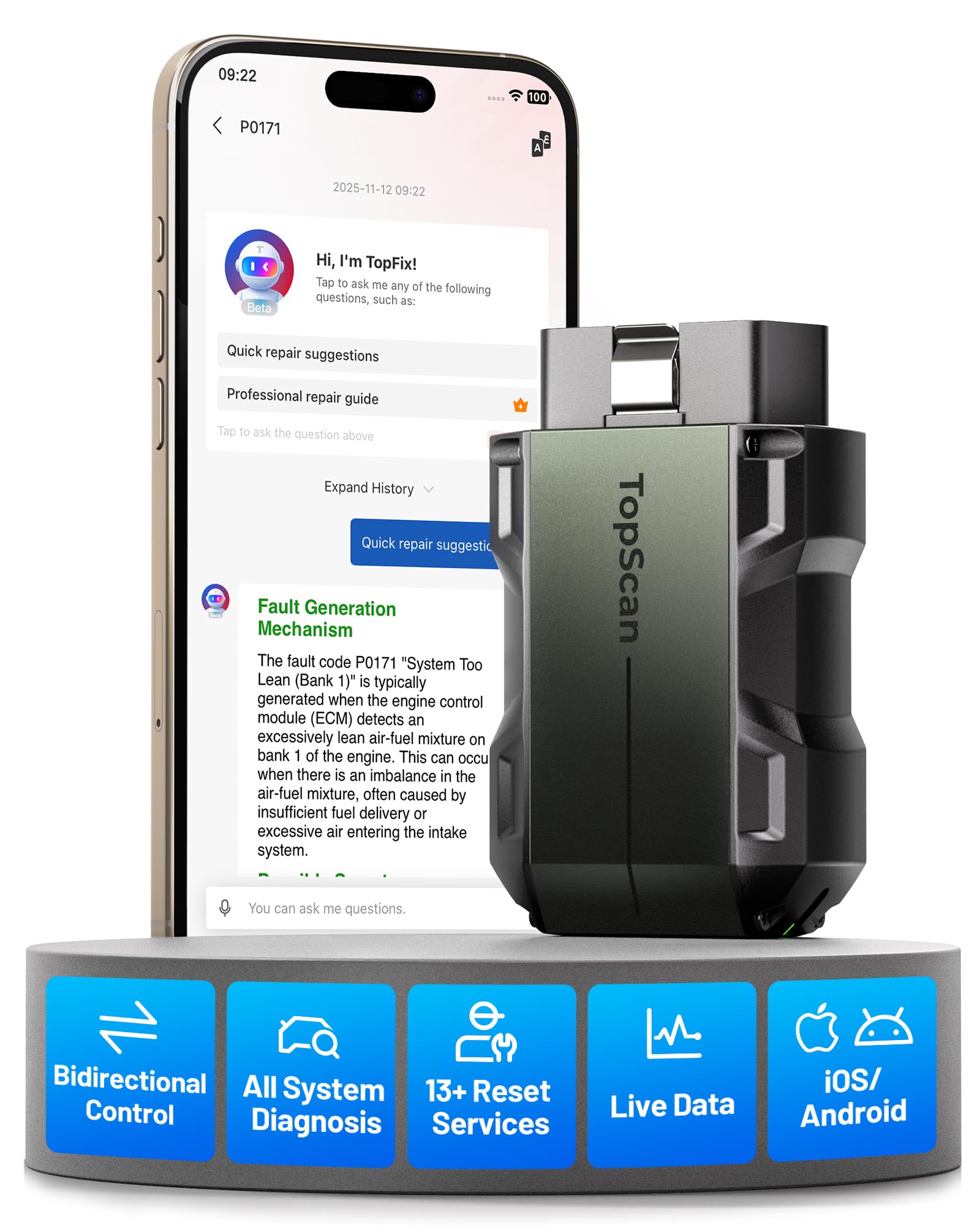
TOPDON TopScan Pro
Good if you want app-based diagnostics plus live-data clues while checking charging-system behavior.
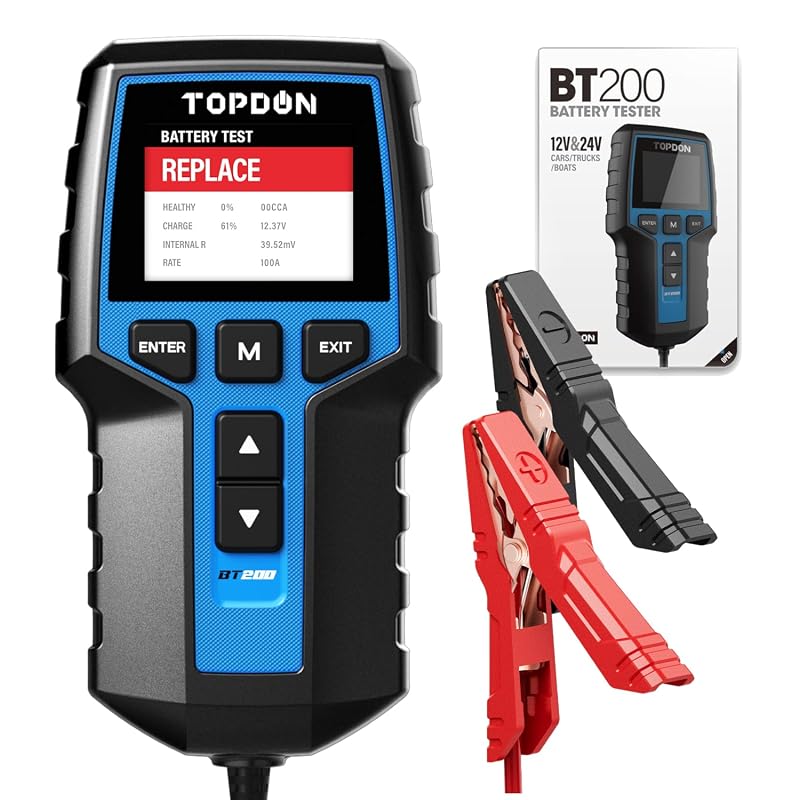
TOPDON BT200 Battery Tester
Better if your main goal is battery health, cranking performance, and alternator charging tests instead of only OBD live data.
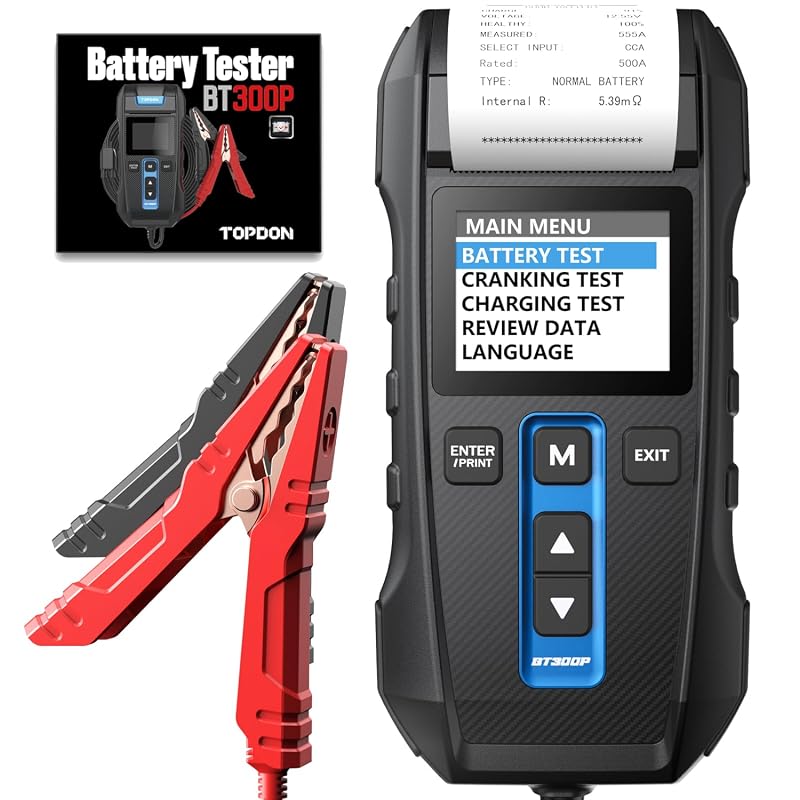
TOPDON BT600 Battery Tester
A stronger pick for DIYers who want a dedicated tester with clearer battery and charging-system results.
FAQ
Can you test battery and alternator voltage with a TOPDON OBD scanner?
Yes, many TOPDON scanners can show system-voltage clues, but a dedicated TOPDON battery tester is better for battery health, cranking, and alternator test results. Use the scanner for clues and the tester for a more confident battery decision.
Not every TOPDON scanner has the same battery or electrical depth. Some are built mainly for code reading and live data, while others add battery-related tests, service resets, or bidirectional functions that help you confirm a fault more confidently.
Comparison of battery test features, live data access, and reset functions by driver type
For a daily driver, live data and basic code access may be enough to catch a weak battery or charging issue early. For DIYers, reset functions and broader module access can help after repairs, but only if the vehicle is actually supported.
For a deeper comparison of TOPDON’s own lineup, our TOPDON Topscan review and the Topdon Topscan bidirectional scanner guide explain where app-based convenience helps and where it still falls short.
Check: Verify make, model, year, trim, voltage, ports, and OEM requirements. Limitations: Battery and reset functions vary by vehicle protocol, module support, and firmware revision.
Which vehicles and owners benefit most: daily drivers, DIYers, fleets, and hybrid owners
Daily drivers benefit when the scanner helps them catch a charging issue before a no-start. DIYers benefit when they can pair the battery reading with live data, codes, and service functions. Fleet owners may value quick checks across many vehicles, especially when downtime matters.
Hybrid owners need extra caution because the 12V system and high-voltage system are not the same thing. A TOPDON scanner may help with the low-voltage side, but that does not make it a tool for high-voltage battery service.
Step-by-Step: How to Test a Battery with a TOPDON Scanner Without Creating False Reads
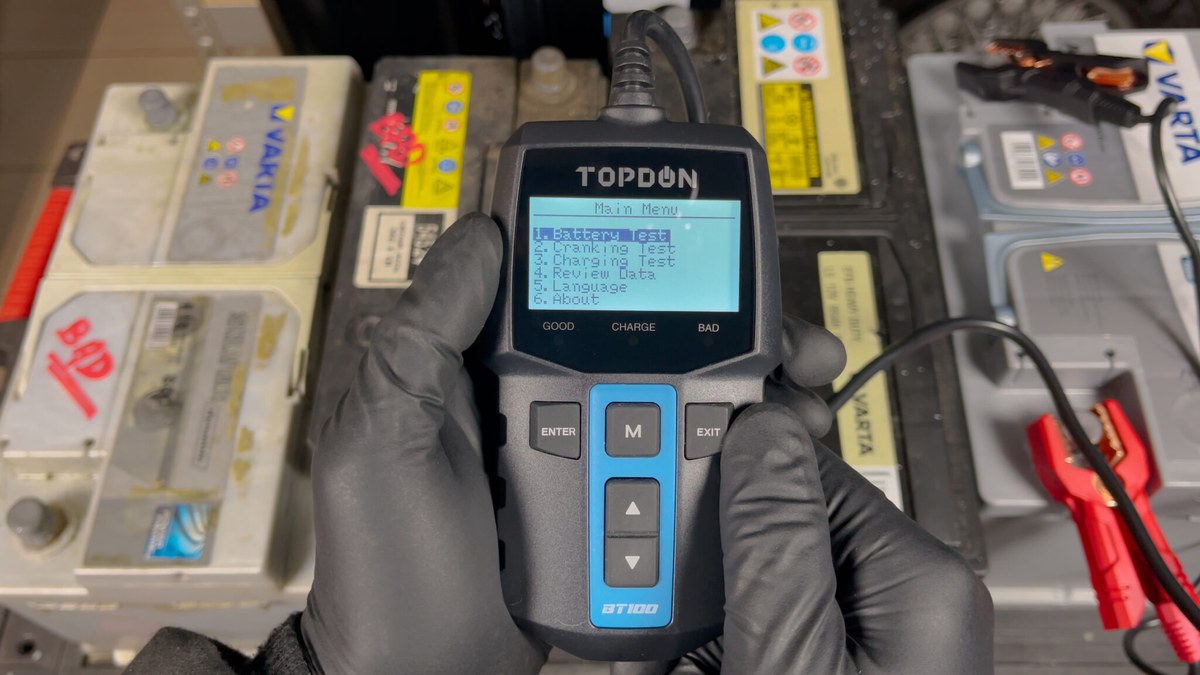
The safest way to get a useful result is to keep the vehicle still, the load low, and the connection clean. Rushing the process or testing while accessories are active can make the numbers bounce around and hide the real problem.
Correct connection order, ignition mode, and app/vehicle setup
Start by making sure the scanner is compatible with the vehicle and the app or handheld unit is updated enough to communicate correctly. Then connect the tool exactly as the manual directs, usually with the vehicle off or in the specified ignition mode before reading data.
If the scanner uses a phone app, allow only the permissions needed for pairing, updates, and vehicle communication. For more on app-based setup and feature flow, how to use TOPDON Topscan is a useful companion guide.
Port location, model-year coverage, and OBD2 protocol compatibility
The OBD2 port is usually under the dash on the driver side, but exact placement varies. Some older vehicles, fleet vehicles, and specialty models may have limited support or different protocol behavior that affects how much battery data you can see.
Before you trust a reading, confirm that the vehicle is within the scanner’s supported coverage and that the port connection is solid. A loose plug, weak adapter, or partial protocol match can produce incomplete or misleading results.
Stable test conditions: engine off, accessories off, and load control
To reduce false reads, turn the engine off unless the procedure specifically calls for a running test. Switch off headlights, HVAC, radio, chargers, seat heaters, and other accessories that add load or change voltage.
Then let the vehicle sit long enough for the reading to settle if the manual recommends it. If the battery was just charged or jump-started, wait before concluding it is healthy or bad.
Reading the Results: Live Data, Codes, Emissions Readiness, and Reset Limits
A scanner is most useful when you read the whole picture, not just one number. Battery voltage, charging-system data, and diagnostic trouble codes can point you toward the real fault, but they still need context.
What live data can confirm—and where it stops
Live data can confirm whether voltage drops when the engine cranks, whether charging voltage rises when the alternator is working, and whether a module sees a low-voltage event. That is helpful because it turns a guess into evidence.
But live data does not always tell you why the voltage is wrong. A bad battery, corroded terminal, loose ground, failing alternator, or control-module issue can all look similar at first glance.
Code clearing, readiness monitors, and why a reset is not a repair
Clearing codes can be useful after a repair, but it should not be your first move. If you erase the fault too early, you may lose freeze-frame data and other clues that point to the real cause.
On emissions-related systems, readiness monitors may reset after code clearing. That can matter for inspection timing, so check your state rules and your vehicle’s readiness status before assuming the problem is fixed.
When battery or charging faults require a professional diagnosis
If the battery keeps failing, the vehicle stalls, or the scanner shows repeated low-voltage events, a deeper diagnosis may be needed. That may include load testing, charging-system testing, parasitic draw testing, or inspection of cables and grounds.
If you want a baseline on a basic OBD2 workflow before moving into battery diagnostics, how to use a Foxwell NT301 OBD2 scanner can help explain the general scan process many drivers already know.
Safety, Damage Prevention, and Stop Conditions for Batteries, Hybrids, and EVs
Battery testing sounds simple, but it still deserves caution. A damaged battery or the wrong test on a high-voltage vehicle can create a real safety risk.
Damaged-battery warning signs: swelling, leaks, heat, odor, and corrosion
Look for swelling, cracks, wet spots, corrosion, or a rotten-egg smell before you connect anything. Heat after the vehicle has been sitting is another warning sign that the battery may be failing internally.
If you see any of those signs, do not keep testing just to get one more reading. Disconnect safely if needed and follow the manufacturer’s instructions or a technician’s guidance.
Hybrid and EV cautions: high-voltage boundaries and when not to test
Most consumer scanners are not a license to work on high-voltage systems. On hybrids and EVs, the low-voltage battery may still be accessible for basic checks, but the orange high-voltage system should be left alone unless you are trained and equipped for it.
Do not open high-voltage covers or probe orange cables unless the vehicle service manual specifically authorizes the task and you have the proper training and PPE.
Correct handling, storage, and post-test inspection of cables and clamps
After testing, inspect the connector, cable, and any clamps for heat, bent pins, or dirt. Store the scanner and its accessories in a dry place away from extreme heat or freezing temperatures when possible.
TPMS and Tire Checks with a TOPDON Scanner: What It Can Support and What It Cannot
Some TOPDON setups also help with tire-related work, especially if the tool or accessory package supports TPMS functions. That can be helpful when you are already diagnosing a warning light and want to avoid separate tools.
Door-jamb placard pressure, cold tire checks, and gauge accuracy
Always start with the tire-pressure placard on the driver door jamb. Check tires cold when possible, because driving heats the air and raises pressure enough to change the reading.
A scanner or TPMS tool does not replace a good pressure gauge. If the dashboard warning is on, confirm actual pressure before assuming the sensor is wrong.
Inflator duty cycle, puncture location, temporary-repair limits, and repair thresholds
If your setup includes an inflator, remember that duty cycle matters. Small portable units can overheat or slow down if used too long, and they are not meant to fix a damaged tire permanently.
Sidewall damage, large punctures, or repeated air loss often mean the tire needs professional inspection or replacement. A plug or temporary repair is not always safe, especially if the puncture is near the shoulder or sidewall.
TPMS relearn limits, sensor compatibility, and when a tire shop is the right next step
TPMS relearn support varies a lot by vehicle and tool. Some cars require a manual relearn, some need a scan-tool-triggered relearn, and some need a shop-level procedure.
If the sensor type is unknown, the vehicle has aftermarket wheels, or the warning returns after a reset, a tire shop may be the faster and safer answer. For a related roadside skill, how to use a VIAIR 88P is helpful if you also carry a portable inflator.
Roadside and Emergency Use: Power, Current Limits, Tool Completeness, and Safe Storage
A TOPDON scanner can be part of a roadside kit, but only if you understand its limits. It may help you identify a low-voltage problem or confirm a code, yet it is not a full rescue kit by itself.
Safe location, traffic visibility, and using the scanner in an emergency
If you are using the scanner on the shoulder, get the vehicle as far from traffic as you safely can. Turn on hazard lights if appropriate, keep your body away from moving traffic, and avoid standing in a blind spot.
Storage conditions, cable/pack condition, and post-use inspection checklist
Before storing the tool, check that the connector is intact, the screen or app link still works, and the case or cable is not damaged. If the scanner depends on a phone, make sure the phone is charged enough to finish the job.
Keep the kit organized so you can find it quickly in an emergency. A missing cable or dead phone can turn a simple scan into a delay when you need information fast.
Ownership Cost, Firmware, Privacy, Warranty, and Support: Is a TOPDON Scanner Worth It?
Value depends on what you need it to do. A basic code reader may be enough for simple battery and charging checks, while a more capable TOPDON scanner can save time if you regularly diagnose multiple systems.
Firmware updates, app permissions, and data/privacy considerations
Firmware updates can improve vehicle compatibility and fix bugs, so they matter more than many buyers realize. If the scanner uses an app, review permissions before pairing and keep account security in mind.
VIN data, trouble codes, and live-data logs may be stored locally or in the cloud depending on the product and settings. Read the privacy policy before you connect it to a family vehicle, fleet vehicle, or customer car.
Warranty, support, accessory costs, and long-term value versus alternatives
Warranty terms and support quality vary by model and retailer, so verify them before buying. Also check whether the scanner needs paid updates, special adapters, or a subscription to keep the features you want.
If you are still comparing brands, a broader Bluetooth versus wired decision can help too. Our guide on Bluetooth vs wired OBD2 scanner explains the trade-off between convenience and a more direct connection.
Transparent verdict: best-fit driver, main drawbacks, and next steps
TOPDON scanners make the most sense for drivers who want more than a basic code reader but do not want to jump straight to shop equipment. The biggest drawback is that battery results can be misread if the vehicle setup, vehicle support, or test conditions are not controlled.
Before you buy, confirm the exact model’s battery features, vehicle coverage, update path, and privacy settings. That is the best way to avoid paying for functions you cannot use.
- Best for: Drivers and DIYers who want a practical battery-and-charging snapshot before replacing parts.
- Think twice if: You need full high-voltage service, shop-grade load testing, or guaranteed coverage on every vehicle.
- Next step: Verify your vehicle compatibility, then match the scanner model to the exact battery and reset functions you need.
Frequently Asked Questions
It can often show voltage, charging clues, and related fault codes on supported vehicles. That helps narrow the cause, but it does not always replace a true load test.
Test with the engine off, accessories off, and a solid connection at the OBD2 port. Also avoid reading the battery right after charging or jump-starting unless the procedure says to.
No. Vehicle coverage, protocol support, and battery-related functions vary by model, year, trim, and firmware, so you should confirm compatibility before buying.
Often yes, if the scanner supports that function and the vehicle allows it. Still, clear codes only after you record the data you need and fix the likely cause.
Basic low-voltage checks may be possible on some vehicles, but high-voltage systems are a different matter. Do not open or probe orange high-voltage components unless the service manual specifically allows it and you are trained to do so.
Check vehicle coverage, battery and live-data features, update support, app permissions, warranty, and any extra accessory or subscription costs. Also make sure the tool fits the kind of battery or charging problem you actually need to diagnose.



One Comment