Is It Worth Buying an OBD2 Scanner? Cheap vs Better Tools
Last Updated: September 15, 2026
Is It Worth Buying an OBD2 Scanner?
Yes, it is worth buying an OBD2 scanner if you plan to keep your car, handle small problems early, or avoid paying a shop just to learn why the check engine light is on. A cheap scanner can read and clear basic engine codes, while better scanners add live data, repair guidance, app support, and enhanced diagnostics.
The best value is not always the cheapest tool. Buy the scanner that matches your risk: simple code reading, guided DIY repair, or deeper app-based data.

Budget pick: enough for simple check-engine codes
A budget handheld scanner makes sense if you only need to read and clear basic engine codes after repairs. It is the lowest-cost way to stop guessing.
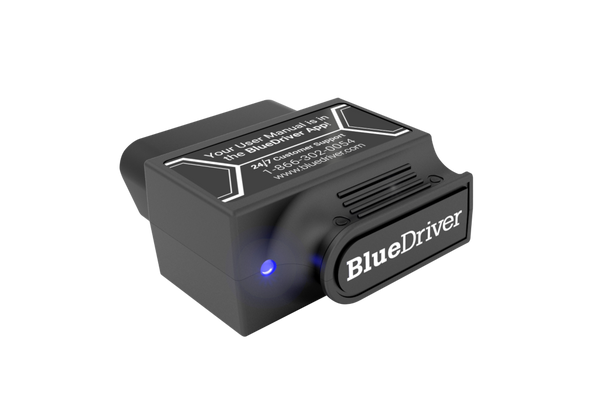
Guided pick: easier for beginners
BlueDriver is worth paying more for if you want app-based explanations and repair-style guidance instead of just a raw code number.

Data pick: better for live sensors and app control
OBDLink MX+ is worth it if you want live data, dashboards, logs, and app flexibility beyond basic code clearing.
OBD2 Scanner Buying FAQ
Is it worth buying an OBD2 scanner?
Yes, for most car owners it is worth buying an OBD2 scanner because it helps identify check engine light problems before a repair visit. The savings from avoiding one unnecessary diagnostic fee can often cover a basic scanner.
Is a cheap OBD2 scanner enough?
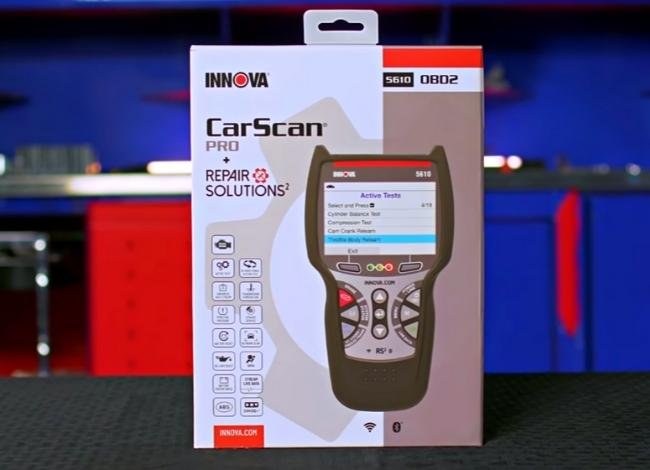
A cheap scanner is enough for basic engine codes and readiness checks. It is not enough for ABS, SRS, transmission, bidirectional tests, or brand-specific modules.
Yes, a cheap OBD2 scanner can usually clear a check engine light, but only after you understand and address the cause. If the fault is still present, the light will often come back and the real problem may get harder to diagnose.
can a cheap OBD2 scanner clear check engine light is a fair question for most drivers, and the short answer is yes, it often can. The bigger issue is whether you should clear it before you know why it came on.
- Clear only after repair: Erasing the code is not the same as fixing the car.
- Basic tools have limits: Cheap scanners usually read and clear generic engine codes only.
- Check readiness monitors: A reset can create emissions inspection issues.
- Watch for warning signs: Misfires, overheating, and fuel smells need more than a code reset.
Can a Cheap OBD2 Scanner Clear a Check Engine Light Safely?
A low-cost scanner can usually erase a check engine light, but erasing the light does not repair the fault that triggered it. If the problem is minor and already verified, clearing the code can be a safe final step after a repair.
If you want a broader primer on budget tools, see our guide on cheap vs expensive OBD2 scanner. It helps explain why the cheapest tool may still be useful for basic code reading, but not for every diagnostic job.
Short answer: yes, but only when you understand what the code means and why the light came on
Most cheap OBD2 scanners can read a generic trouble code and clear it from the car’s computer. That is enough for many everyday issues, like a loose gas cap, a post-repair reset, or a temporary fault that has already gone away.
The key is not to treat the light like a nuisance warning you can ignore. A scanner is a diagnostic tool, not a fix. If the underlying issue remains, the light often returns after a few drive cycles.
Why clearing the light is not the same as fixing the problem
The check engine light is a symptom. It tells you the vehicle computer saw something outside normal range, but it does not tell you the root cause by itself. Clearing the code only removes the warning from the dash and stored memory.
That can hide useful clues. If you erase the code too soon, you may lose freeze-frame data, pending codes, and other information that helps identify the problem. For that reason, it is smart to record the code first, then clear it only after the issue is understood.
How Cheap OBD2 Scanners Work in 2026

Budget scanners in 2026 are usually built around the standard OBD2 system that most gasoline vehicles have used for years. They connect to the diagnostic port, request fault codes, and communicate with the engine computer using standard protocols.
What “cheap” scanners can usually do: read and clear generic codes
At the entry level, most tools can pull generic powertrain codes, show a simple description, clear the check engine light, and sometimes display a few live-data values. That is often enough for a commuter, used-car shopper, or DIY owner who mainly wants a basic answer.
Some models also offer readiness monitor status, which matters if you are preparing for an emissions inspection. If you want a deeper look at a common entry-level handheld, our Foxwell NT301 usage guide shows the kind of everyday tasks a basic code reader is designed for.
Model-year and protocol coverage: OBD2 basics, CAN, and older vehicle limits
OBD2 coverage depends on vehicle age, market, and protocol support. In the U.S., many 1996-and-newer light-duty vehicles use OBD2, but older vehicles may not. Even within the OBD2 era, some scanners support more protocols or communicate more reliably than others.
Check: Verify make, model, year, trim, voltage, ports, mounting space, and OEM requirements. Limitations: Older non-OBD2 vehicles, some diesel applications, and certain manufacturer-specific functions may not be supported.
What they usually cannot do: advanced manufacturer codes, bi-directional tests, and deep diagnostics
Cheap scanners usually stop at generic engine codes. They often cannot access every module, read many manufacturer-specific codes, perform bi-directional commands, or run advanced service functions.
That matters when the problem is not simple. If you need more than code clearing, compare tool classes before buying. Our Bluetooth vs wired OBD2 scanner article is a helpful next read because connection type can affect convenience, app use, and reliability.
When Clearing the Light Is Safe and When It Is Not
Clearing a code is safest when you already know the cause and have corrected it. It is risky when the light is still tied to a real drivability, safety, or emissions problem.
Safe cases: after a verified minor issue, post-repair reset, or false/temporary fault
Examples of safer situations include a loose fuel cap that has been tightened, a sensor code that appeared once and did not return, or a code cleared after a verified repair. In those cases, the scanner is used to confirm the repair and remove the stale warning.
Unsafe cases: misfires, overheating, transmission faults, fuel-system issues, and emissions-critical problems
Do not clear the light first if the vehicle is misfiring, overheating, shifting harshly, stalling, smelling strongly of fuel, or showing signs of a serious emissions problem. Those symptoms can point to damage that gets worse if you keep driving.
When diagnosis requires a professional shop instead of a budget scanner
A professional shop is the better choice when the code returns immediately, multiple systems are involved, or the scanner shows data you cannot interpret. Shops can test circuits, inspect live data under load, and verify whether the fault is electrical, mechanical, or software-related.
If you are comparing stronger tools for tougher jobs, our best OBD2 scanner without subscription guide is useful because ownership cost and app access can change the value of a “cheap” scanner over time.
What to Check Before You Plug In the Scanner

Simple tools are still electrical tools, so a few quick checks matter before you connect one. That is especially true if you are using a phone-based adapter or working around a busy driveway.
Port location, ignition mode, and correct connection order
Find the diagnostic port first, usually under the dash on the driver side. Make sure the ignition is in the correct position for the scanner, then connect the tool before you attempt to read or clear codes.
Always follow the vehicle and scanner instructions. Some tools wake up with key-on engine-off, while others work best with the engine running or with accessory power only.
System voltage basics: battery chemistry, state of charge, and battery health
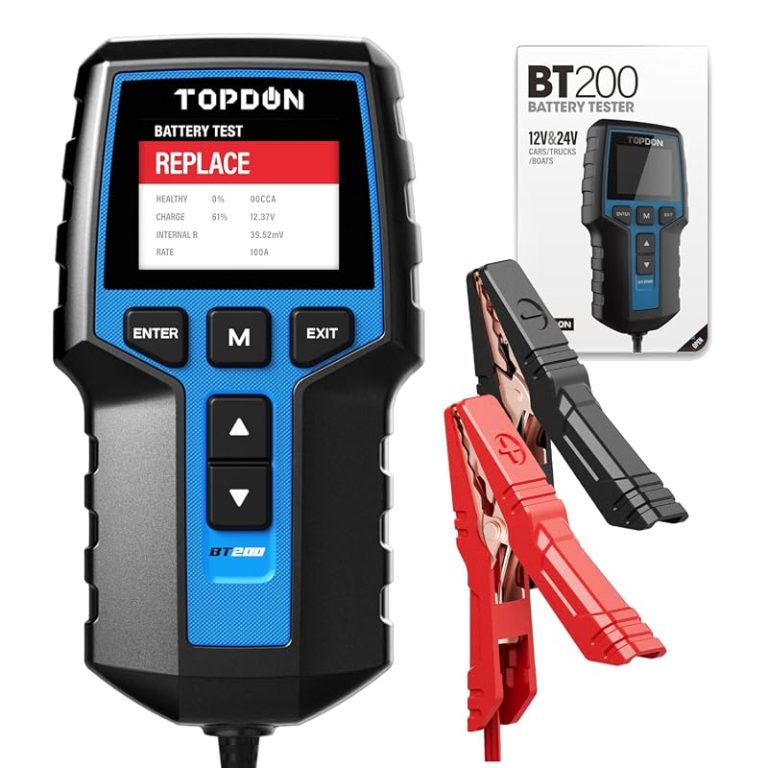
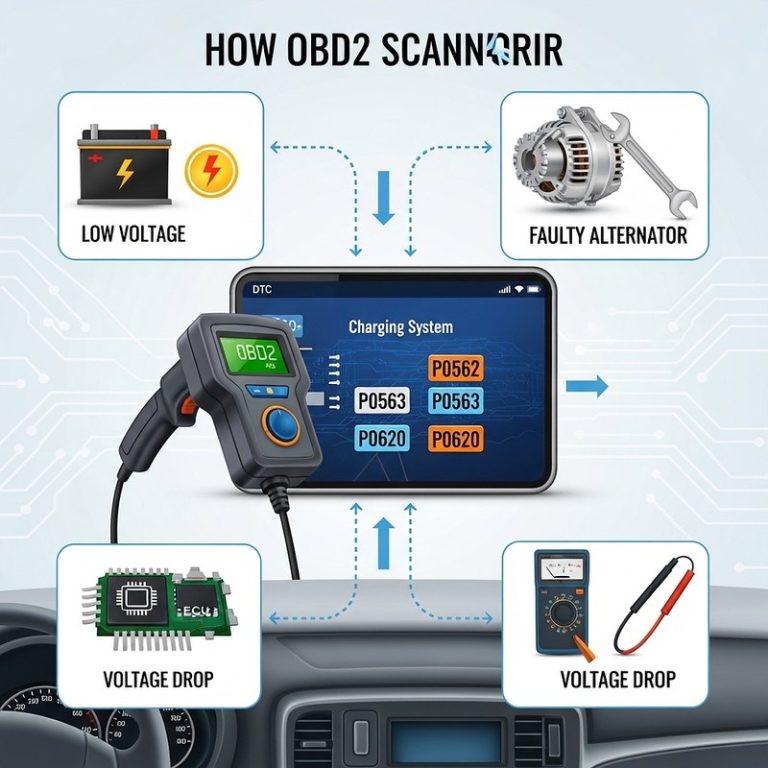
Low battery voltage can cause strange scan results, dropped communication, or false warnings. A weak battery may also make it look like the scanner or the vehicle has a deeper problem than it really does.
That is why battery condition matters before and after diagnosis. If you also want to understand battery checks, our related article on testing a battery with a multimeter explains a simple way to verify basic voltage.
Damaged-battery stop conditions, hybrid/EV cautions, and low-voltage warning signs
Stop if the battery is swollen, leaking, cracked, hot, or giving off a strong odor. Those are signs of damage, not a normal low-charge situation. Also use extra caution with hybrids and EVs, where high-voltage systems require the manufacturer’s procedures.
What Cheap OBD2 Scanners Can and Cannot Tell You
Budget scanners can be very helpful, but they are limited by design. Knowing those limits keeps you from overtrusting a simple tool.
Code reading limits versus live-data usefulness
Reading codes tells you what the computer noticed. Live data can show what sensors are doing right now, which is often more helpful than a plain code number. Still, cheap tools may show only a small sample of data or refresh slowly.
That means they can point you in the right direction, but not always prove the exact cause. If you need a more feature-rich option, our best OBD2 scanner overview explains how features usually scale as price rises.
Emissions readiness monitors and why a cleared code can create inspection problems
Clearing a code often resets readiness monitors. That can matter if you live in a state that checks emissions readiness during inspection. A cleared light may look good on the dash, but the vehicle may still be “not ready” for testing.
Reset limitations, stored history, and why the light may return quickly
Some faults are intermittent, which means the light may disappear and then come back. Others stay stored in history even after a clear, depending on the vehicle and scanner.
If the fault returns quickly, that is useful information. It usually means the cause is still present, not that the scanner failed.
Cheap OBD2 Scanner vs. Mid-Range Scanner vs. Professional Diagnostic Tool
Different drivers need different levels of detail. A budget reader is fine for basic code clearing, but it is not the best choice for every owner or every vehicle.
| Option | Best for | Owner consideration | Driver consideration |
|---|---|---|---|
| Cheap OBD2 scanner | Basic code reading and clearing | Lowest upfront cost, limited features | Simple to use, but may show limited data |
| Mid-range scanner | DIY owners who want live data and more functions | Higher cost, better coverage and support | Faster diagnosis and fewer guesswork resets |
| Professional diagnostic tool | Complex faults, module access, shop-level work | Highest cost and learning curve | Best for hard-to-diagnose or recurring problems |
Side-by-side comparison: price, code coverage, live data, app support, firmware, and support
Cheap tools usually win on price but lose on depth, update support, and app quality. Mid-range tools often add more live data, better compatibility, and more frequent firmware support. Professional tools usually offer the widest coverage, but they cost much more and may require training.
Which option fits a commuter, DIY owner, used-car buyer, or fleet driver
A commuter may only need a simple code reader for occasional check engine lights. A DIY owner may benefit from a mid-range scanner with better live data. Used-car buyers and fleet drivers often need more confidence, because recurring faults and downtime cost more than the tool itself.
Ownership cost over time: app fees, updates, reliability, and replacement risk
The cheapest scanner is not always the cheapest to own. App subscriptions, limited firmware support, weak Bluetooth reliability, or early replacement can erase the savings. That is why ownership cost matters as much as the sticker price.
Compatibility, App Permissions, and Privacy Concerns
Connected scanners make diagnosis easier, but they also add software and privacy questions. That is especially true if the tool pairs with a phone and stores vehicle data in the cloud.
Bluetooth, Wi-Fi, and USB compatibility with phones, tablets, and laptops
Bluetooth adapters are convenient for phones, Wi-Fi adapters can work across more devices, and USB tools are often preferred for laptops. The right choice depends on where you want to view data and how much setup you want to manage.
App permissions, account sign-ins, data sharing, and privacy tradeoffs
Some apps ask for location, Bluetooth, storage, or account access. That may be normal for the tool to function, but you should still read the permission list and decide whether the tradeoff is worth it.
If you want a broader look at phone-based scan tools, our use phone as OBD2 scanner guide explains the convenience and privacy side of app-connected diagnostics.
Firmware updates, support quality, and compatibility with newer vehicles
Even a budget scanner can become less useful if the app is abandoned or firmware updates stop. Newer vehicles may also expose compatibility issues that old product listings never mention.
Before buying, check recent support notes, app store reviews, and the seller’s update policy. That is often more useful than a long list of marketing claims.
Related Emergency Uses: Battery, Tire, and Roadside Considerations
Many drivers keep a scanner in the same glove box or trunk kit as other roadside tools. That makes sense, but each tool still has its own safety limits.
Battery jump and roadside-tool basics: safe location, traffic visibility, cable or pack condition, current limits, and post-use inspection
If you are also carrying a jump pack or cables, use them only in a safe, visible location away from traffic. Inspect clamps, leads, and pack condition before use, and follow the current limits and connection order in the manual.
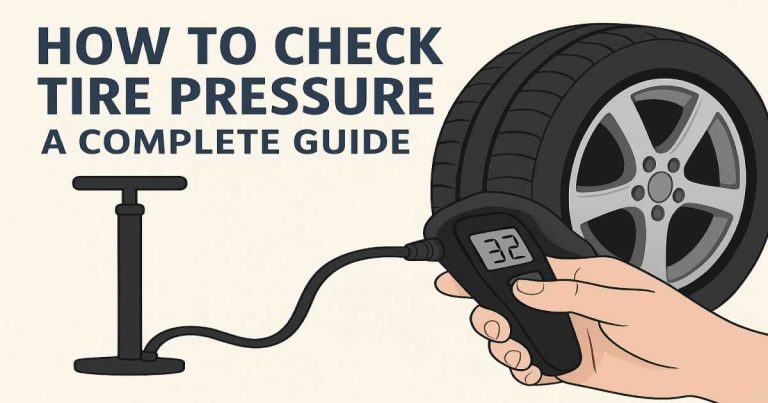
Tire-pressure checks with a scanner-adjacent mindset: door-jamb placard, cold pressure, gauge accuracy, and inflator duty cycle
Scanner owners often care about maintenance, and tire pressure is one of the easiest checks to do right. Use the door-jamb placard, measure when tires are cold, and trust a decent gauge more than a random number from a worn inflator.
TPMS relearn limits, puncture location, temporary-repair limits, and when a tire needs professional repair
A scanner cannot fix a tire-pressure warning if the tire has a puncture, damaged valve stem, or sensor issue. Temporary sealant and plug kits have limits, and sidewall damage usually needs professional attention or replacement.
For owners who like a more complete DIY toolkit, a scanner can be part of the picture, but it should not replace proper tire inspection or safe repair practices.
Best Practices for Clearing a Check Engine Light Without Creating Bigger Problems
The safest approach is simple: diagnose first, repair second, clear last. That keeps you from masking a real problem or losing the data you need.
Verify the repair first, then clear codes and recheck readiness monitors
After the repair is confirmed, clear the code and check readiness monitors if emissions testing matters in your area. If the scanner can show pending codes or monitor status, use that information before calling the job done.
- Record the code before clearing it
- Confirm the repair first
- Check readiness monitors after reset
- Clear the light just to hide it
- Ignore recurring symptoms
- Assume a reset means the problem is gone
Drive-cycle follow-up, re-scan timing, and signs the fault is returning
After clearing the code, drive normally and re-scan later. If the light returns, or if the scanner shows the same fault again, the diagnosis is not finished.
Watch for rough idle, poor fuel economy, hard starting, or a smell of fuel. Those are signs the issue may still be active even if the dash looks normal for a while.
Storage conditions, cable care, and keeping the tool ready for future use
Store the scanner in a dry place away from heat and battery corrosion. Keep cables from kinking, protect adapters from dirt, and update the app or firmware when the manufacturer still supports the tool.
Transparent Verdict: Who Should Buy a Cheap OBD2 Scanner in 2026?
A cheap scanner makes sense when you want a basic, portable way to read and clear common engine codes. It is most useful for drivers who understand its limits and are willing to verify the repair before erasing the warning.
- Best for: Commuters, DIY owners, and used-car shoppers who need basic code reading and safe post-repair light clearing.
- Think twice if: You need deep module access, recurring fault diagnosis, emissions certainty, or shop-level reliability.
- Next step: Confirm your vehicle’s model-year coverage, then choose a scanner that supports the codes and live data you actually need.
Frequently Asked Questions
Most 1996-and-newer U.S. gas vehicles support basic OBD2 functions, but coverage still varies by make and model. Check the scanner’s model-year and protocol support before buying.
No, not if the cause is unknown or the car has symptoms like misfires, overheating, or fuel smell. Clear the code only after you understand and repair the issue.
Some can, but the live-data list is usually limited compared with mid-range tools. Basic live data can still help confirm whether a sensor or system is behaving normally.
It can. Clearing a code may reset readiness monitors, which can cause inspection problems in states that check emissions status.
Connected scanners and apps may collect vehicle data, app usage details, and sometimes location or account information. Review permissions and privacy settings before pairing the tool.
Check vehicle compatibility, code-clearing support, live-data features, update policy, app support, and warranty terms. Also compare the total ownership cost, not just the sticker price.



One Comment