What Does a Battery Tester Tell You? Battery Health, Fast
A battery tester tells you whether a battery is charged, weak, or likely failing, and it can also hint at starting or charging-system problems. It cannot prove every no-start cause, so a good result may still need more diagnosis.
what does a battery tester tell you is the quickest way to find out whether a battery is weak, fully charged, or likely failing before you get stranded. It can also hint at charging-system problems, but it cannot prove every no-start issue on its own.
- Battery health: A tester can show whether the battery is likely strong, weak, or near failure.
- Not the whole diagnosis: Good battery results can still hide alternator, starter, cable, or draw problems.
- Compatibility matters: AGM, EFB, lithium, hybrids, and EV-related 12V systems may need different settings or caution.
- Safety first: Stop testing damaged, swollen, hot, leaking, or smoking batteries right away.
What Does a Battery Tester Tell You? The Fast Answer for Drivers
A battery tester usually tells you three useful things: battery voltage, cranking performance, and a basic judgment about battery condition. In plain English, that means it can help you see whether the battery still has enough power to start the vehicle and whether it is holding up under load.
That is helpful for commuters, parents, rideshare drivers, and anyone who depends on a car every day. It is also why many drivers compare a tester’s result with a simple voltage check or a full diagnostic scan, especially if the car has been slow to start or the dash has been acting up. If you want the hands-on process, see how to test a battery with a battery tester.
Battery Tester Basics: What It Measures and What It Cannot Prove
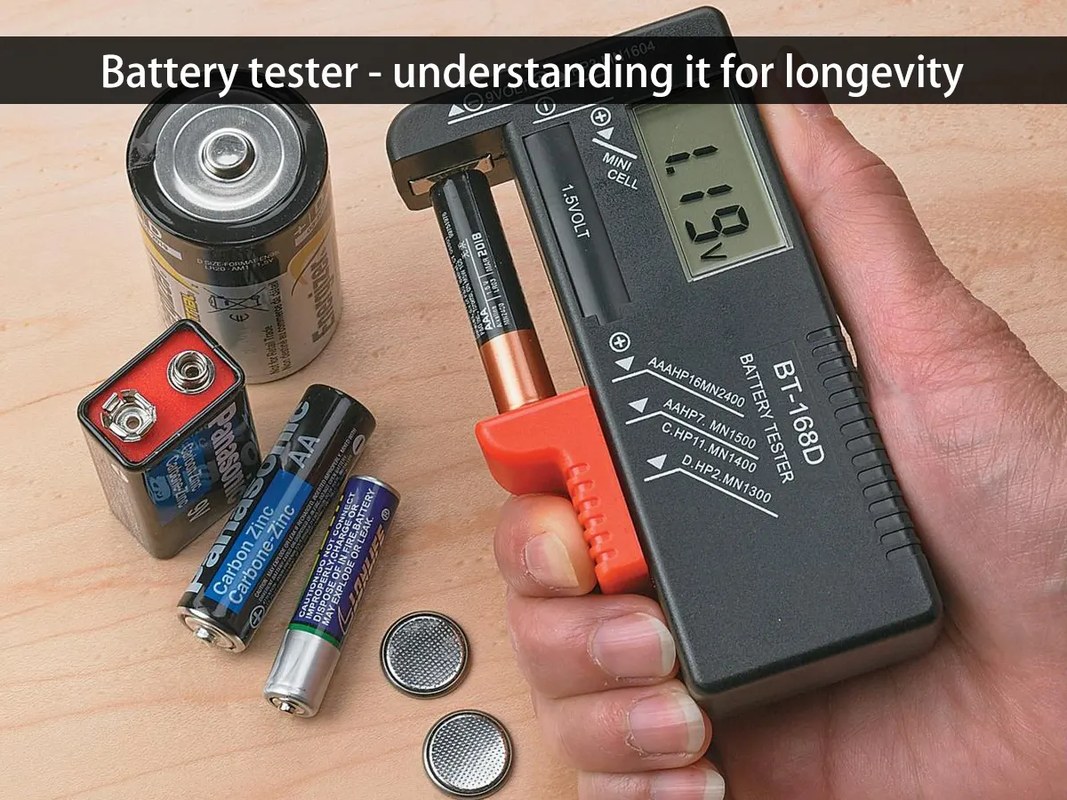
A battery tester is a screening tool, not a crystal ball. It can show signs of weakness, but it cannot always prove the exact cause of the problem. A good reading may still hide poor battery health, damaged cables, or a charging issue elsewhere in the vehicle.
System voltage, cranking performance, and state of charge versus battery health
Most testers focus on system voltage and how the battery behaves while the engine starts. Voltage tells you how much electrical pressure is available at rest or during cranking. Cranking performance shows whether the battery can deliver enough current when the starter motor asks for it.
State of charge is not the same as battery health. A battery can be fully charged and still be worn out. That is why a tester may say “charged” or “good” one day and still struggle the next morning after a cold start. For a deeper look at that limitation, CarValleyNJ also covers how accurate a battery tester is.
Battery chemistry differences: flooded, AGM, EFB, lithium, and hybrid/EV cautions
Not every battery type should be treated the same way. Flooded lead-acid, AGM, and EFB batteries are common in 12V vehicles, but each may need different test settings or different interpretation. Some testers ask you to select battery type before testing, and that choice matters.
Lithium starter batteries are less common, and hybrid and EV systems add another layer of caution. The small 12V battery in a hybrid or EV may still be testable, but the high-voltage system is a different matter and should be handled only according to the vehicle manual or by a qualified technician. Do not assume a regular 12V tester can diagnose the full traction system.
Damaged-battery stop conditions and when to stop testing
Stop testing if the battery case is swollen, cracked, leaking, hot to the touch, or smells like sulfur. Those are signs of possible damage or overcharging, and the safest move is to stop and follow the manufacturer’s instructions. A tester cannot make a physically damaged battery safe.
How to Read Battery Tester Results the Right Way
The result screen matters, but the context matters more. A “pass” reading on a warm battery after a short drive does not always mean the battery is healthy under real-world conditions. Cold weather, short trips, and age can all change the picture.
Pass, weak, replace, recharge, and retest: what each result means
Pass usually means the battery met the tester’s threshold at that moment. Weak often means the battery still works but is close to the edge. Replace means the tester believes the battery can no longer support reliable starting or reserve capacity.
Recharge and retest is important because a low state of charge can mimic battery failure. If the battery was left with lights on, sat too long, or saw many short trips, a full charge may change the result. That is why a single test should not be treated as the final answer unless the tester and the battery condition clearly agree.
Why a good voltage reading can still hide a bad battery
A resting voltage reading can look normal even when the battery is worn out. Internal resistance, plate damage, and poor cold-cranking ability may not show up until the starter asks for high current. That is one reason drivers sometimes hear repeated clicking or a slow crank even after seeing a decent voltage number.
In other words, voltage alone is only part of the story. A battery can look fine on paper and still fail under load on a cold morning. That’s also why a multimeter and a tester answer different questions; see can I test a battery with a multimeter for the difference.
When the problem is the alternator, starter, or parasitic draw instead
If the battery tests good but the vehicle still struggles, the fault may be elsewhere. A weak alternator may not recharge the battery properly. A failing starter may draw too much current. A parasitic draw may drain the battery while the car is parked.
That is why battery testing should be part of a larger diagnosis, not the whole job. If the battery passes but the car keeps going dead overnight, the next step is often a charging-system check or a parasitic draw test, not another battery replacement.
OBD2 and Diagnostic Scanner Coverage: What Your Tool Can Reveal

Some battery testers are stand-alone tools, while others pair with OBD2 scanners or app-based diagnostics. That can help you see stored trouble codes, live data, and emissions readiness, but only if the tool and the vehicle are compatible.
Model-year and protocol support, port location, and ignition mode
Most US OBD2 vehicles use the standard 16-pin port, but coverage still varies by model year, make, and protocol support. The port is usually under the dash on the driver side, yet some vehicles place it in less obvious spots. The tool may also need the ignition in a specific position, such as key-on/engine-off.
Code reading, live data, emissions readiness, and reset limitations
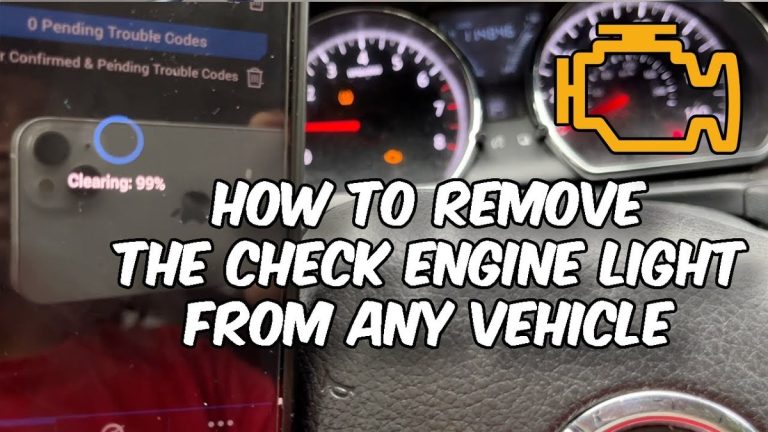
OBD2 scanners can read diagnostic trouble codes, show live sensor data, and check readiness monitors for emissions testing. Some can clear codes or reset certain systems, but clearing a code does not fix the cause. If the issue remains, the light will return.
Reset limits matter. Many tools cannot perform advanced manufacturer-specific functions, and some cannot access every module. Before you buy, confirm whether the tool only reads generic codes or also supports deeper system coverage for your vehicle.
App permissions, firmware updates, and privacy considerations
Connected tools can ask for Bluetooth, location, account, or vehicle-data permissions. That is normal for many app-based scanners, but it is still worth checking what data the app collects and whether it stores VIN, trouble codes, or live-data history in the cloud.
When battery and OBD diagnosis still needs a professional
If you have repeated no-starts, charging warnings, multiple codes, or a hybrid/EV system concern, a professional diagnosis may save time and money. A scanner can point you in the right direction, but it cannot always confirm wiring faults, module failures, or battery-management issues.
Battery Tester vs Multimeter vs Load Tester vs Smart Diagnostic App
These tools overlap, but they do not do the same job. Choosing the right one depends on whether you want a quick yes-or-no answer, a deeper electrical diagnosis, or a connected app for extra vehicle data.
| Option | Best for | Owner consideration | Driver consideration |
|---|---|---|---|
| Battery tester | Fast battery condition screening | Usually easy to use and portable | Good for quick roadside or garage checks |
| Multimeter | Basic voltage checks | Low cost and flexible | Less helpful for load behavior |
| Load tester | Cranking and reserve testing | More direct but can be bulkier | Useful when starting problems are repeatable |
| Smart diagnostic app | Codes, live data, and vehicle status | May involve subscriptions or permissions | Can add useful alerts but may distract if overused while driving |
Side-by-side comparison of accuracy, speed, cost, and ease of use
A battery tester is usually the fastest way to get a practical answer. A multimeter is simple and cheap, but it only shows voltage unless you know how to interpret the readings. A load tester gives a more direct view of cranking ability, but it can be less convenient for casual use.
Smart diagnostic apps can add convenience, especially if you want code reading and live data in one place. Still, app-based tools often depend on phone compatibility, firmware updates, and permission settings.
Which tool fits daily drivers, DIY owners, fleets, and older vehicles
Daily drivers may benefit most from a compact tester that can confirm battery health before a long commute or road trip. DIY owners often want both a tester and a multimeter so they can confirm the battery, alternator, and starter path. Fleets may prefer tools that are quick, repeatable, and easy to document.
Older vehicles can be easier to diagnose with basic tools because the systems are simpler, but corrosion, worn cables, and charging issues are more common. Newer vehicles may need better scanner coverage because battery management and stop-start systems can complicate the result.
Ownership cost, replacement probes, app subscriptions, and support
Cost is not just the sticker price. Think about probe quality, clamp wear, cable length, battery replacement, firmware updates, and whether the app needs a paid subscription. Support and warranty terms also matter if the tool is part of your regular maintenance routine.
Tire Pressure and TPMS Checks: What the Same Tool Can and Cannot Help With
Battery testers do not inflate tires, but many drivers shop for emergency tools that also support tire care. If you are comparing garage or roadside gear, it helps to know where battery diagnostics end and tire maintenance begins.
Door-jamb placard, cold pressure, and gauge accuracy
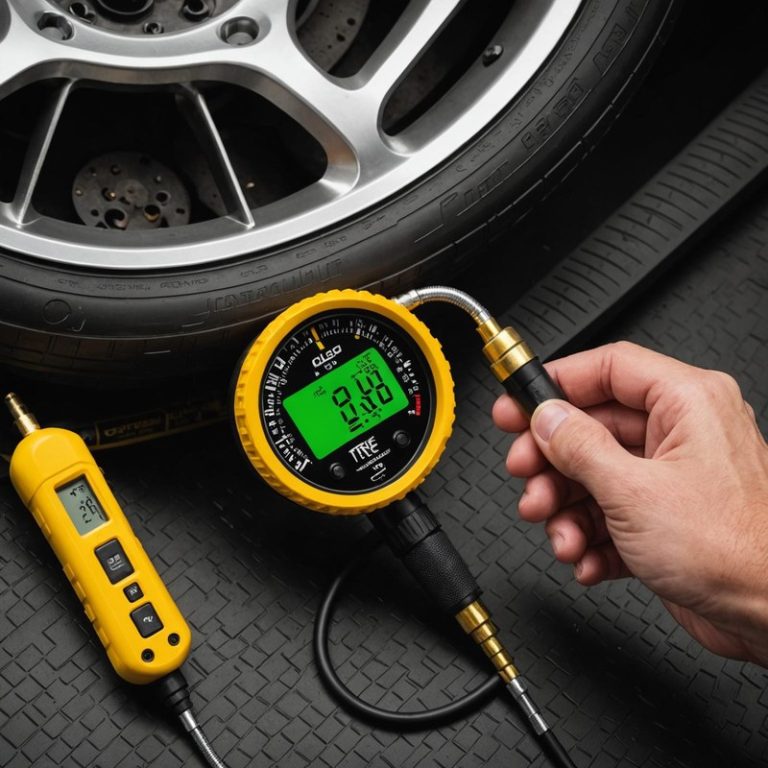
Tire pressure should be checked against the vehicle’s door-jamb placard, not the tire sidewall. Measure when the tires are cold, because heat from driving can raise pressure and skew the reading. A good gauge matters because small errors can change ride quality, wear, and safety.
Inflator duty cycle, puncture location, and temporary-repair limits
If a tool includes an inflator, duty cycle matters. Some compact compressors need cooling breaks and may not be ideal for repeated use on large tires. A puncture in the sidewall or shoulder is usually not a simple inflation fix and may require replacement or professional repair.
TPMS relearn limits, warning-light reset limits, and when to seek repair
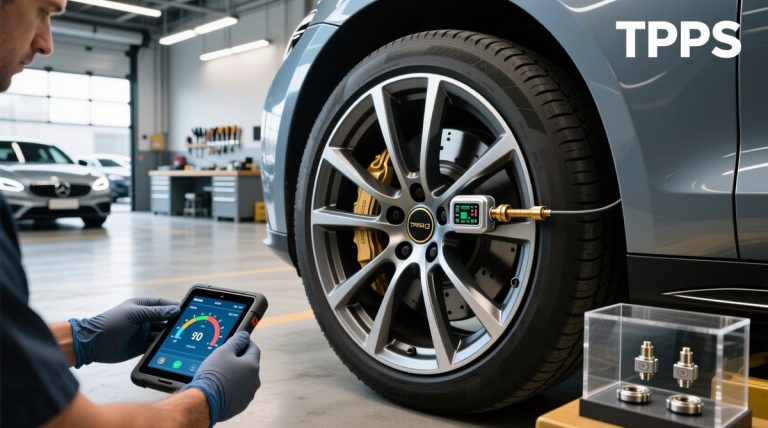
TPMS warning lights can stay on after a pressure correction until the system relearns or is reset, depending on the vehicle. Some tools can help with relearn steps, but not all can trigger every vehicle’s TPMS procedure. If the light returns, the tire may still have a leak.
Roadside and Emergency Use: Safe Operation Before and After a Jump or Inflate
Battery testers are often used beside jump packs, chargers, and inflators. That makes safe setup important, especially on the shoulder of a road or in a dark parking lot.
Safe location, traffic visibility, and storage conditions
Use the tool in a safe, stable location away from traffic whenever possible. Turn on hazard lights if appropriate, keep yourself visible, and avoid working in tight spaces where moving vehicles or poor lighting increase risk. Store the tool where temperature and moisture will not damage the display, clamps, or cables.
Cable or pack condition, current limits, and tool completeness
Before use, inspect cables, clamps, and connectors for damage. If the tool includes a jump pack or power bank, check its charge level and current limits so you do not ask it to do more than it can safely handle. Missing adapters or worn leads can turn a quick fix into a delay.
Correct connection order and post-use inspection
Follow the manufacturer’s connection order every time. After use, disconnect in the recommended sequence, inspect for heat or damage, and put the tool back in its case or storage spot. That helps the next test be more reliable and keeps the equipment ready for emergencies.
- Confirm vehicle, tool, voltage, port, tire, or battery compatibility
- Follow the vehicle and tool instructions in the correct order
- Inspect, store, and maintain the tool after use
- Clear codes before recording useful diagnostic information
- Work near traffic, moving parts, heat, or damaged batteries without proper precautions
- Rely on an unverified specification or temporary repair as a permanent fix
Compatibility, Installation, and Maintenance for 2026 Drivers
Most battery testers are simple to use, but compatibility still matters. The right tool for a 12V sedan may not be the right tool for a motorcycle, truck, hybrid, or EV-related 12V accessory battery.
12V vehicles, motorcycles, trucks, hybrids, and EV-related cautions
Many testers are designed for standard 12V systems. Some can also work on motorcycles or light trucks if the battery type and size fall within the tool’s range. Heavy-duty trucks, hybrid systems, and EV-related 12V batteries may need special attention, so check the manual before connecting anything.
Where the OBD2 port usually is and what to do if it is hard to access
The OBD2 port is commonly under the dash near the steering column, but not always. If it is blocked by trim, hidden by a cover, or awkward to reach, use the vehicle manual instead of forcing the connector. A damaged port can create a bigger problem than the original code.
Keeping clamps, cables, sensors, and firmware in good condition
Clean clamps and cables help the tester get a better connection. Check for bent pins, cracked insulation, and loose grips. If the tool uses software or firmware updates, keep them current when the manufacturer recommends it, because update support can affect compatibility and bug fixes.
Buying Guide: Which Battery Tester or Diagnostic Tool Makes Sense for You?
The best choice depends on how often you troubleshoot, how much detail you need, and how much setup you want to deal with. A simple tester is often enough for everyday battery checks, while a scanner or smart app makes more sense if you want broader diagnostics.
Best fit by driver type, vehicle age, and troubleshooting need
For basic daily-driver use, a compact battery tester is usually the easiest answer. For older vehicles, a tester plus multimeter can help separate battery trouble from alternator trouble. For newer vehicles with many modules, a scanner may be more useful because battery health and system faults can overlap.
Warranty, support, evidence limits, and transparent verdict criteria
Before buying, check the warranty, return policy, support options, and update process. Also remember the evidence limits: a tester can support a decision, but it cannot guarantee that a battery will not fail later. Good verdicts should be based on compatibility, clarity of results, support, and ownership cost, not marketing claims alone.
- Confirm vehicle, model-year, voltage, port, tire, battery, or system compatibility
- Check included accessories, required apps, adapters, hoses, cables, and power needs
- Review warranty, returns, support, firmware, and update policy
- Count replacement parts, batteries, subscriptions, storage, and maintenance costs
- Confirm the tool can be used safely in the intended roadside, garage, or diagnostic task
Next steps after testing: recharge, repair, replace, or book service
If the tester says recharge and retest, do that before replacing anything. If the battery keeps failing after a proper charge, replacement may be the right move. If the battery passes but the vehicle still has symptoms, move to the alternator, starter, cables, or parasitic draw next.
For drivers who want a more specific battery-test walkthrough, what are common battery testing mistakes is a useful follow-up. If you are comparing tool types, what does the Topdon BT200 test can help you understand one example of a battery-focused scanner.
- Best for: Drivers who want a fast answer about battery condition, starting ability, and whether the problem may be the battery or something else.
- Think twice if: You need proof of a specific wiring fault, a hybrid or EV high-voltage diagnosis, or full module-level troubleshooting.
- Next step: Match the tester to your vehicle type, then retest after charging if the result says weak or recharge.
Frequently Asked Questions
Often, yes. It can show whether the battery is weak, charged, or likely failing, but it cannot prove every no-start cause by itself.
Sometimes it can point in that direction, especially if charging voltage looks off. But a full alternator diagnosis usually needs more than a battery test.
Many do, but the tester must support the battery type and the right test setting. Always check the manual before testing AGM, EFB, lithium, hybrid, or EV-related batteries.
No. Stop if the battery is swollen, cracked, leaking, hot, or smoking, and follow the vehicle or battery manufacturer’s instructions.
Not always. A scanner helps if you want codes, live data, or emissions readiness, but a basic battery tester is enough for many starting problems.
Check vehicle compatibility, battery type support, warranty, update policy, and whether you need only battery screening or broader diagnostics.
Related CarValleyNJ Guides
Continue with these related guides in the same topic cluster:

5 Comments