Can the Innova 5610 Program Keys? What It Can’t Do
No, the Innova 5610 cannot program keys. It is a diagnostic scanner, so it can help you find the problem, but a locksmith or dealer is usually needed for actual key programming.
Can the Innova 5610 program keys? No—the 5610 is a capable OBD2 diagnostic scanner, but it is not a key-programming or immobilizer tool. It can help you diagnose why a car won’t start, yet actual key programming usually needs a locksmith-grade or dealer-level system.
If you are trying to replace a lost key, add a spare, or fix a no-start security issue, the important question is not just what the scanner reads. It is what the vehicle’s security system allows, and what the tool is built to access.
- Key programming: The Innova 5610 is not built for immobilizer or transponder key work.
- Best use: It is useful for reading codes, live data, and emissions checks.
- Compatibility: Standard OBD2 support does not guarantee security-system access.
- Safety: Diagnose parked, avoid damaged batteries, and stop if the issue is security-related.
- Next step: Use the scanner to gather clues, then call a locksmith or dealer for key.
Can the Innova 5610 Program Keys? Quick Answer for CarValleyNJ Readers
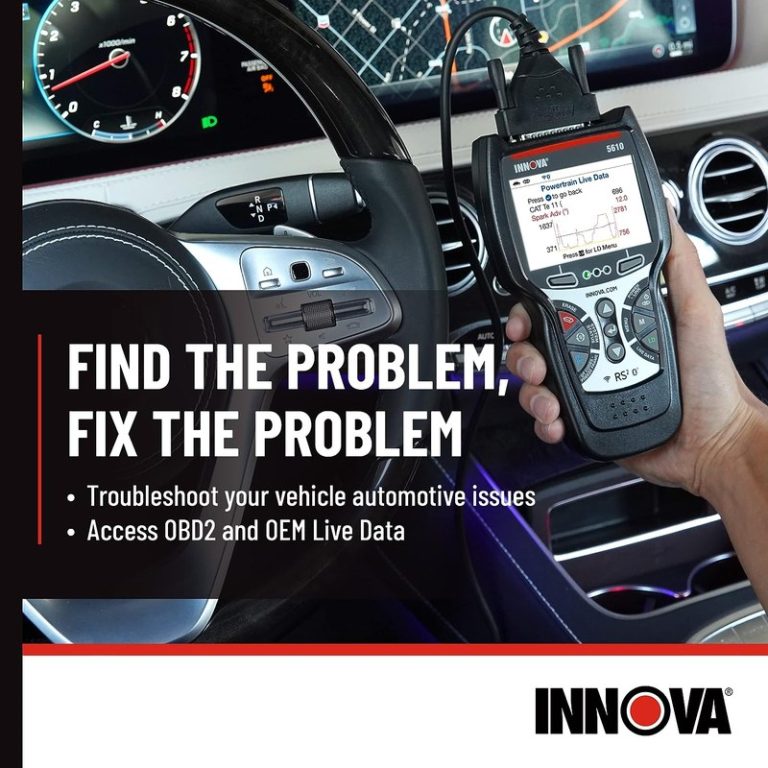
The short answer is no. The Innova 5610 is designed for diagnostics, not for programming immobilizer keys, pairing transponders, or enrolling smart keys.
That matters because many drivers search for a scanner when the real problem is a security or anti-theft function. The 5610 can still be useful for reading codes, checking readiness monitors, and helping you narrow down a no-start condition before you call a locksmith or dealer.
What the Innova 5610 Can Do in a Real-World Diagnostic Workflow
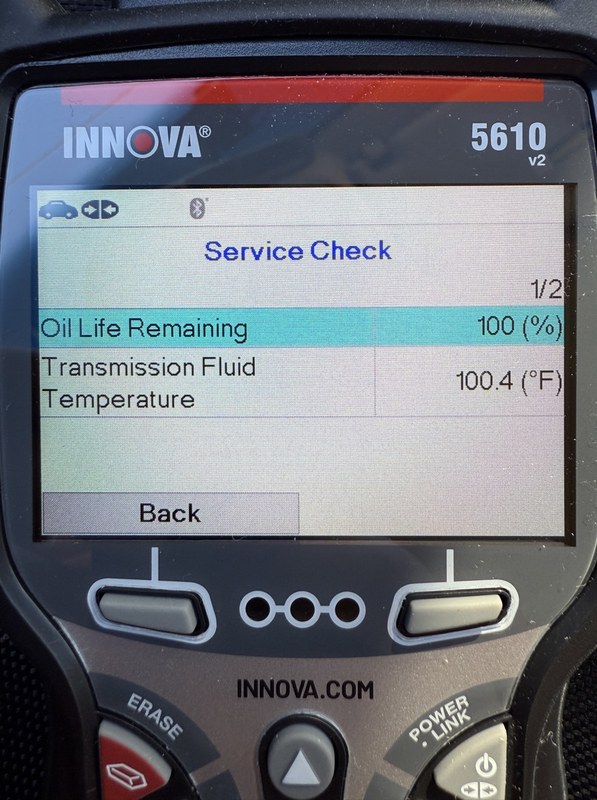
The value of the Innova 5610 is in diagnosis, not security programming. For many US drivers, that means a faster path to understanding why the check engine light is on, why a battery keeps draining, or why a repair did not take.
OBD2 code reading, live data, and emissions readiness checks
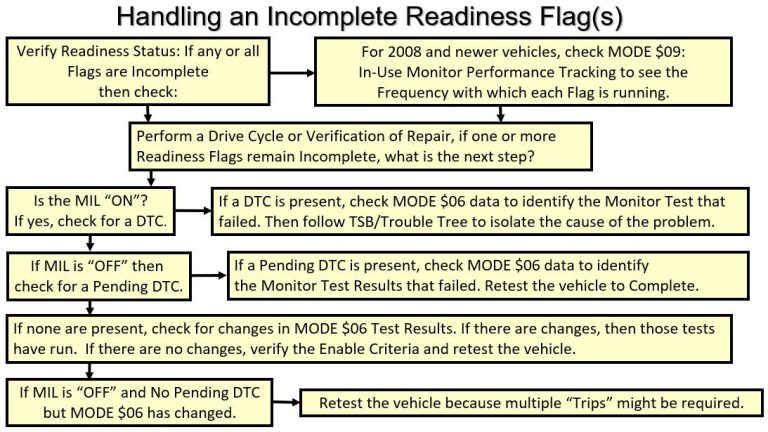
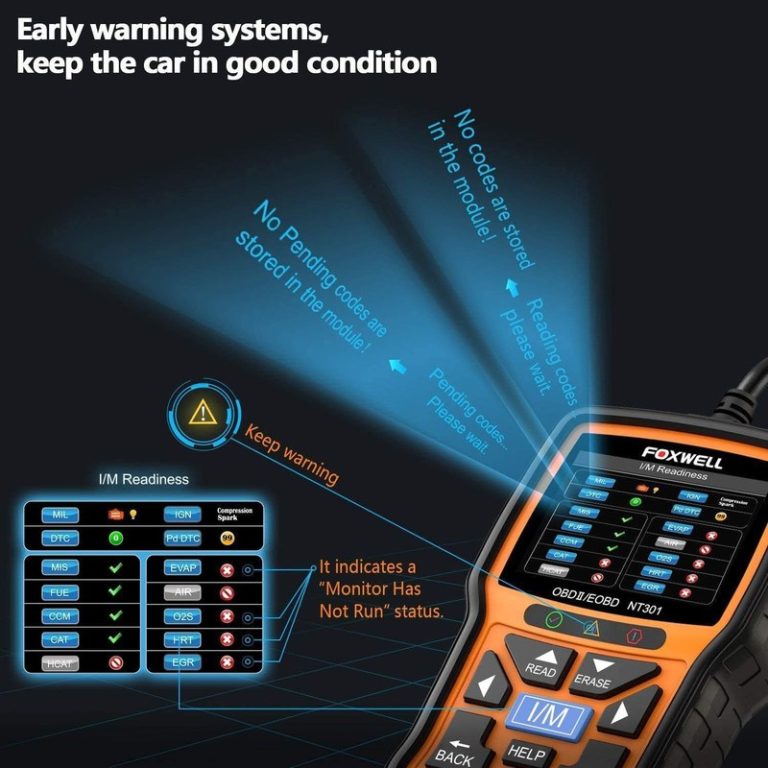
The 5610 can read common diagnostic trouble codes, show live data, and help you check emissions readiness. That is useful before a state inspection, after a repair, or when you want to confirm whether a fault is active or intermittent.
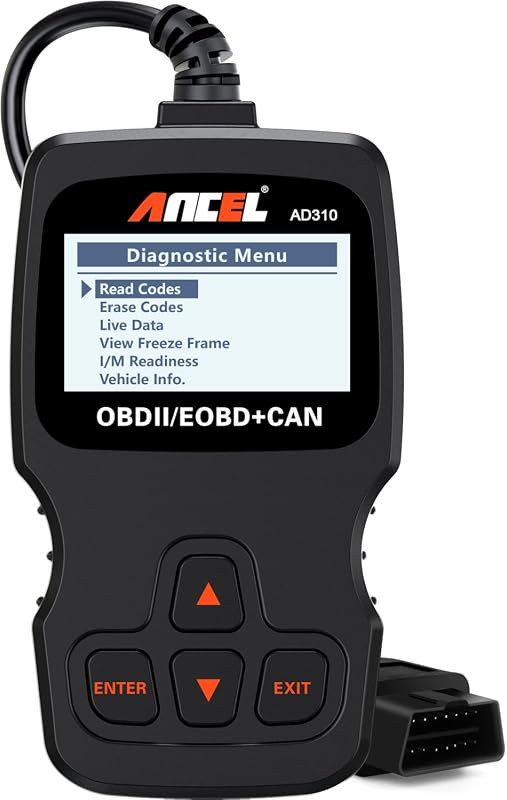
For readers comparing basic scan tools, this is the same general lane covered by many entry-level and midrange OBD2 devices. If you want a broader look at that category, our guide on whether the Foxwell NT301 is a good OBD2 scanner explains what a simpler code reader can and cannot do.
Model-year and protocol coverage: what vehicles it can communicate with
The 5610 works best with vehicles that support standard OBD2 communication. In the United States, that generally means gasoline vehicles from the mid-1990s onward, but exact compatibility still depends on the model, engine, and onboard system.
Check: Verify make, model, year, trim, voltage, ports, mounting space, and OEM requirements. Limitations: Standard OBD2 support does not guarantee access to key programming, immobilizer, or all manufacturer-specific modules.
That difference is important. A scanner may talk to the engine computer and still be blocked from the security system that handles keys. If you are comparing tools for deeper functions, our article on whether Topdon TopScan can program keys is a helpful contrast point.
Ignition mode, port location, and basic scan setup
Using a scanner like the 5610 usually starts with the vehicle in the correct ignition mode, the OBD2 port located, and the tool connected securely before starting the scan. The port is often under the dash near the steering column, but the exact location can vary.
What the Innova 5610 Cannot Do: Key Programming and Other Hard Limits
This is the part that matters most for shoppers with lost keys or security faults. The Innova 5610 is not a full immobilizer programmer, and it should not be expected to add keys, clone transponders, or perform advanced security relearns.
Why most key programming requires immobilizer access or advanced scan tools
Modern keys are tied to anti-theft systems. Programming them often requires access to locked security functions, manufacturer credentials, or a tool built specifically for immobilizer work.
That is why many DIY scanners stop at diagnostics. They can show fault codes related to the security system, but they cannot complete the secure handshake needed to authorize a new key. If you need a deeper comparison, see our related piece on whether BlueDriver can program keys.
Reset limitations: relearns, adaptations, and security functions it won’t handle
Some owners hope a scanner can clear everything with one button. In practice, relearns, module adaptations, and security resets are often restricted by the vehicle or by the tool’s software limits.
The 5610 may help with certain maintenance resets or code clearing, but that is not the same as security programming. If the vehicle needs a key relearn, immobilizer pairing, or module replacement coding, the scanner may not reach that function at all.
If the vehicle has a no-start condition tied to the immobilizer, do not keep cycling the ignition or clearing codes blindly. Record the codes and symptoms first, then follow the vehicle service information or contact a qualified locksmith or dealer.
When diagnosis stops and a locksmith or dealer becomes necessary
Once you confirm the problem is security-related, diagnosis usually ends and service access begins. A locksmith may be the better first call if you need a spare key, lost-all-keys service, or transponder programming without dealer pricing.
A dealer may still be necessary for certain brands, newer smart keys, or situations where manufacturer authorization is required. The scanner can help you document the issue, but it cannot replace the security credentials built into the vehicle.
Compatibility Guide: Vehicles, Systems, and Driver Use Cases in the U.S.
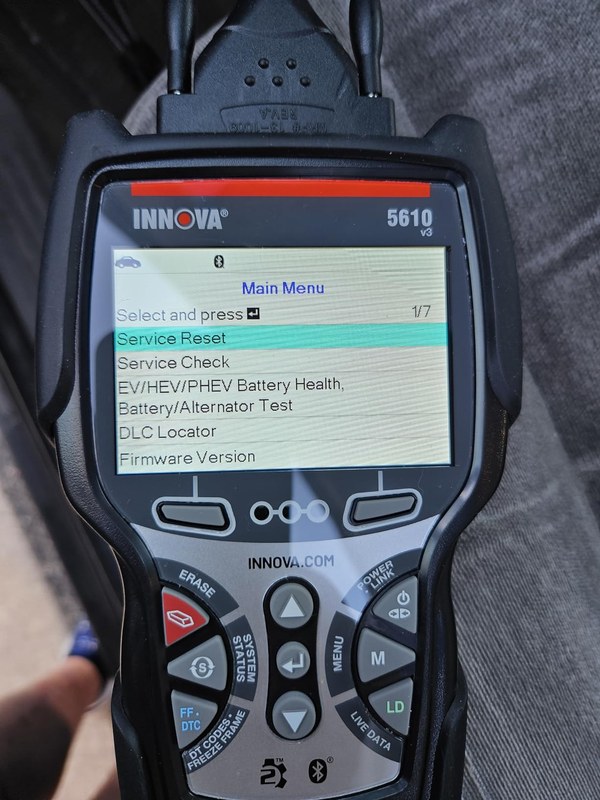
Compatibility is where many scanner buyers get tripped up. A product can be good at diagnostics and still be the wrong fit for your vehicle type, your repair goals, or the way you drive.
Gas, diesel, hybrid, and EV cautions
Gasoline OBD2 coverage is usually the easiest match for a scanner like the 5610. Diesel, hybrid, and EV platforms can add extra system complexity, and some functions may be limited or unavailable depending on the vehicle.
That does not mean the tool is useless on those vehicles. It means you should verify the exact module support before buying, especially if your main goal is battery, charging, or security-related work.
Which model years and OBD2 protocols are the best fit
For most US drivers, the best fit is a standard OBD2 vehicle with accessible diagnostic ports and common emissions-related data. Older pre-OBD2 vehicles and some specialty platforms are poor matches.
If your vehicle is older or uses a less common setup, a basic scanner may only give partial information. That is one reason to check the owner manual and the tool’s compatibility list before assuming a key or module issue can be handled at home.
Ideal owners: DIY drivers, used-car buyers, and light repair shoppers
The 5610 makes the most sense for drivers who want to read codes, check readiness monitors, and understand repairs before paying a shop. It is also helpful for used-car buyers who want a quick scan before purchase.
It is less useful for people who need advanced coding, programming, or security access. If your main goal is key replacement, the scanner should be treated as a diagnostic helper, not the final tool.
Battery and Electrical Checks: What the 5610 Helps You Verify
Many “key” complaints are really voltage complaints. A weak battery, poor connection, or unstable electrical system can create symptoms that look like a bad key or failed immobilizer.
System voltage, battery chemistry, and state of charge versus battery health
The 5610 can help you look at system voltage and related data where supported. That can be useful, but voltage alone does not tell the full story about battery health or reserve capacity.
A battery may show acceptable voltage and still fail under load. Likewise, a low-voltage event can confuse modules and trigger false security or communication faults. In those cases, diagnosis should continue with the battery and charging system, not the key fob first.
Correct connection order, damaged-battery stop conditions, and safety limits
Always connect the tool with the vehicle parked and stable, following the scanner instructions and the vehicle manual. If the battery is swollen, leaking, hot, or physically damaged, stop and get professional help.
When battery testing is useful and when a professional load test is better
Scanner-based voltage checks are helpful for quick screening and for spotting patterns. But they are not a substitute for a proper load test when you need to know whether the battery can actually deliver current under demand.
That distinction matters for no-start complaints. A battery can look fine in the scanner and still fail in real use. If you want a dedicated battery-tool comparison, our article on whether the Topdon battery tester is any good covers that category in more detail.
Tire and TPMS Value: What You Can Confirm Before You Drive
The Innova 5610 is not a tire inflator or TPMS service machine, but it can still support smarter tire decisions when you are checking vehicle data and warning lights. That is useful for everyday driving, road trips, and used-car inspections.
Door-jamb placard pressure, cold inflation, and gauge accuracy
Any tire check should start with the vehicle’s door-jamb placard, not the sidewall. Use a cold tire reading when possible, because heat from driving raises pressure and can hide a low tire.
The scanner won’t replace a tire gauge, but it can help you understand whether a tire warning light is part of a broader vehicle fault. That is especially helpful when the dash shows multiple alerts at once.
Inflator duty cycle, temporary-repair limits, and puncture-location thresholds
If a tire needs air or a temporary repair, the scanner is only part of the picture. You still need to know whether the puncture is in a repairable area, whether the tire has been driven too long underinflated, and whether a temporary seal is safe enough to get to a shop.
Those limits are set by the tire maker and repair standards, not by the OBD2 tool. If the tire has sidewall damage, a large cut, or repeated air loss, replacement is often the safer choice.
TPMS relearn limits and when a tire shop should handle the repair
Some vehicles need a TPMS relearn after tire service, but that function is not guaranteed on a general scanner. Even when a tool can read tire-related data, it may not complete the relearn procedure.
For DIY owners, that means a tire shop may still be the most efficient choice after sensor replacement, wheel changes, or seasonal swaps. The scanner can help identify the issue, but not always finish the job.
Roadside and Emergency Use: Practical Limits, Safety, and Storage
For roadside use, the biggest question is not whether the scanner works in a parking lot. It is whether you can use it safely, quickly, and without creating more risk in traffic or bad weather.
Safe location, traffic visibility, and post-use inspection
If you are scanning a vehicle roadside, move to a safe location first. Use hazard lights only when appropriate, stay visible, and avoid standing in traffic lanes while you connect the tool or check codes.
After use, inspect the connector and cable for wear. A damaged cable or loose port fit can turn a simple scan into an unreliable reading, which is the last thing you want during an emergency.
Cable or pack condition, current limits, and tool completeness
For any emergency diagnostic setup, make sure the tool is complete and the accessories are in good condition. If the scanner relies on a cable, the connector should seat fully and not wobble.
Storage conditions and why maintenance matters before an emergency
A scanner is easy to forget until the warning light comes on. That is why storage matters. Heat, moisture, and rough handling can shorten the life of the tool or make the cable unreliable.
If the tool uses an app or account, check that your login still works and that the device is recognized before a trip. Connected tools can also raise privacy questions, so review app permissions and data-sharing settings when you set it up.
Buying Guide and Comparison: Innova 5610 vs. Better-Fit Alternatives
If your main goal is key programming, the 5610 is not the right buy. The better comparison is between a midrange diagnostic scanner, a dedicated battery or TPMS tool, and a locksmith-grade key programmer.
| Option | Best for | Owner consideration | Driver consideration |
|---|---|---|---|
| Innova 5610 | Codes, live data, readiness checks | Useful for general diagnosis; limited security access | Simple parked use with low distraction |
| Key programmer | Adding or relearning keys | Higher cost and narrower use case | Should be used only when needed and by the right user |
| Dealer or locksmith tool | Immobilizer and security work | Often more expensive, but more capable | Usually the safest path for lost-keys problems |
Side-by-side criteria: key programming, diagnostics, battery tools, TPMS, and support
When you compare tools, look at the exact function you need. Diagnostics, battery checks, and TPMS support are not the same as key programming, and a product that excels at one may fail at the others.
Support also matters. Firmware updates, documentation quality, and warranty terms can be more important than a long feature list if you plan to keep the tool for years.
Which option fits different drivers, vehicles, and budgets
For a daily driver who wants to read codes and check readiness, the 5610 can be a sensible middle ground. For a lost-key situation, a dedicated programmer or professional service is usually the better choice.
If you are shopping on a tighter budget and only need basic code reading, a simpler scanner may be enough. If you want to compare another common scan-tool path, our article on whether the Foxwell NT301 can clear codes helps set expectations for basic readers.
Warranty, firmware updates, app permissions, and ownership cost
Ownership cost is more than the purchase price. Add in any app access, update policy, accessories, storage needs, and the time it takes to keep the tool current.
Transparent Verdict: Who Should Buy the Innova 5610 and What to Do Next
The Innova 5610 is a practical diagnostic scanner for drivers who want code reading, live data, and emissions checks. It is not a key programmer, and that limitation should guide the purchase.
- Best for: DIY drivers and used-car shoppers who need reliable OBD2 diagnosis, not immobilizer work.
- Think twice if: Your main goal is adding keys, relearning smart keys, or handling security functions.
- Next step: Verify your vehicle’s exact key system and contact a locksmith or dealer if the issue is security-related.
Common Questions
No. It is not a key programmer and cannot enroll most vehicle keys.
Yes. It can read codes and data that may point to battery, communication, or security faults.
No. Coverage depends on the vehicle’s year, protocol, and module access.
Yes. It can help you scan for codes and readiness issues before you buy.
No. Save the codes first so you do not erase useful clues.
Frequently Asked Questions
Check your vehicle’s model year, OBD2 support, and the exact functions you need. If key programming is your goal, this is the wrong tool.
That depends on the package and current manufacturer policy. Review the update and app details before you buy so you know the ownership cost.
Yes, if you stay parked in a safe location and keep clear of traffic. Do not work around moving parts, hot components, or a damaged battery.
It may read some codes, but it is not a dedicated security-programming tool. If the vehicle needs key relearn or immobilizer access, you will likely need a locksmith or dealer.
It can help you check system voltage and related data on supported vehicles. For a true battery health answer, a load test is often better.
It can be, if you want a dependable scanner for diagnostics and maintenance checks. It is less valuable if you need advanced coding, TPMS service, or key programming.