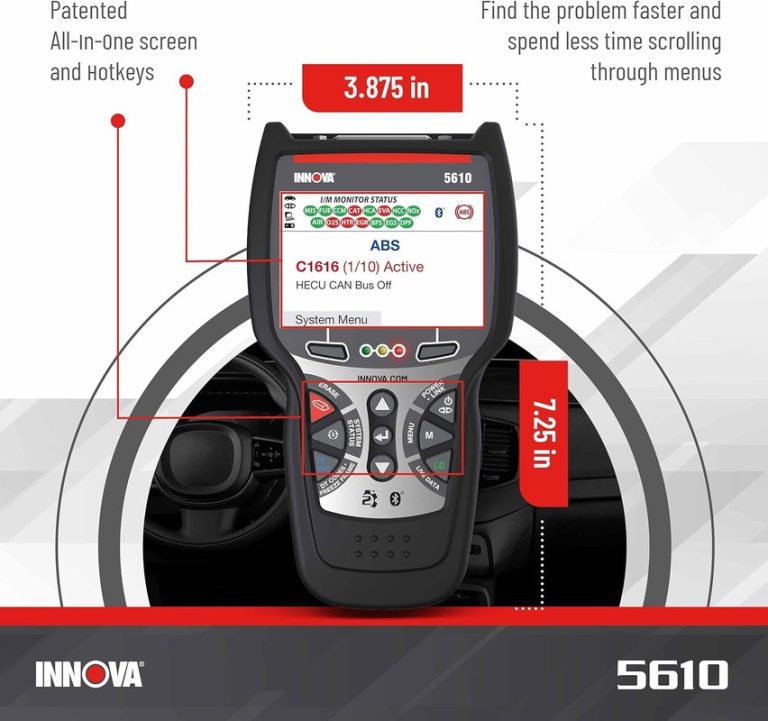
9 Best OBD2 Scanners for Honda Buying Guide
The best obd2 scanner for Honda depends on whether you want a simple check-engine-light reader, a Bluetooth app-based tool, or a more advanced scanner that reaches beyond basic engine codes. For most Honda owners in the U.S., the smart move is to start by matching the scanner’s functions to your exact year, model, trim, and the systems you actually want to diagnose.
Honda drivers often shop for an OBD2 scanner to read and clear engine codes, check readiness monitors before inspection, and watch live data without paying a shop for every warning light. The picks below compare wired and Bluetooth options, entry-level readers and fuller diagnostic tools, with a clear eye on compatibility, ease of use, and the limits of each scanner type.
The OBDLink MX+ stands out for Honda owners who want strong app-based diagnostics and broader enhanced coverage, while the ANCEL AD310 remains a practical low-hassle choice for basic engine-code checks. The main limitation across this category is that not every scanner supports every Honda system, trim, or advanced service function.
Quick Product Comparison
| Product | Image | Best For | Current Price |
|---|---|---|---|
| 1. ANCEL AD310 | 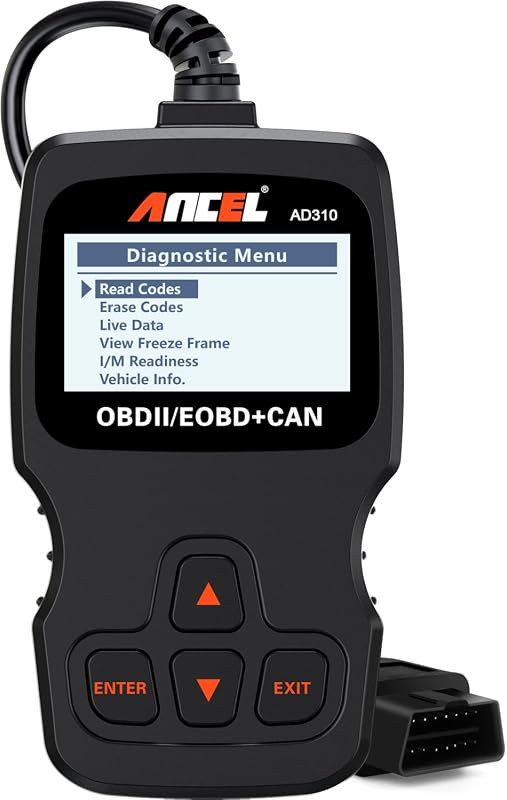 |
Honda owners who want a simple wired code reader for basic engine diagnostics and inspection prep | See Price → |
| 2. OBDLink MX+ | 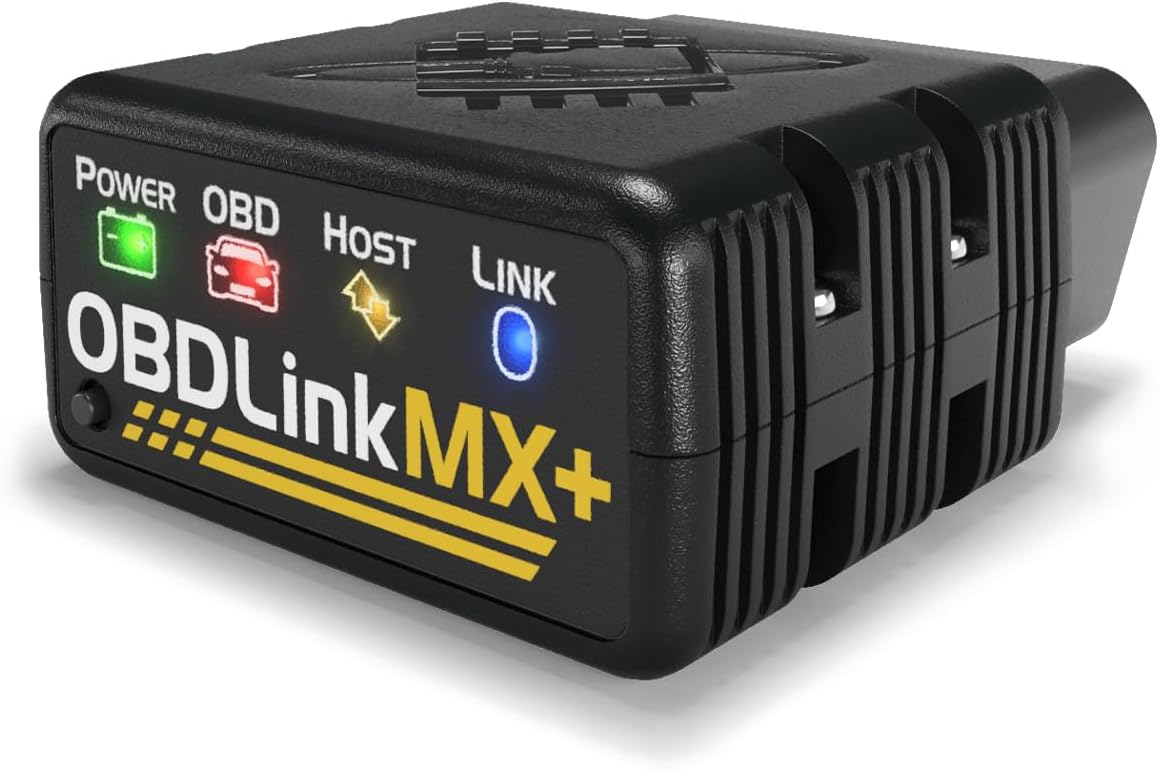 |
Drivers who want a Bluetooth scanner for phone or PC use with stronger OEM-related app support | See Price → |
| 3. ANCEL JP700 | 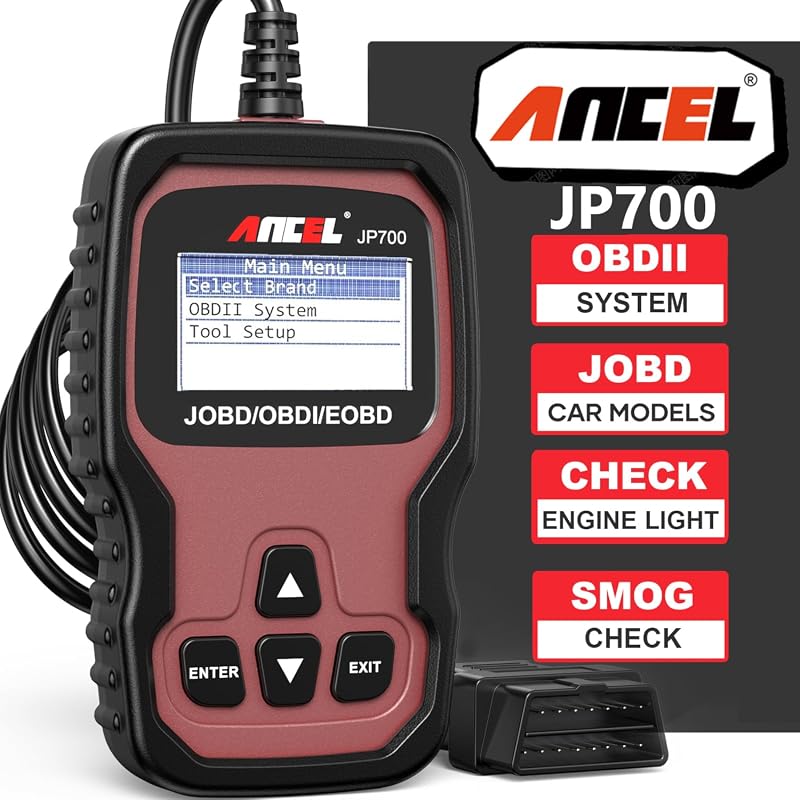 |
Honda shoppers prioritizing Japanese-vehicle-focused compatibility and basic plug-and-play use | See Price → |
| 4. ANCEL AD410 | 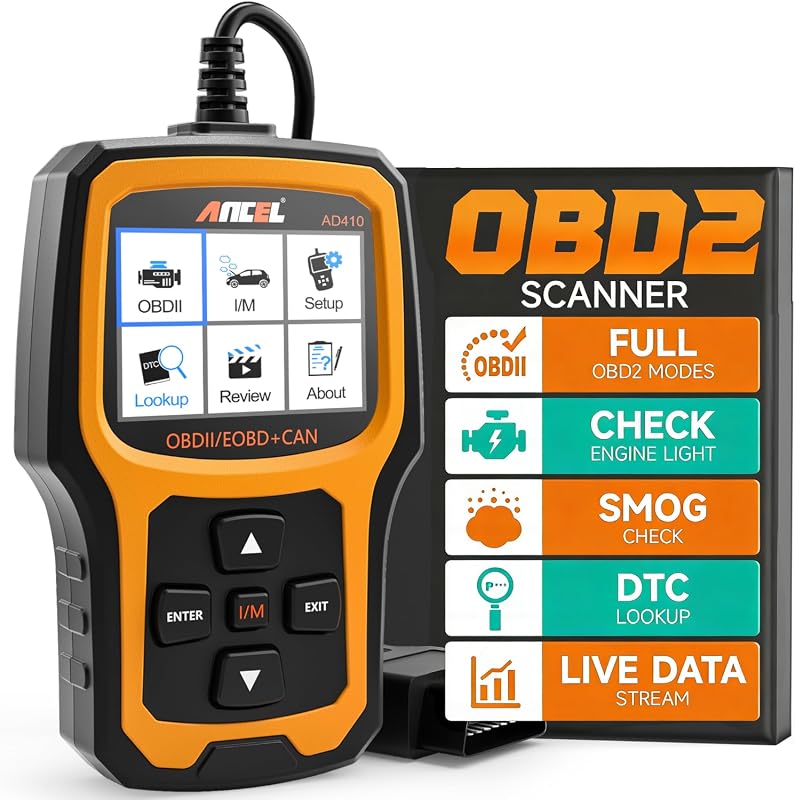 |
Beginners who want a color-screen wired scanner with built-in code definitions | See Price → |
| 5. Veepeak OBDCheck BLE | 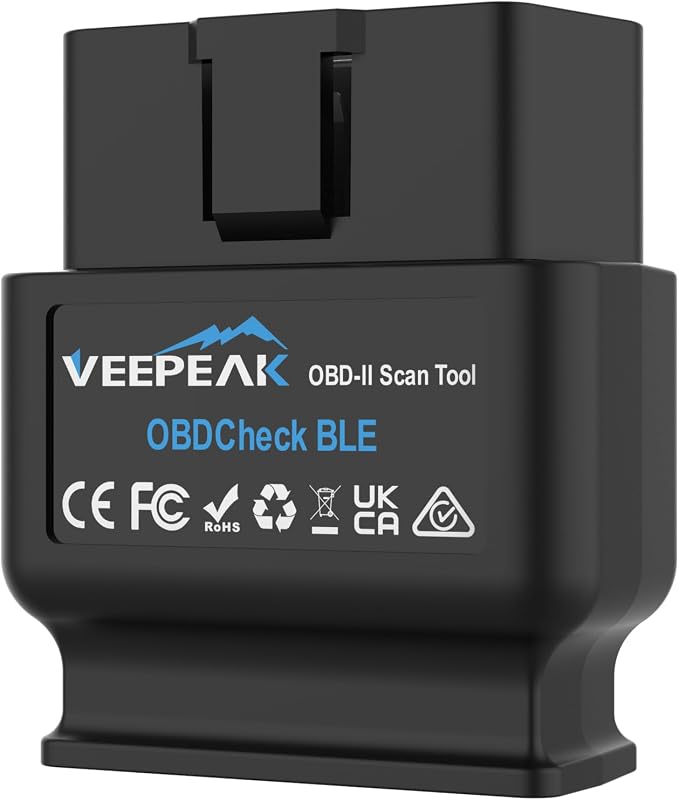 |
Budget-minded app users who want Bluetooth LE for iPhone or Android | See Price → |
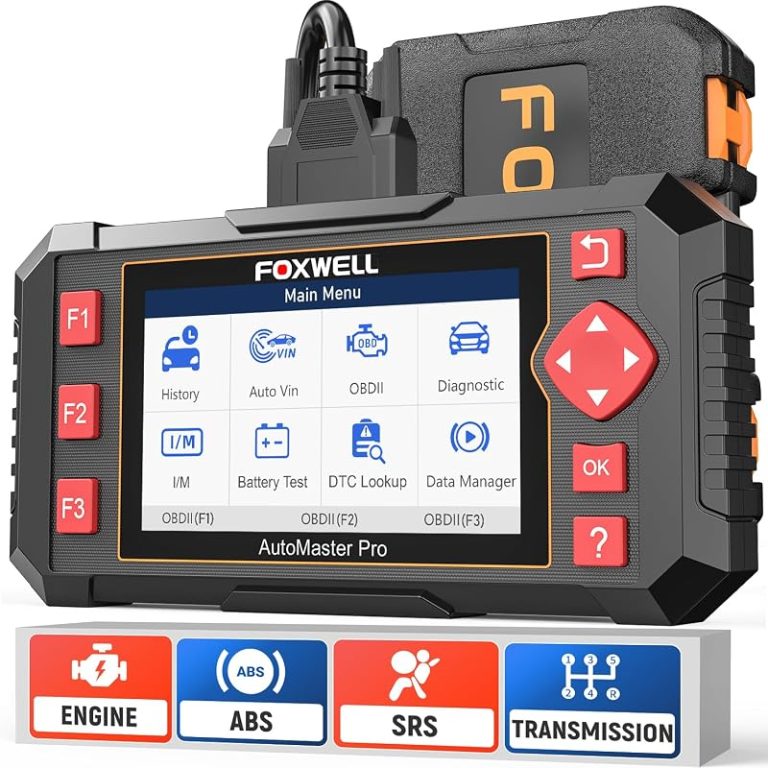
| 6. FOXWELL NT301 | 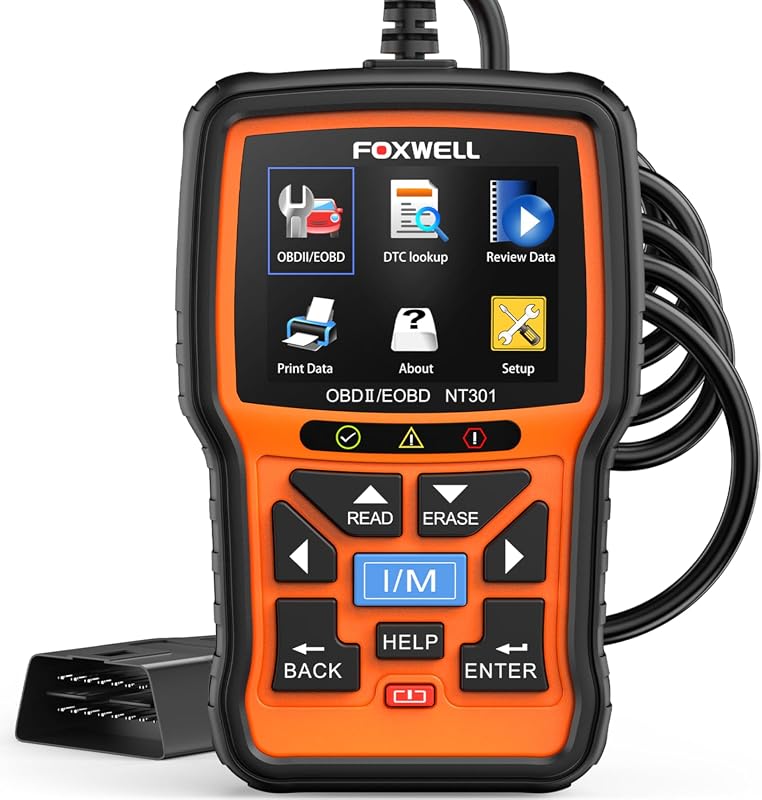 |
Owners who want a dedicated wired scanner with live data graphing | See Price → |
| 7. BlueDriver | 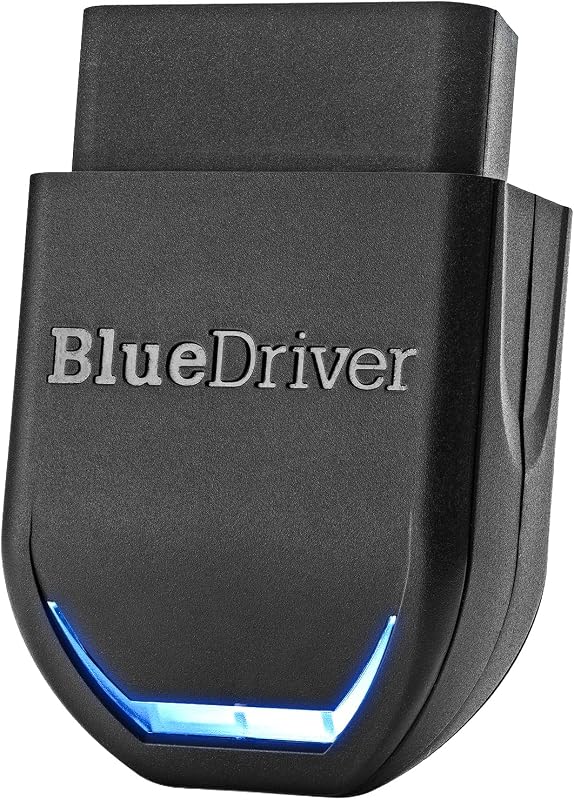 |
Honda owners who want app-based diagnostics with expanded system coverage on supported vehicles | See Price → |
| 8. FOXWELL NT624 Elite | 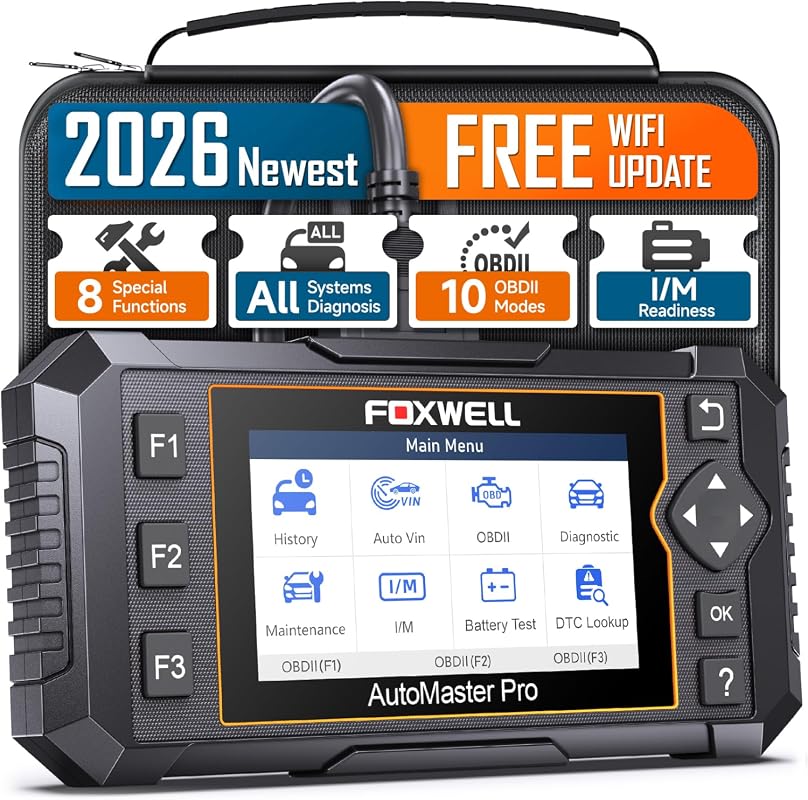 |
DIY users wanting fuller system access and maintenance functions in one scanner | See Price → |
| 9. KONNWEI Scanner | 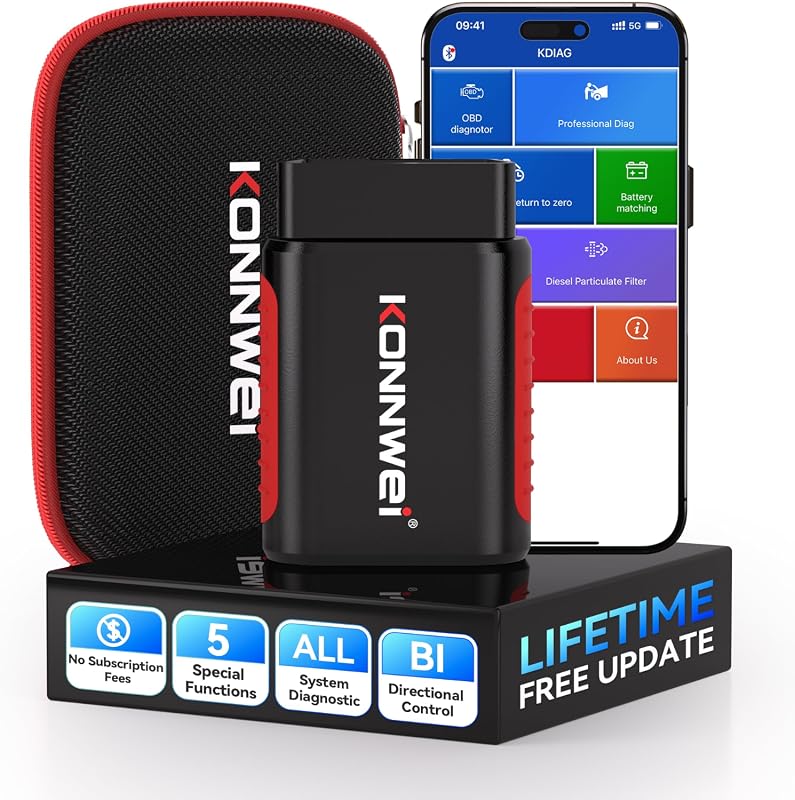 |
Shoppers exploring lower-cost Bluetooth tools with app-based active-test claims | See Price → |
Best Obd2 Scanner For Honda: What to Look For
The first thing to decide is whether you need a basic code reader or a more advanced diagnostic tool. A simple wired unit like the ANCEL AD310 or AD410 can read and clear engine fault codes and help with emissions readiness, while Bluetooth models such as the OBDLink MX+, Veepeak OBDCheck BLE, and BlueDriver rely on an app and may offer a broader display experience or expanded data access.
Next, check how much Honda-specific or enhanced coverage is actually listed. The OBDLink MX+ specifically mentions enhanced OEM support for Honda, while BlueDriver says it can access expanded diagnostics including ABS, SRS, TPMS, and transmission on supported vehicles. That difference matters if you are shopping for more than check-engine-light troubleshooting.
It also helps to think about how you want to use live data. Some owners prefer a self-contained screen with no phone required, which makes scanners like the ANCEL AD410 and FOXWELL NT301 appealing. Others may prefer using their phone as the interface, especially if they already read up on how to use a phone as an OBD2 scanner and want a smaller adapter left in the glovebox.
Another key factor is whether you need service functions or active tests. The FOXWELL NT624 Elite and KONNWEI are positioned as more advanced options, but function availability can vary by vehicle. If you are comparing entry-level readers against more capable tools, CarValleyNJ’s guide to cheap vs expensive OBD2 scanner choices is a useful way to frame the trade-offs.
Finally, think about setup style and roadside use. Wired scanners can be easier for quick plug-in checks without app pairing, while Bluetooth tools reduce cable clutter but depend on phone compatibility and app support. If you are still deciding between these two formats, this breakdown of Bluetooth vs wired OBD2 scanner options can help narrow the field.
Our Top 9 Picks
1. ANCEL AD310 Universal OBD2 Scanner with CAN Support, Reads and Clears Engine Fault Codes
The ANCEL AD310 is a straightforward wired scanner aimed at Honda owners who mainly want to read and clear engine trouble codes without dealing with apps, batteries, or subscriptions. Its biggest strength is simplicity and broad OBDII protocol support, while the main limitation is that the supplied details focus on engine-related diagnostics rather than advanced Honda system access.
Key Features That Matter
- Supports all listed OBDII protocols including KWP2000, J1850 VPW, ISO9141, J1850 PWM, and CAN, which matters for owners checking compatibility across older and newer OBD2-era Honda models.
- Reads and clears diagnostic trouble codes, shows live data, freeze frame, EVAP tests, I/M readiness status, and vehicle information, making it useful for common check-engine-light and inspection-prep tasks.
- Draws power directly from the vehicle’s OBDII connector, so there is no separate battery or charger to manage during routine use.
- Compact housing and a thick 2.5-foot cable can be helpful for glovebox storage and occasional roadside diagnostics.
Honda owners who want a dependable basic code reader for engine faults, readiness checks, and quick plug-in use.
- Simple offline wired operation with no app required
- Includes live data and readiness-related functions
- Broad listed OBDII protocol support
- Supplied details do not claim ABS, SRS, or advanced service functions
- Exact Honda trim and model compatibility should still be verified
2. OBDLink MX+ Bluetooth OBD2 Scanner for iPhone, Android, and Windows Vehicle Diagnostics
The OBDLink MX+ is a strong fit for Honda drivers who want a Bluetooth scanner that works with iPhone, Android, or Windows and pairs with a wide range of diagnostic apps. Its standout advantage is the supplied enhanced OEM support that specifically includes Honda, while the trade-off is that app choice and feature depth need to be confirmed for your exact vehicle and intended use.
Key Features That Matter
- Works with iPhone, Android devices, and Windows PCs, giving owners flexibility in how they view codes and live data.
- Recommended for apps such as FORScan, Torque, BimmerCode, Dashcommand, AlfaOBD, Carista, and more, which matters if you already prefer an app-based workflow.
- Lists enhanced OEM support for Honda along with several other brands, a meaningful point for readers wanting more than generic code reading.
- Claims access to more live parameters including ABS, SRS, and TPMS than other scanners, which may matter for supported Honda vehicles.
- Includes over-voltage and battery-drain protection plus firmware updates, which can be useful for longer-term ownership.
Honda owners who want a versatile Bluetooth adapter with broad device support and stronger enhanced-diagnostics potential.
- Explicitly lists Honda in enhanced OEM support
- Works across iPhone, Android, and Windows
- Includes protection features and firmware updates
- App selection affects the owner experience and available features
- Enhanced coverage should be confirmed for your exact Honda system and model year
3. ANCEL JP700 JOBD Scanner for Japanese Vehicles, OBD2 Code Reader and Diagnostic Tool
The ANCEL JP700 stands out because it is specifically positioned for Japanese vehicles and adds JOBD support alongside OBD2 and EOBD. For Honda shoppers, that focus may make it especially appealing, but the listing also says Japanese-car support starts after 2002, so older models need careful verification.
Key Features That Matter
- Adds JOBD protocol support for Japanese vehicles and specifically names Honda among supported brands, which is the clearest Honda-focused positioning in this roundup.
- Reads and clears engine trouble codes, shows live data stream, freeze frame, and I/M readiness monitors, covering the core functions many DIY owners need first.
- Plug-and-play operation with menu-driven navigation can be a plus for owners who want a dedicated scanner instead of a phone adapter.
- Lifetime free software updates are listed, though updates are supported on Windows 7/8/10/11 systems.
- Large backlit LCD and a rugged detachable protective case may help occasional home-garage use.
Honda and other Japanese-brand owners who want an affordable dedicated scanner with JOBD-focused positioning.
- Specifically targets Japanese vehicles including Honda
- Includes core live-data and readiness functions
- Lifetime free updates are listed
- Japanese vehicle support note says after 2002 only
- Supplied details focus on engine diagnostics, not full-system access
4. ANCEL AD410 Enhanced OBD2 Scanner with Live Data, Instantly Reads and Clears Fault Codes
The ANCEL AD410 is a beginner-friendly wired scanner that adds a color display, built-in DTC lookup, and offline operation. It is a sensible middle ground for Honda owners who want more on-screen guidance than a bare-bones reader, but the supplied information clearly says it is mainly for engine diagnostics.
Key Features That Matter
- Reads and clears stored and pending emissions-related codes and includes over 42,000 built-in DTC lookups, which can reduce guesswork when a warning light appears.
- Offers O2 sensor testing, EVAP testing, live data, and monitor readiness functions for owners tracking common engine-related issues.
- Uses a 2.4-inch TFT true-color display with icon-and-text UI, which may be easier for first-time scanner buyers to navigate.
- Works offline with no phone, app, or internet required, a plus for roadside or garage use.
- Allows review, saving, or printing of diagnostic reports and includes lifetime free software updates.
Honda owners who want an easy-to-read wired scanner with built-in code definitions and no app dependence.
- Color screen and built-in DTC definitions
- Offline plug-and-play use
- Includes live data and readiness-related functions
- Listing says it does not support ABS, SRS, or transmission systems
- Best suited to engine diagnostics rather than full-system work
5. Veepeak OBDCheck BLE Bluetooth OBD2 Scanner Adapter for iOS and Android Diagnostics
The Veepeak OBDCheck BLE is a compact Bluetooth adapter for drivers who prefer using an app on iPhone or Android rather than carrying a separate handheld scanner. It covers core OBD-II diagnostics well on paper, but buyers need to remember that the app is not included and feature access depends on the app they choose.
Key Features That Matter
- Reads and clears check engine light codes and provides freeze frame, O2 sensor results, onboard monitor tests, live data, and I/M readiness information.
- Supports Bluetooth LE for iOS and Android, which is a practical fit for modern phone-based diagnostics.
- Works with a wide range of apps including Car Scanner ELM OBD2, OBD Fusion, Torque on Android, Infocar, and others.
- The listing notes that some apps or features require separate purchase, which is important for total ownership cost.
Honda owners who want a lower-profile Bluetooth adapter for routine engine-code checks and live data through a phone app.
- Bluetooth LE support for iPhone and Android
- Works with several popular OBD apps
- Covers core generic OBD-II functions
- App not included and some features may cost extra
- Vehicle compatibility details in the supplied listing are not Honda-specific, so verify before buying
6. FOXWELL NT301 OBD2 Scanner with Live Data, Professional Code Reader for Check Engine Light
The FOXWELL NT301 is a dedicated wired code reader for owners who want live data graphing in a self-contained tool. It is best viewed as a stronger engine-diagnostics scanner rather than a full-system Honda tool, and readers who want more detail can also check CarValleyNJ’s guide to the best FOXWELL NT301 OBD2 scanner.
Key Features That Matter
- Reads DTCs, checks e-missions readiness status, turns off the check engine light or MIL, resets monitor status, and retrieves VIN information.
- Provides live data graphing for oxygen sensors, fuel trims, coolant temperature, RPM, and more, which can help spot trends rather than just static codes.
- Includes advanced OBDII modes such as O2 sensor testing and EVAP system leak monitoring.
- Supports listed OBDII protocols including KWP2000, J1850 VPW, ISO9141, J1850 PWM, and CAN.
Honda owners who want a wired scanner with graph-based live data for engine troubleshooting.
- Live data graphing adds useful troubleshooting context
- Strong engine-code and readiness feature set
- No app pairing required
- Listing says it does not support ABS, SRS, EPB, A/C, battery, or advanced special functions
- Compatibility and menu selection still need verification on the vehicle
7. BlueDriver Bluetooth OBD2 Scanner with ABS, SRS, and TPMS Diagnostics, No Subscription
BlueDriver is aimed at owners who want a more capable Bluetooth scanner than a basic code reader, especially for supported vehicles where ABS, SRS, TPMS, and transmission access may matter. For Honda drivers who want app-based convenience without a stated subscription, it is a compelling option, but its broader coverage still depends on vehicle support.
Key Features That Matter
- Claims expanded code access beyond check-engine diagnostics, including ABS, SRS, airbag, TPMS, transmission, and more on supported vehicles.
- Provides repair reports matched to VIN along with definitions, causes, and confirmed fixes, which may help owners make sense of fault information.
- Supports live data, freeze frames, smog readiness, and Mode 6 test results.
- Lists strong make coverage including Honda among many major brands.
- States no subscription in the product title, an important ownership detail for many buyers.
Honda owners who want a Bluetooth scanner with broader supported-system coverage than a basic generic reader.
- Broader listed diagnostics than basic code readers
- Includes VIN-matched repair-report guidance
- No subscription is stated in the title
- Expanded diagnostics are only on supported vehicles
- Phone-based use means setup and app interaction should be handled while parked
8. FOXWELL NT624 Elite OBD2 Scanner with Full-System Diagnostics and 8 Reset Functions
The FOXWELL NT624 Elite is the most workshop-leaning option in this roundup, with full-system diagnostics and multiple maintenance functions listed. It makes the most sense for Honda DIY users who want more than generic engine-code reading, but function availability varies by vehicle and some advanced tasks still have stated limits.
Key Features That Matter
- Lists OE-level full-system diagnostics for major modules such as engine, transmission, ABS, SRS, TPMS, suspension, HVAC, BMS, EPB, SAS, headlamp, and more.
- Offers eight maintenance functions including ABS bleeding, oil reset, SAS calibration, EPB service, throttle matching, injector coding, and battery registration.
- Supports full OBDII diagnostics with live sensor data in text and graph form.
- Uses one-click free Wi-Fi updates and does not require account registration before use.
- Lifetime free updates are listed, which may help long-term value.
Honda DIYers who want fuller system access and maintenance-related functions in a single handheld scanner.
- Most comprehensive supplied feature list in this roundup
- Includes multiple maintenance functions
- Wi-Fi updating and lifetime updates are listed
- Function availability varies by vehicle and should be checked before purchase
- Listing also notes some functions it cannot support
9. KONNWEI Bluetooth OBD2 Scanner with Bi-Directional Control and Full System Scan
The KONNWEI is positioned as a lower-cost Bluetooth scanner with broad claims including full-system access, maintenance resets, and bidirectional control through a smartphone app. That makes it interesting for advanced-feature shoppers, but it is also the pick here where compatibility verification matters most because the supplied details repeatedly note that support can vary.
Key Features That Matter
- Lists comprehensive diagnostics for systems that may include engine, transmission, and ABS, with one-click code reading.
- Claims bidirectional control through the smartphone app for active testing of items such as windows, doors, and sunroofs.
- Lists maintenance functions including battery match, oil reset, EPB, DPF, and TPMS reading.
- Claims access to a wide range of systems across more than 40 car brands including Honda.
- Bluetooth app-based setup is described as a one-click connection through the KDIAG app.
Shoppers who want to compare an app-based scanner with active-test and service-function claims at a lower entry cost.
- Ambitious feature list including bidirectional control and resets
- Compact Bluetooth setup for phone-based use
- Broad brand list includes Honda
- Compatibility may vary and needs careful verification before purchase
- App-based advanced functions should not be assumed to work on every Honda
Before buying any scanner for a Honda, verify your exact year, model, trim, engine, and whether you need only generic OBD2 engine diagnostics or access to OEM-related systems like ABS, SRS, TPMS, transmission, EPB, or service resets. For Bluetooth models, also confirm phone operating system, app support, update method, and whether the manufacturer or retailer specifically lists your vehicle.
Buying Guide
If you only want to understand a Honda check engine light and confirm readiness monitors before inspection, a basic wired scanner is often enough. If you also want app-based dashboards, broader live data, or possible access to systems beyond the engine, a Bluetooth adapter or fuller handheld tool may be the better fit.
The biggest buying mistake in this category is assuming that “full system,” “enhanced,” or “bidirectional” means identical support on every Honda. It does not. Always separate generic OBD2 functions from manufacturer-specific functions, and always confirm support for your exact vehicle before you buy.
- Confirm compatibility before purchase.
- Configure and test while parked.
- Secure mounts and wiring, then maintain the device.
- Block the driver’s view.
- Cover airbags, controls, or factory sensors.
- Rely on unverified specifications or universal-fit claims.
Verify vehicle, power, ports, mounting space, included parts, and manufacturer instructions.
Keep equipment away from visibility, airbags, pedals, controls, sensors, and moving parts.
Complete setup while parked and verify connections, readings, pressure, power behavior, tool functions, and app access when relevant before driving.
- Confirm year, make, model, and trim compatibility.
- Check power, port, app, mounting, and storage requirements.
- Review warranty, returns, support, and update policy.
- Count installation, accessory, subscription, and maintenance costs.
- Confirm normal use will not obstruct visibility, controls, airbags, or sensors.
- ANCEL AD310: Best for simple Honda engine-code reading and quick offline checks, but it is not presented as a full-system scanner.
- OBDLink MX+: Best for Honda owners who want flexible Bluetooth diagnostics and stronger enhanced-coverage potential, but app and vehicle support should be verified.
- ANCEL JP700: Best for Japanese-vehicle-focused buying intent, especially Honda shoppers, with the trade-off that older model compatibility needs extra attention.
- ANCEL AD410: Best for beginners wanting a color-screen wired scanner with built-in code definitions, but it is mainly for engine diagnostics.
- Veepeak OBDCheck BLE: Best for phone-based generic OBD2 diagnostics at a lower profile, but app choice affects the experience and total value.
- FOXWELL NT301: Best for live-data graphing in a dedicated handheld unit, but it stops short of advanced system and service-tool coverage.
- BlueDriver: Best for broader supported-system diagnostics in a Bluetooth format, though expanded Honda coverage still varies by vehicle.
- FOXWELL NT624 Elite: Best for DIY owners who want fuller system access and maintenance functions, but feature availability must be confirmed before purchase.
- KONNWEI Scanner: Best for comparing lower-cost advanced-feature claims, but it requires the most careful compatibility checking in this group.
- Compatibility: Verify the exact vehicle and installation requirements.
- Safety: Install and configure the device while parked.
Frequently Asked Questions About Best Obd2 Scanner For Honda
Not always. Most 1996-and-newer Hondas can use generic OBD2 functions, but advanced features like ABS, SRS, TPMS, service resets, or bidirectional controls vary by scanner and exact vehicle.
For many owners, yes. If your main goal is reading and clearing check engine light codes, checking I/M readiness, and viewing simple live data, a basic reader can be enough.
A wired scanner is usually simpler because it has its own screen and does not depend on phone pairing. A Bluetooth scanner is smaller and often more flexible, but it depends on app support, phone compatibility, and safe parked-only use.
Many scanners can clear the light after reading the code, but clearing the code does not fix the underlying problem. If the issue remains, the light and code may return.
Not always. Some wired scanners work completely offline, while some Bluetooth tools rely on apps that may have free and paid feature tiers, so check current app and update details before buying.
You will usually need a scanner that specifically lists enhanced or expanded system coverage rather than a basic generic code reader. Even then, confirm support for your exact Honda year, model, and system before ordering.
Choosing the best obd2 scanner for Honda comes down to buying for your real use case, not the longest feature list. If you only need basic engine diagnostics, a simple wired reader can be the smarter choice; if you want broader data or supported-system access, a Bluetooth or fuller handheld model may be worth the step up.
The safest path is to verify Honda compatibility first, then compare setup style, app dependence, and the exact functions you expect to use. That approach will help you avoid overpaying for features your vehicle may not support and pick the tool that actually fits your garage and roadside needs.