The Foxwell NT301 can help you read fuel trim by showing STFT and LTFT in live data, which is useful for lean-code checks. Look for the pattern at idle and cruise, then use it to narrow the cause before clearing codes or buying parts.
how to read fuel trim on foxwell nt301 is easiest to understand when you treat the scanner like a clue finder, not a repair tool. If your check engine light points to a lean code, the fuel trim numbers can help you decide whether the problem looks like extra air, weak fuel delivery, or a sensor issue.
Read the pattern: Positive trims usually mean the computer is adding fuel, which often supports a lean-condition.
Compare conditions: Idle, cruise, and load readings can point to a vacuum leak, fuel delivery issue.
Know the limits: The NT301 shows standard OBD2 live data, but not full factory-level diagnostics or bidirectional.
Check compatibility:Fuel trim PIDs vary by vehicle, year, and protocol, so not every car shows.
Stay safe: Read data while parked, record freeze frame first, and stop if the car runs.
How to Read Fuel Trim on Foxwell NT301: Quick Answer for Lean Code Checks
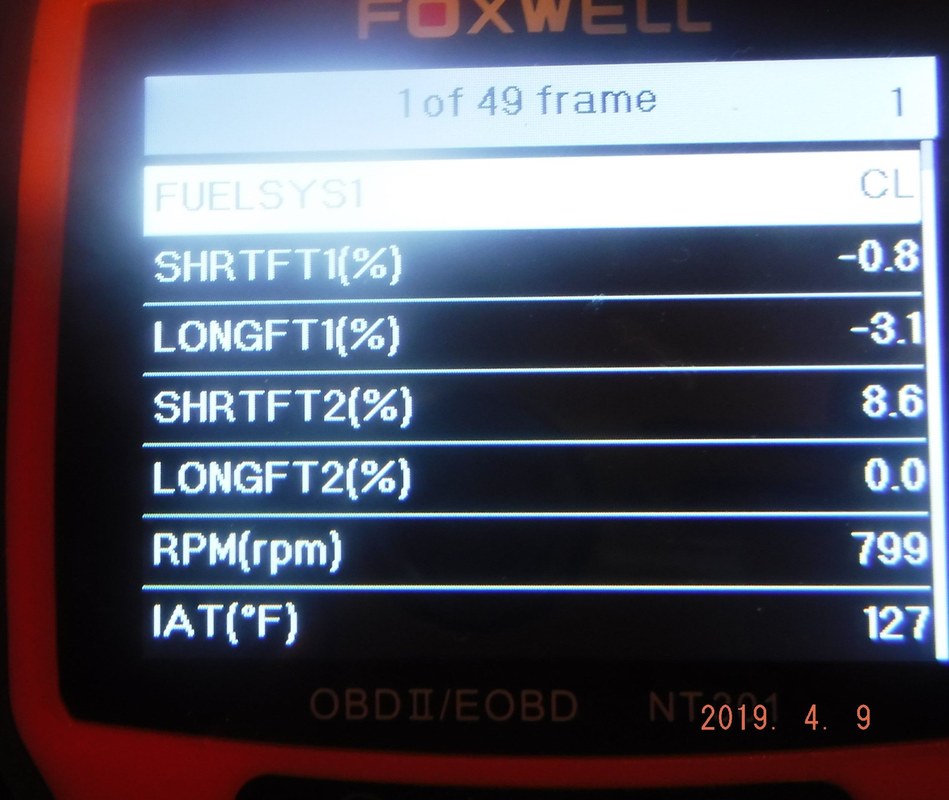
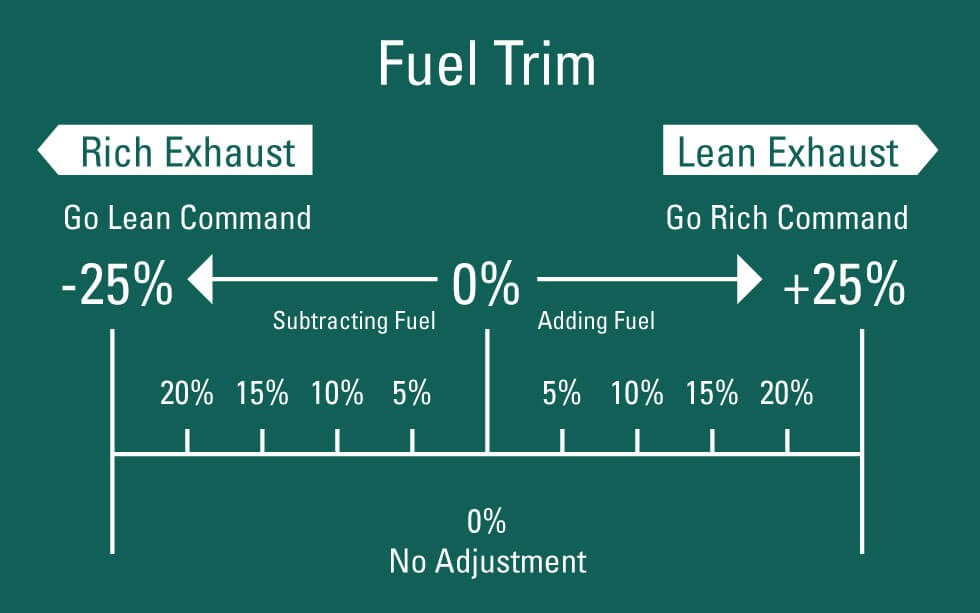
On the NT301, fuel trim is read in live data, usually as Short-Term Fuel Trim and Long-Term Fuel Trim for Bank 1 and, on some vehicles, Bank 2. Positive numbers mean the engine computer is adding fuel, which often supports a lean-condition check; negative numbers mean it is pulling fuel.
For a quick lean-code check, look first at idle and then at a steady cruise. If trims are high positive at idle and improve off idle, a vacuum leak is more likely than a fuel pump problem. If trims stay high under load, fuel delivery or a sensor reading issue moves higher on the list.
What Fuel Trim Means on the NT301 and Why It Matters for Driveability
Fuel trim readings help identify air-fuel issues affecting engine driveability
Fuel trim is the engine computer’s correction value. The computer watches the oxygen sensors and adjusts injector pulse width to keep the air-fuel mix close to target. The NT301 does not “fix” the problem, but it can show how hard the computer is working to correct it.
That matters because a lean code like P0171 or P0174 may come from several different causes. Fuel trim gives you a direction before you replace parts. It can also help separate a true air leak from a misfire or a sensor that is reporting bad data.
Short-Term vs Long-Term Fuel Trim: What the Numbers Are Telling You
Short-Term Fuel Trim, or STFT, changes quickly. It reacts almost in real time as the engine computer adds or removes fuel. Long-Term Fuel Trim, or LTFT, is the learned correction stored over time.
If STFT swings a lot but LTFT stays near normal, the issue may be small or temporary. If LTFT is already high positive, the car has been correcting for a while. That often points to a repeated problem instead of a one-time event.
On many vehicles, both trims are shown as percentages. A positive 10% means the computer is adding fuel. A negative 10% means it is taking fuel away. The exact response pattern matters more than one number by itself.
How Fuel Trim Helps Confirm a Lean Condition, Misfire, or Vacuum Leak
Lean codes are not always caused by a fuel shortage. A vacuum leak, unmetered air after the mass airflow sensor, exhaust leaks near the upstream sensor, or a misfire can all distort the readings.
If the trim numbers climb at idle but settle down when the engine speed rises, extra air entering at idle is a common clue. If both banks show similar positive trims, the cause may be shared by the whole engine, such as low fuel pressure or a dirty airflow sensor. If only one bank is affected, the issue may be local to that side.
Step-by-Step: Finding Fuel Trim on a Foxwell NT301 in Live Data
The NT301 menu layout can vary a little by vehicle protocol and model year, but the basic path is similar. Start with the key on or engine running as needed, enter diagnostics, and open live data or data stream. Then select the fuel trim items that the vehicle exposes.
If you are still learning the scanner’s menus, the article on whether the Foxwell NT301 can clear codes is helpful for understanding what the tool can do after you finish reading data.
Ignition Mode, Engine Running, and the Right OBD2 Port Setup
Most fuel trim checks should be done with the engine running and fully warmed up. A cold engine often runs in enrichment mode, so the numbers can be misleading. Park safely, set the brake, and keep the shifter in Park or Neutral as the vehicle requires.
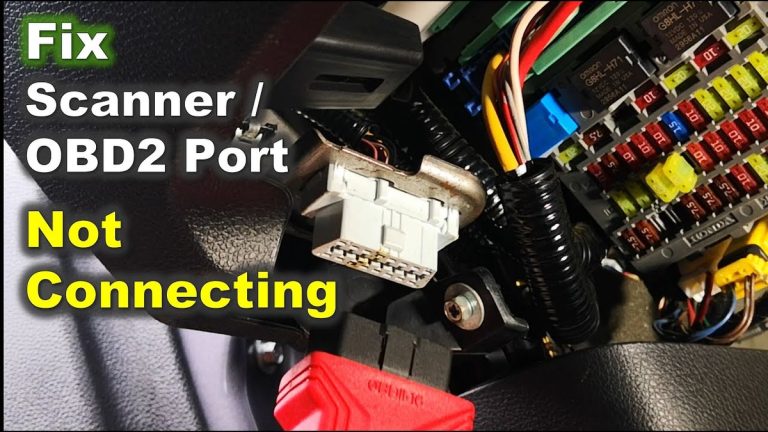
The NT301 powers from the OBD2 port on most gas vehicles, so make sure the connector is fully seated. If the screen flickers or the scanner resets, that can point to a weak battery, a loose connection, or a vehicle power issue. Do not keep reconnecting blindly if the vehicle seems electrically unstable.
Which PIDs to Select and How to Read Bank 1 and Bank 2 Values
Look for PIDs labeled STFT, LTFT, fuel system status, and sometimes O2 sensor or air-fuel ratio data. If the vehicle has only one bank, you may only see Bank 1. V-type engines often show Bank 1 and Bank 2 separately.
Bank 1 and Bank 2 should be compared side by side. If both banks move together, think about a shared cause. If one bank is far worse, inspect that side first for intake leaks, injector issues, exhaust leaks, or a sensor problem.
Evidence Check
Method or sourceFoxwell NT301 product documentation and OBD2 live-data behavior described in the user manual and manufacturer materials.
Verified findingThe NT301 is designed to display live data and fuel trim PIDs when the vehicle supports them.
Main limitationDisplayed PIDs vary by vehicle, protocol, and model year, so not every car will show the same data.
Model-Year and Protocol Coverage: What the NT301 Can and Cannot Access
The NT301 is an OBD2 scanner, so it depends on the vehicle’s emissions-related data availability. That means it works best on OBD2-compliant vehicles and on systems that expose standard PIDs through the port. It does not replace a factory-level scan tool.
Some vehicles show fewer live-data items than others. Even when the scanner is compatible, the engine computer decides what data is available. If your car is outside standard OBD2 coverage or uses a system-specific module, the NT301 may not show the fuel trim details you want.
What Fuel Trim Numbers Are Normal, and When to Worry<
Scan tool readings help identify normal or abnormal fuel trim values.
/h2>
There is no single perfect number for every vehicle, but many healthy gas engines idle with trims near zero and stay within a modest range during normal driving. Small positive and negative movements are normal because the computer is always correcting.
What matters most is the pattern. A stable trim pattern usually means the engine is managing air and fuel well. A large correction that stays there is a warning sign that deserves more diagnosis.
Typical Idle, Cruise, and Load Ranges for Gas Vehicles
At warm idle, many vehicles show trims near 0% with occasional movement. During steady cruise, trims may remain fairly close to zero or shift slightly positive or negative. Under load, the values may change again as the engine demands more fuel.
If your trims are only mildly positive, that may not be enough to call it a fault by itself. But if STFT and LTFT are both strongly positive, especially on one or both banks, the engine is likely compensating for a real issue.
When Positive or Negative Trim Points to a Leak, Fuel Delivery Issue, or Sensor Fault
Strong positive trim usually means the computer thinks the engine is running lean. That can happen from a vacuum leak, low fuel pressure, weak injectors, a dirty MAF sensor, exhaust leaks before the upstream sensor, or unmetered air entering the intake.
Strong negative trim means the computer is removing fuel. That can point to a rich condition, leaking injectors, excessive fuel pressure, or a sensor that is reporting too much air. Negative trim is less common in simple lean-code checks, but it still matters when the diagnosis is not straightforward.
When Diagnosis Should Stop and a Professional Inspection Is Needed
If fuel trim is abnormal but the cause is not obvious, stop before replacing parts at random. A smoke test, fuel pressure test, injector balance check, or professional scan tool may be needed to confirm the fault.
That is especially true if the vehicle has multiple codes, intermittent stalling, or a hard-start condition. The NT301 can point you in the right direction, but it cannot perform every advanced test.
NT301 Limits: Code Reading, Live Data, Readiness, and Reset Boundaries
The NT301 is useful for basic diagnostics, but it has clear limits. It is best viewed as a code reader with live data and emissions readiness support, not a full bidirectional diagnostic platform.
Check Engine Codes vs Full Diagnostic Capability
The scanner can read and clear many generic OBD2 trouble codes, which is enough for a lot of lean-code checks. It can also show live data that helps you understand the engine’s correction behavior.
What it generally does not do is deep module access, advanced manufacturer-specific controls, or bidirectional tests. If you need actuator commands, special relearns, or system-level coding, a higher-end tool may be a better fit.
Emissions Readiness, Freeze Frame, and Reset Limitations
Freeze frame data can be very useful because it shows the conditions when the code set. Readiness monitors help you see whether the vehicle has completed its self-checks after repairs or code clearing.
Before clearing codes, record the freeze frame and fuel trim values if possible. Clearing too early can erase the clue that explains why the code appeared. That can make the next diagnostic step slower and more expensive.
If you want a broader ownership view, see whether the Foxwell NT301 is worth buying for the kind of driver who needs basic diagnostics without premium-shop complexity.
Firmware, Data Refresh, and Why Some Vehicles Show Less Information
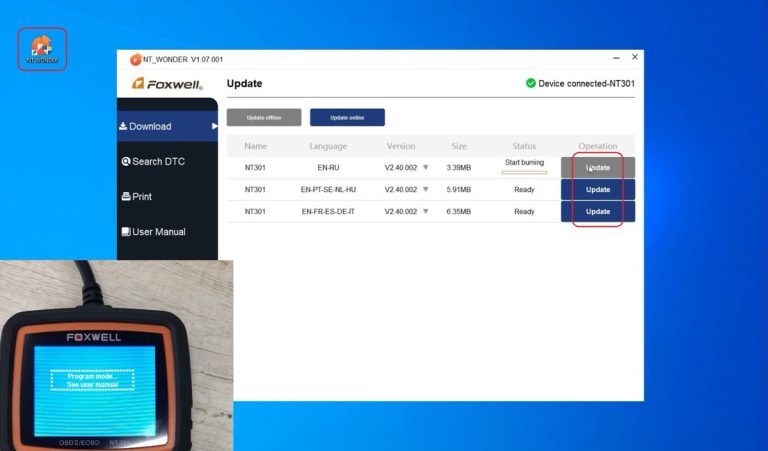
Scanner behavior can change with firmware updates, but the bigger limit is often the vehicle itself. Some cars simply do not expose as much live data through standard OBD2.
Refresh speed also varies. A slower data stream can still be useful for fuel trim checks, since trims do not need millisecond precision. But if the values seem jumpy or incomplete, verify the vehicle support before assuming the scanner is faulty.
Privacy & Data
The NT301 is a standalone scanner, so privacy concerns are usually lower than with app-based tools. Still, any stored codes or vehicle data should be handled carefully, especially if you share the scanner with other drivers or a shop.
Compatibility Guide for U.S. Drivers: Vehicles, Power, and Electrical Safety
For U.S. drivers, compatibility is about more than the plug shape. You need the right model year, the right OBD2 protocol support, and a healthy 12V electrical system so the scanner can communicate reliably.
Vehicle Compatibility
Check: Verify make, model, year, trim, voltage, ports, and OEM requirements. Limitations: Standard OBD2 coverage is strongest on emissions-related systems; nonstandard modules may not be accessible.
12V System Voltage, Battery State of Charge, and Battery Health
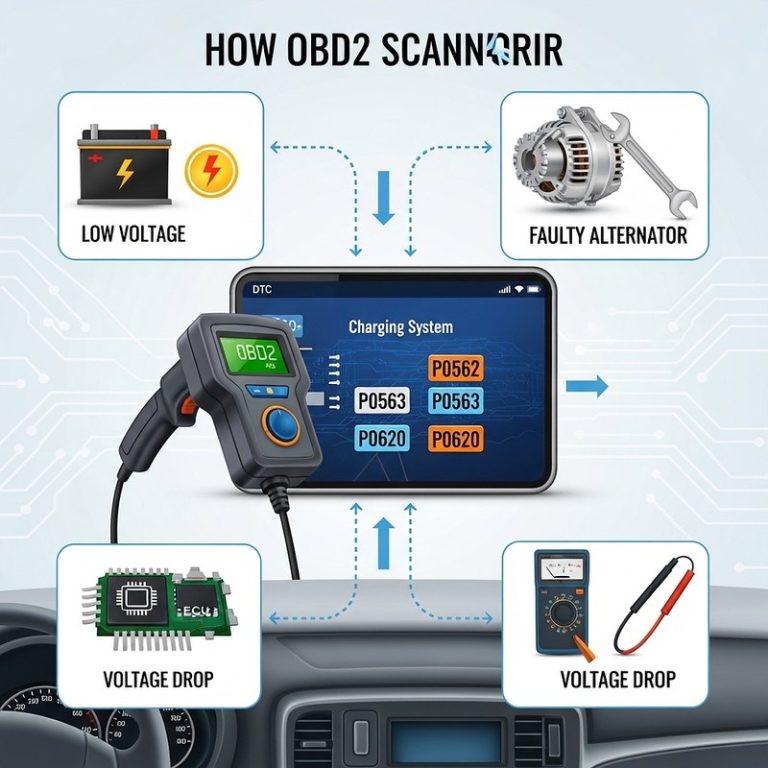
The NT301 depends on vehicle power through the diagnostic port. If the battery is weak, the tool may boot slowly, disconnect, or show unstable readings. That can make fuel trim data harder to trust.
If the battery is already struggling, fix the power issue first. Low voltage can create misleading symptoms that look like sensor problems. For battery-related checks, a separate battery tester may be more appropriate than an OBD2 scanner alone.
Correct Connection Order, Damaged-Battery Stop Conditions, and Hybrid/EV Cautions
Connect the scanner only as directed by the vehicle and tool instructions. If the port, cable, or connector is damaged, stop and inspect it before proceeding. Never force the plug if it does not seat cleanly.
Model-Year Coverage, OBD2 Protocols, and When a Vehicle Is Too Old or Too New
Most lean-code checks are most straightforward on OBD2-compliant vehicles. Very old vehicles may not support standard OBD2 at all, while some newer vehicles may still have module-specific limitations that keep the NT301 from showing every useful data point.
If you are unsure, check the vehicle’s emissions label, owner’s manual, or the scanner compatibility notes before buying. That is especially important if you rely on the tool for a daily driver, rideshare vehicle, or family car.
Owner Value, Cost, and Alternatives: Is the Foxwell NT301 the Right Tool?
The NT301 makes sense for drivers who want a simple way to read codes and view live data without paying for advanced shop functions. It is less appealing if you need deep diagnostics, app features, or bi-directional controls.
The best value comes from matching the tool to the job. For lean-code checks, the question is not whether it can do everything. It is whether it can show enough evidence to guide the next repair step.
Owner Benefit
Fuel trim data can help you avoid unnecessary parts replacement, which can save time and money. It also gives you a clearer conversation with a repair shop when you need a second opinion.
Side-by-Side Comparison: NT301 vs Basic Code Reader vs Higher-End Scan Tool
Option
Best for
Owner consideration
Driver consideration
Foxwell NT301
Lean-code checks and live fuel trim reading
Moderate feature set with limited advanced functions
Simple screen and fewer distractions than app-based tools
Basic code reader
Reading and clearing generic codes only
Lower cost, but little diagnostic depth
Fast and simple, but less helpful for root-cause checks
Higher-end scan tool
Advanced diagnostics, more PIDs, and system access
Higher cost and more learning time
More information, but also more menu steps and complexity
Ideal User, Vehicle Fit, Warranty/Support Considerations, and Transparent Verdict
The NT301 is a strong fit for DIY drivers who want to check fuel trim, read emissions codes, and understand whether a lean code is likely caused by air, fuel, or sensor behavior. It is also a practical backup tool for households with more than one gas vehicle.
Before buying, confirm warranty terms, return policy, and update support from the seller or manufacturer. If you are comparing scanner families, the article on the Foxwell NT301 OBD2 code reader can help you see where it fits among other basic diagnostic tools.
Safe Use, Storage, and Next Steps After a Lean Code Check
Once you finish reading fuel trim, the next step is to store the scanner safely and decide whether the problem can be checked at home or needs a shop. Good habits here matter because diagnostics often happen in parking lots, driveways, or roadside shoulders.
Owner Maintenance
Keep the connector clean, avoid sharp bends in the cable, and store the scanner in a dry place. Check for worn pins, cracked housing, or a loose OBD2 plug before the next use.
Roadside Safety: Traffic Visibility, Cable Condition, and Tool Completeness
If you are checking codes away from home, stay visible and out of traffic. Use hazard lights only when appropriate and legal for the situation, and never stand where passing vehicles could strike you.
Inspect the cable and connector before use. A damaged plug can cause poor communication or intermittent power. Keep the tool complete so you are not searching for accessories while the vehicle is running.
Post-Use Inspection, Storage Conditions, and When to Move From Scanner to Repair
After use, review the stored data while the issue is still fresh. Write down the trims, code, freeze frame, and the driving condition that triggered the fault. That note can save time later.
If the trim pattern points clearly to a vacuum leak, fuel issue, or sensor fault, the scanner has done its job. At that point, move from diagnosis to repair, or schedule a professional inspection if the fix involves fuel pressure, intake smoke testing, or hard-to-access parts.
Tire, TPMS, and Temporary Repair Limits: When a Lean Diagnosis Coincides With a Safety Issue
Sometimes a lean-code diagnosis happens at the same time as another problem, like a low tire, TPMS light, or roadside breakdown. Keep those issues separate. A scanner can help with engine data, but it does not replace tire pressure checks, inflation limits, or temporary repair rules.
If the vehicle also has a tire safety concern, handle that first if it affects safe driving. A lean-code check is useful, but it should never distract you from a flat tire, damaged sidewall, or other immediate road hazard.
Final Verdict
Best for: U.S. drivers who want a simple way to read fuel trim on the Foxwell NT301 and narrow down lean-code causes before buying parts.
Think twice if: You need advanced bi-directional tests, deep module access, or manufacturer-level diagnostics.
Next step: Check your vehicle’s OBD2 compatibility, record STFT and LTFT at idle and cruise, then compare the pattern before clearing any codes.
Frequently Asked Questions
Yes, on many OBD2 vehicles it can show STFT and LTFT in live data. Availability depends on the vehicle, protocol, and model year.
Many healthy gas engines stay near 0% with small swings during normal driving. Large positive or negative values that stay there are more worth checking than a single brief spike.
No. Record the code, freeze frame, and fuel trim first if possible. Clearing too early can erase the clues that help explain the lean condition.
No. It works best on OBD2-compliant vehicles that expose standard emissions data. Some older, newer, or module-specific systems may show less information.
It can help point toward a vacuum leak by showing trim patterns, especially at idle. But confirming the leak may still require a smoke test or professional inspection.
Confirm your vehicle’s OBD2 compatibility, the live-data items it supports, and the seller’s warranty or update terms. Also make sure you are comfortable using the scanner safely while parked.
Hi, I’m Jake Miller, an automotive tools and diagnostics writer passionate about making car care simple and approachable. I cover OBD2 scanners, tire care, emergency equipment, and practical DIY maintenance. My goal is to help car owners, everyday drivers, and DIY enthusiasts choose reliable tools, understand common vehicle problems, and maintain their cars with confidence.
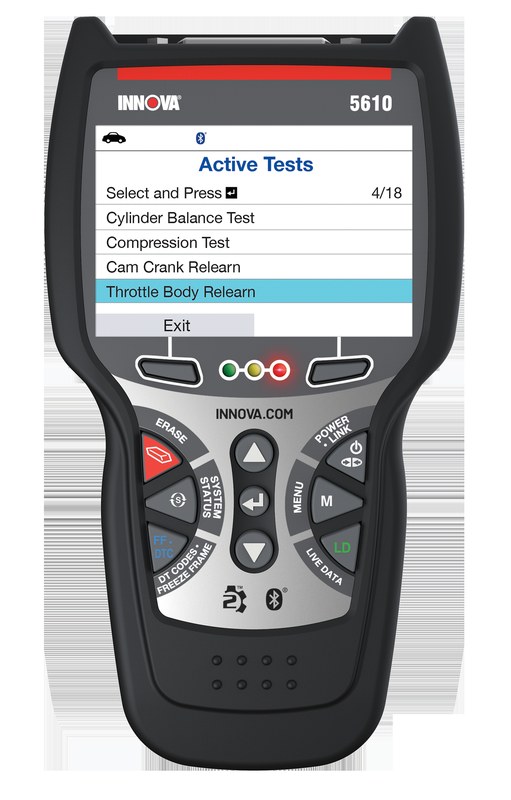
Quick Owner & Driver Verdict Innova 5610 compatibility is strongest on many 1996-and-newer OBD2 gasoline vehicles in the U.S., where it can handle common code reading, live data, and readiness checks. It is less certain on diesels, hybrids, EVs, and specialty vehicles, so confirm your exact model before buying. Innova 5610 compatibility is best understood…
Shopping for an iPhone-compatible OBD2 scanner? Here are the best Bluetooth picks for DIY diagnostics, app features, subscriptions, and everyday USA drivers.
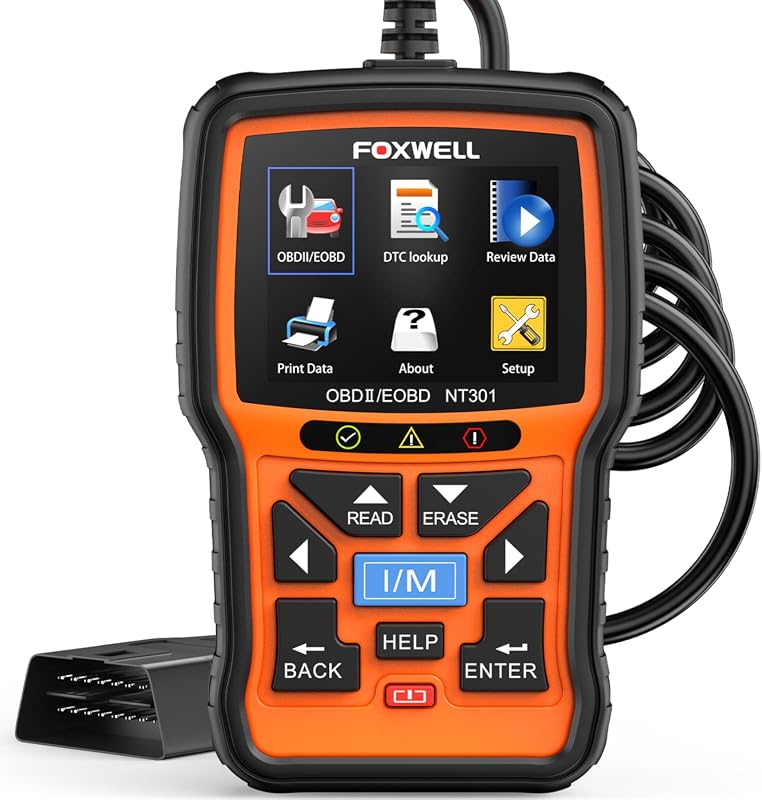
Quick Owner & Driver Verdict The foxwell nt301 software update is usually fixed by using the correct Foxwell download, a direct USB port, and the right driver order. If the scanner still fails, the problem may be a bad cable, blocked permissions, or a deeper firmware issue. foxwell nt301 software update problems usually come down…
See how battery voltage live data works on vehicles like a Buick Encore GX, when MUCAR BT200-style scanners help, and when to confirm with a battery tester.


One Comment