Why Does My OBD2 Scanner Keep Disconnecting? Common Causes and Fixes
Most OBD2 disconnects happen because of a loose connector, weak battery voltage, or a phone app losing permission. Check the port, testyour battery, update the app/firmware, and reconnect to fix most cases.
If you’ve been searching for why does my OBD2 scanner keep disconnecting, you’re in the right place. A scanner that drops mid-diagnosis is frustrating, but it’s usually fixable. Most disconnects come from a few common problems: power, connection, or software. This guide walks through each cause in plain English and gives you the fix.
- Check the physical connection first: Loose, dirty, or damaged OBD2 pins cause many intermittent drops.
- Battery voltage matters: A weak battery or failing alternator can reset your scanner mid-diagnosis.
- Update firmware and apps: Outdated software often fails on newer vehicles, especially 2026 models.
- Use the right ignition mode: Codes usually need “ON” position; live data may need the engine running.
- Isolate the problem: If the scanner drops in every car, replace it; if only one car, call.
The Short Answer: Why Your OBD2 Scanner Keeps Dropping the Connection
Most OBD2 disconnects happen because the scanner loses power, the vehicle’s data bus drops off, or the wireless connection fails. A loose OBD2 connector is the first thing to check. If the plug wiggles, you lose contact. A weak battery can also cause the vehicle’s modules to shut down. Wireless scanners often drop Bluetooth when the app loses permission or your phone sleeps.
Common Causes: From Loose Ports to Dead Batteries

There isn’t one single reason why an OBD2 scanner disconnects. The cause usually falls into four groups: physical connection, vehicle power, scanner software, or data protocol. Here’s how to tell them apart.
Loose, Dirty, or Damaged OBD2 Port and Connector
The OBD2 port lives under the dash, usually on the driver’s side. It takes abuse from feet, floor mats, and repeated plugging. Over time, the pins can bend, dirt can build up, and the connector can loosen. If the scanner loses connection when you hit a bump or move the cable, suspect the port or plug first.
Inspect the port with a flashlight. Look for bent pins, debris, rust, or a cracked housing. Try a different scanner or cable if you have one. If the port feels loose, it may need replacement. That’s a job for a shop unless you’re comfortable with electrical work.
Weak Battery or Failing Alternator: The Voltage Drop Effect
OBD2 scanners need stable 12-volt power from the vehicle. When the battery is weak or the alternator is failing, voltage can sag or spike. During engine cranking, voltage can drop sharply, causing the scanner to reset. A failing alternator can let voltage climb too high, which can also make the scanner shut off to protect itself.
If your scanner drops mainly during startup or at idle, test the battery and charging system. Many auto parts stores offer free battery tests. If you suspect the alternator, a scanner can sometimes help you read charging voltage. Learn more in our guide on whether an OBD2 scanner can detect a bad alternator.
Scanner Firmware and App Permissions: The Silent Killers
OBD2 scanners are small computers. Their firmware tells them how to talk to your car. If the firmware is outdated, the scanner may not understand newer vehicles. The phone app also matters. If the app doesn’t have permission to run in the background, it may freeze or drop the Bluetooth link.
Check for app updates in your phone’s app store. Also check the scanner manufacturer’s website for firmware updates. Many budget scanners have no update path, which is a common reason older units fail on newer cars.
Vehicle Data Bus and Protocol Mismatch: Why Some Cars Hate Your Scanner
Modern cars use a data bus called CAN, but older vehicles may use other protocols. Most OBD2 scanners support multiple protocols, but not all support every make and model. If your scanner says “protocol not supported” or drops out right after connecting, you may have a compatibility problem.
Check your scanner’s coverage list before blaming the car. Some scanners only work on gasoline vehicles from certain years. Others struggle with diesel, hybrid, or European models. If your scanner reports a protocol error, see our detailed article on OBD2 scanner says protocol not supported for troubleshooting steps.
Battery and Electrical System: The Hidden Culprit Behind Intermittent Drops
Electrical problems are among the sneakiest causes of OBD2 disconnects. A car can start fine and still have voltage issues that confuse a scanner. Here’s what you need to know about your vehicle’s electrical health.
System Voltage vs. Battery Health: What Your Scanner Sees
Your scanner reads system voltage through the OBD2 port. A healthy battery at rest shows around 12.6 volts. When the engine runs, voltage should rise to about 13.5–14.5 volts. If voltage drops below about 11 volts during a scan, many scanners will shut down or lose communication.
A battery can test “good” for starting yet still have a weak cell under load. That weak cell can cause voltage to sag when the fuel pump, headlights, or other loads turn on. If your battery tests good but still dies, the problem may be a parasitic draw or a failing alternator. Our guide on why a car battery tests good but still dies covers this in more detail.
Correct Connection Order: Avoiding Voltage Spikes and Damage
Always plug the scanner into the OBD2 port before turning the ignition on. This lets the scanner power up smoothly with the vehicle. When you’re done, turn the ignition off before unplugging. This order reduces the risk of voltage spikes that can damage the scanner or vehicle modules.
Don’t unplug the scanner while the engine is running unless the manufacturer says it’s safe. A sudden disconnect can leave the vehicle’s data bus in a weird state. If that happens, turn everything off, wait a minute, and reconnect.
Hybridand EV Cautions: High-Voltage Systems and Safe Diagnostics
Hybrid and electric vehicles have high-voltage battery packs, often over 300 volts. The OBD2 port is still safe to use because it connects to the low-voltage system. But you must never probe orange cables or high-voltage components while diagnosing. Leave those repairs to trained technicians.
Low Voltage Can Trigger TPMS Warningsand Scanner Drops
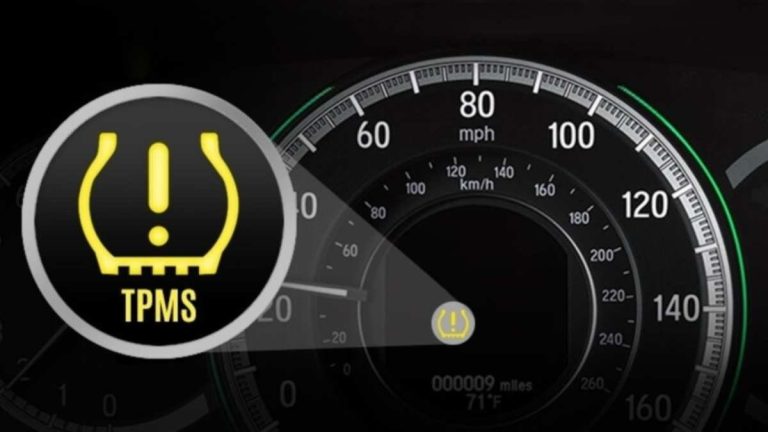
A weak battery doesn’t just affect your scanner. It can also make the tire pressure monitoring system (TPMS) act up. Low system voltage can cause TPMS sensors to stop transmitting or the module to throw a warning. That’s why you might see the TPMS light come on around the same time your scanner starts dropping.
If your TPMS light flashes then stays on, low battery voltage is one possible cause. Check your battery first, then move on to tire pressure and sensors. Our article on why your TPMS light flashes then stays on explains the difference.
Scanner-Side Issues: Protocol, Firmware, and App Permissions
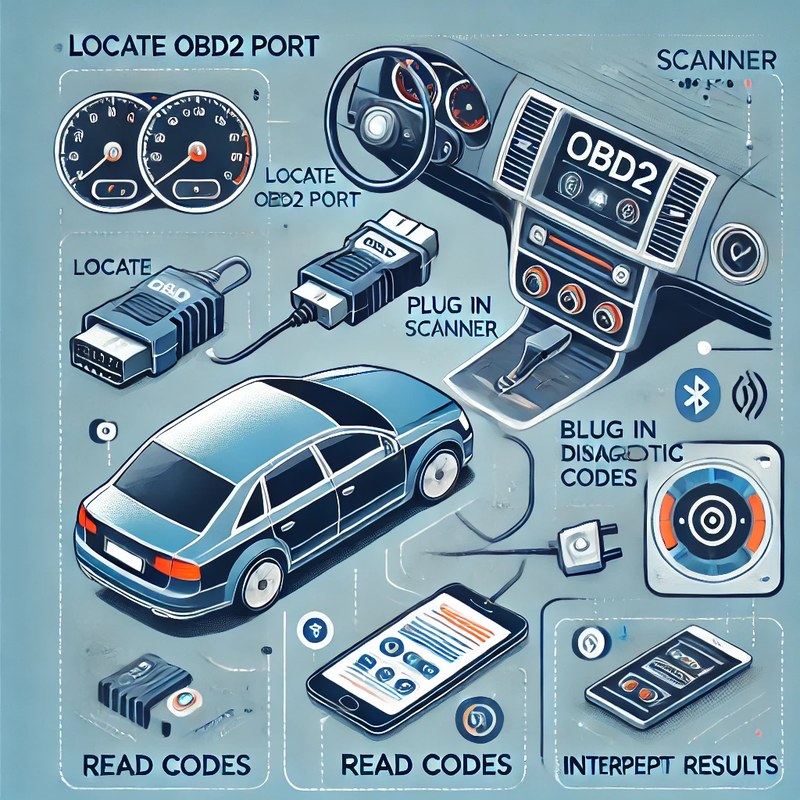
Sometimes the problem isn’t your car at all. It’s the scanner, its firmware, or the app on your phone. Here’s how to separate scanner problems from vehicle problems.
OBD2 Protocol Coverage: Model Years, Makes, and Compatibility
OBD2 became standard in US vehicles starting in 1996 for gasoline cars. But not all scanners speak every dialect of the protocol. Some budget units only read generic powertrain codes. Others can’t access manufacturer-specific systems like ABS, airbags, or battery management.
Check: Verify the scanner supports your vehicle’s make, model, year, and protocol. Confirm it covers gasoline, diesel, hybrid, or EV as needed. Limitations: Many consumer OBD2 scanners cannot read airbag, ABS, or high-voltage hybrid codes without special software.
Firmware Updates: Why Your 2026 Vehicle Needs a Newer Scanner
New cars add new modules, new trouble codes, and new data parameters. If you drive a 2026 model-year vehicle, an older scanner may not recognize those new systems. That can cause dropped connections or “no response” errors.
Check the scanner manufacturer’s website for firmware updates. Some scanners update through a phone app or USB cable. Others are fixed and can’t be updated. If your scanner can’t update and you drive a newer vehicle, it may be time to upgrade.
Bluetooth Pairing, App Permissions,and Data Privacy Concerns
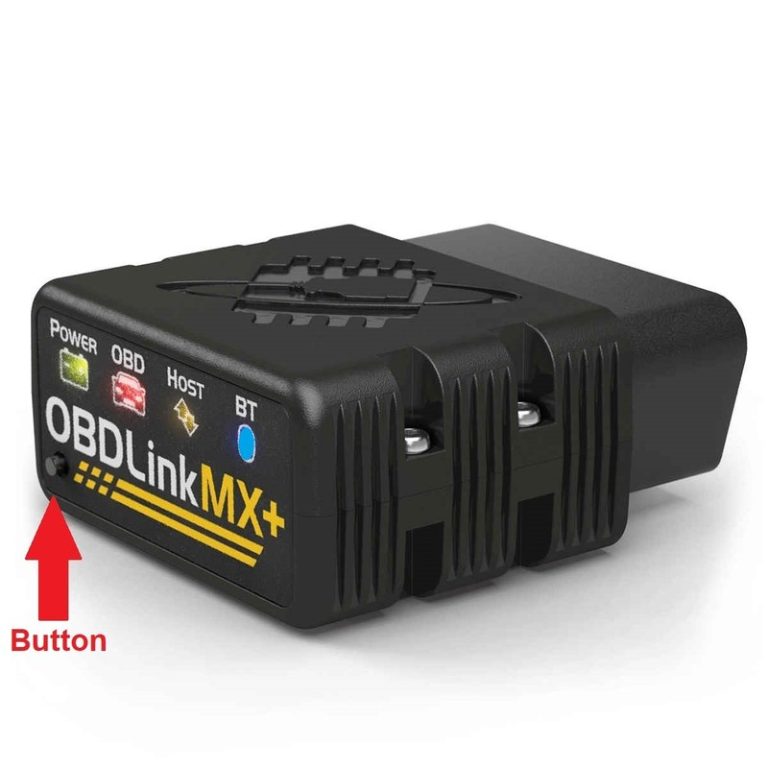
Wireless OBD2 scanners rely on Bluetooth or Wi-Fi. If your phone’s Bluetooth goes to sleep, the app loses permission, or another device grabs the connection, your scanner will drop. Re-pairing the device and granting the app background permission often fixes this.
Vehicle-Side Limitations: Port Location, Ignition Mode,and Data Bus Behavior
Your car can also cause disconnects by doing exactly what it’s designed to do. The OBD2 port’s location, the ignition key position, and the data bus’s sleep behavior all play a role.
Port Location and Access Issues: Why a Loose Plug Is Your Fault
Some cars have the OBD2 port behind a panel, under a fuse box, or in a spot where your knee hits it. A cable that’s too short can pull on the connector. A floor mat can push the plug loose. Make sure the connector clicks in fully and that the cable has slack.
If you use an extension cable, make sure it’s a quality OBD2 extension with solid pins. Cheap extensions can add resistance and cause intermittent drops.
Ignition Mode: Key Position Matters for Code Reading and Live Data
Most OBD2 scanners need the ignition in the “ON” position (engine off) to read codes. Some live data, like oxygen sensor readings, may need the engine running. If you turn the key to “ACC” instead of “ON,” the scanner may power up but fail to communicate.
Check your vehicle’s manual for the correct ignition mode. In many cars, you push the start button without pressing the brake to enter “ON” mode. If the dashboard lights come on, you’re usually in the right mode.
Live-Data Limits and Bus Sleep Mode: When the Car Stops Listening
Modern cars put the data bus to sleep to save battery. If you sit in the car with the ignition off for a few minutes, the bus can go to sleep and the scanner will lose communication. Turn the ignition back to “ON” or start the engine to wake it up.
Live data also has limits. A generic scanner can only request certain parameters. If you ask for too many data points at once, some cars will slow down or drop the connection. To get useful sensor readings, you need to know how to find live data on an OBD2 scanner without overwhelming the bus.
When It’s Not the Scanner: Emissions Readiness, Reset Limitations,and Professional Diagnosis
Some disconnects happen at specific moments, like during an emissions readiness check or after clearing codes. These aren’t always random failures. They can be normal vehicle behavior or a sign of a deeper problem.
Emissions Readiness Monitors: Why Your Scanner Drops During State Inspection Prep
Many states require emissions monitors to show “ready” before a vehicle can pass inspection. When you clear codes, you erase readiness data. The car then needs to complete a drive cycle to re-run its monitors. During that drive cycle, some scanners lose connection because the vehicle’s computer is busy running tests.
If your scanner drops while you’re driving through a drive cycle, pull over safely and wait for the bus to settle. Don’t clear codes right before an inspection unless you know the drive cycle requirements. Clearing codes can also cause your check engine light to come back, as our guide on why your check engine light comes back after clearing codes explains.
Reset Limitations: Why Some Codes Can’t Be Clearedwith a Handheld Scanner
Not all trouble codes can be cleared with a cheap handheld scanner. Permanent codes, for example, stay in the engine computer until the fault is fixed and the vehicle completes its own tests. If your scanner seems to “disconnect” when you try to clear a code, it may actually be refusing to clear a permanent code.
Some manufacturer-specific codes, like those for ABS or airbags, need a bidirectional scanner or factory tool. If your scanner drops or says “failed” during a reset, check whether your scanner supports that system at all.
When Disconnects Signal a Deeper Electrical Fault: Time to Call a Professional
If your scanner drops in multiple vehicles, the scanner is likely the problem. If it only drops in one vehicle, focus on that car. But if disconnects come with other symptoms—dash lights flickering, slow cranking, or a burning smell—stop diagnosing and call a professional. Those signs point to wiring, ground, or module problems that need proper testing.
Step-by-Step Troubleshooting: Fix and Prevent OBD2 Disconnects for Good
Here’s a simple order of operations to fix most disconnects. Work through these steps from least to most involved.
Quick Checks: Cable, Port,and Power
Inspect for bent pins, dirt, or damage. Plug the scanner in firmly until it clicks. Wiggle the cable to see if the connection drops.
Start the engine and watch the scanner’s voltage reading. If it drops below about 11 volts while running, testthe battery and alternator.
Turn the ignition to “ON” with the engine off for code reading. For live data, start the engine as needed. Reconnect the scanner if the bus went to sleep.
Update Firmwareand Re-Pair Your Device
Check the manufacturer’s website for scanner firmware updates. Update the phone app, too. Then forget the Bluetooth pairing in your phone’s settings and pair it again. This clears many software glitches.
Also check your phone’s battery optimization settings. Some phones aggressively kill background apps, which causes Bluetooth drops. Add the diagnostic app to your “never sleep” list if available.
When You’re Stuck on the Road: Emergency Diagnostics and Safe Practices
If your scanner drops while you’re driving, do not try to fiddle with it. Pull over safely when you can, then reconnect. Never use a diagnostic app while driving—reading live data on a moving phone is distracted driving and dangerous.
If you’re stuck with a check engine light and a scanner that won’t stay connected, you can still drive to a safe location if the car runs normally. If the car is overheating, losing power, or making warning noises, call for a tow instead of risking damage.
When to Replace the Scanner vs. Call a Professional
If you’ve cleaned the port, testedthe battery, updated the firmware, and re-paired the device, but the scanner still drops in every car, replace the scanner. A cheap or very old scanner may not be worth repairing.
If the scanner works fine in other cars but drops only in your car, the problem is likely in the vehicle. That’s when you should call a professional. A shop can testthe data bus, check grounds, and diagnose electrical issues safely.
Choosing a Reliable OBD2 Scanner for 2026: Wired vs. Wireless, Compatibility,and Cost
If you’re shopping for a new scanner, focus on connection stability. The most expensive model isn’t always the best for your car. Here’s what matters.
Wired vs. Wireless: Which Stays Connected Longer?
| Option | Best for | Owner consideration | Driver consideration |
|---|---|---|---|
| Wired | Stable connection, no Bluetooth pairing issues | Cable can be bulky and needs careful routing | No phone needed, so less temptation to look at a screen while driving |
| Wireless | Phone-based live data, portability, easy updates | Requires app permissions, firmware updates, and phone battery management | Using a phone while driving is distracting; pull over before reading live data |
Key Specs: Protocol Support, Sampling Rate,and App Quality
Look for a scanner that supports all five OBD2 protocols, including CAN. Check the model-year coverage, especially if you drive a newer vehicle. Sampling rate matters for live data—higher rates give smoother readings, but not all cars can handle fast requests.
App quality matters as much as hardware. Read recent user reviews for the app. A good app should show trouble codes, freeze-frame data, live graphs, and emissions readiness status without crashing. Avoid apps with poor privacy policies or forced accounts.
Ownership Cost: Budget Scanners vs. Professional-Grade Tools
Budget OBD2 scanners can read and clear basic codes for a low upfront cost. But they may lack firmware updates, bidirectional control, and advanced system coverage. Professional-grade tools cost more but support more vehicles, offer faster data, and often include subscription services for manufacturer-specific codes.
Consider the long-term cost. A cheap scanner that can’t update may need replacement when you buy a newer car. A mid-range scanner with updates may last longer. Factor in app subscriptions, which some brands require for advanced features.
Final Thoughts: Your Next Steps for a Stable Diagnostic Connection
OBD2 disconnects are annoying, but most have simple fixes. Start with the physical connection, then check power, then update software. If none of those work, decide whether the scanner or the car is the real problem.
Your Quick Checklist for a Stable Connection
- Inspect the OBD2 port for loose, dirty, or bent pins.
- Plug the scanner in firmly and secure the cable.
- Testthe battery and charging system if voltage looks low.
- Use the correct ignition mode for codes vs. live data.
- Update scanner firmware and phone app, then re-pair Bluetooth.
- Keep the app from sleeping in phone battery settings.
Next Steps: When to Seek Professional Help
If you’ve gone through the checklist and the scanner still drops, try the scanner in another vehicle. If it works there, your car needs a professional electrical diagnosis. If it fails everywhere, replace the scanner. A stable connection gives you the confidence to fix small problems before they become big ones.
- Best for: Most drivers with an OBD2 scanner that drops occasionally—start with the port, battery, and firmware fixes before spending money on a new tool.
- Think twice if: Your scanner drops only in one car with other electrical symptoms; that’s a vehicle wiring or module problem, not a scanner problem.
- Next step: Run through the quick checklist above, update your app and firmware, and if the issue persists, testthe scanner on another vehicle to isolate the cause.
Frequently Asked Questions
The most common causes are a loose OBD2 connector, weak battery voltage, or a Bluetooth app losing permission. Check the cable and port first, then test your battery, and never try to reconnect the scanner while driving—pull over safely first.
Yes. A weak battery can cause system voltage to drop below the level your scanner needs to stay powered. This often happens during cranking or when electrical loads turn on. Testthe battery and charging system if your scanner drops at idle or during startup.
Inspect the port for bent pins, dirt, or damage. Clean it with contact cleaner if needed, and plug the scanner in firmly until it clicks. If the port feels loose or cracked, have a shop replace it to avoid intermittent connection loss.
For reading codes, most vehicles only need the ignition in the ON position with the engine off. For live data like oxygen sensor readings, you usually need the engine running. Check your vehicle manual for the correct ignition mode.
Common reasons include your phone’s battery optimization killing the app, outdated firmware, Bluetooth interference, or needing to re-pair the device. Update the app and scanner firmware, then forget the Bluetooth pairing and set up up the connection again.
Clearing codes can erase emissions readiness data, and some codes like permanent codes may not clear with a handheld scanner. That can look like a scanner failure when the vehicle computer is actually refusing the command. Check your state’s rules before clearing codes before an inspection.