Does OBDLink MX+ require a subscription? What Drivers Need to Know
No, OBDLink MX+ generally does not require a subscription for the adapter itself. You may still pay for certain apps or advanced software features, so total cost depends on how you use it.
Does OBDLink MX+ require a subscription? In most cases, no extra subscription is required to use the adapter itself, but some app features, third-party software, or vehicle-specific functions can still cost extra. For most US drivers, the real question is not just the hardware price, but which app you plan to use and what you need the scanner to do.
- No required hardware fee: The adapter usually works without a monthly subscription.
- Apps can add cost: Paid software may be needed for advanced functions or brand-specific features.
- Compatibility still matters: Vehicle year, make, trim, and app support can change what you can access.
- Use it safely parked: Set up pairing and code checks while stopped to avoid distraction.
- Check privacy settings: Review app permissions, cloud storage, and scan history before connecting.
Does OBDLink MX+ require a subscription? The short answer for 2026 drivers
The MX+ is generally sold as a Bluetooth OBD2 adapter, so the core hardware does not usually depend on a monthly fee to work. You can typically pair it with a compatible app, read codes, view live data, and check basic emissions-related information without paying a recurring subscription to the adapter maker.
That said, your total cost can still change based on the app ecosystem. Some apps are free, some are one-time purchases, and some advanced diagnostic platforms use their own paid plans. If you are comparing options, it helps to look at the adapter and the software as two separate purchases. For a broader cost comparison, see our guide to the best OBD2 scanner without subscription.
Buying a no-subscription adapter can make ownership simpler. You avoid recurring fees for basic code reading and live data, which matters if you only diagnose a car a few times a year or keep multiple vehicles in the household.
What OBDLink MX+ includes without a subscription
Core app access, live data, DTC reading, and basic vehicle monitoring
In normal use, an OBD2 adapter like the MX+ is meant to connect to a phone or tablet app and help you read diagnostic trouble codes, view live sensor data, and monitor basic vehicle information. That is the main value for commuters, used-car shoppers, and DIY owners who want a quick check before heading to a shop.
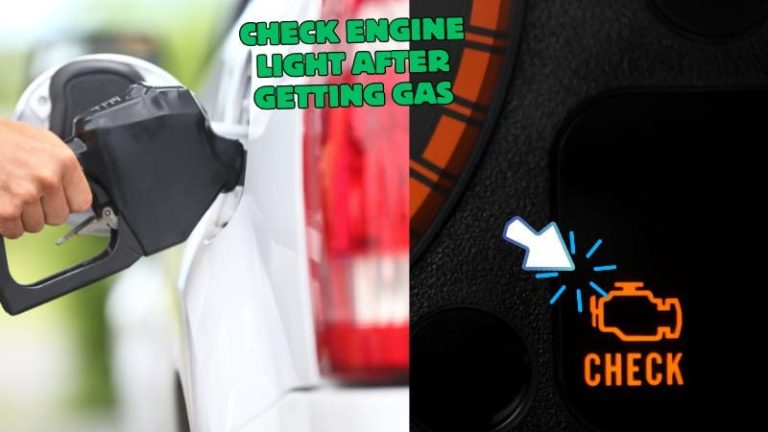
For many drivers, this is enough to confirm whether a check engine light is related to a loose gas cap, a sensor issue, or a problem that needs deeper diagnosis. It can also help track emissions readiness monitors before an inspection, though the exact screens and functions depend on the app and vehicle.
What may still depend on third-party apps or paid software
The adapter can only do so much by itself. Advanced features such as enhanced manufacturer-specific data, service resets, bidirectional controls, or special tests may depend on the app you choose, the vehicle brand, and the software tier.
That is why some owners feel surprised by the total cost. The hardware may be subscription-free, but the software layer may not be. If you want to compare how another popular adapter handles software costs, our BlueDriver subscription guide explains the difference in a simple way, and our OBDLink MX+ vs BlueDriver comparison shows where the two products diverge.
Connected diagnostic tools may collect VIN data, fault codes, live data, and app usage information. Before pairing, review the app’s permissions, account settings, and cloud-sharing options so you know what stays on your phone and what may be stored online.
How the MX+ fits real-world OBD2 needs: coverage, compatibility, and limits
Model-year support, OBD2 protocol coverage, and vehicle compatibility by make
OBD2 support in the United States depends on model year and vehicle type, not just the adapter. Most gasoline vehicles sold for the U.S. market have standardized OBD2 support, but exact compatibility still varies by make, model, trim, and software app. Some vehicles expose only basic emissions data, while others allow deeper information through brand-specific apps.
Check: Verify make, model, year, trim, voltage, ports, mounting space, and OEM requirements. Limitations: State verified exclusions.
If you own more than one vehicle, check each one separately. A scanner that works well on a newer commuter sedan may behave differently on an older truck or a hybrid with limited app support.
Port location, ignition mode, and what happens when the adapter will not connect
Most OBD2 ports are under the dash, but the exact position varies. If the adapter will not connect, the cause is often simple: the ignition may not be in the correct mode, the app permissions may be missing, Bluetooth may already be tied to another device, or the vehicle may need to be fully awake.
When the port is hard to reach, do not force the adapter or let it hang where it can be kicked. A poor physical fit can become a connection problem later, especially if the adapter shifts while driving.
Code clearing, live-data limits, and emissions readiness checks
Clearing codes is not the same as fixing the problem. A scanner can erase stored fault codes, but that does not repair the cause. If you clear a code too early, you may lose useful information that helps identify the real issue.
Live data is also limited by the vehicle and the app. Some sensors update quickly; others refresh slowly or not at all. Emissions readiness checks are useful before inspection, but they do not guarantee the vehicle will pass if a fault returns during the drive cycle.
Installation and setup guide for first-time owners
Correct connection order, app permissions, and Bluetooth pairing basics
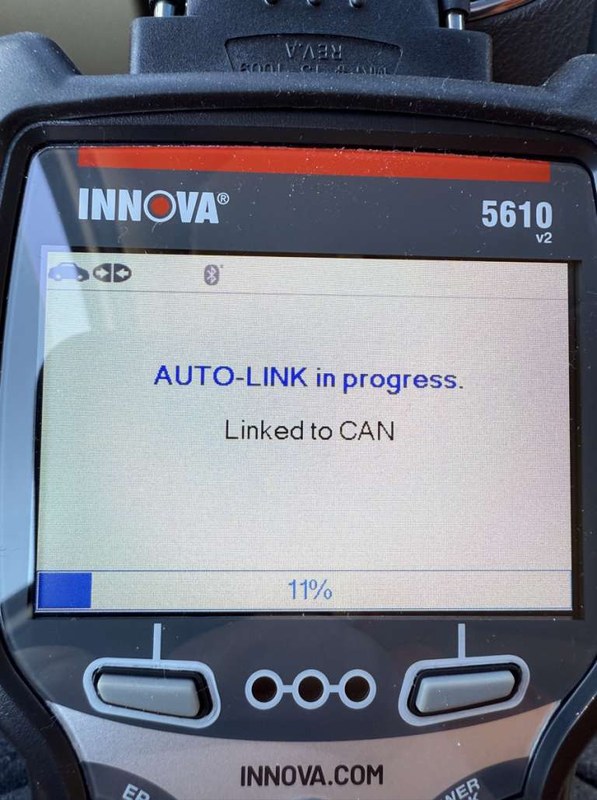
Start with the vehicle parked and the ignition in the correct mode for diagnostics. Plug the adapter into the OBD2 port, open the app, and then pair the Bluetooth connection if the app requires it. Some apps handle pairing inside the app, while others use the phone’s Bluetooth menu first.
Grant only the permissions the app needs to function, and check whether location access is required on your phone’s operating system for Bluetooth scanning. If a feature fails, the issue is often app setup rather than the adapter itself.
Verify the vehicle, power, ports, mounting space, hardware, and manufacturer instructions.
Keep cables and hardware away from airbags, pedals, controls, sensors, and moving parts.
Complete setup while parked, verify key functions, and secure all parts before driving.
Firmware updates, app settings, and avoiding connection conflicts
Firmware updates can improve compatibility or stability, but only use the manufacturer’s recommended update process. A failed update can create a new problem, so do not interrupt it once it starts. It also helps to keep one primary app for routine use instead of bouncing between several apps that may conflict with each other.
Check the adapter, connector, and app settings occasionally. If the device is stored in a hot car, inspect it for heat damage, loose fit, or unusual pairing behavior before the next use.
When a simple setup issue becomes a professional diagnosis issue
If the adapter powers up, pairs correctly, and still cannot access the data you need, the problem may be beyond a basic DIY scan. Wiring faults, module communication problems, intermittent sensors, and emissions system failures often need a shop-level approach.
That is especially true when warning lights return quickly after clearing, when multiple modules report faults, or when the vehicle enters limp mode. At that point, the adapter is still useful for information, but it is no longer the whole solution.
Battery, electrical, and hybrid/EV safety considerations
System voltage basics, battery chemistry, and state of charge versus battery health
OBD2 adapters depend on the vehicle’s 12-volt system for power. A low battery can cause weak communication, random disconnects, or repeated pairing failures. But low state of charge is not the same as poor battery health, so do not assume a battery is bad based on one scan issue alone.
Battery chemistry and vehicle design also matter. Some newer vehicles manage accessory power differently, which can change how long the adapter stays powered after shutdown. That is one reason owners should watch for drain concerns instead of assuming every vehicle behaves the same way.
Damaged-battery stop conditions and safe use on low-voltage vehicles
If the battery is swollen, leaking, cracked, or smells unusual, stop and follow the vehicle manual. Diagnostic tools are not a fix for damaged electrical components. On very low-voltage vehicles, repeated attempts to connect can create more confusion than useful data.
Hybrid and EV cautions: what an OBD2 adapter can and cannot safely address
Hybrid and EV owners should be especially careful. An OBD2 adapter may still read some vehicle information, but it does not make high-voltage work safe, and it does not replace the manufacturer’s service procedures. Stay away from orange high-voltage components unless you are specifically trained and equipped to service them.
TPMS, tire pressure, and roadside repair limits drivers should know
Door-jamb placard pressure, cold inflation checks, and gauge accuracy
Many drivers use a scanner app while also checking tire data, but tire pressure still needs a physical gauge and the vehicle’s door-jamb placard. Use the recommended cold tire pressure, not the number molded into the tire sidewall. Sidewall text is not the normal daily target for passenger vehicles.
Gauge accuracy matters because even a small error can affect handling, wear, and TPMS behavior. An OBD2 adapter cannot replace a tire gauge, and it cannot tell you whether a tire is properly inflated to the manufacturer’s spec.
Inflator duty cycle, TPMS relearn limits, and what the adapter cannot reset
If you carry an inflator, duty cycle and heat buildup matter, especially on hot pavement or after repeated use. The adapter does not inflate tires and usually cannot perform TPMS relearns unless the app and vehicle support that function. Even then, some relearns require a separate TPMS tool or a specific drive pattern.
For a deeper look at pressure tools and their limits, compare this article with our battery and electrical testing guide, how the Topdon battery tester works, if you are deciding which tool belongs in your glove box or trunk kit.
Puncture location, temporary-repair limits, and when professional tire repair is required
A scanner will not tell you if a tire is safely repairable. Sidewall damage, shoulder punctures, torn cords, and large gashes usually need professional attention or replacement. Temporary sealants and plug kits also have limits, and they are not always appropriate for long-term use.
Privacy, legal placement, and ownership cost in the United States
App permissions, data sharing, and driver privacy tradeoffs
Connected vehicle apps can collect more than trouble codes. Depending on the software, they may request account access, device permissions, and cloud syncing. Before you sign in, review what data is stored, whether it is shared with third parties, and how to delete an account if you no longer want the service.
Check whether the app stores VINs, scan history, trip data, or saved vehicle profiles. If you share a phone with family members or fleet drivers, separate accounts and secure passwords can reduce accidental data exposure.
State-by-state legality, inspection concerns, and safe adapter placement while driving
Rules around vehicle equipment, inspection readiness, and roadside use can vary by state. If you are using the adapter during a road trip, keep it out of the way of pedals, knees, and steering movement, and do not treat the scanner as a reason to handle the phone while driving.
Total ownership cost: hardware price, optional software, and long-term value
The MX+ can be a good value if you want one adapter for several vehicles and do not want a recurring hardware subscription. Still, total ownership cost should include any paid app, premium diagnostic package, or vehicle-specific software you may need later.
Maintenance, troubleshooting, and emergency-tool readiness
Firmware upkeep, storage conditions, cable or pack condition, and post-use inspection
Even small diagnostic tools benefit from basic care. Keep the adapter clean, store it away from extreme heat and moisture, and inspect the connector for wear if it starts to feel loose. If the app or manufacturer offers firmware updates, apply them only when needed and only through the official process.
After use, disconnect the adapter if you do not want it left plugged in, especially on vehicles that may keep the port powered. Check for heat, physical damage, or unusual battery drain before the next trip.
Current limits, tool completeness, and safe roadside use in traffic-visible locations
An OBD2 adapter is a helpful diagnostic item, but it is not a complete roadside emergency kit. If you are troubleshooting on the shoulder, focus on visibility, traffic exposure, and safe placement before you focus on the app screen. A reflective vest, hazard awareness, and a safer work area matter more than any scan result.
That is also why drivers should think about the whole kit, not just the adapter. The scanner may help explain the warning light, but it will not replace a flashlight, tire gauge, inflator, or a safe place to pull over.
Common connection failures, battery drain concerns, and when to replace the adapter
Common problems include Bluetooth conflicts, outdated firmware, weak vehicle voltage, and app permission issues. If the adapter repeatedly drops connection across multiple vehicles and apps, the hardware may be failing. If it stays connected but causes unexpected drain, unplug it when parked or check whether your vehicle keeps the port live after shutdown.
Replacement becomes more reasonable when the adapter no longer pairs reliably, the connector is loose, or software support no longer matches your phone. At that point, the value of a newer adapter may be better than troubleshooting an aging one.
OBDLink MX+ review comparison: who should buy it, what to compare, and final verdict
Side-by-side comparison criteria: subscription cost, compatibility, app flexibility, and support
When you compare the MX+ with other adapters, focus on a few practical points: whether the hardware itself requires a subscription, what apps it works with, whether it supports your vehicle family, and how much support you can expect after purchase. Those factors matter more than marketing claims.
| Option | Best for | Owner consideration | Driver consideration |
|---|---|---|---|
| OBDLink MX+ | Drivers who want flexible app access without a required hardware subscription | May still need paid third-party software for advanced functions | Simple setup can reduce distraction when used parked |
| Subscription-based scanner | Owners who want bundled software and guided features | Recurring cost can add up over time | May offer easier menus, but still requires safe parked use |
| Budget Bluetooth adapter | Basic code reading on a tight budget | May have weaker support or fewer app options | Good for simple checks, not always ideal for deeper diagnosis |
Best fit for DIY drivers, commuters, used-car buyers, and multi-vehicle households
The MX+ makes the most sense for drivers who want a dependable Bluetooth adapter and do not want to pay a recurring fee just to access the hardware. That includes DIY owners, commuters who want to monitor a check engine light, and used-car shoppers who want a quick scan before purchase.
Best for drivers who want flexible app choice, solid everyday diagnostics, and ownership without a mandatory subscription, while accepting that advanced features may still depend on paid software.
Evidence limits, drawbacks, warranty/support notes, alternatives, and transparent recommendation
Because no verified first-hand testing evidence is available here, this guide relies on manufacturer-style product behavior, common app patterns, and owner-use considerations rather than a hands-on score. The main drawback is that “no subscription” does not always mean “no extra cost,” especially if you want advanced functions or a premium app.
If you want to compare options before buying, start with the adapter’s supported apps, your vehicle’s model-year compatibility, and the return or warranty terms from the seller. For readers who want a simpler no-fee path, the MX+ is still worth considering, but only if its app ecosystem fits the way you actually diagnose cars.
- Best for: US drivers who want a Bluetooth OBD2 adapter without a required hardware subscription and who value flexible app choice.
- Think twice if: You need advanced vehicle-specific functions and do not want to pay for third-party software or premium app features.
- Next step: Confirm your vehicle compatibility, choose the app you plan to use, and check whether any paid software is needed before you buy.
Frequently Asked Questions
No, the adapter itself is generally used without a required subscription. Some apps or advanced features may still cost extra depending on the software you choose.
Most drivers can use basic code reading, live data, and common vehicle monitoring without a recurring hardware fee. Exact functions depend on the app and the vehicle.
No scanner works with every vehicle in the same way. Compatibility depends on the make, model, year, trim, and the app you use.
It can on some vehicles if the port stays powered after shutdown. If you are unsure, unplug it when parked and check the vehicle manual.
Rules can vary by state, especially for inspection-related use and in-cabin placement. Check current state guidance before relying on it during roadside or inspection work.
Confirm vehicle compatibility, app costs, firmware support, and warranty terms. Also check whether the features you want require paid software.



3 Comments