8 Best OBD2 Scanners for Ford: Top Picks for F-150, Escape & Mustang
A warning light on your Ford can turn an ordinary drive into an uncomfortable guessing game.
Is it something minor? Can you safely keep driving? Or is your Ford trying to warn you about a problem that could become much more expensive if it is ignored?
That uncertainty is exactly why having the right OBD2 scanner can be useful. Instead of immediately replacing parts or paying for diagnostic time, a scanner can help you understand what your Ford is trying to tell you.
But that does not mean you should automatically buy the most expensive scan tool. The best OBD2 scanner for Ford is the one that gives you the diagnostic access you actually need without making you pay for features you may never use.
Some Ford owners simply want to know why the check-engine light came on. Others want access to ABS, airbags, transmission data, service functions, or Ford-specific modules. And DIY owners working on vehicles such as the F-150, Mustang, Escape, Explorer, Ranger, Bronco, or Super Duty may want deeper diagnostics or FORScan compatibility.
We compared eight popular options ranging from simple engine-code readers to more capable Ford-focused diagnostic tools so you can choose based on your real needs.
Quick Verdict: Which Ford Scanner Should You Buy?
Not sure where to start? If you only need to understand a check-engine light, a basic reader may be enough. If you need ABS, SRS, transmission, service functions, Ford-specific modules, or FORScan support, consider a more capable scanner.
8 Best OBD2 Scanners for Ford Compared
| Scanner | Best For | Type | Ford Capability | Check Price |
|---|---|---|---|---|
| OBDLink MX+ | FORScan & Ford enthusiasts | Bluetooth | Enhanced, app/model dependent | See Price |
| ANCEL FD700 | Ford-focused DIY diagnostics | Standalone | Multi-system, model dependent | See Price |
| Innova 5610 | Advanced DIY work | Standalone | Enhanced systems + selected active tests | See Price |
| ANCEL FD500 | Mid-range Ford diagnostics | Standalone | Multi-system, model dependent | See Price |
| Innova 5210 | Everyday DIY maintenance | Standalone | Engine + selected additional functions | See Price |
| FOXWELL NT301 | Engine codes & emissions | Standalone | Standard OBD2 | See Price |
| ANCEL AD310 | Budget check-engine diagnosis | Standalone | Standard OBD2 | See Price |
| ANCEL AD410 | Simple diagnosis with color display | Standalone | Standard OBD2 | See Price |
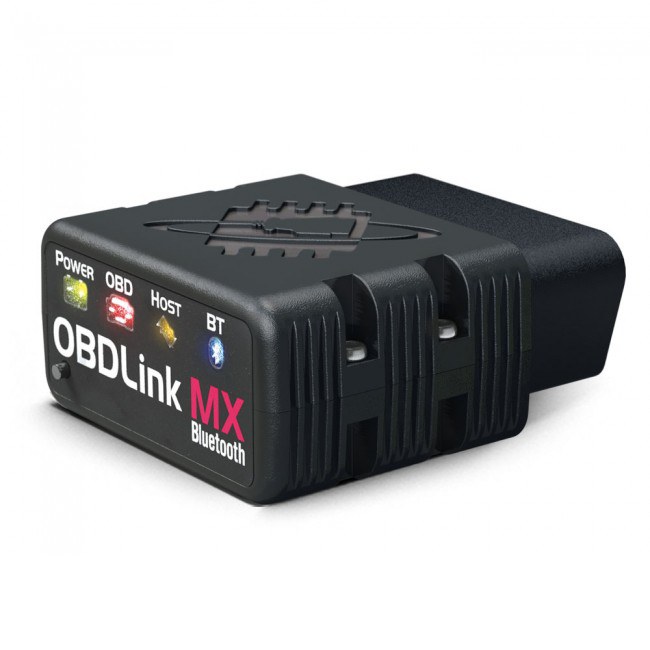
1. OBDLink MX+ — Best for Ford Owners Who Want FORScan

There is a big difference between simply seeing a trouble code and being able to dig deeper into what your Ford is actually doing.
That is where the OBDLink MX+ stands out. It works with iPhone, Android, and Windows devices, and its compatibility with FORScan makes it especially attractive for Ford owners.
On supported vehicles and through compatible software, it can provide access beyond standard engine codes. Exact capabilities depend on the Ford model, model year, modules, and software being used.
Pros
- Compatible with FORScan
- Works with iPhone, Android, and Windows
- Stable Bluetooth connection
- Supports enhanced Ford data through compatible apps
- Compact and easy to store
Cons
- Requires a phone, tablet, or computer
- Some advanced functions may involve paid software
- Exact features vary by Ford model and year
For owners who enjoy understanding and maintaining their own Ford, that flexibility can be more valuable than simply having another handheld scanner with a long feature list.
Skip it if: You prefer a fully standalone scanner with its own display.
2. ANCEL FD700 — Best Standalone Ford-Focused Scanner
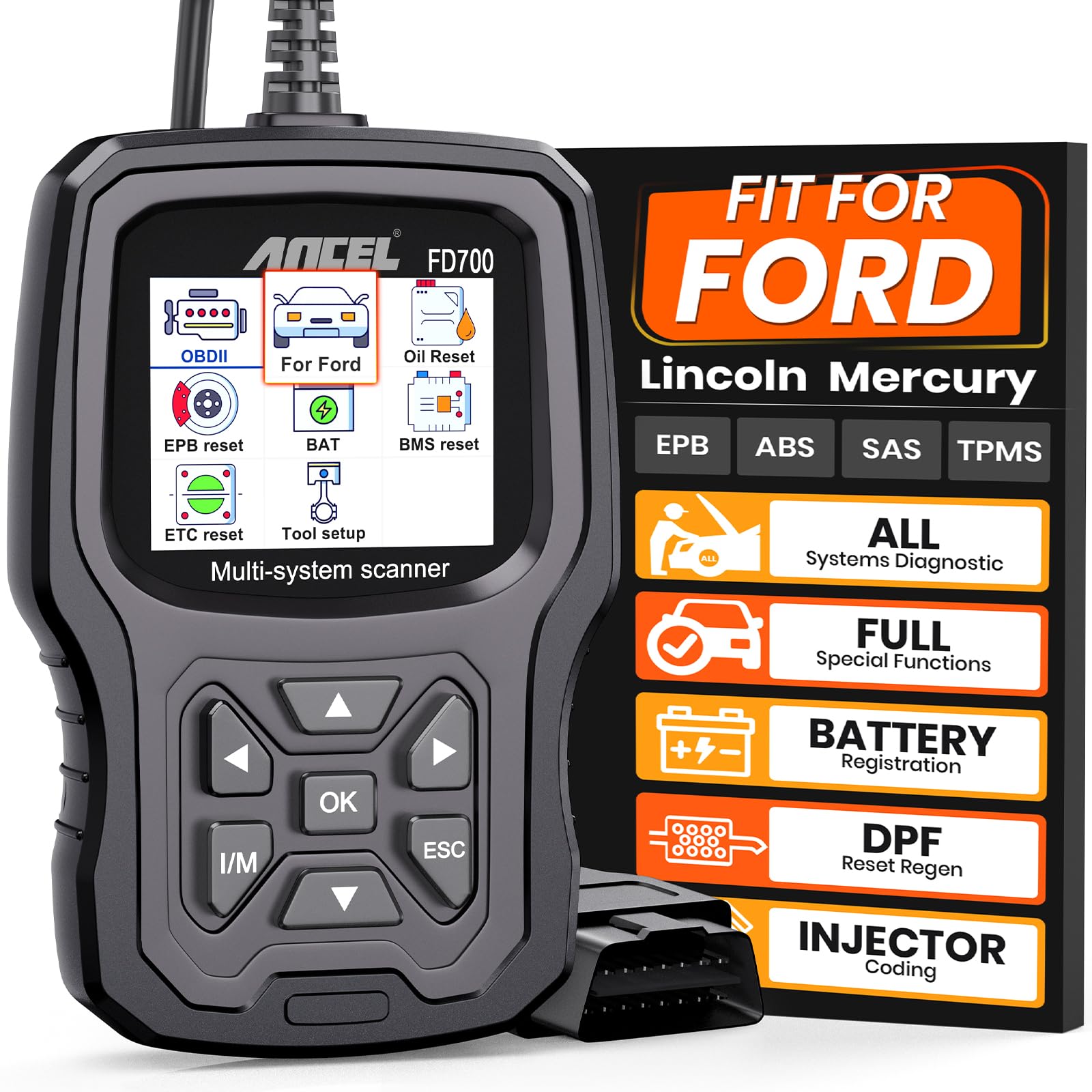
Sometimes you do not want another app or another Bluetooth pairing process. You simply want to plug a scanner into your Ford and start diagnosing.
The ANCEL FD700 is aimed at that type of owner. On supported Ford, Lincoln, and Mercury vehicles, it can go beyond basic engine-code reading and access multiple vehicle systems.
Pros
- Designed around Ford, Lincoln, and Mercury vehicles
- Multi-system diagnostics on supported models
- Selected battery registration and reset functions
- No smartphone required
- Live-data capability
Cons
- Not every function works on every Ford
- Coverage varies by model year and configuration
- Updates may require additional setup
A cheap code reader can seem perfectly adequate until the warning you need to investigate comes from a system it cannot access. That is where broader system coverage starts to justify the extra cost.
Skip it if: You only want to read and clear an occasional engine code.
3. Innova 5610 — Best for Advanced DIY Diagnostics

There comes a point where simply reading a trouble code is no longer enough. You may want enhanced system data, live readings, or selected active-test capabilities while troubleshooting.
That is where the Innova 5610 becomes more compelling. On supported vehicles, it can provide enhanced diagnostic access beyond what a basic code reader offers.
Pros
- Enhanced diagnostic coverage
- Selected bidirectional functions
- Live-data display
- RepairSolutions2 support
- Standalone handheld design
Cons
- Advanced support varies by Ford model and year
- Coverage should be checked before purchase
- More capability than occasional users may need
The real question is not simply, “Can this read my check-engine light?” It is “How far do I want to take my own diagnostics?”
Skip it if: You expect to scan your Ford only occasionally.
4. ANCEL FD500 — Best Mid-Range Ford Scanner

The ANCEL FD500 sits in a useful middle ground. It offers more Ford-oriented capability than a basic engine scanner without immediately moving you into higher-end diagnostic equipment.
Pros
- Ford, Lincoln, and Mercury focused
- Multi-system diagnostics on compatible vehicles
- Selected battery, oil, throttle, and EPB functions
- Standalone display
- Live and freeze-frame data
Cons
- Functions vary by Ford model and year
- Setup and updates may take additional time
- Not every advanced function is guaranteed on every vehicle
Many owners start with a very basic scanner and only later discover that it cannot access the ABS, airbag, or transmission system they need. The FD500 is aimed at buyers who want to avoid that frustration.
5. Innova 5210 — Best for Everyday Ford DIY Maintenance

The Innova 5210 is less about having every advanced function and more about practical everyday ownership.
It combines basic engine diagnostics with useful live-data and maintenance-oriented functions, depending on vehicle coverage.
Pros
- Reads and clears engine codes
- Live sensor data
- Battery and alternator testing
- Selected ABS functionality
- RepairSolutions2 support
Cons
- Ford coverage varies by model and year
- Attached cable reduces portability
- Not designed primarily for deep Ford-specific diagnostics
Sometimes the scanner you use most is not the one with the largest feature list. It is the one that fits the jobs you actually do.
6. FOXWELL NT301 — Best for Engine Codes, Live Data & Emissions

Sometimes simple is exactly what you need.
If your Ford has a check-engine light and your main goal is reading the code, checking live engine data, or reviewing emissions readiness, the FOXWELL NT301 offers a straightforward approach.
Pros
- Reads and clears standard engine fault codes
- Live-data display and graphing
- Emissions-readiness functions
- No smartphone required
- No battery charging required
Cons
- Not a full Ford-system scanner
- Not intended for advanced ABS, SRS, or transmission access
- No advanced bidirectional testing
If you do not need advanced system diagnostics, paying for those features may not make sense. For many owners, simplicity is the benefit.
7. ANCEL AD310 — Best Budget OBD2 Scanner for Ford

Imagine the most common scanner-buying situation: your check-engine light suddenly appears, but you do not know whether the problem is minor or something that deserves immediate attention.
You do not need professional shop equipment. You simply want useful information before deciding what to do next.
That is the type of buyer the ANCEL AD310 makes sense for.
Pros
- Affordable
- Simple controls
- No smartphone required
- No batteries or charging
- Useful for basic check-engine diagnosis
Cons
- Focused on engine and emissions systems
- No Ford-specific module access
- Not designed for ABS, SRS, or transmission diagnostics
The Ford owner thinking:
“I don’t need a professional scanner. I just want to understand why my check-engine light is on.”
The AD310 is a good reminder that buying smarter does not always mean buying more expensive.
8. ANCEL AD410 — Good Basic Alternative With a Color Display

The ANCEL AD410 is another sensible choice for owners whose needs are mainly engine and emissions related.
It offers a conventional standalone interface without requiring Bluetooth or a phone app.
Pros
- Color display
- Built-in code definitions
- Live-data capability
- No smartphone required
- Simple standalone operation
Cons
- Focused mainly on engine and emissions diagnostics
- No deep Ford-specific module access
- Wired operation only
If you value straightforward operation more than advanced module access, that may be exactly what you need.
Which OBD2 Scanner Is Right for Your Ford?
The easiest way to choose is to stop asking:
“Which scanner has the most features?”
Instead ask:
“What problem do I actually need this scanner to solve?”
If You Just Have a Check-Engine Light
You probably do not need an expensive full-system diagnostic tool. Start with:
- ANCEL AD310 — simple and budget friendly
- FOXWELL NT301 — engine codes, live data, and emissions
- ANCEL AD410 — simple color-screen alternative
If You Have ABS, Airbag, or Transmission Warnings
This is where a basic engine-code reader may only give you part of the picture. Consider tools with broader supported-system coverage, such as:
- ANCEL FD500
- ANCEL FD700
- Innova 5610
- OBDLink MX+ with compatible software
Always verify compatibility with your exact Ford model and year.
If You Work on Your Ford Regularly
If your garage time goes beyond reading an occasional check-engine code, Ford-specific and multi-system access becomes much more valuable.
The OBDLink MX+ is particularly interesting for FORScan users, while the FD700 provides a more traditional standalone Ford-focused experience.
What Should F-150, Escape, Explorer, Mustang & Ranger Owners Look For?
Do not assume that one scanner offers identical functionality across every Ford. Model year, engine, modules, and configuration can affect diagnostic coverage.
| Ford Vehicle | Capability Worth Prioritizing | |||
|---|---|---|---|---|
| Ford F-150 | Engine, ABS, transmission, and enhanced Ford diagnostics | |||
| Ford Super Duty | Broad system coverage and vehicle-specific diagnostics | |||
| Ford Escape | Engine data, live data, and ABS/SRS when needed | |||
| Ford Explorer | Multi-system scanning capability | |||
| Ford Mustang | Live data and enhanced diagnostics | |||
| Ford Ranger / Bronco | Current model-year and module compatibility | |||
What Makes a Good OBD2 Scanner for Ford?
1. Ford-Specific Coverage
A scanner being “OBD2 compatible” does not automatically mean it can communicate with every system in your Ford.
Standard OBD2 focuses mainly on standardized engine and emissions diagnostics. If you need ABS, SRS, transmission, body modules, or service functions, make sure those systems are supported on your exact vehicle.
2. FORScan Compatibility
For Ford enthusiasts, FORScan compatibility can significantly affect the buying decision.
A compatible adapter can provide Ford-oriented diagnostic access beyond what many basic generic readers offer. This is one reason the OBDLink MX+ occupies a different position from conventional handheld scanners.
3. Live Data
A trouble code gives you a starting point. Live data can help you understand what your Ford is doing while the engine is running.
Useful data may include:
- Engine RPM
- Coolant temperature
- Fuel trims
- Oxygen-sensor readings
- Battery-related information
- Other supported sensor values
4. ABS, Airbag & Transmission Access
This is one of the biggest differences between a basic code reader and a more advanced diagnostic scanner.
If the warning you want to diagnose is not engine-related, a basic OBD2 reader may not be enough.
5. Service Functions
Depending on the scanner and vehicle support, useful functions may include:
- Oil reset
- Battery registration
- Electronic parking brake service
- Steering-angle calibration
- Throttle-related procedures
Before You Buy: Avoid These 4 Common Mistakes
1. Buying Too Little Scanner
A low-cost reader may be perfect for an engine warning and completely unsuitable for an ABS, SRS, or transmission problem.
2. Buying Too Much Scanner
Paying for advanced diagnostic controls makes little sense if you expect to read an engine code only once or twice a year.
3. Assuming Every Function Works on Every Ford
“Ford compatible” does not mean every listed feature works on every trim, engine, configuration, and model year.
4. Choosing by Feature Count Instead of Your Real Need
The best scanner is not necessarily the product with the longest specification sheet. It is the one that answers the diagnostic questions you are most likely to have.
Frequently Asked Questions
What is the best OBD2 scanner for Ford?
It depends on what you want to diagnose. For basic engine codes, the ANCEL AD310 may be sufficient. For broader Ford-focused diagnostics, the ANCEL FD700 offers more capability. Owners interested in FORScan should also consider the OBDLink MX+.
What is the best OBD2 scanner for a Ford F-150?
There is no single scanner that is best for every F-150 model year. A basic scanner may be enough for engine codes, while owners who need ABS, transmission, or Ford-specific diagnostic access should look for enhanced coverage and confirm compatibility with their exact F-150.
Does OBDLink MX+ work with FORScan?
The OBDLink MX+ is designed to work with compatible diagnostic software including FORScan. Available functions depend on your Ford model, year, modules, and software configuration.
Can an OBD2 scanner read Ford transmission codes?
Some enhanced scanners can access transmission systems on supported Ford vehicles. Basic engine-code readers should not be purchased specifically for transmission diagnostics.
Can an OBD2 scanner read ABS and airbag codes?
Only scanners with the appropriate enhanced-system support can access those systems on compatible vehicles. Standard engine-code capability does not automatically include ABS or SRS.
Can an OBD2 scanner clear a Ford check-engine light?
Many OBD2 scanners can clear stored engine fault codes. However, clearing the code does not repair the underlying problem. If the fault remains, the light may return.
Will an OBD2 scanner work with a push-button-start Ford?
Often yes, provided the scanner supports the vehicle and the ignition is placed in the correct ON or diagnostic state. Follow the instructions for both your Ford and your scan tool.
Final Verdict: Buy the Scanner That Matches the Problem
Buying an OBD2 scanner should make Ford ownership less confusing, not leave you with another expensive tool sitting unused in a drawer.
If you simply want an affordable way to understand a check-engine light, the ANCEL AD310 may provide everything you need.
If you regularly maintain your own Ford and want broader system diagnostics from a standalone tool, the ANCEL FD700 is the option we would examine closely.
If you want more advanced DIY diagnostic capability, the Innova 5610 is the stronger advanced option in this group.
And if Ford-specific software diagnostics and FORScan are important to you, the OBDLink MX+ is our standout choice.
Our Top 3 Ford OBD2 Scanner Picks
🏆 Best for Ford/FORScan: OBDLink MX+
⭐ Best Standalone Ford Scanner: ANCEL FD700
💰 Best Budget Choice: ANCEL AD310