FOXWELL NT301 OBD2 Scanner Live vs Launch CR529 OBD2 Diagnostic Scan
For US drivers and DIY vehicle owners comparing the FOXWELL NT301 OBD2 Scanner Live vs Launch CR529 OBD2 Diagnostic Scan, the real question is not which tool has the most buzz. It is whether you want a straightforward, wired code reader with solid live data and emissions checks, or a similarly simple scanner that adds more recorded-data features, more language options, and a few extra on-board monitoring claims. Both are basic OBD2 tools, so the better choice depends on how much you value simplicity versus extra software-style features you may actually use.
Choose the FOXWELL NT301 if you want a proven, no-app, plug-in scanner for check-engine light work, live data, and emissions readiness checks. Choose the Launch CR529 if you want similar core OBD2 functions plus data recording, report printing, lifetime updates, and more language support. The key trade-off is simple: FOXWELL is the cleaner basic tool, while Launch offers more features on paper if you will actually use them.
Quick Comparison
| Decision area | FOXWELL NT301 OBD2 Scanner Live | Launch CR529 OBD2 Diagnostic Scan |
|---|---|---|
| Core OBD2 functions | Read/clear codes, I/M readiness, live data, VIN retrieval | Read/erase codes, I/M readiness, freeze frame, live data, VIN/CIN/CVN |
| Live data | Graphing supported | Text and graph display supported |
| Emissions help | Dedicated readiness hotkeys and LED/speaker status cues | One-click smog check, LEDs, I/M shortcuts |
| Extra diagnostic modes | O2 sensor test, EVAP leak monitor | O2 sensor, EVAP test (Mode 8), Mode 6 monitoring |
| Data handling | Live data graphing; logging was mentioned in listing data | Graphing, data record, playback, report printing via PC/email |
| Updates | Update support was not verified from the supplied data | Free lifetime update claimed in listing data |
| Compatibility | 1996+ US gasoline cars, many 2000+ EU/Asian models, 12V diesel with OBD2 | 1996+ OBD2-compliant vehicles; protocols listed include KWP2000, ISO9141, J1850 VPW, J1850 PWM, CAN |
| Usability | Plug-in, color screen, no setup required | Plug and play, color screen, no battery required, language options |
| Best fit | Drivers who want a simple basic code reader for CEL and emissions checks | DIYers who want basic OBD2 diagnostics with more record-and-review features |
Where the decision really changes
The biggest difference is not the code-reading basics. Both tools cover the kind of work most home mechanics actually need first: reading fault codes, checking readiness, and viewing live data. The real split is in how much extra help you want after the initial scan.
If you usually just want to find out why the check engine light came on, confirm whether the car is ready for an emissions test, and clear codes after a repair, the FOXWELL NT301 fits that job well. If you like saving reports, replaying data, or having more built-in language support and update claims, the Launch CR529 gives you more ownership features without jumping to a more expensive advanced scanner class. For readers comparing this type of tool more broadly, our guide to a best OBD2 scanner can help you see where basic readers stop and more advanced tools begin.
FOXWELL NT301 OBD2 Scanner Live
FOXWELL NT301 OBD2 Scanner Live
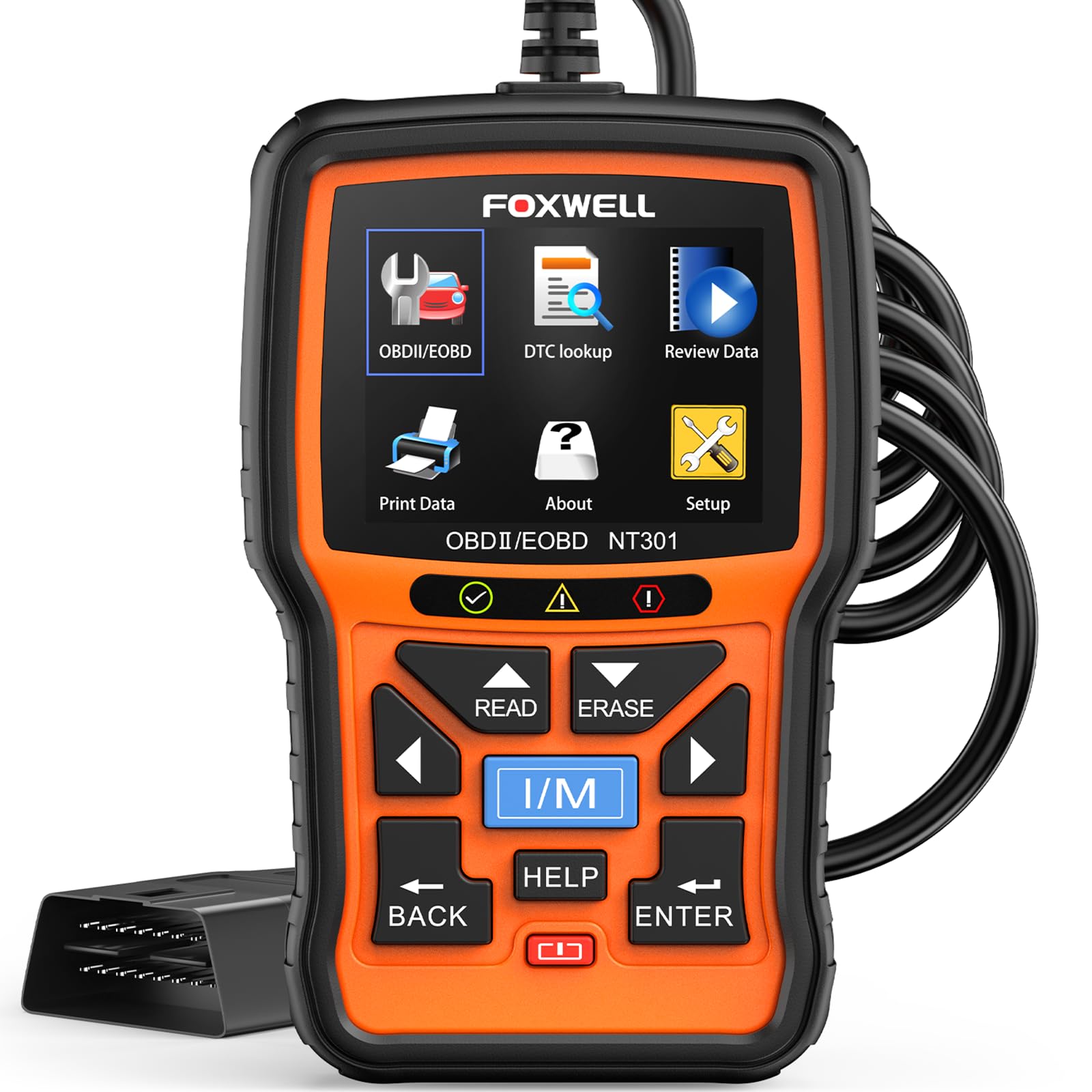
This is a wired, no-app OBD2 code reader for drivers who want fast fault-code reading, live data graphs, and readiness checks without extra setup. Its main limitation is that it stays in basic OBD2 territory and does not support ABS, SRS, EPB, A/C, battery, or advanced bidirectional functions.
Product Specifications
- Reads fault codes when the ignition is on and the vehicle is compatible
- Clears check engine light or MIL after repair
- Reads live data in graph form
- Retrieves VIN
- Supports O2 sensor test and EVAP system leak monitor
- Uses a 2.8-inch color screen
- No charging or setup required; plugs into the 16-pin DLC
- Verified protocol support includes KWP2000, J1850 VPW, ISO9141, J1850 PWM, and CAN
Pros
- Clear fit for basic DIY diagnostics
- Useful live data graphing for spotting sensor trends
- Dedicated emissions-readiness help with LED and speaker cues
- Works with many 1996+ US vehicles and many 2000+ EU/Asian models
- Simple wired operation keeps ownership straightforward
Cons
- Does not support ABS, SRS, EPB, A/C, battery, or other non-OBD2 systems
- No verified advanced service functions or bidirectional control
- Update details were not verified from the supplied product data
Vehicle Compatibility Notes
The listing supports most 1996+ gasoline cars, light trucks, and SUVs sold in the U.S., as well as many 2000+ European and Asian models. It also works on 12V diesel vehicles equipped with OBD2. As with any basic scanner, exact support can vary by model year, VIN, and vehicle system, so it is smart to confirm compatibility before ordering. If you want a deeper look at matching this tool to your vehicle, see what vehicles are compatible with Foxwell NT301.
For owners who mainly want a dependable code reader with live data and emissions checks, the NT301 is easy to understand. If you want to know how the tool behaves in common home-garage use, our guide on how to use the Foxwell NT301 OBD2 scanner is a useful next read.
Launch CR529 OBD2 Diagnostic Scan
Launch CR529 OBD2 Diagnostic Scan
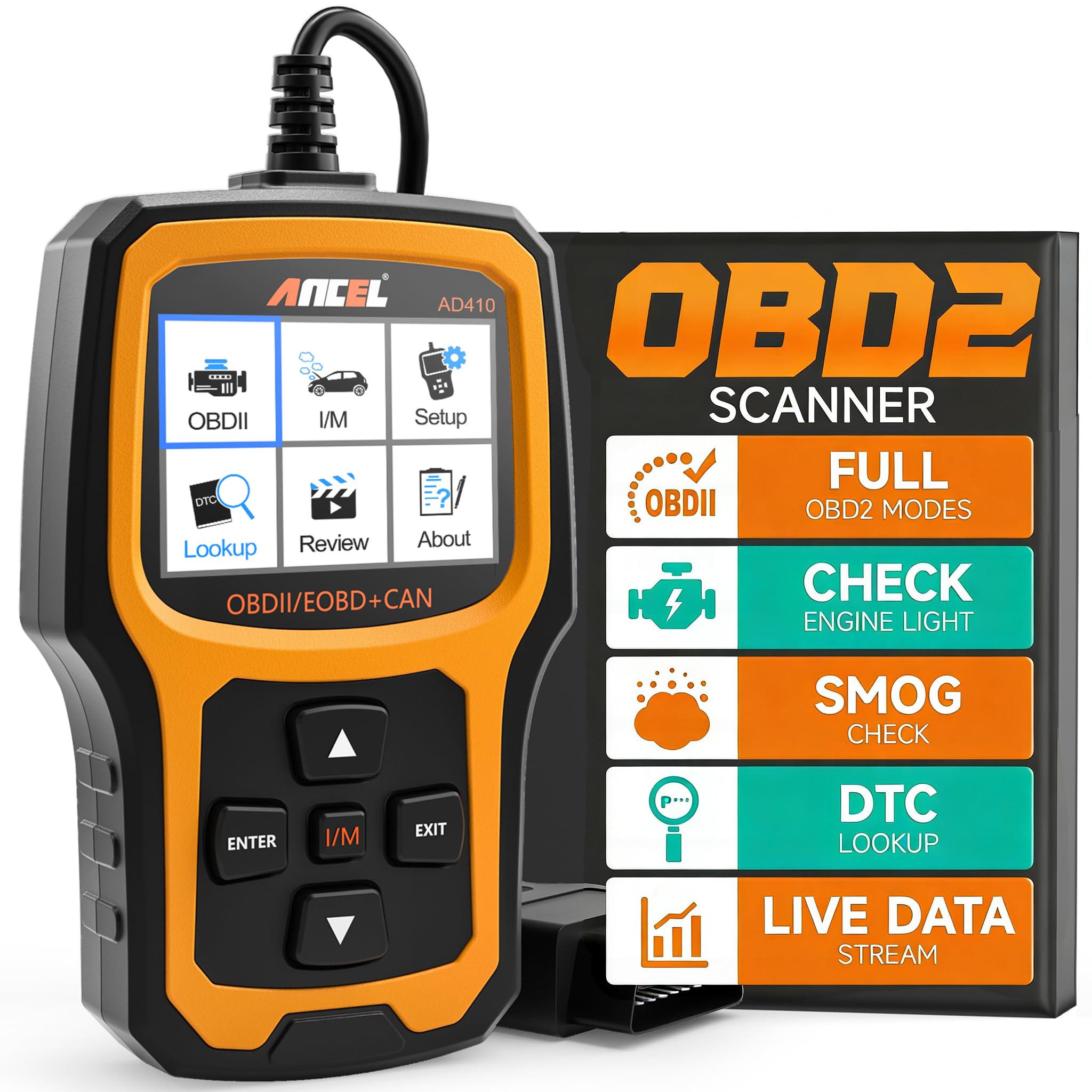
The CR529 covers the same basic OBD2 jobs but adds data recording, playback, report printing, more language support, and free lifetime update claims. Its main limitation is that the listing still places it in the basic OBD2 category, so buyers should not expect ABS, SRS, or true advanced service functions unless separately verified.
Product Specifications
- Reads and erases codes
- Retrieves I/M readiness and freeze frame data
- Shows live data in text and graph format
- Supports O2 sensor and EVAP test claims
- Includes Mode 6 advanced on-board monitoring claim
- Records data, supports playback, and can print reports via PC/email
- Offers seven language options: English, French, Spanish, German, Portuguese, Russian, and Japanese
- Uses a 2.8-inch color display and does not require battery power
- Supports OBD2-compliant vehicles from 1996 and newer
- Listing claims free lifetime update support
Pros
- More data-handling tools than a plain code reader
- Freeze frame and Mode 6 claim may help with deeper basic diagnostics
- Built-in report workflow is useful if you like saving results
- Language options may help multilingual households or shops
- Clear plug-and-play design
Cons
- Compatibility is still limited to OBD2-compliant vehicles and basic systems
- Not verified for ABS, SRS, EPB, or other service-system coverage
- PC/email printing and updates may matter less to buyers who only need quick code reads
- iOS PC compatibility was not supported per the listing note
Ownership Notes
The CR529’s extra features are useful only if you will use them. Data record, playback, and report printing can be helpful for tracking a recurring issue or sharing information with a mechanic. If you just want to check a warning light once in a while, those features may not change your day-to-day experience. For shoppers comparing ownership style, our article on best OBD2 scanner without subscription is a good companion read.
Head-to-Head: what matters most for real buyers
Code reading and clearing: tie
Both tools handle the basic OBD2 job: reading and clearing check engine light codes on compatible vehicles. The FOXWELL NT301 says the ignition must be on and the vehicle must be in the correct menu path for code reading, while the Launch CR529 also supports read/erase functions. For a buyer focused on the first step of diagnosis, neither one changes the core formula much.
Live data and basic diagnosis: slight edge to Launch CR529
Both scanners show live data in graph form, but the CR529 adds text-and-graph display plus data recording and playback. That makes it easier to review a problem after the fact. The NT301 still does the essential live-data job well on paper, especially for fuel trims, coolant temperature, RPM, and oxygen sensor trends, but the Launch model has more built-in ways to inspect that information later.
Emissions readiness and smog prep: tie
Each scanner is built to help with emissions checks. The NT301 uses dedicated I/M readiness hotkeys and red-yellow-green LED guidance, while the CR529 offers a one-click smog check and visible readiness status. If your main goal is simply to know whether the car is ready for inspection, both tools are aimed at that use case.
Ownership convenience: edge to Launch CR529
The Launch model has the stronger ownership story because it includes data record, report printing, more language options, and lifetime update claims. The FOXWELL is simpler and may feel more direct if you want fewer features to manage. So this category comes down to preference: Launch is more feature-rich, while FOXWELL is more stripped down.
Compatibility and caution: tie, with a warning
Both tools are limited to OBD2-compliant vehicles and basic system scanning. The NT301 is clearly listed for most 1996+ U.S. gasoline vehicles, many 2000+ EU and Asian models, and 12V diesel vehicles with OBD2. The CR529 is listed for 1996-and-newer OBD2-compliant vehicles with standard protocol support. Neither listing proves coverage for every model, so buyers should verify year, connector, and system support before ordering.
- Confirm your vehicle is OBD2-compliant and check the model year before ordering.
- If you need ABS, SRS, EPB, battery, or A/C diagnostics, do not assume either scanner will cover them.
- Decide whether you actually need data recording, playback, or report printing before paying for the Launch CR529 extras.
- Check whether you want a basic wired reader or a tool with more saved-data features.
- Verify your computer setup if you plan to use the CR529’s PC/email report workflow.
- Make sure you are buying for code reading and emissions checks, not advanced bidirectional or service functions.
- Choose FOXWELL NT301 OBD2 Scanner Live if: you want a simple, wired scanner for reading and clearing engine codes, checking readiness, and viewing live data without extra software-style features.
- Choose Launch CR529 OBD2 Diagnostic Scan if: you want the same basic OBD2 coverage plus data recording, playback, report printing, more language support, and lifetime update claims.
- Think twice if: you need ABS, SRS, EPB, battery, A/C, or bidirectional functions, because neither listing verifies that level of coverage.
- Next step: verify your vehicle’s model year, OBD2 compliance, and the exact systems you need to scan before you order.
For basic check engine light work, both are suitable. The FOXWELL NT301 is the simpler pick, while the Launch CR529 adds extra data-handling features you may not need.
No verified listing data here confirms ABS or SRS coverage for either model. If you need those systems, confirm support before buying.
Yes, both listings support code clearing on compatible vehicles after the underlying issue has been repaired.
Both are built for emissions-readiness checks. The NT301 uses readiness hotkeys and LED/speaker cues, while the CR529 offers a one-click smog check and readiness display.
No app requirement was verified in the supplied data. The listing emphasizes plug-and-play use and report handling via PC/email.
Only if you expect to track recurring issues, save reports, or share scan results. If you just want quick code reads, those extras may not be necessary.