Innova 5610 Understand Your Vehicle: Quick Diagnostics Guide
The Innova 5610 is a practical scanner for drivers who want clearer answers about warning lights, battery clues, and readiness monitors. It is useful, but it cannot replace vehicle-specific testing or a professional diagnosis when the problem is complex.
Innova 5610 Understand Your Vehicle starts with a simple promise: it helps everyday drivers make sense of warning lights, battery clues, tire pressure checks, and emissions readiness without turning the garage into a guessing game. For many owners, the value is not “fixing everything” but getting clearer information before deciding whether to reset a code, add air, replace a battery, or schedule service.
- Best fit: Daily drivers, DIY owners, and used-car shoppers who want more than a basic code.
- Main limit: Codes and live data help narrow the problem, but they do not prove the.
- Safety first: Use it while parked and stop if you see battery damage, traffic risk, or.
- Compatibility matters: Confirm model year, protocol support, and feature coverage before buying.
- Ownership value: The tool is most useful when you want practical diagnostics without shop-level complexity.
Innova 5610 Understand Your Vehicle: What It Does and Who It’s For
Quick answer: how the Innova 5610 helps drivers understand warning lights, battery issues, tire pressure, and readiness monitors
The Innova 5610 is best thought of as a practical diagnostic helper, not a full repair solution. It can read common OBD2 trouble codes, show live data, help you check emissions readiness, and support basic battery and TPMS-related checks depending on the vehicle and feature set.
That makes it useful when a check engine light appears, when a battery seems weak, or when tire pressure needs a quick reality check before a commute or road trip. It can reduce guesswork, but it cannot prove the exact root cause of every problem on its own.
Best-fit users in 2026: daily drivers, DIY owners, used-car shoppers, and light home mechanics
This tool fits drivers who want more information than a basic code reader gives, but do not need a professional shop scan tool. Daily commuters can use it for warning-light triage, used-car shoppers can use it to spot pending issues, and DIY owners can use it to decide whether a problem looks minor or needs a technician.
It is also a reasonable match for parents, rideshare drivers, and road-trip users who want a compact scanner in the glove box or garage. If you only need to clear an occasional code, a simpler reader may be enough. If you need advanced manufacturer-specific diagnostics, a more capable scan tool may be the better fit.
- Use the scanner to gather clues before clearing any code.
- Check the owner manual for vehicle-specific diagnostic steps.
- Confirm compatibility before assuming every feature will work on your vehicle.
- Assume a code tells you the exact failed part.
- Ignore battery, tire, or charging-system safety warnings.
- Use OBD2 data as a substitute for a full inspection when symptoms are serious.
Key Features That Matter Most in Real-World Use
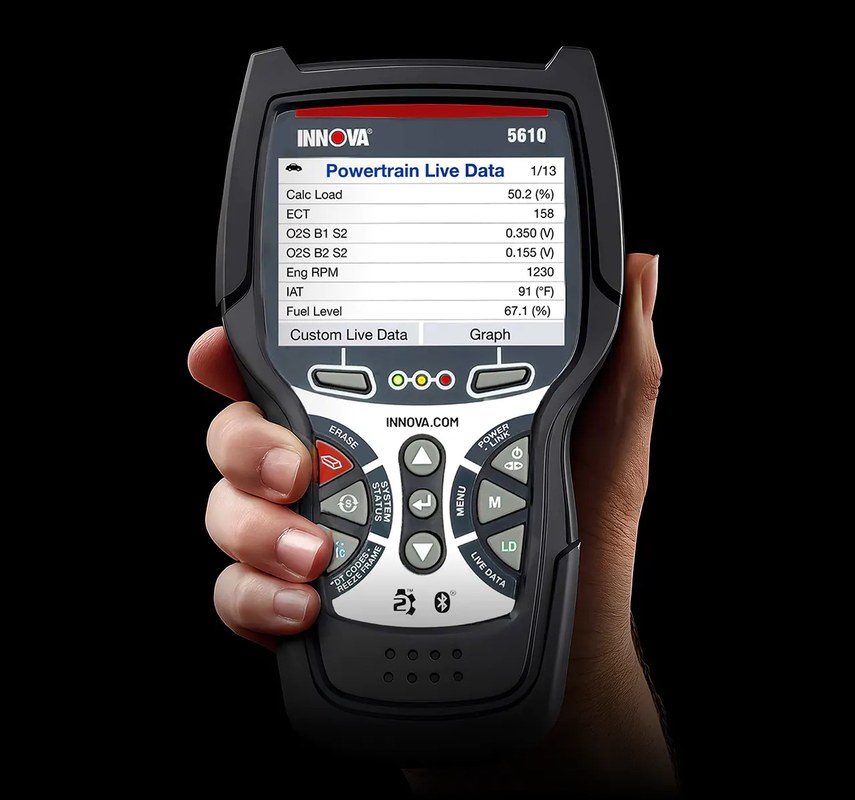
OBD2 code reading, live data, freeze frame, and emissions readiness limitations
For most owners, the core value is basic OBD2 scanning. That usually means reading diagnostic trouble codes, viewing freeze-frame data, checking live sensor readings, and seeing whether emissions monitors are ready for a state inspection.
Those functions are useful, but they have limits. A code may point to a system, not a single failed part. Live data can also be noisy, and readiness monitors can show whether the car has completed self-checks, not whether the car is mechanically perfect.
Battery and electrical checks: system voltage, charging clues, and what it cannot prove about battery health
Battery-related features are helpful because many drivability complaints start with weak voltage or charging problems. A scanner can often show system voltage or related electrical clues, which can help you decide whether a battery, alternator, or connection issue deserves attention.
Still, a voltage reading does not prove battery health by itself. A battery can show acceptable voltage and still fail under load, while a weak connection can mimic a bad battery. For a real diagnosis, a proper battery test or shop load test may still be needed.
TPMS and tire tools: pressure display, relearn support limits, and inflator-related use cases
Some drivers look at the Innova 5610 for tire-pressure help because tire problems often show up as a dashboard light long before a tire goes flat. If the tool supports TPMS-related functions on your vehicle, it may help with pressure checks or service steps, but support varies by make, model, year, and sensor system.
That matters because TPMS is not one universal system. Some vehicles need a relearn process after service, and some tool functions may not apply to every sensor type. If you are using it alongside an inflator, remember that the scanner does not replace a handheld gauge for accurate cold-pressure checks.
Roadside utility: emergency visibility, storage, cable condition, and post-use inspection priorities
A scanner only helps if it is easy to reach, easy to read, and in good condition when you need it. Keep it stored where it will not rattle around, and inspect the cable, connector, and screen before relying on it during a roadside stop.
At the roadside, visibility matters as much as the scan itself. Park safely, turn on hazard lights, and avoid standing in traffic lanes. After use, check for bent pins, cracked housing, or a loose connector so the tool stays dependable for the next issue.
A scanner should reduce stress, not add distraction. Use it while parked, keep the display at a comfortable angle, and avoid digging through menus while the vehicle is moving.
Compatibility Guide: Vehicles, Model Years, and Diagnostic Protocols
Supported model-year range and what “OBD2 compatible” means for U.S. vehicles
In the United States, “OBD2 compatible” usually means the vehicle has a standardized diagnostic connector and supports the emissions-related communication required by federal rules. For many gasoline vehicles, that generally applies to 1996 and newer model years, but the exact behavior can vary by vehicle type and market.
That is why it is smart to verify the exact model year, engine type, and feature support before buying. If you are comparing options, a compatibility guide is just as important as the feature list. For readers who have seen connection problems before, our Foxwell NT301 connection guide shows how often fit and protocol details matter.
Check: Verify make, model, year, trim, voltage, ports, mounting space, and OEM requirements. Limitations: State verified exclusions.
Protocol coverage, connector fit, and why some older or specialty vehicles need different tools
Even when a vehicle has the right connector, not every scanner supports every protocol or manufacturer-specific function. Some older vehicles, imports, heavy-duty applications, or specialty platforms may need a different tool, an adapter, or a more advanced scan platform.
Connector fit is only the first step. A tool can physically plug in and still fail to communicate fully if the vehicle uses a protocol or feature set outside the scanner’s supported range. That is why “it fits” should never be the same as “it works fully.”
Hybrid and EV cautions: when to avoid assumptions about high-voltage systems
Hybrid and EV owners should be careful not to assume a standard OBD2 scanner can safely diagnose high-voltage components. The scanner may still access low-voltage or emissions-related data, but high-voltage battery, inverter, or drive-unit work often requires vehicle-specific tools and training.
How to Use the Innova 5610 Safely and Correctly
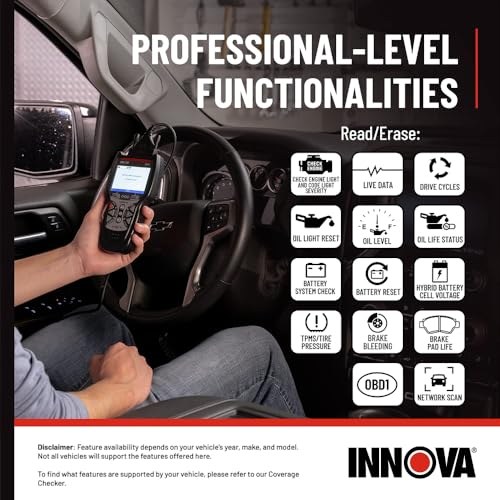
Finding the OBD2 port, choosing the right ignition mode, and confirming power-up
Start by locating the OBD2 port, which is usually under the dash near the steering column or driver footwell. Plug the tool in gently, then follow the vehicle’s ignition instructions so the scanner can power up and communicate properly.
If the screen does not light up, do not force the connector or keep retrying blindly. Check the ignition state, the fuse for the diagnostic port if applicable, and the vehicle manual before assuming the scanner is faulty.
Verify the vehicle, power, ports, mounting space, hardware, and manufacturer instructions.
Keep cables and hardware away from airbags, pedals, controls, sensors, and moving parts.
Complete setup while parked, verify key functions, and secure all parts before driving.
Correct connection order for battery checks and when to stop on a damaged battery
When using battery or electrical functions, follow the tool’s order of operation exactly. Many electrical checks are safer when the vehicle is parked, the engine state is correct for the test, and the battery terminals are clean and secure.
Stop immediately if the battery case is damaged, the terminals are corroded heavily, or the area is wet with unknown fluid. Electrical tools should never be used as a shortcut around obvious battery damage.
Safe roadside setup: traffic visibility, stable placement, and keeping the tool protected
Roadside diagnostics should be brief and controlled. Park on level ground when possible, use hazard lights, stay aware of traffic, and keep the scanner and cable from hanging into foot pedals or door openings.
After use, wipe off dirt or moisture, unplug the connector carefully, and store the unit where heat and direct sun will not damage the screen or cable. That small habit extends the life of the tool and lowers the chance of a connection issue later.
Diagnostics Guide: What the 5610 Can Tell You—and What It Cannot
Reading codes versus diagnosing root cause
One of the biggest mistakes owners make is treating a code like a final answer. A code is usually a starting point, not a finished diagnosis. It tells you where the vehicle noticed a problem, but not always what caused it.
For example, an oxygen-sensor code may be caused by an exhaust leak, wiring damage, or another engine issue. The scanner helps narrow the field, but it does not replace inspection, testing, and common-sense troubleshooting.
Live data interpretation limits, sensor noise, and when a professional scan is needed
Live data is useful because it shows what the vehicle is doing right now, but the numbers can be misleading without context. A sensor may appear to fluctuate because of normal engine behavior, a cold start, or a short trip that has not stabilized yet.
If a vehicle has multiple warning lights, intermittent stalling, transmission symptoms, or repeated code returns, a professional scan may be the better route. That is especially true when manufacturer-specific data, bi-directional controls, or advanced module access is needed.
Reset limitations, readiness monitors, and emissions test implications
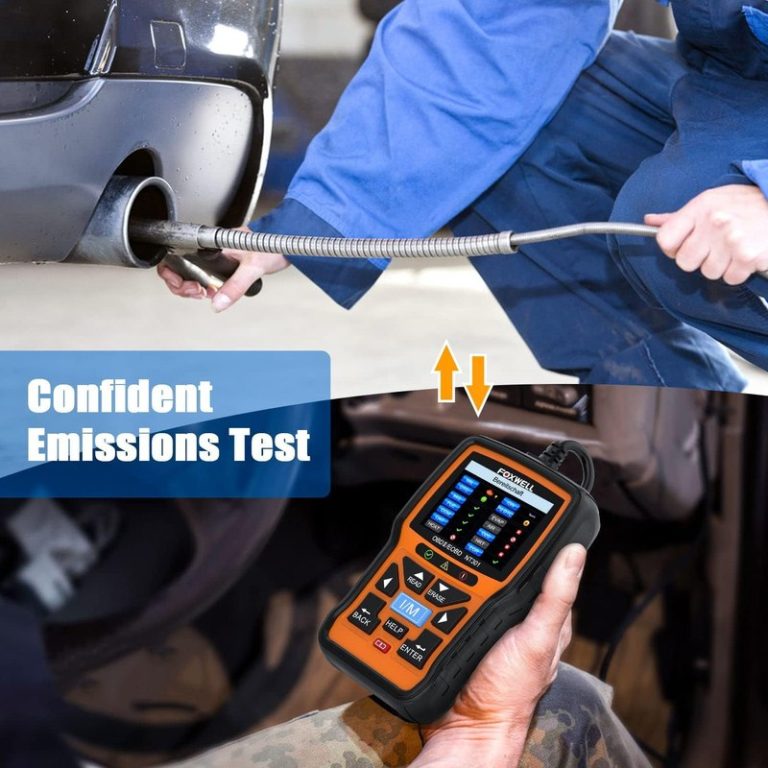
Clearing a code is not the same as fixing the problem. It can also reset readiness monitors, which may matter if your state uses emissions testing. If the monitors are not ready, the car may fail inspection even if the check engine light is off.
That is why code clearing should be done carefully and only after you record the fault information. If you need more context on scan-tool behavior and connection issues, our diagnostic connection troubleshooting guide is a helpful related read.
Firmware updates, app permissions, and privacy considerations for connected features
If the 5610 uses connected features, firmware updates and app permissions may matter more than many buyers expect. Updates can improve compatibility, but they can also change menus, require account sign-in, or affect how data is stored and shared.
Tire, TPMS, and Inflation Checks: Practical Owner Value
Using the door-jamb placard and a cold-pressure check to set accurate tire pressure
The most reliable tire-pressure target is the vehicle’s door-jamb placard, not the number molded into the tire sidewall. Check pressure when the tires are cold, then compare the reading to the placard before adding or releasing air.
That simple habit helps improve tire wear, ride quality, and fuel economy. It also gives the TPMS system a better baseline, since the warning light is meant to alert you to a pressure problem, not to replace a real gauge reading.
Gauge accuracy, inflator duty cycle, and why a handheld gauge still matters
If you use the 5610 with tire-related tools, remember that a scanner or inflator accessory is not a substitute for a good handheld gauge. Inflators can be convenient, but their readings and duty cycle can vary, especially during repeated fill sessions or hot weather use.
A separate gauge gives you a second check before you drive. That matters because overinflation and underinflation both create problems, and a quick visual guess is not precise enough for modern passenger tires.
Inspect tire accessories, hoses, connectors, and seals regularly. Store them clean and dry, and verify that any pressure-reading function still matches a trusted gauge before relying on it.
TPMS relearn limits, puncture location, temporary-repair limits, and repair thresholds
TPMS service may require a relearn after wheel rotation, sensor replacement, or some tire repairs. But a scanner cannot tell you whether a puncture is safe to patch without checking the tire’s condition and the location of the damage.
If the puncture is near the sidewall, the tire has been driven flat, or the damage is too large, a temporary sealant or quick fix may not be enough. At that point, tire replacement or professional repair is the safer choice.
Comparison Section: How the Innova 5610 Stacks Up Against Similar OBD2 Scanners
Side-by-side criteria: code depth, live data, reset functions, TPMS support, battery tools, and ease of use
When shoppers compare the Innova 5610 with similar scanners, the real question is not just “what codes can it read?” It is how much practical help it gives across code reading, live data, battery checks, tire support, and everyday usability.
| Option | Best for | Owner consideration | Driver consideration |
|---|---|---|---|
| Innova 5610 | Drivers who want a broader consumer-friendly diagnostic tool | May cost more than a basic reader, but can reduce guesswork | Helpful when you want clear menus and practical roadside use |
| Basic code reader | Occasional check-engine-light reading and clearing | Lower upfront cost, fewer features | Simple, but limited for battery or TPMS questions |
| Advanced scan tool | Users needing deeper module access and more controls | Higher cost and a steeper learning curve | More powerful, but often more complex than a casual driver needs |
Best choice for budget DIYers, commuters, used-car buyers, and drivers needing broader coverage
Budget DIYers who only want the basics may be happier with a simpler reader. Commuters and used-car shoppers often benefit more from the added context of live data, readiness checks, and battery-related clues.
If your vehicle is newer, more complex, or covered by manufacturer-specific service needs, a broader scan tool may be worth the extra cost. The best choice depends less on the badge and more on how often you will actually use the added functions.
- Useful middle ground between a basic reader and a pro scan tool
- Helps with warning lights, readiness checks, and basic electrical clues
- Good fit for drivers who want practical information without a steep learning curve
- Cannot replace a professional diagnosis for complex faults
- Feature support may vary by vehicle, protocol, and update status
- TPMS and battery functions may not be as complete as specialty tools
Where a simpler code reader or a more advanced scan tool may be the better fit
Choose a simpler code reader if your main goal is to check a light once in a while and you do not need extra data. Choose a more advanced tool if you regularly work on multiple vehicles, need deeper module access, or want service functions beyond consumer-level diagnostics.
The Innova 5610 sits in the middle, which is often the sweet spot for owners who want more confidence without buying a shop-level device. That balance is also why it appeals to used-car buyers who want a clearer picture before they commit.
Ownership Costs, Maintenance, Warranty, and Final Verdict
Expected ownership costs: updates, accessories, battery care, and long-term value
Ownership cost is not just the purchase price. Depending on the version and feature set, you may also need accessories, a case, replacement batteries if applicable, or occasional firmware updates. Some connected features may also require an app account or extra setup time.
Varies by retailer and version
Case, accessories, adapter needs, or app setup
Usually none unless a service or subscription applies to your version
Maintenance checklist: cable inspection, storage conditions, battery/pack condition, and post-use cleanup
Like any handheld diagnostic tool, the 5610 should be treated as a garage device, not a throw-it-anywhere gadget. Keep the cable straight, avoid sharp bends, and store the unit in a dry place away from heat and direct sunlight.
After use, wipe off dust and check the connector for bent pins or debris. If the tool uses replaceable batteries or a rechargeable pack, follow the manufacturer’s storage and charging guidance so it is ready when a warning light appears.
Warranty/support expectations, evidence limits, drawbacks, and transparent recommendation for 2026 buyers
Warranty terms, software support, and update policies can change by seller, region, or product revision, so verify the current details before buying. That is especially important if you expect to keep the tool for several years or rely on connected features.
My editorial take is straightforward: the Innova 5610 makes the most sense for drivers who want a practical, consumer-friendly way to understand common vehicle warnings without jumping to a professional scan tool. It is less compelling for owners who only need the cheapest possible code reader or for those who need deep factory-level diagnostics.
- Best for: Daily drivers, DIY owners, and used-car shoppers who want clearer answers from warning lights, battery clues, and readiness checks.
- Think twice if: You only need the cheapest basic code reader or you need advanced manufacturer-level diagnostics and full TPMS service coverage.
- Next step: Confirm your vehicle’s model year, protocol support, and the exact feature list before you buy.
Common Questions
It can clear many common OBD2 codes, but you should record the code first. Clearing a code without checking the cause can hide useful diagnostic clues.
It may show voltage or electrical clues that point you in the right direction. It cannot prove battery health on its own, so a load test may still be needed.
That depends on your vehicle’s model year, protocol, and feature support. Most 1996-and-newer U.S. gasoline vehicles are the most likely fit, but you should verify.
Most drivers can handle the basic menus if they follow the vehicle instructions. The main challenge is interpreting the results correctly.
Yes, if you want better information than a basic reader gives. If you only need a one-time code check, a simpler tool may be enough.
Frequently Asked Questions
It depends on OBD2 compatibility, model year, and protocol support. Many U.S. gasoline vehicles from 1996 and newer are the most likely fit, but exact coverage varies.
No. It can point you to a system or sensor area, but you usually need more testing to find the real cause.
Yes, if you stay parked, use hazards, and keep clear of traffic. Avoid using it near damaged batteries, moving parts, or unstable ground.
It can. Clearing codes may reset readiness monitors, which can matter if your state checks emissions status before inspection.
That depends on the version. Review app permissions, update policy, and any account or cloud settings before you pair a phone.
Check your vehicle compatibility, the exact features you need, warranty terms, and whether TPMS or battery functions are supported on your vehicle.