Innova 5610 V2 Scanner Review: Live Data, Code Fixes, Risk
The Innova 5610 V2 scanner is a solid middle-ground choice for drivers who want live data, code reading, and practical repair guidance without shop-level complexity. It is most useful when you want to diagnose smarter, but it still has limits on advanced functions and vehicle-specific coverage.
The Innova 5610 V2 scanner is aimed at drivers who want more than basic code reading, but do not need a full shop-level scan tool. It can make sense for U.S. owners who want live data, code clearing, and practical repair guidance without jumping into a more complex setup.
- Best fit: Daily drivers and DIY owners who want more than a basic code reader.
- Main strength: Live data and readiness checks can narrow down common faults faster.
- Main limit: It cannot replace advanced shop diagnostics or OEM-level functions.
- Compatibility matters: Verify your exact model year, protocol, and vehicle type before buying.
- Ownership risk: Clearing codes too early can reset readiness monitors and delay inspection.
Innova 5610 V2 Scanner Review: What It Does, Who It Fits, and Whether It’s Worth Buying in 2026
Quick verdict up front: best use cases, biggest strengths, and where it falls short
For most DIY drivers, the main appeal is simple: it can help you read fault codes, view live data, check readiness monitors, and narrow down common drivability or emissions issues. It is a better fit than a bare-bones code reader if you want more context before replacing parts, but it is still not a replacement for a professional diagnostic workflow.
The biggest strength is practical diagnosis for everyday cars and light maintenance work. The biggest limitation is also clear: if the problem involves deeper electrical faults, manufacturer-specific functions, or advanced bi-directional controls, you may still need a higher-end scan tool or a shop.
How this review is evaluated: evidence limits, feature claims, and what CarValleyNJ can verify
CarValleyNJ is not claiming first-hand testing of this product. This review is based on manufacturer-facing feature claims, common OBD2 scanner behavior, and general diagnostic best practices for U.S. vehicles.
Where a feature can vary by vehicle, software revision, or model-year coverage, that is called out directly. That matters because scanner performance is often limited less by the handheld itself and more by the vehicle’s protocol, port access, and the exact fault you are trying to solve.
Innova 5610 V2 at a Glance: Live Data, Code Reading, and Repair Guidance for U.S. Drivers
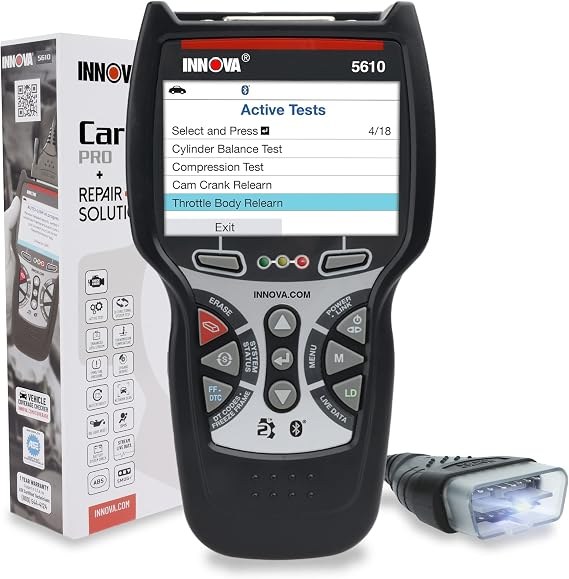
Core functions: OBD2 codes, live data, freeze frame, readiness monitors, and reset support
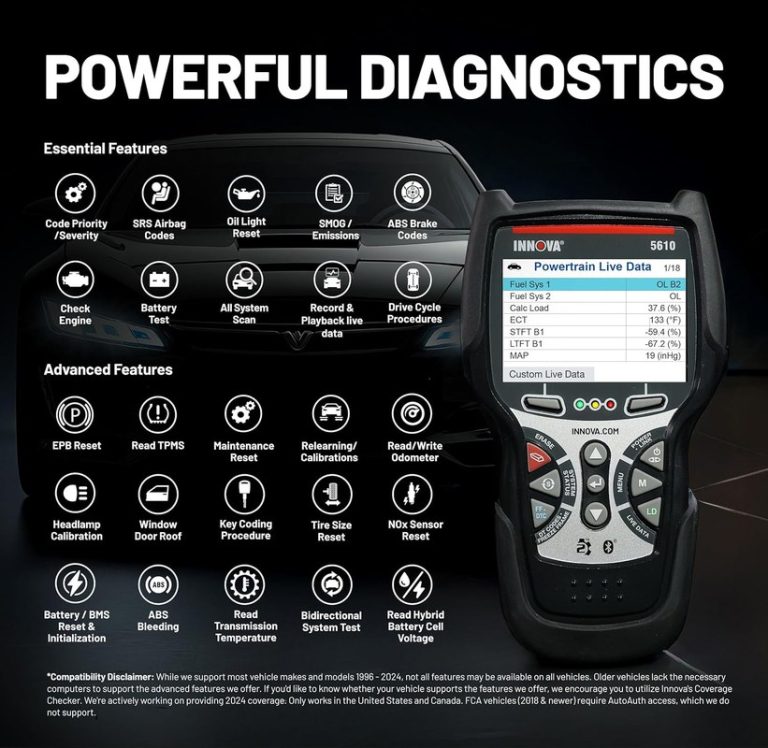
Innova positions the 5610 V2 as a diagnostic scanner for reading and clearing OBD2 trouble codes, viewing live sensor data, checking freeze-frame information, and reviewing emissions readiness monitors. Those are the core tools most drivers need when a check-engine light appears.
In plain terms, freeze-frame data tells you what the vehicle was doing when the fault was stored. Live data shows how sensors and systems are behaving now. Readiness monitors help you see whether the vehicle has completed the self-checks needed for an emissions inspection.
What it can and cannot replace compared with a professional scan tool
This type of scanner can replace guesswork, but not every shop function. It can usually help with standard OBD2 diagnosis, yet it cannot fully replace OEM software, advanced programming tools, or a technician’s experience tracing wiring, vacuum, fuel, or intermittent faults.
That distinction matters. A code is a clue, not a diagnosis. If the scanner points to an oxygen sensor, for example, the real issue may still be wiring, exhaust leaks, fuel trim imbalance, or an upstream engine problem.
Ideal owner profile: daily drivers, DIY repairers, used-car buyers, and light maintenance users
The best fit is a driver who wants a dependable handheld scanner for routine use, not a garage full of specialty equipment. Daily commuters, parents managing one family car, used-car shoppers, and light DIY owners often get the most value from this kind of tool.
If you only want to clear a rare check-engine light, a cheaper reader may be enough. If you want deeper live data and more confidence before paying for parts or labor, the 5610 V2 is more appealing.
Compatibility Guide: Model-Year Coverage, OBD2 Protocols, and Vehicle Types
U.S. model-year expectations and the practical limits of pre-1996 and newer vehicles
For U.S. drivers, the main compatibility baseline is the OBD2 standard. In general, gasoline vehicles sold in the United States from model year 1996 onward are the most likely to support standard OBD2 functions, but exact behavior still depends on the vehicle.
Pre-1996 vehicles are a different story. Some may have diagnostic connectors or manufacturer systems, but they often do not support the same plug-and-play OBD2 experience. Newer vehicles may also have more data, but some functions can be restricted by the carmaker.
Check: Verify make, model, year, trim, voltage, ports, mounting space, and OEM requirements. Limitations: Some pre-1996 vehicles, certain diesel applications, and some EV or hybrid systems may not support the same functions as a standard gas-powered OBD2 vehicle.
Protocol coverage, connector fit, and why some imports, diesels, hybrids, and EVs need extra caution
Even when the connector fits, the scanner still has to speak the right protocol. Most modern OBD2 vehicles use common standards, but imports, light-duty diesels, hybrids, and EVs may expose different data sets or require more vehicle-specific tools for deeper diagnostics.
That is why you should not assume every plug-in tool works the same way on every vehicle. A scanner can power up and still be limited in what it can read or reset.
Port location, ignition mode, and connection steps that affect whether the scanner powers up correctly
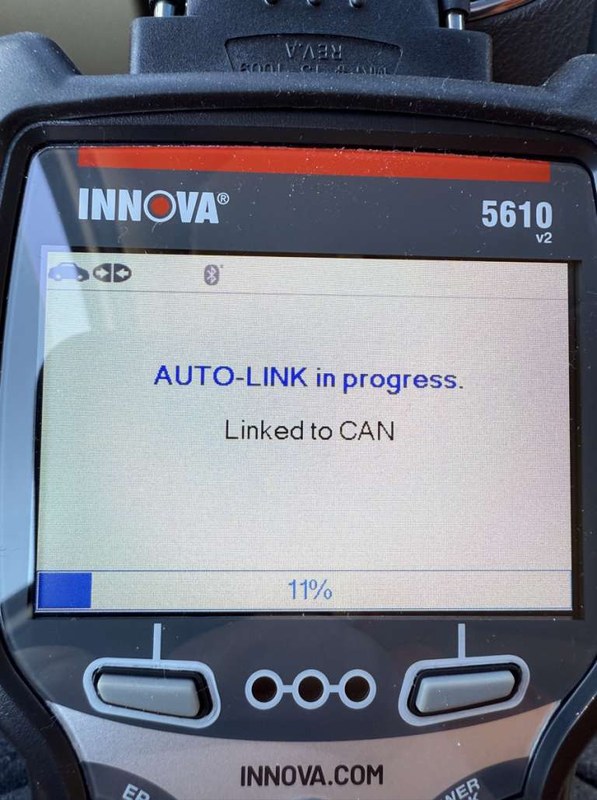
OBD2 port location is usually under the dash on the driver side, but not always. The ignition also matters. Many vehicles require the key to be in the ON position, or the push-button start to be in accessory/ignition mode, before the scanner will communicate properly.
If the tool does not power up, the issue may be a blown fuse, a loose connector, a dead vehicle battery, or a vehicle that needs the ignition on. That is why the owner manual and vehicle manual should both be checked before assuming the scanner is defective.
Live Data, Code Fixes, and Emissions Readiness: What the Innova 5610 V2 Can Actually Help You Solve
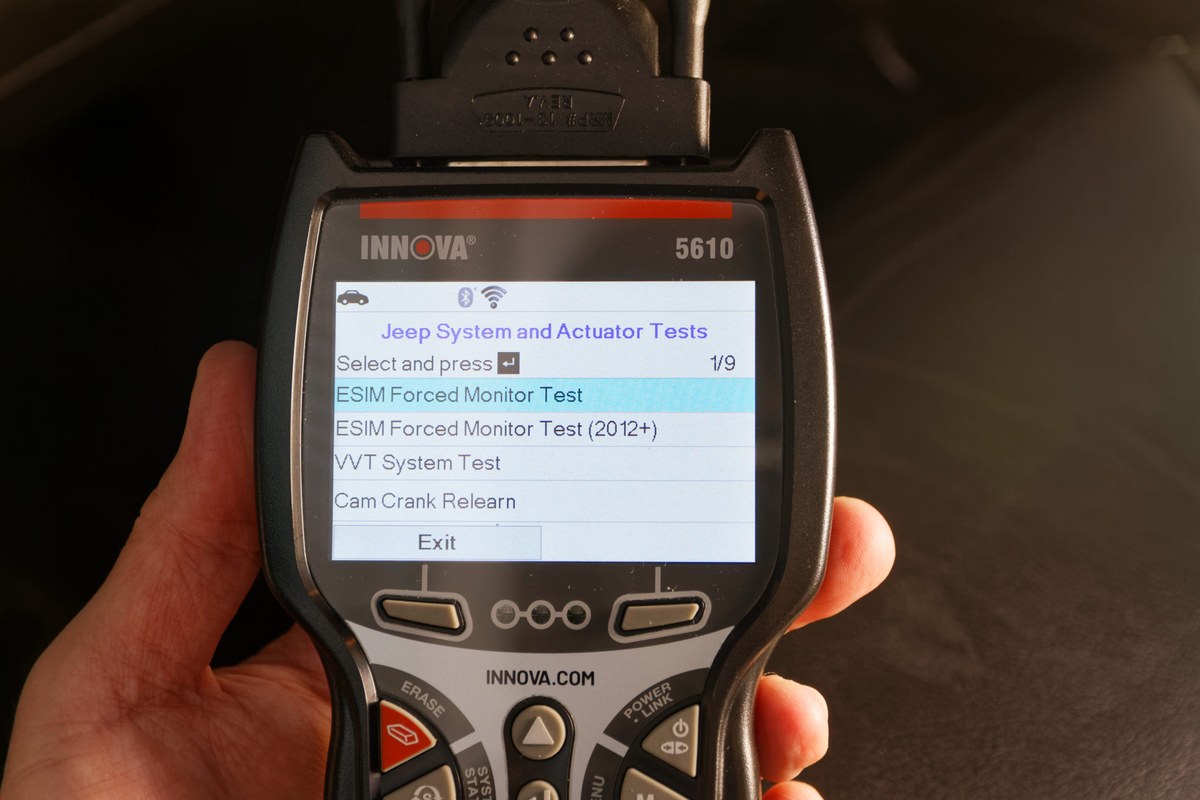
Reading codes versus fixing the root cause: how much diagnostic confidence the tool can provide
The scanner can tell you what the vehicle reported, not always why it happened. That is useful, but it means you still need to interpret the result carefully. A single code often points to a system, not a broken part.
For example, a misfire code can be caused by spark, fuel, air, compression, or even a wiring issue. The tool helps you narrow the search, but it does not remove the need for basic diagnostic thinking.
Live-data limits: sensor trends, graphing usefulness, and when data still leaves uncertainty
Live data is one of the most useful reasons to step up from a basic reader. Seeing fuel trims, coolant temperature, oxygen sensor behavior, and similar values can reveal whether a problem is steady, intermittent, or tied to certain driving conditions.
Still, live data has limits. A sensor can look “normal” on a screen while the underlying issue remains hidden. That is why live data is best used as evidence, not as a final answer. For comparison shopping, readers may also want to review our Bluetooth vs wired OBD2 scanner guide and our best OBD2 scanner without subscription roundup.
Emissions readiness, monitor resets, and why clearing codes can create inspection delays
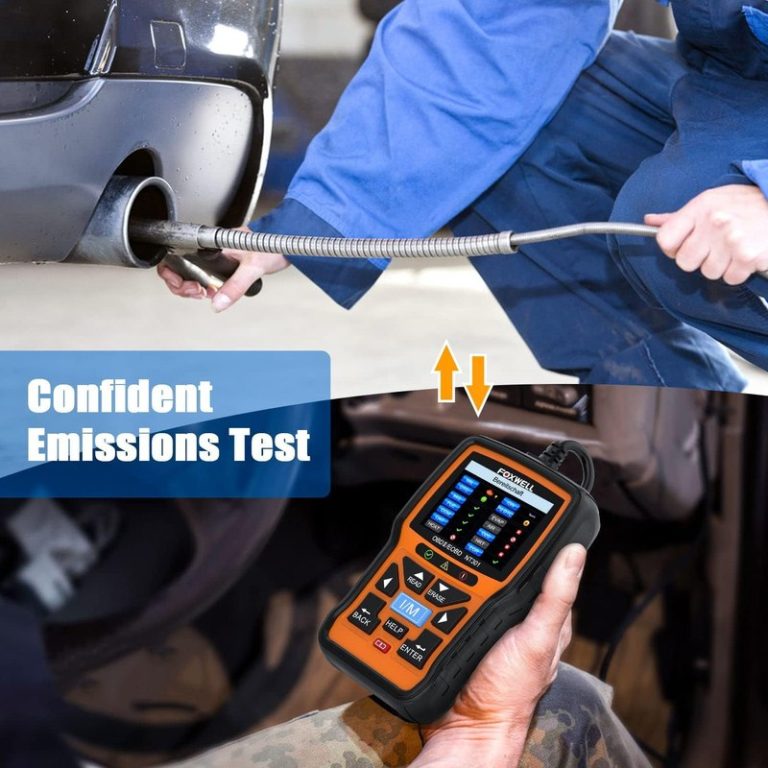
One of the most important ownership details is readiness status. Clearing codes can reset monitors, which may temporarily make an inspection fail even if the original problem seems gone. That is a common surprise for drivers who clear the light too early.
Before clearing anything, it is smarter to record the code and freeze-frame data first. Then you can verify whether the fix actually solved the problem after the monitors run again.
When a fault needs professional diagnosis instead of more parts swapping
If the same code returns after a repair, or if the scanner shows several related faults at once, the problem may be deeper than a simple sensor swap. Intermittent wiring, charging issues, vacuum leaks, fuel delivery problems, and software-related faults often need more than a handheld reader.
At that point, a professional diagnosis can be cheaper than buying multiple parts that do not solve the issue.
Battery, Charging, and Electrical Checks: Voltage, State of Charge, and Safety Limits
System voltage basics: what normal readings mean and when low voltage skews scan results
Many scanners can show system voltage, which is helpful because low voltage can cause strange codes, weak communication, or false-looking faults. A weak battery may make a healthy vehicle seem more broken than it really is.
That is why voltage should be checked before chasing a long list of trouble codes. If the battery is weak, the scan results may be less reliable until the electrical system is stabilized.
State of charge versus battery health: why they are not the same thing
State of charge tells you how full the battery is right now. Battery health is different. A battery can show a decent charge and still be worn out, sulfated, or unable to hold voltage under load.
That distinction matters for ownership because repeated low-voltage starts can create nuisance codes, poor fuel economy, and hard starting. A scan tool can support the diagnosis, but it does not replace a battery load test when the electrical system is suspect.
Correct connection order, damaged-battery stop conditions, and signs to stop testing immediately
Always follow the scanner and vehicle manual for connection order. If the battery, connector, or port looks damaged, corroded, melted, or loose, stop and inspect before proceeding.
Hybrid and EV cautions: high-voltage systems, service boundaries, and when not to continue
Hybrids and EVs can present service boundaries that a general scanner does not solve. Standard OBD2 access may still work for some basic functions, but high-voltage systems, battery packs, and related service procedures should be treated as safety-sensitive.
Do not assume a handheld scanner makes any high-voltage task safe. If the vehicle manual calls for special procedures, follow them or use a qualified technician.
Tire Pressure, TPMS, and Roadworthiness: What the Scanner Can Inform and What It Cannot Repair
Using the door-jamb placard and cold pressure as the baseline for safe inflation
The scanner is not a tire repair tool, but many drivers pair diagnostics with general roadworthiness checks. For tire pressure, the correct reference is the vehicle’s door-jamb placard, not the number molded into the tire sidewall.
Pressure should be checked cold whenever possible. That gives you a more accurate starting point and helps avoid overinflation during a quick roadside stop.
Gauge accuracy, inflator duty cycle, and avoiding overfill during roadside checks
If you are also using a portable inflator, be careful about gauge accuracy and duty cycle. Some compact inflators run hot quickly, and a small error can create a tire that is overfilled by the time it cools.
That is why a separate tire gauge is still useful. It gives you a second check before you return to the road.
TPMS relearn limits, sensor coverage, and why some vehicles still require a shop procedure
TPMS warnings are not always solved by adding air. Some vehicles need a relearn procedure after tire rotation, sensor replacement, or wheel work. Others need a shop tool or special sequence the handheld scanner may not fully provide.
So even if the scanner can help interpret a TPMS-related issue, it may not complete the repair by itself. For drivers comparing tools, our cheap vs expensive OBD2 scanner guide explains why some extra features are worth paying for and some are not.
Puncture location, temporary-repair limits, and professional-repair thresholds for safe driving
A scanner cannot make a damaged tire safe. If a puncture is in the sidewall, shoulder, or outside normal repair zones, replacement is often the safer choice. Temporary sealants and plug kits also have limits.
If the tire is losing air quickly, shows sidewall damage, or has been driven on while flat, a professional inspection is the safer next step.
Roadside and Emergency Use: Safe Setup, Storage, and Post-Use Inspection
Safe location, traffic visibility, and working conditions before plugging into the vehicle
Using any scanner on the shoulder or in a parking lot should start with safety. Park away from traffic when possible, set the parking brake, and keep your body clear of moving vehicles and traffic lanes.
Good visibility matters too. If you are reading codes at night or in poor weather, use safe lighting and avoid standing in a risky position while you work.
Cable or pack condition, current limits, and tool completeness for emergency readiness
Before you count on the scanner in an emergency, check the cable, connector pins, and housing for wear. A damaged cable can create intermittent power or communication problems at the worst possible time.
Also confirm that you have the right accessories for your vehicle and your use case. Missing adapters, outdated software, or a dead internal battery can make an emergency tool useless when you need it most.
Storage conditions, heat/cold exposure, and post-use inspection to prevent future failure
Like most electronics, a scanner lasts longer when it is stored clean, dry, and away from extreme heat or freezing temperatures. After use, inspect the connector, wipe off grime, and coil the cable without sharp bends.
Comparison and Buying Guide: Innova 5610 V2 vs. Alternatives for Different Drivers and Vehicles
Side-by-side comparison criteria: coverage, live data depth, reset functions, ease of use, and support
The right comparison is not just price. You should compare vehicle coverage, live-data depth, reset support, screen readability, menu speed, update policy, and how easy the tool is to use without a manual every time.
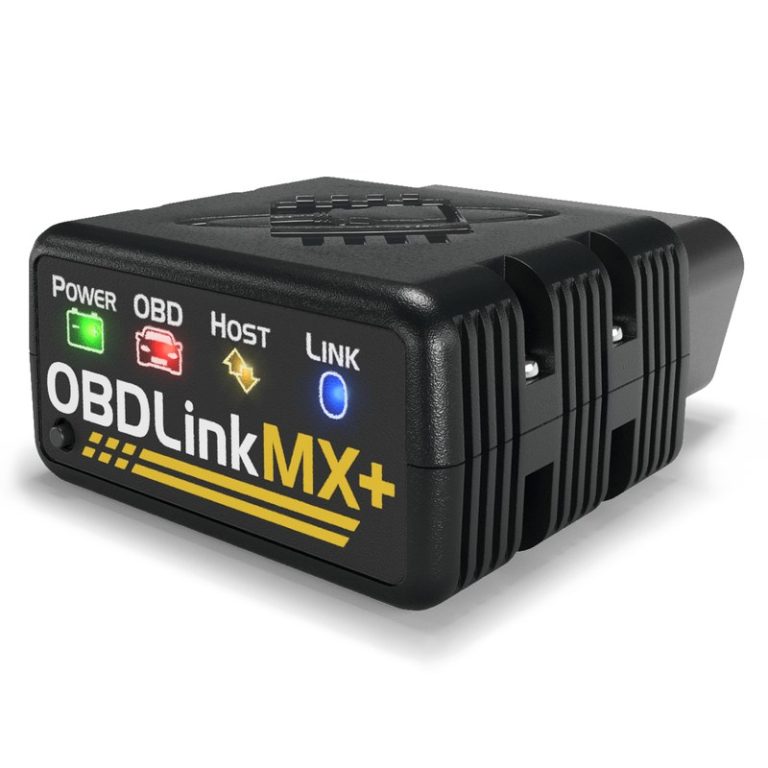
That is especially important if you are deciding between a wired handheld scanner and a phone-based Bluetooth tool. A wired unit can be simpler for some owners, while an app-based tool may offer more convenience but also more dependency on permissions and phone compatibility.
| Option | Best for | Owner consideration | Driver consideration |
|---|---|---|---|
| Innova 5610 V2 | DIY diagnosis with live data and code help | Check update policy, warranty terms, and supported vehicles | Handheld use is simpler when parked and reviewing codes |
| Basic code reader | Simple check-engine light reading | Lower cost, but fewer tools for diagnosis | Faster for quick checks, but less helpful for root-cause work |
| Advanced bidirectional scanner | Deeper diagnostics and service functions | Higher purchase cost and more learning time | More capable, but often more complex than a casual driver needs |
Best fit for budget DIY owners versus drivers who need more advanced bidirectional features
If your goal is to read codes, check live data, and make smarter repair decisions, the 5610 V2 sits in a practical middle ground. If you only need occasional emissions checks, it may be more tool than you need.
If you regularly service multiple vehicles or want deeper active testing, you may be better served by a more advanced scanner. For broader shopping context, see our best OBD2 scanner guide and our best Bluetooth OBD2 scanner roundup.
Warranty, firmware updates, app permissions, and ownership cost over time
Ownership cost is not only the purchase price. You should also consider warranty coverage, update availability, and whether the scanner depends on a companion app or account. Those details affect long-term value more than many buyers expect.
Transparent verdict: who should buy the Innova 5610 V2, who should skip it, and the next step after purchase
The 5610 V2 makes the most sense for drivers who want a handheld tool that goes beyond basic code reading without crossing into full professional territory. It is less compelling for buyers who only want the cheapest possible reader or who need advanced bidirectional service functions.
Before buying, confirm your vehicle compatibility, warranty terms, and whether the features you want are actually supported on your specific car. If you want a deeper comparison of scanner styles, our no-subscription scanner guide is a useful next step.
- Best for: U.S. drivers who want a handheld scanner for codes, live data, readiness checks, and smarter DIY repair decisions.
- Think twice if: You only need a basic code reader or you need advanced bidirectional functions and shop-level diagnostics.
- Next step: Verify your vehicle’s OBD2 compatibility, update policy, and the exact functions supported on your model year before you buy.
Common Questions
Yes, if you want a handheld tool with more help than a basic code reader. It is still easier if you understand that codes point to a system, not always a single bad part.
It can on many standard OBD2 vehicles, but the exact data available depends on the vehicle. Some makes and model years expose more information than others.
Often yes if it is a standard OBD2 vehicle, but you should verify your exact year and engine type. Diesel and specialty applications can have extra limits.
That depends on the exact product setup and features you are using. Check the manual and current product details before buying if you want a standalone handheld experience.
No, not before recording the code and freeze-frame data. Clearing too early can hide useful clues and reset readiness monitors.
Frequently Asked Questions
It is mainly aimed at standard OBD2 vehicles, which for U.S. drivers usually means most gasoline vehicles from model year 1996 and newer. Exact support can still vary by make, model, trim, and protocol.
It can help you read codes, view live data, and clear codes after a repair. It cannot guarantee the root cause is fixed, so you still need to diagnose the system before replacing parts.
It can be used safely if the vehicle is parked in a secure location and you avoid traffic, moving parts, and unsafe cable routing. Always scan while parked, not while driving.
Yes. Clearing codes can reset readiness monitors, which may delay an emissions inspection until the vehicle completes its self-checks again.
Review any app permissions, account sign-in requirements, cloud storage, and vehicle data sharing before pairing a phone or creating an account. VINs, codes, and live data may be stored depending on the tool and app.
Confirm vehicle compatibility, supported functions, warranty terms, update policy, and whether the features you want are supported on your exact model year. Also check whether you need a wired handheld tool or a more advanced scanner.