Can the ANCEL BD310 Work on a 2013 Audi Q5? Compatibility Guide
Quick Answer: Can the ANCEL BD310 Work on a 2013 Audi Q5?
Yes, the ANCEL BD310 should work on a 2013 Audi Q5 for standard OBD-II engine diagnostics, reading and clearing check-engine codes, and viewing basic live data. For Audi-specific modules such as ABS, airbag, transmission, service reset, or manufacturer-level systems, use an Audi/VW-capable full-system scanner instead of relying on the BD310 alone.
Quick Answer: Will the ANCEL BD310 Work on a 2013 Audi Q5?
Yes, the ANCEL BD310 should work on a 2013 Audi Q5 for basic OBD2 engine diagnostics as long as the vehicle has the standard 16-pin OBD2 port and the scanner connects properly. Use it for check-engine codes, emissions readiness, freeze-frame data, and basic live data.
Do not expect it to handle every Audi-specific module. A 2013 Audi Q5 may need a more advanced Audi/VW-capable scanner for ABS, airbag, transmission, electronic parking brake, service resets, or manufacturer-specific control modules.
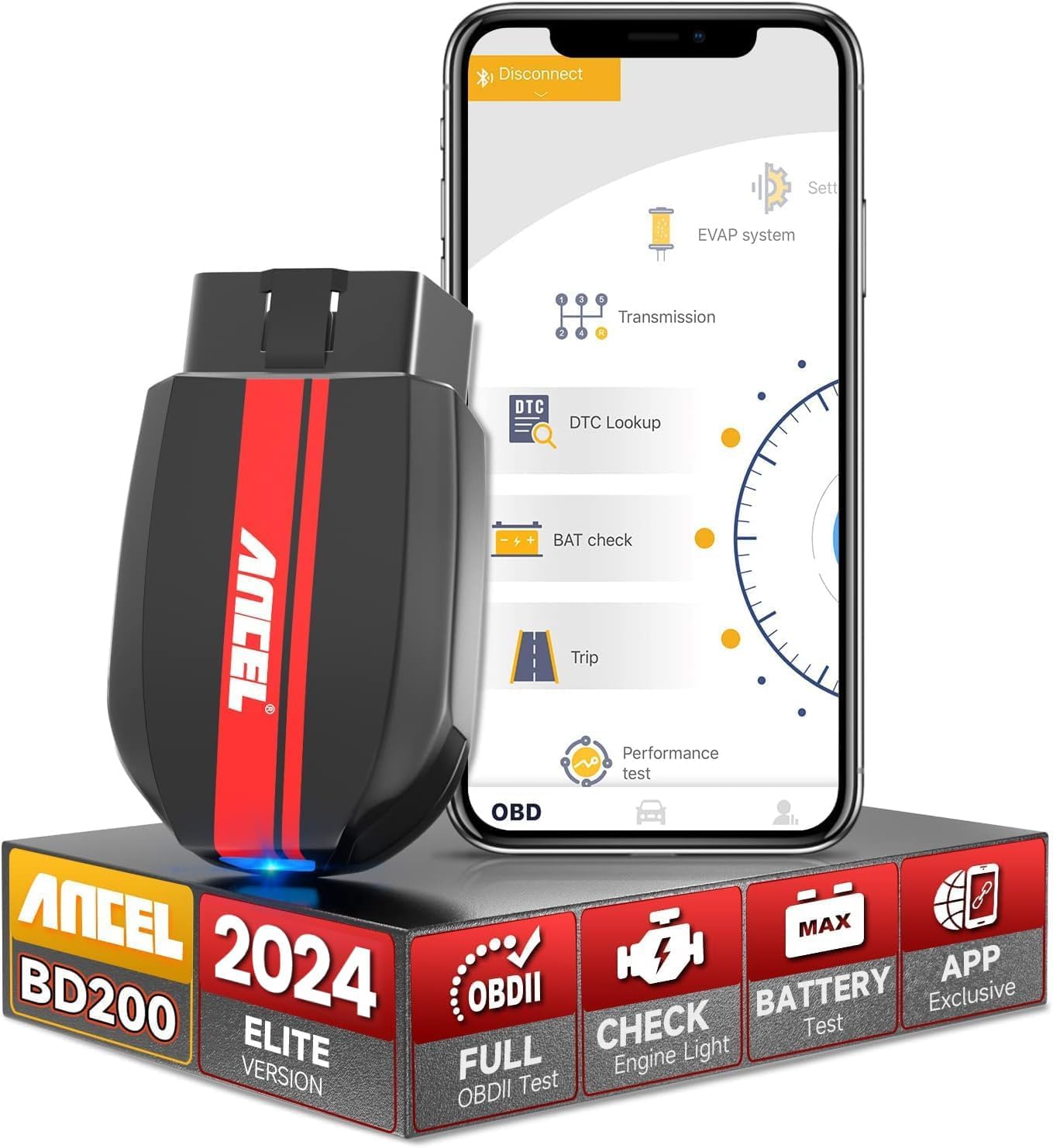
Good Basic Pick: ANCEL BD310
The BD310 is a sensible pick if your 2013 Audi Q5 has a check-engine light and you want to read/erase standard OBD2 engine codes. It is not the best choice if your warning comes from an Audi-specific module.
The ANCEL BD310 works with many cars that use the standard OBD2 or EOBD system. You can use it for basic engine diagnostics when your vehicle has a compatible 16-pin port and supports the required OBD2 protocol.
I’ll explain which vehicle types and functions the BD310 supports, where coverage may vary by brand or region, and what to check before you connect it. You’ll also learn how to address common connection problems.
Key Takeaways
- The BD310 supports compatible OBD2 and EOBD vehicles.
- Available functions depend on the vehicle and its systems.
- Checking the port, protocol, and app needs can prevent connection issues.
Supported OBD2 Vehicle Types
I use the ANCEL BD310 mainly for OBD2-compliant gasoline and diesel vehicles with a standard 16-pin diagnostic port. Compatibility depends on the vehicle’s OBD2 support, engine system, region, and model year.

Good Basic Pick: ANCEL BD310
Use the BD310 if your 2013 Audi Q5 has a check-engine light and you mainly need generic OBD-II code reading, clearing, and live engine data.
Gasoline Vehicle Coverage
The BD310 supports many gasoline cars, SUVs, and light trucks that use standard OBD2 protocols. It can read and clear common engine fault codes, display live sensor data, and retrieve emissions-related information when the vehicle makes that data available.
I check the vehicle’s diagnostic port before use. It is usually under the dashboard near the steering column. A port alone does not guarantee full compatibility, because some vehicles use manufacturer-specific systems or do not support standard OBD2 communication.
The BD310 focuses mainly on the engine and emissions system. It may not access airbag, ABS, transmission, or other control modules unless the vehicle and scanner provide specific support. I also verify regional compatibility, since the same model can use different diagnostic standards in different markets.
Diesel Vehicle Coverage
The BD310 can work with some diesel vehicles that support standard OBD2 or EOBD communication. Diesel coverage depends more heavily on the vehicle’s engine system, market, and diagnostic protocol than on fuel type alone.
I confirm that the diesel vehicle uses a compatible 16-pin OBD2 connection and supports standard emissions diagnostics. The scanner may read engine-related codes and live data, but it does not guarantee access to diesel-specific systems such as all fuel-injection, glow-plug, particulate-filter, or exhaust-treatment functions.
A diesel vehicle can have an OBD2 port yet still offer limited data through a basic scanner. I check the vehicle’s manual or ANCEL’s current compatibility information before relying on the BD310 for a specific diesel model.
Model Year Requirements
The BD310 targets OBD2-compliant vehicles, with coverage commonly beginning around the 1996 model year in the United States for many gasoline vehicles. European vehicles generally follow EOBD requirements, which became common from about 2001 for gasoline cars and 2004 for diesel cars.
These dates provide a guide, not a guarantee. Some earlier vehicles support compatible diagnostics, while some later vehicles may use unusual protocols or restrict certain data. Regional rules also affect when manufacturers adopted OBD2 or EOBD.
I check three details before connecting the scanner:
- The vehicle’s model year and sales market
- The presence of a standard 16-pin OBD2 port
- The vehicle’s stated OBD2 or EOBD compliance
Newer vehicles may require a different scanner for advanced modules, manufacturer-specific functions, or systems beyond basic engine and emissions diagnostics.
Protocol and System Requirements
I use the ANCEL BD310 with a vehicle that has a compatible OBD2 or EOBD system, a working diagnostic port, and the required phone or handheld connection. Compatibility depends on the vehicle’s model year, region, engine system, and supported communication protocol.
OBD2 Protocol Support
The BD310 is designed for vehicles that use standard OBD2 or EOBD communication. Common supported protocols include ISO 9141-2, ISO 14230-4 KWP2000, ISO 15765-4 CAN, and SAE J1850 variants. These protocols cover many gasoline vehicles sold in the United States and many EOBD vehicles sold in Europe.
I should check the vehicle’s specifications before buying, especially for older, imported, or commercial vehicles. Standard OBD2 access usually covers emissions-related systems, such as the engine control module, fault codes, live data, and readiness monitors. It does not guarantee access to manufacturer-specific systems such as air bags, ABS, or body controls.
CAN Bus Availability
CAN bus support lets the BD310 communicate with many newer vehicles through the OBD2 port. Vehicles commonly use CAN for engine data, emissions information, and communication between control modules.
I cannot assume that every CAN-equipped vehicle supports every BD310 function. The scanner may read standard diagnostic data while lacking access to manufacturer-specific commands or modules. Vehicle software, market, and model year can affect the available data. The BD310’s Bluetooth functions also require a compatible Android or iOS device and the related app, while handheld operation does not depend on a phone.
Diagnostic Port Access
The vehicle needs a standard 16-pin OBD2 connector for the BD310. I typically find this port below the dashboard near the steering column, but some manufacturers place it behind a cover or lower trim panel.
The port must have power and a reliable connection. I should turn the ignition off before inserting the device, then switch the ignition on when the scanner instructs me to do so. If the BD310 does not power up, I would check the vehicle’s diagnostic-port fuse, connector pins, and battery condition. A port can physically match the plug yet remain incompatible with the scanner’s supported systems.

For App-Based Diagnostics: BlueDriver
If you want a cleaner phone-based scan experience, BlueDriver is worth comparing against the BD310. Still check Audi Q5 coverage before buying if you need more than engine-code diagnostics.
Functions Available by Vehicle
I use the ANCEL BD310 to access standard OBD-II functions that a vehicle supports through its diagnostic port. Available information depends on the vehicle’s model year, engine system, control modules, and emissions rules.
Engine Fault Code Reading
I can use the BD310 to read diagnostic trouble codes from the engine control system when the vehicle supports standard OBD-II communication. The scanner can display stored and pending codes, which help identify faults that may trigger the check-engine light.
A code points to a system or condition, not always a failed part. I still need to check the code description, wiring, connectors, sensors, and related data before replacing components. The scanner may also show the vehicle identification number, depending on the vehicle.
I can clear emissions-related codes after recording them, but clearing codes also resets many readiness monitors. It does not repair the fault. Some vehicles use manufacturer-specific systems that require a more advanced tool for access.
Live Data Monitoring
I can view real-time parameter data, also called PID data, from a supported engine control unit. Examples may include engine speed, coolant temperature, throttle position, vehicle speed, fuel-trim values, oxygen-sensor readings, and calculated engine load.
Live data helps me compare sensor readings with operating conditions. For example, I can check whether coolant temperature rises normally or whether fuel trims stay within a reasonable range. The exact data list changes by vehicle, engine, software, and emissions system.
The BD310 can operate as a handheld scanner or connect through Bluetooth to a compatible app. Wireless use can make it easier to watch readings during a test drive, but I must secure the device and avoid using a phone while driving.
Emissions Readiness Checks
I can check emissions readiness monitors to see whether the vehicle has completed its required self-tests. These monitors may cover systems such as the oxygen sensor, catalytic converter, evaporative emissions system, exhaust gas recirculation, and secondary air system.
A monitor can show ready, not ready, or not supported. “Not supported” usually means the vehicle does not use that test. “Not ready” often appears after codes were cleared, the battery was disconnected, or the vehicle has not completed the required drive conditions.
Readiness status does not prove that the vehicle will pass an inspection. Local rules may limit the number of incomplete monitors allowed, and a fault can return after the test drive.
Brand and Regional Considerations
I check both the vehicle’s region and its diagnostic protocol before relying on the ANCEL BD310. The scanner generally reads standard OBD-II emissions data, but access to manufacturer-specific systems depends on the vehicle, model year, and engine.
North American Vehicles
I find the BD310 most suitable for North American cars and light trucks that use standard OBD-II, which became widely required in the United States from the 1996 model year. It can typically read and clear generic engine fault codes, show live data, and monitor emissions readiness.
Compatibility varies by brand and system. Ford, Chevrolet, GMC, Chrysler, Jeep, Dodge, and Ram vehicles may provide additional data through proprietary modules that a basic OBD-II scanner cannot fully access. The BD310 should not be treated as a replacement for a dealer-level tool when I need ABS, airbag, body-control, transmission, or bidirectional functions.
European Vehicles
I pay close attention to the connector and protocol on European vehicles. Most modern BMW, Mercedes-Benz, Volkswagen, Audi, Volvo, Land Rover, and Mini models use the standard 16-pin OBD connector, but some older vehicles may require an adapter or may offer limited generic data.
The BD310 can handle common engine and emissions diagnostics when the vehicle supports standard OBD-II or EOBD functions. It may not access brand-specific modules, service resets, coding, or advanced functions without dedicated software. I also verify the model year because European compliance rules and communication protocols changed over time.
Asian Vehicles
I usually expect broad generic OBD-II coverage from Toyota, Lexus, Honda, Acura, Nissan, Infiniti, Hyundai, Kia, Subaru, and Mazda models sold in North America or Europe. The BD310 can often display engine codes, live sensor readings, and readiness status when the vehicle supports the required standard.
Regional versions can differ. A Japanese-market import may use a different protocol, connector, or pin arrangement, even when it shares a name with a North American model. I confirm the vehicle’s market, year, and engine before connecting the scanner. For hybrid systems, advanced transmission controls, or manufacturer-specific modules, I use a tool that lists support for that exact vehicle.
Features That May Have Limited Support
I treat the ANCEL BD310 mainly as a standard OBD-II scanner for engine and emissions systems. Support for ABS, airbags, transmissions, and brand-specific functions can depend on the vehicle, model year, protocol, and app version.
ABS and Airbag Diagnostics
The BD310 may not communicate with the ABS or airbag (SRS) control modules. Standard OBD-II rules mainly cover emissions-related data, while these safety systems often use separate vehicle networks and manufacturer-specific commands.
If the scanner connects only to the engine control module, it may not read or clear ABS or SRS trouble codes. A dashboard warning can remain active even after I repair the underlying problem if the tool cannot access that module.
I check the vehicle’s coverage information before relying on the BD310 for these systems. I also avoid clearing safety-system codes without first identifying the fault, because the warning may indicate a sensor, wiring, control-module, or communication problem.
Transmission Diagnostics
Transmission support may remain limited to information available through the vehicle’s standard diagnostic connection. The BD310 can often read generic powertrain codes, but it may not access every code stored by the transmission control module.
Some vehicles use separate transmission menus, special data lists, or brand-specific commands. The BD310 may not provide those functions, and it may not perform active tests such as commanding solenoids or checking clutch operation.
I use the scanner’s live data and generic code functions as an initial check. For shift faults, pressure problems, adaptation values, or manufacturer-specific transmission codes, I may need a scan tool that lists the vehicle’s transmission system as supported.
Manufacturer-Specific Codes
The BD310’s compatibility is strongest with generic OBD-II emissions codes, such as codes beginning with P0. Manufacturer-specific codes, including many P1, P2, B, C, and U codes, may require additional software or vehicle coverage.
A connected app can display a code without explaining every brand-specific meaning. I verify the code with the vehicle’s service information rather than assuming that a generic definition applies.
Vehicle support also varies by year and market. I check the BD310 manual, current app information, and the vehicle’s diagnostic requirements before buying it for advanced functions such as coding, module configuration, bidirectional tests, or manufacturer-specific resets.
Before Purchasing or Connecting
I verify that the vehicle supports standard OBD-II or EOBD communication, then inspect the diagnostic socket for damage or contamination. I also check the scanner’s app support, firmware, and update options before relying on it for troubleshooting.
Confirming Vehicle Eligibility
I check the vehicle’s market, model year, and engine before purchasing the BD310. In the United States, most cars and light trucks from model year 1996 onward support OBD-II. In Europe, many gasoline vehicles from 2001 onward and diesel vehicles from 2004 onward support EOBD, but coverage can vary by vehicle.
The BD310 mainly reads emissions-related data, diagnostic trouble codes, and live sensor information through supported OBD-II protocols. It may not access systems such as airbags, ABS, transmission, or body electronics unless the vehicle and app specifically support those functions.
I locate the vehicle’s 16-pin diagnostic connector, usually beneath the dashboard near the steering column. I also check ANCEL’s current compatibility information for the vehicle before ordering, especially for older, imported, modified, or commercial vehicles.
Checking Connector Condition
I inspect the 16-pin socket before connecting the BD310. The connector should sit firmly in its housing, with no bent, pushed-back, missing, wet, or heavily corroded pins. Dirt or debris can prevent a stable connection.
I turn the vehicle off before inserting the scanner. If the plug feels unusually tight, I stop rather than forcing it. A damaged socket may need repair before I use any diagnostic tool.
I also check whether an aftermarket alarm, remote starter, tracker, or other accessory blocks the port. These devices can interfere with communication or power. If the scanner does not turn on, I check the vehicle’s diagnostic-port fuse and test the socket with a suitable tool.
Reviewing Software Updates
I install the correct ANCEL app for my phone and review its operating-system requirements before connecting the scanner. The BD310 uses Bluetooth modes, so I confirm that Bluetooth is enabled and that the app has the permissions it needs.
I check the app and device for available updates while the vehicle has stable power. I avoid updating during a weak battery condition or while turning the ignition off, since an interrupted update may cause problems.
I also read the update notes for added vehicle coverage, protocol changes, and bug fixes. I use the latest compatible app version, but I do not assume an update adds full access to manufacturer-specific systems. The vehicle, scanner firmware, and app must support the same functions.
Troubleshooting Connection Issues
I first check the vehicle’s power supply, then confirm the scanner’s connection method and software settings. I also verify that the vehicle supports the required OBD-II protocols and that the ignition remains on during testing.
No Power at the Diagnostic Port
I locate the 16-pin OBD-II port, usually under the dashboard near the steering column. I plug the BD310 in firmly and turn the ignition to ON without starting the engine. The scanner needs vehicle power to start its wired functions and establish communication.
If the BD310 stays off, I check the vehicle’s OBD fuse. Many vehicles share this fuse with the cigarette lighter or accessory socket, so I test that outlet as well. I replace a blown fuse only with one that has the same rating.
I inspect the port for bent pins, dirt, moisture, or loose wiring. I avoid forcing the connector. If the port has no power after I check the fuse and wiring, I have the vehicle tested by a qualified technician. I do not connect the scanner to a damaged port.
Communication Error Messages
I confirm that the ignition is on and that the BD310 is fully inserted. I turn off other diagnostic tools and close any other app that might use the Bluetooth connection. On a phone, I enable Bluetooth and grant the required app permissions, including Bluetooth access on newer iOS versions.
I keep the phone close to the scanner and pair it through the compatible ANCEL app, not only through the phone’s Bluetooth menu. If pairing requests a code, I try the code shown in the BD310 instructions, such as 1234, when supported.
I check that the vehicle uses a supported OBD-II system. Some older, imported, or nonstandard vehicles may have the correct connector but lack full OBD-II compatibility. I also switch the ignition off for about 30 seconds, reconnect the BD310, and try again.
Incomplete Data Readings
I make sure the engine reaches normal operating temperature when I need live data related to engine operation. I keep the ignition on and avoid moving the connector while the BD310 reads data. Loose contact can interrupt the data stream.
I confirm that the selected data parameters apply to the vehicle. Not every vehicle reports every sensor, mode, or manufacturer-specific value through standard OBD-II. A missing item does not always mean the scanner has failed.
If readings stop or appear incomplete, I restart the app and reconnect the scanner. I compare the same parameter at idle and during a short, safe test drive. I treat unstable values as a possible vehicle, wiring, or sensor problem rather than changing parts based only on the scan.
Frequently asked questions
Can the ANCEL BD310 work on a 2013 Audi Q5?
Yes, the ANCEL BD310 can work on a 2013 Audi Q5 for standard OBD2 engine diagnostics, including check-engine codes, basic live data, freeze-frame data, and emissions readiness. It may not access every Audi-specific system such as ABS, airbag, transmission, EPB, or service reset functions.
Why might the BD310 miss some Audi Q5 warnings?
The BD310 is mainly a standard OBD2 code reader. Many Audi warnings are controlled by manufacturer-specific modules, so a full-system Audi/VW scanner may be needed for deeper diagnostics.
Which vehicles work with the ANCEL BD310?
I use the BD310 with vehicles that have a standard OBD-II or EOBD port. In the United States, this usually includes cars and light trucks from 1996 onward. Compatibility can vary by country, model, and engine.
Can I use it with an electric vehicle or hybrid?
I would not assume full compatibility. The BD310 mainly reads standard emissions-related data, so it may not access battery, charging, or other manufacturer-specific systems.
Does the BD310 work with iPhone and Android?
Yes. I can use its Bluetooth connection with compatible Android and iOS devices through a supported diagnostic app. Bluetooth features may depend on the phone, operating system, and app version.
Can I use the scanner without a phone?
Yes. I can connect the BD310 directly to the vehicle and use its handheld display for basic diagnostic functions. This mode does not require a mobile app.
What can it read?
I can use it to read and clear many engine fault codes, view live data, and check emissions-related information. It may not access ABS, airbag, transmission, or other advanced modules on every vehicle.
Why will it not connect to my vehicle?
| Possible cause | What I check |
|---|---|
| No power | I check the vehicle’s OBD-II fuse and ignition position. |
| Unsupported vehicle | I confirm the vehicle has a compatible OBD-II or EOBD system. |
| Bluetooth problem | I enable Bluetooth and follow the app’s pairing steps. |
| App limitation | I update the app and check its supported-device list. |
Conclusion
I find the ANCEL BD310 a practical choice for checking OBD2-equipped vehicles, especially most cars and light trucks sold in the United States from 1996 onward. Compatibility can vary by country, model year, engine, and regional equipment, so I would verify the vehicle’s OBD2 support before buying.
The scanner supports three operating options:
- Wired handheld scanning
- Bluetooth connection with iOS and Android apps
- Heads-up display and live data monitoring
I would use it mainly for reading and clearing engine fault codes, viewing live sensor data, and checking basic vehicle information. The BD310 may not access every manufacturer-specific system, such as air bags, anti-lock brakes, body controls, or advanced service functions.
Bluetooth support also depends on the phone, app, and operating system. I would check the current app requirements and vehicle coverage list if I need functions beyond standard engine diagnostics.
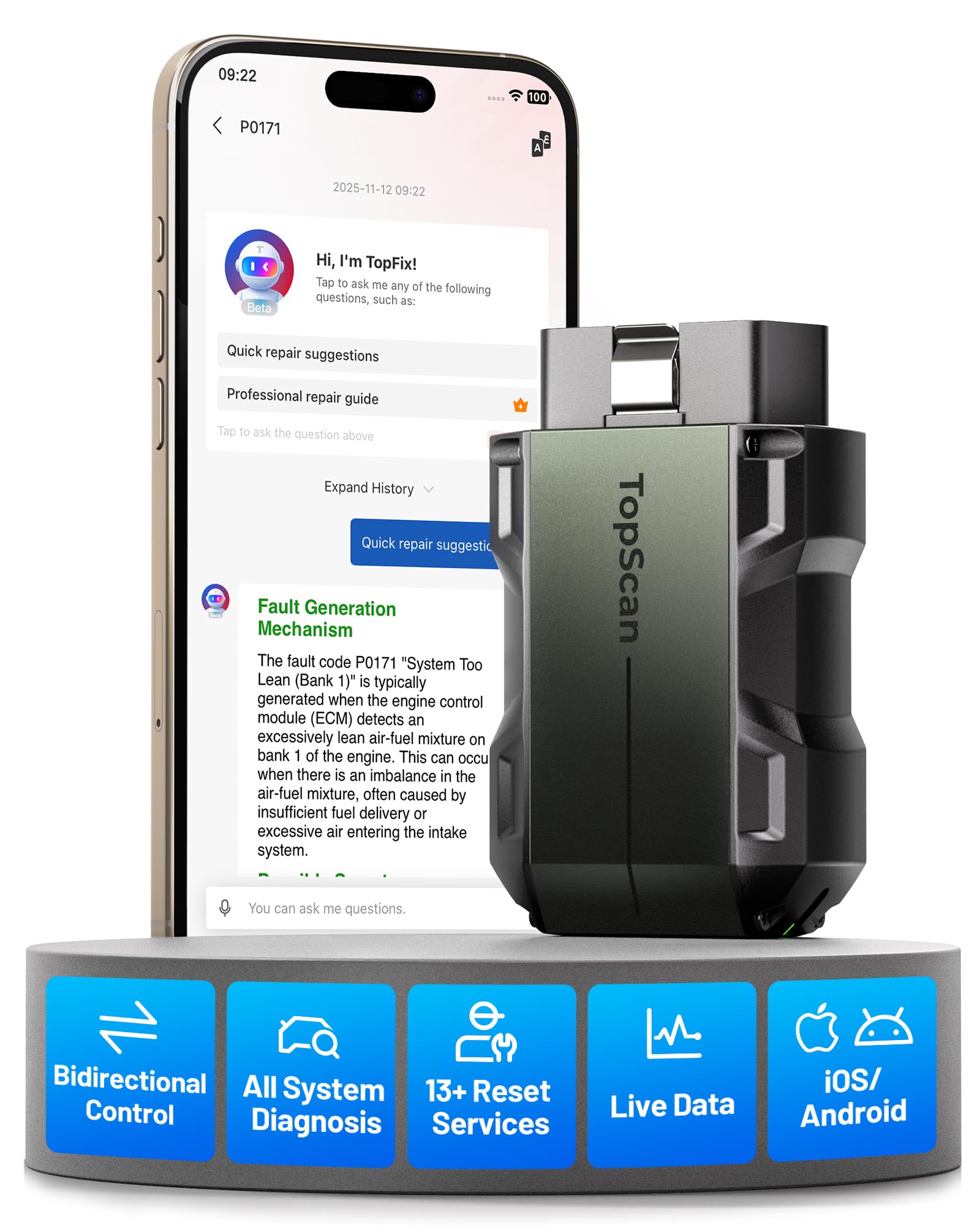
For Audi-Specific Warnings: Choose a Full-System Scanner
If your 2013 Q5 has ABS, airbag, transmission, service, EPB, or module-specific warnings, compare the BD310 with an Audi/VW full-system scanner before buying. Basic OBD2 tools can miss those systems.