Foxwell NT301 vs Autel AL519: Which OBD2 Scanner Is Better?
If you want a simple OBD2 scanner for home diagnostics, both the Foxwell NT301 and Autel AL519 can read and clear common engine fault codes. Your choice depends on how much data and convenience you want during testing.
The Autel AL519 suits you better if you value live-data graphs, automatic VIN detection, and data playback, while the Foxwell NT301 offers a larger screen and a simple, compact design. Both tools support emissions checks and readiness monitoring, but neither provides advanced functions such as bidirectional controls.
Your budget, vehicle coverage, and preferred display style will guide the better buy. Compare their diagnostic features, workflow, build quality, and long-term value before choosing.
Key Takeaways
- The AL519 offers more helpful data-viewing features.
- The NT301 keeps basic code reading simple.
- Neither scanner replaces a professional diagnostic system.
Core Diagnostic Capabilities
Both scanners handle basic OBD2 fault-code work for vehicles made after 1996. The main differences involve live-data display, VIN detection, and data review features.
Supported OBD2 Functions
You can use both the Foxwell NT301 and Autel AL519 to read and clear diagnostic trouble codes. Each scanner also checks emissions readiness, which helps you determine whether your vehicle may pass an inspection after repairs or a battery disconnect.
Both tools support live data from the vehicle’s engine system. The AL519 displays live data in graphs, making changes easier to track while the engine runs. The NT301 presents this information as text, which still provides useful readings but may require more interpretation.
| Function | Foxwell NT301 | Autel AL519 |
|---|---|---|
| Read and clear codes | Yes | Yes |
| Emissions readiness tests | Yes | Yes |
| Live data | Text display | Text and graphical display |
| VIN detection | Manual entry may be required | Automatic retrieval |
| Data playback | No | Yes |
The AL519 also lets you review recorded diagnostic data. The NT301 has a slightly larger 2.8-inch screen, which may make code reading more comfortable.
Vehicle Coverage And Compatibility
Both scanners work with standard OBD2 vehicles manufactured after 1996, including cars and light trucks that use supported OBD2 protocols. You should still check your vehicle’s exact engine and connector compatibility before buying, especially if you own an imported or uncommon model.
These tools focus on basic engine and emissions diagnostics through the OBD2 port. They are not dealer-level systems and generally do not provide the broad module access, advanced coding, or extensive service functions found in higher-end Foxwell or Autel scanners.
You can choose the NT301 for portable, straightforward code reading. The AL519 suits you better if you want automatic VIN retrieval, graphical live data, and playback features for garage-based troubleshooting.
Live Data And Readiness Monitoring
Both scanners can show sensor data and check emissions monitor status. The Autel AL519 adds graph views, data playback, and automatic VIN detection, while the Foxwell NT301 uses a larger screen and a simpler text-based display.
Data Stream Display
The Foxwell NT301 displays live engine data as text. You can view values such as engine speed, coolant temperature, vehicle speed, fuel-trim readings, and oxygen-sensor information when the vehicle provides them. Its 2.8-inch screen gives you slightly more room to read several values at once.
The Autel AL519 shows live data in text and graphical formats. Graphs can help you spot changing sensor readings, such as unstable oxygen-sensor signals or unusual temperature changes. The AL519 also lets you record, play back, and review live data, which helps you examine readings after a test drive.
Neither scanner replaces a professional diagnostic tool for advanced system testing. You should confirm that your vehicle supports the data parameter you want to check.
Emissions Readiness Checks
Both scanners can display emissions readiness monitors and show whether each test has completed. You can use this information before an inspection to check monitors for systems such as the oxygen sensor, catalytic converter, evaporative emissions system, and EGR, when supported by the vehicle.
The NT301 focuses on clear monitor status information and can show which tests remain incomplete. The AL519 also checks readiness and provides freeze-frame data, which records vehicle conditions when a fault occurred. Both tools can help you avoid an inspection trip when required monitors still show not ready.
Clearing codes or disconnecting the battery can reset monitors. You may then need to complete the vehicle’s required drive cycle before the scanner reports a ready status.
Usability And Display Design
Both scanners use compact, handheld designs with built-in screens and simple button controls. The NT301 gives you a slightly larger display, while the AL519 adds graphical live data, automatic VIN detection, and data playback.
Screen And Navigation
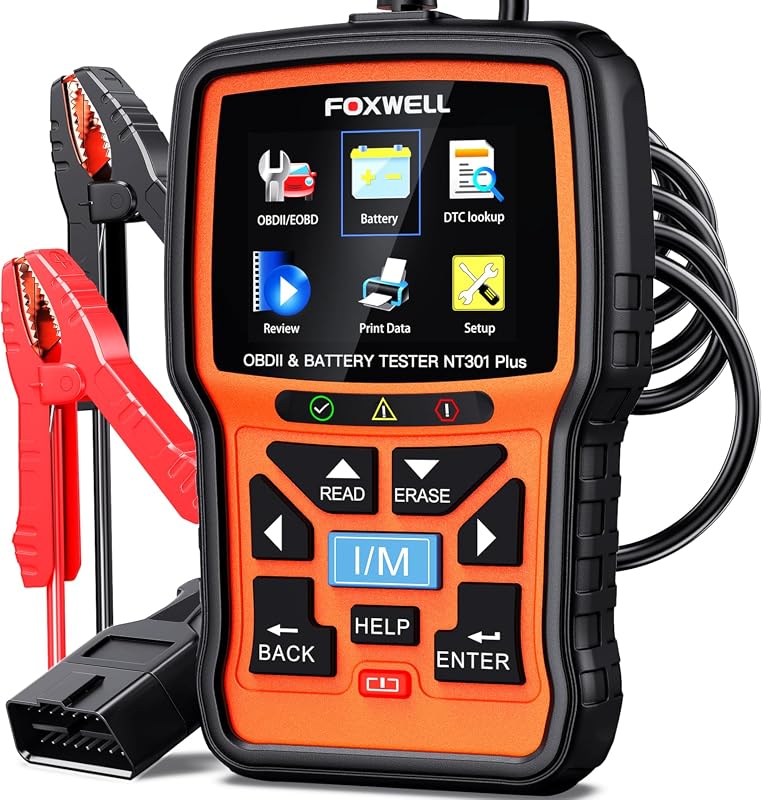
The Foxwell NT301 has a slightly larger 2.8-inch screen. It presents diagnostic information mainly as text, which makes code descriptions and basic readings easy to scan. Its menu structure suits quick tasks such as reading and clearing trouble codes, checking emissions readiness, and viewing live data.
The Autel AL519 uses a smaller display but adds more visual tools. You can view live data in graphs instead of reading only text values. The scanner can also detect the vehicle identification number automatically on supported vehicles, reducing manual entry.
| Feature | Foxwell NT301 | Autel AL519 |
|---|---|---|
| Display | Slightly larger, text-focused screen | Smaller screen with graphical data |
| Live data | Text display | Text and graph display |
| VIN entry | Manual input may be required | Automatic detection on supported vehicles |
| Data review | No playback feature listed | Supports data playback |
Menu Clarity And Controls
You can use either scanner without a complex setup. Connect the tool to the vehicle’s OBD2 port, turn on the ignition, and follow the on-screen menu. Both models support vehicles manufactured after 1996 and can read or clear diagnostic trouble codes.
The NT301’s text-based layout keeps the controls direct, which may suit you if you want a focused code reader. The AL519 gives you more ways to review information. Its playback function lets you look back at recorded diagnostic data, while its graph view can help you spot changing readings more easily. Neither scanner provides the advanced service functions found on higher-priced professional tools.
Performance And Diagnostic Workflow
Both scanners handle basic OBD2 checks through a simple cable connection and draw power from the vehicle. The AL519 adds graphical live data, automatic VIN detection, and data playback, while the NT301 offers a slightly larger display and direct access to emissions functions.
Code Reading And Clearing Speed
You connect either scanner to the diagnostic port, switch on the ignition, and select the code-reading function. Both tools can read and clear check-engine codes on vehicles made from 1996 onward. Their handheld design makes them faster to use than a phone-based setup because you do not need an app, wireless pairing, or a separate battery.
The Foxwell NT301 includes dedicated I/M readiness controls, which helps you check emissions monitors quickly before an inspection. The Autel AL519 also checks readiness and can retrieve the vehicle identification number automatically on supported vehicles. The NT301 may require you to enter the VIN manually in some cases.
You should record the trouble codes before clearing them. Clearing codes turns off the warning light, but it does not repair the fault and may reset emissions monitors. After repairs, use the drive-cycle information and readiness screen to confirm whether the vehicle has completed its required checks.
Freeze Frame And Fault Analysis
Freeze-frame data records key operating conditions when the vehicle first sets a fault. Depending on the vehicle and code, you may see engine speed, coolant temperature, vehicle speed, fuel status, or load. This information helps you judge whether the problem appeared during a cold start, heavy acceleration, or steady driving.
The AL519 makes data review easier because it can display live readings as graphs and supports playback of captured diagnostic data. You can watch a sensor change during testing and review the information afterward. The NT301 displays live data in text form, which still lets you compare readings but may require more effort to track rapid changes.
Neither scanner replaces a repair manual or a multimeter. Use the code, freeze-frame details, and live readings together, then test the related wiring, sensors, and mechanical parts before replacing components.
Build Quality And Ownership Value
Both scanners use a handheld design with a built-in OBD2 cable, physical controls, and a color display. Your long-term value depends less on small size differences and more on cable care, update costs, vehicle coverage, and access to support.
Cable Construction And Durability
The Foxwell NT301 uses a permanently attached OBD2 cable. This keeps the connection simple, but you cannot replace the cable separately if its plug or wiring fails. The scanner weighs about 1.05 pounds, making it easier to carry and hold during testing.
The Autel AL519 also uses an attached cable and has a compact handheld body. Its cable placement helps keep the tool connected while you read codes or view live data. You should avoid pulling either scanner by its cable, bending the connector sharply, or leaving it in a hot vehicle.
Both models suit occasional home diagnosis, but neither replaces a workshop-grade tool built for heavy daily use. Store your scanner in a case or dry drawer, and keep the OBD2 plug clean. Before buying, check that your vehicle uses standard OBD2 support and that the port remains accessible with the scanner connected.
Updates, Support, And Warranty
You need a computer and the manufacturer’s update process to keep either scanner current. Updates can improve vehicle coverage, code definitions, and software performance. Foxwell products often appeal to owners who want lower long-term software costs, while Autel provides a familiar update system through its support resources.
The NT301 and AL519 mainly handle engine and emissions diagnostics, including reading and clearing trouble codes, viewing live data, and checking inspection readiness. They do not provide the broader module access found on more advanced Foxwell or Autel tools.
Check the seller’s current warranty terms before purchase, since coverage and return policies can vary by region. Keep your receipt and record the scanner’s serial number. You should also confirm update availability for your vehicle before relying on either model for a specific repair.
Which Scanner Suits Different Drivers
Your choice depends on whether you need simple code reading or more help with emissions-related problems. The Foxwell NT301 emphasizes readable code information and easy controls, while the Autel AL519 adds features that can help with emissions checks and basic troubleshooting.
Best Fit For Basic Home Diagnostics
Choose the Foxwell NT301 if you mainly want to read and clear check-engine codes at home. Its slightly larger screen can make codes, live data, and definitions easier to read. The dedicated hotkeys also help you move through common functions without relying on complex menus.
The built-in diagnostic trouble code lookup can save you from searching for every code separately. You can use the tool to identify a possible problem, check whether a repair cleared the code, and view basic vehicle data.
The NT301 suits you if you want a simple wired scanner for routine checks. It does not replace a professional scan tool, and clearing a code will not fix the cause. Check compatibility before buying, especially if you need access beyond standard engine diagnostics.
Best Fit For Detailed Emissions Troubleshooting
Choose the Autel AL519 if you want stronger support for emissions testing and related troubleshooting. It provides standard OBD2 functions, including code reading, code clearing, live data, freeze-frame data, and readiness-monitor checks.
Readiness monitors show whether your vehicle has completed its emissions self-tests. This feature helps you check inspection readiness before visiting a test center. You should drive the vehicle under the required conditions after repairs, since clearing codes can reset these monitors.
The AL519 may also offer ABS and SRS coverage on supported vehicles, according to the listed comparison information. Confirm coverage for your exact year, make, and model because system access varies by vehicle. Choose it when emissions checks matter more than a larger display or a simpler button layout.
Frequently asked questions
Can both scanners read and clear trouble codes?
Yes. The Foxwell NT301 and Autel AL519 can read and clear standard OBD2 diagnostic trouble codes. Clearing a code does not repair the cause, so you should check the vehicle after making repairs.
Which vehicles do they support?
Both scanners generally work with OBD2-compliant vehicles made for the U.S. from 1996 onward. Check your vehicle’s connector and regional compatibility before buying.
Which scanner is better for emissions testing?
Both tools can check emissions readiness monitors. The NT301 focuses on showing which monitors have completed their drive cycles, while the AL519 also provides readiness information and additional data features.
Which model offers better live data?
The AL519 can display live data as graphs, which helps you track changes while the engine runs. The NT301 mainly presents live data as text, but its larger screen may make basic readings easier to view.
Can either scanner diagnose ABS or airbag faults?
No. These are basic engine and emissions scanners. They usually cannot access systems such as ABS, airbags, transmission modules, or body controls.
Which one should you choose?
| Choose the NT301 if you want | Choose the AL519 if you want |
|---|---|
| A larger display | Graphical live data |
| Simple emissions checks | Automatic VIN detection |
| A straightforward interface | Data playback and review |
Conclusion
Choose the Foxwell NT301 if you want a simple, lightweight code reader with a slightly larger screen. It can read and clear engine fault codes, show live data, and check emissions readiness on compatible vehicles.
Choose the Autel AL519 if you prefer easier data review. Its graph view, automatic VIN detection, and playback feature give you more ways to study test results.
| Choose the Foxwell NT301 if you value… | Choose the Autel AL519 if you value… |
|---|---|
| A compact design | Graphs for live data |
| Simple engine diagnostics | Automatic VIN detection |
| A larger display | Data playback |
Both tools target OBD2 vehicles from 1996 and newer, but neither replaces a full dealer-level scanner. Before buying, confirm that your vehicle uses a supported OBD2 system and decide whether you need only engine diagnostics or broader system coverage.
For basic code checks and emissions testing, either scanner can meet your needs. Your preferred display and data features should guide the final choice.