10 Best Car Diagnostics & Tire Tools: Foxwell NT301 vs ANCEL AD410
If you have been weighing the Foxwell NT301 vs ANCEL AD410, you are really comparing two different philosophies of DIY car care: one tool that pairs engine diagnostics with a 12V battery test, and one affordable code reader built to explain a check engine light in plain language. Both approaches have merit, and the right answer depends on what you drive, how much diagnostic depth you want, and whether you are chasing a warning light or trying to avoid a no-start morning.
This guide compares ten diagnostic and battery-testing tools sold for U.S. drivers, from simple handheld code readers to full-system scan tools with active tests. Every product below is described using the manufacturer-supplied feature list, so treat this as an editorial comparison of intended use, owner value, and safety considerations rather than a hands-on test report.
For most everyday drivers who want one tool that reads engine codes and checks battery health, the FOXWELL NT301 Plus is the strongest all-around pick because it combines OBD2 diagnostics with a 12V battery analyzer in a single handheld device. The ANCEL AD410 remains the better choice for budget-focused owners who mainly want to understand and clear a check engine light with a large built-in code library. The main limitation to accept either way is that neither tool is a full-system scan tool, so ABS, SRS, transmission, and manufacturer-specific functions require a different class of device.
Quick Product Comparison
| Product | Image | Best For | Current Price |
|---|---|---|---|
| 1. FOXWELL NT301 Plus OBD2 Scanner & Battery Tester | 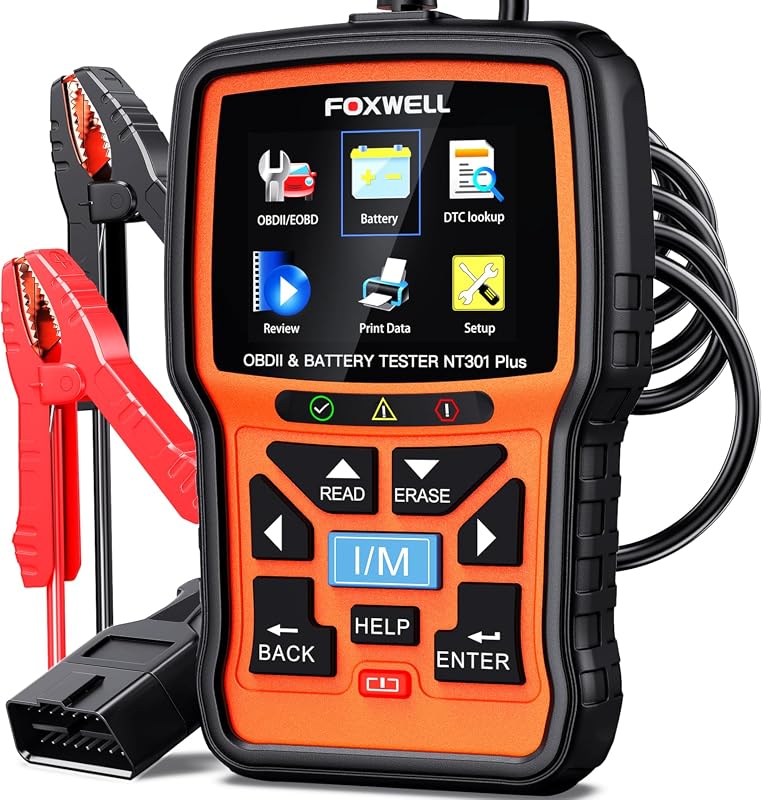 |
Owners who want engine codes and 12V battery health from one tool | See Price → |
| 2. ANCEL AD410 Enhanced OBD2 Scanner | 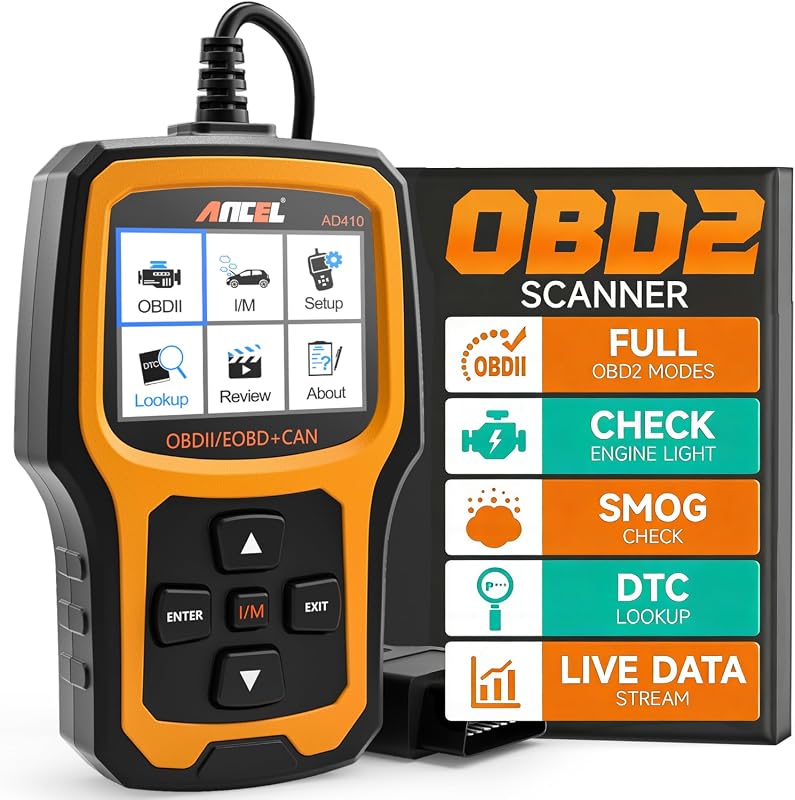 |
Budget buyers who want plain-English check engine light answers | See Price → |
| 3. FOXWELL NT301 OBD2 Scanner with Live Data | 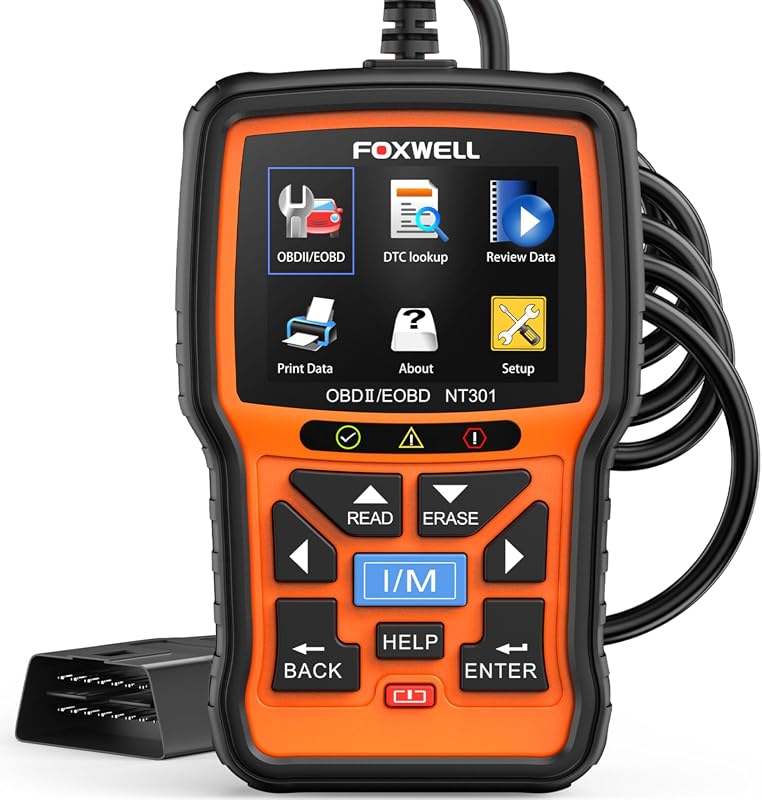 |
Drivers who want graphing live data without battery-test hardware | See Price → |
| 4. ANCEL FX6100 Bidirectional Scan Tool | 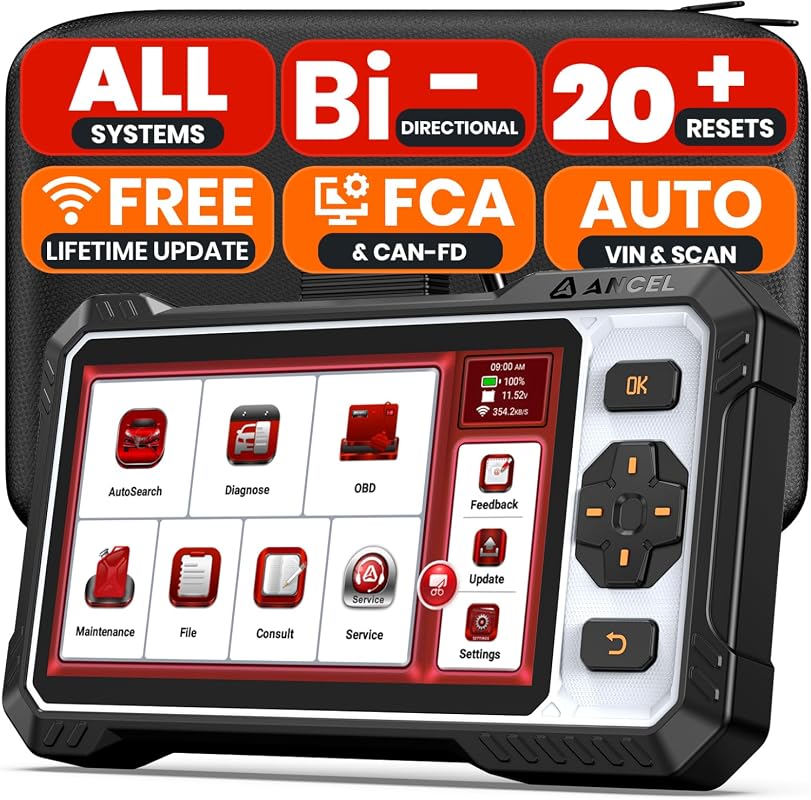 |
Enthusiasts and DIY repairers who need full-system coverage | See Price → |
| 5. FOXWELL NT301 CASE OBD2 Scanner Protection Box | 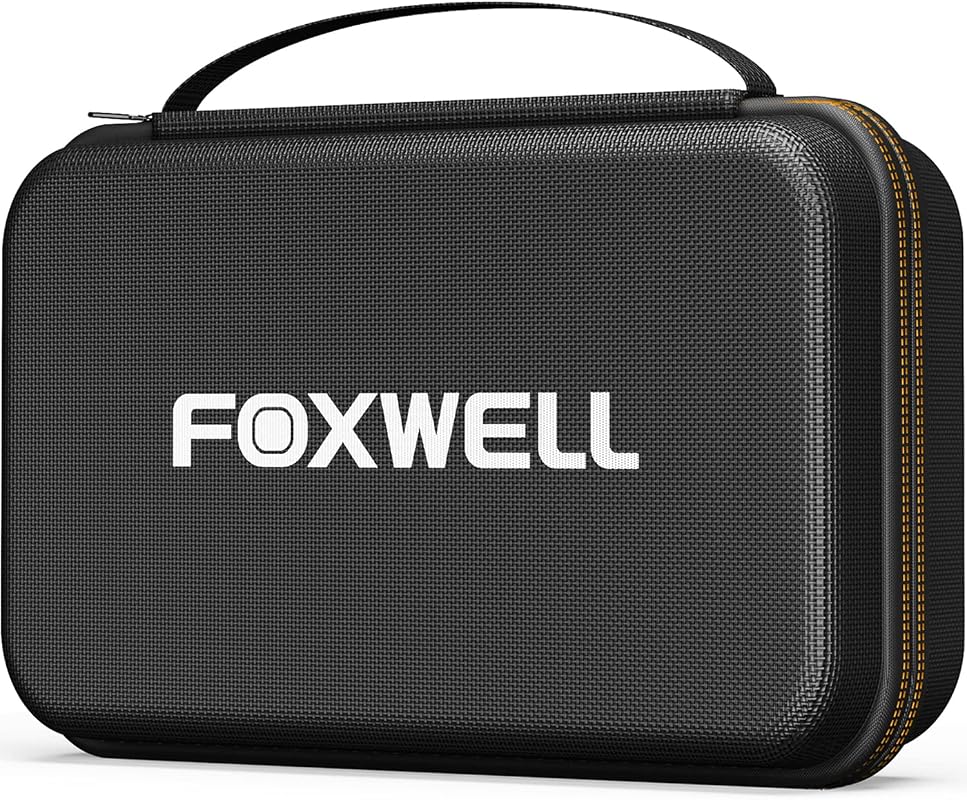 |
Owners who keep a scanner in a trunk or toolbox and want it protected | See Price → |
| 6. ANCEL BD310 Bluetooth OBD2 Scanner | 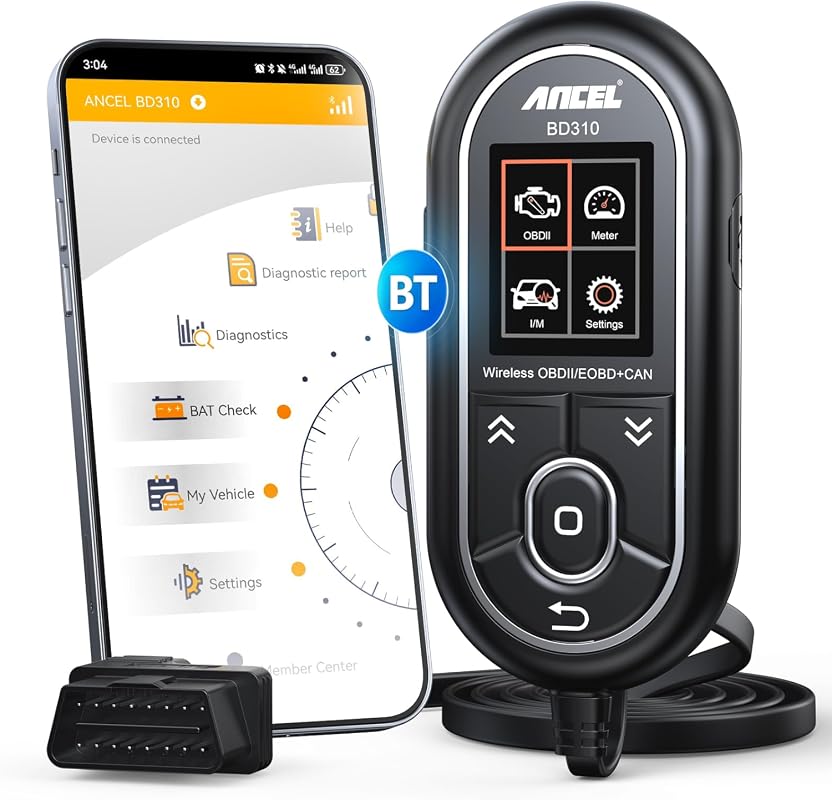 |
Phone-first drivers who want app data plus a handheld display | See Price → |
| 7. ANCEL AD310 Enhanced OBD2 Scanner | 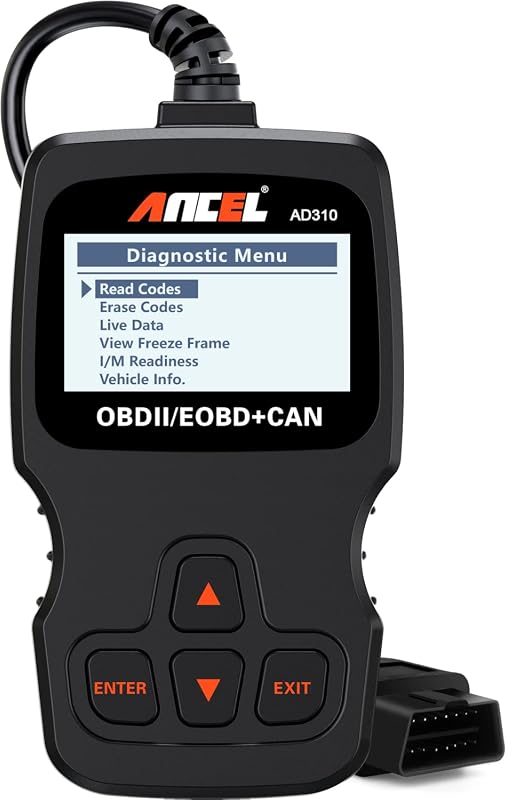 |
First-time code reader buyers and glovebox backup tools | See Price → |
| 8. ANCEL AD530 OBD2 Scanner with Battery Test | 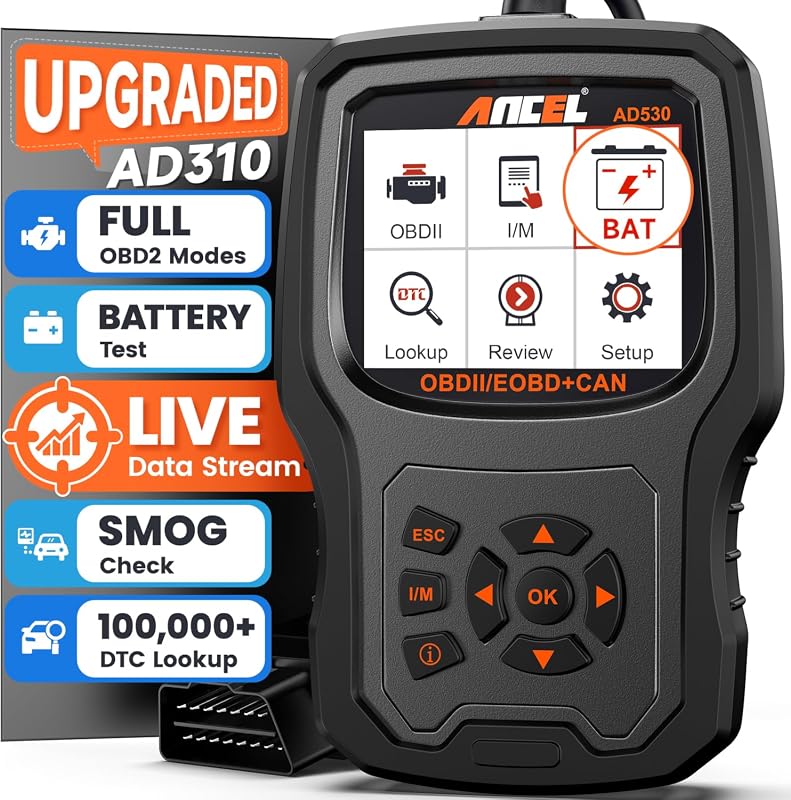 |
Owners who want live 12V cranking and charging voltage visibility | See Price → |
| 9. FOXWELL NT510 OBD2 Scanner for BMW | 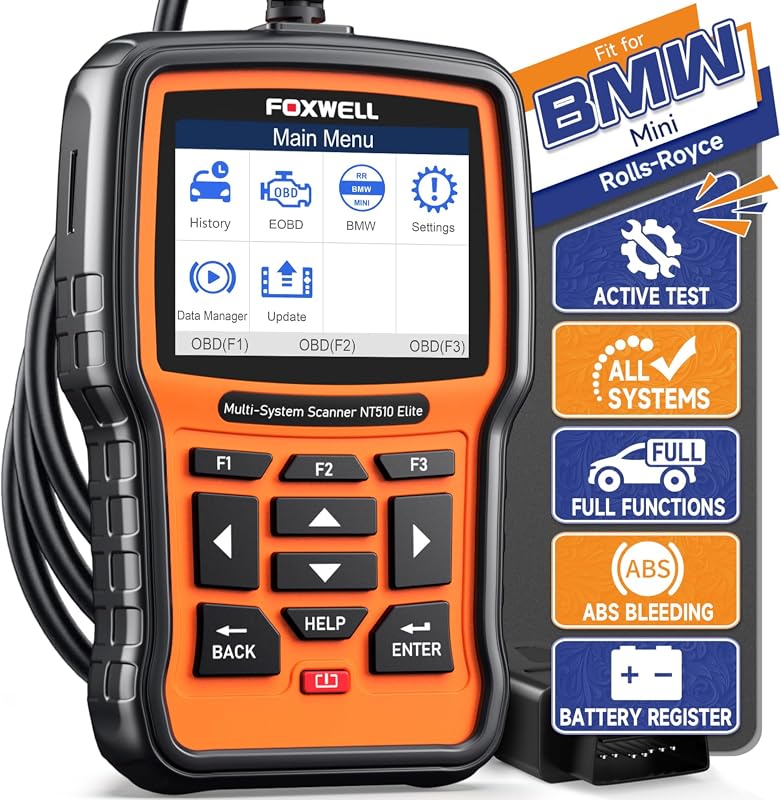 |
BMW, Mini, and Rolls-Royce owners handling their own maintenance | See Price → |
| 10. FOXWELL NT201 OBD2 Scanner | 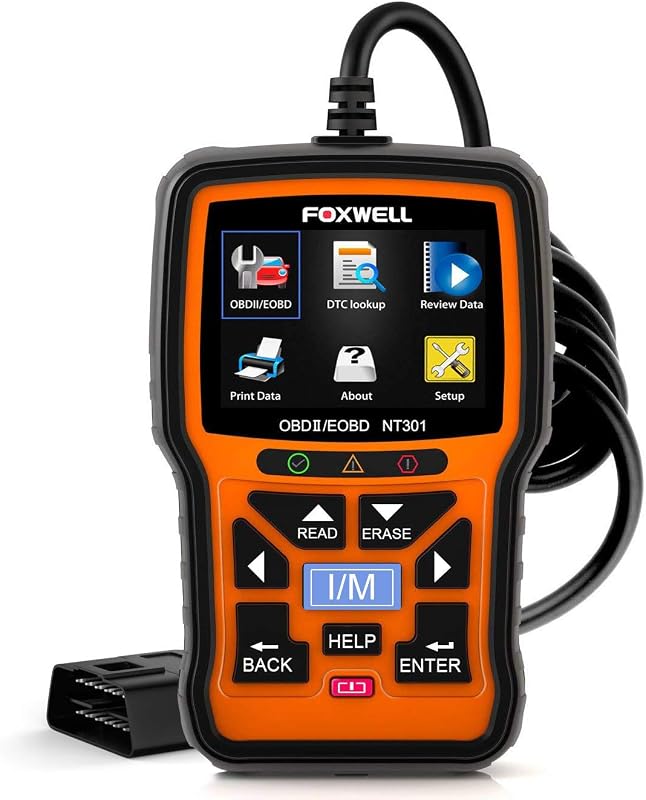 |
Simple smog-check readiness checks and basic code reading | See Price → |
Foxwell Nt301 Vs Ancel Ad410: What to Look For
Both tools plug into the same 16-pin OBD2 port, but they are built for different jobs. Here are the factors that actually change how useful a scanner feels after the novelty wears off.
1. Engine codes versus battery health
The NT301 Plus pairs check-engine diagnostics with a 12V battery analyzer that reports state of health, state of charge, cold cranking amps, cranking voltage, and starter or charging performance. The ANCEL AD410 focuses on engine-related fault codes, live data, and emissions readiness. If your concern is a warning light, either works; if your concern is a weak battery before winter, only the NT301 Plus addresses that directly.
2. Live data, graphing, and freeze frame
Live data is where a scanner stops being a code lookup and starts being a diagnostic tool. The NT301 Plus and the standard NT301 both display live parameters such as RPM, coolant temperature, and fuel trim in text and graph form, and the AD410 also shows real-time values like oxygen sensor readings. Graphing matters most when you are watching a value change under load rather than reading a single snapshot.
3. Year, region, and protocol coverage
Coverage claims are where buyers get burned. The supplied listings describe support for most 1996-and-newer U.S. vehicles, with European and Asian coverage starting later in many cases, across protocols such as CAN, ISO9141, KWP2000, J1850 VPW, and J1850 PWM. Before ordering, it is worth reviewing which vehicles are compatible with the Foxwell NT301 and then confirming your exact year, make, model, and trim against the current Amazon listing.
4. What the tool does not do
This is the most common source of disappointment. The standard FOXWELL NT301 listing states plainly that it does not scan ABS, SRS, EPB, or A/C systems, and does not support bidirectional control or advanced reset functions. If you need those, read up on whether the Foxwell NT301 reads ABS codes and budget for a full-system tool instead of assuming a basic reader will grow into one.
5. Display, controls, and in-car usability
A scanner you cannot read in a dim garage is a scanner you stop using. The NT301 Plus uses a 2.8-inch color screen that the listing describes as 36 percent larger than 2.4-inch displays, while the AD410 and AD530 both use 2.8-inch color screens. Physical buttons and one-touch hotkeys, such as an I/M readiness shortcut, matter more than screen size when you are standing over an open hood.
6. Updates, subscriptions, and support
Update policy separates tools over a five-year ownership window. Some listings describe lifetime free updates, while others describe paid annual subscriptions for continued coverage. Confirm the current policy on the listing page before purchase, because a scanner that stops receiving coverage updates can quietly become less useful on newer vehicles.
Our Top 10 Picks
1. FOXWELL NT301 Plus 2-in-1 OBD2 Scanner and 12V Car Battery Tester for Check Engine Light Diagnostics
The NT301 Plus takes the familiar NT301 engine-code reader and adds a full 12V battery test, so one handheld device covers warning lights and battery condition. It suits owners who want a single tool for both jobs and are willing to accept that it stays an engine-and-battery device rather than a full-system scan tool.
Key Features That Matter
- Two tools in one: engine fault analysis plus a full car battery test, so you are not switching devices between a code scan and a battery check.
- Faster check engine light work: reads DTCs, resets the check engine light, and displays live data such as RPM, coolant temperature, and fuel trim in text and graph form.
- Battery health analysis with state of health, state of charge, CCA, cranking voltage, and starter or charging performance readings, which is useful before cold-weather no-start situations.
- Bold Good or Replace battery results make the outcome readable at a glance in a dark garage or at the roadside.
- One-press I/M readiness test with red-yellow-green LEDs and audio prompts, so you can see whether monitors are ready before an inspection.
Drivers who want engine diagnostics and 12V battery health checks from one handheld tool.
- Combines OBD2 code reading with battery testing in one device.
- Larger 2.8-inch color display than the 2.4-inch screens it replaces.
- Supports flooded, AGM flat and spiral, EFB, and GEL battery types.
- The battery check requires a firm connection between the battery cable and the OBD2 diagnostic cable.
- Confirm whether your vehicle needs coverage beyond engine and battery systems before buying.
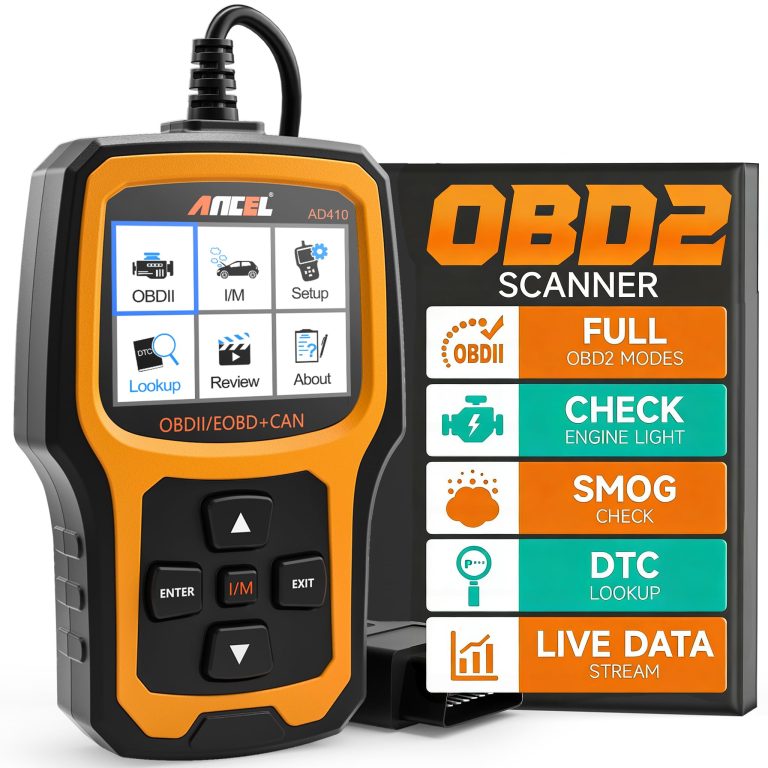
2. ANCEL AD410 Enhanced OBD2 Scanner Vehicle Code Reader for Check Engine Light Fault Diagnosis on 1996+ Cars
The AD410 is the value-focused answer to the same question: why is my check engine light on? It leans on a large built-in code library and plain-language definitions rather than battery hardware, making it a sensible first scanner for beginners and DIY owners who want to talk to a mechanic with real information in hand.
Key Features That Matter
- More than 42,000 built-in DTC lookups help reduce guesswork when you are trying to understand a warning light.
- Full OBD2 function set including reading and clearing codes, live data, freeze frame, I/M readiness, O2 sensor test, EVAP test, vehicle information, and MIL status.
- Live data such as RPM, coolant temperature, fuel trim, and oxygen sensor readings helps you spot abnormal patterns instead of relying only on a light.
- I/M readiness function lets you check monitor status before a smog or emissions inspection, which can save a wasted trip and retest fee.
- Compatibility described for most 1996-and-newer U.S. cars, SUVs, and light trucks, plus many 2000-and-newer EU and Asian OBD2 vehicles.
Budget-conscious drivers who want clear check engine light explanations and emissions readiness checks.
- Large built-in code library with definitions shown on the device.
- Broad OBD2 function coverage for the price point.
- Useful pre-inspection readiness check for emissions testing.
- Focused on engine-related codes; confirm whether you also need ABS, SRS, or transmission coverage.
- The supplied listing price appears in AUD, so verify the current U.S. price and availability before ordering.
3. FOXWELL NT301 OBD2 Scanner with Live Data Professional Mechanic OBDII Diagnostic Code Reader for Check Engine Light
The original NT301 is the reference point many drivers use when comparing handheld code readers. It reads and clears engine codes, graphs live sensor data, and runs O2 sensor and EVAP checks, but the listing is refreshingly direct about what it will not do, which makes it easier to buy with realistic expectations.
Key Features That Matter
- Reads DTCs, shows emissions readiness status, turns off the check engine light or MIL, resets monitors, reads live data, and retrieves your VIN.
- Live data graphing lets you monitor oxygen sensors, fuel trims, coolant temperature, and RPM to spot trends in real time.
- Advanced OBDII modes include O2 sensor testing and an EVAP system leak monitor for fuel tank condition checks.
- Supports common OBDII protocols including KWP2000, J1850 VPW, ISO9141, J1850 PWM, and CAN.
- Works with most 1996-and-newer U.S. gasoline cars, light trucks, and SUVs, many 2000-and-newer European and Asian models, and 12V diesel vehicles with OBD2.
Owners who want graphing live data and emissions checks without paying for battery-test hardware.
- Live data graphing and O2 sensor and EVAP testing in a handheld reader.
- Clear guidance on how to properly read codes with the ignition on.
- Broad protocol support across domestic, European, and Asian vehicles.
- The listing states it does not scan ABS, SRS, EPB, A/C, or battery systems.
- No bidirectional control, calibration, or advanced reset functions.
4. ANCEL FX6100 Bidirectional Scan Tool with All System Diagnostics and Lifetime Free Updates for Cars
The FX6100 steps well beyond code reading into active testing and service resets, which is the category shift that matters once basic diagnostics stop being enough. It is the pick for owners who do their own brake jobs, battery swaps, and component troubleshooting and want to avoid both guesswork and a yearly subscription.
Key Features That Matter
- Lifetime Wi-Fi updates with no subscription, which the listing contrasts against scanners that charge annual fees after the first year.
- Bidirectional active tests let you command components such as fuel pumps, cooling fans, ABS pumps, and injectors to verify whether a part actually responds.
- More than 20 service resets covering EPB reset for brake jobs, BMS reset after battery replacement, oil change reminders, ABS bleed, throttle relearn, and SAS calibration.
- Full system coverage across engine, transmission, ABS, SRS, BCM, TPMS, and steering angle rather than engine codes alone.
- Plug-in setup with AutoVIN vehicle detection and a 6.2-inch screen that the listing describes as readable in bright garage lighting.
DIY repairers and enthusiasts who need system-wide scanning, active tests, and service resets in one tool.
- Bidirectional active testing helps confirm a failed part before you buy a replacement.
- Lifetime free updates with no recurring subscription described.
- Broad system coverage plus 20 or more maintenance resets.
- Higher cost tier than basic code readers; confirm the value against your own repair plans.
- The supplied listing price appears in AUD, so verify current U.S. pricing and vehicle coverage before ordering.
5. FOXWELL NT301 CASE OBD2 Scanner Professional Enhanced OBDII Diagnostic Box for Check Engine Code Reading
This is a carrying case, not a scanner, and the listing says so clearly. It is included here because a tool that lives loose in a trunk or toolbox tends to get scratched, cracked, or lost, and a fitted case with a cable pocket is a cheap way to protect an investment you already made.
Key Features That Matter
- Designed for handheld-sized OBD2 scanners, including the FOXWELL NT301, NT510 Elite, NT201, BT100 battery tester, and Wi-Fi endoscope.
- Inner dimensions of 7.9 by 5.5 by 2.4 inches, which you should compare against your own device before ordering.
- Interior pocket holds cables and an interlayer carries accessories such as extension cables.
- EVA rubber and polyester fiber construction described as offering buffer, heat, moisture, and abrasion resistance.
- Protects a scanner stored in a trunk, toolbox, or garage from daily wear and tear.
Owners who store a handheld scanner in a vehicle or garage and want it protected between uses.
- Fitted interior with a dedicated cable pocket and accessory interlayer.
- Materials described as resistant to heat, moisture, and abrasion.
- Works with several handheld Foxwell tools, not just one model.
- The scanner is not included; this is the case only.
- Confirm the 7.9 by 5.5 by 2.4 inch inner size fits your specific device and cables.
6. ANCEL BD310 Bluetooth OBD2 Scanner Handheld Engine Code Reader for iOS Android and Check Engine Light
The BD310 is a dual-mode device: it works as a standalone handheld reader and pairs with a free app for deeper data, performance tests, and trip analytics. It is the pick for phone-first drivers who want both options, though anyone comparing connection styles should read up on Bluetooth vs wired OBD2 scanners first.
Key Features That Matter
- Wired plus Bluetooth dual-mode design combines handheld speed with app-based features in one device.
- Free app supports battery health voltage graphs, real-time performance tests, and trip analytics with speed, braking, and coolant temperature data.
- Plain-English code definitions with DTC lookup, then clear the code after repair and confirm the light goes out.
- At-home I/M readiness checks, EVAP leak detection, and O2 sensor status verification before an emissions test.
- HUD mode projects real-time RPM and speed onto the windshield, with a customizable dashboard layout.
Drivers who want a handheld reader plus app-based data, performance tracking, and a hands-free display mode.
- Works standalone or with a free app, with no subscription described.
- Magnetic mount and phone-style body make it easy to place for hands-free viewing.
- Records and shares reports you can send to a mechanic.
- Advanced features depend on the app, so confirm current iOS and Android compatibility.
- HUD and dashboard features should only be configured while parked.
7. ANCEL AD310 Enhanced OBD2 Scanner Car Engine Fault Code Reader CAN Diagnostic Scan Tool for 1996+ Vehicles
The AD310 is a compact, offline handheld reader aimed at first-time buyers who want a straightforward answer about a warning light. It draws power from the OBD2 port, needs no batteries or charger, and its large review count makes it one of the most widely owned readers in this group.
Key Features That Matter
- Supports all common OBDII protocols including KWP2000, J1850 VPW, ISO9141, J1850 PWM, and CAN.
- Reads and clears diagnostic trouble codes, reads live data and hard memory data, views freeze frame, runs EVAP system tests, and checks I/M monitor readiness.
- Powered directly from the vehicle’s OBDII data link connector, so no batteries or charger are required.
- Works completely offline, which the listing notes as an advantage over Bluetooth scanners that need a connection.
- Compact and light at 12 ounces with a 2.5-foot cable, clearly labeled buttons, and a large display.
First-time code reader buyers who want an offline, no-fuss tool for basic engine diagnostics.
- No batteries, charger, or internet connection required.
- Broad protocol support and wide vehicle compatibility described for 1996-and-newer vehicles.
- Compact size makes it easy to keep in a backpack or on a dashboard.
- Focused on engine and emissions-related diagnostics rather than system-level scans.
- No battery test function described in the supplied listing.
8. ANCEL AD530 Upgraded OBD2 Scanner Car Code Reader with Battery Test Live Data for 1996+ Vehicles
The AD530 sits between a basic reader and a battery analyzer. It adds live 12V cranking and charging voltage monitoring to standard OBD2 functions, which is useful for owners who want to watch battery behavior over time rather than run a full battery test.
Key Features That Matter
- Plug-and-play setup with a dedicated “i” hotkey that converts complex fault codes into plain text instantly.
- One-touch I/M readiness shortcut with a 2.8-inch color screen that clearly displays incomplete monitor states.
- Advanced OBDII modes cover O2 sensors, EVAP units, and emission monitors, plus real-time coolant temperature and RPM.
- Freeze frame snapshots record vehicle states at the moment a fault appears, supporting more targeted maintenance.
- Live 12V cranking and charging system voltage tracking with graphic data visualization of voltage changes during daily drives.
Owners who want routine code reading plus live 12V cranking and charging voltage visibility.
- Live voltage graphing helps you observe battery behavior during normal driving.
- Built-in library of more than 100,000 DTCs for more precise fault matching.
- Plain-text code explanations reduce the need for outside lookups.
- Voltage monitoring is not the same as a full battery health test with state of health or CCA readings.
- The supplied listing price appears in AUD, so confirm current U.S. pricing before ordering.
9. FOXWELL NT510 OBD2 Scanner for BMW Full System Diagnostic Tool with Engine Transmission ABS SRS EPB Reset
The NT510 is a brand-specific tool rather than a universal reader, and that is the point. It covers full basic maintenance functions for BMW, Mini, and Rolls-Royce, including battery registration and active tests, which makes it relevant to owners who already handle their own routine service.
Key Features That Matter
- Battery registration in minutes with one-click support for AGM and EFB battery matching to the BMS.
- Bidirectional control and active test functions let you trigger actuators such as fuel pumps, fans, and windows to verify faulty parts.
- Full basic maintenance features for BMW, Mini, and Rolls-Royce including oil light reset, ABS bleeding, brake pad reset, SAS calibration, and throttle matching.
- I/M readiness checks plus all OBDII features such as reading and clearing codes, live data, EVAP test, O2 sensor test, and freeze frame.
- Real-time sensor data from every control module, including coolant temperature, transmission oil temperature, and battery voltage.
BMW, Mini, and Rolls-Royce owners who want to handle maintenance and battery registration themselves.
- Battery registration and common maintenance resets built for BMW-family vehicles.
- Active tests help confirm whether an actuator or component actually responds.
- Full-system sensor data rather than engine codes alone.
- Coverage is described for BMW, Mini, and Rolls-Royce, so it is not a general-purpose pick for other brands.
- Confirm model-year coverage and required battery type before registering a new battery.
10. FOXWELL NT201 OBD2 Scanner Car Computer Diagnostic Tool Check Engine Light Code Reader for OBDII Vehicles
The NT201 is a compact, no-frills reader aimed at quick checks: plug it in, press a few buttons, and read the result in seconds. Its standout feature is the LED I/M readiness indicator, which makes it a practical glovebox tool for emissions-season peace of mind.
Key Features That Matter
- Works on standard OBDII, EOBD, JOBD, and CAN vehicles including most 1996-and-newer U.S. cars, light trucks, SUVs, and minivans.
- Plug-in operation with results shown in roughly 5 to 10 seconds, described as simple enough for a DIY user to handle alone.
- One-click I/M readiness function with red-yellow-green LED indicators to help determine whether your vehicle meets emissions monitor status.
- Supports live data in text and graph format, reading and clearing fault codes, freeze frame data, turning off the check engine light, and retrieving VIN, CID, and CVN.
- Lifetime free software updates downloaded from the manufacturer website to fix bugs or add new parameters.
Drivers who want a small, simple reader for quick code checks and emissions readiness status.
- Fast, simple operation suited to quick checks and beginners.
- LED readiness indicators give an at-a-glance emissions status.
- Lifetime free software updates described by the manufacturer.
- Basic engine and emissions functions only; no system-level scanning described.
- Fewer owner reviews than other picks here, so read the current listing carefully.
Every tool here connects through the standard 16-pin OBD2 port, but coverage still varies by year, make, model, trim, engine, and region. The listings describe support for most 1996-and-newer U.S. vehicles, with European and Asian coverage often starting around 2000 to 2005. Confirm your exact vehicle against the current listing and your owner’s manual, and remember that a tool marketed for one brand family, such as the BMW-focused NT510, is not a universal substitute for a general-purpose reader.
Buying Guide for OBD2 Scanners and Battery Testers
Prices and availability change, and some listings in this comparison display pricing in AUD rather than U.S. dollars. Treat any price you see as a starting point and confirm the current figure, shipping terms, and return policy on the live listing before ordering.
- Confirm compatibility by VIN, year, and trim before purchase.
- Configure and test the tool while parked with the ignition in the state the manual specifies.
- Repair the underlying fault before clearing codes, then verify monitors return to ready.
- Assume a basic reader covers ABS, SRS, airbag, or transmission systems.
- Clear codes to make a light go away before a smog check without fixing the cause.
- Rely on universal-fit claims or unverified specifications instead of the current listing.
Check your OBD2 port location, vehicle year and region, and whether the tool you want supports the functions you actually need.
Work parked, keep cables clear of pedals and seat tracks, and avoid mounting anything over airbags, sensors, or your view of the road.
Power the tool, run a scan, review live data, and confirm battery test connections if your device supports them before trusting any result.
- Confirm year, make, model, and trim compatibility against the current listing.
- Decide whether you need engine codes only or full-system coverage with active tests.
- Check whether the tool needs a phone app, and review its permissions and update policy.
- Review warranty, returns, support, and any subscription terms.
- Confirm the tool can be used safely without obstructing visibility, controls, airbags, or sensors.
- FOXWELL NT301 Plus: Best overall for combining engine diagnostics with a 12V battery test; trade-off is that it stays an engine-and-battery tool.
- ANCEL AD410: Best alternative for budget buyers who want plain-English code explanations and emissions readiness checks.
- FOXWELL NT301: Best value for graphing live data and O2 or EVAP testing without battery hardware.
- ANCEL FX6100: Best for full-system work with bidirectional tests and service resets; costs more and needs coverage verification.
- FOXWELL NT301 CASE: A protection accessory only — the scanner is not included.
- ANCEL BD310: Best Bluetooth option for app data, trip analytics, and a hands-free display mode.
- ANCEL AD310: Best budget starter — offline, battery-free, and simple.
- ANCEL AD530: Best for live 12V cranking and charging voltage monitoring, though not a full battery health test.
- FOXWELL NT510: Best for BMW, Mini, and Rolls-Royce owners handling their own maintenance.
- FOXWELL NT201: Best simple backup reader with LED readiness indicators.
- Compatibility: Verify the exact vehicle year, make, model, trim, and required functions before purchase.
- Safety: Install, pair, and configure the device while parked, and keep cables clear of airbags, pedals, controls, and your field of view.
Frequently Asked Questions About Foxwell Nt301 Vs Ancel Ad410
Both are beginner-friendly, but they solve different problems. The AD410 leans on plain-language code definitions and a large built-in library, while the NT301 Plus adds a 12V battery test that a new owner may find useful before winter. Choose based on whether you mainly want code explanations or battery visibility.
Yes, the supplied listing describes reading and clearing engine-related fault codes along with live data, freeze frame, and I/M readiness functions. Clear codes only after the underlying issue has actually been repaired, or the light will likely return.
The standard NT301 does not include battery testing, but the NT301 Plus adds a 12V battery analyzer that reports state of health, state of charge, CCA, and cranking or charging performance. Confirm the exact model name on the listing, because the two are easy to confuse.
Most of these tools describe support for 1996-and-newer U.S. vehicles, with European and Asian coverage often starting around 2000 to 2005. Coverage still varies by year, model, and trim, so verify your specific vehicle against the current listing rather than assuming universal fitment.
It depends on the model. Some listings describe lifetime free updates and a free app, while others mention paid annual subscriptions for continued coverage. Check the update and app policy on the listing page before you buy.
Confirm your vehicle’s year, make, model, and trim, then decide whether you need engine codes only or full-system coverage with active tests. Also review screen size, update policy, app requirements, warranty, and whether a case or extra cable is needed.
Final Thoughts on Foxwell NT301 vs ANCEL AD410
The Foxwell NT301 vs ANCEL AD410 comparison ultimately comes down to scope. If your priority is understanding a check engine light with clear definitions and a broad code library at a budget-friendly entry point, the AD410 is a sensible starting tool. If you want one device that also tells you whether your battery is heading toward a cold-morning failure, the NT301 Plus is the more complete answer.
Whichever direction you choose, verify compatibility against your own vehicle, confirm the current listing details and update policy, and use the tool while parked. A scanner is a decision-support device, not a repair — the value comes from what you do with the information it gives you.