Innova 5610 with Updates and Support for Reliable Diagnostics
The Innova 5610 is a practical choice for drivers who want dependable OBD2 diagnostics without moving into shop-level complexity. Updates and support matter because they can help the scanner stay useful as vehicles, apps, and firmware change.
Innova 5610 with updates and support can be a smart middle-ground for drivers who want more than a basic code reader without jumping into shop-level gear. It makes the most sense for owners who want reliable fault-code checks, emissions readiness help, and a tool that can stay useful as vehicles and software change.
- Best fit: Everyday drivers and DIY owners who want code reading, live data, and readiness checks.
- Main value: Updates and support can extend useful life and improve compatibility over time.
- Key limit: It may not access every manufacturer-specific module or advanced function.
- Safety first: Diagnose only when parked safely and away from traffic, heat, and moving parts.
- Buy smart: Verify vehicle coverage, app permissions, and ownership cost before purchase.
Innova 5610 with Updates and Support: What It Does, Who It Fits, and Whether It’s Worth Buying
The Innova 5610 is aimed at everyday drivers and DIY owners who want a scan tool that is easier to use than many app-only options, while still offering more depth than a simple parts-store reader. The value of Innova 5610 with updates and support depends less on one feature and more on whether you plan to keep the tool for several years, use it on more than one vehicle, and rely on firmware or app updates to keep compatibility current.
Quick verdict for 2026 drivers: best use cases, main strengths, and where it falls short
For most U.S. drivers, this type of scanner is best for check-engine light diagnosis, emissions checks, live data viewing, and basic reset functions. It is less appealing if you need deep manufacturer module access, advanced bidirectional controls, or shop-grade programming features.
Its main strength is practical ownership value: a scanner that can remain relevant as software changes, instead of becoming outdated as quickly. Its main weakness is the same limit most consumer scanners share: it can tell you a lot about what the vehicle is reporting, but not everything about why the problem started.
A good long-term scanner should balance code coverage, ease of use, and support. The Innova 5610 fits drivers who want a dependable diagnostic tool for routine ownership, but not a full professional scan platform.
How “updates and support” change the value of an OBD2 scanner over time
Updates matter because vehicle software, communication protocols, and app ecosystems do not stay still. A scanner with ongoing support is more likely to keep working with newer model-year vehicles, new phone operating systems, and revised feature menus.
Support also matters when you run into a problem that is not obvious from the screen. That can include connection issues, firmware questions, or confusion about a code that appears generic but needs vehicle-specific context.
How the Innova 5610 Works for Real-World Diagnostics
Like other OBD2 scanners, the Innova 5610 plugs into the vehicle’s diagnostic link connector and reads data the car’s computer already stores. It does not “fix” the car on its own, but it can help narrow a problem before you spend money on parts or labor.
OBD2 model-year and protocol coverage: what most U.S. vehicles from 1996 onward should support
In the U.S., most gasoline vehicles from model year 1996 and newer use OBD2 diagnostics, so basic code reading is usually supported. Coverage can still vary by vehicle, engine, trim, software revision, or whether the issue is stored in an emissions-related module versus a manufacturer-specific system.
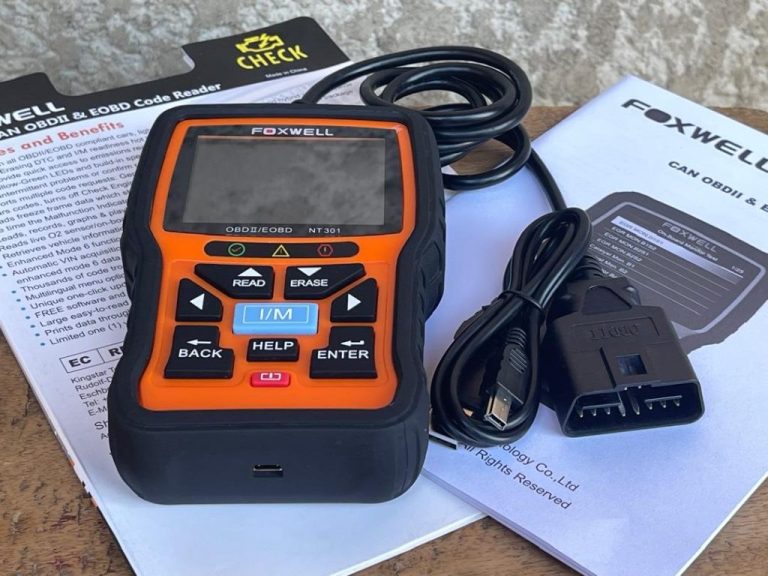
For shoppers comparing scanner compatibility, it helps to understand that “works with OBD2” does not always mean “accesses every module.” If you want a broader picture of vehicle coverage, CarValleyNJ’s guide on which vehicles are compatible with the Foxwell NT301 is useful for understanding how model-year and protocol support affect real-world scanner use.
Check: Verify make, model, year, trim, voltage, ports, mounting space, and OEM requirements. Limitations: Some manufacturer-specific modules, enhanced functions, and non-OBD2 systems may not be accessible.
Port location, ignition mode, and basic connection steps before reading codes
The OBD2 port is usually under the driver-side dash, though location varies. Before connecting, make sure the vehicle is parked safely, the transmission is in Park or Neutral as appropriate, and the ignition mode matches the scanner instructions.
Most scanners work best when the vehicle battery is healthy and the connector is seated firmly. A loose plug or weak battery can cause communication failures that look like tool problems but are really vehicle power issues.
What code reading and live-data monitoring can tell you—and what they cannot
Code reading can help identify the system that noticed a fault, while live data can show how sensors and operating values change in real time. That makes it easier to spot patterns such as a misfire, a fuel trim issue, a sensor signal that looks out of range, or a readiness monitor that has not completed.
But the scanner cannot replace diagnosis. A code is a clue, not a verdict, and live data still needs interpretation in the context of the vehicle’s condition, maintenance history, and symptoms.
Compatibility Guide: Vehicles, Systems, and Feature Limits
Gasoline, diesel, hybrid, and EV caution points for diagnostic use
Basic OBD2 coverage is strongest on standard gasoline vehicles, but diesel, hybrid, and EV use can be more complicated. Some systems may still report useful fault information, while other modules require brand-specific software or a dealer-level interface.
For hybrids and EVs, the scanner should be treated as a low-voltage diagnostic tool only. High-voltage battery systems, orange cables, and traction components require extra caution and often professional service.
Emissions readiness checks, monitor status, and reset limitations
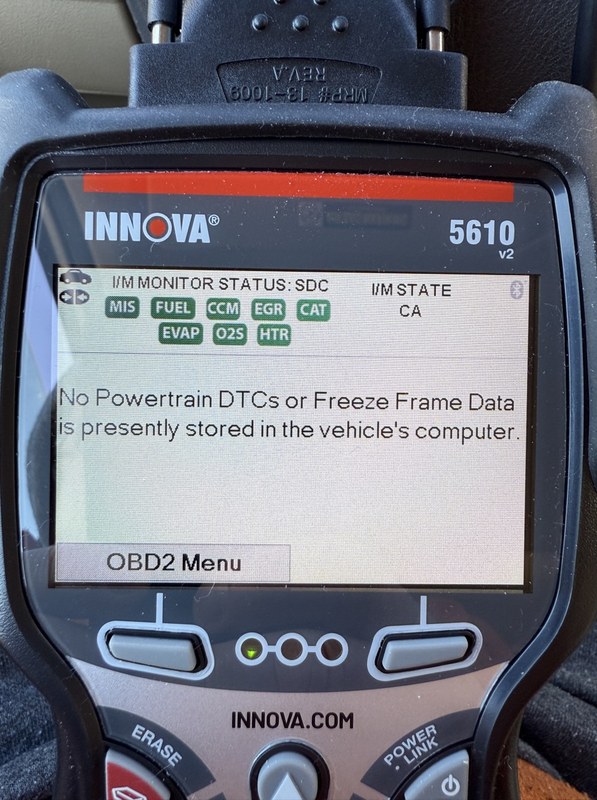
One of the most useful features for a daily driver is emissions readiness. That tells you whether the vehicle has completed the self-tests needed for inspection in states that use OBD-based emissions checks.
After repairs or code clearing, readiness monitors may reset and need more driving before they complete again. That is why clearing codes too early can create confusion if you need to confirm a repair or pass an inspection.
If you want a simpler example of how a consumer reader handles basic code access, CarValleyNJ’s walkthrough on how to read codes with the Ancel BD310 shows the kind of workflow many drivers can expect from a basic OBD2 device.
When the scanner may not access manufacturer-specific modules or advanced functions
Many consumer scanners can read generic powertrain codes, but not every body, ABS, airbag, transmission, or comfort module. Some vehicles also limit enhanced access unless the tool supports the correct brand protocol or the right software layer.
That means the scanner may be excellent for check-engine light work yet still fall short for an ABS warning light, steering angle issue, or airbag fault. In those cases, the right next step may be a more advanced scan tool or a professional diagnosis.
- Good fit for routine check-engine diagnosis
- Useful live data and readiness checks
- Support and updates can extend usable life
- Not a full shop-level diagnostic platform
- May miss some manufacturer-specific modules
- Advanced functions can vary by vehicle
Power, Battery, and Electrical Safety Before Diagnostics
System voltage basics: why low voltage can distort scan results
Low system voltage can create communication problems, false warnings, or incomplete data. If the battery is weak, the scanner may show odd behavior that looks like a vehicle fault when the real issue is electrical instability.
That is especially important on older vehicles, cars that sit for long periods, or vehicles with recent battery work. When voltage is questionable, it is often smarter to confirm battery condition first.
Battery chemistry, state of charge versus battery health, and what the scanner can’t determine
State of charge and battery health are not the same thing. A battery can read charged and still be weak under load, or it can be low simply because the vehicle has not been driven enough.
An OBD2 scanner generally cannot replace a dedicated battery tester. It may help you spot system voltage trends, but it will not fully tell you whether the battery, alternator, starter, or wiring is the root cause.
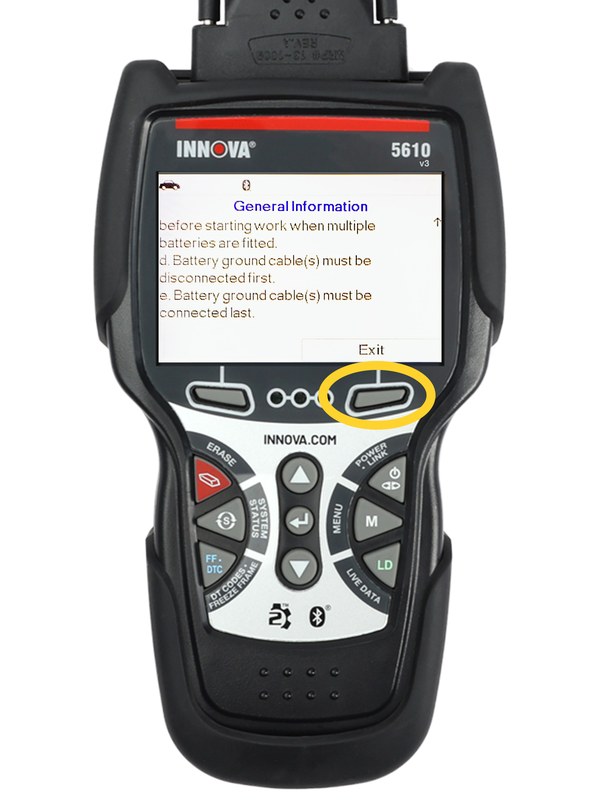
Correct connection order, damaged-battery stop conditions, and when to avoid testing
Follow the tool and vehicle instructions in the correct order. If the battery case is swollen, leaking, hot, cracked, or smells strongly of sulfur, stop and get professional help.
- Confirm vehicle, tool, voltage, port, tire, or battery compatibility
- Follow the vehicle and tool instructions in the correct order
- Inspect, store, and maintain the tool after use
- Clear codes before recording useful diagnostic information
- Work near traffic, moving parts, heat, or damaged batteries without proper precautions
- Rely on an unverified specification or temporary repair as a permanent fix
Hybrid and EV high-voltage cautions that require extra care or professional service
Never assume a low-voltage diagnostic tool makes a hybrid or EV system safe to open or probe. High-voltage components can remain dangerous even when the vehicle is off.
Installation, Setup, and Update Support for Long-Term Ownership
Initial setup, firmware updates, and app permissions: what to review before use
Before first use, check whether the scanner needs firmware updates, a companion app, registration, or account setup. Review what permissions the app asks for, especially if it requests Bluetooth, location, contacts, or cloud access.
If the tool uses a phone app, updates can improve compatibility but may also change menus or require newer operating systems. That is one reason support matters as much as the hardware itself.
How support and update availability affect ownership cost in 2026
Ownership cost is not just the purchase price. It also includes time spent on setup, possible subscription fees, accessory needs, and the chance that a tool becomes less useful if support ends.
That is why update policy matters. A scanner with stronger long-term support may cost more up front, but it can be better value if you plan to keep it through multiple repairs and vehicle changes.
Storage conditions, cable condition, and post-use inspection for reliability
Store the scanner in a dry place away from heat, moisture, and crushed cables. Inspect the connector, cable jacket, and screen or buttons after use so small problems do not become connection failures later.
Keep ports clean, avoid sharp bends in the cable, update firmware when recommended, and check the connector for wear before each use. Good storage habits help a scanner stay reliable longer.
Tire Pressure, TPMS, and Roadside Readiness Use Cases
Using the door-jamb placard, cold pressure readings, and gauge accuracy together
Some owners buy a scanner because they also want a better roadside readiness kit. If tire pressure is part of your routine, always start with the vehicle’s door-jamb placard, not the number on the tire sidewall.
Check pressure when the tires are cold for the most accurate reading. A scanner cannot replace a tire gauge, but it can complement your readiness kit by helping you confirm whether a warning light is tied to a broader vehicle issue.
Inflator duty cycle, temporary repair limits, and puncture location thresholds
If your roadside kit includes an inflator or sealant, read the duty-cycle limits and temperature guidance before using it. Temporary repair products are not permanent fixes, and they are not appropriate for every puncture.
Punctures near the sidewall, shoulder damage, or large cuts often need replacement rather than repair. When the damage is unclear, the safest move is to use the spare, roadside assistance, or a tire shop.
TPMS relearn limits and when tire service should be handled by a professional
TPMS relearn procedures vary a lot by vehicle. Some cars relearn automatically, while others need a scan tool, a specific drive cycle, or a service procedure.
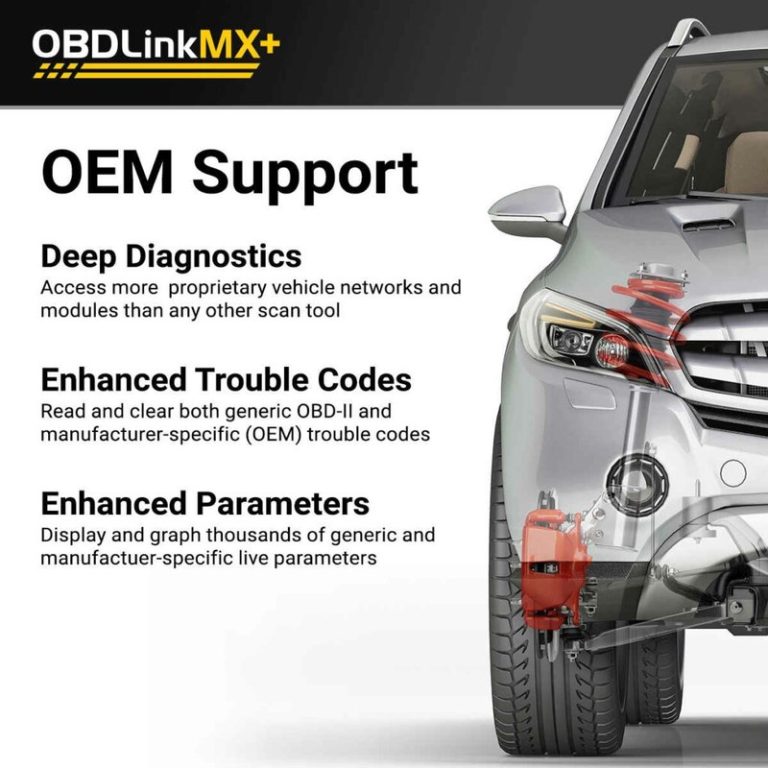
If the scanner can view TPMS-related information, that may help you understand the warning light, but it does not guarantee a full relearn or sensor replacement process. For a deeper comparison of scanner capabilities, CarValleyNJ’s overview of what you can do with OBDLink MX is helpful when you are weighing app-based tools against more traditional handheld scanners.
Comparison: Innova 5610 vs Similar OBD2 Scanners for Different Drivers
Side-by-side criteria: code depth, live data, reset capability, update support, and price value
When comparing scanners, focus on what you actually need. A good comparison starts with code depth, live data quality, reset features, update support, and the total ownership cost over time.
| Option | Best for | Owner consideration | Driver consideration |
|---|---|---|---|
| Innova 5610 | Routine DIY diagnostics and emissions checks | Support and updates can improve long-term value | Simple enough for parked, low-distraction use |
| Basic code reader | Quick check-engine code lookup | Lower cost, but fewer features | Easy to use, but limited detail |
| App-based advanced scanner | Users who want broader live data and phone integration | May involve subscriptions or app dependence | Can be convenient, but phone setup adds distraction risk |
Best fit for daily drivers, DIY owners, second vehicles, and budget-conscious shoppers
Daily drivers usually want a scanner that is fast, dependable, and easy to store in the glove box. DIY owners may value live data and code history more, especially if they service more than one vehicle.
Budget-conscious shoppers should compare the total cost, not just the sticker price. A cheaper scanner with weak support can become a worse value than a better-supported tool that lasts longer.
Which alternative makes more sense for advanced diagnostics or shop-level needs
If you need ABS, airbag, transmission, or manufacturer-specific programming access, a higher-end scanner may be the better fit. In that case, the Innova 5610 may still be useful as a household scanner, but it may not be the only tool you need.
Drivers who want the most advanced diagnostics should compare feature lists carefully and verify module coverage for their exact vehicle before buying.
Safety, Privacy, Legal Placement, and When to Escalate to a Professional
Safe location, traffic visibility, and roadside tool completeness before diagnosing on the shoulder
Never diagnose a vehicle on the shoulder if you can avoid it. Move to a safe location, use hazard lights only when appropriate and legal, and keep your body away from traffic whenever possible.
Before you start, make sure you have the full tool kit you need so you do not have to step in and out of traffic repeatedly. That includes the scanner, phone or charger if needed, and any flashlight or gloves you plan to use.
App permissions, privacy considerations, and data handling on connected devices
Connected diagnostic tools can collect more data than many owners expect. Read the privacy policy, check whether the app stores VIN or location data, and decide whether cloud history is worth the convenience.
If you share the scanner with family members or use it on a second vehicle, separate accounts and saved records can help keep maintenance histories clear.
Legal and inspection-rule variation by state, plus when a warning light needs professional diagnosis
Inspection and emissions rules vary by state, and code-clearing practices can affect whether a vehicle is ready for inspection. Always check current state rules before assuming a reset will help you pass.
If a warning light returns quickly after clearing, the problem is probably still present. That is a strong sign to move from code reading to deeper diagnosis instead of repeating resets.
Clear limits: symptoms, electrical faults, or tire damage that should not be handled with a scanner alone
A scanner is useful, but it is not the right answer for every problem. Severe electrical faults, damaged wiring, coolant loss, brake issues, tire sidewall damage, and hybrid high-voltage concerns may need professional service.
When the symptom affects safety, visibility, braking, steering, or the ability to keep the vehicle running, treat the scanner as a first step, not the final fix.
Check the vehicle VIN against current manufacturer and NHTSA recall information before assuming a warning light is only a maintenance issue. A recall can change the repair path and the urgency of service.
- Best for: Drivers who want a dependable everyday scanner for codes, live data, and emissions checks.
- Think twice if: You need deep module access, advanced programming, or shop-level bidirectional control.
- Next step: Confirm your vehicle’s model-year coverage, update policy, and the exact functions you need before buying.
Common Questions
Yes, if you want a handheld scanner that is easier than many advanced tools. It is best for basic diagnostics, not deep programming.
Most U.S. OBD2 vehicles from 1996 and newer support basic functions. Some advanced features still vary by vehicle.
Yes. Updates can help with compatibility, menus, and long-term usefulness.
It can help with readiness checks and code review. State inspection rules still vary.
Usually no. Record the code first so you do not lose useful diagnostic information.
Frequently Asked Questions
Check your vehicle model-year coverage, the exact functions you need, and whether updates or app support are included. Also review warranty terms and any possible recurring costs.
That depends on the specific setup and feature set. If an app is required, review permissions and account settings before you connect it to your vehicle.
No. It can help you understand codes and live data, but it cannot fully diagnose every system or repair the vehicle for you.
Only if the vehicle is parked safely and you are away from traffic. If conditions are unsafe, wait for a better location or professional help.
It may help with low-voltage diagnostics, but high-voltage systems need extra caution. Follow the vehicle manual and use a qualified technician for traction battery concerns.
Sometimes it can reset a fault, but it can also clear readiness monitors and create an inspection issue. Check your state’s current rules before using code clearing for that purpose.