Does FOXWELL NT301 Read ABS Codes? Yes, but Not All Cars
Does the FOXWELL NT301 read ABS codes? Only on vehicles that broadcast chassis codes over the standard OBD2 link. Most modern cars keep ABS data on proprietary networks, so an enhanced scanner is the safer bet for brake diagnostics.
Does foxwell nt301 read abs codes? Yes, but only when a vehicle broadcasts its chassis codes over the standard OBD2 link — and most modern cars don’t. This guide covers when the NT301’s ABS coverage works, which vehicles are most likely to cooperate, and when you need a different tool.
- Coverage is vehicle-dependent: Some older GM and Chrysler models broadcast ABS/chassis codes over OBD2; most modern cars.
- Engine-first design: The NT301 is built for powertrain codes, freeze-frame data, and emissions readiness, not module-specific.
- Reset limits: Clearing the OBD2 memory rarely clears a stored ABS fault, so the light often.
- No ABS live data: Wheel-speed sensor readings and actuation tests require an enhanced or bi-directional scanner.
- Safe on hybrids/EVs: The NT301 only reads via the OBD2 port, but it won’t decode regenerative-brake or.
The Short Answer: Yes, But Only for OBD2-Reported ABS Faults
The FOXWELL NT301 is an entry-level OBD2 code reader built around engine diagnostics, emissions data, and basic live data. It is not an enhanced ABS scan tool, but it can display ABS-related codes when a vehicle sends those codes through the generic OBD2 connection.
On some vehicles — most often older models with simpler wiring — the ABS module’s fault codes appear as chassis (C) codes on the standard link, and the NT301 can read those. On newer vehicles, ABS data stays locked behind a proprietary network that this reader cannot decode.
What the NT301 Can Actually Read
- Generic powertrain fault codes (P0xxx and many manufacturer-specific P1xxx codes)
- Freeze-frame data recorded at the moment of an engine fault
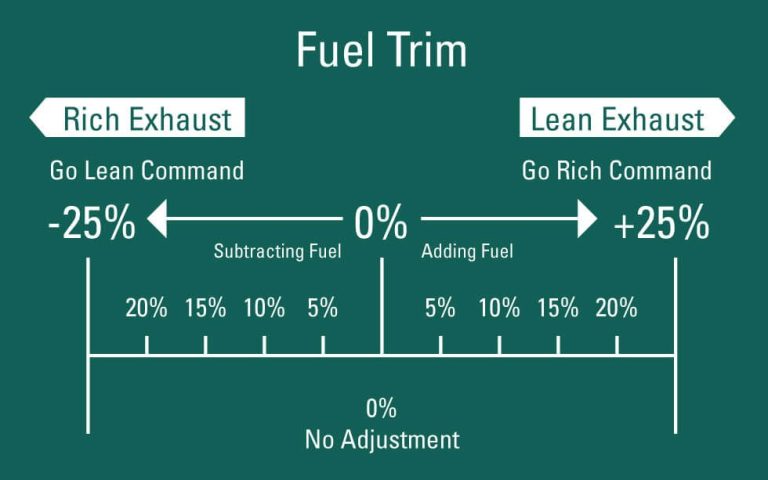
- Engine live data such as RPM, coolant temperature, and fuel trim
- Emissions readiness monitor status for inspection prep
- Some chassis (C) codes when the vehicle broadcasts them through the OBD2 link
The Main Limitation: Manufacturer-Specific ABS Data
Modern ABS modules communicate using proprietary messages on a separate network. The NT301 only speaks the standardized OBD2 language designed for emissions and engine diagnostics. When the ABS module’s data never reaches that generic link, the scanner simply has no way in.
Coverage always comes down to the vehicle: older cars with simpler wiring may work, while newer sealed networks usually come up empty.
Check: Confirm your exact make, model, year, and trim before relying on the NT301 for ABS work. Search owner forums for your specific generation. Limitations: On most 2008-and-newer vehicles, ABS codes sit behind proprietary protocols the NT301 cannot access.
ABS Code Coverage: Protocols, Model Years, and Vehicle Fit
OBD2 vs. Proprietary ABS Communication
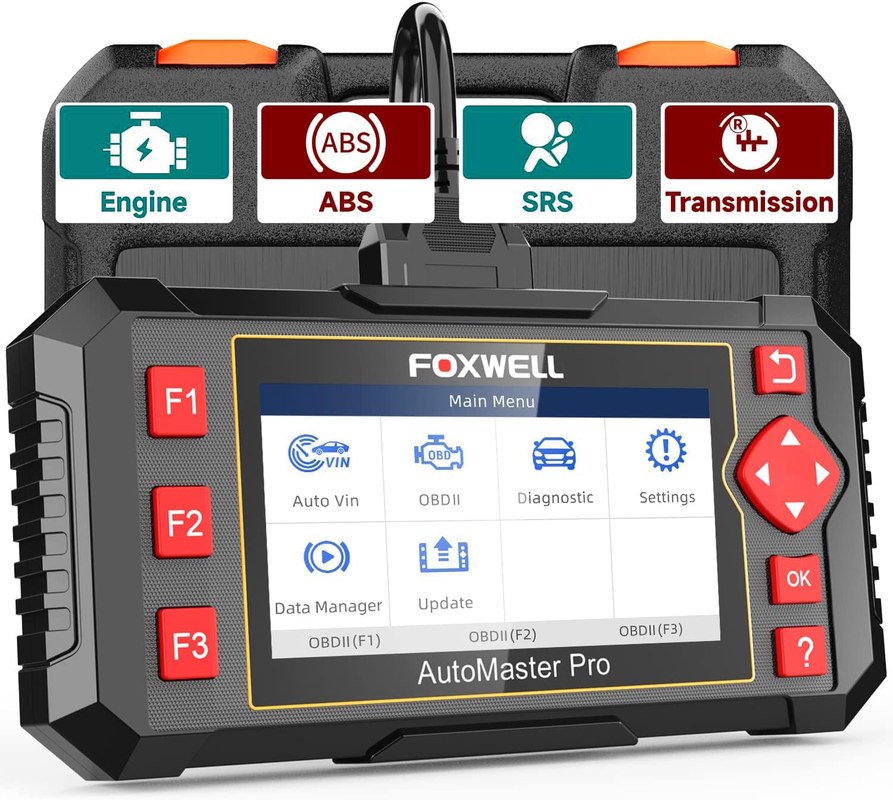
OBD2 is a standardized diagnostic language created for emissions control. The ABS module usually talks on a different network or through a proprietary message set. A generic reader like the NT301 is not designed to translate those messages.
To understand why some scanners reach ABS modules and others don’t, read our guide on how to tell if an OBD2 scanner can read ABS codes. The short version: coverage depends on the scanner’s software, not just the shape of the connector.
Which Cars Are Most Likely to Work (and Which Aren’t)
The NT301 is marketed as an OBD2 engine code reader, and FOXWELL does not advertise ABS coverage for it. Owner patterns, however, point in a useful direction:
- More likely: Some late-1990s and early-2000s GM platforms broadcast wheel-speed and ABS circuit codes as C-codes on the OBD2 link.
- Possible: Certain Chrysler and Japanese models from that era also send limited chassis codes through the generic connector.
- Unlikely: Most vehicles from roughly the late 2000s onward keep ABS messages on a proprietary CAN bus that a generic reader cannot decode.
If your vehicle falls into that last group, the NT301 will still read engine codes perfectly well. It just will not help you chase an ABS light.
Hybrid and EV Cautions: Safe on the OBD2 Port, Limited on ABS Data
Plugging the NT301 into a hybrid or EV’s OBD2 port is generally safe because the reader only requests data and never sends commands. But electric and hybrid brake systems often combine ABS with regenerative braking, traction control, and stability control. That integration hides most brake-related faults behind proprietary software.
How to Use the NT301 for ABS Diagnostics
Locate the Port, Set the Ignition Mode, and Check Battery Voltage
On nearly all US vehicles, the OBD2 port sits under the dash on the driver’s side near the steering column. Turn the ignition to ON with the engine off, then plug in the NT301. The scanner powers up and begins communicating.
Check the battery voltage shown on the scanner’s display before reading anything. Low voltage is a common cause of communication failures, and the NT301 may show a “no connection” message when the real problem is a weak battery.
Reading and Clearing ABS Codes (With Reset Limitations)
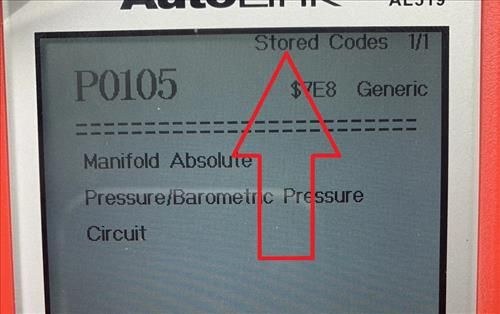
From the home screen, select Read Codes. If your vehicle uses the generic protocol for chassis codes, they will appear alongside any powertrain faults. Write everything down before you clear anything.
Clearing is a separate matter. The NT301 can clear codes on the OBD2 link, but on many vehicles that only wipes the generic memory. A stored ABS fault inside the module often stays, which is why the ABS light frequently returns. For a fuller picture of this reader’s reset limits, check out our breakdown of whether the FOXWELL NT301 can clear codes.
- Record every code, freeze-frame value, and module name before clearing
- Confirm your vehicle’s model year and communication protocol before expecting ABS results
- Test battery voltage whenever the scanner fails to connect
- Don’t clear codes before writing them down — you may erase the only clue you had
- Don’t assume a cleared light means the fault is fixed
- Don’t clear codes and drive with unresolved brake concerns
What the NT301 Won’t Show You: Live Data, Actuation, and Readiness
ABS Live-Data Limits (Wheel Speed and Sensor Output)
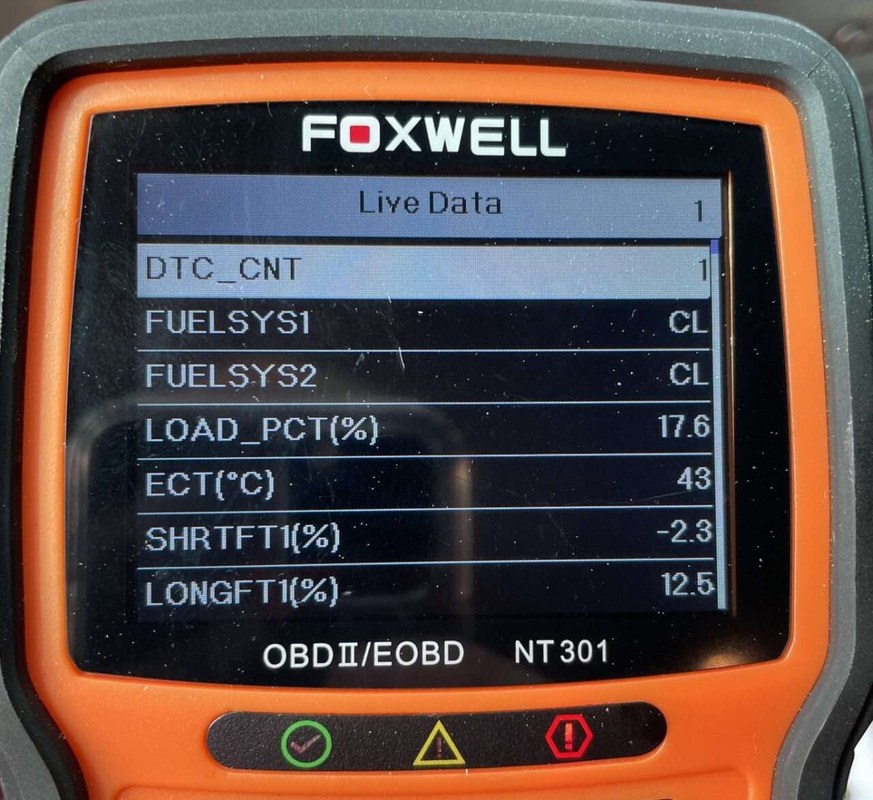
The NT301’s live-data screen is built for engine parameters. You can watch RPM, coolant temperature, and fuel trim, which is genuinely useful for engine diagnosis. But you cannot graph wheel-speed sensors, brake pressure, or ABS solenoid activity with this reader.
If you want to see fuel trim behavior, the NT301 handles it well. Wheel-speed sensor waveforms and ABS actuation require an enhanced scanner with brake-system data support.
Emissions Readiness and the ABS Connection
Emissions readiness monitors have little to do with ABS. An ABS fault will not normally flip an emissions monitor to “incomplete.” But some state inspections check the ABS light as part of the safety portion of the test.
That means a car can pass its emissions test while still failing inspection because the ABS light remains on. A code reader that cannot see ABS codes won’t tell you why that light is lit.
FOXWELL NT301 vs. Other Scanners for ABS Work
| Option | Best for | Owner consideration | Driver consideration |
|---|---|---|---|
| NT301 | Engine codes, freeze-frame data, emissions readiness | Low entry cost; free PC-based updates per FOXWELL | No ABS live data or actuation tests |
| NT510 / NT604 | ABS, SRS, transmission, and enhanced module diagnostics | Higher cost; vehicle-specific software packages | Can run actuation tests and read wheel-speed data on many vehicles |
| Dealer-level tool | Module coding, ABS bleeding, sensor programming | High cost and training requirement | Full brake-system control and factory procedures |
NT301 vs. NT201: Worth the Upgrade?
The NT201 covers the basics: reading and clearing engine codes. The NT301 adds freeze-frame data, more live-data parameters, and a broader code library, making it a sensible step up for DIY owners.
Neither is an ABS tool, so if ABS codes are your only goal, buy an enhanced scanner instead.
NT301 vs. NT510/604: When You Need ABS/SRS Capability
The NT510 and NT604 are enhanced scanners with vehicle-specific software packages. That is where ABS, airbag, and transmission coverage appears. They can read module faults, show wheel-speed data, and on many vehicles run actuation tests that the NT301 cannot perform.
If ABS and airbag coverage matters on a budget, our roundup of the best OBD2 scanner for ABS and SRS under $100 is a practical place to start. Just remember that budget enhanced scanners still have their own coverage limits.
NT301 vs. Dealer-Level Tools: The Professional Gap
Even the NT510 is not a factory tool. Dealer equipment can code a new ABS module to the car, run automated bleeding procedures, and program replacement sensors. The NT301 is a code reader, not a diagnostic workstation. Understanding that gap saves you from a lot of frustration.
When an ABS Code Means “Call a Professional”
Module Coding, Bleeding, and Actuation Tests
An ABS code is often the beginning of a repair, not the end. After replacing a module or a wheel-speed sensor, many vehicles require a scan tool to program the part or to bleed the ABS hydraulic unit. That goes far beyond what the NT301 can do.
Actuation tests are another professional step. A technician commands the ABS solenoids to cycle so they can confirm the module and wiring respond. No generic OBD2 reader, including the NT301, can send those commands.
Safety Risks of Driving With an Active ABS Fault
When the ABS light stays on, the system has detected a fault and will normally disable itself. You still have regular hydraulic brakes in most cases, but in a panic stop the wheels can lock, and you can lose the steering control that ABS is designed to preserve.
Do not treat the ABS light as cosmetic. Have the system professionally diagnosed before driving in rain, snow, or emergency-stop conditions. A non-functioning ABS system increases the risk of a loss-of-control crash.
Firmware, Privacy, and Keeping the NT301 Current
Updating Firmware Without an App
The NT301 updates through a Windows PC and a USB connection, not through a phone app. FOXWELL markets the unit with free lifetime updates, which is a solid value at this price point. Our Foxwell NT301 software update guide walks through the steps and common connection problems.
No App Permissions, No Cloud Account — Privacy Pros and Cons
Because the NT301 has no Bluetooth or Wi-Fi, it never asks for location, contact, or account permissions. Your VIN, fault codes, and live data stay on the device. That is the privacy upside.
The trade-off is convenience. There are no over-the-air updates, no phone-based graphs, and no simple way to share a diagnostic report with a mechanic. If cloud features matter to you, a Bluetooth scanner is a different product category.
Ownership Cost, Alternatives, and Final Verdict
What’s in the Box, Warranty, and Support
The NT301 includes the main unit, an OBD2 cable, and a printed manual. A USB cable for PC updates usually comes in the box, but confirm it with the seller before ordering. Warranty terms vary by listing and seller, so read the specific listing instead of assuming a standard term.
Ideal User and Vehicle Fit
The NT301 fits a DIY owner who wants a dependable powertrain code reader at a low price. It also suits a household with an older vehicle that still broadcasts chassis codes. It is not the right tool for someone chasing ABS, airbag, or transmission faults on a modern car.
- Confirm whether your specific vehicle broadcasts chassis codes or is OBD2-only
- Compare the NT301’s price against an enhanced ABS-capable scanner
- Check the seller’s current warranty and return policy
- Verify that a Windows PC is available if you plan to update firmware
- Remember that this is a code reader, not a bi-directional diagnostic tool
Transparent Verdict: Buy It for Basic ABS Codes, Not Full Diagnosis
The NT301 earns its place as a capable engine-code reader with useful live data and emissions readiness checks. For ABS work, it only functions on vehicles that expose chassis codes through the generic OBD2 link — a small, mostly older group. On modern cars, expecting it to read ABS codes leads to wasted time.
- Best for: DIY owners who need reliable engine diagnostics, freeze-frame data, and emissions readiness checks at a low price.
- Think twice if: You own a modern car with an ABS light and expect the NT301 to read and clear module-specific brake codes.
- Next step: Look up your vehicle’s communication protocol, or compare ABS-capable scanners for your make and model before buying.
Frequently Asked Questions
No. The NT301 reads ABS-related codes only when a vehicle broadcasts them over the generic OBD2 link. Most modern cars keep ABS data on a proprietary network that this reader cannot access.
It comes down to the vehicle’s communication protocol. Some older GM, Chrysler, and Japanese models push chassis codes through the OBD2 connector, while newer vehicles hide ABS messages behind proprietary buses.
It can clear only what it can see. On many vehicles, clearing the OBD2 memory does not erase a stored ABS fault, so the light often returns. A module-level clear usually requires an enhanced scan tool.
The NT301 is a generic OBD2 code reader. The NT510 is an enhanced scanner with vehicle-specific software that can access ABS, SRS, and transmission modules on many cars.
No. The NT301’s live-data screen covers engine parameters such as RPM, coolant temperature, and fuel trim. Wheel-speed sensor data requires a scanner with ABS data-stream support.
You usually still have normal braking, but ABS may be disabled. In a panic stop, the wheels can lock and you can lose steering control. Have a professional diagnose the fault before driving in hazardous conditions.