Can FOXWELL NT301 Clear Codes? Yes, but Not ABS or Airbag
The FOXWELL NT301 clears engine and emissions-related powertrain codes on 1996-and-newer US gasoline vehicles. It cannot clear ABS, airbag, or other non-powertrain codes, so check your needs before buying.
If you’re searching can foxwell nt301 clear codes, the short answer is yes — but only for engine and emissions-related powertrain codes. The NT301 is a popular budget OBD2 code reader, yet it cannot clear ABS, airbag, or other non-engine codes. Here’s exactly what it can do, what it can’t, and whether it’s the right scanner for your vehicle.
- Engine codes only: The NT301 reads and clears powertrain P-codes but not ABS, airbag, or transmission codes.
- 1996+ coverage: Works with all five OBD2 protocols on US gasoline vehicles from 1996 onward.
- No app required: Standalone handheld scanner with no subscription, account, or smartphone needed.
- Emissions caution: Clearing codes resets readiness monitors, so don’t erase codes right before a NJ inspection.
- Upgrade path: Choose BlueDriver or Autel AP200 if you need ABS, SRS, or service-reset coverage.
Short Answer: Yes, the NT301 Clears Engine Codes, but Not ABS or Airbag Codes
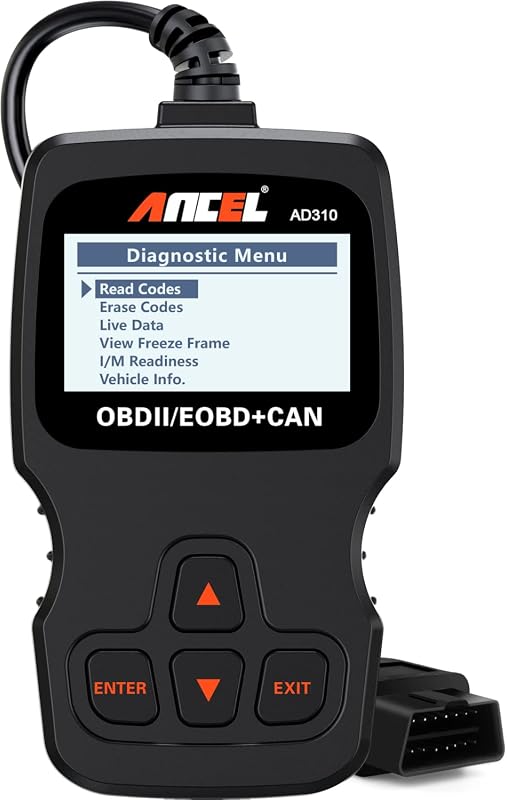
The FOXWELL NT301 is a handheld OBD2 code reader built for one main job: reading and clearing engine diagnostic trouble codes (DTCs). If your check engine light is on, the NT301 can pull the code, show freeze frame data, and clear the code once the underlying problem is fixed.
What the NT301 Can and Cannot Clear
Can clear:
- Engine and emissions-related powertrain codes (P-codes)
- The check engine light after the fault is repaired
- Emissions readiness monitor data
Cannot clear:
- ABS (anti-lock brake system) codes
- Airbag / SRS (supplemental restraint system) codes
- Transmission codes in most cases
- Body, chassis, and other module-specific codes
Why It Only Covers Powertrain (OBD2) Systems
The NT301 is a generic OBD2 scanner, not an enhanced or all-system scanner. Federal OBD2 rules require automakers to provide emissions-related powertrain data through a standardized port and protocol. ABS, airbag, and other systems sit on separate modules with their own diagnostic networks. Reading those requires a scanner with enhanced, make-specific software — something the NT301 does not have.
FOXWELL NT301 Compatibility: Model Years, Protocols, and Port Location
OBD2 Protocol Coverage and 1996-and-Newer US Vehicles
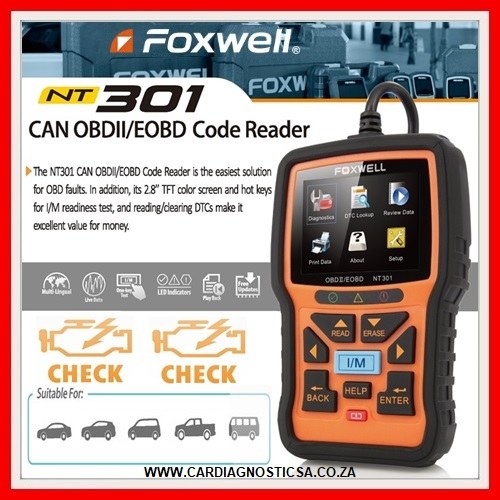
In the United States, gasoline vehicles from 1996 onward are required to be OBD2-compliant. The NT301 supports all five standard OBD2 protocols: CAN, J1850 PWM, J1850 VPW, ISO 9141-2, and KWP2000. That means it will connect to virtually any 1996-or-newer US gasoline car or light truck. Diesel and hybrid vehicles vary, so confirm compatibility before you buy.
Check: Confirm your vehicle’s model year, fuel type, and OBD2 port location before purchase. The NT301 is designed for 1996-and-newer US gasoline vehicles. Limitations: It does not access ABS, airbag, transmission, or body control modules.
Port Location and Ignition Mode Requirements
The OBD2 port is usually under the driver’s side dashboard, near the steering column or fuse panel. The NT301 plugs directly into this port and draws power from the vehicle, so no batteries or chargers are needed. To read or clear codes, turn the ignition to the “on” position with the engine off. Some live data functions may require the engine to be running. Never handle the scanner while the vehicle is moving — pull over safely or have a passenger operate it.
Step-by-Step: How to Clear Codes with the FOXWELL NT301
Read the Code First: Why Clearing Without Diagnosis Is Risky
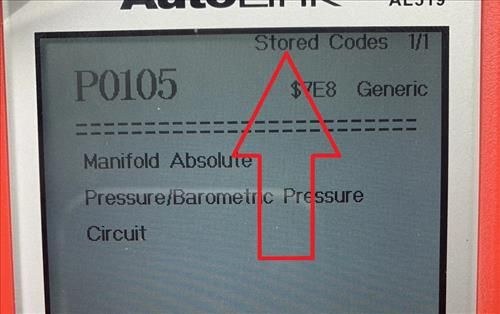
Before you clear anything, read the code and record it. The NT301 also displays freeze frame data — a snapshot of engine conditions at the moment the fault occurred. That information can mean the difference between a quick fix and a guessing game.
The Erase Procedure and After-Clear Checks
Plug the scanner into the OBD2 port and turn the ignition to the “on” position.
Select “Read Codes” and write down every code and freeze frame value.
Select “Erase Codes” and confirm. The scanner clears the codes and turns off the check engine light.
Start the engine and re-scan to confirm no codes return. If the light comes back, the fault is still active.
Code Reading and Live Data Limits on the NT301
Generic vs. Manufacturer-Specific Codes and Live Data Limits
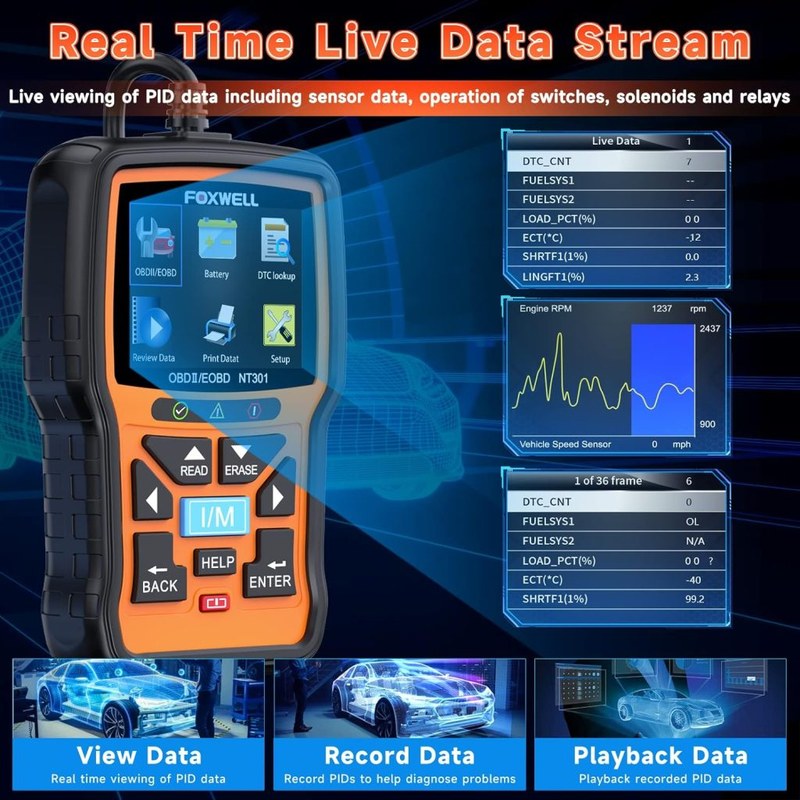
The NT301 reads generic OBD2 powertrain codes (P-codes) that are standardized across all makes. It can also display some manufacturer-specific codes, but descriptions are often limited to generic text. Live data is limited to engine parameters like RPM, coolant temperature, fuel trim, and oxygen sensor readings. There are no bidirectional controls, so you cannot command actuators, run tests, or cycle solenoids with this scanner.
Emissions Readiness Monitors and Passing a New Jersey State Inspection
New Jersey’s vehicle inspection program includes an OBD2 emissions check for 1996 and newer gasoline vehicles. The NT301 can display I/M readiness monitor status, which tells you whether your vehicle’s emissions monitors have completed their self-tests. If you clear codes right before an inspection, the monitors reset to “not ready,” and your vehicle will likely fail until you complete a drive cycle. For more detail, see our guide on how to pass emissions after clearing codes.
Reset Limitations: What the NT301 Won’t Do
ABS, Airbag (SRS), and Other Non-Powertrain Codes Are Off-Limits
This is the biggest limitation. The NT301 cannot read or clear ABS codes or airbag (SRS) codes. Those systems require a scanner with enhanced, make-specific software. If your ABS or airbag light is on, the NT301 won’t help. We cover this in more detail in our article on whether the FOXWELL NT301 reads ABS codes. For airbag systems specifically, see our guide to reading airbag codes with an OBD2 scanner.
No Oil-Life Reset, Battery Registration, or TPMS Relearn
The NT301 also cannot perform service resets like oil-life reset, battery registration, or TPMS sensor relearn. Those functions require bidirectional or enhanced scanners. If you need those features, look at a mid-range or professional-grade scanner instead.
Battery-Related Cautions: Why Not to Clear Codes by Disconnecting the Battery
Some drivers clear codes by disconnecting the battery for a few minutes. This is a crude workaround that can cause more problems than it solves. The NT301’s erase function clears only the diagnostic codes, leaving your vehicle’s learned settings intact.
FOXWELL NT301 vs. Other Scanners: Side-by-Side Comparison
NT301 vs. FOXWELL NT201: Which Budget Scanner Is Better?
The NT201 is FOXWELL’s entry-level code reader. It can read and clear engine codes, but it lacks live data and the color display found on the NT301. If you want to watch sensor values while diagnosing, the NT301 is worth the small price difference. If you only need to read and clear a check engine light, the NT201 is the cheaper option.
NT301 vs. BlueDriver and Autel AP200: App-Based Alternatives and App Permissions
BlueDriver and Autel AP200 are Bluetooth OBD2 scanners that pair with a smartphone app. Both offer broader system coverage than the NT301, including ABS and airbag codes on many vehicles, and both provide more detailed live data and repair reports. The trade-off is that you’re relying on a phone app, which means app permissions, account creation, and data sharing to consider. The NT301 is a standalone device with no app, no account, and no data leaving your vehicle. For a deeper look, check our FOXWELL NT301 vs. BlueDriver comparison.
| Option | Best for | Owner consideration | Driver consideration |
|---|---|---|---|
| FOXWELL NT301 | Budget engine-code diagnosis | No app, no subscription, standalone unit | No ABS or airbag coverage; engine codes only |
| BlueDriver | Broader system coverage via phone app | Free app, but account and data sharing required | Reads ABS and SRS on many vehicles; needs phone |
| Autel AP200 | Enhanced coverage with optional upgrades | In-app purchases for expanded systems | Strong live data; app permissions required |
Who Should Buy the NT301? Ideal User, Drawbacks, and Alternatives
Evaluation Criteria and Evidence Limits (No First-Hand Testing Claimed)
This assessment is based on FOXWELL’s published product specifications, the NT301 user manual, owner-reported patterns across forums, and comparison with competing scanners in the same price class. CarValleyNJ has not independently tested the NT301 in a shop or on a vehicle. Treat owner-reported patterns as observations, not verified lab results.
Ideal User and Vehicle Profile
The NT301 is best for a budget-conscious DIYer who owns a 1996-or-newer gasoline car and wants to read and clear engine codes without a smartphone or subscription. It’s also a solid backup tool for a household with multiple older vehicles. If your only need is check-engine-light diagnosis, the NT301 does that job well at a low price.
Drawbacks and Better Alternatives for Advanced DIYers
If you need ABS or airbag diagnosis, oil-life resets, battery registration, or bidirectional controls, the NT301 will leave you stuck. In that case, a Bluetooth scanner like BlueDriver or a mid-range enhanced scanner from FOXWELL or Autel is a better fit. These cost more but cover the systems the NT301 can’t touch.
Warranty, Firmware Updates, and Ownership Costs
Warranty, Support, and Firmware Updates
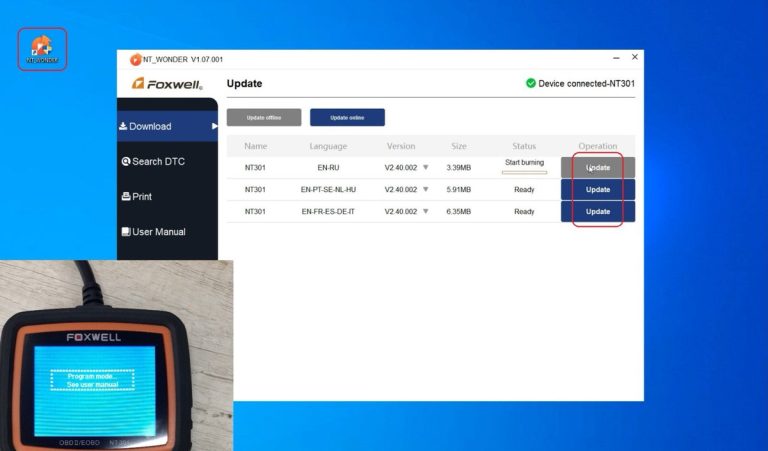
FOXWELL provides a standard warranty on the NT301, and the device supports firmware updates through a Windows PC application. Updates can improve compatibility and fix bugs, so it’s worth checking FOXWELL’s support page periodically. For more detail, see our guide to the FOXWELL NT301 software update process.
When to Stop Guessing and Call a Professional
If you clear a code and it returns within a few days, the underlying fault is still present. If the issue involves ABS, airbags, or other safety systems, stop guessing and take the vehicle to a qualified technician. A budget scanner is no substitute for a professional diagnosis when safety systems are involved.
Final Verdict: Should You Clear Codes with the NT301?
Bottom-Line Recommendation for Different Driver Types
For the DIYer who wants to read and clear engine codes on a 1996-or-newer gasoline vehicle, the NT301 is a practical, affordable tool. For anyone who needs ABS, airbag, or service-reset functions, it’s the wrong tool — and no amount of code clearing will fix that gap.
Next Steps: What to Buy or Do Instead
Before you buy, confirm your vehicle’s compatibility and decide whether you need coverage beyond engine codes. If you do, look at app-based or enhanced scanners. If you don’t, the NT301 is a fine starting point.
- Best for: Budget-focused DIYers with 1996-and-newer gasoline vehicles who need engine-code reading, clearing, and basic live data.
- Think twice if: You need ABS, airbag, transmission, or service-reset functions — the NT301 cannot access those systems.
- Next step: Verify your vehicle’s OBD2 compatibility and compare the NT301 with app-based alternatives before purchasing.
Frequently Asked Questions
No. The NT301 is a generic OBD2 scanner that only accesses engine and emissions-related powertrain codes. ABS codes are stored in a separate brake control module that requires an enhanced scanner with make-specific software.
No. Airbag and SRS codes are stored in the restraint control module, which the NT301 cannot communicate with. You need an enhanced or professional-grade scanner to read and clear airbag codes.
No, not right away. Clearing codes resets the emissions readiness monitors to “not ready,” and New Jersey’s OBD2 inspection will fail a vehicle with incomplete monitors. You must complete a drive cycle so the monitors can finish their self-tests.
No. The NT301 is a standalone handheld scanner with a built-in display and buttons. It has no Bluetooth and requires no app, account, or subscription.
No. Oil-life reset, battery registration, and TPMS relearn require bidirectional or enhanced service functions that the NT301 does not have. You would need a scanner with those specific service resets.
Because the underlying fault is still present. Clearing a code only erases the stored diagnostic information; it does not repair the component or system that triggered the code. Re-scan to see if the same code returns.