9 Best OBD2 Scanners for Mercedes: DIY Diagnostics Guide
Finding the best obd2 scanner for Mercedes starts with one honest question: do you need to read engine codes, or do you need to see what the ABS, airbag, transmission, and body modules are reporting? A generic code reader can pull emissions-related trouble codes from nearly any 1996-or-newer vehicle, but Mercedes-Benz, Sprinter, Smart, and Maybach models spread fault data across dozens of control modules, and many of those modules will not answer a basic scan tool.
This roundup compares nine scanners, from an inexpensive plug-and-play code reader to Mercedes-specific full-system tools with bidirectional controls and service resets. Everything below is based on supplied product listings, feature descriptions, and retailer data, so treat it as an editorial comparison rather than a lab test. Your next step is always to confirm coverage for your exact year, model, trim, and connector before you order.
For most Mercedes owners who want one tool that speaks the brand’s language, the FOXWELL NT710 is the strongest overall pick because it reads all major systems, runs bidirectional active tests, and handles common resets such as oil, brake pad, and EPB service. If you only need to read and clear check-engine codes on a tight budget, the ANCEL AD410 is the better fit. The main limitation applies to every scanner here: no tool covers every module on every model year, so verify your VIN and required functions before buying.
Quick Product Comparison
| Product | Image | Best For | Current Price |
|---|---|---|---|
| 1. FOXWELL NT710 Mercedes-Benz OBD2 Scanner | 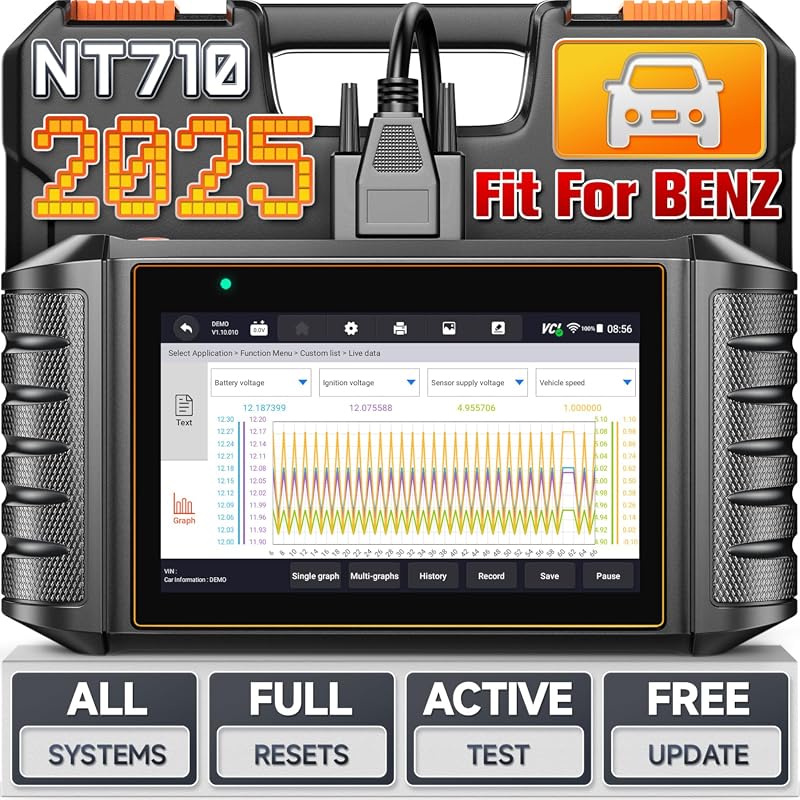 |
Mercedes family owners who want all-system coverage plus active tests | See Price → |
| 2. ANCEL AD410 Enhanced OBD2 Scanner | 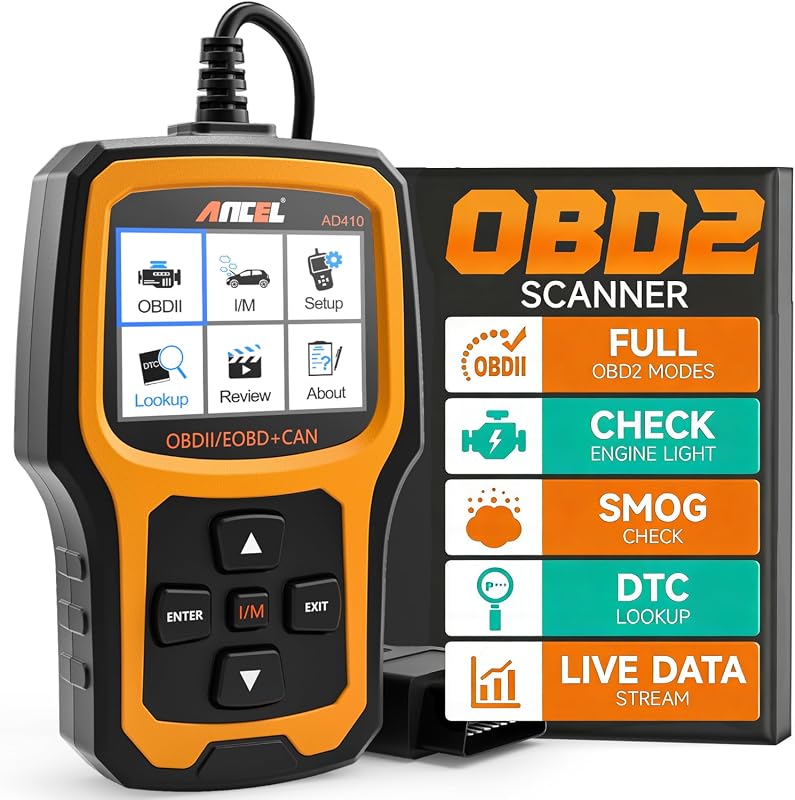 |
Budget check-engine diagnosis with no phone or app required | See Price → |
| 3. FOXWELL NT624 Elite OBD2 Scanner | 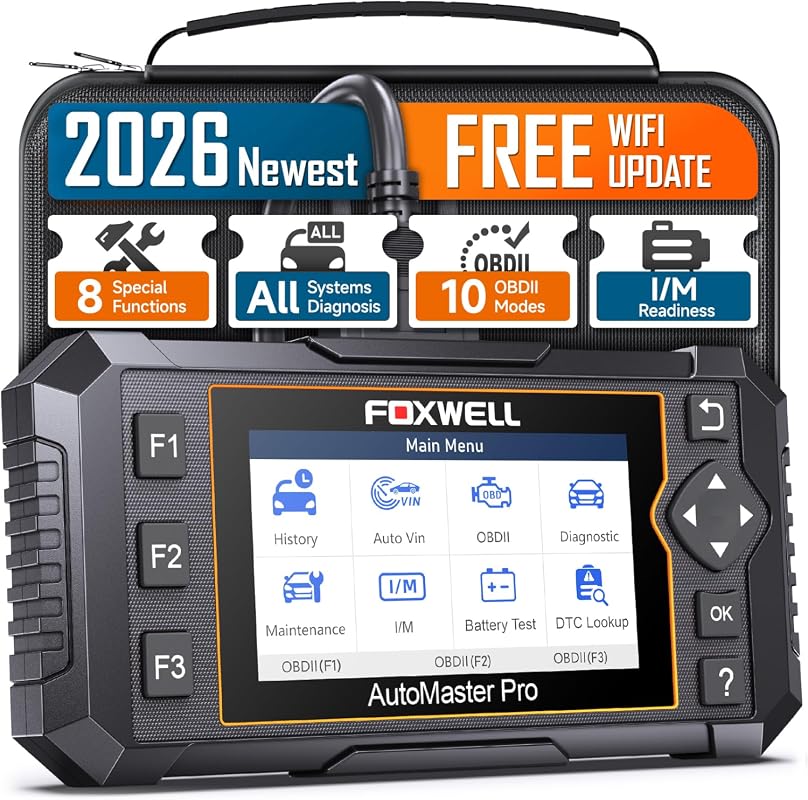 |
Home mechanics who want full-system scans and eight service resets | See Price → |
| 4. ANCEL AD310 Universal OBD2 Scanner |  |
First-time DIY owners who want a simple, offline engine code reader | See Price → |
| 5. ANCEL AD410 Pro OBD2 Scanner & Battery Tester | 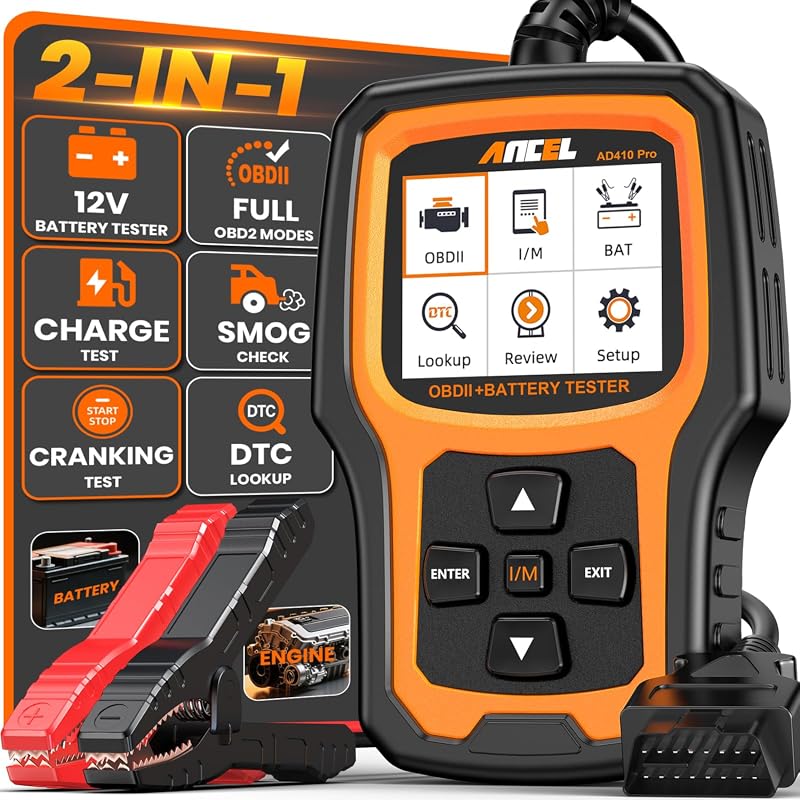 |
Drivers who want engine codes and battery, starter, and charging checks | See Price → |
| 6. iCarsoft MB V2.0 Diagnostic Scan Tool | 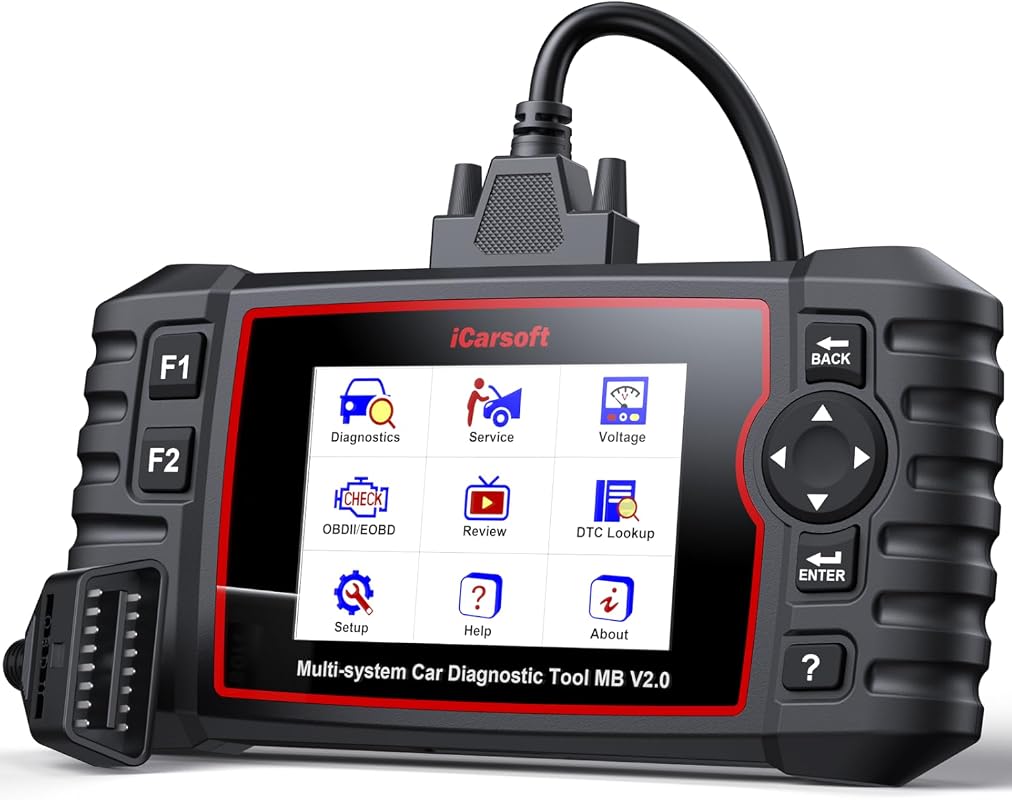 |
Owners who want deep, brand-specific Mercedes system coverage | See Price → |
| 7. FOXWELL NT604 Elite OBD2 Scanner | 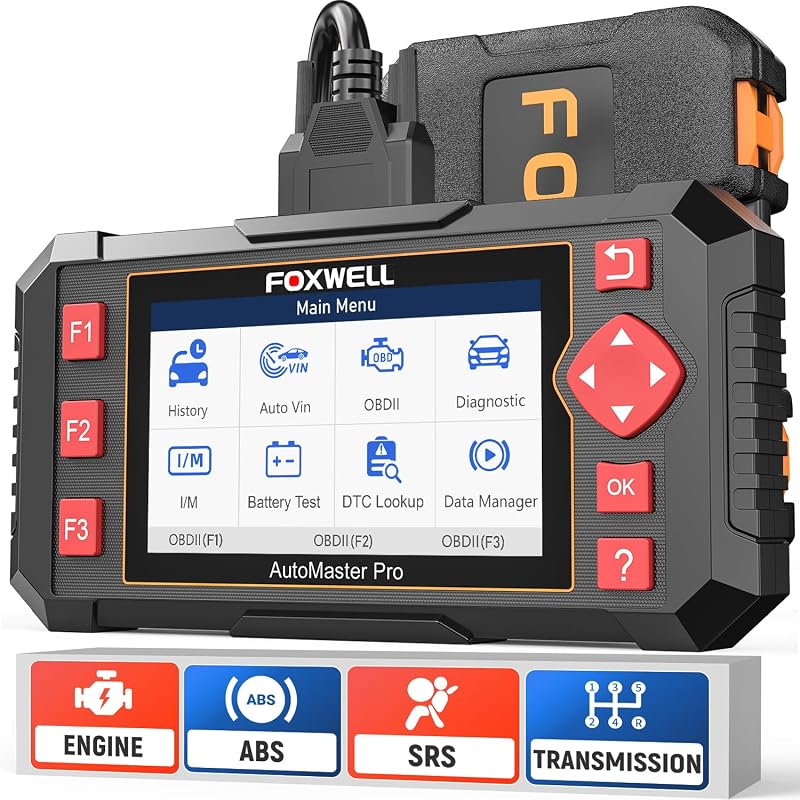 |
Drivers checking ABS, airbag, transmission, and engine faults | See Price → |
| 8. FOXWELL NT301 OBD2 Scanner |  |
Straightforward check-engine-light diagnosis with live data graphs | See Price → |
| 9. Veepeak OBDCheck BLE+ Bluetooth Scanner |  |
App-based drivers who want low-cost live data monitoring | See Price → |
Best Obd2 Scanner For Mercedes: What to Look For
Mercedes diagnostics are layered. A tool that only reads powertrain codes is useful, but it will not tell you why the airbag light is on or why the transmission is shifting late. These are the factors that separate a genuine Mercedes-friendly scanner from a generic reader.
1. System coverage beyond the check engine light
Decide up front whether you need engine-only codes or access to ABS, airbag, transmission, TPMS, suspension, and body modules. Several tools in this roundup cover multiple systems, while the basic readers are limited to emissions-related engine codes and say so plainly in their listings.
2. Mercedes-specific versus generic OBD-II
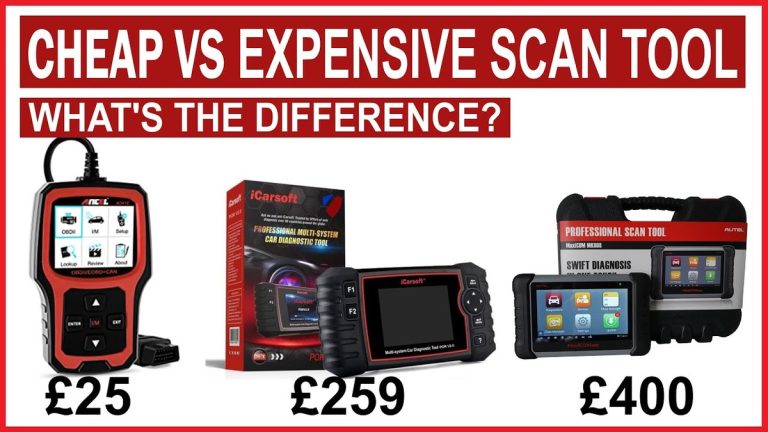
Generic OBD-II is a legal standard, not a full manufacturer protocol. The FOXWELL NT710 and iCarsoft MB V2.0 are marketed specifically to the Mercedes-Benz, Sprinter, Smart, and Maybach family, while the ANCEL and Veepeak tools target broad OBD-II coverage. If you own one Mercedes, brand-specific coverage usually returns more value. If you own several brands, a universal tool may serve you better — our breakdown of cheap versus expensive OBD2 scanners explains where that money actually goes.
3. Live data, freeze frame, and readiness monitors
Live sensor data and freeze frame records help you see what the vehicle was doing when a fault set. I/M readiness status matters in states with emissions testing, because a cleared code can leave monitors incomplete and cause an automatic re-test failure.
4. Service resets, calibrations, and active tests
Oil light reset, EPB service, brake pad reset, battery registration, and air suspension calibration are maintenance functions, not diagnostics. Bidirectional active tests are a separate capability again, letting you command components such as cylinders, windows, or the sunroof and observe the response. Do not assume one implies the other.
5. Display, power, and update method
Standalone tools with their own screen work offline, which matters at the roadside. App-based adapters depend on a paired phone and a compatible third-party app. Also check how updates arrive — several Foxwell models here use free Wi-Fi updates, while the ANCEL AD410 uses downloadable updates from the manufacturer’s website.
6. Connector and model-year checks
Most 1996-and-newer U.S. vehicles use the 16-pin OBD-II port, but the iCarsoft listing notes that many pre-2003 Mercedes models use a 38-pin round diagnostic port and require a separately sold adapter. Confirm your port type before ordering, and if a scanner will not connect at all, our guide to why an OBD2 scanner will not connect walks through the usual causes.
Our Top 9 Picks
The nine scanners below are ordered as supplied, starting with the most Mercedes-focused all-system tools and finishing with app-based options. Ratings and review counts are drawn from the retailer listings and can change over time.
1. FOXWELL NT710 Mercedes-Benz OBD2 Scanner Full System Bidirectional Diagnostic Tool with Free Resets Auto VIN WiFi Update
Built specifically for Mercedes-Benz, Sprinter, Smart, and Maybach vehicles, the NT710 moves past basic code reading into all-system fault coverage. It pairs a library of more than 10,000 code definitions with bidirectional active tests and common maintenance resets on a 4.3-inch touchscreen. The trade-off is that its strength is also its limit: this is a brand-focused scanner, not a universal one.
Key Features That Matter
- Reads fault codes across all systems on compatible Mercedes-Benz, Sprinter, Smart, and Maybach vehicles, including ABS, airbag, TPMS, and transmission, so owners can identify issues before booking shop time.
- A built-in library of over 10,000 code definitions, which the listing says helps diagnose up to 90% of common problems without searching forums.
- Bidirectional control for active tests, including selectively deactivating individual cylinders to confirm misfires and running initialization or functional tests for doors, windows, sunroof, and wipers from the driver’s seat.
- Maintenance resets for oil light, brake pad replacement, and EPB, with battery registration and air suspension calibration listed as advanced functions the manufacturer recommends performing under professional guidance.
- AutoVIN reads the vehicle identification number and loads the correct diagnostic menu automatically, and the touchscreen supports 20 interface languages with adjustable text size.
Mercedes-Benz, Sprinter, Smart, or Maybach owners who want one brand-focused tool for all-system code reading, active tests, and routine maintenance resets.
- All-system fault coverage within the Mercedes family
- Bidirectional active tests reduce guesswork before parts replacement
- AutoVIN and touchscreen simplify setup for new users
- Not intended as a universal scanner for other brands
- Battery registration and air suspension calibration are flagged for professional guidance
- Confirm exact model-year coverage before purchase
2. ANCEL AD410 Enhanced OBD2 Scanner Live Data Car Code Reader Clears Fault Codes for OBDII Vehicles
A compact, app-free code reader focused on emissions-related engine diagnostics. It reads and clears stored and pending codes, performs O2 sensor and EVAP tests, and shows monitor readiness before a smog check. It does not support ABS, SRS, or transmission systems, so treat it as an engine-health tool rather than a Mercedes system scanner.
Key Features That Matter
- Reads and clears stored and pending emissions-related codes with over 42,000 built-in DTC lookups, which reduces time spent searching code meanings online.
- Enhanced OBDII diagnostics include O2 sensor testing and an EVAP leak test to help monitor fuel tank integrity and air-fuel mixture behavior.
- Works with all OBDII protocols listed by the manufacturer, including KWP2000, ISO9141, J1850 VPW, J1850 PWM, and CAN, on most 1996-and-newer U.S. vehicles.
- Plug-and-play offline operation with a 2.4-inch color display means no phone, app, or internet connection is needed at the roadside.
- Diagnostic reports can be reviewed, saved, or printed, and the manufacturer provides free lifetime software updates through its website.
Budget-conscious owners who mainly want to understand and clear check-engine codes and verify emissions readiness without an app.
- Very affordable entry point with a large review base
- No phone or app required, so it works without network access
- Print and save reports for your own records
- Engine and emissions codes only — no ABS, SRS, or transmission access
- The reader cannot repair anything; codes clear only after the underlying fault is fixed
- Not a substitute for a manufacturer-specific Mercedes tool
3. 2026 FOXWELL NT624 Elite OBD2 Scanner All-System Diagnostic Code Reader with 8 Service Resets
The NT624 Elite is positioned as a replacement for two earlier Foxwell models, adding full-system diagnostics and eight service functions at a mid-range price. It scans engine, transmission, ABS, SRS, TPMS, suspension, HVAC, BMS, EPB, SAS, headlamp, and additional modules, and it updates over Wi-Fi without requiring an account. The listing is equally clear about what it cannot do, including active tests.
Key Features That Matter
- OE-level full-system diagnostics read and clear codes, retrieve ECU information, and display live sensor data in text and graph form across major vehicle systems.
- Eight maintenance functions cover ABS bleeding, oil reset, SAS calibration, EPB service, throttle matching, injector coding, battery registration, and more, though the manufacturer notes availability varies by vehicle.
- One-click free Wi-Fi updates with no account registration required, and a Linux-based system the listing describes as faster than earlier software.
- Supports OBDII protocols including KWP2000, J1850 VPW, ISO9141, J1850 PWM, and CAN, with coverage listed for 10,000+ vehicles from 1996 through 2023 models.
- There is no built-in battery; the scanner is powered by connecting to the vehicle, and the manufacturer states it cannot perform SRS reset, TPMS programming, TCM reset, or active tests.
Home mechanics and DIY owners who want broad system coverage and common maintenance resets without paying professional-tool prices.
- Wide system coverage at a mid-range price
- Free lifetime Wi-Fi updates with no account setup
- Works out of the box with intuitive hot keys
- No SRS reset, TPMS programming, TCM reset, or active test functions
- Service function availability varies by vehicle — confirm before purchase
- Requires vehicle power since there is no internal battery
4. ANCEL AD310 Universal Enhanced OBD2 Scanner Car Engine Fault Code Reader CAN Diagnostic Tool for OBDII Vehicles
A straightforward check-engine-light tool with a large screen, clearly labeled buttons, and a thick 2.5-foot cable. It reads and clears engine codes, shows live and freeze-frame data, runs EVAP tests, and checks I/M readiness. It is not a Mercedes system scanner and will not reach ABS, SRS, or transmission modules.
Key Features That Matter
- Supports all OBDII protocols listed by the manufacturer — KWP2000, J1850 VPW, ISO9141, J1850 PWM, and CAN — with coverage listed for 1996 U.S.-based, 2000 EU-based, and Asian cars, light trucks, and SUVs.
- Reads and clears engine diagnostic trouble codes, reads live data and hard memory data, views freeze frame, performs EVAP system tests, checks I/M monitor readiness, and collects vehicle information.
- Powered directly from the OBDII data link connector, so no battery or charger is needed.
- Compact and light at 12 ounces with dimensions of 8.9 x 6.9 x 1.4 inches, making it easy to store in a glovebox or backpack.
- Works completely offline, unlike Bluetooth scanners that depend on a phone and an app.
New DIY owners and families who want a simple, rugged reader for check-engine lights and emissions readiness checks.
- Very large review base and simple operation
- No batteries, app, or internet connection required
- Sturdy cable and compact size for glovebox storage
- Engine diagnostics only — no ABS, SRS, or transmission systems
- Nothing beyond basic OBDII functions
- Cannot confirm Mercedes-specific module faults
5. ANCEL AD410 Pro 2-in-1 OBD2 Scanner and 12V Car Battery Tester for Vehicle Diagnostics
This upgraded AD410 adds battery health, starter motor, and charging system testing to the engine-diagnostic feature set. It decodes more than 42,000 SAE trouble codes, includes an I/M readiness mode for emissions preparation, and runs without an app or computer. It still does not support ABS, SRS, or transmission systems.
Key Features That Matter
- Combines engine fault diagnosis with battery health assessment, starter motor testing, and charging system evaluation, so you do not need two separate tools.
- Decodes 42,000+ SAE diagnostic trouble codes in seconds and provides plain-language context rather than raw jargon.
- Battery system testing goes beyond a voltage-only check to help identify whether a starting problem traces to the battery, starter, or alternator.
- A dedicated I/M readiness mode shows compliance status with ready or incomplete indicators, helping you avoid a wasted emissions re-test.
- Plug-and-play operation with a 2.4-inch HD screen, 10 supported languages, and a compact body sized for glovebox storage.
Commuters and family drivers who want engine codes plus a quick way to check whether a slow start is a battery, starter, or charging problem.
- Two tools in one for engine and 12V electrical checks
- Helps avoid unnecessary battery or alternator replacement
- Offline operation with no app setup
- No ABS, SRS, or transmission system support
- Battery testing targets 12V systems — hybrid and EV owners must confirm safe boundaries in the owner’s manual
- Engine-focused rather than Mercedes module-focused
6. iCarsoft MB V2.0 Full System Diagnostic Scan Tool for Mercedes-Benz 1996-Present with 9 Resets AutoVIN Free Update
The MB V2.0 is built around Mercedes-Benz, Sprinter, Smart, and Maybach vehicles from 1996 to present, with unusually deep system and sub-system coverage. The listing cites 650 systems for Benz and 286 for Sprinter, plus AutoVIN, full OBD2 modes, and nine reset services. Pre-2003 models may use a 38-pin round port, and that adapter is sold separately.
Key Features That Matter
- Designed specifically for Mercedes-Benz, Sprinter, Smart, and Maybach vehicles from 1996 to present, with the listing citing 650 total systems for Benz and 286 for Sprinter.
- AutoVIN, auto scan, and full OBD2 diagnostic modes including enhanced I/M readiness, on-board monitoring, O2 sensor tests, freeze frame review, live graphic data, and VIN/CVN verification.
- Nine reset services cover oil reset, EPB service, ABS bleeding, SAS calibration, BMS service, injector coding, TPMS reset, DP reset, and ETC relearn, with sub-functions rather than simple warning-light resets.
- Compatibility notice for pre-2003 Mercedes models such as W202, W210, W140, W208, R170, and R129, which use a 38-pin round diagnostic port instead of the standard 16-pin OBD2 connector; the adapter is sold separately.
- The manufacturer notes that models have unique systems and ECUs, so not every vehicle has a complete ECU configuration — verify with your VIN before purchase.
Mercedes owners who want the deepest brand-specific system access and reset sub-functions available in this roundup.
- Very deep Mercedes-specific system and sub-system coverage
- Reset services include detailed teach-in and adjustment sub-functions
- AutoVIN speeds up setup on compatible models
- Pre-2003 cars may need a separately sold 38-pin adapter
- ECU configuration varies by model, so functions are not guaranteed
- Fewer reviews than mainstream tools, and the retailer lists the price in AUD — confirm the currency at checkout
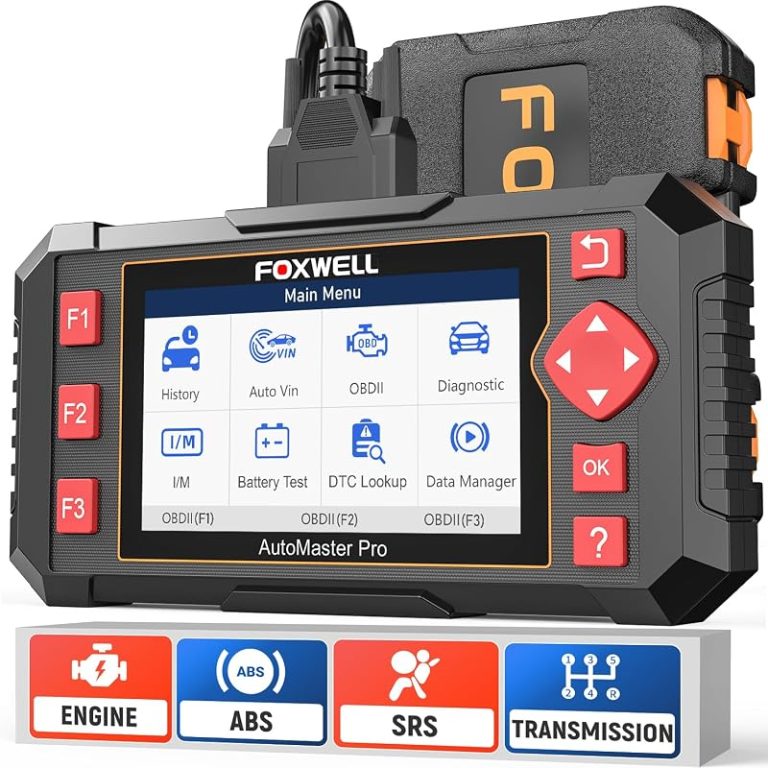
7. FOXWELL NT604 Elite OBD2 Scanner Car Diagnostic Tool for ABS SRS Transmission Systems
A four-system scanner that adds ABS, SRS, and transmission diagnostics to standard OBDII engine reading. It is advertised as usable out of the box with no software download, and it includes I/M readiness, live data, a built-in DTC library, and data playback and printing. Foxwell states plainly that it does not support maintenance functions.
Key Features That Matter
- Five-in-one diagnostics combine OBDII scanning with ABS, SRS, transmission, and check engine code reading.
- I/M readiness menu lets you check whether the vehicle is ready for an annual emissions test.
- Live data stream, built-in DTC library, data play back, and print functions support record-keeping and troubleshooting.
- Advertised as ready to use out of the box with the latest software, so no download step is required first.
- Explicit limitation from the manufacturer: no maintenance functions such as EPB reset, ABS bleeding, oil light reset, or battery reset and programming.
Drivers chasing a safety or drivetrain warning light who want ABS, SRS, and transmission code access without paying for a full professional tool.
- Useful middle ground covering safety and drivetrain systems
- Works immediately without a software download
- Data playback and print for repair records
- No service or maintenance resets at all
- Compatibility varies by car make and model
- Priced above basic code readers without adding maintenance functions
8. FOXWELL NT301 OBD2 Scanner Live Data Professional Mechanic OBDII Diagnostic Code Reader for Check Engine Light
The NT301 is one of the most widely reviewed basic OBDII readers, focused on check-engine-light diagnosis. It reads codes, clears the MIL, checks emissions readiness, graphs live sensor data, and retrieves the VIN. The listing is explicit that it does not support ABS, SRS, EPB, A/C, or battery testing, and it offers no bidirectional control or advanced resets.
Key Features That Matter
- Reads diagnostic trouble codes, accesses emissions readiness status, turns off the check engine light or MIL, resets monitors, reads live data, and retrieves the vehicle identification number.
- Live data graphing displays oxygen sensors, fuel trims, coolant temperature, and RPM so you can spot trends and suspicious values in real time.
- Advanced OBDII modes include an O2 sensor test and an EVAP system leak monitor for fuel tank and air-fuel ratio checks.
- Supports OBDII protocols including KWP2000, J1850 VPW, ISO9141, J1850 PWM, and CAN on most 1996-and-newer gasoline cars, light trucks, and SUVs sold in the U.S., plus many 2000-and-newer European and Asian models.
- Stated limits: no ABS, SRS, EPB, or A/C scanning, no battery testing, and no special functions such as bidirectional control, calibration, or advanced resets.
Owners who want a well-established basic reader with live data graphing and a very large base of user feedback.
- Live data graphing is uncommon at this tier
- Wide OBDII protocol and vehicle support
- Extensive review history for buyer reference
- No Mercedes body, chassis, or safety-system access
- No bidirectional control or advanced resets
- Codes return until the repair is actually completed
9. Veepeak OBDCheck BLE+ Bluetooth OBD II Scanner for iOS Android Car Check Engine Code Reader
A small Bluetooth adapter that pairs with third-party apps on iOS and Android instead of carrying its own screen. It handles generic OBD-II functions: reading and clearing codes, freeze frame data, I/M readiness, and live sensor data. Advanced data and any manufacturer-specific functions depend entirely on the app and the vehicle, and the listing notes that special functions are not supported.
Key Features That Matter
- Generic OBD-II functions include reading and clearing check-engine trouble codes, viewing freeze frame data, checking I/M readiness, and monitoring live sensor data on 1996-and-newer OBD-II compliant U.S. vehicles.
- Bluetooth LE connection for iOS and Android (not Wi-Fi); you connect from within the app after setting the correct connection type, and classic Bluetooth works with certain Android apps.
- Vehicle-specific data such as battery state of health or transmission temperature depends on the make, model, and year — the manufacturer recommends verifying a suitable connection profile in the app first.
- Advanced diagnostics such as ABS, SRS, TPMS, and BCM may be available through compatible third-party apps, which are usually paid.
- Stated limits: injector coding, EPB reset, ABS bleeding, and oil or service resets are not supported, and Android head units may not work.
Tech-comfortable drivers who already use a phone-based diagnostic app and want inexpensive live data monitoring.
- Low-cost way to add app-based diagnostics
- Compact enough to leave plugged in or store in the glovebox
- Live sensor monitoring without a dedicated screen
- Requires a compatible third-party app to operate at all
- Advanced vehicle-specific data is not guaranteed
- No injector coding, EPB reset, ABS bleeding, or service resets; retailer price is listed in AUD
Before ordering any scanner here, confirm your model year, chassis code, engine, and trim against the retailer’s compatibility chart, and ask the seller to confirm the specific systems or resets you need by VIN. Most 1996-and-newer U.S. vehicles use the 16-pin OBD-II port, but many pre-2003 Mercedes models such as W202, W210, W140, W208, R170, and R129 use a 38-pin round diagnostic connector that requires a separately sold adapter. Sprinter, Smart, and Maybach coverage also varies by model and ECU configuration, so treat brand-wide claims as a starting point rather than a guarantee.
Buying Guide for Mercedes OBD2 Diagnostics
Once you know which systems you need to reach, the buying decision becomes much simpler. Use the guidance below to match a tool to your actual ownership pattern rather than the biggest feature list.
- Confirm compatibility by VIN before purchase.
- Configure and test the scanner while parked with the ignition in the correct state.
- Record freeze frame and live data before clearing codes so you keep the evidence.
- Secure cables and adapters, then update firmware as the manufacturer advises.
- Assume a universal OBD-II tool will read Mercedes body or safety modules.
- Clear codes hoping a warning light stays off without repairing the fault.
- Run active tests or resets without understanding what the function changes.
- Rely on unverified specifications or brand-wide coverage claims.
Locate your diagnostic port, note the connector type, and confirm with the seller that the tool supports your model year, engine, and the systems or resets you need.
Park on level ground, set the parking brake, keep cables clear of pedals, seats, and airbags, and never scan while the vehicle is in motion.
Register or update the tool as directed, run a scan while parked, save or print the results, and confirm every reading and function before relying on the tool for repair decisions.
- Confirm year, make, model, chassis, and trim compatibility by VIN.
- Check port type, power source, cable length, app requirements, and storage space.
- Verify which systems, resets, and active tests the tool actually supports on your vehicle.
- Review update policy, warranty, returns, and support responsiveness.
- Count adapter, app, subscription, and maintenance costs before deciding.
- Confirm normal use will not obstruct visibility, pedals, airbags, or factory sensors.
- FOXWELL NT710: Best overall for Mercedes family owners who want all-system codes, active tests, and routine resets in one tool — but it is brand-focused, not universal.
- ANCEL AD410: Best budget alternative for engine and emissions codes with no app required; it cannot reach ABS, SRS, or transmission systems.
- FOXWELL NT624 Elite: Best value for full-system scans and eight service functions; no active tests, SRS reset, TPMS programming, or TCM reset.
- ANCEL AD310: Best first DIY reader for check-engine lights; engine codes only.
- ANCEL AD410 Pro: Best two-in-one for engine codes plus 12V battery, starter, and charging checks; confirm hybrid and EV limits.
- iCarsoft MB V2.0: Best deep Mercedes-specific coverage with nine resets; pre-2003 cars may need a separate 38-pin adapter.
- FOXWELL NT604 Elite: Best for ABS, SRS, and transmission code checks with no maintenance functions at all.
- FOXWELL NT301: Best simple check-engine reader with live data graphing; no advanced systems or bidirectional control.
- Veepeak OBDCheck BLE+: Best Bluetooth option for app users; requires third-party software and supports no special resets.
- Compatibility: Verify your exact vehicle, port type, and required functions with the seller before purchase.
- Safety: Install, configure, and scan while parked, and keep cables away from pedals, airbags, and the driver’s view.
Frequently Asked Questions About Best Obd2 Scanner For Mercedes
A generic reader will handle emissions-related engine codes on most 1996-and-newer vehicles, which covers check-engine-light basics. For ABS, airbag, transmission, TPMS, and body-module faults, you generally need a brand-focused tool such as the FOXWELL NT710 or iCarsoft MB V2.0. Confirm coverage for your exact model year before buying.
Usually not. The ANCEL AD410, AD310, AD410 Pro, FOXWELL NT301, and Veepeak BLE+ are listed as engine and emissions tools only, while the FOXWELL NT604 Elite, NT624 Elite, NT710, and iCarsoft MB V2.0 are marketed with multi-system coverage. Check the listing for your specific model, because availability varies by vehicle.
Bidirectional control, also called active testing, lets the scan tool command a component and observe how it responds — for example, deactivating a cylinder to confirm a misfire. The FOXWELL NT710 is the tool in this roundup marketed with that capability. It is helpful for diagnosis, but it is not required for basic code reading.
Most 1996-and-newer U.S. vehicles use a 16-pin OBD-II connector, typically under the driver’s side of the dashboard. The iCarsoft listing notes that many pre-2003 Mercedes models, including W202, W210, W140, W208, R170, and R129, use a 38-pin round diagnostic port instead, and that adapter is sold separately.
It depends on the tool. Several Foxwell models in this roundup advertise free Wi-Fi or lifetime software updates, while the ANCEL AD410 uses updates downloaded from the manufacturer’s website. App-based adapters may rely on paid third-party software tiers for advanced functions, so check the current listing and app store details.
You can clear stored codes, but the fault will usually return once the monitor runs again, and clearing codes can reset emissions readiness monitors. Fix the underlying issue first, then clear the code and confirm the repair with a full drive cycle. Persistent safety-related faults should be diagnosed by a qualified technician.
Which Mercedes Scanner Fits Your Garage
Choosing the best obd2 scanner for Mercedes comes down to matching system coverage to the work you actually plan to do. If you maintain your own car, a brand-specific full-system tool with resets and active tests will pay for itself over a few service visits. If you simply want to know why the check-engine light is on, a well-reviewed basic reader does that job for far less money.
Whichever direction you choose, verify compatibility by VIN, confirm the port type on older models, and keep your expectations calibrated: no single scanner covers every module on every model year. Buy for the systems you need, read the fine print about what each tool cannot do, and use it while parked so diagnostics never become a driving distraction.