How to Use TOPDON BT200 Battery Tester on Youtube: Practical Guide
The TOPDON BT200 is best for quick 12V battery, cranking, and charging checks, not full vehicle diagnosis. If you want a fast first look before a breakdown, it can be useful as long as you confirm compatibility and follow the safety steps.
How to Use TOPDON BT200 Battery Tester on YouTube is easiest to understand when you treat it as a quick electrical check, not a full repair diagnosis. It can help you judge battery health, cranking performance, and charging output before a no-start problem leaves you stuck.
- Best use: Quick 12V battery, starter, and alternator checks.
- Main limit: It does not replace a full scan tool or technician diagnosis.
- Safety first: Stop if the battery is swollen, leaking, hot, or badly corroded.
- Compatibility: Verify vehicle voltage, battery type, app needs, and model support.
- Ownership value: Helpful for preventive checks before a no-start or roadside problem.
How to Use TOPDON BT200 Battery Tester on YouTube: What It Does and When It’s Worth Using
Quick answer: the BT200 checks 12V battery condition, starter load, and charging-system output, but it does not replace a scan tool or a professional diagnosis
The TOPDON BT200 is meant for basic 12V battery testing. In simple terms, it helps you see whether the battery is likely weak, whether the starter is drawing the system down too far, and whether the alternator or charging system is doing its job.
That said, it does not diagnose every cause of a hard start, warning light, or electrical fault. If the issue is a bad ground, parasitic draw, module problem, or a vehicle-specific charging strategy, you may still need a full scan tool or a technician.
Who this guide is for: DIY owners, used-car buyers, and drivers who want a fast battery-health check before a breakdown
This guide is for drivers who want a clear, practical way to check a battery before winter, before a road trip, or before buying a used vehicle. It also fits people who like watching a setup walkthrough on YouTube before using a tool for the first time.
If you are comparing battery testers, this article also helps you understand where the BT200 fits against other Topdon options. For a broader comparison, see Topdon BT100 vs BT200 battery tester and how a Topdon battery tester works.
TOPDON BT200 Overview for 2026 Drivers: Features, Limits, and Real-World Use
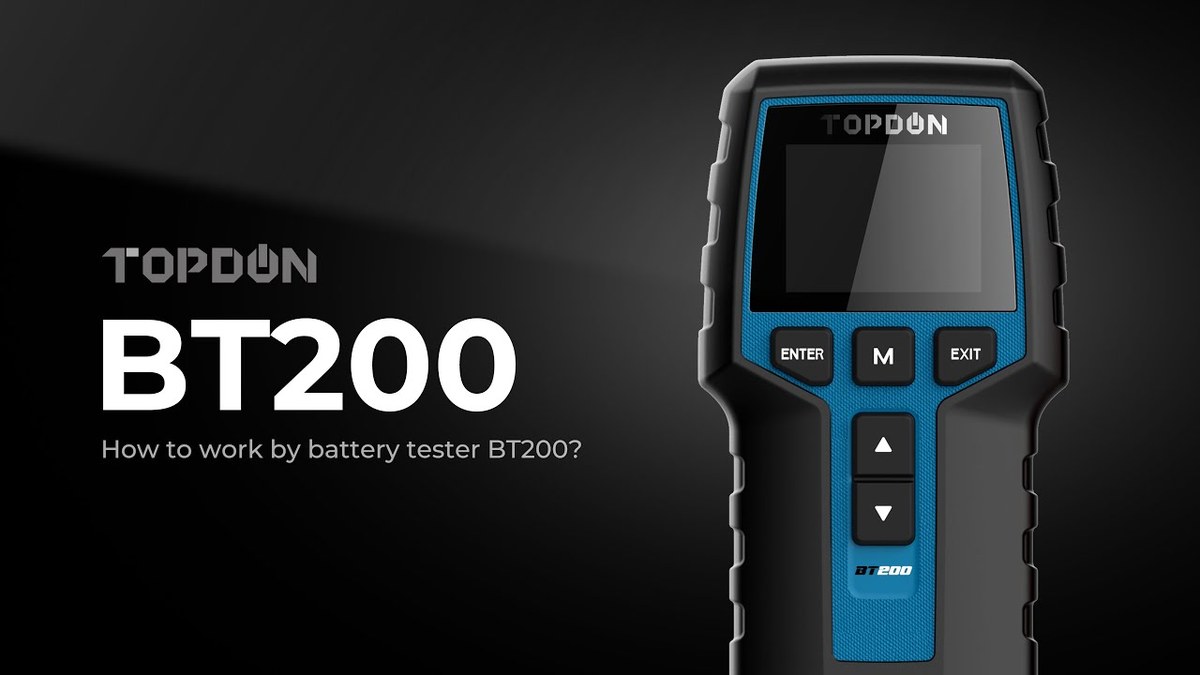
Supported battery types, system voltage, and the difference between state of charge and battery health
The BT200 is built around 12V automotive battery testing. That matters because many passenger vehicles, light trucks, powersports machines, and accessory battery setups still rely on a 12V system even when the vehicle has more complex electronics.
One key idea is the difference between state of charge and battery health. State of charge is how full the battery is right now. Battery health is whether the battery still has enough strength and reserve to do its job under load.
What the tester can and cannot tell you about battery life, alternator performance, and starting issues
The BT200 can give you useful clues, but it is still a clue-based tool. If the battery test says the battery is weak, that usually means the battery may not hold up well under real starting load. If the charging test looks off, the alternator or charging control may need attention.
What it cannot do is prove exactly why the battery failed. A battery can look weak because it is old, undercharged, sulfated, overheated, or being drained by another electrical problem. If you need a deeper diagnostic path, a full scan tool such as the BlueDriver Pro scan tool or a more advanced Topdon scanner may be the better next step.
Ideal vehicle fit: daily drivers, older gas vehicles, trucks, powersports, and 12V accessory systems
The BT200 makes the most sense for vehicles where a fast battery check is useful and the electrical system is still fairly conventional. That includes many daily drivers, older gas vehicles, pickup trucks, motorcycles with 12V systems, and some 12V accessory batteries.
It is less useful when the vehicle’s complaint is tied to software, modules, or a complex hybrid or EV battery system. In those cases, the tool may still help with the 12V side, but it will not replace the correct service procedure.
How to Use the TOPDON BT200 Safely: Connection Order, Setup, and Damage Prevention
Correct connection order and why polarity matters
Use the battery tester only on a parked vehicle in a safe, dry area. Connect the clamps to the battery posts first, then follow the tester’s prompts or the manual’s sequence for entering the test mode.
Polarity matters because reversed connections can damage the tool or create sparks. If the clamps do not make solid contact, stop and clean the posts before trying again.
Always keep hands, jewelry, loose clothing, and tools away from the battery terminals once the tester is connected. A bad connection can spark, and a damaged battery can vent or leak.
Damaged-battery stop conditions, swollen cases, leaking cells, heat, and corrosion warnings
Stop immediately if the battery case is swollen, cracked, hot, leaking, or heavily corroded. Those are signs the battery may be unsafe to test in the normal way.
Corrosion can also interfere with the reading. If the terminals are dirty, clean them carefully and let everything dry before testing. Do not force a test on a battery that looks physically damaged.
Safety basics for hybrid and EV owners: what is safe to test and what should be left to a professional
Hybrid and EV owners should be careful here. Many of these vehicles still have a 12V battery that can be tested with a tool like this, but high-voltage components are a different matter entirely.
If you are unsure which battery you are looking at, or if the vehicle has orange high-voltage wiring, do not guess. Follow the owner’s manual or have a qualified technician handle the diagnosis.
Step-by-Step BT200 Testing Workflow: Battery, Cranking, and Charging-System Checks
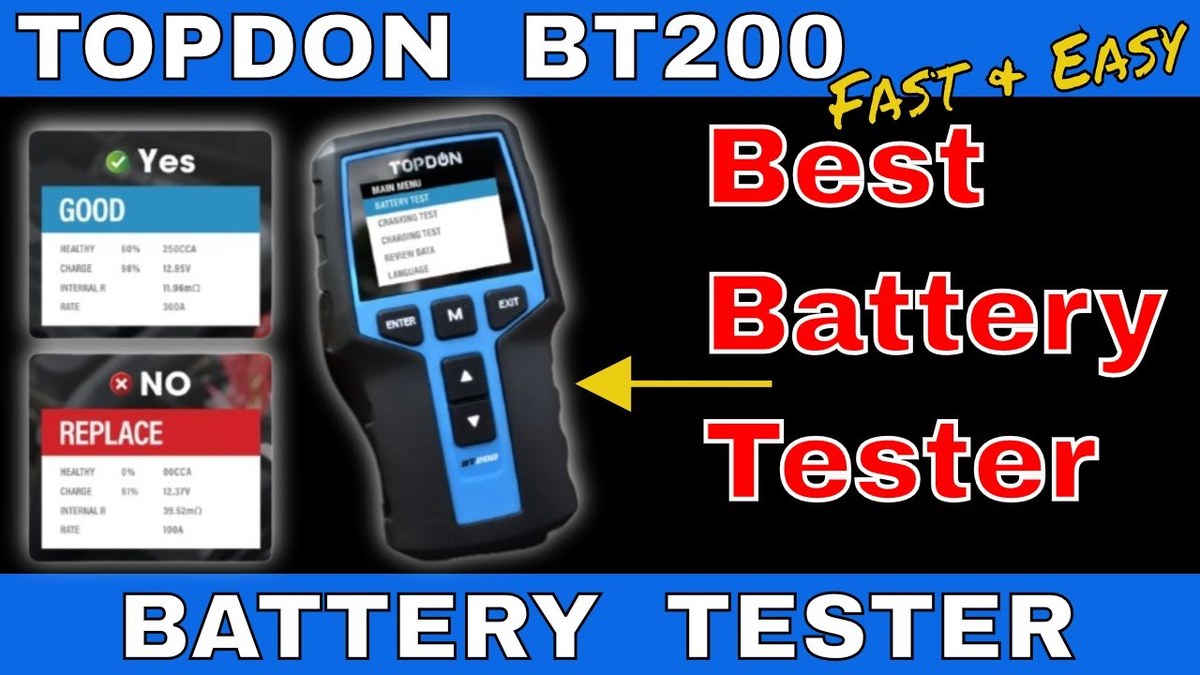
How to read battery voltage, cranking performance, and alternator/charging output
Start with the battery test while the vehicle is off. The tester reads the battery’s current condition and gives you a baseline for the rest of the checks.
Next, run the cranking test while someone starts the vehicle. This helps show whether voltage drops too far when the starter draws current. After that, run the charging test with the engine running to see whether the alternator is maintaining output.
- Confirm the battery type and system voltage before testing
- Keep the clamps clean and firmly attached
- Test on a parked vehicle with the engine off for the battery check
- Assume one low reading proves the battery is bad forever
- Test around moving belts, fans, or hot engine parts
- Clear other diagnostic clues before recording what the tester shows
How to interpret cold-crank results versus reserve capacity and health estimates
Cold-crank results matter because batteries struggle more in cold weather. If the battery seems fine at rest but drops hard during cranking, that often points to a weak battery, a starter issue, or poor cable connections.
Reserve capacity and health estimates are helpful, but they are still estimates. They support a decision, not a final repair verdict. A battery that looks marginal may still start the car today and fail next week.
When results suggest a weak battery, bad cables, parasitic draw, or a failing alternator
If the battery tests weak and the vehicle cranks slowly, the battery itself is a likely suspect. If the battery test looks decent but cranking voltage still falls too low, check the cables, terminals, and grounds.
If the battery and cranking results are okay but the charging test is poor, the alternator or charging control system may be at fault. If the battery repeatedly goes dead after sitting, the problem may be parasitic draw, which usually needs a deeper electrical diagnosis.
OBD2 and Diagnostic Limits: Model-Year Coverage, Protocol Support, and App Permissions
Model-year and protocol coverage: what OBD2 vehicles in the U.S. are likely supported
The BT200 is not a universal vehicle scanner, but it may pair with OBD2-based diagnostics on many U.S. vehicles that use standard OBD2 communication. That generally means most 1996-and-newer gasoline vehicles and many later light-duty diesels, though exact support can vary by make, model, and system.
If you want a broader look at Topdon’s scan-tool family, CarValleyNJ also covers which Topdon scanner is best and the Topdon TopScan review.
Port location, ignition mode, and how the tester behaves when the key is off, on, or in accessory mode
OBD2 ports are usually under the dash, but the exact location varies. The tester or app may need the ignition in a specific mode to connect properly, so it helps to follow the manual step by step.
When the key is off, the tool may not communicate with some vehicles. In accessory or key-on mode, more modules may wake up, but you should still avoid leaving the ignition on longer than needed if the battery is already weak.
Code reading, live-data limits, emissions readiness, and reset limitations compared with a full scan tool
Battery testers that touch OBD2 are not the same as a full bidirectional scan tool. They may read some codes or display limited live data, but they usually will not match the depth of a dedicated scanner for module access, resets, or advanced service functions.
That matters if you are trying to solve an emissions issue, a check-engine light, or a system fault that needs more than battery health data. For that level of work, a dedicated OBD2 tool is usually the better fit.
Firmware updates, app permissions, privacy considerations, and when diagnosis requires a professional
Connected diagnostic tools often rely on a phone app, Bluetooth, or firmware updates. Before you buy, check what permissions the app asks for and whether the tool needs an account, cloud login, or periodic update.
If a result points to a safety-sensitive issue, stop there. A professional diagnosis is the right move when the problem involves charging faults, battery damage, hybrid systems, or repeated no-start conditions.
Tire and TPMS Context: Why Battery Testers Often Come Up in Full Vehicle Checks
Door-jamb placard pressure, cold-pressure checks, and gauge accuracy basics
Battery testers often get used alongside other maintenance checks, especially before a trip. Tire pressure is a good example because cold weather and weak batteries often show up in the same season.
Always use the door-jamb placard as the pressure target, not the number molded into the tire sidewall. Check pressure when the tires are cold, and remember that gauge accuracy can vary, so a quality handheld gauge is worth having.
Inflator duty cycle, temporary repair limits, and puncture-location rules that require professional repair
If you are also using a portable inflator, duty cycle matters. Some inflators are built for short bursts, not continuous use, so you need to let them cool if the manual says so.
Temporary tire repair products also have limits. A puncture in the sidewall, shoulder, or a damaged tire with cords showing usually needs professional attention or replacement, not a quick patch.
TPMS relearn limits and why a battery tester does not solve sensor or warning-light problems
A battery tester cannot fix a TPMS warning light. If the tire pressure monitoring system is on, the issue may be low pressure, a sensor battery, a relearn need, or a fault in the system itself.
That is why full-vehicle maintenance often requires different tools for different jobs. A battery tester helps with electrical health, while TPMS and tire issues need their own checks.
Roadside and Emergency-Tool Comparison: BT200 vs Jump Starter vs Full OBD2 Scanner
Side-by-side comparison of current limits, tool completeness, portability, and owner value
| Option | Best for | Owner consideration | Driver consideration |
|---|---|---|---|
| TOPDON BT200 | Battery, cranking, and charging checks | Useful for early troubleshooting and maintenance planning | Small, simple, and less distracting than a full scan setup |
| Jump starter | Getting a dead car started | Needs periodic charging and safe storage | Helpful in emergencies, but it does not diagnose the cause |
| Full OBD2 scanner | Reading codes and deeper system data | More features, more complexity, sometimes more cost | Better for warning lights and drivability issues |
Which tool fits different drivers: commuters, rideshare drivers, family SUVs, older cars, and fleet use
Commuters often want the BT200 because it can warn them before a dead battery ruins a morning. Rideshare drivers and family SUV owners may prefer a jump starter plus a scanner, since uptime matters more than one-tool simplicity.
Older-car owners and small fleet users may like the BT200 because it supports routine checks without much setup. If you want a broader emergency-tool picture, CarValleyNJ also covers how to use a Viair 88P and how to use a portable tire inflator.
Post-use inspection, cable or pack condition, and storage conditions for emergency readiness
After use, inspect the clamps, cables, and housing for wear. If the tool is stored in a trunk, glove box, or garage shelf, keep it dry and protect it from extreme heat or cold when possible.
Emergency tools only help when they are ready. A quick inspection after each use is one of the easiest ways to keep the tester reliable over time.
Buying Guide and Product Review Angle: Value, Warranty, Support, and Better Alternatives
Evaluation criteria: accuracy, ease of use, app stability, build quality, and support reputation
When judging a battery tester like the BT200, the most important criteria are practical ones. Accuracy matters, but so do clear prompts, stable app behavior, durable clamps, and support that is easy to reach if something goes wrong.
Ease of use matters more than many shoppers expect. A tester that is technically capable but confusing to connect may be less useful than a simpler tool that you will actually use before a battery fails.
Evidence limits: what can be verified from specs, manuals, and published user reports
For this article, the safest evidence comes from manufacturer documentation, product listings, and published owner reports. Those sources can confirm supported tests, app requirements, and general behavior, but they do not prove every vehicle outcome.
That is why this guide avoids pretending the BT200 is a replacement for hands-on diagnosis. It is best seen as a helpful first check, not a final answer for every electrical problem.
- Useful for quick battery, cranking, and charging checks
- Good fit for drivers who want simple preventive maintenance
- Helps narrow down whether the problem is battery or charging related
- Not a full diagnostic scan tool
- Cannot solve every no-start or warning-light issue
- Connected features may add app and privacy considerations
Ideal user and vehicle match, drawbacks, compatibility notes, warranty/support expectations, and transparent verdict
The BT200 is a strong match for drivers who want a fast read on 12V battery health and charging output. It is also a sensible choice for used-car shoppers who want one more layer of evidence before buying.
Its main drawback is scope. If you need deep code access, bidirectional controls, or detailed module diagnosis, a full scanner is the better tool. Before buying, check the current manual, app requirements, support terms, and return policy so you know exactly what you are getting.
- Best for: Drivers who want a simple 12V battery, cranking, and charging check before a breakdown.
- Think twice if: You need full scan-tool features, deep module access, or hybrid and EV high-voltage diagnostics.
- Next step: Confirm your vehicle’s 12V setup, app requirements, and manual instructions before relying on the tester.
Frequently Asked Questions
It is mainly for 12V battery systems found in many cars, light trucks, and some powersports vehicles. Exact support can vary by make, model, year, and battery type, so check the manual before buying.
You may be able to test the vehicle’s 12V battery, but that is not the same as diagnosing high-voltage hybrid or EV systems. If orange high-voltage wiring or sealed battery packs are involved, stop and follow the vehicle manual or a professional service path.
No. It can help with battery, cranking, and charging checks, but it does not match a full scan tool for code reading, live data depth, or service functions.
No. Stop if the battery is swollen, leaking, hot, cracked, or heavily corroded. Those are safety signs that need careful handling and often professional help.
Connected diagnostic tools may use an app, account login, and data permissions. Review the app settings, privacy policy, and cloud-retention details before connecting your vehicle.
Check 12V compatibility, app requirements, warranty terms, support options, and whether you need only battery testing or a deeper diagnostic tool. That helps you avoid paying for features you will not use.