8 Best Bidirectional Scan Tools Under $200 for DIY Diagnostics
The best bidirectional scan tool under $200 can save a DIY owner real time and money by moving beyond basic code reading into active tests, service resets, and deeper system access. For this 2026 CarValleyNJ roundup, the focus is on affordable OBD2 scanners that may fit home garages, driveway diagnostics, and multi-vehicle households.
Not every scanner here does the exact same job. Some lean into all-system access and wireless convenience, while others focus more narrowly on ABS, SRS, or a smaller group of reset functions, so checking year, make, model, and feature support before buying is the most important step.
The XTOOL A30M V2.0 stands out as the strongest all-around pick for DIY drivers who want wireless bidirectional control, broad modern protocol support, and a large set of resets without ongoing software fees. The main limitation across this whole category is that active tests and service functions remain vehicle-specific, so no budget scanner should be treated as universal.
Quick Product Comparison
| Product | Image | Best For | Current Price |
|---|---|---|---|
| 1. XTOOL A30M V2.0 Scanner |  |
DIY owners wanting wireless all-system diagnostics and broad reset coverage | See Price → |
| 2. XTOOL D5S OBD2 Scanner | 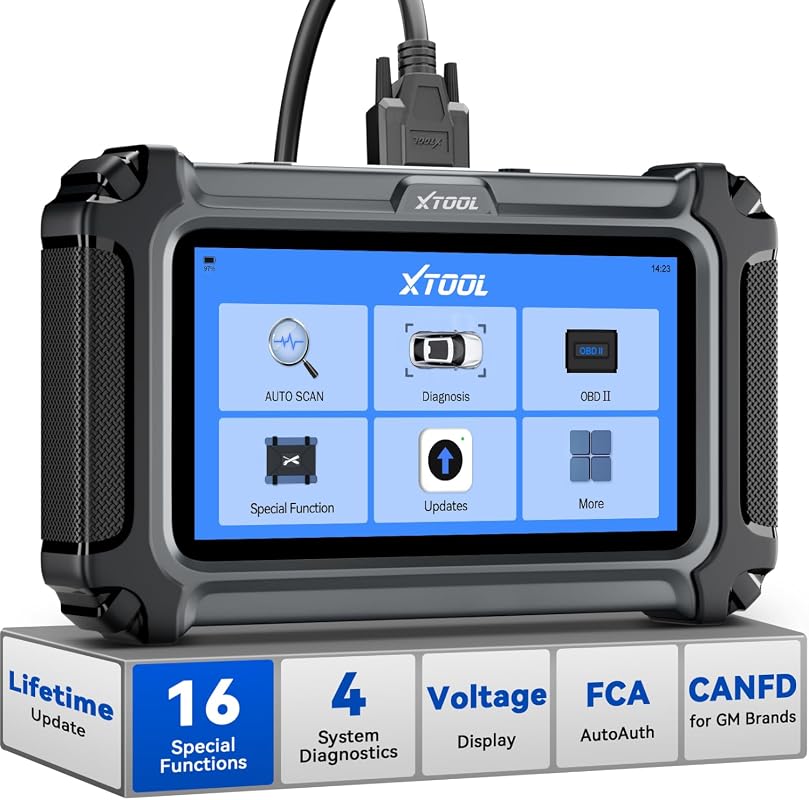 |
Owners focused on engine, ABS, SRS, and transmission warning-light diagnostics | See Price → |
| 3. KONNWEI Bluetooth OBD2 Scanner | 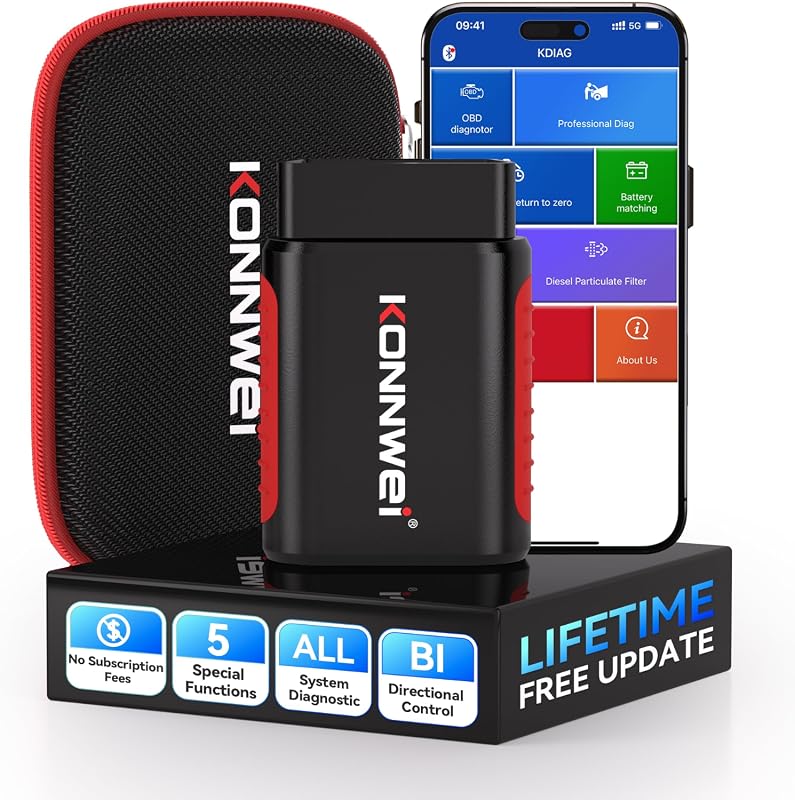 |
Budget shoppers wanting low-cost app-based bidirectional basics | See Price → |
| 4. GEARWRENCH GWSMARTBT Scan Tool | 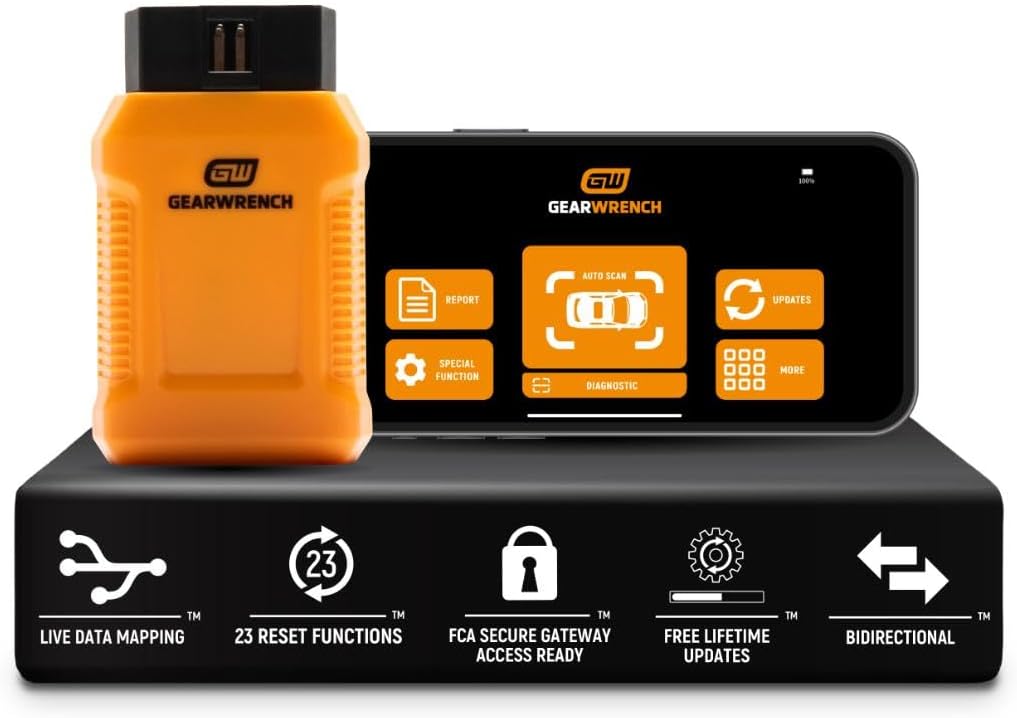 |
Drivers wanting smart-device diagnostics with many reset and relearn functions | See Price → |
| 5. XTOOL A30D OBD2 Scanner | 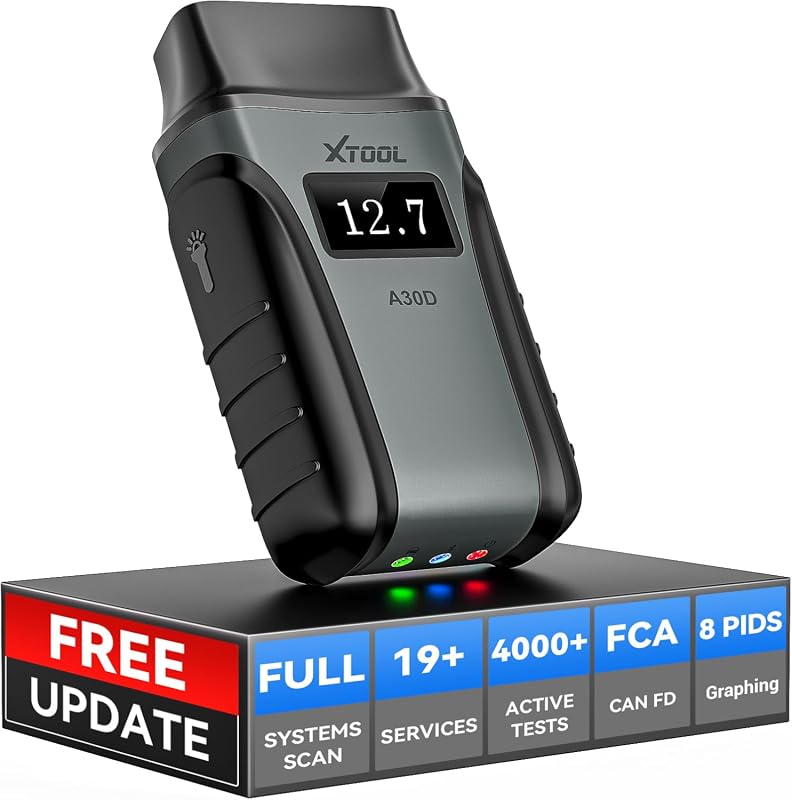 |
Phone-based users who want all-system access and 19 reset functions | See Price → |
| 6. VDIAGTOOL D100 Diagnostic Tool | 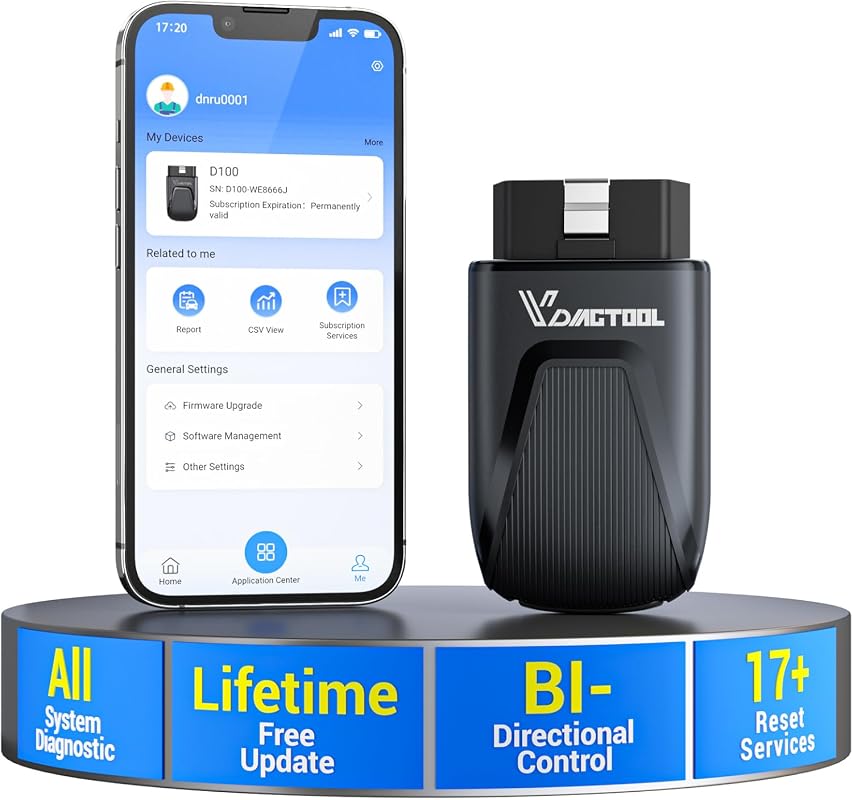 |
Owners who want core free functions now with optional upgrade paths later | See Price → |
| 7. FOXWELL NT630 Plus Scanner | 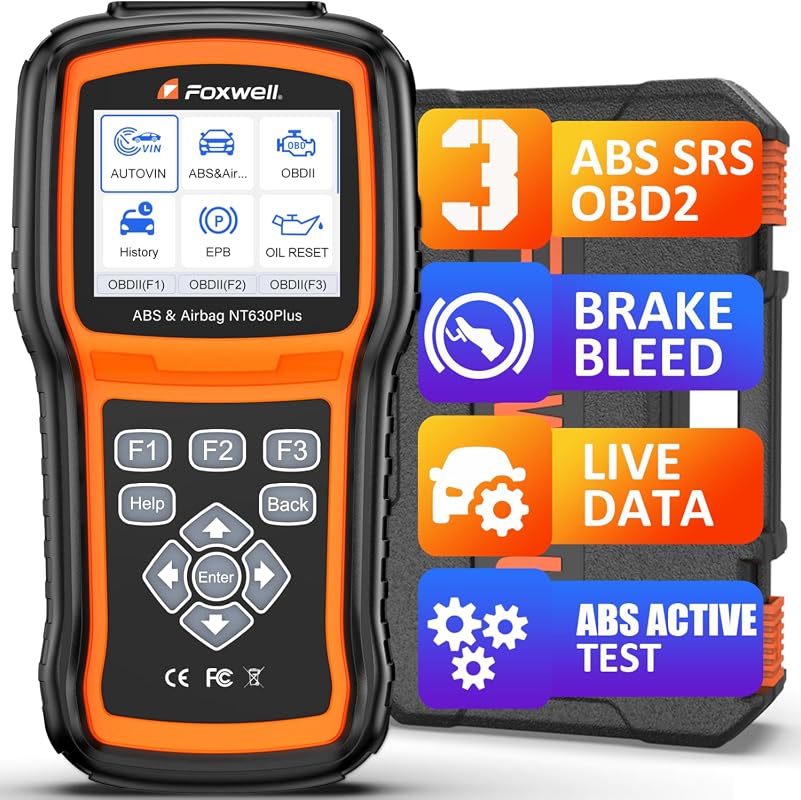 |
ABS and SRS troubleshooting after brake or warning-light issues | See Price → |
| 8. Thinkdiag2 OBD2 Diagnostic Scanner | 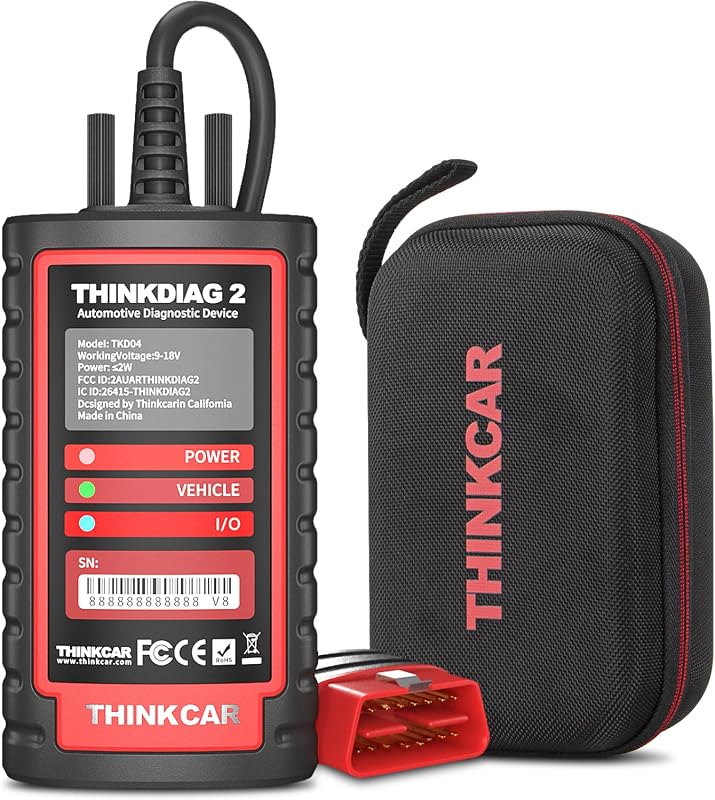 |
Shoppers willing to verify pricing and subscription details for broader feature depth | See Price → |
Best Bidirectional Scan Tool Under $200: What to Look For
The first thing to separate is basic OBD2 code reading from true bidirectional control. A scanner that reads and clears engine codes is useful, but a bidirectional model can send commands to certain modules for active tests like windows, fuel pumps, A/C clutches, or ABS-related functions when supported.
Next, pay attention to system coverage. Some tools here are positioned as all-system scanners, while others are more focused on engine, ABS, SRS, or transmission diagnostics. If your main goal is brake bleeding, airbag faults, or transmission resets, the product description matters more than the badge on the box.
Reset functions are another big dividing line. Oil reset, EPB, SAS, throttle relearn, injector coding, TPMS-related functions, and ABS bleeding can be valuable, but they do not appear on every vehicle in the same way. If you’re shopping for no-fee ownership, CarValleyNJ also has a useful guide to the best OBD2 scanner without subscription.
Wireless setup and app dependence also matter. Several picks here rely on a phone or tablet, which can be convenient in a driveway, but that means confirming iOS or Android support, Bluetooth stability, app permissions, and whether the tool needs a separate account for protected vehicle gateways such as FCA AutoAuth.
Finally, think about modern protocol support and long-term value. CAN FD support can matter for some newer vehicles, and free updates can reduce ownership cost over time. If you’re still comparing the category more broadly, see CarValleyNJ’s overview of what is the best bidirectional scan tool for the money.
Our Top 8 Picks
1. XTOOL A30M V2.0 OBD2 Scanner Diagnostic Tool with 26 Resets and All-System Scan
The XTOOL A30M V2.0 looks like the most balanced pick in this roundup for DIY owners who want a wireless, app-based scanner with all-system access, bidirectional control, and a wide set of maintenance functions. Its strongest limitation is the same one that applies to most advanced scanners in this range: resets and active tests can vary by vehicle, and FCA AutoAuth access requires a separate account when needed.
Key Features That Matter
- Lifetime free software updates for app service functions can help keep ownership cost predictable for long-term DIY use.
- Full bidirectional control supports active tests on components such as fuel pumps, injectors, A/C clutches, windows, and sunroofs, which can reduce guesswork during troubleshooting.
- It includes 26 reset functions such as oil reset, EPB, SAS, ABS bleeding, throttle body relearn, injector coding, crank sensor relearn, headlight adjustment, and tire size reset.
- CAN FD support and FCA AutoAuth readiness improve its appeal for households with newer vehicles, though protected access still needs separate registration where required.
- Up to 8 live data streams with graphing can make it easier to compare system behavior in real time.
DIY owners who want a strong mix of all-system diagnostics, active tests, and maintenance resets in a wireless format.
- Broad feature set with bidirectional control, 26 resets, and lifetime free updates.
- Supports newer protocols including CAN FD and FCA AutoAuth readiness.
- Vehicle-specific function coverage still needs to be confirmed before purchase.
- Requires a smartphone or iPad for use.
2. XTOOL D5S OBD2 Scanner with 16 Resets, Engine, ABS, SRS, and Transmission Diagnostics
The XTOOL D5S is a practical alternative for owners who care more about core warning-light diagnosis than maximum all-system depth. It highlights engine, ABS, SRS, and transmission functions plus 16 resets, but it is positioned more narrowly than the all-system Bluetooth picks above and below it.
Key Features That Matter
- Its 16 reset functions include EPB, SAS, BMS reset, throttle body relearn, TPMS reset, ABS bleeding, injector coding, gearbox match, suspension adjustment, and more.
- Coverage for engine, ABS, SRS, and transmission systems makes it relevant for common driveway diagnostics tied to warning lights and drivability concerns.
- Live data can be displayed in text or up to 4 PID graphs, which helps with quick comparisons while diagnosing engine or transmission issues.
- CAN FD protocol support and FCA AutoAuth readiness can improve compatibility with some modern vehicles, subject to vehicle support and account requirements.
Drivers who want stronger focus on engine, ABS, airbag, and transmission diagnostics without jumping to a pricier platform.
- Useful concentration on four commonly needed systems plus 16 reset functions.
- Includes live data viewing and modern protocol support.
- Not presented as a full all-system bidirectional scanner.
- Some vehicles may show integrated transmission and engine systems differently.
3. KONNWEI Bluetooth OBD2 Scanner with Bi-Directional Control and Full System Diagnostics
For shoppers trying to spend as little as possible while still getting app-based bidirectional capability, the KONNWEI stands out on price text alone. The trade-off is that its supplied feature list is less detailed than the stronger-known options here, so compatibility checks matter even more before relying on it for a specific reset or module test.
Key Features That Matter
- Bidirectional control from a smartphone can help with active testing of items such as windows, doors, and sunroofs.
- It lists 5+ maintenance resets including battery match, oil reset, EPB, DPF regeneration, and TPMS reading.
- The product description presents it as a full-system scanner for specific vehicles across more than 40 car brands, but support should be verified before purchase.
- Bluetooth connection through the KDIAG app and a compact case can make it easier to keep in the glove box or garage drawer.
Budget-focused DIY users who want a low-cost entry into bidirectional smartphone diagnostics.
- Very accessible price point for a scanner that lists bidirectional control.
- Compact Bluetooth format is easy to store and carry.
- Lower review volume and a less detailed supplied feature set make pre-purchase verification important.
- Reset and full-system coverage may vary significantly by vehicle.
4. GEARWRENCH GWSMARTBT Professional Bi-Directional Diagnostic Scan Tool for Advanced Vehicle Diagnostics
The GEARWRENCH GWSMARTBT is appealing for buyers who want OE-level diagnostics on a smart device without being pushed into subscription fees. It looks especially strong for reset and relearn coverage, though the supplied data does not spell out exact vehicle brands or system-by-system limitations, so those details still need confirmation.
Key Features That Matter
- OE-level diagnostics on a smart device can be a good fit for owners who prefer phone-based workflow over a dedicated handheld.
- Free software updates with no subscriptions or fees can improve long-term value.
- Full bi-directional control and live actuation testing are the main reason to consider it over a basic code reader.
- Support for 23 reset and relearn functions, including throttle matching, ABS bleeding, and TPMS reset, adds maintenance utility.
- Live data mapping and freeze frame capture can help when tracking intermittent faults.
Owners who want a smart-device scanner with broad reset coverage and no-fee updates.
- Lists OE-level diagnostics, full bidirectional control, and 23 reset functions.
- No subscription fees for updates based on supplied retailer details.
- The supplied information is less specific about exact vehicle coverage than some XTOOL alternatives.
- Smart-device dependence means app compatibility should be checked first.
5. XTOOL A30D Bidirectional OBD2 Scanner with All-System Diagnostics and 19 Reset Functions
The XTOOL A30D is a close match for buyers who like the A30M idea but may not need as many listed resets. It combines all-system access, bidirectional control, up to 8 live data PIDs, and lifetime free software updates, but owners should still verify the exact special functions their vehicle supports.
Key Features That Matter
- Lifetime free software updates for app service functions can reduce long-term ownership cost.
- Bidirectional control allows active tests on components like the fuel pump, valves, wipers, windows, doors, sunroof, and headlamps.
- Its 19 reset functions include EPB reset, TPMS reset, ABS auto bleeding, oil reset, SAS reset, BMS reset, throttle relearn, injector coding, gear learning, and more.
- All-system diagnostics with up to 8 PIDs displayed at once can help visualize multiple data points during troubleshooting.
- CAN FD and FCA support improve future-readiness, though FCA access requires a separate account and subscription where applicable.
App-based users who want a capable all-system XTOOL scanner with strong reset coverage and active tests.
- Good blend of bidirectional control, all-system access, and 19 reset functions.
- Lifetime updates and modern protocol support add value.
- Some shoppers may prefer the A30M’s larger listed reset count.
- Requires Android or iOS device compatibility.
6. VDIAGTOOL D100 OBD2 Diagnostic Tool with Bidirectional Control and All-System Scanning
The VDIAGTOOL D100 is interesting for owners who want core diagnostics and essential resets without ongoing fees, while keeping optional upgrade paths open later. It appears feature-rich for the money, but the listing also makes clear that some advanced capabilities depend on paid upgrades and VIN-specific compatibility.
Key Features That Matter
- Full bidirectional active testing through a smartphone can help isolate failures before tearing into trim or panels.
- Its core package focuses on 17+ essential services such as ABS bleeding, injector coding, throttle relearn, and EPB pad replacement.
- All 10 OBDII modes, 8-in-1 live data stream viewing, and auto-VIN support add day-to-day diagnostic usefulness.
- Native CAN FD support helps with newer vehicle communication without external adapters.
- The listing describes lifetime free core diagnostics and resets, with optional paid upgrades for more advanced resets or J2534-related capability.
DIY users who want strong core features now and the option to expand later if their repair needs grow.
- Useful mix of bidirectional control, essential resets, live data, and CAN FD support.
- Optional upgrade structure may suit owners who do not want to pay for everything up front.
- Some advanced functions are not included in the base ownership model.
- AI guidance and upgrade-related features should be treated as reference tools, not a substitute for compatibility checks.
7. FOXWELL NT630 Plus OBD2 Scanner with ABS, SRS, Auto Bleed, and 4 Resets
The FOXWELL NT630 Plus is not a full-system bidirectional scanner, but it deserves a place in this comparison because many DIY owners shopping this category actually need one specific job handled well: ABS and SRS troubleshooting. If your main concern is brake service follow-up, ABS warning lights, or selected maintenance functions, it may be a better fit than a broader but less focused tool. Readers also comparing the brand can check CarValleyNJ’s guide to the best Foxwell scanner.
Key Features That Matter
- Enhanced ABS and SRS diagnostics with supported ABS auto bleed, ABS active tests, live data, and maintenance functions target common brake and airbag-related concerns.
- Vehicle-specific ABS auto bleed support can help after fluid replacement, caliper work, master cylinder replacement, or ABS repair.
- Live data, freeze frame, and 2-in-1 graphing add diagnostic depth beyond simple code reading.
- Wi-Fi updates with no subscription and a simple standalone design can appeal to owners who do not want to depend on a phone app.
Brake-system and airbag warning-light diagnosis when full all-system scanning is not the top priority.
- Strong ABS and SRS focus with supported auto bleed and active test functions.
- Standalone handheld format with Wi-Fi updates and no subscription.
- Not a full-system bidirectional scan tool.
- No transmission system scan according to the supplied listing details.
8. Thinkdiag2 All-System Bidirectional OBD2 Diagnostic Scanner for iOS and Android Vehicles
The Thinkdiag2 is the wildcard in this roundup because its supplied price text is above the headline budget target, yet its feature set is broad enough that many shoppers will still cross-shop it. It lists full-system diagnosis, bidirectional control, coding, adaptation, and CAN FD support, but buyers should pay close attention to the one-year free software period and any current pricing changes on the retailer page.
Key Features That Matter
- It lists CAN FD support and protected FCA access for some newer vehicles, which can matter for late-model compatibility.
- Full-system diagnosis includes read and clear codes, data stream, actuation tests, special functions, coding, adaptation, and control-module information, subject to vehicle support.
- Bidirectional control and ECU coding make it one of the more advanced tools in the group on paper.
- It includes a menu of 15 common special functions such as oil reset, EPB reset, DPF regeneration, SAS calibration, ABS bleeding, injector code, IMMO matching, and TPMS reset.
- Auto-VIN and health report generation can make initial scans faster and easier to organize.
Shoppers who want broader advanced functions and are willing to confirm current price and post-update software costs.
- Very broad listed feature scope including bidirectional control, coding, adaptation, and CAN FD.
- Useful app-based tools like Auto-VIN and health reports.
- Supplied price text is above the article’s under-$200 target, so current listing price must be checked.
- Model software use after the first year may require a paid subscription.
Before buying any scanner in this list, verify your vehicle’s year, make, model, trim, engine, OBD2 port presence, and the exact systems or service functions you need. Also confirm whether the tool requires iPhone, iPad, or Android app support, and whether newer vehicles need CAN FD support or separate FCA AutoAuth access.
Buying Guide
A good budget bidirectional scanner is really about matching the tool to the repair jobs you actually do. If you mostly want to chase a check-engine light, monitor live data, and run a few maintenance resets, a simpler model can be enough. If you expect all-system access, actuation tests, and newer protocol support, the better value usually comes from a more complete scanner with clearly stated update terms.
It also helps to decide whether you want a phone-based Bluetooth tool or a more self-contained handheld experience. Bluetooth models can be compact and convenient, especially if you already prefer app-driven diagnostics. If you’re new to this category, CarValleyNJ’s best Bluetooth OBD2 scanner guide is a useful companion read.
- Confirm compatibility before purchase.
- Configure and test while parked.
- Secure mounts and wiring, then maintain the device.
- Block the driver’s view.
- Cover airbags, controls, or factory sensors.
- Rely on unverified specifications or universal-fit claims.
Verify vehicle, power, ports, mounting space, included parts, and manufacturer instructions.
Keep equipment away from visibility, airbags, pedals, controls, sensors, and moving parts.
Complete setup while parked and verify connections, readings, pressure, power behavior, tool functions, and app access when relevant before driving.
- Confirm year, make, model, and trim compatibility.
- Check power, port, app, mounting, and storage requirements.
- Review warranty, returns, support, and update policy.
- Count installation, accessory, subscription, and maintenance costs.
- Confirm normal use will not obstruct visibility, controls, airbags, or sensors.
- XTOOL A30M V2.0 Scanner: Best overall for wireless all-system diagnostics and broad reset coverage, with the usual vehicle-specific function limits.
- XTOOL D5S OBD2 Scanner: Best alternative for owners prioritizing engine, ABS, SRS, and transmission-related diagnostics over maximum all-system depth.
- KONNWEI Bluetooth OBD2 Scanner: Best value for entry-level bidirectional app-based use, but it deserves extra compatibility checking before buying for a specific task.
- GEARWRENCH GWSMARTBT Scan Tool: Strong fit for smart-device users who want no-fee updates and a wide set of reset functions.
- XTOOL A30D OBD2 Scanner: A solid all-system Bluetooth option for DIY owners who want active tests and 19 reset functions in a compact format.
- VDIAGTOOL D100 Diagnostic Tool: Good choice for buyers who want strong core functions now and optional upgrade paths later.
- FOXWELL NT630 Plus Scanner: Best for ABS and SRS troubleshooting, not for shoppers who need a true full-system bidirectional tool.
- Thinkdiag2 OBD2 Diagnostic Scanner: Feature-rich on paper, but current price and software-cost details should be checked carefully before treating it as an under-$200 pick.
- Compatibility: Verify the exact vehicle and installation requirements.
- Safety: Install and configure the device while parked.
Frequently Asked Questions About Best Bidirectional Scan Tool Under $200
A basic code reader usually reads and clears engine-related trouble codes and may show limited live data. A bidirectional scan tool can also send commands to certain vehicle systems for active tests, which helps narrow down faults faster when the vehicle supports that function.
No. Even when a scanner supports OBD2 vehicles broadly, specific resets, module access, active tests, and coding-related features can vary by year, make, model, trim, engine, and system.
It depends on how you work. Bluetooth scanners are compact and convenient if you like using a phone or tablet, while handheld scanners can be simpler for owners who want a dedicated screen and fewer app-related steps.
If you own certain newer vehicles, especially some later-model applications, CAN FD support can matter. If your vehicles are older, it may be less important, but it can still add future flexibility.
A scanner can usually clear a code or warning light after the underlying problem is fixed. If the fault remains, the light will often return, so the tool is most useful when paired with accurate diagnosis and repair.
Some tools include free updates for life, some include only a limited free period, and others may offer optional paid upgrades. Always verify the current update and software policy before buying, especially on app-based scanners.
If you want the best bidirectional scan tool under $200 for typical DIY diagnostics, the safest bet is still the scanner that matches your vehicle and your most common repair jobs, not just the one with the longest feature list. For many owners, that points to the XTOOL A30M V2.0, with the A30D and GEARWRENCH close behind depending on app preference and reset needs.
The biggest takeaway is simple: confirm compatibility first, configure everything while parked, and treat advanced functions like active tests, resets, and coding as vehicle-specific tools rather than guaranteed universal features. That approach will help you get more value from whichever scanner you choose.