What Is Better Than BlueDriver: Top Diagnostic Scanner Alternatives
BlueDriver offers clear repair guidance and reads several system codes on supported vehicles, but another scanner may fit your needs better. You might prefer faster live data, wider app support, advanced Ford or GM access, or a dedicated tool with no phone connection.
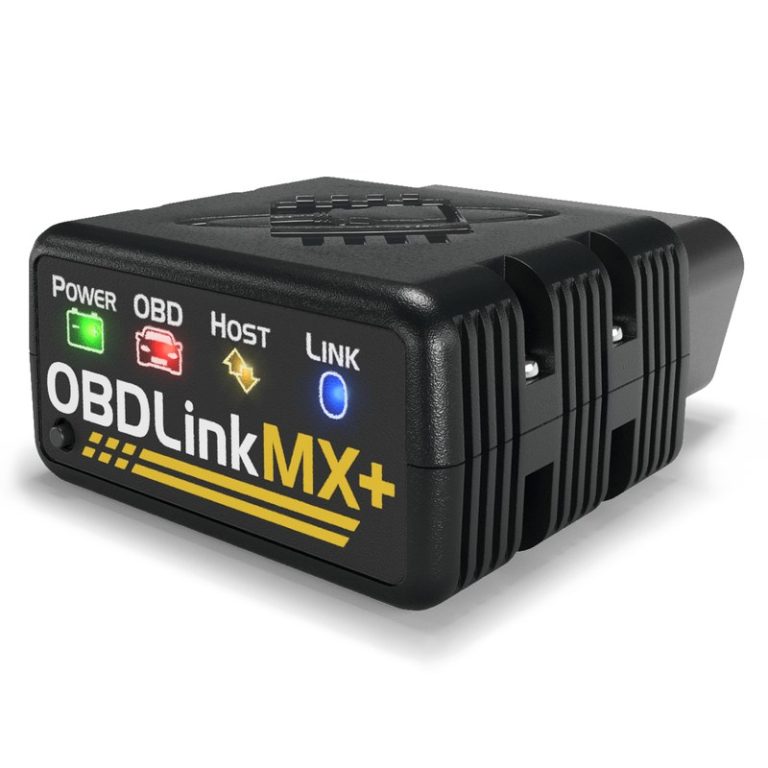
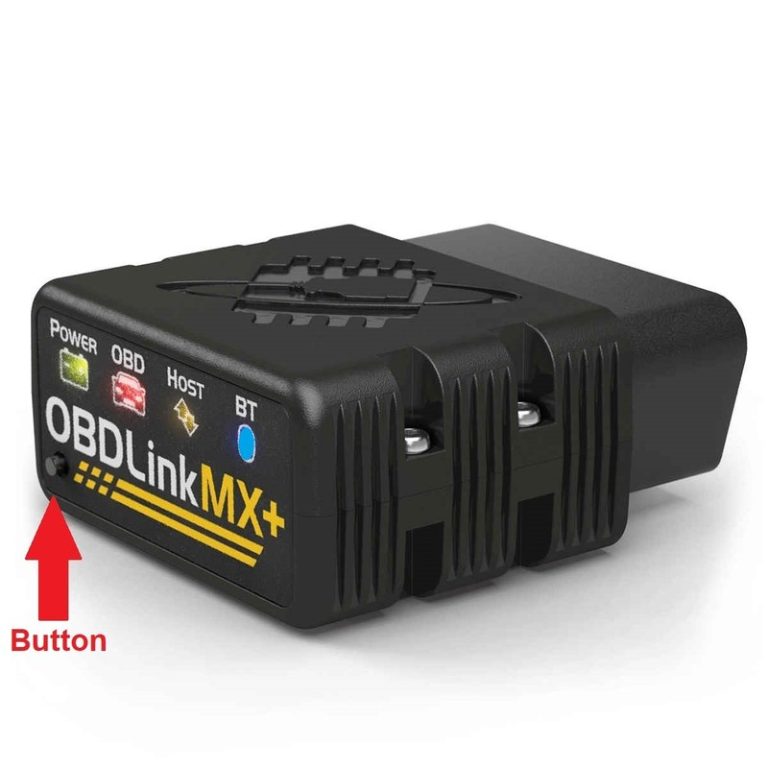
OBDLink MX+ often suits experienced users better because it delivers fast live data, works with many third-party apps, and supports advanced vehicle networks on select Ford and GM models. Other alternatives may offer lower upfront costs, broader service functions, or stronger coverage for your specific vehicle.
Key Takeaways
- Compare system coverage, live data, and app support.
- Check compatibility with your vehicle before buying.
- Consider subscriptions and long-term software costs.
How OBD2 Diagnostic Scanners Compare
Your choice depends on the depth of testing you need and the vehicles you service. Compare code access, live data, repair guidance, app support, and compatibility before choosing a BlueDriver alternative.
Core Diagnostic Capabilities
Basic OBD2 readers usually retrieve and clear powertrain trouble codes related to the engine, transmission, and emissions systems. More advanced scanners can access additional modules, such as ABS, airbags, body controls, and electronic parking brakes.
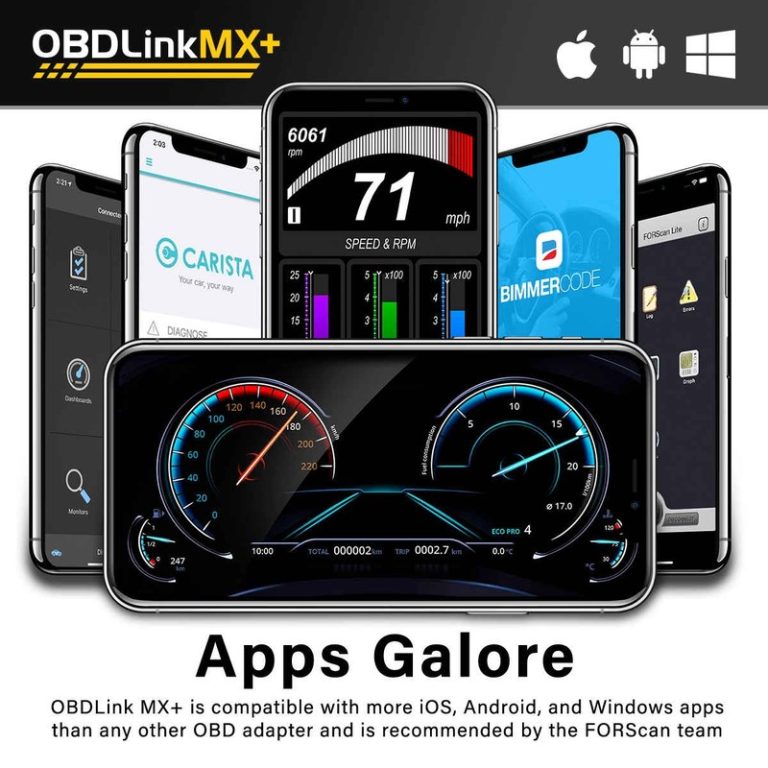
BlueDriver stands out for its phone app, live sensor data, and repair reports without a required subscription. However, alternatives may offer faster data updates, broader app support, or deeper functions. The OBDLink MX+, for example, works with several third-party apps and can suit you if you want more control over data display and logging.
If you need professional functions, look for a scan tool with active tests, bi-directional controls, service resets, and coding. These features can let you command a component, such as a cooling fan or fuel pump, instead of only reading its stored codes. Check each feature by vehicle, because one scanner may support a function on one model but not another.
Vehicle Coverage And Compatibility
Before buying, confirm that the scanner supports your vehicle’s make, model, year, and communication protocols. Most cars sold in the United States from 1996 onward support standard OBD2 emissions checks, but standard access does not guarantee coverage for ABS, airbags, transmission, or body modules.
Phone-based scanners also differ by device. BlueDriver supports both iOS and Android, while some Bluetooth adapters work only with specific operating systems or apps. Check whether your phone supports the required Bluetooth connection and app version.
You should also review update policies and regional coverage. A tool may provide strong support for common Ford, GM, Toyota, or Honda models but limited access to less common brands. For newer vehicles, confirm that the scanner supports the required gateway systems and manufacturer-level functions before you purchase it.
Top BlueDriver Alternatives
You can choose a professional scan tool for wider system access and active tests, or a low-cost Bluetooth adapter for basic code reading and live data. Your vehicle, phone, and need for manufacturer-specific diagnostics should guide the choice.
Professional Scan Tools
Professional tools such as the Autel MaxiCOM MK808, Launch CRP129E, Innova 5610, and ThinkCar ThinkDiag 2 can access more vehicle systems than BlueDriver, depending on the model and car. They may scan the engine, transmission, ABS, and airbag systems, while some also offer service functions or bidirectional controls.
Choose a professional tool if you work on several vehicles or need features such as battery registration, electronic parking-brake service, or actuator tests. Check the tool’s vehicle coverage before buying, because advanced functions often vary by make, model, year, and software plan.
A tool such as the Topdon TopScan uses a phone app and can provide bidirectional commands and special service functions. However, some features may require a subscription. Standalone tools usually cost more than BlueDriver but offer a larger screen and, in some cases, broader workshop coverage.
Budget-Friendly Bluetooth Adapters
For basic diagnostics, an ELM327 adapter paired with Car Scanner ELM or Torque Pro can cost much less than BlueDriver. You can read and clear standard powertrain codes, view live sensor data, and monitor emissions readiness. Torque Pro works on Android, while Car Scanner supports both Android and iPhone.
Check the adapter carefully before buying. Very cheap ELM327 devices may use unreliable hardware, disconnect often, or fail to support newer vehicles. Look for a reputable adapter with the correct Bluetooth or Wi-Fi connection for your phone.
These setups usually cannot match BlueDriver’s access to manufacturer-specific ABS, SRS, and transmission codes. They suit you best when you need engine diagnostics, trip data, or live readings rather than detailed repair reports or advanced system tests.
Features That Matter Most
A better-than-BlueDriver scanner should give you access to more vehicle systems and provide useful data while the engine runs. It should also match your skill level, vehicle, phone, and preferred app without forcing you into unnecessary costs.
Advanced Module Access
Basic OBD2 scanners mainly read engine and emissions codes. For broader coverage, choose a device and app combination that can also access systems such as ABS, SRS, transmission, HVAC, and tire-pressure monitoring. Coverage depends on your vehicle’s make, model, year, and the software you use.
BlueDriver can read several enhanced systems on supported vehicles and provides repair reports. However, an OBDLink MX+ offers a more open setup. You can use apps such as OBD Fusion, Torque Pro, or Car Scanner, which may provide different vehicle support, graphs, and logging tools.
Check compatibility before buying. A scanner may support ABS on one vehicle but only engine codes on another. Also confirm whether the app requires a subscription, since some lower-cost adapters limit advanced features behind paid plans.
Live Data And Bidirectional Controls
Live data helps you watch sensor readings while the engine operates. Look for engine speed, coolant temperature, fuel trims, oxygen-sensor data, throttle position, battery voltage, and vehicle speed. Graphing and data logging make it easier to spot readings that change together or fall outside normal ranges.
Bidirectional controls go further by letting you send commands to supported modules. You might activate a cooling fan, fuel pump, relay, injector, or other component during testing. This feature can reduce guesswork, but support varies sharply by vehicle and app.
Most Bluetooth scanners, including BlueDriver alternatives, do not provide every professional service function. Verify the exact commands available for your vehicle before purchase, and follow safe testing procedures when controlling moving or pressurized components.
Choosing The Right Tool For Your Vehicle
Your best BlueDriver alternative depends on the tests you need, your vehicle’s systems, and how often you diagnose cars. Choose a simple app-based scanner for code reading, or select a professional tool when you need service resets, active tests, and wider system coverage.
DIY Maintenance Needs
For basic home maintenance, choose a scanner that reads engine, ABS, airbag, and transmission codes instead of focusing only on the check-engine light. It should also show live data, freeze-frame information, emissions readiness, and code definitions in a clear app.
BlueDriver works well for simple diagnostics, but it does not support bidirectional control. If you need to operate a radiator fan, fuel pump, window motor, or other component through the scanner, choose a tool such as a compatible Thinkcar or Autel model with active-test functions.
Check compatibility before buying. Confirm support for your vehicle’s model year, manufacturer systems, and connector type. Newer vehicles may require CAN-FD support, while some service functions may need a paid software plan. A Bluetooth scanner suits phone-based use, but a handheld unit may work better if you do not want to depend on an app or phone battery.
Repair Shop Requirements
A repair shop needs broader coverage than a tool designed for one vehicle owner. Choose a scanner that accesses engine, transmission, ABS, airbag, body, and network modules across many manufacturers. It should provide wiring information, repair procedures, data recording, and reports that you can share with customers.
Bidirectional control matters because it lets you test vehicle components instead of only reading stored faults. Service functions such as electronic parking-brake release, battery registration, steering-angle calibration, and diesel emissions resets can also reduce manual steps.
Look for fast updates, reliable vehicle coverage, and a clear warranty. A tablet-style tool may cost more than BlueDriver, but it can support more vehicles and shop tasks. Confirm whether the price includes updates, cloud features, or manufacturer software, since recurring fees can affect your operating costs.
Cost, Software, And Long-Term Value
Your total cost includes the scanner, app features, updates, and support. A cheaper adapter may cost more later if its app requires a subscription or limits key diagnostic tools.
Subscription And Update Policies
BlueDriver uses a one-time hardware purchase with its companion app and does not require a recurring subscription for its main features. This can make it a better long-term value than tools that charge yearly fees for software access or updates.
Before buying, check which functions your vehicle supports. BlueDriver can read and clear many trouble codes, show live data, and provide repair reports, but it does not offer every advanced service function found on professional scan tools. It may not replace a tool that performs coding, key programming, or extensive bidirectional tests.
Some alternatives use different pricing models:
- OBDLink MX+ with a separate app: You may pay less upfront, but app features and compatibility depend on the software you choose.
- FIXD: The hardware may cost less, but important features can require a premium plan.
- Professional tablet scanners: These often provide deeper functions but may charge annual update fees ranging from about $125 to $300.
App Quality And Support
BlueDriver’s main advantage comes from its software rather than its small Bluetooth adapter. The app works with supported iPhones, iPads, and Android devices. It provides plain-language code explanations, repair suggestions, live data, and enhanced manufacturer-specific reports on many vehicles.
That approach helps you understand a fault without searching every code separately. However, coverage varies by make, model, year, and system. Check the vehicle coverage list before you buy, especially if you need ABS, airbag, transmission, or other manufacturer-specific diagnostics.
A separate adapter and app can give you more choice. Torque Pro, for example, costs about $4.95 on Android, but you must select compatible hardware and configure the app yourself. BlueDriver offers a simpler setup, while professional tools usually provide broader support, more advanced tests, and stronger repair-shop support.
Frequently asked questions
What is better than BlueDriver for advanced diagnostics?
You may prefer the OBDLink MX+ if you want a fast Bluetooth scanner that works with several third-party apps. Its features depend on the app and vehicle, so check whether your chosen app supports the functions you need.
Is FIXD better than BlueDriver for beginners?
FIXD may suit you better if you want simple warning-light explanations, maintenance reminders, and an easy setup. BlueDriver offers deeper diagnostic information, including enhanced codes on supported vehicles, but you should confirm vehicle compatibility first.
What is better than BlueDriver for ABS and airbag codes?
The Autel AL619 can read engine, ABS, and SRS codes. It uses a handheld design instead of a phone app, which may work better for you if you want a dedicated tool without relying on Bluetooth.
Does BlueDriver require a subscription?
No. BlueDriver does not require a monthly subscription. You still need the BlueDriver app and a compatible adapter, and some advanced features depend on your vehicle.
Can any scanner replace BlueDriver?
No single scanner works best for every driver. Compare vehicle coverage, supported systems, app quality, live data, repair guidance, and update costs before you buy. A professional scan tool may offer more functions, but it can cost much more and require more training.
Conclusion
The best alternative to BlueDriver depends on how you plan to use your scanner. Choose OBDLink MX+ if you want wider software support, greater flexibility, and access to advanced tools. It works well for enthusiasts, multi-car households, and users who want more control over their diagnostic setup.
Choose FIXD if you prefer simple maintenance tracking and basic fault-code information. It suits drivers who want reminders and an easy way to monitor one vehicle, but it may not provide the same depth for ABS, SRS, and transmission diagnostics.
| Your priority | Better choice |
|---|---|
| Flexible apps and advanced features | OBDLink MX+ |
| Maintenance reminders and simple monitoring | FIXD |
| Guided reports with no subscription | BlueDriver |
Before you buy, check compatibility with your vehicle and phone. A scanner’s coverage can vary by make, model, year, and system, so confirm that it supports the functions you need.