Does OBDLink Mx Require a Subscription? No, Only for Some Apps
The OBDLink MX+ hardware requires no subscription, and the official app covers basic code reading and live data for free. Only optional enhanced diagnostics, third-party apps, and cloud extras carry separate costs.
The short answer to the question “does obdlink mx require a subscription” is no, not for the hardware itself. The OBDLink MX+ works with a free app, but some optional app features, cloud services, and third-party programs do charge money.
- No forced subscription: The MX+ is a one-time purchase; core OBD2 code reading is free.
- App pricing varies: The OBDLink app is free, but enhanced packs and some third-party apps cost extra.
- Wide vehicle coverage: Works on most US 1996–2026 light-duty vehicles with all five OBD2 protocols.
- Battery awareness: The adapter has a low-power sleep mode, but long-term plug-in still draws some current.
- Know the limits: Clearing codes does not fix root causes; module programming and safety-critical repairs need a.
The Short Answer: No, the OBDLink MX+ Hardware Requires No Subscription
OBDLink sells the MX+ as a one-time purchase. Once you plug it into your vehicle’s OBD2 port and pair it with a phone, you can read and clear standard diagnostic trouble codes without paying anything monthly. The confusion around subscriptions usually comes from the app side of the equation, not the adapter.
What You Pay Upfront: Hardware Cost vs. App Subscription Fees
You pay once for the adapter. The official OBDLink app is free to download, and it covers basic code reading, live data, and emissions readiness. The fees that exist are optional and live inside apps: enhanced diagnostic packs for specific makes, extra cloud storage for logs, or premium features in third-party apps.
Nobody forces you to buy those extras, and the MX+ continues to work even if you never spend another dollar.
Where Subscription Costs Actually Appear: Free Apps, Paid Tiers, and Cloud Services
Subscription costs hide in three places. Some apps charge a yearly fee for premium features. Cloud services, like remote health reports or synced service history, often use a paid tier. And enhanced diagnostics for a specific brand may be sold as a one-time add-on or a subscription.
The adapter itself never expires and never asks for a renewal. The most common confusion is assuming the hardware needs the same subscription that the app sells.
What You Get for Free: Core Diagnostic Features Without a Subscription
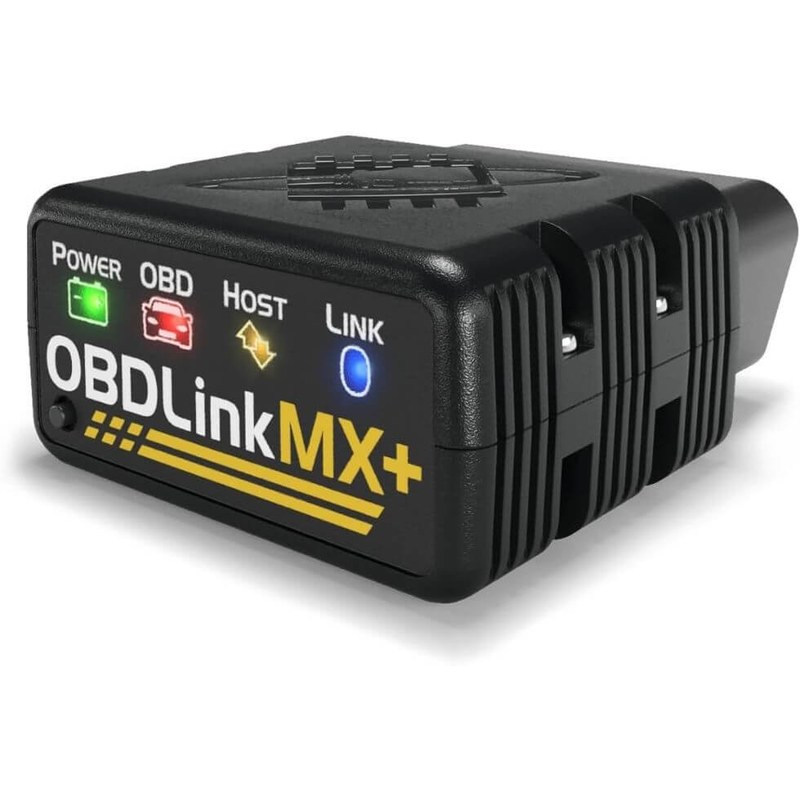
Free access covers the diagnostics most drivers need: reading check-engine codes, clearing codes after a repair, viewing live sensor data, and checking emissions readiness. These come through the official OBDLink app on Android and iOS.
Reading and Clearing Codes on 1996–2026 Vehicles
If the check-engine light is on, the MX+ identifies the trouble code and lets you clear it once the repair is finished. This works on most 1996 and newer US gasoline and diesel light-duty vehicles, up to current 2026 model years. Generic OBD2 codes are covered across that full range.
Clearing a code does not fix the failure. If the light returns immediately, the repair is not complete.
Live Data, Emissions Readiness, and Free App Limitations
Live data includes engine RPM, coolant temperature, vehicle speed, fuel trim, and other sensor values. Emissions readiness shows which monitors have finished their self-tests, which matters before a smog inspection in states that require one.
The free tier has limits. You will not get manufacturer-specific enhanced codes for every brand, and advanced logging or custom dashboards may require an in-app purchase.
Which OBDLink Apps Charge a Subscription and What Do They Unlock?
OBDLink App: Free Version vs. In-App Purchases
The official OBDLink app is free and handles the core functions well. Enhanced diagnostics for select brands are usually sold as in-app purchases, sometimes one-time and sometimes per vehicle. The app does not force a subscription for basic use.
If you want to compare apps side by side, we rank the best free and paid options in our best apps for OBDLink MX guide.
Third-Party Apps: Torque Pro, Car Scanner, and One-Time Payment Options
Torque Pro is a well-known paid app that costs a small one-time fee and works with the MX+ for custom dashboards and logging. Car Scanner ELM OBD offers a free tier with a one-time unlock for advanced features. Both avoid monthly fees.
Other apps may advertise as free but lock useful tools behind a yearly subscription. Read the app store description carefully before you commit.
OBDLink MX+ Compatibility: Model Years, Protocols, and Your Car’s Port
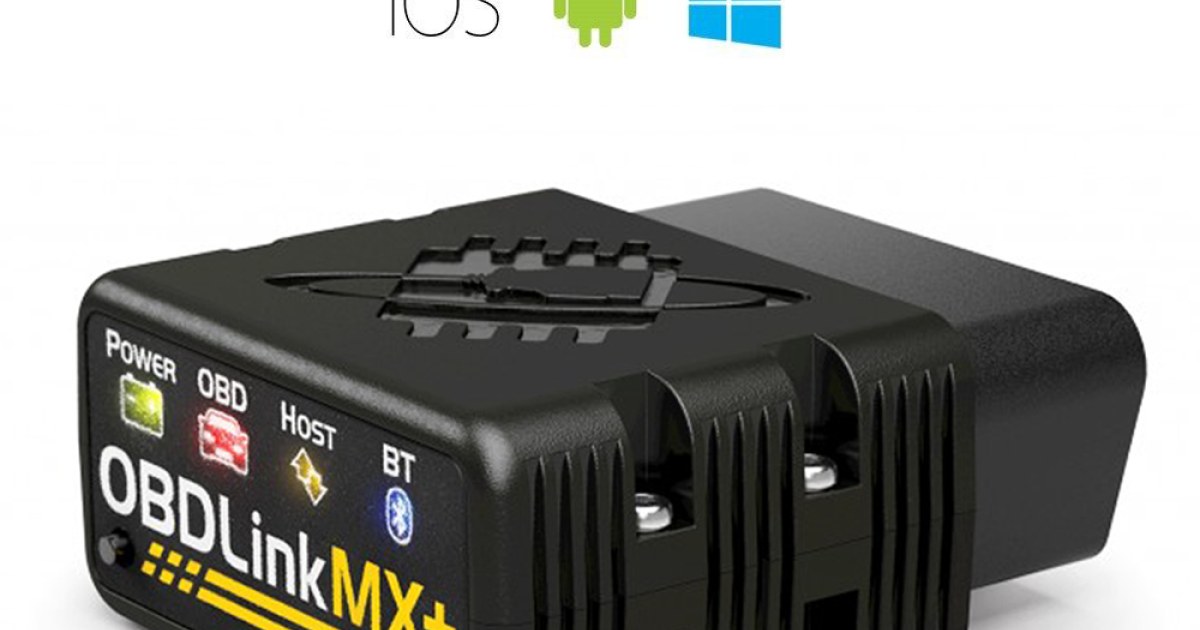
The MX+ supports all five standard OBD2 protocols and pairs with most gasoline and diesel vehicles sold in the US since 1996. It also offers enhanced diagnostics for select Ford, GM, Chrysler, Toyota, and other makes, but coverage depends on the exact year, trim, and engine.
Check: Verify your vehicle’s year, make, model, engine, and OBD2 port location before ordering. Limitations: Enhanced diagnostics are not universal; hybrid and EV coverage varies by brand.
OBD2 Protocol Coverage and Vehicle Fitment (1996–2026)
Because the MX+ speaks all five standard protocols, it works across the full OBD2 range: CAN, KWP2000, ISO 9141-2, and the older J1850 PWM and VPW systems. For US models, the meaningful cutoff is 1996, when OBD2 became standard on light-duty vehicles.
Imported vehicles and heavy-duty trucks may vary. For a brand-by-brand fitment list, see our OBDLink MX compatible vehicles guide.
Port Location, Ignition Mode, Pairing, and TPMS Data Access
The OBD2 port usually sits under the driver’s side dash, near the steering column, sometimes behind a small cover. Plug in the MX+, put the key in the accessory or run position, pair it with your phone over Bluetooth, and open the app.
Some vehicles expose TPMS-related data, including individual tire pressures, through enhanced diagnostics. That is not guaranteed across every make and model, so confirm the feature exists for your vehicle before depending on it.
Hidden Costs and Limitations: Battery, Firmware, and Professional Diagnosis
Battery Voltage, Connection Order, and State of Charge vs. Health
Any OBD adapter draws a small current while the vehicle is off. The MX+ includes a low-power sleep mode to reduce drain, but leaving it plugged in for long periods is a decision that depends on your vehicle and battery condition.
If your battery voltage looks low, remember that voltage measures charge, not health. A battery can show 12.4 volts and still fail under load.
Firmware Updates, Reset Limitations, and When You Need a Pro
Firmware updates for the MX+ are free and are delivered through the OBDLink app. That keeps the adapter current without subscription fees. However, the MX+ is not a replacement for a factory-level scan tool: it cannot perform module coding, software flashing, or manufacturer programming.
For airbag system repairs, transmission programming, advanced driver assistance calibration, or wiring faults, a qualified professional with the right scan tool is the safer choice. And if you clear a code and the check-engine light returns, diagnose the underlying cause before spending more time or money.
OBDLink MX+ vs. BlueDriver vs. FIXD: Subscription-Free Alternatives Compared
Side-by-Side Comparison: Price, App Quality, and Feature Depth
| Option | Best for | Owner consideration | Driver consideration |
|---|---|---|---|
| OBDLink MX+ | DIY owners who want deep live data and enhanced diagnostics for select brands | Higher upfront cost; some app packs are paid add-ons | Compact plug that stays out of the way; pairing happens once |
| BlueDriver | Owners who want simple code reading and repair guidance | No subscription for core app use; optional VIN-based reports may cost extra | Larger adapter, but the app keeps screens simple |
| FIXD | Non-technical drivers who want basic health alerts | Free basic tier; premium subscription unlocks deeper tools | Simpler alerts and fewer live data screens |
Which Adapter Fits Your Driving Style, Budget, and Vehicle?
If you want the deepest data and strongest protocol coverage, the MX+ is the enthusiast choice. If you want a friendly “what is wrong and what should I fix next” experience, BlueDriver is a strong no-subscription alternative. FIXD works for simple alerts, but its premium subscription makes it the least subscription-free option.
We explain BlueDriver’s pricing structure in our separate breakdown on whether BlueDriver needs a subscription.
Privacy, Permissions, and Legal Considerations for OBD Data
App Permissions, Account Requirements, and Data Sharing
An OBD adapter connected to a smartphone is a window into your vehicle’s network. The app you choose can collect diagnostic trouble codes, VIN information, GPS location, and driving behavior. Some apps require an account; others work without one.
State Laws and Who Owns Your Vehicle’s Diagnostic Data
There is no single federal law that settles who owns OBD data in every situation. State laws vary on connected-vehicle data, telematics, and emissions-related code clearing. What is allowed in one state may be treated differently in another.
The Bottom Line: Is the OBDLink MX+ Worth It in 2026?
Evaluation Criteria, Evidence Limits, and Warranty/Support
This assessment is based on manufacturer product documentation, app store listings, and general OBD2 industry practice, not on independent lab testing of a specific unit. Subscription policies, app pricing, enhanced coverage, and warranty terms can change, so verify the current details before buying.
Evaluate the MX+ on three points: whether your vehicle’s make and model has enhanced diagnostics, whether the app you want fits your budget, and whether the OBD2 port is easy to reach on your car. A difficult-to-reach port may push some drivers toward a slimmer adapter.
Ideal User, Drawbacks, Alternatives, and the Transparent Verdict
The MX+ is ideal for the owner who wants serious live data, plans to keep the adapter across several vehicles, and prefers one-time payments over subscriptions. Its main drawbacks are a higher upfront price than budget adapters and the fact that enhanced packs cost extra. If you only need to read one code per year, a cheaper adapter may be enough.
For a deeper look at long-term value, read our full is the OBDLink MX+ worth it review.
- Best for: DIY owners who want deep live data, wide protocol coverage, and no forced subscription.
- Think twice if: You rarely scan codes and want the lowest possible upfront cost.
- Next step: Confirm your vehicle’s compatibility and check current app pricing before ordering.
Frequently Asked Questions
No. The OBDLink MX+ hardware is a one-time purchase and never requires a subscription for core OBD2 functions. The official OBDLink app is free to download and covers basic code reading, live data, and emissions readiness.
Basic code reading, code clearing, live sensor data, and emissions readiness are free through the official OBDLink app. Enhanced diagnostics for specific brands and advanced logging features typically require in-app purchases.
The OBDLink app is free to download and use for core features. Optional enhanced diagnostic packs are sold as in-app purchases, and pricing varies by platform and vehicle brand.
BlueDriver does not require a subscription for core code reading and live data through its free app. FIXD offers a free basic tier, but its premium repair insights and advanced features require a paid subscription.
The MX+ has a low-power sleep mode to reduce battery drain, but leaving any adapter plugged in draws some current. Check your vehicle’s behavior and battery condition, and follow the manufacturer’s guidance.
Use a professional tool or mechanic when you need module coding, software flashing, manufacturer programming, or diagnosis of airbag systems, advanced driver assistance systems, or wiring faults. The MX+ is a diagnostic reader, not a full factory reprogramming tool.