Can You Leave OBDLink Mx Plugged in? Battery Drain Risk Explained
Yes, you can leave the OBDLink MX plugged in for most vehicles with healthy batteries. Unplug it if your battery is weak, your car sits for weeks, or you park in very cold conditions.
If you’re wondering whether you can leave OBDLink MX plugged in without draining your battery, the short answer is yes for most drivers—but the full answer depends on your vehicle, battery health, and how long the car sits. The OBDLink MX is designed with a low-power sleep mode that reduces current draw when the ignition is off, which makes it safer to leave connected than many generic OBD2 adapters.
- Sleep mode: The OBDLink MX drops to a low-power state when the ignition is off, drawing.
- Battery health matters: Healthy batteries handle the tiny draw easily; old or weak batteries may not.
- Compatibility: Works with 1996 and newer OBD2 vehicles, but port location and power behavior vary.
- Safe practice: Unplug for long-term storage, cold winters, or if the vehicle sits unused for weeks.
- Know its limits: The MX reads TPMS data on some vehicles but doesn’t replace a tire gauge.
Can You Leave OBDLink MX Plugged In? The Short Answer
Yes, the OBDLink MX is engineered to stay plugged into the OBD2 port. When the vehicle is turned off, the adapter enters a sleep state that draws a very small amount of current—typically in the low milliamp range. For comparison, a healthy car battery holds roughly 45 to 70 amp-hours of capacity, so a few milliamps of draw over days or weeks is usually negligible.
That said, “usually” is not “always.” If your battery is old, weak, or damaged, or if the vehicle sits unused for several weeks, any parasitic draw can contribute to a no-start condition. The smart approach is to understand your battery’s condition and your driving habits before deciding whether to leave the adapter connected full-time.
How the OBDLink MX Manages Power When Parked
Sleep-Mode Current Draw and System Voltage
The OBDLink MX monitors the vehicle’s electrical system and automatically enters a low-power state when it detects that the ignition is off. In this sleep mode, the adapter stops active communication and reduces its current draw to a very low level. The exact figure depends on the vehicle and firmware version, but it’s designed to be small enough that the manufacturer intends the adapter to remain plugged in.
System voltage also plays a role. A healthy battery sits around 12.6 volts when fully charged. If the voltage drops below about 12 volts, the battery is significantly discharged. The MX doesn’t cause that drop by itself, but it adds to the baseline draw that already exists from your vehicle’s clock, security system, and other always-on electronics.
Ignition Modes: Key-Off, Accessory, and Running
The OBDLink MX behaves differently depending on the ignition state. With the key off, it enters sleep mode. In accessory mode, it may power up and begin listening for commands. With the engine running, it’s fully active and can stream live data.
One practical point: if you’re working on the vehicle with the key in accessory mode for a long time, the adapter will be awake and drawing more power. That’s not a defect—it’s normal behavior. But it’s worth remembering if you’re doing a long diagnostic session with the engine off.
When Battery Drain Becomes a Real Risk
State of Charge vs. Battery Health and Chemistry
A battery’s state of charge tells you how full it is right now. Its health tells you how well it can hold and deliver that charge over time. A three-year-old battery in good condition can handle a tiny parasitic draw for weeks. A six-year-old battery with sulfated plates may struggle after just a few days.
Battery chemistry matters too. Standard lead-acid batteries and AGM batteries both lose capacity as they age, though in slightly different ways. If you’re not sure about your battery’s condition, a simple load test at an auto parts store can give you a clear answer.
Damaged-Battery Stop Conditions and Cold-Climate Effects
If your battery has a swollen case, cracked terminals, or a strong sulfur smell, stop relying on it entirely. A damaged battery can fail suddenly and may even leak or vent dangerous gases. In that situation, the OBDLink MX is not the problem—the battery is—and you should address it before worrying about parasitic draw.
Cold weather makes everything worse. Low temperatures slow the chemical reactions inside a battery, reducing its available cranking power. A small draw that’s harmless in July can leave you stranded in January. If you live in a cold climate and park outside, unplugging the adapter during winter months is a reasonable precaution.
OBD2 Compatibility: Vehicles, Model Years, and Port Location
Protocol Coverage by Model Year
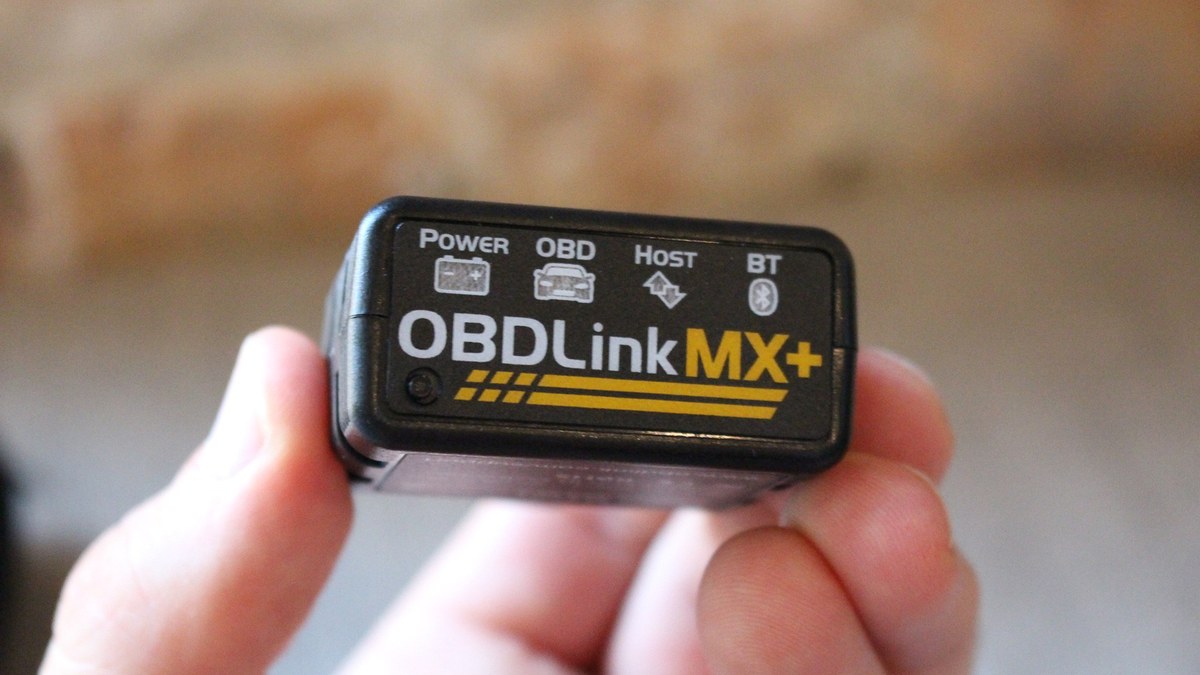
The OBDLink MX supports all five OBD2 protocols used in the United States. That means it works with virtually any gasoline vehicle from 1996 onward, plus many hybrids and newer diesel vehicles. The MX+ adds support for additional manufacturer-specific protocols like GM SW-CAN and Ford MS-CAN, which unlock enhanced data on those vehicles.
Model-year coverage is broad, but it’s not unlimited. Vehicles older than 1996 may use OBD1 or manufacturer-specific connectors that the MX cannot read. For newer vehicles, the adapter’s firmware updates help maintain compatibility as protocols evolve.
Check: Verify your make, model, year, and trim against the OBDLink compatibility list before buying. Limitations: The MX does not read OBD1 vehicles, and some enhanced data features require the MX+ model. Check the manufacturer’s compatibility page for your specific vehicle.
For a deeper dive into which cars work with this adapter, check our guide on OBDLink MX compatible vehicles.
Port Location, Physical Fit, and Ignition Mode
The OBD2 port is usually under the dashboard on the driver’s side, within reach of the steering column. Some vehicles hide it behind a panel, in the center console, or near the fuse box. The OBDLink MX is compact, but it still needs enough clearance to plug in and sit flush.
In some vehicles, the port is angled downward or recessed, which can make the adapter hang awkwardly. A right-angle OBD2 extension cable can solve that problem, but it adds another connection point. Also, check whether the port is powered in accessory mode or only with the engine running—this varies by vehicle and affects when the adapter wakes up.
Installation, Connection Order, and Hybrid/EV Cautions
Correct Connection and Disconnection Order
Connect the OBDLink MX to the vehicle’s port before starting the engine. This lets the adapter power up cleanly and establish communication with the vehicle’s modules. When you’re done, turn off the ignition before unplugging the adapter.
This order matters because plugging or unplugging a diagnostic tool while the ignition is live can cause voltage spikes that confuse the vehicle’s computers. It’s rare, but it’s also easy to avoid by following the correct sequence.
- Confirm your vehicle’s port location and clearance before installing
- Plug in the adapter with the ignition off, then start the vehicle
- Unplug the adapter after turning off the ignition
- Check the vehicle and OBDLink manuals for model-specific instructions
- Plug or unplug the adapter while the engine is running
- Force the adapter into a tight port—use an extension if needed
- Leave the adapter dangling where it could hit your knee or pedals
- Assume the port is powered the same way on every vehicle
For a full walkthrough, see our guide on how to use the OBDLink MX.
Hybrid and EV Battery Cautions
Hybrid and electric vehicles require extra care. Just because the gas engine is silent doesn’t mean the high-voltage system is off. The 12-volt auxiliary battery in a hybrid or EV can still be charged by the high-voltage battery pack, sometimes without warning.
Before working on any hybrid or EV, consult the vehicle manual. Some manufacturers recommend disconnecting the 12-volt battery before unplugging diagnostic tools, while others have specific procedures for the OBD2 port. When in doubt, follow the vehicle manual or work with a qualified technician.
Code Reading, Live Data, Emissions Readiness, and Reset Limits
Code and Live-Data Limits
The OBDLink MX reads generic powertrain codes (P0xxx) on all OBD2 vehicles. The MX+ expands that to include manufacturer-specific codes on many brands. Both models stream live data like engine RPM, coolant temperature, and fuel trim, but the amount of data depends on the vehicle’s available PIDs.
Neither model is a full professional scan tool. They can’t program keys, perform bidirectional tests on most systems, or access every module in the vehicle. For those tasks, you need a higher-end scan tool or a professional technician.
Emissions Readiness, Reset Limitations, and State Inspection Rules
Clearing diagnostic trouble codes also resets the vehicle’s emissions readiness monitors. After a code clear, the vehicle needs to complete a specific drive cycle before those monitors show “ready” again. If your state requires an OBD2 emissions inspection, a vehicle with incomplete readiness monitors will fail.
The OBDLink MX can display readiness status, which is helpful before heading to an inspection station. But it can’t force the monitors to complete faster. You need to drive the vehicle through the proper cycle. Emissions inspection rules vary by state—some allow one or two “not ready” monitors, while others require all to be ready. Check your state’s current requirements before clearing codes or scheduling a test.
App Permissions, Firmware, and Data Privacy
App Permissions and Privacy
The OBDLink app connects to the adapter over Bluetooth. On some Android versions, Bluetooth scanning requires location permission, even though the app doesn’t track your location. The app may also request storage access for saving logs and screenshots.
Your vehicle’s VIN, diagnostic trouble codes, and live data are transmitted from the adapter to your phone over Bluetooth. The OBDLink app stores this data locally on your device unless you choose to share it. Still, it’s worth reviewing the app’s privacy policy to understand how your data is handled.
If you’re wondering whether the OBDLink app requires a paid subscription, we’ve covered that separately in our OBDLink MX subscription guide.
Firmware Updates and Compatibility
OBDLink periodically releases firmware updates that improve compatibility, fix bugs, and add support for newer vehicles. The app handles firmware updates over Bluetooth, so you don’t need a computer. It’s a good idea to check for updates a few times a year, especially after buying a newer vehicle.
Firmware updates can also change power behavior. If you notice the adapter staying awake longer after an update, check the release notes. If the adapter stops connecting after an update, our OBDLink MX not connecting guide covers common fixes.
OBDLink MX vs. OBDLink MX+ vs. Generic Adapters
Side-by-Side Comparison: Power Draw, Speed, App, Price, and Warranty
The OBDLink MX and MX+ share the same low-power sleep design and the same companion app. The MX+ adds faster processing, enhanced diagnostics for several brands, and support for additional protocols like GM SW-CAN and Ford MS-CAN. Both are significantly more reliable than generic ELM327-style adapters, which often use cloned chips with inconsistent firmware.
| Option | Best for | Owner consideration | Driver consideration |
|---|---|---|---|
| OBDLink MX | Drivers who want reliable OBD2 diagnostics at a mid-range price | Lower cost than MX+; all standard protocols covered | Low sleep-mode draw; safe to leave plugged in for most drivers |
| OBDLink MX+ | Owners who want enhanced data for Ford, GM, Chrysler, and Toyota | Higher upfront cost; faster processor and extra protocols | Same sleep-mode design; enhanced data can help spot issues earlier |
| Generic ELM327 adapter | Budget buyers who only need to read basic codes | Cheapest option; quality and reliability vary widely | Some clones draw far more current in sleep mode and may drain the battery |
Price and warranty terms vary by retailer and current promotions, so check the manufacturer’s page and the retailer’s return policy before buying. The MX and MX+ typically include a limited warranty, but the exact term and coverage can change.
Which Adapter Fits Different Drivers and Vehicles
Choose the standard MX if you drive a mainstream gasoline vehicle from 2008 or newer and just need reliable code reading, live data, and emissions readiness checks. Choose the MX+ if you own a Ford, GM, Chrysler, or Toyota and want access to manufacturer-specific data like transmission temperature, ABS codes, or battery health readings.
Avoid generic adapters if you plan to leave the tool plugged in. Many cheap ELM327 clones lack proper sleep circuitry and can draw far more current in sleep mode, which adds up quickly on a parked vehicle. The OBDLink MX’s sleep design is one of the main reasons it’s worth the higher price.
Maintenance, Storage, and When to Unplug for Good
Storage Conditions, Inspection, and Why the MX Is Not a Roadside Emergency Tool
If you decide to unplug the OBDLink MX, store it in a cool, dry place away from direct sunlight. Check the connector pins for dirt or corrosion before reinstalling. The adapter itself has no user-serviceable parts, so if it fails, contact the manufacturer about warranty coverage.
Keep in mind that the OBDLink MX is a diagnostic tool, not a roadside emergency device. It can read a check-engine code, but it can’t fix a flat tire, jump-start a dead battery, or replace a failed alternator. If you’re building a roadside kit, include tools that address those physical emergencies first. For a solid starting point, see our list of tools every car owner should keep in the trunk.
TPMS, Tire Pressure, Inflator Limits, and When Professional Diagnosis Is Needed
The OBDLink MX can read tire pressure monitoring system (TPMS) data on many vehicles, especially with the MX+ and its enhanced diagnostics. That’s useful for spotting a low tire before it becomes a problem. But the adapter reads sensor data—it doesn’t measure your tire pressure directly, and it can’t inflate a tire.
Always verify TPMS readings with a physical tire pressure gauge, and check the pressure when the tires are cold. The correct pressure is listed on the vehicle’s door placard, not on the tire sidewall. If you use a portable inflator, remember that most have duty-cycle limits—they need to cool down after a few minutes of continuous use. And if a TPMS warning stays on after you’ve adjusted the pressure, the sensor may be failing, or the system may need a relearn procedure. At that point, a professional tire shop is the safer choice.
If you’re dealing with a slow leak, the OBDLink MX won’t help you decide whether to plug or replace the tire. That’s a judgment call based on the puncture location and size. When in doubt, have a tire professional inspect it.
- Best for: Drivers with healthy batteries who want the convenience of always-ready diagnostics and who drive their vehicle at least every few days.
- Think twice if: Your battery is old or weak, you live in a cold climate, or your vehicle sits unused for weeks at a time—unplug it when parked.
- Next step: Check your vehicle’s OBD2 port location, confirm battery health with a load test, and review the OBDLink compatibility list for your exact make and model.
Frequently Asked Questions
In most cases, no. The OBDLink MX enters a low-power sleep mode when the ignition is off, drawing only a few milliamps. However, if your battery is old, weak, or your vehicle sits for weeks, any parasitic draw can contribute to a no-start.
The exact figure depends on the vehicle and firmware version, but the manufacturer designed the adapter to remain plugged in. The draw is small enough that a healthy battery can handle it for days or weeks without issue.
If your vehicle will sit unused for more than two weeks, unplugging is the safer choice. A healthy battery can usually handle the small draw, but cold weather and battery age change the risk.
Yes, the OBDLink MX supports all five OBD2 protocols used in the US, covering gasoline vehicles from 1996 onward. Vehicles older than 1996 typically use OBD1 or proprietary connectors that the MX cannot read.
Yes, but you must follow the vehicle manufacturer’s procedures. A hybrid or EV can have its high-voltage system active even when the gas engine is off. Consult the vehicle manual before connecting or disconnecting any diagnostic tool.
No, but clearing codes resets emissions readiness monitors. If your state requires an OBD2 inspection, make sure the monitors are ready before the test. The OBDLink app can show readiness status.