Innova 5610 Bidirectional OBD2 Scanner Manual for Safe Setup
The Innova 5610 is a solid middle-ground scanner for U.S. drivers who want more than basic code reading without jumping to dealer-level tools. It is most useful when you verify compatibility first, use it parked, and treat code clearing as the last step, not the first.
Innova 5610 bidirectional OBD2 scanner manual guidance matters because the tool can help you diagnose faults, but only if you set it up safely and understand its limits. This guide explains what the Innova 5610 does, who should use it, and how to start without risking bad data, lost codes, or avoidable mistakes.
- Compatibility first: Most U.S. use cases start with 1996-and-newer OBD2 vehicles, but exact support still varies.
- Scan before clearing: Save codes and freeze-frame data before you reset anything, or you may erase the.
- Bidirectional is limited: Active tests can help, but they do not replace dealer-level programming or deep module.
- Use parked and powered: Start with stable battery voltage, correct ignition mode, and the vehicle safely stationary.
- Privacy matters: If the scanner uses an app, review permissions and data-sharing settings before pairing.
Innova 5610 Bidirectional OBD2 Scanner Manual: What It Does, Who It’s For, and What You Should Expect
The Innova 5610 is aimed at drivers who want more than a basic code reader but do not need a full shop-level scan platform. In practical terms, that usually means people who want clearer fault-code information, live data, emissions checks, and some active-test capability, while still keeping the process simple enough for home use.
Quick answer: setup basics, core features, and the safest way to start
Start with the vehicle parked, the ignition in the correct mode, and the OBD2 connector fully seated before you open any app or clear anything. Record codes first, because clearing them too early can erase the clues that help explain the fault.
If your vehicle is compatible, the 5610 can be a strong middle-ground tool for code reading, live data, readiness checks, and selected bidirectional functions. For a broader picture of scanner types, see our guide to the differences between Bluetooth and wired OBD2 scanners.
Who benefits most: DIY owners, used-car buyers, and light repair users
DIY owners benefit because the scanner can turn a warning light into a more specific starting point. Used-car buyers can use it to look for stored faults, readiness issues, and signs that a seller may have recently cleared codes.
Light repair users, such as commuters who handle basic maintenance or families who want a clearer picture before a shop visit, also get value from the 5610. If you only want a simple code reader, a smaller tool may be enough, but if you want more diagnostic depth, the extra capability can be worth it.
Before You Plug In: Vehicle Compatibility, Model-Year Coverage, and OBD2 Protocol Limits
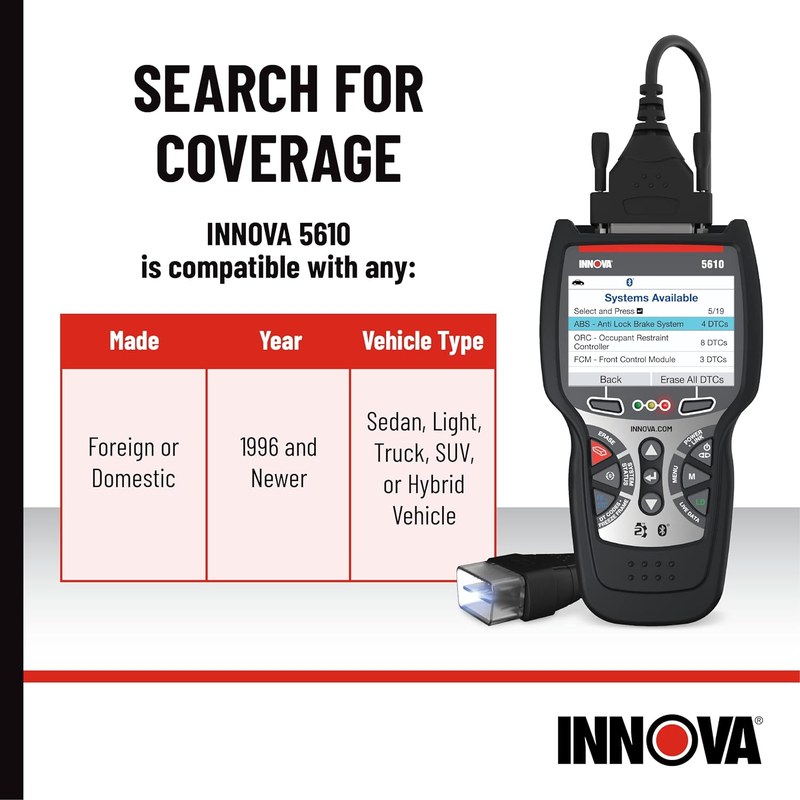
Compatibility is the first thing to verify. The scanner may be powerful, but it still depends on the vehicle’s model year, port type, and supported communication protocols.
Check: Verify make, model, year, trim, voltage, ports, mounting space, and OEM requirements. Limitations: State verified exclusions.
Supported model years in the U.S. and why pre-1996 vehicles are different
In the U.S., OBD2 became standard on most passenger vehicles starting with the 1996 model year. Earlier vehicles often use different connectors, different data standards, or no OBD2 support at all, so a modern scanner may not communicate with them the way you expect.
That means a 5610-style scanner is mainly a fit for OBD2-compliant vehicles, not classic cars or older trucks without the right diagnostic system. If you are unsure about fit, check the vehicle manual and the scanner’s current compatibility list before buying.
Protocol coverage, CAN support, and why some systems stay out of reach
Most modern U.S. vehicles use CAN-based communication, but not every module or system is exposed through a consumer scanner. A bidirectional tool may access more functions than a basic reader, yet it still may not reach every manufacturer-specific system, security function, or calibration routine.
That is why “bidirectional” does not mean “full control of the whole vehicle.” It usually means the scanner can send certain commands to supported systems, such as selected tests or resets, while other functions remain locked behind dealer tools or subscription services.
When a bidirectional scanner is useful versus when a professional tool is needed
A bidirectional scanner is useful when you want to confirm a suspected issue, run a limited active test, or check whether a component responds as expected. It is less useful when the problem involves airbag systems, immobilizer programming, module coding, or complex drivability faults that need deeper manufacturer data.
For a simple comparison of scanner tiers, our overview of the cheap vs expensive OBD2 scanner tradeoff can help you decide whether this class of tool matches your needs.
Safe Setup Steps for the Innova 5610: Port Location, Ignition Mode, and Connection Order
Good setup is about preventing avoidable errors. Most scanner problems come from loose connections, low vehicle voltage, wrong ignition position, or trying to use the tool before the vehicle is ready.
- Confirm vehicle, tool, voltage, port, tire, or battery compatibility
- Follow the vehicle and tool instructions in the correct order
- Inspect, store, and maintain the tool after use
- Clear codes before recording useful diagnostic information
- Work near traffic, moving parts, heat, or damaged batteries without proper precautions
- Rely on an unverified specification or temporary repair as a permanent fix
Finding the OBD2 port and checking for damage before connecting
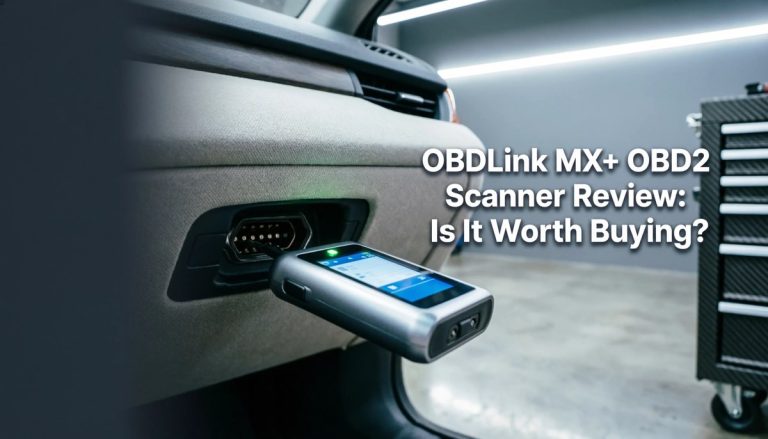
The OBD2 port is usually under the dashboard near the steering column, but the exact location varies by vehicle. Before plugging in, look for bent pins, loose plastic, broken clips, or signs that the port has been damaged by prior use.
If the connector feels forced or angled, stop and inspect it. A bad port connection can cause communication errors, intermittent power, or false “no link” messages that waste time and create confusion.
Correct connection order, stable power, and avoiding low-voltage errors
The safest order is usually: vehicle parked, ignition off if the manual says so, connect the scanner, then switch the ignition to the required mode. Some vehicles and some scanner functions may behave differently, so the tool manual should always come first.
Stable battery voltage matters because weak power can interrupt communication. If the vehicle battery is already low, the scanner may show incomplete data, fail to connect, or drop out during a test.
Ignition ON, engine OFF, and when running the engine changes the test
For many diagnostic tasks, ignition ON and engine OFF is the correct starting point. That mode powers the modules without adding engine noise, charging-system changes, or extra sensor activity that can complicate interpretation.
Running the engine changes live data in a meaningful way. That can help when you are checking charging voltage, idle behavior, or sensor response, but it can also make some tests harder to read and should only be done when the manual or the diagnostic step calls for it.
App permissions, pairing, and firmware update precautions
If the scanner uses an app or wireless pairing, review permissions before connecting it to your phone. A connected diagnostic tool may request Bluetooth, location, storage, or account access, and those permissions should match the actual feature set.
Firmware updates can improve compatibility, but they also deserve caution. Update only with stable power, a reliable connection, and the exact instructions from the manufacturer so you do not interrupt the process.
Power, Battery, and Electrical Safety: What the Scanner Can Reveal and What It Cannot
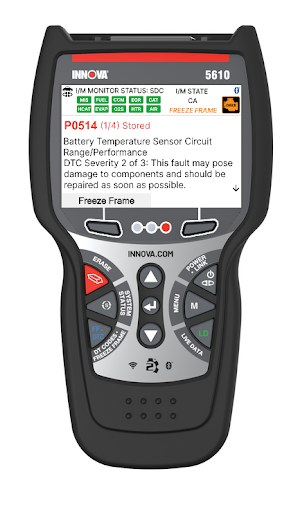
Many owners use a scanner to understand electrical problems, but it is important to separate what the tool can measure from what it cannot prove. A voltage reading is helpful, yet it is not the same as a full battery or charging-system diagnosis.
System voltage, battery chemistry, and why state of charge is not the same as battery health
The scanner can often show system voltage or related live data, which helps you spot weak power, charging issues, or unstable electrical behavior. But a healthy voltage reading does not guarantee the battery is healthy under load.
State of charge tells you how full the battery is at that moment. Battery health is different, because a battery can look charged and still fail to deliver current when the starter, accessories, or modules demand more power.
Damaged-battery stop conditions, weak-12V warnings, and hybrid/EV cautions
If the 12V battery is swollen, leaking, hot, or visibly damaged, stop and follow the vehicle and battery manufacturer instructions. Do not keep cycling the scanner or running electrical tests on a battery that may be unsafe.
Hybrid and EV owners should be extra careful because some systems use high-voltage components that are not appropriate for casual DIY work. A scanner may still read certain low-voltage or network faults, but it does not make high-voltage service safe.
Safe use around jump packs, chargers, and electrical accessories
When a jump pack or charger is connected, keep cables clear of fans, belts, and hot surfaces. A scanner can be used alongside normal electrical checks, but it should never distract you from the safer connection order or the charger instructions.
Codes, Live Data, Readiness Monitors, and Reset Limits: How the 5610 Helps Diagnose Problems
This is where the scanner becomes most useful for everyday owners. It can help you see what the computer saw, what the vehicle is doing now, and whether the car is ready for an emissions inspection.
Reading and clearing codes: what it can do and what clearing may erase
Reading codes helps identify the system that reported a fault. Clearing codes can turn off a warning light, but it can also erase freeze-frame data and reset readiness monitors, which may remove useful clues.
That is why the safest habit is to save or write down the code first, then decide whether clearing makes sense. If the same code returns quickly, the scanner has done its job by confirming that the problem is still active.
Live-data limits, freeze-frame data, and how to interpret common patterns
Live data is helpful because it shows sensor and system behavior in real time. Still, the value depends on the vehicle, the PID support, and the way the scanner presents the information.
Freeze-frame data is a snapshot of conditions at the moment a code set. It can point you toward load, temperature, speed, or voltage patterns that matter more than the code number alone.
Emissions readiness monitors, inspection prep, and why a reset is not a repair
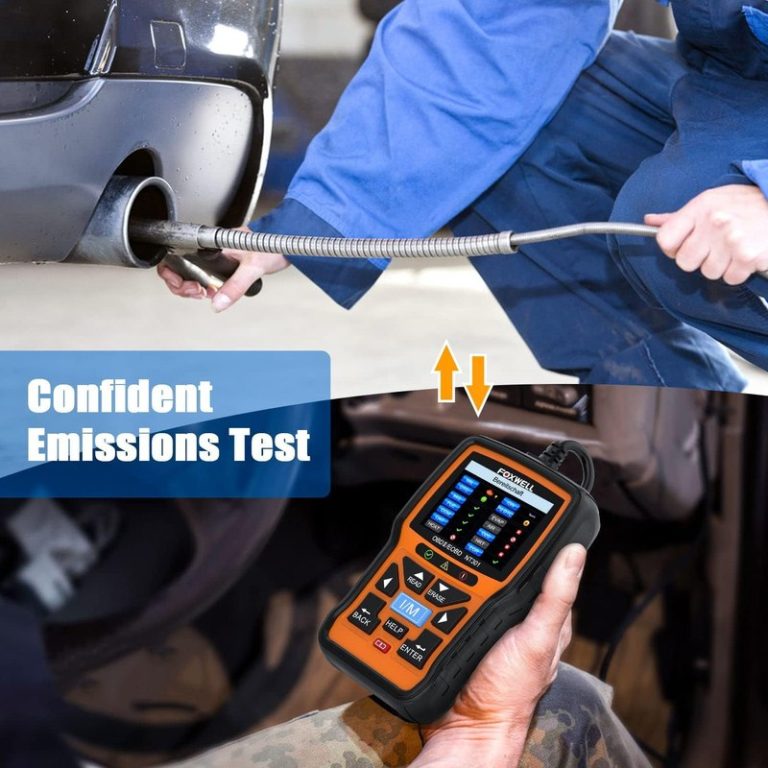
Readiness monitors help show whether the vehicle has completed its self-checks. If they are not ready, an emissions inspection may fail even if the check-engine light is off.
A reset is not a repair because it only clears the symptom from the display. If the root cause remains, the code and monitor problem usually come back after the drive cycle.
When the scan points to a professional diagnosis instead of another DIY step
Stop the DIY loop when the scanner shows repeating faults, multiple related codes, or symptoms that do not match a simple sensor swap. That is often the point where deeper testing, wiring checks, or manufacturer-level diagnostics are more efficient.
If you are comparing broader scan-tool options, our page on the best OBD2 scanner choices can help you decide whether a more advanced platform fits your vehicle and budget better.
Bidirectional Functions Compared: Where the Innova 5610 Fits Against Basic and Higher-End Scanners
Bidirectional capability is the feature that separates the 5610 from many basic readers, but it still sits below the depth of many dealer-level or premium professional tools. The real question is which tasks you want to do yourself.
Side-by-side comparison: code reading, live data, active tests, and reset functions
| Option | Best for | Owner consideration | Driver consideration |
|---|---|---|---|
| Basic code reader | Quick check-engine light reading | Lower cost, fewer features, simple upkeep | Usually easiest to use with less menu depth |
| Innova 5610 class scanner | DIY diagnosis and selected active tests | More capability, more setup and learning | More useful data, but more menus can mean more distraction when parked |
| Professional scan tool | Deep module access and advanced service work | Higher ownership cost and more training needed | Best kept for stationary use and complex jobs |
Which driver profile fits each option: commuter, DIY mechanic, or multi-vehicle household
Commuters who only want to know why a warning light came on may be better served by a simpler reader. DIY mechanics and multi-vehicle households usually get more value from a bidirectional tool because it can handle more situations without a shop visit.
Parents and road-trip users often appreciate the extra confidence of a scanner that can help them decide whether a warning is minor or urgent. That said, the best tool is still the one you can use safely and correctly under pressure.
Value comparison: ownership cost, support, update needs, and long-term usefulness
Ownership value is not just the sticker price. It also includes update support, menu clarity, warranty terms, and whether the tool will still fit your vehicles in a few years.
A scanner with strong compatibility and clear diagnostics can reduce repeat shop visits for simple issues, help you document a recurring fault, and make used-car decisions easier.
If you want a broader feature comparison, the article on OBD2 scanners without subscription is useful for understanding the long-term cost side of ownership.
Tire, TPMS, and Roadside Checks: Using Diagnostic Tools Safely and Knowing the Limits
Although the 5610 is a diagnostic scanner first, many owners use it alongside roadside checks and routine maintenance. The key is to keep each tool in its proper role and avoid assuming one device can solve everything.
Door-jamb placard, cold pressure, and gauge accuracy before inflating tires
Before inflating or checking tires, use the pressure listed on the driver’s door-jamb placard, not the number molded into the tire sidewall. Measure pressure when the tires are cold for the most accurate reading.
A scanner cannot replace a good tire gauge. If you are doing roadside tire work, verify pressure with a dedicated gauge before and after any inflation step.
Inflator duty cycle, tool completeness, cable or pack condition, and storage conditions
If you are also carrying an inflator, check its cable, hose, power source, and storage condition before you need it. Heat, moisture, and rough storage can damage emergency tools long before they are used.
A scanner stored in a hot trunk or damp glove box may also age poorly. Keep connectors clean, cords untangled, and the case closed so the tool is ready when you need it.
TPMS relearn limits, puncture location, temporary-repair limits, and repair thresholds
TPMS data can help you understand a warning light, but it does not tell you whether a tire is safe to keep driving on. A puncture near the sidewall, a damaged bead, or a tire that will not hold pressure may need professional repair or replacement.
Temporary sealants and plug kits have limits. If the tire is badly damaged, losing air quickly, or showing structural damage, the safer move is to stop driving and get proper service.
Traffic visibility, safe location, and post-use inspection after roadside work
Work only in a safe location with good visibility. If you are on the shoulder, stay aware of traffic, use hazard lights only as appropriate under local rules, and avoid standing in an exposed lane-side position longer than necessary.
Maintenance, Privacy, Legal Variation, and Final Verdict for U.S. Owners
The last step is long-term ownership. A diagnostic tool is only useful if it stays updated, stored safely, and used in a way that respects privacy and local rules.
Keeping the scanner updated, stored, and ready for the next use
After use, disconnect the tool carefully, inspect the cable and connector, and store it where heat and moisture are limited. If the manufacturer offers firmware updates, keep them current when needed for compatibility or bug fixes.
App permissions, data privacy, and what vehicle information may be shared
Connected diagnostic tools may collect or transmit VIN data, fault codes, live-data snapshots, and account details. Before pairing, review the app permissions and the privacy policy so you know what is stored locally and what may be shared online.
That matters most for owners who lend the tool to family members, manage several vehicles, or use cloud-based features. Privacy is not a reason to avoid the tool, but it is a reason to read the setup screens carefully.
Legal and inspection differences by state, plus when local rules affect use
Inspection rules, emissions requirements, and roadside repair expectations vary by state. A code clear that is acceptable for one purpose may still leave you with an inspection failure or a legal issue if local rules require a completed readiness cycle.
Warranty, support expectations, limitations, ideal user/vehicle, alternatives, and transparent verdict
Before buying, confirm warranty terms, support channels, update policy, and return options. Those details matter because a scanner’s value depends on whether it keeps working with your vehicle and whether help is available when menus or pairing become confusing.
- Best for: U.S. drivers who want a mid-level scanner for code reading, live data, readiness checks, and selected bidirectional diagnostics.
- Think twice if: You need full dealer-level module access, complex programming, or the simplest possible code reader.
- Next step: Verify your vehicle’s model year, OBD2 support, and the latest manual or app requirements before you buy.
Common Questions
Yes, if you want more than a basic code reader and are willing to learn a few menus. It is best for owners who can follow the manual and work while parked.
Yes, because it can read readiness monitors and stored codes. It cannot guarantee a pass if the vehicle has not completed its self-checks.
Not usually if the vehicle is pre-OBD2 or otherwise outside standard 1996-and-newer U.S. coverage. Check the exact year and system before buying.
No. It can send certain commands to supported systems, but it cannot handle every module, coding task, or repair.
No. Read and save the code first so you keep freeze-frame and fault clues. Clear only after you understand why the fault appeared.
Frequently Asked Questions
It is mainly for OBD2-compliant vehicles, which in the U.S. generally means most 1996-and-newer passenger vehicles. Exact support can vary by make, model, trim, and software version.
Usually no. Many diagnostic checks start with ignition ON and engine OFF, unless the manual says the engine must be running for a specific test.
Yes, if the vehicle and function are supported. Clearing codes can erase freeze-frame data and reset monitors, so record the fault first.
A weak battery can cause connection problems or failed scans. If the battery is damaged, swollen, leaking, or hot, stop and follow the vehicle and battery maker’s instructions.
Connected scanners and apps may collect VINs, codes, live data, and account details. Review app permissions and the privacy policy before pairing.
Check model-year compatibility, OBD2 support, app or firmware requirements, warranty terms, and whether the functions you want are supported on your vehicle.