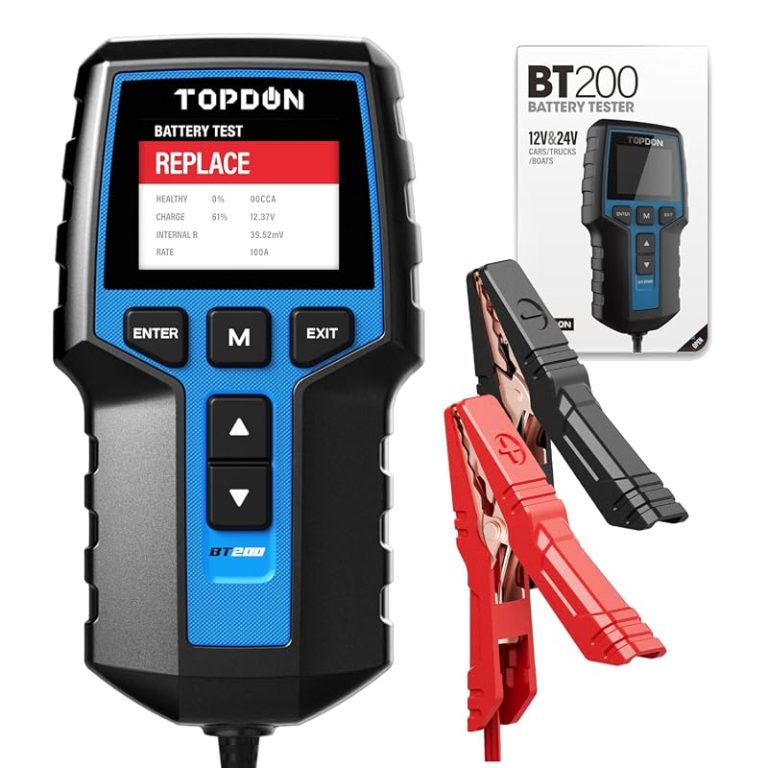
TOPDON BT200 User Manual: Battery Test Steps and Safety Tips
The TOPDON BT200 is best for quick 12V battery and charging checks, not deep vehicle diagnostics. Use it only on compatible batteries, and stop immediately if the battery looks damaged or unsafe.
TOPDON BT200 User Manual questions usually come down to one thing: how do you test a 12V battery safely and understand what the result actually means? This guide walks through the BT200’s battery-test steps, basic limits, and the safety checks that matter most before you trust any reading.
- Best use: Quick 12V battery, cranking, and charging checks.
- Safety first: Stop on swelling, leaks, heat, or cracked battery cases.
- Compatibility: Verify voltage, battery type, and vehicle support before use.
- Limits: It can suggest a fault, but not always name the exact bad part.
- Ownership: Store the clamps clean and dry to keep readings dependable.
TOPDON BT200 User Manual: What It Does, Who It’s For, and the Fastest Safe Way to Use It
Quick answer: battery test steps, safety priorities, and what results the BT200 can and cannot confirm
The fastest safe workflow is simple: confirm the vehicle uses a compatible 12V battery, connect the clamps correctly, let the tester read resting voltage, then run the battery, cranking, and charging checks if the tool supports them for your setup. If the battery case is swollen, leaking, cracked, or hot, stop and follow the vehicle and battery manufacturer instructions instead of continuing.
The BT200 can help you spot a weak battery, a charging-system problem, or a starter-related voltage drop, but it cannot fully diagnose every no-start condition on its own. A low reading tells you something is wrong; it does not always tell you whether the battery, alternator, cables, or starter is the only cause.
TOPDON BT200 Basics: Battery, Charging, and Starter-System Testing Explained
12V system voltage, battery chemistry coverage, and state of charge versus battery health
The BT200 is aimed at common 12V vehicle electrical systems. That matters because a battery’s state of charge is not the same as its overall health. A battery can look charged but still have poor reserve capacity, high internal resistance, or weak cold-cranking performance.
For drivers, that difference is important. A battery tester can show whether the battery is low on charge, but it can also suggest whether the battery is aging out and may fail again even after a full recharge. That is why a single voltage reading should never be the only decision point.
What the BT200 can measure on cars, trucks, SUVs, and powersports vehicles
For most passenger vehicles, the BT200 is best used on the main 12V starter battery. That usually includes many cars, light trucks, SUVs, and some powersports applications that still rely on a 12V battery for starting or accessories. Exact fit depends on the battery type, system design, and the vehicle’s own instructions.
Check: Verify make, model, year, trim, voltage, ports, mounting space, and OEM requirements. Limitations: 6V systems, high-voltage traction batteries, and specialty electrical layouts may not be supported.
If you want a broader view of the brand’s lineup, our Topdon battery tester comparison guide can help you separate basic battery checks from tools that do more diagnostic work. For readers comparing small testers, the BT100 vs. BT200 battery tester breakdown is also useful.
When a weak reading means charging trouble, battery aging, or a starter issue
A weak battery result can point in several directions. If the battery is low after sitting, the issue may be normal discharge or a parasitic draw. If it tests weak after a full charge, the battery may be worn out. If voltage drops hard only while cranking, starter load or cable resistance may be part of the problem.
Charging-system readings matter too. If the battery starts weak but tests okay after charging, the alternator or drive pattern may be the real issue. Short trips, cold weather, and long storage can all make a healthy battery look worse than it is.
Step-by-Step BT200 Battery Test Guide for 2026 Drivers
Correct connection order, clamp placement, and avoiding sparking or reverse polarity
Start with the vehicle parked, in a safe location, and turned off unless the test mode specifically calls for the engine running. Make sure the tester leads are in good condition, then connect the clamps firmly to the battery terminals or the points named in the manual. Positive to positive and negative to negative is the basic rule.
Keep your face and hands away from the battery while making the first connection. Good contact matters because loose clamps can create false readings and may increase the chance of sparking. If the clamps are dirty or corroded, clean them carefully before testing.
- Confirm the battery is a compatible 12V unit before testing
- Attach the clamps with correct polarity and solid contact
- Follow the test order shown in the manual
- Reverse the clamps to “see what happens”
- Test a visibly damaged battery
- Work near open flame, sparks, or smoking materials
Battery test workflow: resting voltage, cranking test, charging test, and result interpretation
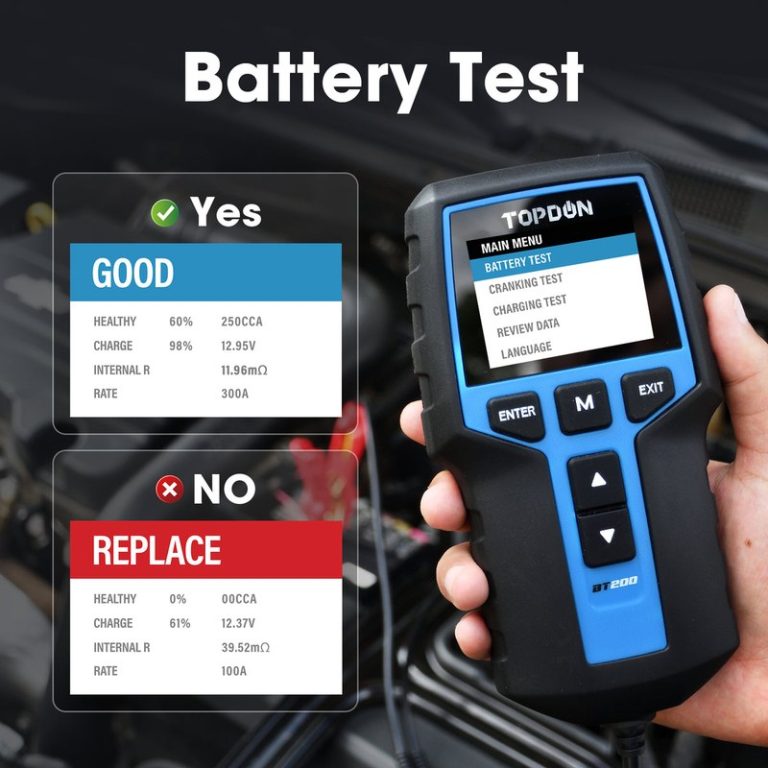
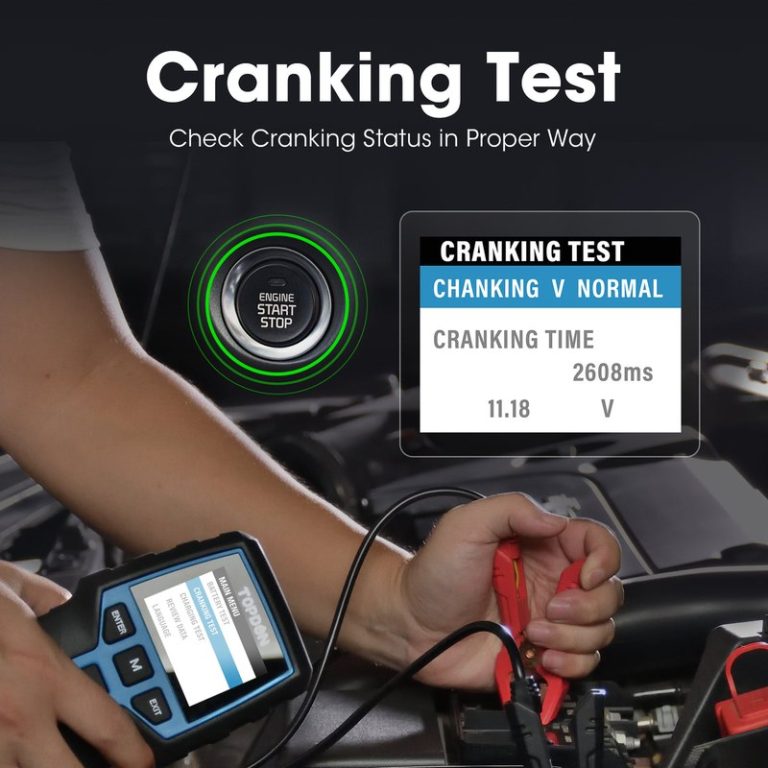
Begin with the resting battery check. This gives you a baseline and shows whether the battery is already low before the engine is started. Next, if the manual supports it, perform the cranking test so you can see how far voltage drops while the starter draws current.
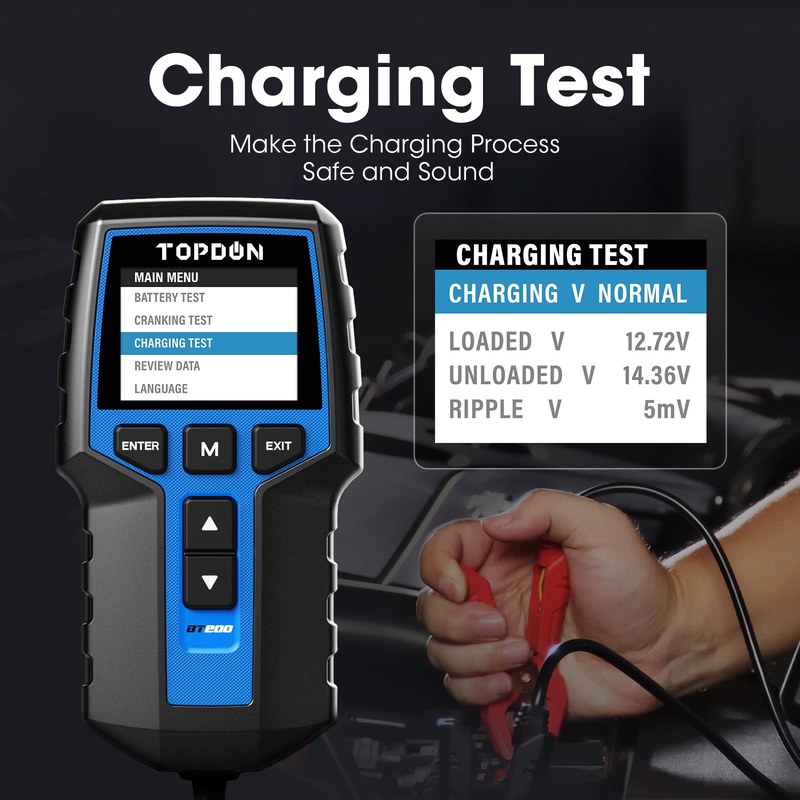
Then move to the charging test with the engine running if the procedure calls for it. That step helps show whether the alternator and charging circuit are doing their job. A battery tester can point you toward a problem, but the final answer still depends on the whole system.
Damaged-battery stop conditions, swollen cases, leaking acid, and when to stop immediately
Stop testing at once if the battery case is swollen, cracked, leaking, or unusually hot. Those are not normal wear signs. They can indicate internal failure, overcharging, or physical damage that makes testing unsafe.
Safety Tips: Battery, Electrical, and Roadside Precautions That Matter Most
Safe location, traffic visibility, gloves, eye protection, and cable condition checks
Battery testing should happen in a stable, well-lit spot whenever possible. If you are roadside, keep yourself visible to traffic and avoid standing in a lane or a blind spot. A flashlight, reflective vest, and common sense are often more valuable than any tool feature.
Wear eye protection and gloves if you are working near battery terminals, corrosion, or old cables. Check the clamp leads for cracked insulation, bent jaws, or loose connections before each use. A damaged cable can create bad readings and unnecessary risk.
Storage conditions for the tool, lead care, and post-use inspection
After use, disconnect the clamps, coil the leads without sharp bends, and store the tester in a dry place away from heat and moisture. That helps protect the display, cable insulation, and internal electronics. If the tool came with a case, use it.
Before the next test, inspect the clamps and leads again. Small wear points are easy to miss, and a quick inspection can prevent a misleading result later. This is especially helpful for owners who keep a tester in a trunk or garage kit for months at a time.
Hybrid and EV cautions: what is safe for 12V accessory batteries and what needs a specialist
Many hybrids and EVs still use a 12V accessory battery, but that does not mean every battery or electrical component is fair game for DIY testing. High-voltage traction systems are a different category and require the correct procedures, tools, and training.
OBD2 and Diagnostic Limits: Model-Year Coverage, Protocol Support, and App Permissions
Port location, ignition mode, and which model years and OBD2 protocols are typically supported
If your BT200 setup includes OBD2 functions, start by finding the diagnostic port and confirming the ignition mode the tool expects. On many vehicles, the port is under the dash, but the exact location varies. Some functions may require key-on, engine-off, or engine-running states.
OBD2 coverage also depends on the vehicle’s model year and communication protocol. In the U.S., many gasoline vehicles from 1996 and newer use OBD2, but exact support still varies by make, model, and module. For brand-specific scanner questions, see our Topdon scanner guide and the Topdon Topscan review for a broader feature comparison.
Code reading, live data, emissions readiness, and reset limitations
Code reading is useful because it gives you a starting point, not a final repair plan. Live data can show sensor behavior, while readiness monitors help with emissions-related checks. But a basic tool may not access every module or every manufacturer-specific function.
Reset features are also limited. Clearing a code before recording freeze-frame data can erase useful clues. That is why it is smarter to note the symptom, save the code information, and only clear codes when you understand the likely cause or need to confirm a repair.
Firmware updates, app permissions, privacy considerations, and when diagnosis needs a professional
If the BT200 uses an app or update process, review permissions before pairing it to a phone. Connected diagnostic tools may request access to location, Bluetooth, files, or account information. That does not automatically mean a problem, but it does mean you should read the prompts carefully.
Review any app permissions, account sign-in needs, and data-sharing settings before connecting a diagnostic tool. If the tool stores VINs, trouble codes, or cloud history, check how long that data is retained and whether you can delete it.
If the code points to safety systems, airbag circuits, complex network faults, or repeated no-start behavior, a professional diagnosis is often the better next step. A small tester can save time, but it cannot replace all factory-level tools.
Compatibility Guide: Vehicles, Battery Types, and Use Cases That Fit the BT200 Best
Best fit for daily drivers, used cars, fleet vehicles, and DIY owners
The BT200 makes the most sense for drivers who want a simple way to check battery health before replacing parts. That includes commuters, used-car owners, small-fleet operators, and DIYers who want a quick answer before calling for service.
A basic battery tester can reduce guesswork, help document a weak battery before a trip, and support smarter maintenance decisions. That can save time, prevent repeat jump-starts, and make repair conversations more focused.
Compatibility gaps: 6V systems, advanced battery management systems, and specialty vehicles
Not every vehicle or battery type is a good fit. Older 6V systems, specialty equipment, and some advanced battery management setups may need different tools or procedures. If your vehicle has an unusual charging strategy, verify the manual before connecting anything.
- Confirm battery voltage and chemistry support
- Check whether cranking and charging tests are included
- Review app permissions, updates, and warranty terms
- Make sure the clamp leads reach your battery safely
- Verify the tool fits your actual use case, not just the label
Ideal user/vehicle profile versus drivers who need a higher-end scanner
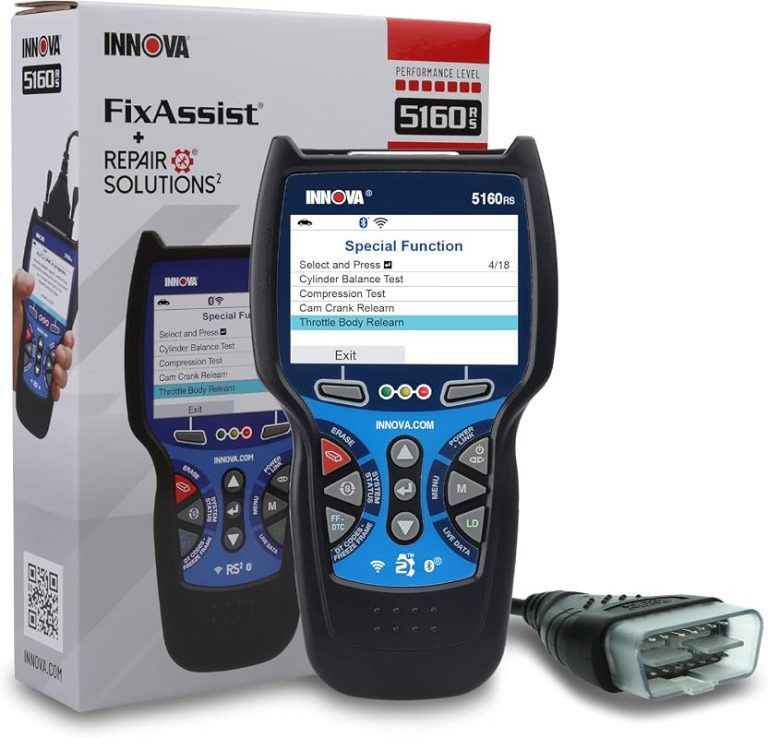
If you mainly need battery health checks and basic charging-system confirmation, the BT200-style tool is a practical fit. If you want deeper module access, bidirectional controls, or more advanced reset functions, a higher-end scanner may be the better buy.
For readers comparing diagnostic depth, our bidirectional scanner comparison shows why some drivers outgrow a simple battery tester. If your main goal is understanding how the tester works, the how Topdon battery testers work guide is a helpful companion piece.
TOPDON BT200 vs. Alternatives: Side-by-Side Comparison for Different Drivers
BT200 vs. basic battery testers: accuracy, features, and ownership cost
Compared with the most basic testers, the BT200 class usually offers more guidance and more complete test steps. That can make it easier to separate a low battery from a charging or starting issue. The trade-off is that you may pay more than you would for a very simple voltage checker.
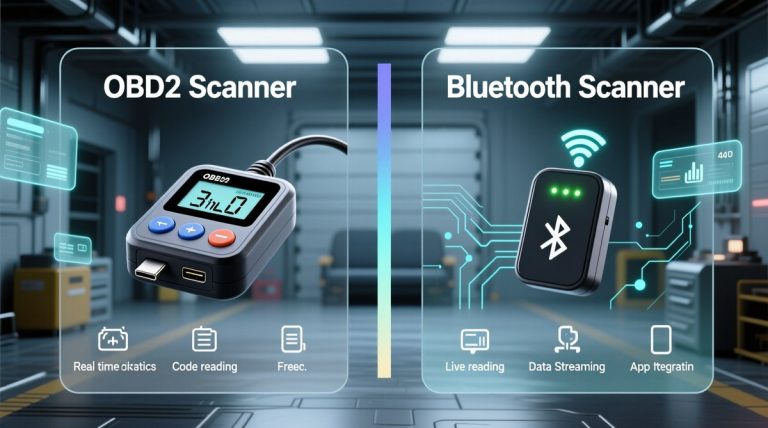
BT200 vs. full OBD2 scanners: battery testing focus versus deeper diagnostics
A full OBD2 scanner is better when your concern is engine codes, live data, or module access. The BT200 is better when the main question is battery condition and charging performance. Many drivers do not need both on day one, but some eventually want both tools for different jobs.
| Option | Best for | Owner consideration | Driver consideration |
|---|---|---|---|
| BT200-style battery tester | Battery and charging checks | Usually lower ownership complexity than a full scanner | Simple, quick, and less distracting to use |
| Basic voltage tester | Fast voltage-only checks | Cheaper, but less diagnostic detail | Easy to use, but easy to over-interpret |
| Full OBD2 scanner | Codes, live data, and system diagnosis | More features can mean more learning and more cost | Better for deeper diagnosis, but not always needed for battery issues |
Which option fits budget DIYers, commuters, and users who want more than battery checks
Budget DIYers often do well with a battery-focused tester because it answers the most common “will it start?” question. Commuters and family drivers may prefer that simplicity too. If your goal is broader vehicle diagnosis, the extra money for a scanner can be worth it.
- Clear battery and charging focus
- Useful for common 12V vehicle issues
- Less complicated than a full scan tool
- Limited compared with advanced scanners
- Not a fix for damaged batteries or wiring
- Compatibility still depends on vehicle setup
Tire, TPMS, and Emergency-Tool Considerations for Everyday Ownership
Door-jamb placard, cold pressure checks, and gauge accuracy versus inflator duty cycle
The BT200 is not a tire inflator, but many drivers keep electrical and roadside tools together. If you are also carrying tire equipment, use the door-jamb placard for the correct cold pressure and verify any gauge against a trusted reference when possible. Inflators have duty-cycle limits, so long runs can overheat them.
TPMS relearn limits, puncture location, and temporary-repair limits
TPMS can tell you a tire is low, but it cannot tell you why. A puncture in the tread may be repairable, while sidewall damage usually is not. Temporary sealants and plug kits have limits, and they may not be appropriate for every tire or every trip.
Tool completeness, pack or cable condition, and professional-repair thresholds after a roadside event
After any roadside event, inspect the full kit. Check battery tester leads, tire tools, flashlight batteries, and any emergency accessories before putting them back in the vehicle. A complete kit is only useful if each part still works.
If the problem involves repeated battery failure, blown fuses, damaged cables, or a charging warning light that returns after a jump-start, a repair shop may be the safer next stop. That is especially true when the vehicle is still under warranty or the fault could affect more than one system.
Ownership Value, Maintenance, Warranty Support, and Final Verdict
Maintenance routine, firmware upkeep, and how to keep readings dependable over time
Keep the BT200 clean, dry, and stored where the clamps will not be crushed. If the product supports firmware updates, check them occasionally so you are not relying on old software or outdated compatibility notes. Good storage habits matter more than most owners expect.
Warranty, support expectations, and evidence limits in product reviews
Warranty terms, app support, and update policy can change by seller or revision, so verify the current details before you buy. For product reviews, it is also important to separate manufacturer claims from real-world owner patterns and from any verified source documents. When first-hand testing is not available, the safest approach is to stay close to the manual and avoid overpromising.
Transparent verdict: who should buy the TOPDON BT200, who should skip it, and next steps
The TOPDON BT200 is a practical choice for drivers who want a focused way to check 12V battery condition, cranking behavior, and charging performance without moving into a full scanner. It fits best as a simple ownership tool, not as a complete diagnostic solution.
- Best for: Commuters, DIY owners, and small-fleet drivers who want quick 12V battery and charging checks.
- Think twice if: You need advanced module access, hybrid/EV high-voltage work, or deeper scan-tool features.
- Next step: Verify your vehicle’s battery voltage, test mode, and app or update requirements before buying.
Frequently Asked Questions
It is mainly aimed at common 12V vehicle batteries in cars, light trucks, SUVs, and some powersports uses. Always verify your exact battery voltage, vehicle manual, and any model-specific limits before testing.
Park in a safe, stable location, inspect the battery and leads, and connect the clamps with correct polarity. Stop immediately if the battery is swollen, leaking, cracked, or unusually hot.
It can help you spot charging-system problems, but it cannot prove the alternator is the only failed part. Use the charging test as a clue, then confirm with vehicle-specific diagnosis if the result is unclear.
Some BT200 setups may include OBD2-style functions, but coverage depends on the exact version and vehicle. Check the manual for model-year support, protocol support, and any app or firmware requirements.
It may be suitable only for the vehicle’s 12V accessory battery if the manual allows it. Do not use it on high-voltage traction systems unless the manufacturer specifically says it is safe.
Confirm battery voltage support, test modes, clamp reach, app permissions, warranty terms, and current seller support. Also decide whether you need a battery tester or a full scanner with deeper diagnostic features.