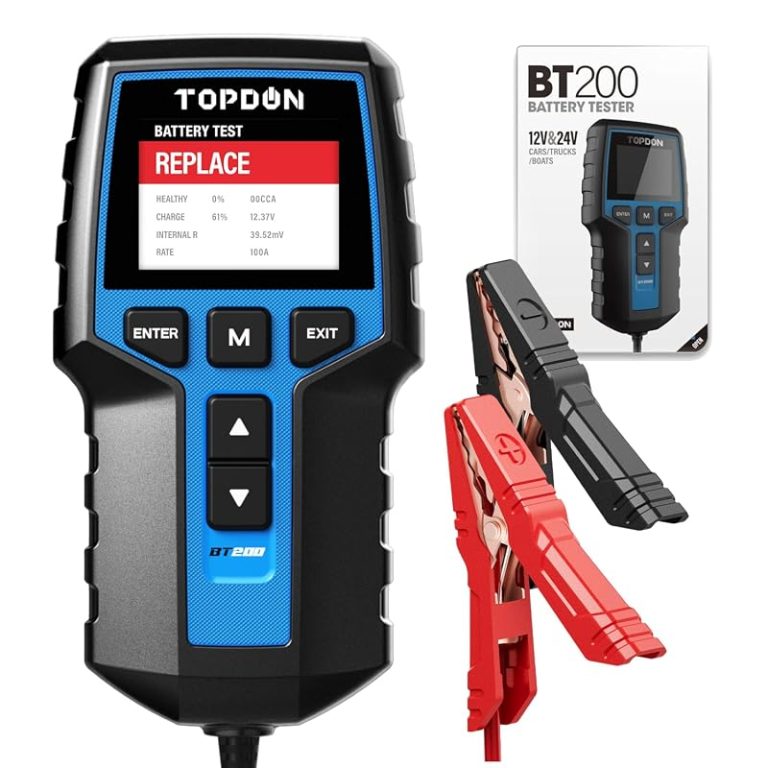
TOPDON BT200 Battery Tester Manual: Easy Steps to Read Results
The TOPDON BT200 is best for quick 12V battery and charging checks when you want a simple answer without a full scan tool. It is useful for DIY owners and used-car shoppers, but it cannot replace deeper diagnosis on complex electrical problems.
TOPDON BT200 Battery Tester Manual is most useful when you want a fast, plain-English way to judge battery condition, charging output, and starting performance without guessing. This guide explains what the readings mean, how to set up safely, and where the tool’s limits begin.
- Best fit: 12V battery checks for daily drivers, DIY owners, and used-car buyers.
- Read carefully: A charged battery can still be weak, so health and charge are not the.
- Check compatibility: Confirm your battery type, vehicle year, and any OBD/app limits first.
- Use safely: Stop on swelling, leaks, heat, reversed polarity, or unstable clamp contact.
- Know the limit: The BT200 can suggest a fault, but it cannot prove every alternator or starter.
TOPDON BT200 Battery Tester Manual: What It Does and How to Read Results Fast
The BT200 is designed to help you check a 12V battery and related charging-system basics before a weak battery leaves you stuck. In simple terms, it can point you toward three common outcomes: the battery needs charging, the battery may be worn out, or the vehicle’s charging system needs more attention.
Quick answer: how to use the BT200, what the results mean, and when to stop
Start by connecting the clamps correctly, selecting the battery type and rating the tester asks for, and then following the on-screen prompts. If the tester reports severe battery damage, unstable voltage, reversed polarity, or a condition that the manual says to stop on, end the test and inspect the battery before doing anything else.
Who this manual is for: DIY owners, used-car buyers, and weekend mechanics
This guide fits drivers who want a quick battery check before winter, a used-car purchase, or a long trip. It also helps weekend mechanics who need a simple starting point before they move on to deeper electrical diagnosis.
How the TOPDON BT200 Works: Battery, Charging, and Starting-System Checks
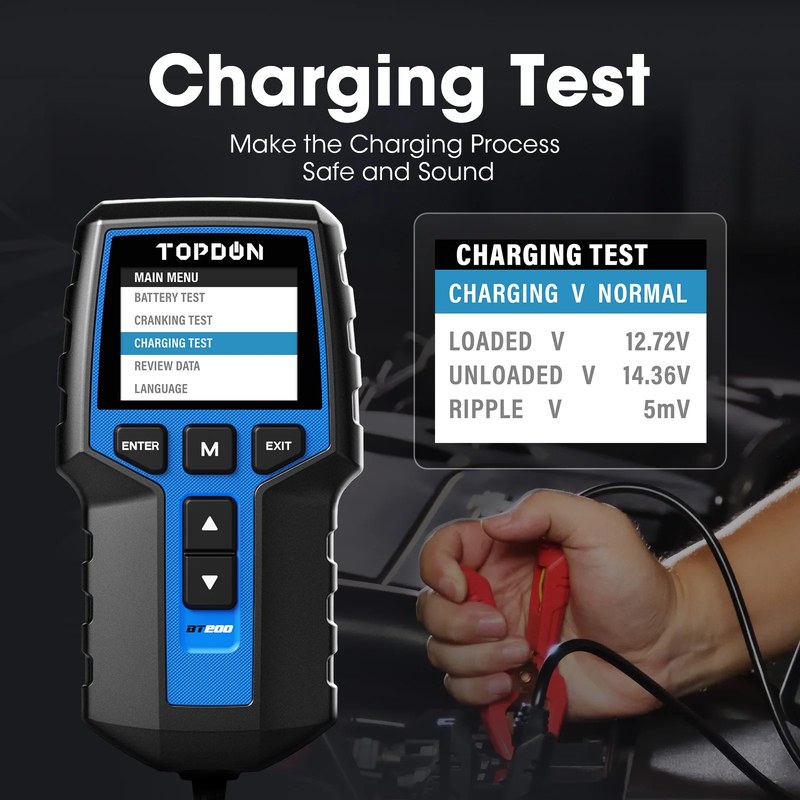
The BT200 is meant to help you separate battery problems from charging problems and starting-system complaints. That matters because a car that cranks slowly does not automatically need a new battery; sometimes the issue is poor connections, a weak alternator, or a starter drawing too much current.
Battery voltage, state of charge, and battery health: what each reading actually tells you
Voltage is a snapshot of electrical pressure at the moment of the test. State of charge is the tester’s estimate of how full the battery is, while battery health is a broader judgment about how well the battery can still perform under load.
A battery can show a decent charge and still be weak. That is why a quick voltage check alone is not enough if the vehicle has slow cranking, repeated jump-starts, or frequent no-start complaints.
12V lead-acid coverage, AGM, EFB, and when lithium or hybrid/EV systems need a different tool
The BT200 is aimed at common 12V automotive lead-acid batteries, including many standard flooded batteries and some AGM or EFB applications when supported by the manual. If your vehicle uses a different battery chemistry, a 24V system, or a high-voltage hybrid/EV pack, you need the right tool for that system.
Check: Verify make, model, year, trim, battery type, battery rating, and the tester’s supported 12V battery categories. Limitations: Do not assume compatibility with hybrid traction batteries, EV packs, or non-12V systems unless the manual clearly states it.
Correct connection order, polarity, and damaged-battery stop conditions
Follow the manual’s connection order every time. Clamp red to positive and black to negative, make sure the clamps bite clean metal, and avoid moving them around once the test starts unless the instructions tell you to reconnect.
Reverse polarity, loose contact, or corrosion can distort the reading. If the battery is visibly damaged or the clamps cannot make a stable connection, stop and clean or inspect the terminals before retrying.
- Confirm battery type before testing
- Clamp tightly to clean terminal metal
- Follow stop warnings in the manual
- Test a swollen or leaking battery
- Ignore reversed leads or unstable contact
- Assume a charge reading proves battery health
Step-by-Step Setup and Installation Guide for Safe Testing
The BT200 is a portable tester, so “installation” here really means safe setup and correct use. A little prep helps you avoid false readings, damaged clips, and distractions in a busy driveway or roadside spot.
Finding the battery and OBD2 port: common locations in U.S. passenger vehicles
Most U.S. cars and light trucks place the battery under the hood, though some models hide it in the trunk, under a seat, or beneath a cover near the rear cargo area. The OBD2 port is usually under the dash on the driver’s side, but location varies by vehicle.
If you are unsure, check the owner’s manual before reaching under panels or guessing at port location. That is especially important on newer vehicles with tight packaging or extra trim covers.
Ignition mode, engine-off testing, and when accessory mode can skew results
Battery checks are usually most useful with the engine off unless the manual asks for a cranking or charging test. Accessory mode can wake up modules, lights, and screens, which can change the battery’s surface voltage and make the reading less useful.
If you are comparing results over time, keep the test conditions as similar as possible. A battery checked after a short drive may read differently than one checked after sitting overnight.
Safe location, traffic visibility, and roadside precautions before you start
Test the battery in a parked, stable location with the transmission in Park or Neutral as appropriate and the parking brake set. If you are roadside, stay well away from traffic, keep hazard awareness high, and avoid leaning into moving lanes while reading the screen.
Cable condition, clamp contact, and post-use inspection
Before each use, inspect the leads for cracked insulation, bent clamp jaws, corrosion, or loose strain relief. A damaged cable can create bad readings and may also make the tool harder to trust in an emergency.
After use, wipe the clamps, coil the cable loosely, and store the unit where heat, moisture, and trunk clutter will not crush it. That simple habit helps the tester stay ready when the battery warning light appears at the worst time.
How to Read the BT200 Results Without Guesswork
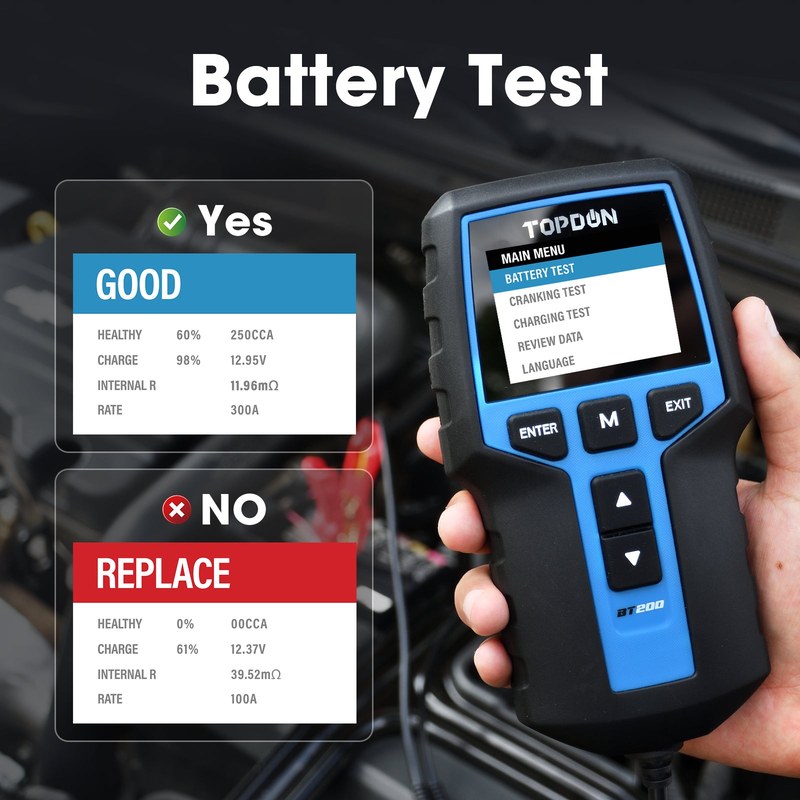
The easiest way to use the BT200 is to treat it like a decision helper, not a magic answer. It can narrow the problem, but the final repair still depends on symptoms, vehicle history, and the test conditions.
CCA, voltage, cranking, and charging-system output explained in plain English
CCA means cold cranking amps, a battery rating that describes how much starting power the battery is designed to deliver in cold conditions. If the tester asks for the battery’s rated CCA, it uses that number as part of the health calculation.
Cranking results help show how much voltage drops while the starter is working. Charging output helps show whether the alternator or charging system is keeping the battery replenished once the engine is running.
State of charge versus battery health: why a charged battery can still be bad
State of charge tells you how full the battery is right now. Battery health tells you whether the battery can still do its job when the starter asks for a heavy burst of power.
That means a battery charged with a charger or jump pack may still fail a health test. If the same battery keeps losing charge quickly, the issue may be age, internal wear, or a vehicle parasitic draw.
Alternator and starter clues: what the tester can suggest and what it cannot confirm
The BT200 can suggest whether the charging system looks normal or whether the starter draw seems suspicious. It cannot, by itself, prove that the alternator diode, starter motor, belt, ground strap, or wiring harness is the exact cause.
If the test points toward a charging fault, the next step is usually a deeper electrical diagnosis with a multimeter, scan tool, or shop-level test. For a broader comparison of the brand’s battery testers, see our look at which Topdon battery tester is best and how a Topdon battery tester works.
When a result means “replace soon,” “charge first,” or “seek professional diagnosis”
“Charge first” usually makes sense when the battery is low but not obviously failed. “Replace soon” is more likely when the battery is charged yet still weak under load, especially if the vehicle has hard starting or the battery is several years old.
Seek professional diagnosis when the result conflicts with the symptoms, when the battery is part of a complex start-stop system, or when the vehicle keeps draining batteries for no obvious reason. In that situation, the tester is a clue, not the final answer.
OBD2 and Diagnostic Limits: Model-Year Coverage, Protocols, and App Permissions
Some owners expect every battery tester to act like a full scan tool. That is where it helps to separate battery testing from OBD2 diagnostics, because the two functions are related but not the same.
Vehicle model-year and protocol compatibility in the U.S. market
OBD2 coverage in the U.S. generally depends on the vehicle’s model year and the communication protocol the car uses. The safest move is to confirm your exact year, make, and model against the product documentation before assuming the BT200 will communicate with every vehicle in your driveway.
Use the vehicle owner’s manual and the current manufacturer support page for the BT200 to confirm supported battery types, test steps, and any OBD-related limitations before use.
Port location, ignition requirements, and connection stability
Even when a vehicle is OBD2-compatible, the port may be awkward to reach or partially blocked by trim. A loose connection can interrupt communication, so it is worth checking the plug fit before you start reading data.
Some vehicles require the ignition in a specific mode for communication. If the screen does not connect, do not force the tool or move the connector around aggressively; instead, recheck the ignition state and the port fit.
Code reading, live data limits, emissions readiness, and reset limitations
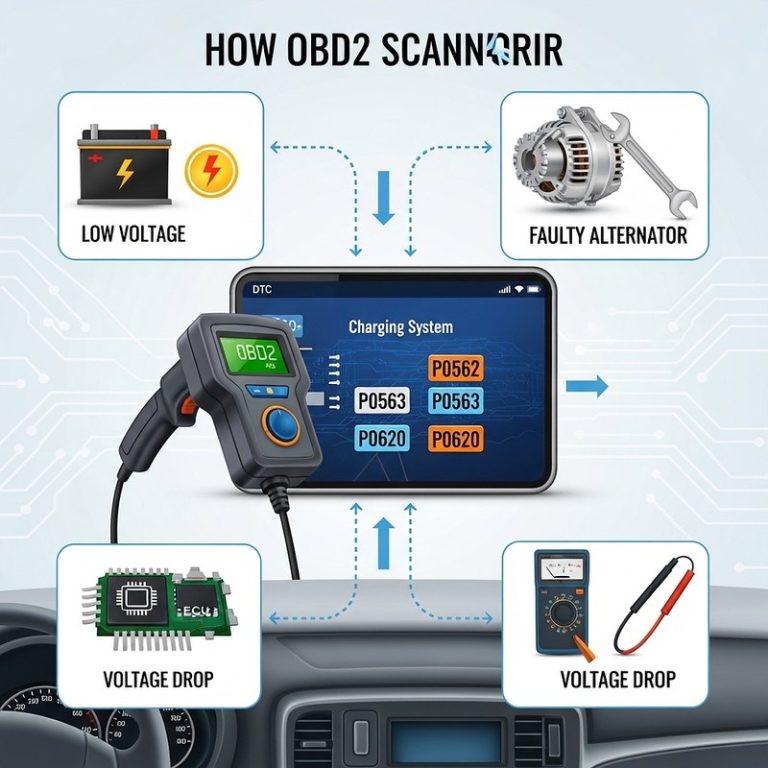
Battery testers with OBD features may show basic trouble codes or limited live data, but that does not make them a full diagnostic platform. Emissions readiness, code clearing, and reset functions can vary by vehicle and software version.
For used-car shoppers, this matters because clearing a code does not repair the problem. If you need deeper scan capability, compare the BT200 against a dedicated scan tool such as the Topdon TopScan review or a broader product comparison like Topdon BT100 vs BT200 battery tester.
Firmware updates, app permissions, and privacy considerations for connected use
If your BT200 setup uses an app or connected features, review what permissions it asks for before you sign in. Diagnostic apps may request Bluetooth, location, device access, or account data, and those permissions should be understood before you connect a vehicle.
When battery or charging problems require a shop-level diagnosis
If a battery keeps failing after replacement, if the charging voltage is erratic, or if the vehicle has multiple warning lights, the problem may go beyond the tester’s simple decision tree. At that point, a shop can check parasitic draw, alternator ripple, grounds, and module behavior more precisely.
TPMS, Tire Pressure, and Roadside Use: What the BT200 Does Not Replace
The BT200 is a battery and electrical tester, not a tire inflator or TPMS relearn tool. That distinction matters because roadside emergencies often involve more than one problem, and it is easy to expect one tool to do too much.
Door-jamb placard pressure, cold pressure checks, and gauge accuracy
Your vehicle’s recommended tire pressure is listed on the door-jamb placard, not on the tire sidewall. If you need to check tire pressure, do it when the tires are cold and use a gauge you trust, because heat from driving raises pressure temporarily.
Inflator duty cycle, tire sealant limits, and temporary-repair boundaries
If you also carry an inflator, pay attention to duty cycle and hose condition. Temporary sealants can help in a pinch, but they are not a permanent repair and may not be suitable for all punctures or TPMS systems.
TPMS relearn limits and when sensor issues need professional service
Some tire pressure monitoring systems need a relearn procedure after service or wheel changes. If the warning light stays on after you correct the pressure, the issue may be a sensor, relearn need, or system fault that requires a scan tool or shop visit.
Puncture location, sidewall damage, and repair-versus-replace thresholds
A nail in the tread area may be repairable, but sidewall damage, large cuts, or repeated air loss usually calls for replacement. When in doubt, follow the tire manufacturer guidance or have a tire shop inspect it before you drive far.
Best Uses, Comparisons, and Ownership Value
The BT200 makes the most sense for drivers who want a quick battery verdict without carrying a full shop setup. Its value depends on how often you diagnose electrical problems and how much detail you need from the tool.
BT200 versus basic multimeter, load tester, and higher-end diagnostic scanners
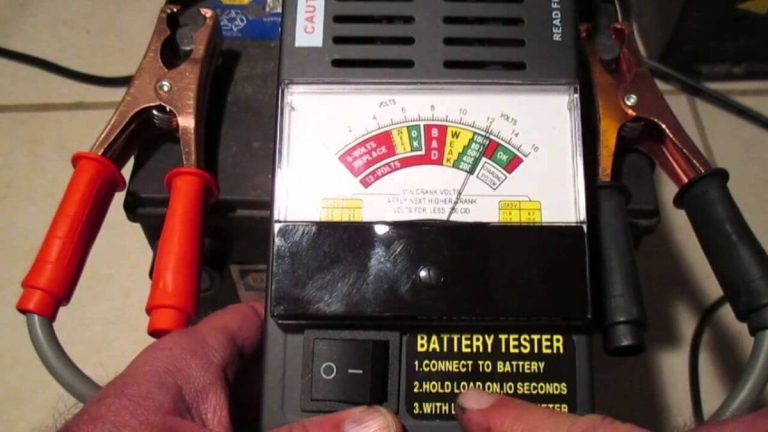
A basic multimeter is cheaper and useful for simple voltage checks, but it does not interpret battery health for you. A load tester can show how a battery behaves under stress, while a higher-end scanner may offer deeper vehicle data, more system coverage, and better code access.
| Option | Best for | Owner consideration | Driver consideration |
|---|---|---|---|
| BT200 | Quick battery and charging checks | Portable and simpler than a full scanner | Fast to use when a no-start happens |
| Multimeter | Basic voltage checks | Low cost, but less guidance | Requires more interpretation |
| Higher-end scanner | Deeper diagnosis | More features, often more cost | Can reduce guesswork on complex faults |
Which option fits different drivers: commuter, DIYer, used-car shopper, or fleet owner
Commuters and parents often want a fast answer before school drop-off or a cold-morning start. DIYers may want the BT200 as a first-pass tool, while used-car shoppers can use it to spot weak batteries before purchase.
Fleet owners may prefer a more detailed scanner or a standardized battery program if they manage many vehicles. For a broader buying perspective, our article on whether the Topdon battery tester is any good can help frame the value question.
Evaluation criteria: ease of use, accuracy expectations, compatibility, support, and cost
When comparing battery testers, look at how clearly the screen explains results, how much vehicle coverage it supports, and whether the battery types in your driveway are covered. Also consider support quality, manual clarity, and whether the app or firmware process is simple enough for everyday use.
Warranty, accessories, and long-term ownership cost
Long-term value is not just the purchase price. Replaceable cables, app-related features, storage needs, and warranty coverage all affect ownership cost over time, especially if the tool will live in a glovebox or garage and get used seasonally.
A good battery tester can save time by showing whether the battery, charging system, or starter is the likely problem before you replace parts. That can reduce unnecessary repairs and help you keep a better service record for resale.
Transparent verdict: ideal user, key drawbacks, and realistic alternatives
The BT200 is a practical choice if you want battery testing that is easier to interpret than a bare multimeter. Its main drawback is that it still depends on correct setup and cannot fully replace deeper electrical diagnosis on complex vehicles.
Maintenance, Storage, and Emergency-Tool Readiness
A battery tester is only helpful if it works when you need it. That means storage, cable care, and occasional checks matter just as much as the first test.
Storage conditions, battery care, and keeping the tester ready year-round
Store the tester in a dry place away from extreme heat and moisture. If the unit has its own internal battery or needs app pairing, check it periodically so it is not dead the moment you need a roadside reading.
Tool completeness: clamps, cables, manual, and app setup before an emergency
Before you count on it for an emergency, make sure the clamps, cable, manual, and any required app setup are complete. A missing manual or expired phone login can turn a simple battery check into a frustrating delay.
Current limits, hot-weather use, and avoiding damage during repeated testing
Repeated testing, especially in hot weather, can stress cheap cables and weak clamp springs. If the tool is meant to live in a vehicle, protect it from direct sun and avoid pinching the cable in hatch seals or door frames.
Final inspection after roadside use and when to retire a worn cable or pack
After roadside use, inspect the clamps for heat damage, bent jaws, or corrosion. Retire the cable or the whole unit if the insulation cracks, the display becomes unreliable, or the clamps no longer hold securely.
- Best for: DIY drivers, used-car shoppers, and weekend mechanics who want a simple battery and charging-system check.
- Think twice if: You need deep hybrid, EV, or shop-level electrical diagnostics.
- Next step: Confirm your vehicle’s 12V battery type and supported test modes in the manual before relying on the results.
Frequently Asked Questions
It is generally aimed at 12V automotive lead-acid batteries, with some AGM or EFB coverage when the manual supports it. Always confirm your exact battery type before testing.
It can suggest whether charging output looks normal or suspicious, but it cannot prove the alternator is the only problem. Wiring, grounds, belts, and the starter can also affect the result.
Not usually for a basic battery check. Follow the manual, because some tests are done with the engine off while charging-system checks require the engine running.
No, it is primarily a battery and electrical tester with limited diagnostic features compared with a dedicated scanner. Code access, live data, and reset functions can vary by vehicle and software version.
Check battery-type compatibility, cable condition, clamp quality, app needs, and warranty coverage. Also confirm that the tool matches the vehicles you plan to diagnose.
Keep it dry, avoid extreme heat, and inspect the cable and clamps regularly. If it uses an app or internal power source, verify it still pairs and powers up before storm season or winter.