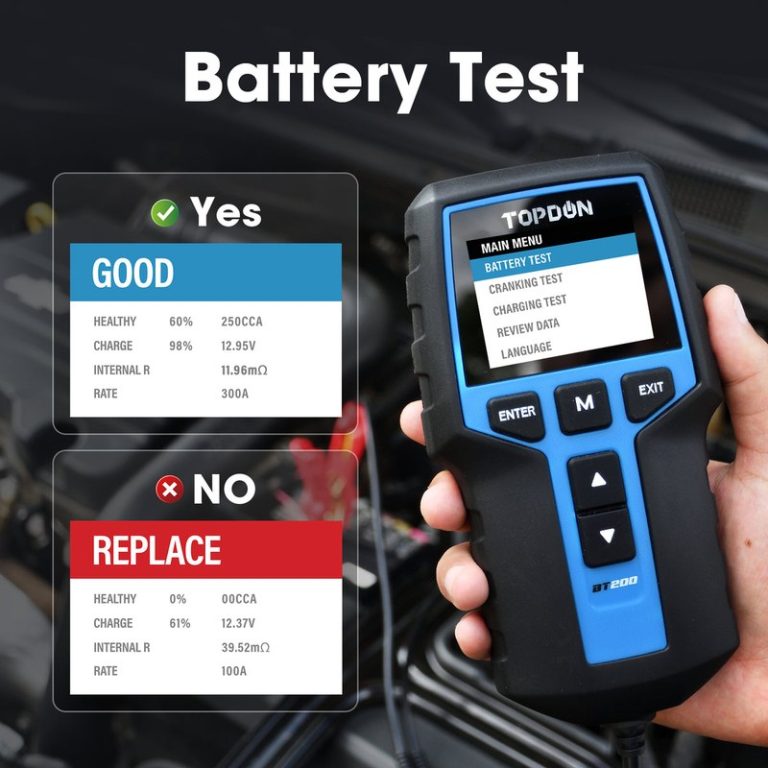
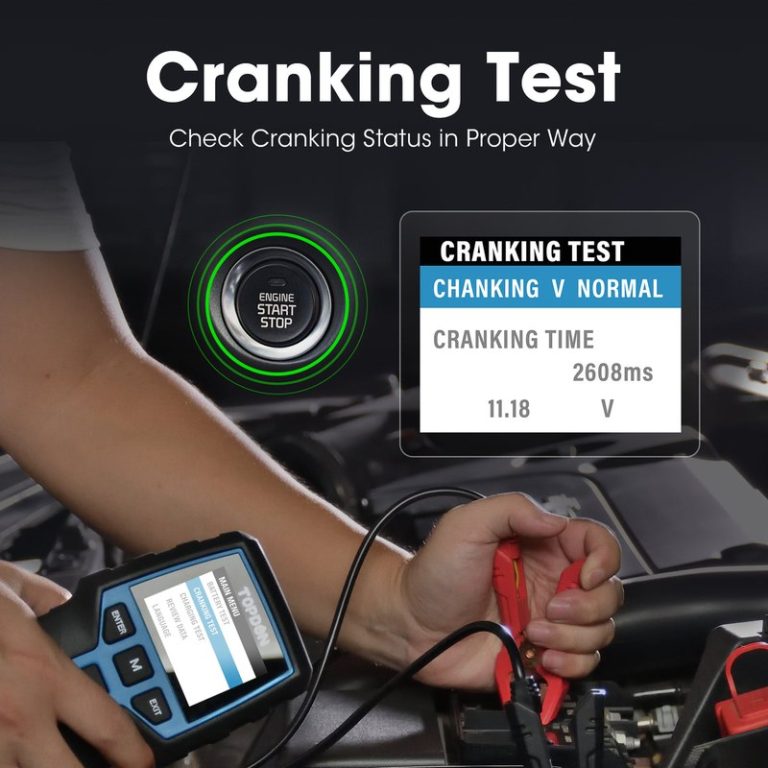
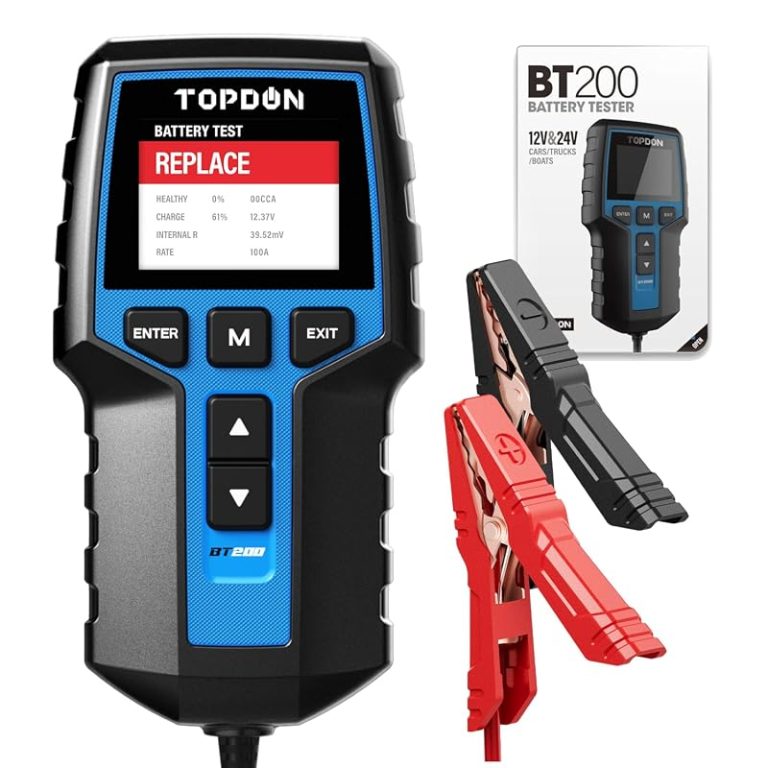
TOPDON BT200 Battery Tester Warranty: What It Covers and Risks
The TOPDON BT200 Battery Tester Warranty is most useful for factory defects, not accidental damage or misuse. If you buy one, keep the receipt, serial number, and photos so a claim is easier if the tester fails.
TOPDON BT200 Battery Tester Warranty questions matter because a small tool can still become a big headache if the screen fails, the clamps wear out, or the app stops connecting. For CarValleyNJ readers, the real issue is not just whether the warranty exists, but what it protects, what it excludes, and how much risk you take on as the owner.
- Coverage: Expect protection mainly for manufacturing defects, not drops, water, or modified cables.
- Safety: Stop testing swollen, leaking, hot, or visibly damaged batteries right away.
- Compatibility: Verify 12V system support, battery type, and any app or firmware needs before use.
- Documentation: Save the receipt, serial number, and photos before filing a warranty claim.
- Ownership: The BT200 is best as a basic battery-health tool, not a full shop diagnostic.
TOPDON BT200 Battery Tester Warranty: What It Covers, What It Doesn’t, and Why It Matters
The BT200 is a compact battery and electrical tester, so warranty coverage usually centers on factory defects rather than wear, misuse, or damage after delivery. That means buyers should read the terms carefully, keep proof of purchase, and treat the tester like a sensitive electronic tool, not a rugged shop instrument.
If you are comparing options, it helps to understand where this model fits in the broader lineup. Our guides on Topdon BT100 vs BT200 battery tester and which Topdon battery tester is best can help you decide whether the BT200’s feature set matches your needs.
Quick Answer for CarValleyNJ Readers: Is the TOPDON BT200 Warranty Worth Relying On in 2026?
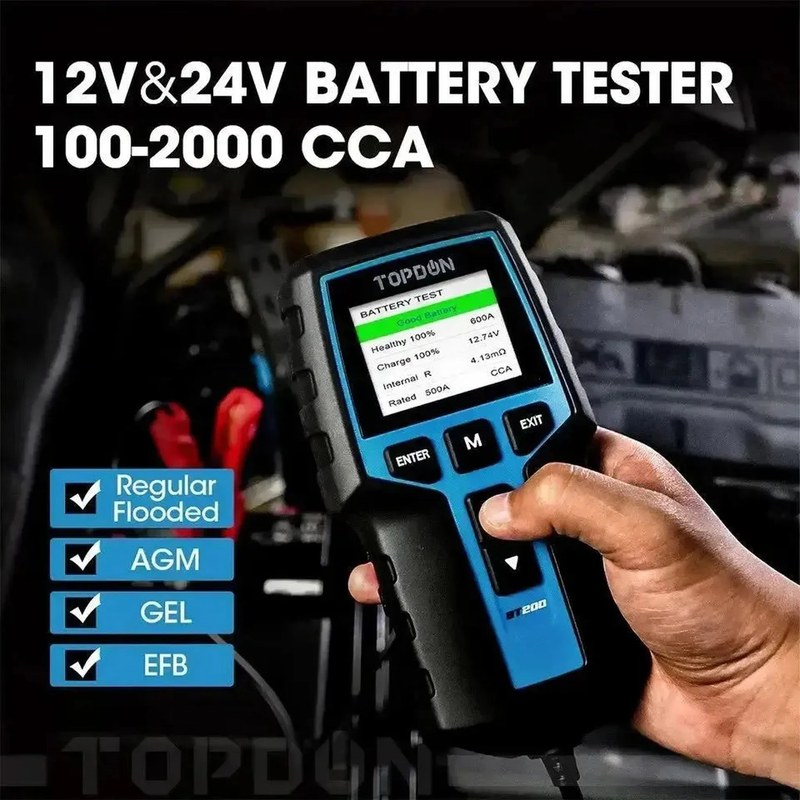
Yes, if you are mainly worried about early defects in a new tester and you are willing to keep records. No, if you expect the warranty to cover abuse, accidental damage, cable wear from rough handling, or problems caused by unsupported use.
For most DIY owners, the warranty is best treated as a backstop, not a substitute for careful setup, safe battery handling, and basic tool maintenance. If you want a deeper look at how the device functions in normal use, see how the Topdon battery tester works.
Warranty Coverage Breakdown: Parts, Defects, Labor Expectations, and Claim Conditions
Because warranty terms can change by seller, region, and product revision, the safest approach is to verify the current Topdon warranty statement and the retailer’s return policy before buying. In general, a consumer electronics warranty like this focuses on defects in materials or workmanship, not routine maintenance or accidental damage.
Typical warranty triggers: manufacturing defects, failed display, clamp issues, or app connectivity faults
Common claim reasons for a tester like the BT200 usually include a dead screen, buttons that stop responding, a unit that will not power on, or clamps that fail under normal use. If the product depends on an app, connection failures that appear to come from the unit itself may also be relevant, but only if they are not caused by the phone, firmware, or user settings.
It is useful to separate a true defect from a setup problem. A weak battery, corroded terminals, bad adapter, or outdated phone permissions can look like a tester failure even when the tool is working normally.
Common exclusions: misuse, liquid damage, dropped units, modified cables, and unsupported accessories
Most warranties exclude damage from drops, crushing, moisture, heat, chemical exposure, and unauthorized modification. If a cable is cut, a clamp is altered, or a third-party accessory creates the problem, the claim may be denied.
This matters for garage owners and roadside users who keep tools in trunks, toolboxes, or winter kits. A tester that is tossed around loosely may fail from handling damage long before the warranty period ends.
What buyers should document before filing a claim: serial number, receipt, photos, and failure symptoms
Before contacting support, save the receipt, box label, serial number, and any order confirmation. Take clear photos of the tester, the clamps, the screen, and the battery setup if the failure is visible.
Also write down the exact symptom, when it started, and what battery or vehicle you were testing. Clear notes can make the difference between a fast replacement and a long back-and-forth with support.
Risk Factors Owners Should Know Before Buying or Using the BT200
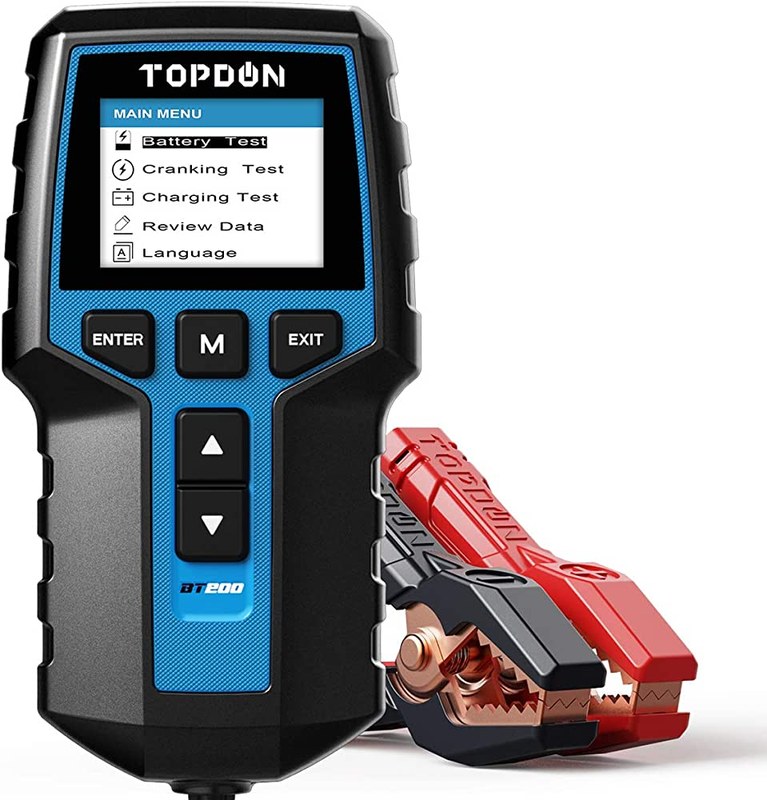
The BT200 is a diagnostic tool, but every battery tester carries some risk if it is used on a damaged battery or connected incorrectly. The safest mindset is to treat each test as a quick check, not a chance to push a failing battery harder.
Battery safety risks: damaged batteries, swelling, leaking, overheating, and when to stop testing
Stop and step away if the battery is swollen, leaking, cracked, smoking, or hot to the touch. Those are signs of a potentially dangerous battery, and the right next move is to follow the vehicle and battery manufacturer instructions or contact a professional.
Electrical-system risks: 12V only use, polarity mistakes, connection order, and hybrid/EV cautions
Most consumer battery testers are intended for standard 12V automotive systems. Using one on the wrong system voltage, reversing polarity, or forcing clamps onto poor contact points can create bad readings or damage the tool.
Hybrid and EV owners should be especially careful, because high-voltage systems are a different category entirely. If the battery architecture is unclear, check the owner’s manual before connecting anything.
Data and app risks: firmware updates, app permissions, stored results, and privacy considerations
Connected testers can store results, sync to a phone, and request permissions that affect privacy. Before pairing, review what the app can access, whether test data is stored in the cloud, and whether account creation is required.
Compatibility Guide: Vehicle Years, OBD2 Protocols, Battery Types, and TPMS/Tire Use Limits
The BT200 is primarily a battery tester, but many buyers also want to understand how it fits into broader diagnostic and maintenance work. Compatibility is not just about whether the tool turns on; it is about whether it can be used safely and meaningfully on the vehicle and battery type you own.
OBD2 coverage by model year and protocol support for U.S. vehicles
If your purchase decision is based on scan-tool features, remember that OBD2 coverage in the U.S. depends on model year and vehicle compliance. In general, gasoline vehicles sold in the U.S. are OBD2-compliant starting with 1996, but coverage and live-data depth still vary by make, model, and trim.
Do not assume every code, monitor, or reset function will work on every vehicle. For model-specific scanner questions, our article on which Topdon scanner is best explains how feature sets differ across the brand’s lineup.
Port location, ignition mode, emissions readiness, live-data limits, and reset limitations
Even when a tool supports OBD2, the vehicle’s port location, ignition state, and module access rules can affect the result. Some features require key-on engine-off, some require the engine running, and some are simply not available on certain vehicles.
Emissions readiness and live data are useful, but they do not replace a full shop diagnosis when the charging system, starter, or battery is failing. Clearing codes too early can also erase clues that a technician would need later.
Battery chemistry support: flooded, AGM, EFB, and when results can be misleading
Battery chemistry matters because flooded lead-acid, AGM, and EFB batteries can behave differently under load. A tester may still provide a reading, but the result can be misleading if the wrong battery type is selected or if the battery is deeply discharged.
Check: Verify make, model, year, trim, voltage, ports, mounting space, and OEM requirements. Limitations: State verified exclusions.
Tire and TPMS-related checks: placard pressure, cold pressure, gauge accuracy, and relearn limits
If you are using the BT200 as part of broader vehicle maintenance, do not confuse battery testing with tire service. Tire pressure should always be checked against the door placard, when the tires are cold, using a gauge you trust.
TPMS warnings can point to low pressure, sensor issues, or a relearn need, but a battery tester will not solve those problems. If the tire is damaged or the sensor will not relearn, professional tire service is the safer path.
How to Use the BT200 Safely: Setup, Connection Order, and Post-Use Inspection
Safe use starts before the clamps touch the battery. A quick visual check can prevent bad readings, sparks, and avoidable warranty problems.
Correct connection order and safe disconnect steps to reduce spark and error risk
Follow the product manual for the exact connection order, because small differences matter. In general, you want firm contact, clean terminals, and a stable connection before starting any test.
When you are done, disconnect carefully and avoid yanking the cables. A smooth disconnect helps protect the clamps, the battery posts, and the tester itself.
Pre-test checks: cable condition, clamp wear, storage conditions, and tool completeness
Look for frayed insulation, loose clamps, bent pins, or cracked housing before each use. If the tester was stored in a hot trunk, damp garage, or unheated winter space, let it normalize before testing.
Post-use inspection: heat, corrosion, loose leads, and signs the tester should be retired
After use, check for unusual heat, corrosion on the clamps, or a cable that no longer sits firmly in place. Those are signs the tool may be wearing out or has been exposed to conditions that shorten its life.
If the screen flickers, the app disconnects repeatedly, or the clamps no longer grip securely, it may be time to replace the unit rather than keep forcing it into service.
Performance and Ownership Value: What the BT200 Can Tell You and What It Cannot
The BT200 can be useful because it helps separate a weak battery from a charging problem, but it cannot diagnose everything. Knowing the limits saves time and prevents false confidence.
State of charge versus battery health: why a “good charge” does not mean a healthy battery
A battery can show a decent charge and still be near the end of its useful life. State of charge tells you how full the battery is right now, while battery health tells you how well it can hold and deliver power over time.
That is why a tester can be valuable even when the car starts today. It may reveal a battery that is still usable but close to failure in cold weather or after repeated short trips.
Code reading, live data, and emissions readiness: where DIY diagnosis ends
If your version of the tool or companion app includes code reading or live data, treat that as a starting point, not a final answer. A trouble code can point to a system, but it does not always identify the exact failed part.
Emissions readiness helps with inspection prep, but it does not solve charging, starting, or TPMS issues on its own. That is where many DIY owners benefit from a second opinion.
When a professional diagnosis is the better next step for charging, starting, or TPMS problems
Go to a professional if the battery test suggests a charging fault, if the car has repeated no-start issues, or if tire warnings keep returning after correct inflation. The cost of a proper diagnosis is often lower than replacing the wrong part.
For readers deciding between app-based tools and more advanced scan options, the comparison in Topdon BT100 vs BT200 battery tester can also help frame the value trade-off.
Warranty, Support, and Total Ownership Cost Compared With Similar Battery Testers
Warranty is only one part of ownership cost. Support quality, app dependence, included accessories, and replacement parts can matter just as much over time.
Side-by-side comparison criteria: warranty length, support quality, app dependence, and accessory value
When comparing the BT200 to similar testers, look at four things first: warranty length, how easy support is to reach, whether the tool needs an app for full use, and whether the clamps and cables feel durable enough for your routine.
Also check whether the package includes everything you need on day one. A low sticker price can become less attractive if you need extra adapters or end up replacing the cable assembly early.
Which option fits casual drivers, DIY owners, fleet users, and winter-weather commuters
Casual drivers usually want a simple tester that confirms battery condition before a road trip or cold snap. DIY owners often want more data and a clear paper trail for maintenance.
Fleet users and winter commuters may care more about repeatability, quick checks, and durability than about extra app features. If you mainly want a compact battery tester, the BT200 may be enough; if you want broader scan capability, another Topdon tool may fit better.
Limitations versus alternatives: standalone testers, more advanced scan tools, and shop-grade equipment
A standalone tester is usually easier to use and cheaper to own than a full scan tool. A more advanced scanner may offer deeper diagnostics, but it can also cost more and require more learning.
Shop-grade equipment is the right call when you need reliable confirmation of charging-system faults, parasitic draw, or intermittent problems that simple consumer tools cannot fully capture.
Final Verdict for CarValleyNJ Buyers: Who Should Choose the TOPDON BT200 and Who Should Skip It
The BT200 makes the most sense for drivers who want a compact way to check battery condition, document a possible failure, and avoid guessing before replacing parts. It is less compelling for buyers who need deep scan coverage, rugged shop use, or protection from accidental damage.
Best-fit owner and vehicle profiles
Choose it if you drive a 12V gasoline vehicle, maintain your own battery basics, and want a simple tester for seasonal checks. It also fits drivers who want a lightweight diagnostic tool for a garage, trunk kit, or home workshop.
Deal-breakers, maintenance expectations, and next steps after purchase
Skip it if you expect the warranty to cover drops, water exposure, or modified cables, or if you want one tool to handle every battery, scan, and tire issue. Before buying, verify the current warranty terms, supported battery types, and app requirements, then store the receipt and serial number in case you ever need a claim.
- Best for: U.S. drivers who want a simple, compact 12V battery tester with basic warranty protection for factory defects.
- Think twice if: You need rugged abuse coverage, deep scan-tool features, or support for uncertain hybrid and EV setups.
- Next step: Check the current warranty terms, confirm battery and vehicle compatibility, and save your proof of purchase before first use.
Frequently Asked Questions
It usually covers factory defects in materials or workmanship, such as a failed display or unit that will not power on. Exact terms can vary by seller or product revision, so check the current warranty before buying.
Common exclusions include drops, liquid damage, heat damage, modified cables, and misuse. Damage from unsupported accessories or rough storage is also often excluded.
Save your receipt, serial number, photos of the unit, and a short note describing the failure. Include the battery or vehicle details and the symptoms you saw during testing.
Only if the product manual clearly supports the system you are working on. If the battery voltage or architecture is unclear, stop and verify the vehicle manual first.
Yes, if the tester uses an app or stores results on a phone or cloud account. Review permissions, update behavior, and data storage settings before pairing.
Confirm the current warranty, supported battery types, app requirements, and whether the tool fits your vehicle’s 12V system. Also check what accessories are included and whether support is easy to reach.