Why Does an OBD2 Scanner Show No VIN? Causes and Fixes
A missing VIN usually means the scanner cannot communicate with the module that stores it, not that the scanner is broken. Check the ignition mode, battery voltage, and app updates before replacing anything.
The short answer to why does an OBD2 scanner show no VIN is that the tool cannot reach the module that stores the vehicle identification number, or that module cannot send back a valid answer. This guide covers the common causes, the fixes you can try at home, and the warning signs that deserve professional attention.
- Ignition mode: Turn the key to run without starting the engine so the modules wake up.
- Battery health: Voltage below about 12 volts can block VIN communication.
- Protocol support: Older vehicles may need a scanner that supports non-CAN protocols.
- Updates matter: Outdated firmware and denied app permissions cause false failures.
- Red flags: A VIN mismatch or unprogrammed ECU can signal a serious vehicle history problem.
What “No VIN” on an OBD2 Scanner Actually Means
Your VIN is the 17-character serial number that identifies your vehicle. It is printed on the dashboard, the driver’s door jamb, and your title. The OBD2 system also stores a digital copy inside several electronic control units, or ECUs.
When a scanner shows “No VIN,” it means the tool asked the vehicle for that digital copy and got nothing useful back. The scanner may still read engine codes and live data. The missing VIN only tells you that one specific communication request failed.
How the Scanner Reads the VIN and Why It Can Fail
OBD2 scanners request the VIN using a standard diagnostic mode called Mode 9. The vehicle’s powertrain control module, or PCM, is supposed to answer with the VIN. If the module is asleep, unpowered, or running software that does not respond correctly, the scanner shows no VIN.
The same failure can happen when the scanner uses the wrong protocol, the wiring has high resistance, or the battery voltage dips too low during the request.
Which Modules Store the VIN and Why It Matters
Most vehicles store the VIN in the engine control module. Many also store it in the body control module, airbag module, anti-lock brake module, and instrument cluster. Each module can hold its own copy.
Some scanners only read the VIN from the engine module. If that module was replaced and never programmed, the scanner may show no VIN even though the body module still has the correct one. A professional scan tool can check multiple modules to find the missing data.
The Top Reasons an OBD2 Scanner Won’t Read a VIN
Several common issues can cause a blank VIN field. Work through them from simplest to most involved.
Protocol and Model-Year Mismatches
OBD2 became mandatory on most gasoline vehicles sold in the United States for the 1996 model year. Early systems used several different communication protocols. Newer vehicles use CAN, which stands for Controller Area Network.
Some budget scanners only support CAN. If your vehicle is older and uses a different protocol, the scanner may power on but cannot complete the VIN request. This is similar to the “vehicle not supported” message on an OBD2 scanner, which usually points to the same protocol gap.
Ignition Mode and Port Power Issues
Most modules only wake up when the ignition is in the run position. If the key is off or in accessory mode, the engine control module may not answer the VIN request. Turn the key to run without cranking the engine.
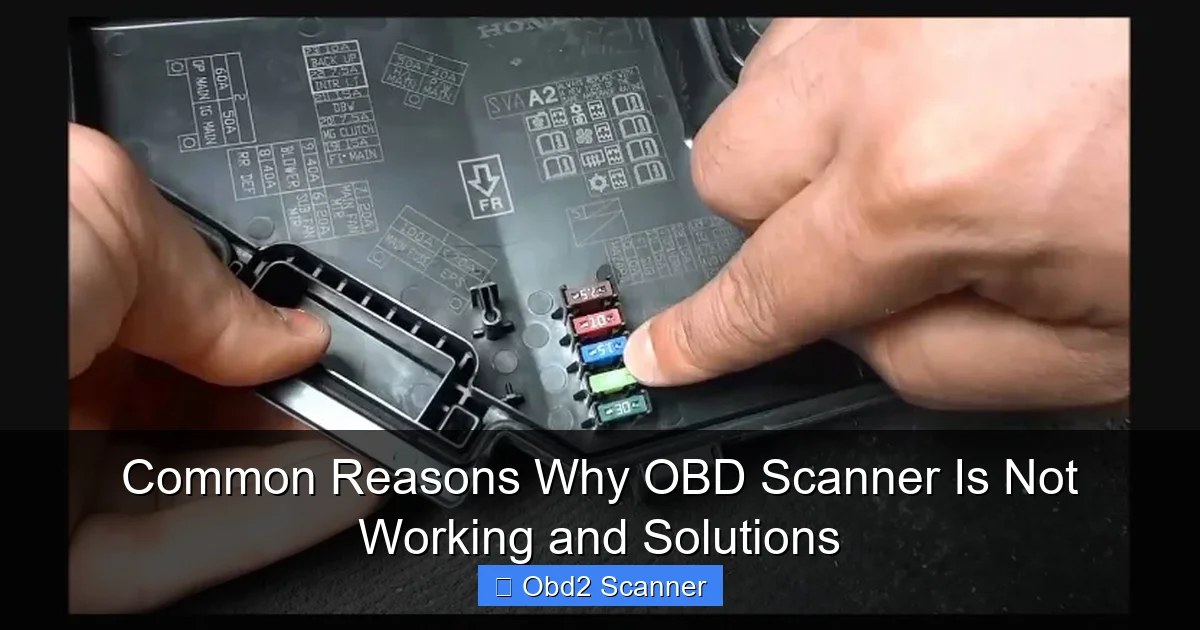
The OBD2 port also needs steady power on pin 16. A loose connector, bent pin, or blown fuse can power the scanner screen while blocking reliable communication. If the scanner keeps losing contact, review the common causes behind why an OBD2 scanner will not connect to narrow down the issue.
Low Battery Voltage or a Weak ECU
Diagnostic modules need stable voltage. A battery below about 12 volts can still crank the engine but may not support reliable data communication. The VIN request is one of the first messages to fail when voltage sags. Corroded terminals, loose grounds, and an aging battery all cause the same symptom.
Aftermarket Tunes, Swapped Engines, and Unprogrammed Modules
An engine control module stores the VIN during programming. If a tuner rewrote the module, a previous owner swapped the engine, or a shop installed a used ECU without coding it, the VIN field can come back blank or incorrect.
This is common on salvage rebuilds and project cars. The scanner is not broken. The vehicle simply has no VIN stored where the scanner expects to find it.
App Permissions, Bluetooth Pairing, and Outdated Firmware
Bluetooth and Wi-Fi scanners depend on a phone app. On Android, the app often needs location permission to discover nearby Bluetooth devices. If that permission is denied, the adapter may pair but never complete the data connection.
Outdated scanner firmware and old app versions cause similar failures. Check the manufacturer’s app store listing and firmware notes before replacing anything.
How to Fix an OBD2 Scanner That Shows No VIN
Try these steps in order. Most take less than ten minutes and cost nothing.
Step 1: Locate the Port and Set the Correct Ignition Mode
Find the OBD2 port under the driver’s side dash. Insert the scanner fully. Turn the ignition to run, not accessory, and do not start the engine. Wait for the scanner to initialize before reading the VIN.
With a push-button start, press the button once without touching the brake. Some vehicles need two presses to reach run mode. The dashboard lights should be on.
Step 2: Verify Battery Voltage and Connection Order
Check battery voltage with a multimeter or the scanner’s live data screen. A reading below 12 volts means the battery may be too weak for reliable module communication. Charge the battery or use a known-good vehicle to test the scanner.
Connect the scanner before turning the ignition on. This lets the tool sync with the modules as they wake. Reconnecting the scanner after the ignition is on can also reset a stuck session.
Step 3: Update the Scanner Firmware and App
Check the manufacturer’s website or app for firmware updates. Install the latest app version and grant the required permissions. Restart the phone, reconnect the adapter, and try again.
Many budget scanners have no update path. If yours cannot be updated and still fails, it may lack support for your vehicle’s protocol. That is a hardware limit, not a setting.
Step 4: Test With a Second Scanner or Forced Protocol Mode
Borrow a second scanner from a friend or auto parts store. If the second tool reads the VIN, the first scanner is the problem. If both fail, the vehicle is the problem.
Some advanced scanners let you force a specific protocol. Manual protocol selection can bypass an automatic detection failure. See how to handle the “protocol not supported” message on an OBD2 scanner for more detail.
- Confirm the ignition is in run mode before reading the VIN
- Check battery voltage and clean corroded terminals
- Update scanner firmware, app, and phone permissions
- Test with a second scanner to isolate the fault
- Clear codes before recording the codes and freeze-frame data
- Assume a missing VIN means the scanner is broken
- Buy a new scanner before testing the battery and ignition mode
Scanner Types Compared: Which One Reads VINs Every Time?
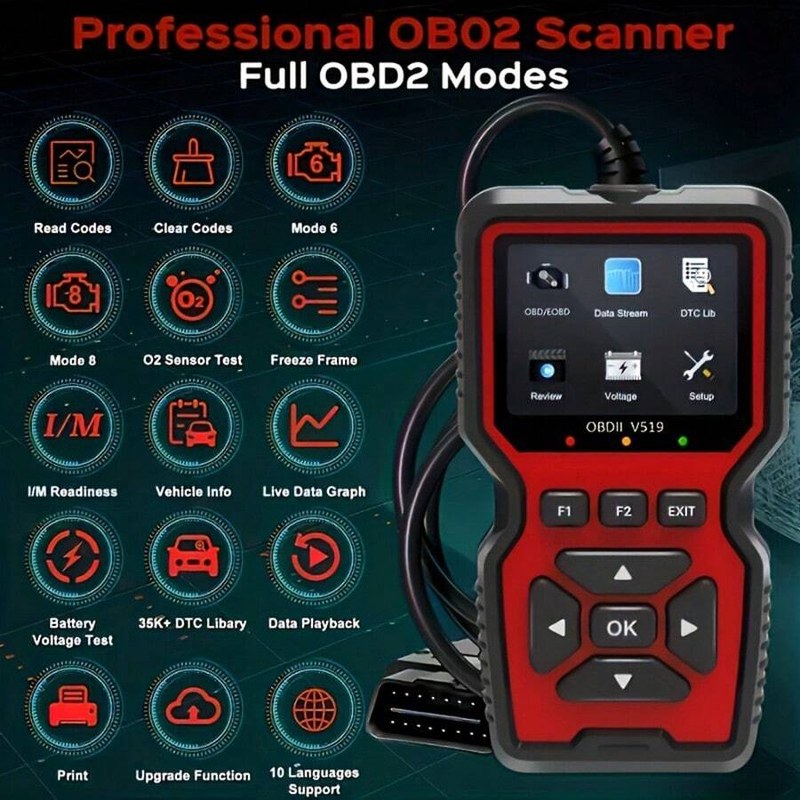
Not all scanners are built the same. The price difference usually reflects protocol support, module coverage, and update ability.
| Scanner Type | Best For | Owner Consideration | Driver Consideration |
|---|---|---|---|
| Generic code reader | Reading engine codes on 2008 and newer vehicles | Low upfront cost; limited or no updates | May fail on older protocols and some modules |
| Enhanced scanner | DIY owners with one or two vehicle brands | Higher cost; brand-specific coverage | Usually reads VIN, ABS, and airbag codes |
| Professional scan tool | Shops and serious DIYers | High cost; subscription may be required | Reads VIN from multiple modules and supports forced protocol |
Generic Code Readers vs. Enhanced Scanners vs. Professional Scan Tools
A generic code reader is the least likely to read a VIN on an older vehicle. It often supports only CAN and has no update path. It is fine for a quick engine code check on a modern car.
An enhanced scanner is built for specific brands like Ford, Toyota, or BMW. It usually reads the VIN reliably on the brands it supports, but coverage does not transfer to other makes.
A professional scan tool reads VINs from multiple modules, supports older protocols, and receives regular updates. It is the most reliable option, but the cost is far higher than a typical DIY owner needs.
Model-Year Coverage: Pre-2008 vs. 2008 and Newer
CAN became the required OBD2 protocol for the 2008 model year in the United States. Most 2008 and newer vehicles use the same communication standard, so nearly any scanner can read their VIN.
Pre-2008 vehicles may use CAN, VPW, PWM, ISO 9141, or KWP2000. A scanner that only supports CAN will fail on many older models. Check the scanner’s protocol support before buying if you own a 1996 to 2007 vehicle.
Emissions Testing, Readiness Monitors, and the Missing VIN
Many states require an OBD2 plug-in test during vehicle inspection. The station reads the VIN and compares it to the registration, so a missing VIN can cause an automatic failure.
Why Inspection Stations Require a VIN Match
The inspection station uses the VIN to confirm the vehicle is the same one registered with the state. It also links the emissions result to the correct vehicle record. If the scanner cannot read the VIN, the station cannot complete that link.
Some stations can enter the VIN manually. Others cannot. Ask your local station how it handles a VIN read failure before your inspection date.
Reset Limitations and Drive-Cycle Requirements
Clearing diagnostic codes also resets the readiness monitors. Those monitors must complete a drive cycle before the vehicle passes an OBD2 inspection. If you cleared codes and the VIN is missing, you may face a double failure.
Do not clear codes just to make the check engine light go away for an inspection. That practice can fail the readiness check and may be illegal in some states.
When a Missing VIN Signals a Serious Problem
Most missing VIN cases are simple communication issues. Sometimes the cause is much more serious.
VIN Mismatch and Vehicle History Red Flags
Compare the VIN on the dashboard, the door sticker, and the title. If the scanner reads a VIN that does not match the physical one, stop and investigate. A mismatch can indicate a stolen vehicle, a rebuilt title issue, or an improperly registered car.
Run the physical VIN through the National Highway Traffic Safety Administration’s free recall lookup and a vehicle history service. A missing or mismatched VIN is a reason to be cautious about any used car purchase.
Module Failure or Corrupted Memory
A failed engine control module may still power the scanner but cannot complete the VIN request. Corrupted memory, water damage, and electrical surges can all cause this. The fix usually requires professional programming or module replacement.
If the battery, ignition, and protocol are all fine, the module itself is the likely suspect. A professional scan tool can confirm the diagnosis.
Battery and Electrical Checks That Restore VIN Communication
Electrical problems cause many phantom diagnostic failures. A quick battery check can save you from buying a scanner you do not need.
System Voltage, State of Charge, and Battery Health
Measure voltage at the battery terminals with the ignition off. A healthy battery reads about 12.6 volts. Below 12.0 volts, module communication becomes unreliable.
If the battery tests good but the vehicle still has electrical problems, the issue may be a failing alternator, a parasitic drain, or a bad ground. Learn more about why a car battery can test good but still die to understand the difference between surface charge and real capacity.
Hybrid and EV Cautions
Hybrid and electric vehicles still have a 12-volt battery, but they also contain high-voltage battery packs. The OBD2 port operates on the 12-volt system, but the high-voltage components are extremely dangerous.
The Bottom Line: Your Next Steps When the VIN Won’t Read
Start with the cheapest fix and work up. Check the ignition mode, battery voltage, and scanner connection before spending any money.
DIY Troubleshooting vs. Professional Diagnosis Costs
DIY troubleshooting costs nothing beyond your time. Update the app, clean the battery terminals, and test with a second scanner. Most simple cases resolve at this stage.
Professional diagnosis is the next step when those checks fail. Shop fees vary by region and by the time required to trace the fault. Ask for a diagnostic estimate before approving any module replacement or reprogramming work.
When to Walk Away From the Vehicle
Walk away from a used car if the physical VIN does not match the title or the scanner’s reading. Walk away if the seller cannot explain a swapped or unprogrammed module. Those problems can affect registration, insurance, and resale value.
If the vehicle is already yours, a missing VIN is rarely a reason to panic. Work through the fixes, then get professional help if the problem persists.
- Best for: DIY owners who check ignition mode, battery voltage, and app updates before replacing equipment.
- Think twice if: The physical VIN and the stored VIN disagree, or the module was replaced without programming.
- Next step: Test the battery, update the scanner, and try a second tool before paying for professional diagnosis.
Frequently Asked Questions
Yes. Diagnostic modules need stable voltage, and a battery below about 12 volts can block the VIN request. Charge the battery or test it before replacing the scanner.
Reading codes and reading the VIN use different communication requests. The scanner may support the code request but fail the Mode 9 VIN request due to protocol limits, module programming, or low voltage.
No. Turn the ignition to the run position without starting the engine. That wakes the modules while keeping the system quiet enough for reliable communication.
Yes. If the engine control module was replaced and never programmed with the VIN, or a tune corrupted the VIN field, the scanner will show no VIN even though the vehicle runs fine.
It can. Many inspection stations read the VIN through the OBD2 port and compare it to the registration. Policies vary by state, so ask your local station how it handles a VIN read failure.
Costs vary widely. Simple fixes like a battery charge or app update cost little or nothing. Module programming or replacement can be expensive, so get a written estimate before approving work.