8 Best OBD2 Scanners for Buying Used Cars: A Buying Guide
Choosing the best OBD2 scanner for buying used cars comes down to one question: how much diagnostic depth do you want in your hands before you hand over your money? A used-car purchase gives you a short window to look past a freshly cleared dashboard, and the scanner you bring to that test drive decides whether you see stored codes, pending codes, and monitor readiness or just a dark warning light.
This roundup compares eight scanners and Bluetooth adapters that U.S. shoppers commonly consider, ranging from simple handheld code readers to full-system tools that also test a battery. We focus on what each tool is actually built to do, who it fits, and which details you still need to confirm against the current listing and your specific vehicle before you buy.
For most used-car shoppers, the FOXWELL NT301 is the strongest all-around starting point because it reads and clears engine codes, graphs live data, and shows I/M readiness without needing a phone. If you want ABS, airbag, TPMS, or transmission codes during an inspection, step up to the BlueDriver or the FOXWELL NT809BT — but confirm your exact year, make, model, and trim against the current compatibility chart first, because no scanner covers every system on every vehicle.
Quick Product Comparison
| Product | Image | Best For | Current Price |
|---|---|---|---|
| 1. FOXWELL NT301 OBD2 Scanner | 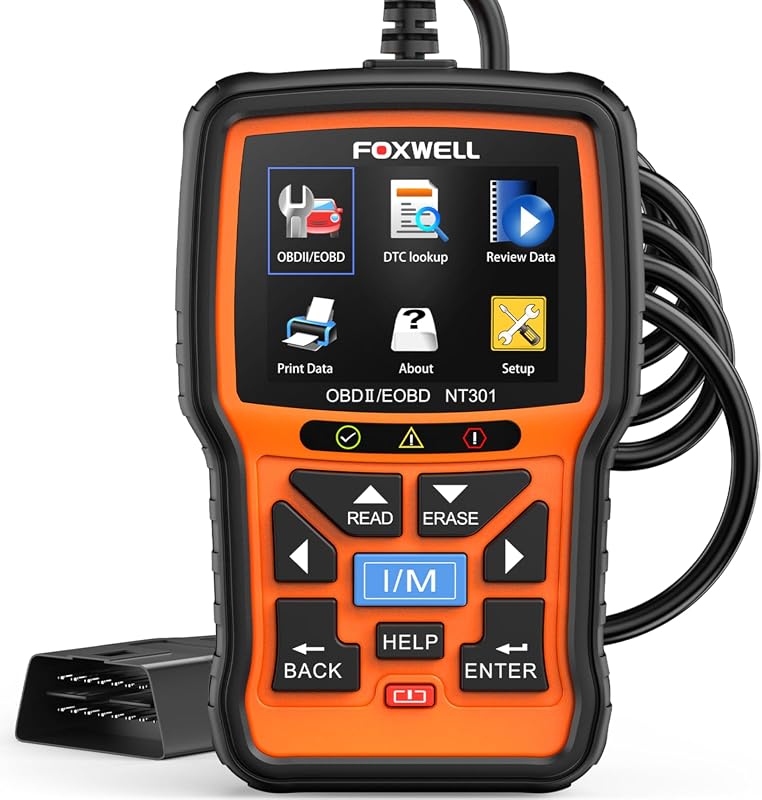 |
Used-car shoppers who want a standalone handheld that reads, graphs, and clears engine codes without a phone | See Price → |
| 2. Veepeak OBDCheck BLE+ | 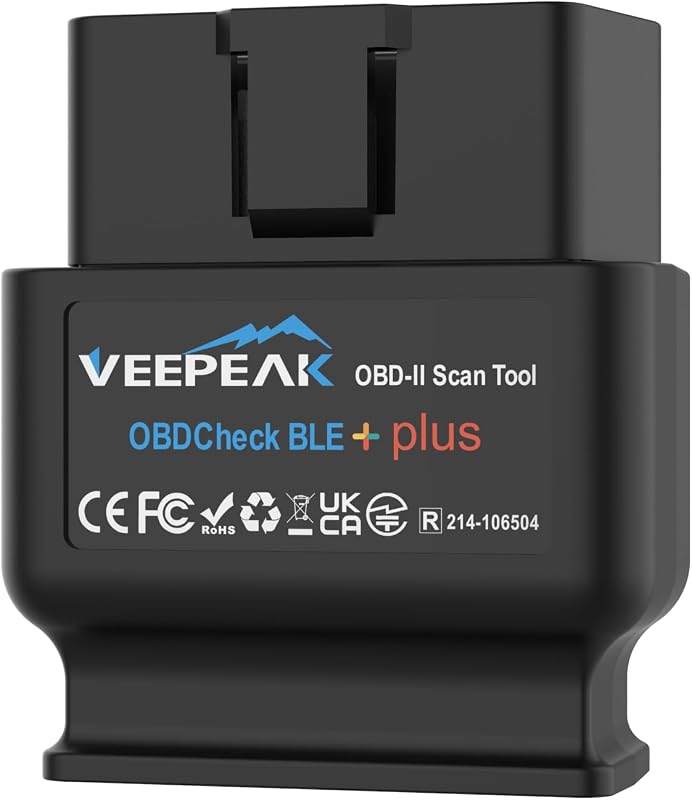 |
Buyers who want app-based diagnostics on a phone, with possible make-specific app support | See Price → |
| 3. ANCEL AD310 OBD2 Scanner | 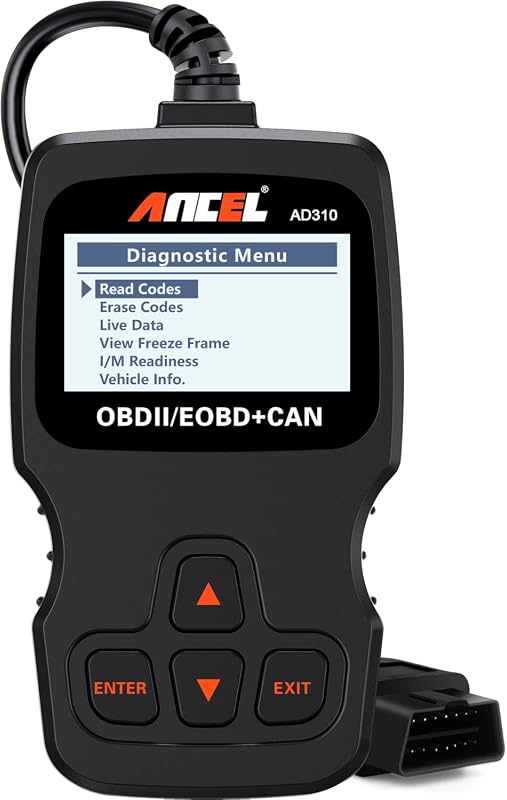 |
Budget-minded shoppers who want simple, offline engine-code reading | See Price → |
| 4. FOXWELL NT809BT OBD2 Scanner | 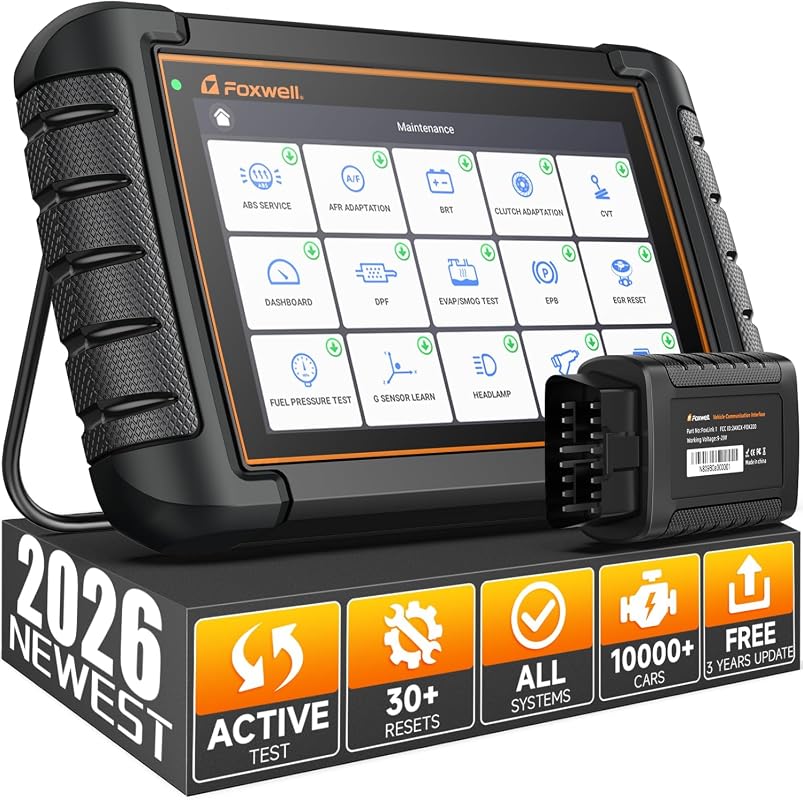 |
Buyers who want full-system scans, service resets, and active component tests in one tool | See Price → |
| 5. Veepeak OBDCheck BLE | 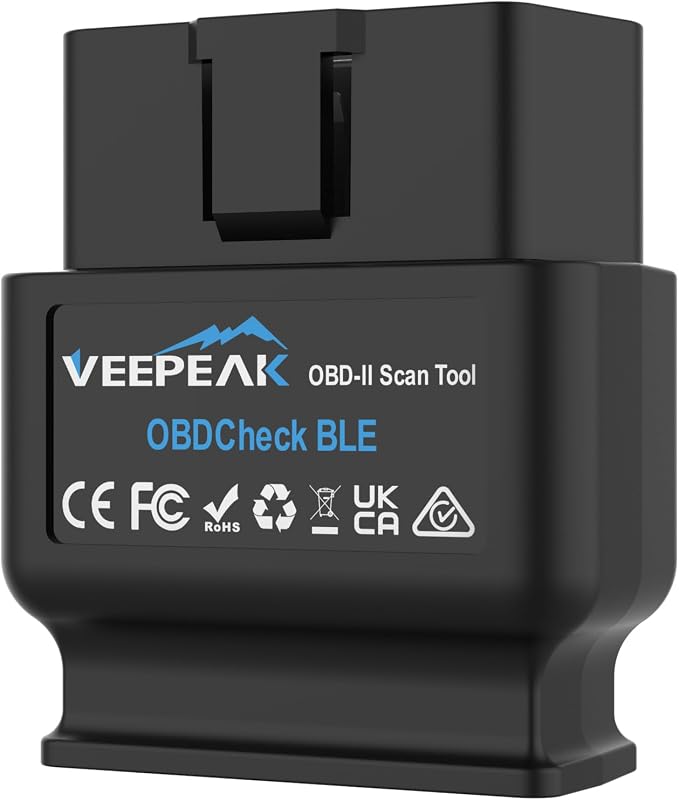 |
Shoppers who want a low-cost way to add Bluetooth OBD-II diagnostics to a phone | See Price → |
| 6. ANCEL AD410 OBD2 Scanner | 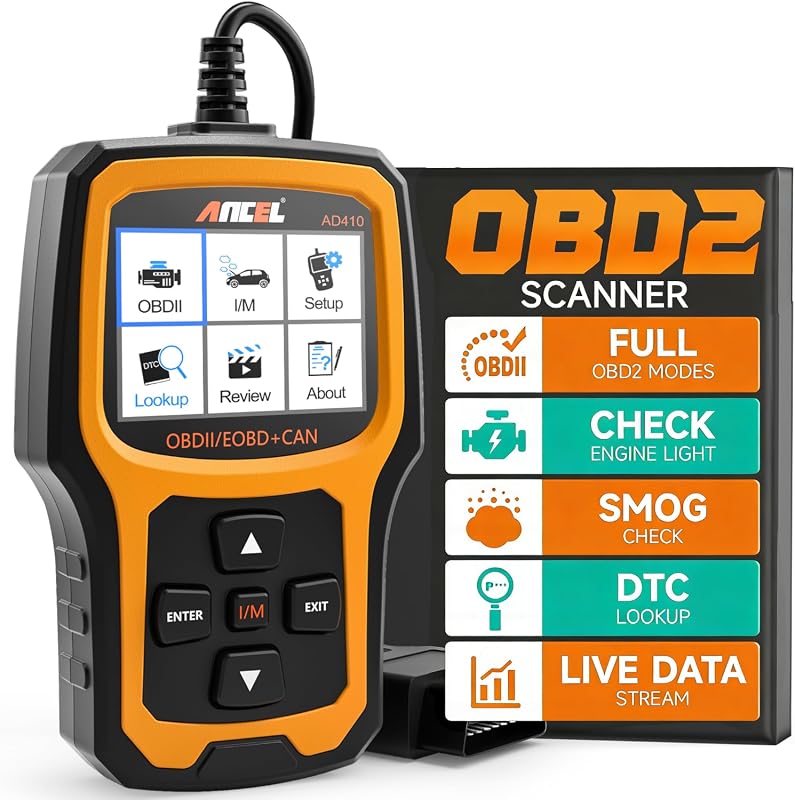 |
First-time buyers who want built-in code definitions and readiness checks on screen | See Price → |
| 7. BlueDriver OBD2 Bluetooth Scanner | 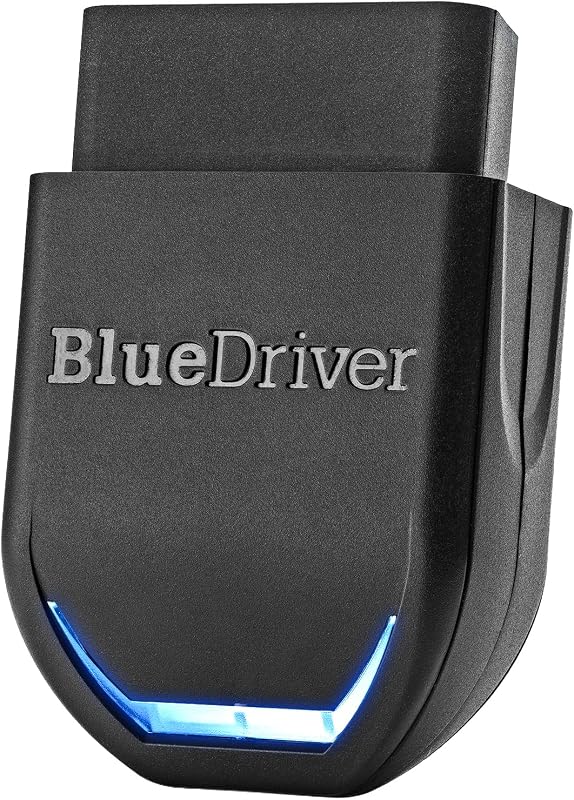 |
Shoppers who need ABS, SRS, TPMS, and transmission codes plus repair reports | See Price → |
| 8. FOXWELL NT301 Plus OBD2 Scanner | 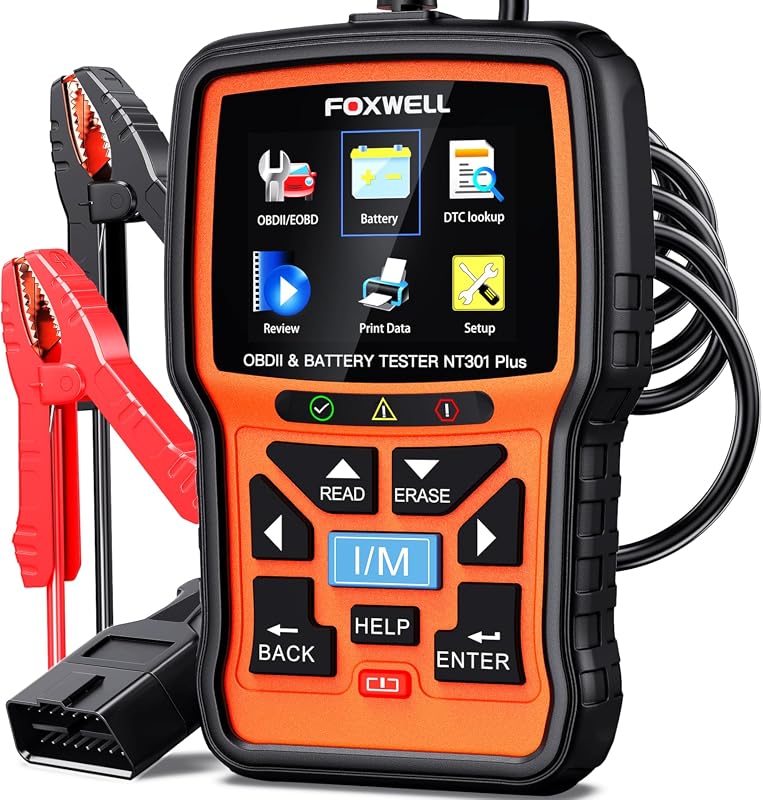 |
Buyers who want engine diagnostics and battery health checks in a single tool | See Price → |
Best Obd2 Scanner For Buying Used Cars: What to Look For
A used-car inspection asks different questions than everyday ownership diagnostics. You are not chasing a problem you already know about — you are hunting for evidence the seller may not have mentioned. These are the factors that separate a genuinely useful shopping tool from a gadget that only confirms the obvious.
Basic Code Reading Versus Full-System Diagnostics
Every tool here handles generic OBD-II engine functions: reading and clearing diagnostic trouble codes and checking monitor status. That is the floor, not the ceiling. Full-system tools go further into braking, steering, body, and other modules, and the BlueDriver listing specifically describes enhanced access to ABS, SRS, airbag, TPMS, and transmission codes on supported vehicles. If airbag or ABS history matters to your purchase decision, confirm coverage before you buy — our guide to whether an OBD2 scanner can read airbag codes explains why that distinction trips up so many shoppers.
Live Data and Freeze Frame
Live data shows what sensors are reporting right now, while freeze frame captures the conditions at the moment a fault was set. Both matter when a seller insists a car “runs fine.” The FOXWELL NT301 and NT301 Plus graph live parameters such as RPM, coolant temperature, and fuel trim, and the ANCEL AD410 displays real-time engine data on screen. Learning how to interpret those readings takes practice, so start with our walkthrough on how to find live data on an OBD2 scanner before you stand in a stranger’s driveway.
I/M Readiness and Smog Check Status
Readiness monitors tell you whether the vehicle’s self-tests have completed. A car with recently cleared codes often shows incomplete monitors, which is a legitimate red flag during a private-party sale. Several picks here — including the FOXWELL NT301, NT301 Plus, and ANCEL AD410 — include dedicated readiness functions, and the NT301 adds a red-yellow-green LED indicator with audio feedback.
Handheld Versus Bluetooth App-Based Tools
Handheld scanners work offline, need no phone, and are ready the moment you plug in. Bluetooth adapters are smaller and cheaper but depend on a third-party app, and some apps or in-app features require a separate purchase. If the seller’s driveway has poor signal or you do not want to install anything, a handheld is the simpler choice.
Vehicle Coverage and Model-Year Limits
Generic OBD-II coverage generally starts at 1996 for U.S. gasoline vehicles, but enhanced and manufacturer-specific functions have their own year and model boundaries. The Veepeak listings, for example, describe compatibility text written around Australian and New Zealand market model years, and they explicitly note that some coding apps do not support pre-2008 models. Always verify the exact year, make, model, and trim against the current listing and compatibility chart.
Battery and Electrical Checks
A used car that has been sitting on a lot often has a tired battery, and a weak battery can produce misleading electrical symptoms. The FOXWELL NT301 Plus adds 12V battery testing to engine diagnostics, reporting state of health, state of charge, cold cranking amps, and cranking performance for flooded, AGM flat and spiral, EFB, and GEL batteries.
Our Top 8 Picks
1. FOXWELL NT301 OBD2 Scanner Live Data Professional Mechanic OBDII Diagnostic Code Reader for Check Engine Light
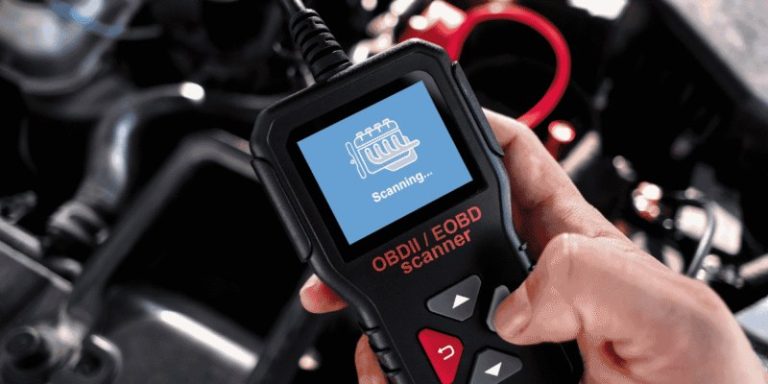
The NT301 is a standalone handheld that plugs into the 16-pin DLC port, reads and clears engine fault codes with one click, and graphs live sensor data — no phone, no app, no pairing step in a seller’s driveway. It is positioned as a check-engine-light tool rather than a full-system diagnostic platform, so ABS, airbag, and transmission modules are outside what this listing describes.
Key Features That Matter
- One-click read and clear of engine DTCs after plugging into the 16-pin DLC port and switching the ignition on — useful when you want an answer in seconds during a walkaround.
- Clears the check engine light only after the underlying fault is repaired, so a code that reappears tells you the problem was never actually fixed.
- Dedicated one-click I/M readiness hotkeys with a red-yellow-green LED indicator and built-in speaker, giving a quick read on whether monitors are complete before an emissions test.
- Enhanced OBD-II modes including EVAP system checks and O2 sensor testing to assess fuel tank condition and air-fuel ratio behavior.
- Live data graphing for oxygen sensors, fuel trims, coolant temperature, and RPM, so you can watch for values that look out of step with a healthy engine.
Used-car buyers who want a self-contained engine diagnostic tool they can use immediately, without depending on a phone or an app purchase.
- Works offline with no app or subscription step described in the listing.
- Graphs live data rather than only displaying codes.
- Readiness indicator helps you judge whether monitors were recently reset.
- Focused on engine and emissions functions, not ABS, SRS, or TPMS modules.
- Handheld form factor means you read results on the device screen, not a larger phone display.
2. Veepeak OBDCheck BLE+ Bluetooth OBD2 Scanner Car Diagnostic Scan Tool Code Reader for iOS & Android
The OBDCheck BLE+ is a Bluetooth adapter that turns a phone into the display, which keeps your hands free and lets you use the app interface you already know. The trade-off is that the app is not included, some app features cost extra, and the compatibility text supplied in the listing is written around Australian and New Zealand market model years — so U.S. buyers should confirm coverage directly before relying on it.
Key Features That Matter
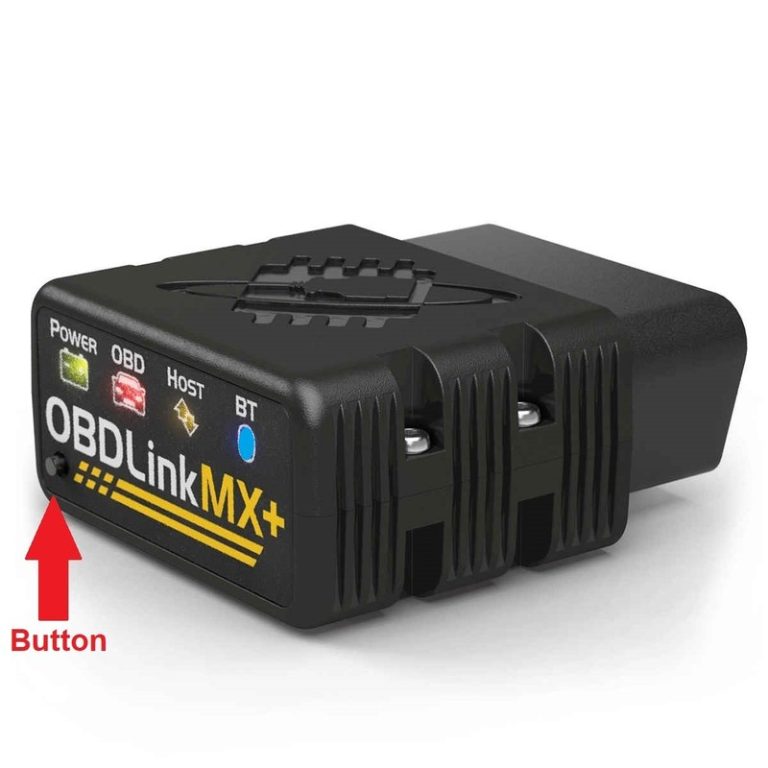
- Generic OBD-II functions: reading and clearing trouble codes for the check engine light, viewing freeze frame data, checking I/M readiness, and monitoring live sensor data.
- Compatible with ELM327-supported apps including Car Scanner ELM OBD2, Torque for Android, and OBD Fusion, plus vehicle-specific apps such as BimmerCode, BimmerLink, OBD JScan, Dr. Prius, and Carista.
- Supports Bluetooth LE and Classic on Android and Bluetooth LE on iOS, with the note that LE connections should be made from inside the app rather than through system Bluetooth settings.
- Listing describes compatibility with model year 2006 and newer gasoline and 2007 and newer diesel cars and light trucks in Australia, with model year 2006 and newer also supported in New Zealand.
- Explicit app limitations are disclosed: pre-2008 models are not supported for BimmerCode or BimmerLink, G series is not fully supported for BimmerCode, and the adapter is not compatible with MHD, xHP, ProTool, or bootmod3.
Shoppers who prefer a phone-based interface and want the option of maker-specific apps alongside generic OBD-II scanning.
- Small adapter format that is easy to keep in a glovebox.
- Broad app ecosystem, including several vehicle-specific options.
- Freeze frame, readiness, and live data are all described as supported.
- App not included, and some apps or in-app features require separate purchase.
- Supplied compatibility text references Australian and New Zealand market model years — verify U.S. coverage.
- Android head units may not be supported.
3. ANCEL AD310 Universal Enhanced OBD2 Scanner Engine Fault Code Reader Diagnostic Scan Tool for 1996+ OBDII Vehicles
The AD310 is the straightforward option: a compact handheld that reads and clears engine codes, shows live data, and runs completely offline. It is one of the most widely reviewed tools in this roundup, which makes it a common first scanner for used-car shopping, but it stays within engine and emissions functions rather than reaching into chassis or body modules.
Key Features That Matter
- Supports all OBDII protocols described in the listing — KWP2000, J1850 VPW, ISO9141, J1850 PWM, and CAN — which matters because cheap tools sometimes support only a subset.
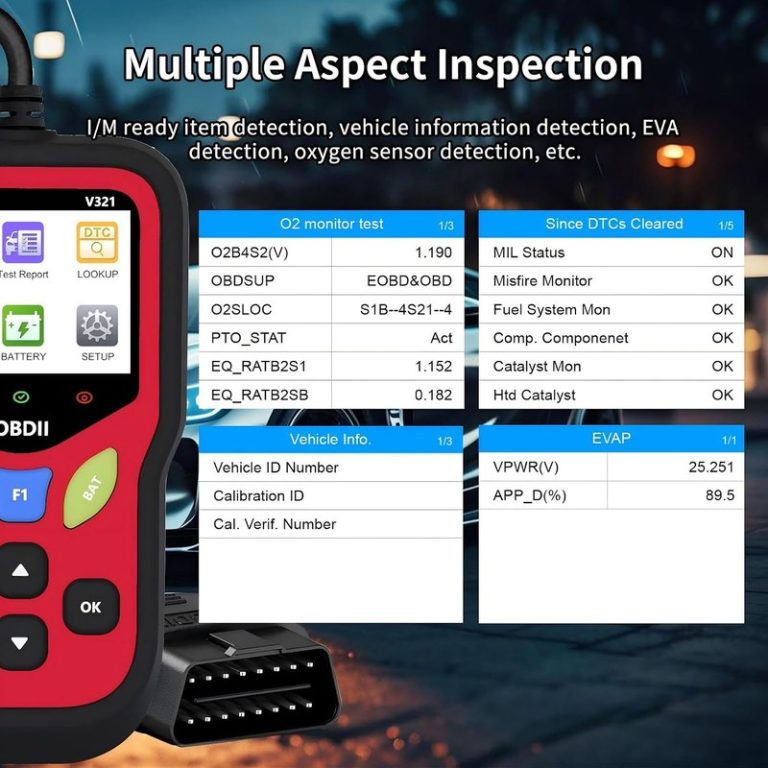
- Reads and clears diagnostic trouble codes, reads live data and hard memory data, views freeze frame, performs EVAP system tests, checks I/M monitor readiness, and collects vehicle information.
- Powered directly from the vehicle’s OBDII Data Link Connector, so no batteries or charger are required.
- Equipped with a 2.5-foot cable with thick, flexible insulation, plus a large display and clearly labeled buttons.
- Works completely offline, unlike Bluetooth scanners that depend on an app connection, which makes it reliable in areas with poor signal.
Budget-conscious shoppers who want dependable engine-code reading and readiness checks without a phone or an app account.
- Broad OBDII protocol support described in the listing.
- No batteries, no app, no internet connection required.
- Compact and light enough to carry in a backpack during shopping trips.
- Engine and emissions functions only — no ABS, SRS, or TPMS coverage described.
- No wireless connection, so results stay on the device screen.
4. FOXWELL NT809BT OBD2 Scanner, All System Bidirectional Scan Tool with 30+ Resets, CAN-FD & AutoVIN
The NT809BT is the most capable tool in this roundup and the furthest from a simple code reader. It scans more than 22 vehicle systems, supports bidirectional actuator testing, and bundles 30-plus maintenance functions, all on a 7-inch touchscreen with wireless connectivity. It is also the most expensive pick here and the one where vehicle-specific coverage matters most.
Key Features That Matter
- Wireless operation with a stated 65-foot range and AutoVIN, plus support for CAN-FD, DOIP, and FCA authentication.
- Full-system diagnostics across the engine, powertrain, braking, steering, electrical, suspension, cooling, lighting, exhaust, and body control — more than 22 systems in total.
- Bidirectional control described as 99% coverage with 3,000-plus actuator tests, covering components such as radiator fan, fuel pump, injector, throttle, A/C, ABS, parking brake, doors and windows, lights, and 360-degree camera.
- 30-plus special functions including ABS bleeding, oil reset, EPB reset, SAS calibration, throttle matching, injector coding, DPF regeneration, TPMS reset, transmission adaptation, suspension reset, and battery registration.
- 7-inch glove-friendly touchscreen with six text sizes, one-tap screenshots, one-click full scan, one-click PDF reports, 24 languages, and a stated three-year free update period.
- Full OBD2 support including code read and clear, I/M readiness, DTC lookup, and four-in-one live data.
Buyers who intend to keep diagnosing and servicing the vehicle after purchase and need module-level access, resets, and active tests rather than engine codes alone.
- Full-system scanning well beyond generic engine codes.
- Bidirectional testing helps confirm whether a component actually responds.
- Large touchscreen with wireless range and PDF reporting.
- Highest cost in this roundup by a wide margin.
- Service resets and bidirectional tests are vehicle-dependent — verify coverage for your exact model.
- More capability than a one-time used-car inspection strictly requires.
5. Veepeak OBDCheck BLE Bluetooth OBD II Scanner Adapter, Code Reader & Diagnostic Scan Tool for iOS Android
This is the entry point into Bluetooth diagnostics: a small adapter that handles generic OBD-II functions and hands the interface over to an app. It carries a strong rating across a large review base, but the listing is explicit that the app is not included and that compatibility text is written around Australian and New Zealand market model years.
Key Features That Matter
- Reads and clears trouble codes for the check engine light, and reports freeze frame, O2 sensor and on-board monitor test results, live data, and I/M readiness.
- Compatible with a range of OBD apps including Car Scanner ELM OBD2, OBD Fusion, Torque for Android only, Infocar, BimmerCode, BimmerLink, OBD JScan, and Dr. Prius.
- Supports Bluetooth LE on both iOS and Android, with classic Bluetooth also available on Android; LE connections should be started from within the app.
- Listing describes compatibility with model year 2006 and newer gasoline and 2007 and newer diesel vehicles in Australia for generic OBD-II functions.
- Disclosed limitations: BimmerCode supports only 2008 and newer E, F, I, and 2008 and newer R series, pre-2008 models are not supported for BimmerLink, and the adapter is not compatible with Carly, MHD, xHP, ProTool, or bootmod3.
Shoppers who already use an OBD app and want the least expensive way to add a Bluetooth adapter to their kit.
- Lowest-cost way to get generic OBD-II diagnostics onto a phone.
- Works with several well-known third-party apps.
- Small enough to leave in the car between inspections.
- No app included, and some apps or features require separate purchase.
- Generic OBD-II functions only — no enhanced module coverage described.
- Supplied compatibility text is region-specific and must be verified for U.S. vehicles.
6. ANCEL AD410 Enhanced OBD2 Scanner, Check Engine Code Reader, OBD II Diagnostic Scan Tool for 1996+ Cars
The AD410 is aimed squarely at drivers who have never used a scanner before. It carries a large built-in code library so you can read a definition on screen instead of searching for it, and it covers the standard OBD-II functions you need for a basic used-car check. It is still an engine-focused tool, not a full-system platform.
Key Features That Matter
- More than 42,000 built-in DTC lookups, so code definitions appear on the device rather than requiring an online search.
- Supports reading and clearing codes, live data, freeze frame, I/M readiness, O2 sensor test, EVAP test, vehicle information, and MIL status.
- Displays real-time engine parameters such as RPM, coolant temperature, fuel trim, and oxygen sensor readings to help spot abnormal patterns.
- I/M readiness function lets you confirm whether monitors are ready before a smog check or emissions inspection, reducing the chance of a wasted retest trip.
- Listing describes compatibility with most 1996 and newer U.S. OBD2 cars, SUVs, and light trucks, plus many 2000 and newer EU and Asian OBD2 vehicles, with support for CAN, ISO9141, KWP2000, J1850 VPW, and J1850 PWM protocols.
First-time buyers who want plain-language code definitions and a simple on-screen workflow during a used-car inspection.
- Large built-in code library reduces guesswork for beginners.
- Readiness check helps you judge inspection risk before purchase.
- Broad protocol support described for 1996 and newer vehicles.
- Engine and emissions functions only.
- Compatibility should still be confirmed by year, make, model, and trim before purchase.
7. BlueDriver OBD2 Scanner Bluetooth, No Subscription Required, Reads ABS SRS TPMS Codes for All Vehicles
BlueDriver is built for shoppers who want more than engine codes. On supported vehicles it reads and clears ABS, SRS, airbag, TPMS, and transmission codes, and it pairs those codes with technician-verified repair reports matched to your VIN. The enhanced coverage is vehicle-dependent, so the compatibility chart matters more here than with a basic reader.
Key Features That Matter
- Reads and clears more codes than basic readers, with enhanced diagnostics for check engine, ABS, SRS, airbag, TPMS, and transmission on supported vehicles, including expanded coverage on newer model years.
- Unlimited technician-verified repair reports matched to your VIN, with definitions, causes, and confirmed fixes.
- Live vehicle data monitoring while driving, plus freeze frames, smog readiness checks, and Mode 6 test result analysis.
- Coverage optimized for GM, Ford, Stellantis (RAM, Jeep, Chrysler), Toyota, Honda, Nissan, Mazda, Subaru, Hyundai, Mercedes-Benz, BMW, and Volkswagen, with enhanced communication on select 2024 and newer Nissan and Mazda models.
- Listing describes support for gas-powered vehicles from 1996 or newer, plus select light-duty trucks and diesels including F-250, RAM 2500, Silverado, and Sierra.
- No subscription is required according to the listing title.
Used-car shoppers who consider airbag, ABS, or transmission history a deal-breaker and want a repair-oriented explanation alongside each code.
- Enhanced module coverage that basic code readers do not offer.
- VIN-matched repair reports help you interpret what you find.
- Mode 6 data and smog readiness add depth to a pre-purchase check.
- Enhanced coverage varies by make, model, and model year — check the compatibility chart.
- Requires a phone and the app to function; no standalone screen.
- Higher cost than handheld engine-only readers.
8. FOXWELL NT301 Plus 2-in-1 OBD2 Scanner & 12V Car Battery Tester with Diagnostic Code Reader
The NT301 Plus keeps the engine diagnostic functions of the NT301 and adds a 12V battery test, which is genuinely useful when a used car has been sitting. It uses a larger 2.8-inch color display than the standard NT301, and it reports battery condition in plain Good or Replace terms. It remains an engine and battery tool, not a full-system scanner.
Key Features That Matter
- Two tools in one: engine fault analysis plus a full 12V car battery test, with a 2.8-inch color display that is 36% larger than a 2.4-inch screen.
- Reads DTCs, resets the check engine light, and displays live data such as RPM, coolant temperature, and fuel trim in both text and graph form, with freeze frame, on-board monitoring, component tests, and ECU information.
- Battery analysis measures state of health, state of charge, cold cranking amps, cranking voltage and time, and starter and charging performance, with the listing claiming 20% higher accuracy even below 0°C (32°F).
- Works with flooded, AGM flat, AGM spiral, EFB, and GEL battery types.
- LED pass/fail I/M readiness check with one hot-key press and red-yellow-green indicators plus audio prompts, along with built-in DTC definitions.
- Listing describes compatibility with U.S. vehicles from 1996 and newer, European models from 2001 and newer, and Asian cars from 2005 and newer through the standard 16-pin OBDII port.
Shoppers evaluating a car that has sat on a lot or in storage, where a tired 12V battery could mask or mimic other electrical symptoms.
- Engine diagnostics and battery health testing from one tool.
- Large color display and clear Good or Replace battery results.
- Supports multiple 12V battery chemistries including AGM and GEL.
- Engine and battery functions only — no ABS, SRS, or TPMS coverage described.
- Battery testing requires the included clamps to be connected firmly, which adds a step at the inspection.
- Costs more than the standard NT301 for the added battery function.
Compatibility, Safety, and Setup Checks
Generic OBD-II engine functions generally apply to 1996 and newer U.S. gasoline vehicles, but enhanced functions, service resets, and manufacturer-specific coverage follow their own year, make, model, and trim boundaries. Confirm the 16-pin connector is present and reachable, check whether the listing’s compatibility text was written for the U.S. market, and verify any app requirements — including phone operating system, Bluetooth type, and whether the app itself is included — before you rely on a tool during a purchase decision.
How to Choose an OBD2 Scanner for Used-Car Shopping
- Confirm compatibility before purchase.
- Configure and test while parked.
- Secure mounts and wiring, then maintain the device.
- Scan before you negotiate, not after you have committed.
- Keep a written record of codes, freeze frame, and readiness status.
- Block the driver’s view.
- Cover airbags, controls, or factory sensors.
- Rely on unverified specifications or universal-fit claims.
- Treat a cleared check engine light as proof of a repair.
- Assume a tool covers a module just because it covers the engine.
Verify vehicle year, make, model, and trim, locate the 16-pin DLC port, and check that any required app is installed and paired before you arrive.
Plug in with the vehicle parked and the ignition in the position the tool’s instructions require, keeping cables away from pedals, airbags, and the driver’s field of view.
Run a full scan, record stored and pending codes, capture freeze frame data, and check I/M readiness. Note any incomplete monitors, then clear nothing until you have documented what you found.
- Confirm year, make, model, and trim compatibility.
- Check power, port, app, mounting, and storage requirements.
- Review warranty, returns, support, and update policy.
- Count installation, accessory, subscription, and maintenance costs.
- Confirm normal use will not obstruct visibility, controls, airbags, or sensors.
- FOXWELL NT301: Best all-around used-car scanner for engine codes, live data graphing, and readiness checks with no phone required — but it does not cover ABS, SRS, or TPMS.
- Veepeak OBDCheck BLE+: Best alternative for phone-first users who want app flexibility, though the app is not included and U.S. coverage should be confirmed.
- ANCEL AD310: Best value for simple, offline engine-code reading with broad protocol support, at the cost of module depth.
- FOXWELL NT809BT: Best for deep, ongoing diagnostics with full-system scans, resets, and bidirectional tests — the highest cost and the most coverage to verify.
- Veepeak OBDCheck BLE: Best budget Bluetooth entry point for generic OBD-II functions, with the same app and region caveats.
- ANCEL AD410: Best for beginners thanks to a large built-in code library and readiness checks, but still engine-focused.
- BlueDriver: Best for shoppers who need ABS, SRS, TPMS, and transmission codes plus VIN-matched repair reports, subject to the compatibility chart.
- FOXWELL NT301 Plus: Best 2-in-1 option for cars that have been sitting, adding 12V battery health testing to engine diagnostics.
- Compatibility: Verify the exact year, make, model, trim, connector, app, and module coverage against the current listing and your owner’s manual before buying.
- Safety: Install, pair, and configure the device while parked, and keep all cables and clamps clear of pedals, airbags, and the driver’s field of view.
Frequently Asked Questions About Best Obd2 Scanner For Buying Used Cars
It can tell you whether stored or pending engine codes exist and whether emissions monitors have completed, which is valuable context. It cannot confirm overall mechanical condition, so treat it as a filter that helps you decide whether to pay for a professional inspection.
A handheld works offline and needs no setup, which is simpler when you are standing in a stranger’s driveway. A Bluetooth adapter is smaller and often cheaper but depends on an app that may not be included and may require a separate purchase.
Cleared codes are usually gone from stored memory, but readiness monitors often show as incomplete after a recent reset. That pattern is itself a useful signal and is one reason to check I/M readiness as well as codes.
Only some of them. Basic readers in this roundup cover engine and emissions functions, while tools like BlueDriver and the FOXWELL NT809BT describe enhanced or full-system coverage on supported vehicles. Always confirm module coverage for your specific year, make, model, and trim.
Handheld scanners in this roundup work without an app. Bluetooth adapters require an app, and the listings note that some apps or in-app features require a separate purchase, so check the app details before buying.
Locate the 16-pin DLC port, confirm the battery has enough charge to power the tool, and make sure the vehicle is parked safely with the ignition in the position the instructions require. Never scan while the vehicle is in motion or on a roadway.
Final Thoughts on Choosing the Best OBD2 Scanner for Buying Used Cars
The right tool depends on the decision in front of you. If you simply want to know whether a check engine light is hiding something, a handheld like the FOXWELL NT301 or ANCEL AD310 covers that ground quickly and without an app. If airbag, ABS, or transmission history could change your offer, you need a tool that explicitly supports those modules on your specific vehicle — and you need to confirm that coverage rather than assume it.
Whichever you choose, use the scanner as one step in a broader inspection, document what you find, and have a qualified mechanic look at anything that concerns you. Prices, apps, and compatibility charts change, so verify the current listing details before you buy, and keep safety first by doing all scanning and setup while parked.