Do You Need the Engine Running to Use an OBD2 Scanner
Most OBD2 scans work with the ignition on and the engine off. Start the engine only for live data, actuator tests, or emissions drive cycles.
Do you need the engine running to use an OBD2 scanner? For most basic diagnostic tasks, the answer is no — turn the key to the “on” position and leave the engine off. That simple step powers the diagnostic port and lets you read trouble codes, check freeze frame data, and clear stored codes without burning fuel.
- KOEO is the default: Turn the key to “on” with the engine off to read and clear most.
- KOER is for live data: Fuel trims, oxygen sensor readings, and RPM need the engine running.
- Drive cycles matter: Emissions readiness monitors only complete while driving, and rules vary by state.
- Battery health affects scans: A weak or damaged battery can cause false codes and connection failures.
- Match the tool to the task: Budget readers handle codes, while pro scanners add bidirectional controls and module access.
The Short Answer: Ignition On, Engine Off Is Usually Enough
Most OBD2 scanners work fine with the ignition in the “on” position and the engine off. This is called KOEO, which stands for “Key On, Engine Off.” It’s the standard mode for reading and clearing diagnostic trouble codes.
Turning the key to “on” wakes up the vehicle’s computer modules and powers the OBD2 port through a fused circuit. The engine doesn’t need to run because the scanner talks to computers, not moving parts.
Why the Engine Doesn’t Need to Run: How the OBD2 Port Gets Power
The OBD2 port, also called the Data Link Connector or DLC, sits under the dashboard on the driver’s side. Pin 16 supplies 12-volt battery power, and pins 4 and 5 provide ground. When the ignition is on, those pins are live and the scanner can communicate with the engine control module.
The engine computer runs diagnostic checks as soon as it receives power. It doesn’t need the crankshaft turning or fuel flowing. That’s why you can read a check engine code in your driveway with a cold engine.
When You Do Need the Engine Running: Live Data, Actuator Tests, and Drive Cycles
Some diagnostic tasks genuinely need the engine running. Live data is the biggest example. Readings like engine RPM, coolant temperature, oxygen sensor voltage, and fuel trims only make sense while the engine operates.
Actuator tests are another case. If a scanner can command a component like a fuel pump relay or an EVAP vent solenoid, the test may need the engine running or at least the ignition on. It depends on the vehicle and the specific test.
Drive cycles are the third case. Emissions readiness monitors only run while the vehicle is driven through specific conditions. You can’t complete a drive cycle parked in your driveway.
Engine Off vs. Engine Running: What Each Mode Lets You Do
Understanding the two main diagnostic modes helps you avoid confusion. KOEO and KOER serve different purposes, and knowing which one you need saves time.
Ignition On, Engine Off (KOEO): Reading Codes, Freeze Frames, and Clearing Codes
KOEO mode is the workhorse for basic diagnostics. With the key on and the engine off, you can:
- Read stored and pending diagnostic trouble codes
- View freeze frame data showing engine conditions when a code was set
- Clear codes and turn off the check engine light
- Check vehicle identification and calibration information
This mode is also the safest for beginners. No moving parts, no hot exhaust, no risk of the vehicle rolling.
Engine Running (KOER): Live Data, Fuel Trims, and Oxygen Sensor Testing
KOER mode, or “Key On, Engine Running,” is for diagnostics that need real-time information. Live data is the main reason to start the engine. You can watch sensor readings change as you rev the engine or apply load.
Fuel trim values are a common KOER test. Short-term and long-term fuel trims tell you whether the engine runs rich or lean. These numbers only mean something with the engine warm and running under normal conditions.
Oxygen sensor testing also requires the engine running. A healthy oxygen sensor cycles rapidly between rich and lean readings. A sluggish signal can point to a failing sensor or an exhaust leak.
Reset and Relearn Limitations: When the Scanner Needs to See a Start
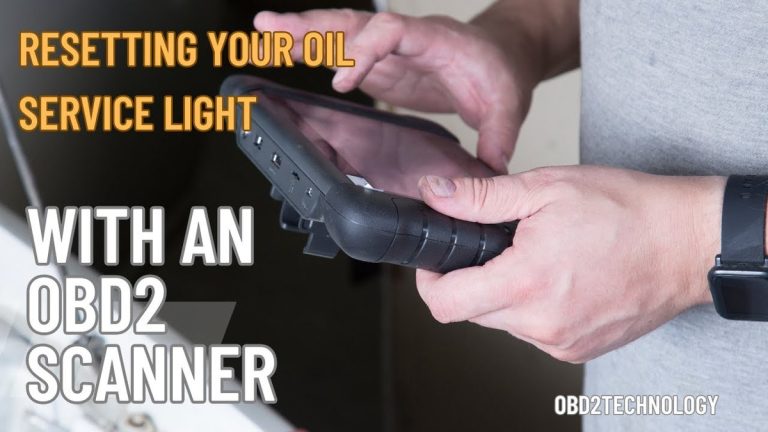
Some reset and relearn procedures are picky. Oil life reset, throttle body relearn, and crank sensor adaptation may require the scanner to see the engine start and run for a specific period. If you clear codes and read them again right away, some vehicles also need a start cycle before monitors rerun.
Check your scanner’s manual for the exact procedure. Many mid-range and professional scanners include step-by-step prompts that tell you when to start the engine.
Emissions Readiness: The One Test That Needs a Drive Cycle (and Varies by State)
Emissions readiness is the exception to the “ignition on, engine off” rule. Readiness monitors are self-tests the vehicle’s computer runs to confirm emissions systems work. These monitors only complete during a drive cycle, which means driving through a specific pattern of speeds, stops, and idle time.
If your state requires emissions inspection, the inspector checks readiness status. A vehicle with incomplete monitors can fail even with no stored codes. Clearing a code right before an emissions test is a bad idea because it resets the monitors.
Scanner Compatibility: Protocols, Port Location, and App Permissions
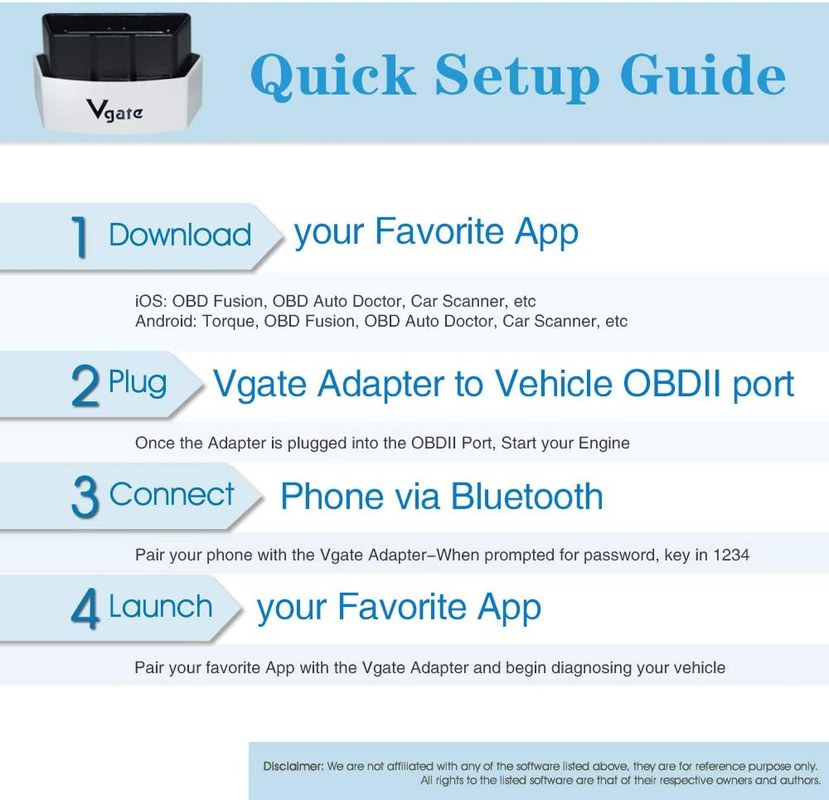
Not every scanner works with every vehicle. Understanding compatibility before you plug in saves frustration. If you’re having trouble getting a connection, our guide on why your OBD2 scanner won’t connect covers the common causes.
Model-Year and Protocol Coverage: What Works With Your Vehicle
Gasoline vehicles sold in the United States from 1996 onward are required to have OBD2. Any scanner that supports OBD2 protocols should physically connect to your port. But older vehicles may use different communication protocols, and some scanners only support the newer CAN protocol.
CAN, or Controller Area Network, became the standard around 2008. If you drive a 2008 or newer vehicle, almost any scanner works. For 1996 to 2007 vehicles, check that the scanner supports older protocols like ISO 9141, KWP2000, or VPW.
Check: Verify your vehicle’s make, model, year, and diagnostic protocol before buying. Confirm the port location under the dash and whether the scanner uses a cable or Bluetooth. Limitations: Some scanners only read engine codes, not ABS, airbag, or transmission codes. Hybrid and EV models may need special coverage.
Bluetooth Pairing, App Permissions, and Firmware Updates
Bluetooth OBD2 adapters are popular because they’re small and work with your phone. But setup has quirks. Android phones often require location permission to scan for Bluetooth devices, even though the adapter doesn’t use GPS. iOS devices may need the app open and the adapter in pairing mode before the connection works.
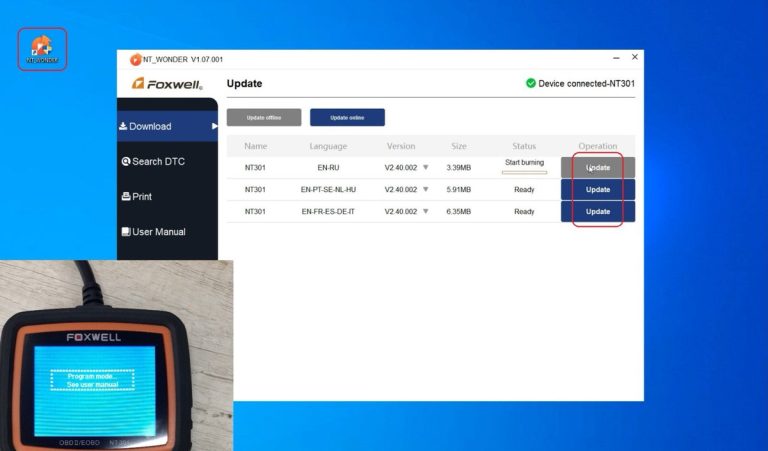
Firmware updates matter too. A scanner with outdated firmware may fail to communicate with newer vehicles or miss newly defined codes. Check the manufacturer’s website for updates before assuming the scanner is broken.
Battery Health vs. State of Charge: Avoiding False Codes and Failed Scans
A weak battery can ruin a diagnostic session. When voltage drops, computer modules may behave erratically. You might see false codes, communication failures, or a scanner that powers on but can’t connect.
State of charge is different from battery health. A battery can show a healthy charge but still fail under load. If your scanner connects and then loses communication when you start the engine, the battery may be the real problem.
Correct Connection Order and Damaged-Battery Stop Conditions
Always connect the scanner before turning the ignition on. This gives the scanner time to power up and establish communication. Disconnect the scanner after turning the ignition off to avoid voltage spikes.
If the battery is damaged — swollen case, leaking fluid, cracked terminals, or a strong sulfur smell — stop immediately. Do not connect a scanner, attempt a jump start, or touch the battery. Damaged batteries can release hydrogen gas or cause electrical shorts.
Hybrid and EV Cautions: High-Voltage Systems and the 12V Auxiliary Battery
Hybrid and electric vehicles still have a 12-volt auxiliary battery that powers the computer modules and the OBD2 port. The high-voltage battery pack is separate and dangerous. Orange cables under the hood carry high voltage and must never be touched.
When scanning a hybrid or EV, the same rules apply: ignition on, engine off. In a hybrid, the gasoline engine may start automatically to charge the battery or warm the cabin. Keep hands and tools clear of moving parts.
When Diagnosis Requires a Professional: Beyond the OBD2 Port
The OBD2 port only gives access to emissions-related systems. That covers the engine, transmission, and some emissions components. It does not give full access to the ABS module, airbag system, body control module, or infotainment network.
Some trouble codes need factory-level software to diagnose properly. A professional scan tool can perform bidirectional tests, program modules, and access manufacturer-specific data. If the same code keeps coming back, a professional diagnosis is often worth the cost.
The Roadside Angle: Pairing Your Scanner With a Proper Emergency Kit
If you’re using a scanner at the roadside, safety comes first. A check engine light can appear anywhere, and pulling over to scan is common. But a parked car on the shoulder is a vulnerable position.
Tire Pressure, TPMS Relearn Limits, and Inflator Duty Cycles
While you have the scanner out, check tire pressure too. Low pressure can trigger a warning light and hurt fuel economy. Use the pressure on the driver’s side door placard, not the number molded into the tire sidewall.
If you use a portable tire inflator, remember that most have a duty cycle. They need to cool down after a certain amount of running time. Check your inflator’s manual and let it cool between tires.
TPMS relearn procedures vary by vehicle. Some require a special tool, others use dash buttons, and a few need a scan tool. Don’t assume a new sensor will sync automatically.
Emergency Tool Safety: Location, Visibility, and Post-Use Inspection
When scanning at the roadside, pull fully off the pavement, turn on hazard lights, and wear a reflective vest if you have one. Set up warning triangles if you’ll be there more than a few minutes. Keep the scanner cable away from the driver’s door so it doesn’t get pinched.
After you finish, inspect the scanner, cable, and connector for damage. Wipe the connector clean and store the scanner in a dry place.
Budget vs. Pro: A Side-by-Side OBD2 Scanner Comparison
Choosing the right scanner depends on what you plan to do. A budget code reader and a professional scanner serve completely different needs.
| Option | Best for | Owner consideration | Driver consideration |
|---|---|---|---|
| Budget code reader | Reading and clearing basic engine codes | Low upfront cost, no subscription | No live data, limited diagnostic depth |
| Mid-range Bluetooth adapter | Live data, fuel trims, and phone graphing | Requires a compatible smartphone app | Can monitor sensors while driving |
| Professional bi-directional scanner | Advanced tests, module resets, and coding | High upfront cost, possible subscriptions | Best for serious DIYers and shops |
Budget Code Reader: The $20–$50 Option for Code Retrieval Only
A budget code reader does one thing well: it reads and clears engine trouble codes. Most show the code number and a short description on a small screen. Some display freeze frame data. You won’t get live data, graphing, or bidirectional controls.
This tier is perfect for the driver who just wants to know why the check engine light is on. It pays for itself the first time it saves a trip to the parts store.
Mid-Range Bluetooth Adapter: The $50–$150 Sweet Spot for Live Data
Bluetooth adapters pair with your phone and use an app to display data. This is the sweet spot for most DIYers because you get live data, fuel trims, oxygen sensor readings, and emissions readiness status. The screen is your phone, so display quality depends on the app.
Before buying, check that the adapter supports your vehicle’s protocol and that the app works with your phone. Some apps charge a subscription for advanced features. If you’re new to scanners, our guide on what OBD2 scanner features beginners need explains what actually matters.
Professional Bi-Directional Scanner: The $300+ Option for Advanced Work
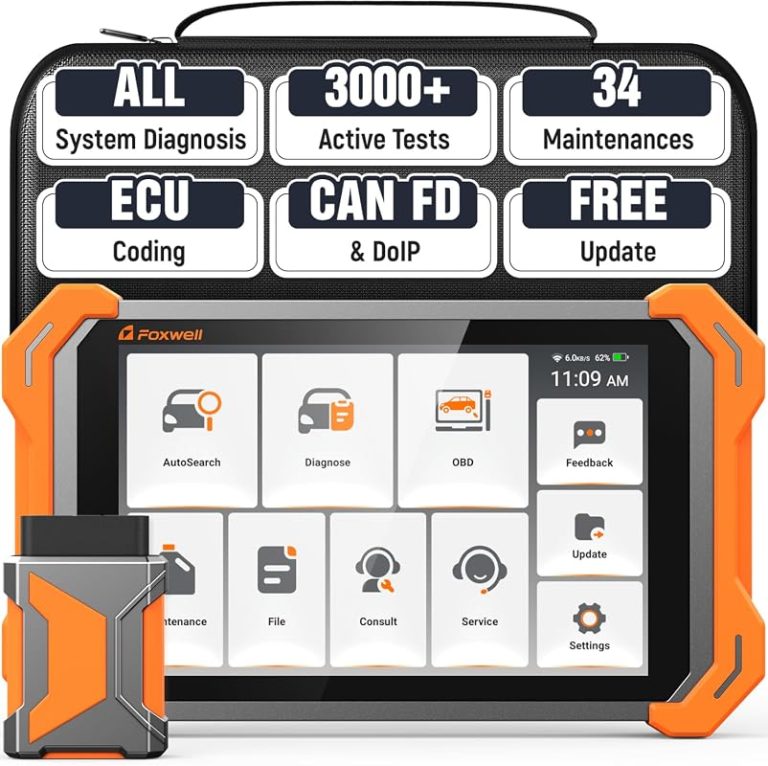
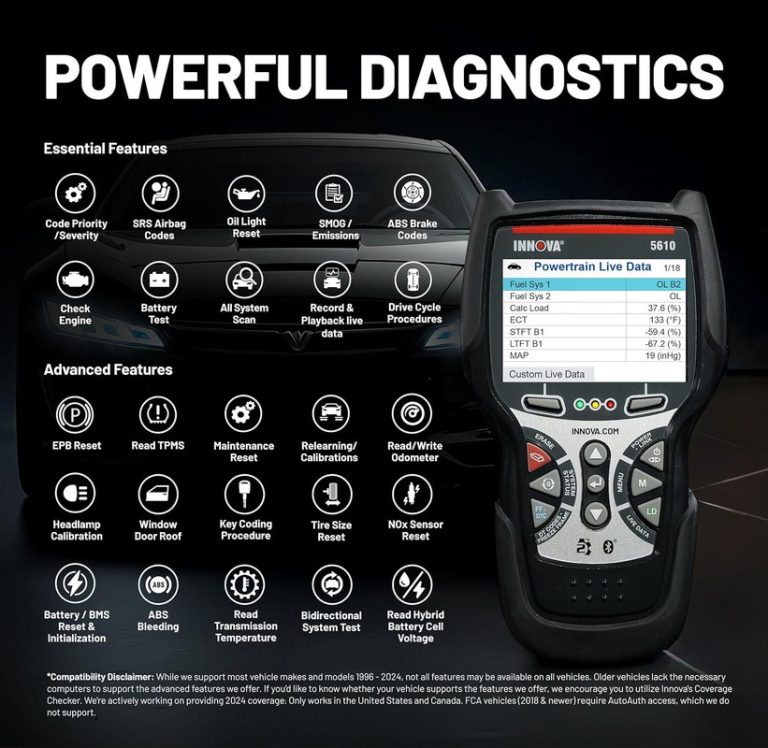
Professional scanners can send commands to vehicle modules, not just read data. This is called bidirectional control. You can command a fuel pump to run, cycle an ABS valve, or perform a throttle body relearn. These tools also cover more systems, including ABS, airbags, and body modules.
This tier is overkill for most drivers. It’s worth the money if you own multiple vehicles, do serious DIY repairs, or work on cars as a side business. The learning curve is real, and some features require manufacturer-specific software or subscriptions.
If you’re weighing options across price tiers, our best OBD2 scanner for the money guide breaks down the top picks by value.
The Bottom Line: Start With the Ignition, Not the Engine
For the vast majority of OBD2 scans, turn the key to “on” and leave the engine off. This powers the diagnostic port, wakes up the computers, and lets you read and clear codes safely. Start the engine only when you need live data, actuator tests, or a drive cycle.
Never use a scanner while driving. Pull over, scan, and review the data before you move again.
If your scanner connects but shows no codes while the check engine light stays on, there’s a specific reason. Our guide on why the scanner says no codes but the check engine light is on walks through the possibilities.
The key takeaway is simple: know what mode you need before you plug in. KOEO for codes, KOER for live data, and a drive cycle for emissions readiness. That knowledge saves fuel, protects your battery, and makes every scan more useful.
- Best for: Most drivers who want to read and clear engine codes — ignition on, engine off is all you need.
- Think twice if: You need live sensor data, actuator tests, or emissions readiness status — those require the engine running or a full drive cycle.
- Next step: Check your vehicle’s diagnostic protocol and your scanner’s manual before your first scan.
Frequently Asked Questions
Yes. Turn the ignition to the “on” position and leave the engine off. This powers the OBD2 port and lets you read and clear most trouble codes.
It can. The ignition “on” position powers the computer modules, radio, and other accessories. Keep the scan short and avoid leaving the key in that position for a long time, especially if the battery is already weak.
No. Most vehicles let you clear codes with the ignition on and the engine off. After clearing, some vehicles require a start cycle or drive cycle before the emissions monitors rerun.
Live data readings like RPM, coolant temperature, and oxygen sensor voltage only exist while the engine is operating. Sensors need power and mechanical input to produce real values.
Yes. Low voltage can make computer modules behave erratically and set codes that don’t reflect a real mechanical problem. Charge or test the battery before trusting a scan.
Mostly yes. Hybrids and EVs have a 12-volt auxiliary battery that powers the OBD2 port. Turn the ignition on without starting the gasoline engine, but be aware that a hybrid may start its engine automatically.



3 Comments