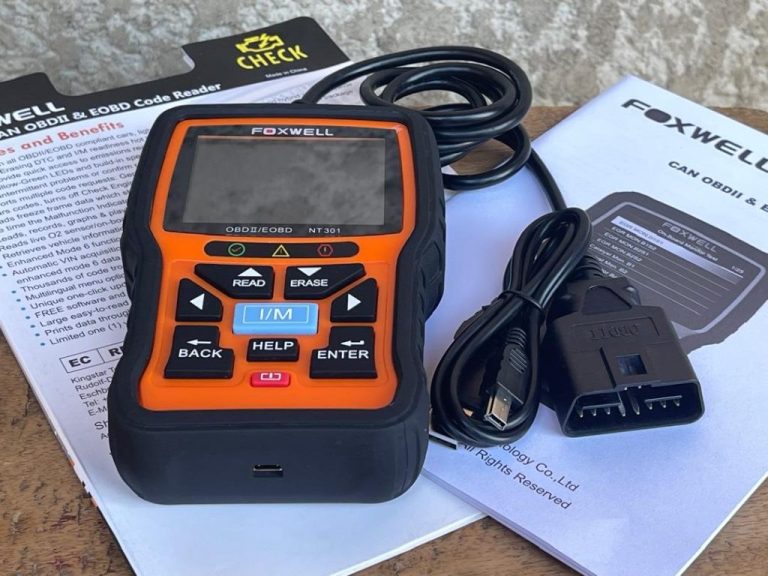
Why Won’t My OBD2 Scanner Connect to My Car and How to Fix It
Your OBD2 scanner usually fails to connect because the key is in the wrong mode, the port has no power, the battery voltage is low, or the tool is not fully compatible with the car. Check ignition position, fuse power, port pins, battery condition, and app permissions before replacing the scanner.
why won’t my OBD2 scanner connect to my car is usually a simple problem, not a dead scanner. In most cases, the fix is one of a few basics: the key is in the wrong position, the diagnostic port has no power, the battery voltage is low, the adapter is loose, or the scanner and vehicle are not fully compatible.
- Start simple: Use key-on, engine-off, not ACC mode, for the first connection attempt.
- Check power: A blown DLC fuse or weak battery can cause false no-link errors.
- Verify coverage: Generic OBD2 support does not guarantee ABS, SRS, TPMS, or service-function access.
- Phone adapters vary: iPhone and Android permissions, firmware, and clone hardware can block pairing.
- Know when to stop: Repeated fuse failures, network faults, or battery damage call for professional diagnosis.
Why your OBD2 scanner won’t connect: the fastest causes to check first
Start with the easy stuff before assuming the tool is bad. A no-link message often comes from setup mistakes, weak vehicle power, or a port issue under the dash. Those checks take minutes and can save you from buying the wrong replacement scanner.
Ignition mode, engine-off versus key-on, and why many scanners fail in ACC mode
Many vehicles will not wake up the engine computer in ACC mode. That is a common reason a scanner powers on but still cannot communicate. For most basic scans, the safest starting point is key-on, engine-off. That means the dash lights are on, but the engine is not running.
ACC mode may power the radio and some accessories, but not every control module needed for diagnostics. Push-button-start vehicles can make this more confusing because one press may only enter accessory mode. A second press, without pressing the brake, often moves the car into the proper ignition-on state.
If your scanner says “linking” forever or shows “no communication,” cycle the ignition off, wait a few seconds, then try key-on, engine-off again. If you use a phone adapter, close the app first so it starts a fresh connection attempt.
Loose adapter fit, blown DLC fuse, low system voltage, and phone app permission errors
The OBD2 port is also called the DLC, or data link connector. If the scanner plug does not seat fully, the tool may get partial power or no data at all. A port can look normal at a glance but still have weak contact from wear, bent pins, or a bulky adapter housing.
A blown fuse is another top cause. On many cars, the OBD2 port shares power with another circuit such as a cigarette lighter or accessory outlet. If that fuse opens, the scanner may stay dark or fail to link. Check the owner’s manual or fuse-box diagram before replacing anything.
Low system voltage can also trigger false no-link errors. If the battery is weak, modules may not wake up correctly or may drop off the network during scanning. If your battery has also shown slow cranking, dim lights, or repeated overnight drain, this issue may be bigger than the scanner. CarValleyNJ has a separate guide on why a car battery dies after sitting overnight if you suspect a power problem.
Phone-based adapters add one more layer: app permissions. Bluetooth, local network access, and location permissions can affect pairing and data access, especially on newer phones. A denied permission can look exactly like a bad scanner.
Check: Verify your vehicle’s make, model, year, engine, and whether the scanner supports the required protocol and any brand-specific functions. Limitations: A generic OBD2 tool may connect for emissions data but still miss ABS, SRS, TPMS, or manufacturer modules.
Does your car support your scanner? Model-year, protocol, and vehicle compatibility in 2026
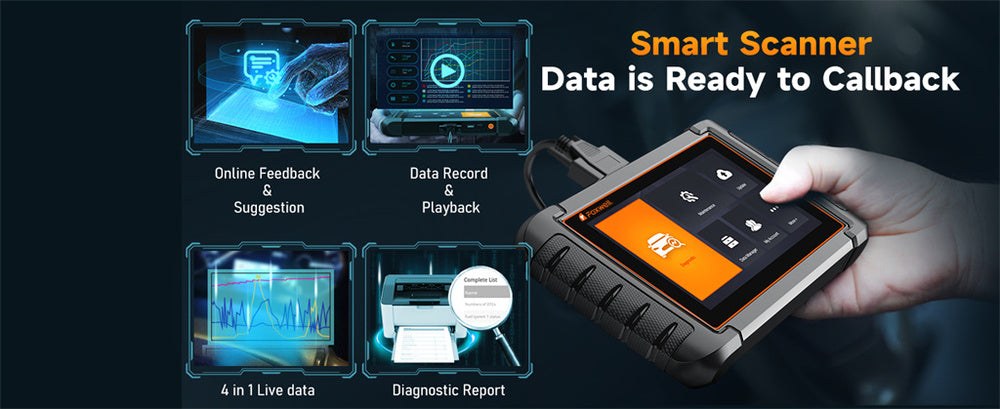
Compatibility matters more than many buyers expect. Two scanners can both say “OBD2” on the box and still behave very differently on the same vehicle. Some tools only cover generic emissions functions, while others support deeper brand-specific systems.
U.S. OBD2 coverage by model year, CAN requirements, and common protocol mismatches
In the United States, OBD2 support is broadly expected on 1996 and newer light-duty gasoline vehicles, but that does not mean every scanner works well on every car. Older vehicles may use different communication protocols, and some low-cost tools handle those protocols poorly or inconsistently.
Later vehicles rely heavily on CAN communication, and modern scanners usually support it well. Trouble starts when an older scanner has outdated firmware, a clone adapter uses poor internal hardware, or the vehicle has manufacturer-specific network behavior that a basic tool cannot handle.
If you drive a hybrid, plug-in hybrid, or EV, compatibility gets even more important. A scanner that works fine on a simple gas sedan may have limited support on electrified vehicles. If that applies to you, see CarValleyNJ’s guide to the best OBD2 scanner for hybrid cars for brand and system coverage considerations.
Why some scanners read generic powertrain codes only while others access ABS, SRS, TPMS, and manufacturer modules
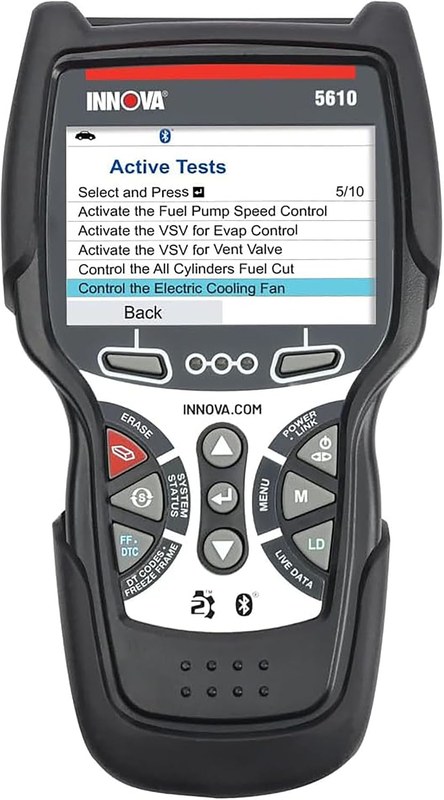
Basic OBD2 access usually means emissions-related powertrain data. That includes generic trouble codes, readiness monitors, and some live data from the engine and transmission side. It does not automatically include anti-lock brakes, airbags, body modules, tire-pressure systems, or service functions.
That is why one scanner may connect and read a check-engine code, while another can also access ABS and SRS menus. Neither tool is necessarily broken. They simply have different software coverage and licensing. If you need more than emissions diagnostics, compare the scanner’s claimed module support before you blame the connection.
Find the OBD2 port and inspect the basics before blaming the scanner
The port is usually under the driver-side dash, often near the steering column or lower kick panel. Some cars hide it behind a small cover. Before you buy another scanner, inspect the port itself carefully.
Typical port location under the dash, bent pins, corrosion, aftermarket devices, and poor ground contact
Look for bent, pushed-back, dirty, or corroded pins. Even one damaged terminal can block power or data. If a previous owner used a fleet tracker, insurance dongle, or tuning device, the port may have been stressed or loosened over time.
Also check whether another device is already plugged into the port or if an extension cable is in place. Those accessories can create poor contact or introduce their own failure point. If possible, remove extra adapters and connect the scanner directly to the factory port.
Safe setup steps: parking location, traffic visibility, storage damage, cable condition, and tool completeness
Do your checks while parked on level ground in a safe, visible place. If you are troubleshooting near a street, avoid leaning into the footwell where passing traffic cannot see you well. Good light matters because bent pins are easy to miss in a dark parking spot.
Inspect the scanner cable, plug shell, and strain relief. If the tool was stored in a hot trunk, dropped, or pinched in a drawer, internal wire damage is possible. Make sure you also have any required adapter, app, or update cable that came with the tool.
Power problems that block connection: battery voltage, state of charge, battery health, and hybrid or EV cautions

A scanner needs a healthy electrical system to communicate well. The port may supply enough power to light up the tool but not enough for stable communication across multiple modules.
How low voltage affects scanner startup, module communication, and false no-link errors
Low voltage can cause modules to boot slowly, reset during scanning, or stop responding. That can produce misleading symptoms such as random communication faults, missing modules, or a scanner that works one day and not the next.
If the car cranks slowly, recently needed a jump-start, or has been sitting for days, charge and test the battery before going further. A weak battery is one of the most overlooked reasons for scanner connection trouble. If you want a deeper look at what scan tools can and cannot show, CarValleyNJ also explains whether an OBD2 scanner can detect a bad alternator.
State of charge versus battery health, battery chemistry differences, and damaged-battery stop conditions
State of charge means how full the battery is right now. Battery health means how well it can still perform compared with when it was new. A battery can be fully charged and still be weak. That is why charging alone does not always fix no-link problems.
Battery type matters too. Conventional lead-acid, AGM, and some auxiliary batteries in hybrids can behave differently under load. If the battery case is swollen, cracked, leaking, or smells unusual, stop troubleshooting and follow the vehicle manual or get professional help.
Correct connection order for chargers or jump packs, current limits, and post-use inspection after roadside power events
If you use a charger or jump pack, follow the tool maker and vehicle maker instructions exactly. Connection order matters, and incorrect use can damage electronics or create a spark hazard. After a roadside jump-start, inspect battery terminals and recheck scanner operation once the system is stable.
Do not assume a successful jump-start means the battery is healthy. The car may run, but the next scan attempt can still fail if voltage drops again during key-on diagnostics.
Phone-based OBD2 adapters: Bluetooth, Wi-Fi, app permissions, firmware, and privacy tradeoffs
Phone adapters are convenient, but they add more variables than a wired handheld scanner. The adapter, phone operating system, app, permissions, and firmware all have to work together.
iPhone versus Android connection limits, location and Bluetooth permissions, and background app conflicts
iPhone and Android do not always handle OBD2 adapters the same way. Some adapters work better with one platform than the other, and some apps need specific Bluetooth or local network permissions to complete setup. If you denied those prompts the first time, the adapter may never finish pairing correctly.
Background app conflicts can also cause trouble. Another diagnostic app, a vehicle telematics app, or even a previously paired device may try to claim the connection first. If you plan to diagnose with a phone often, CarValleyNJ’s guide to using your phone as an OBD2 scanner covers the main setup tradeoffs.
Firmware updates, clone-adapter risks, data privacy concerns, and when a wired scanner is the better choice
Some adapters need firmware updates to work well with newer phones or vehicle networks. Cloned adapters are a bigger risk because they may use old chips, unstable firmware, or poor security. They can appear to connect but fail during real diagnostics.
Wired scanners are often the better choice if you want a simple, repeatable connection with fewer app issues. They also avoid some privacy concerns tied to account-based apps and cloud-stored vehicle data.
What your scanner can and cannot do: live data, readiness monitors, resets, coding limits, and TPMS expectations
Even when the connection works, expectations matter. Many owners think any OBD2 tool can reset every warning light, relearn sensors, or perform dealer-level service functions. Most cannot.
Emissions readiness, check-engine resets, drive-cycle realities, and why clearing codes can hurt inspection timing
Most basic scanners can read and clear generic check-engine codes. But clearing codes also resets emissions readiness monitors on many vehicles. That can leave you unprepared for a state inspection until the vehicle completes the required drive cycle again.
It is smart to record codes before clearing anything. If you are comparing tool limits, CarValleyNJ also explains whether a cheap OBD2 scanner can clear a check-engine light and what that does not fix.
Live-data limits, bi-directional controls, battery registration, service resets, and calibration restrictions
Live data can be extremely useful, but the amount of data and update speed vary by scanner and vehicle. Entry-level tools may show only basic engine values. More advanced tools may add graphing, manufacturer-specific PIDs, service resets, and bi-directional tests.
Still, functions like battery registration, steering-angle calibration, injector coding, or advanced relearns may require brand-specific support, subscriptions, or shop-level equipment. A connection failure message sometimes appears when the tool is really hitting a software limit.
Why most OBD2 tools cannot complete TPMS relearns or confirm tire pressure accuracy without vehicle-specific functions
TPMS confuses many owners because the warning light feels diagnostic, but the solution is often tire-related, not scanner-related. Most generic OBD2 tools cannot trigger sensors, complete TPMS relearns, or prove that a dashboard pressure reading is accurate without vehicle-specific functions.
If your main goal is tire sensor work, a dedicated TPMS tool is often more useful than a general code reader. That is especially true after tire rotation, sensor replacement, or seasonal wheel changes.
OBD2 versus dedicated roadside tools: which one actually helps with battery, tire, and emergency problems?
An OBD2 scanner is a diagnostic tool, not a universal roadside solution. It can help explain why a warning light is on, but it cannot inflate a tire, patch a puncture, or replace a proper battery test in every case.
Side-by-side comparison of scan tools, battery testers, jump packs, inflators, and TPMS tools by purpose, limits, and ownership cost
| Option | Best for | Owner consideration | Driver consideration |
|---|---|---|---|
| Basic OBD2 scanner | Reading generic engine codes and readiness | Usually simple to own, but may have limited module coverage | Best used while parked to avoid distraction |
| Advanced scan tool | ABS, SRS, service functions, and deeper diagnostics | Higher cost and possible update or subscription limits | Can reduce guesswork before repairs |
| Battery tester | Checking battery condition more directly | Better for battery health than a basic code reader | Useful before winter or after repeated no-starts |
| Jump pack | Temporary starting help | Needs charging, storage checks, and safe use | Helps get moving but does not diagnose root cause |
| Tire inflator or TPMS tool | Tire pressure and sensor service | More relevant than a scanner for many tire warnings | Useful for roadside tire issues and seasonal pressure drops |
Which option fits commuters, DIY owners, older gas vehicles, hybrids, EVs, and multi-car households
Commuters often do well with a simple scanner plus a compact jump pack and tire inflator. DIY owners who maintain several vehicles may benefit from a better scanner with broader module coverage. Older gas vehicles are often easier to scan with wired tools, while hybrids and EVs need more careful compatibility checks.
Multi-car households should think about platform support too. A phone-based adapter that works on one car and one phone may be a poor fit if several drivers need quick, predictable access.
- Confirm scanner coverage for your exact vehicle and the system you want to access
- Use key-on, engine-off unless the tool or vehicle manual says otherwise
- Inspect the port, battery condition, cable fit, and app permissions before replacing the scanner
- Clear codes before saving them and checking readiness implications
- Assume every OBD2 tool can handle ABS, SRS, TPMS, or service functions
- Keep troubleshooting around damaged batteries or high-voltage systems without proper guidance
Related tire and TPMS issues owners confuse with scanner faults
Sometimes the scanner is fine, but the warning light points to a tire issue that the scanner cannot solve. That is common after weather swings, tire rotations, or a slow leak.
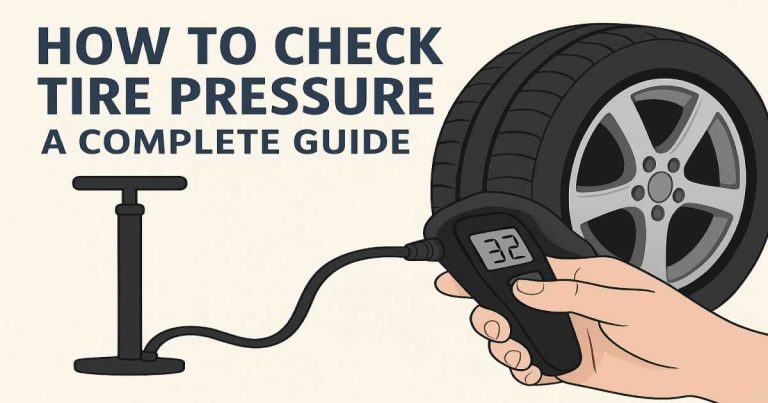
Use the door-jamb placard, check cold pressure, verify gauge accuracy, and respect inflator duty-cycle limits
Use the tire-pressure number on the driver-door placard, not the maximum pressure printed on the tire sidewall. Check pressure when the tires are cold, and if readings seem odd, compare with a second reliable gauge.
If you use a portable inflator, follow its duty-cycle limits so it does not overheat. A TPMS light caused by simple underinflation will not be fixed by rescanning the car over and over.
Puncture location, temporary-repair limits, TPMS relearn boundaries, and when professional tire repair is the safer call
A tread puncture may be repairable, but sidewall or shoulder damage often is not. Temporary sealants and plug kits have limits and can complicate later service. If the tire keeps losing air or the TPMS light returns after proper inflation, professional tire inspection is the safer next step.
When to stop troubleshooting and get professional diagnosis
There is a point where home checks stop being efficient. If basic setup, battery, fuse, and compatibility checks do not restore communication, the problem may be in the vehicle network rather than the scanner.
No-communication on multiple modules, repeated blown fuses, network faults, water damage, and security gateway restrictions
If multiple scanners fail on the same car, if fuses keep blowing, or if the vehicle has signs of water intrusion, corrosion, or collision-related wiring damage, professional diagnosis is the smart move. Some newer vehicles also use security gateways that limit access without approved software or credentials.
That can make a healthy scanner look broken when the real limit is software authorization. Repeated no-communication problems after battery events or aftermarket accessory installs also deserve a closer look.
What a shop can verify next: pin power and ground, CAN bus integrity, module faults, software access, and repair cost expectations
A qualified shop can test port power and ground directly, inspect network resistance and CAN bus behavior, check for failed modules pulling the network down, and confirm whether factory-level software access is required. That is much faster than guessing with random parts.
Repair cost varies widely because the root cause could be as small as a fuse or as involved as wiring repair, module replacement, or software setup. The key is to stop before unsafe shortcuts turn a communication issue into a bigger electrical problem.
- Best for: Owners who want a clear, step-by-step way to fix scanner no-link problems before paying for diagnosis or replacing a tool.
- Think twice if: You are dealing with repeated fuse failures, water damage, hybrid or EV electrical warnings, or a damaged battery.
- Next step: Check ignition mode, port condition, fuse power, battery health, and scanner compatibility in that order before moving to professional diagnosis.
Frequently Asked Questions
That usually means the port has power, but the scanner is not communicating with the vehicle computer. The most common causes are ACC mode, low battery voltage, a loose plug, damaged port pins, or limited scanner compatibility.
Yes, and it is more common than many owners expect. On some vehicles, the OBD2 port shares a fuse with an accessory outlet or another low-voltage circuit, so checking the fuse panel is a smart early step.
No. Most U.S. vehicles from 1996 onward support basic OBD2 emissions functions, but scanner coverage still varies by protocol, firmware, and software support. A tool may read generic engine codes but still fail to access ABS, SRS, or brand-specific systems.
They can be, because the adapter, phone, app, permissions, and firmware all have to work together. Wired scanners usually have fewer pairing issues, while Bluetooth models offer more convenience if compatibility is confirmed first.
It depends on the adapter and the vehicle. Some adapters draw small standby power, may interfere with knee space, or create privacy concerns if they stay paired to an app or cloud account.
If several scanners fail on the same car, fuses keep blowing, wiring looks damaged, or the battery shows swelling or leakage, stop and get help. A shop can verify port power, grounds, network health, and module faults much faster than trial and error.