Best TOPDON TopScan Pro Scanners: Pro vs Master vs ArtiDiag
Car scan tools help drivers understand warning lights, check vehicle systems, and find problems before visiting a repair shop. The TOPDON TopScan Pro is a compact OBD-II scanner that connects to a smartphone and uses an app to provide diagnostic tests, live data, service functions, and repair information.
The right scanner should support your vehicle, offer useful functions, and provide an app that is easy to use and update. We also pay attention to connection stability, subscription costs, data privacy, and whether the tool can perform more than basic code reading. We evaluated the TOPDON TopScan Pro and similar options to identify which features matter most and whether this scanner fits the needs of everyday car owners.
TOPDON TopScan Pro is the best pick if you want a compact Bluetooth scanner with stronger diagnostic coverage than the Lite version. Choose it for app-based scans, live data, and supported service functions; move up to Master or an ArtiDiag tool if you want broader coverage or a standalone screen.
- Best compact pick: TOPDON TopScan Pro for most DIY buyers.
- Best upgrade: TOPDON TopScan Master when you want more included capability.
- Best standalone option: TOPDON ArtiDiag models if you do not want to rely on a phone app.
10 Best TOPDON TopScan Pro
We reviewed the best TOPDON TopScan Pro options to help us compare features, performance, and value. Our list highlights models that suit different vehicle diagnostic needs and budgets.
TOPDON TopScan Pro
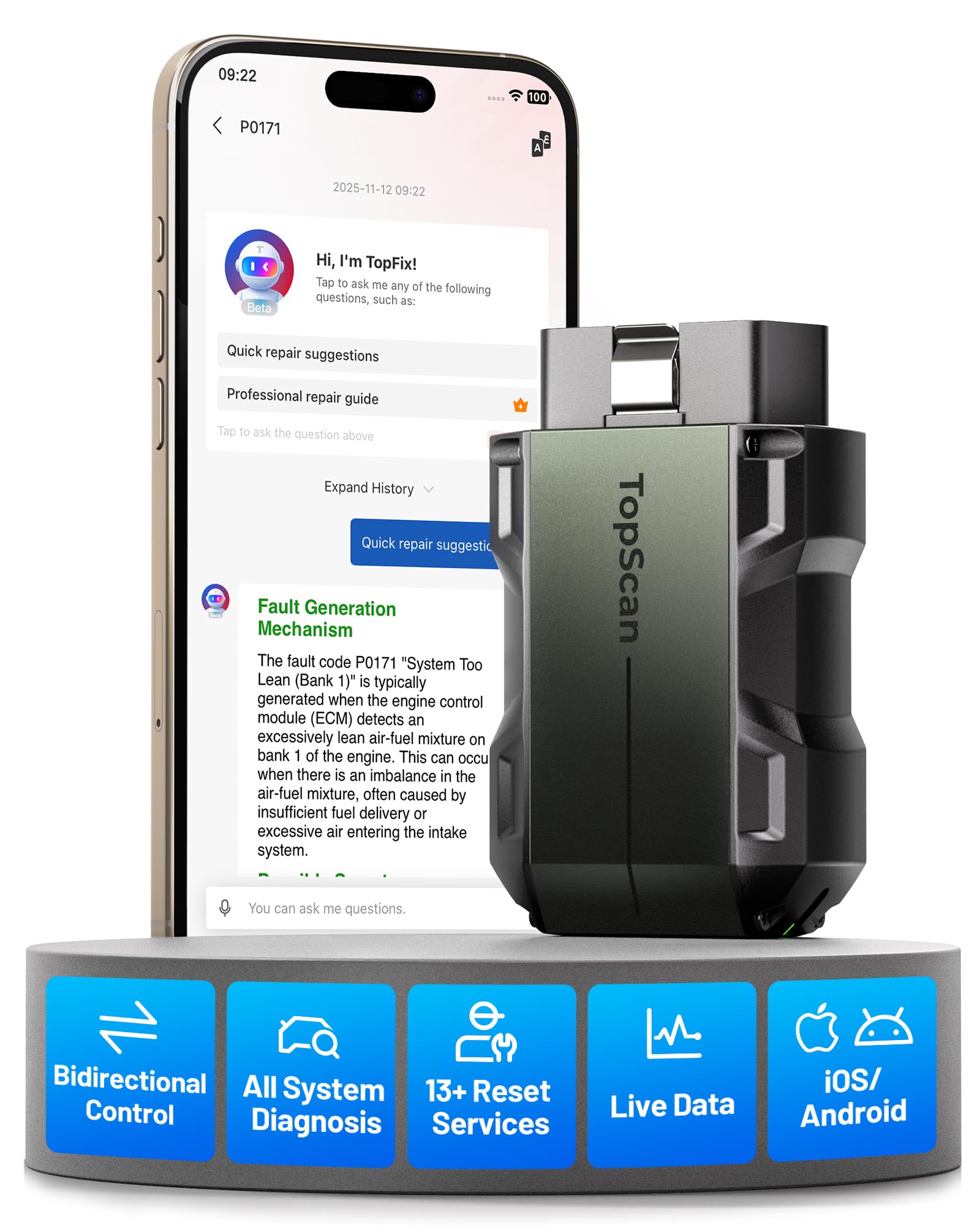
We recommend the TOPDON TopScan Pro for DIY users who want advanced diagnostics and active tests through a phone app.
Pros
- Performs bidirectional tests on supported vehicle systems
- Covers full-system diagnostics and many service resets
- Compact design with free core diagnostics for life
Cons
- Advanced features require a yearly subscription after 12 months
- Some functions depend on the vehicle’s make and model
- App navigation may feel slow during certain procedures
We connected the scanner to a phone quickly and found the app simple to use. It reads engine, transmission, ABS, airbag, and other system codes, then shows live data and lets us clear supported faults.
The active-test tools make this more useful than a basic code reader. We could command certain components, such as cooling fans or windows, to help confirm a problem before taking parts apart. Results will vary by vehicle, so we would check compatibility before buying.
We also found the service functions useful for jobs such as oil resets, battery registration, electronic parking brake work, and steering-angle resets. The included repair information can explain codes and possible fixes, which helps when we need more than a fault number.
The main drawback involves the subscription model. Core diagnostics remain available without renewal, but advanced functions, live data, and bidirectional controls require continued access after the first year. We also noticed that some procedures may return to the vehicle-identification screen instead of staying in the current menu.
With its small size, broad coverage, and strong diagnostic tools, the TOPDON TopScan Pro suits home garages and newer vehicles, provided the subscription terms and vehicle coverage fit our needs.
TOPDON TopScan Master
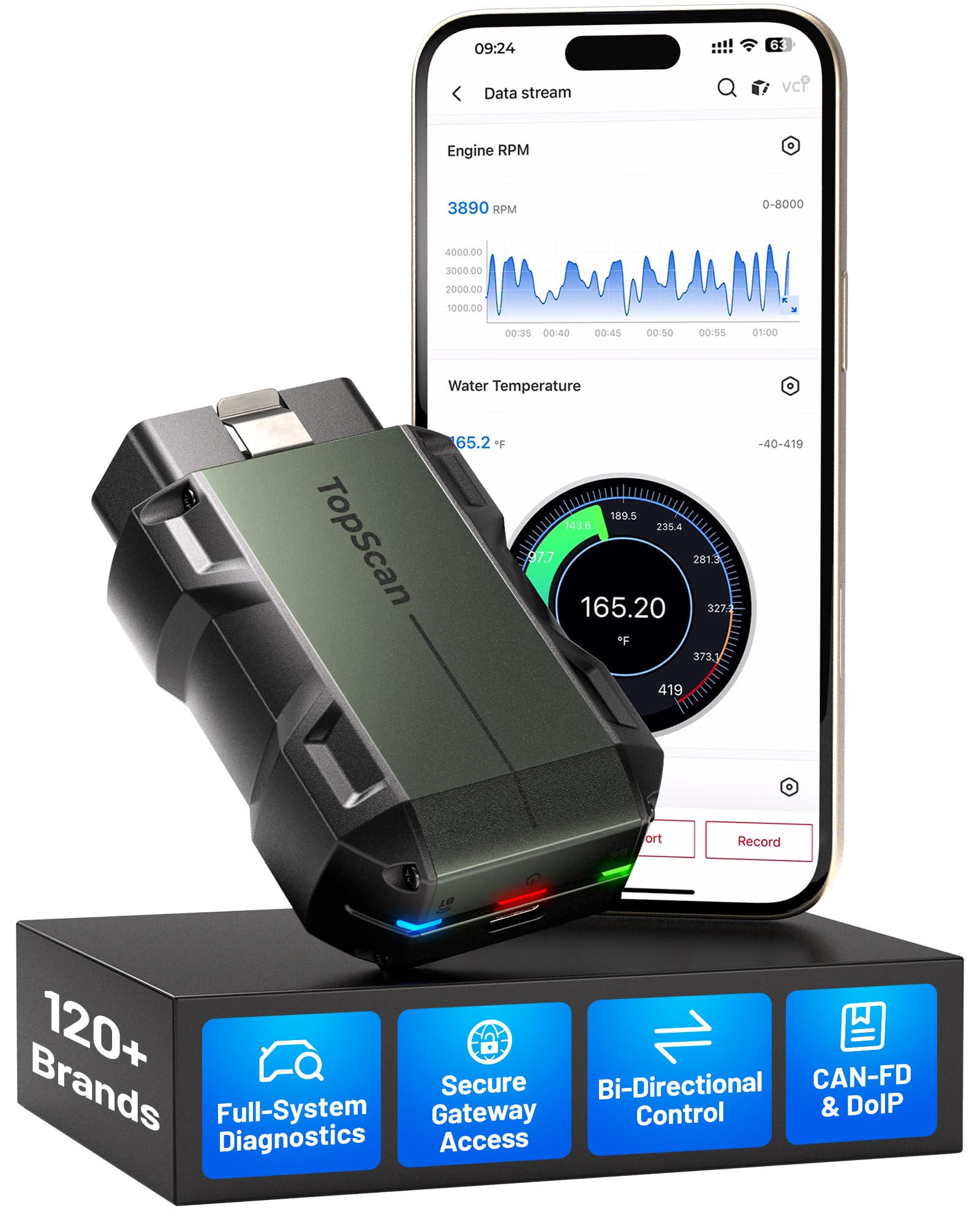
We recommend the TopScan Master for drivers and technicians who want broad system coverage, bidirectional tests, and phone-based diagnostics in a compact tool.
Pros
- Covers many vehicle brands and modern CAN-FD and DoIP systems
- Performs full-system scans, service resets, and active component tests
- Includes repair information and an AI-assisted diagnostic guide
Cons
- Some gateway functions may require an OEM account
- Advanced features depend on a paid update plan after one year
- App and internet access may affect use in remote areas
We connected the scanner to a phone quickly and found the wireless design convenient for work in the driveway or garage. The app provides access to more than basic engine codes, including systems such as ABS, transmission, air conditioning, and body modules.
Bidirectional testing adds useful control during diagnosis. We could command certain vehicle parts, such as lights, windows, injectors, or fuel pumps, without removing them first. That can help narrow down a fault before replacing parts.
The built-in service functions cover common tasks such as oil, battery, electronic parking brake, diesel particulate filter, and tire pressure resets. Its repair guides, wiring information, and TopFix AI assistant may also help us understand unfamiliar fault codes.
We should note the update policy. The first year includes updates, but continued access to newer coverage requires a renewal plan. Core scanning functions remain available without renewal, while some gateway features may need separate manufacturer credentials.
TOPDON ArtiDiag Pro

We recommend the TOPDON ArtiDiag Pro for users who need bidirectional tests, ECU coding, and broad system diagnostics in one wired tool.
Pros
- Tests components such as locks, lights, windows, and EVAP parts
- Offers ECU coding and more than 35 service functions
- Includes a sturdy case and a clear 7-inch display
Cons
- Vehicle coverage varies, so we must check compatibility first
- Updates take time and require an internet connection
- A subscription fee applies after the included update period
We found the ArtiDiag Pro useful for more than basic code reading. Its bidirectional controls let us activate selected vehicle parts, which helped narrow down faults without replacing parts blindly. The wired OBD connection also felt stable during testing.
The tool handles common jobs such as oil resets, electronic parking brake service, and steering angle resets. ECU coding adds value for compatible Volkswagen, Audi, Skoda, Seat, Mercedes-Benz, and other vehicles, though results depend on the specific model and system.
The large screen made menus easy to read, and the included case kept the tablet and cables organized. We did notice that software updates can take a while. Users should also confirm vehicle coverage before buying, back up settings before coding, and keep the vehicle battery properly charged.
TOPDON ArtiDiag600 Pro
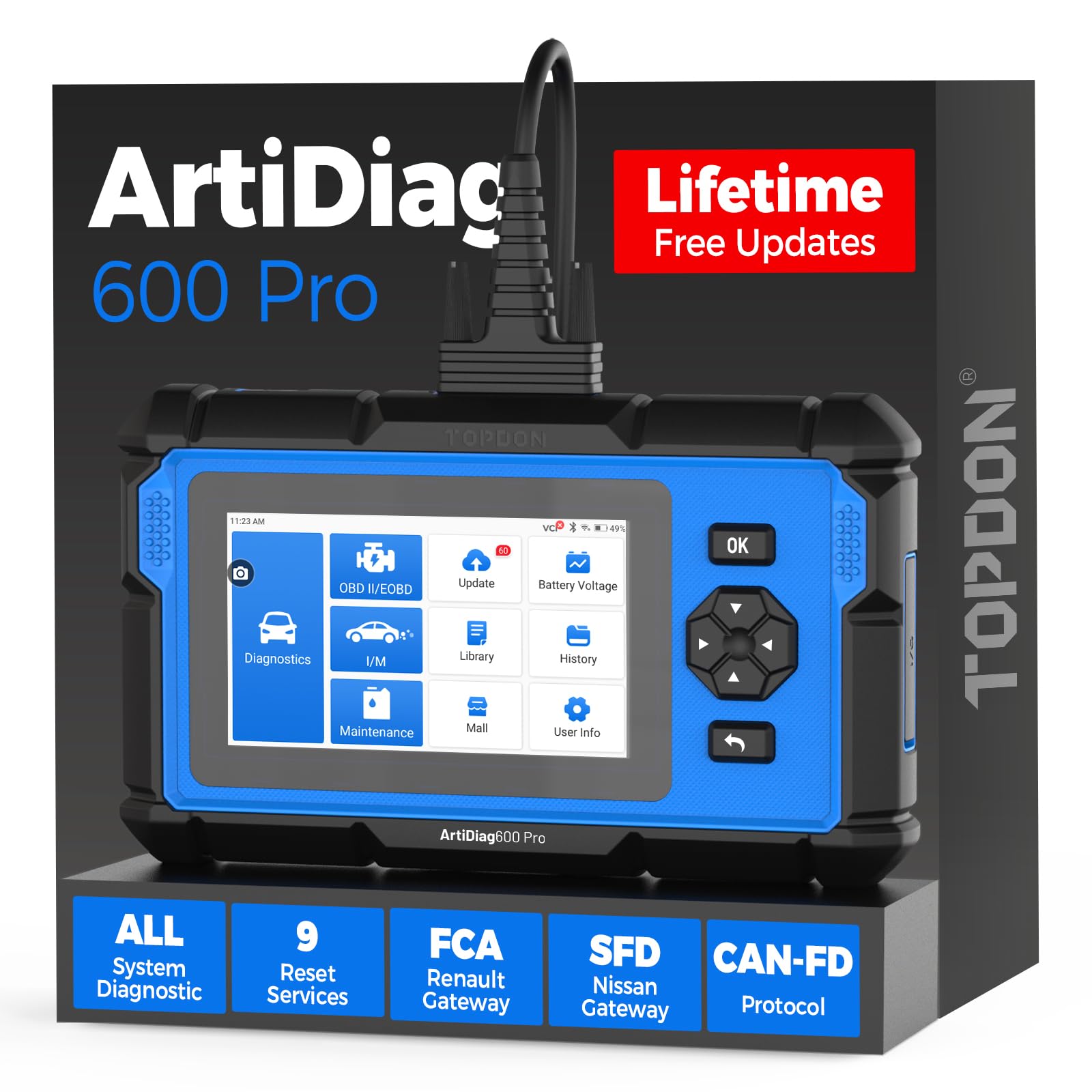
We recommend the TOPDON ArtiDiag600 Pro for home mechanics who want broad system scans, live data, and useful reset functions in a dedicated handheld tool.
Pros
- Scans many vehicle systems beyond the engine
- Offers live data, freeze-frame records, and graphing
- Includes nine common maintenance functions
Cons
- Supported functions vary by vehicle
- Some gateway access may need extra payment
- Certain scans can run slowly
We found the setup simple, and the scanner downloaded updates over Wi-Fi without much effort. AutoVIN also worked well on several vehicles, which saved time during the first scan.
The tool goes beyond basic code reading. We could check systems such as the engine, transmission, ABS, airbags, and body controls. Live data views, graphs, recordings, and freeze-frame information made it easier to study problems instead of only clearing codes.
Its maintenance tools add practical value. Depending on the vehicle, we could access options such as battery matching, ABS bleeding, brake resets, DPF regeneration, throttle relearn, and injector coding. The menu changes by make, model, and year, so we would confirm compatibility before buying.
The five-inch screen felt easier to use than a phone-based scanner, and the handheld design kept our phone free for other tasks. Still, some vehicles took longer to scan, and support for certain secure gateways may require an additional purchase or subscription.
TOPDON AD800BT 2 Bidirectional Scanner

We recommend this scanner for advanced DIY users who want broad system access, active tests, and common service resets in one tool.
Pros
- Bidirectional controls help us test parts such as locks, windows, lights, and wipers.
- The 28 service functions cover useful jobs, including oil, EPB, battery, SAS, and DPF resets.
- Wireless connection, AutoVIN, and clear live data make routine diagnosis easier.
Cons
- Vehicle coverage and menu options vary by make, model, and year.
- Initial setup and software updates take some time.
- Some gateway functions may require FCA AutoAuth access.
During testing, the AD800BT 2 felt more capable than a basic code reader. We could scan several vehicle systems, view live data, clear fault codes, and run selected active tests from the handheld unit.
The bidirectional feature adds useful troubleshooting control. We could command supported components instead of only reading stored faults. This can help us decide whether a problem comes from a sensor, wiring, or the component itself.
The service menu also saves time during common maintenance work. We found the guided resets helpful, although the available functions changed between vehicles. AutoVIN worked on some cars, while others required manual vehicle selection.
Its Bluetooth connection kept the work area less cluttered, and the case made storage simple. The scanner received a 4.4-star rating from 870 customers, but buyers should confirm vehicle coverage before ordering and remember that some advanced functions may need extra access.
TOPDON ONE Professional Scan Tool
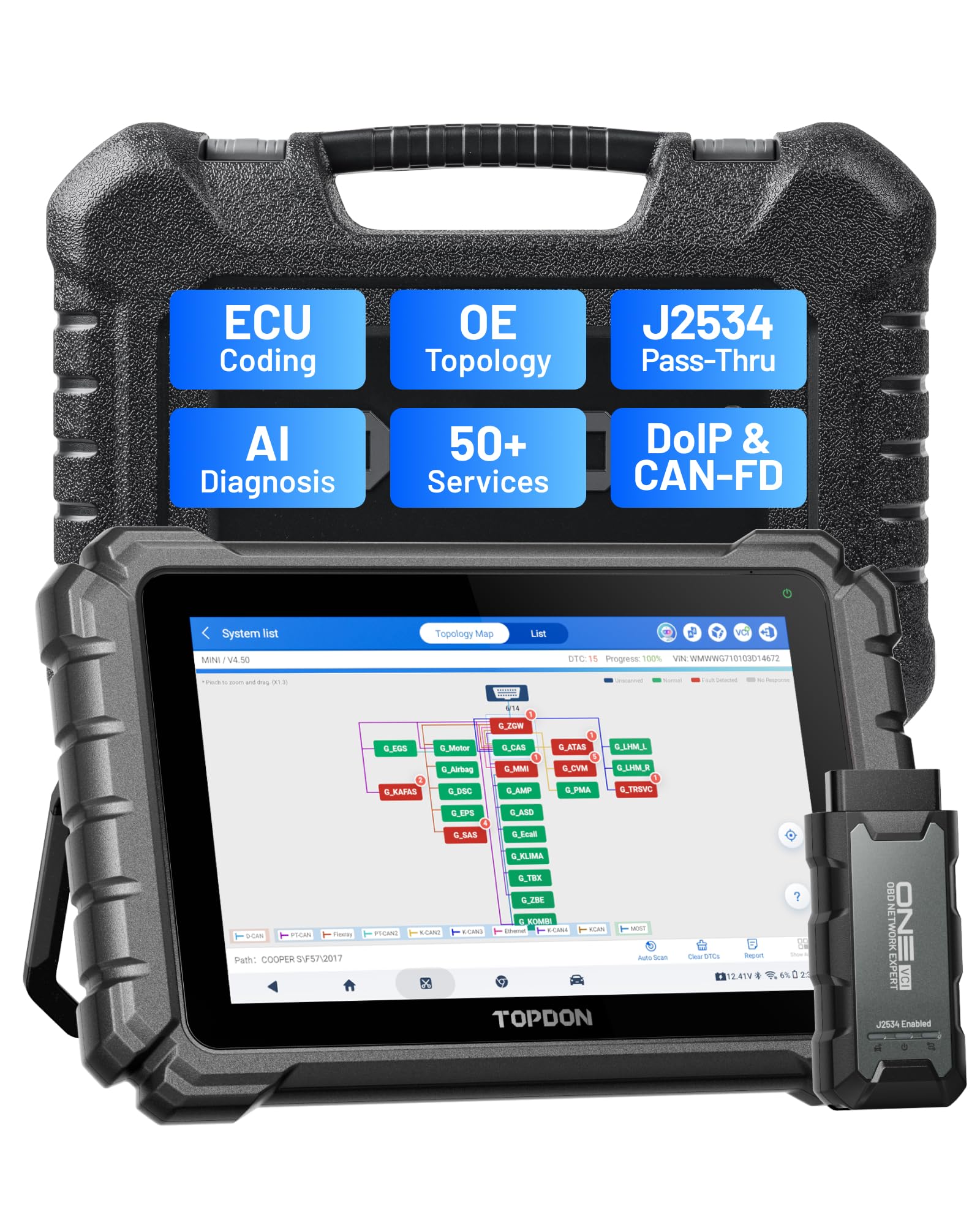
We recommend the TOPDON ONE for repair shops and skilled DIY users who need broad diagnostics, bidirectional tests, coding, and J2534 support in one tablet.
Pros
- Large, responsive 10.1-inch touchscreen
- Strong coverage with topology mapping and more than 50 service functions
- Includes one year of software updates
Cons
- Renewal costs apply after the first year
- Some features vary by vehicle and brand
- Older vehicles may have connection limits
In our testing, the large screen made full-system scans and wiring information easier to read than on smaller handheld tools. The dual Wi-Fi connection also felt quick and stable during routine scans.
We found the bidirectional controls useful for testing items such as fuel pumps, fans, and other supported systems. Topology mapping helped us see how vehicle modules communicated, while the service functions covered tasks such as ABS bleeding, DPF regeneration, TPMS resets, and throttle adaptation.
The TOPDON ONE also supports ECU coding and J2534 pass-through work with compatible vehicles and software. Coverage is not universal, so we would check the supported vehicle list before buying, especially for older Ford, Audi, and Volkswagen models.
The first year of updates comes included. After that, the tool keeps its core diagnostic and bidirectional functions, but new vehicle data and some warranty benefits require a renewal. For shops that use these functions often, the software cost may make sense; occasional users should factor it into the total price.
TOPDON AD800BT V2.0 Scanner
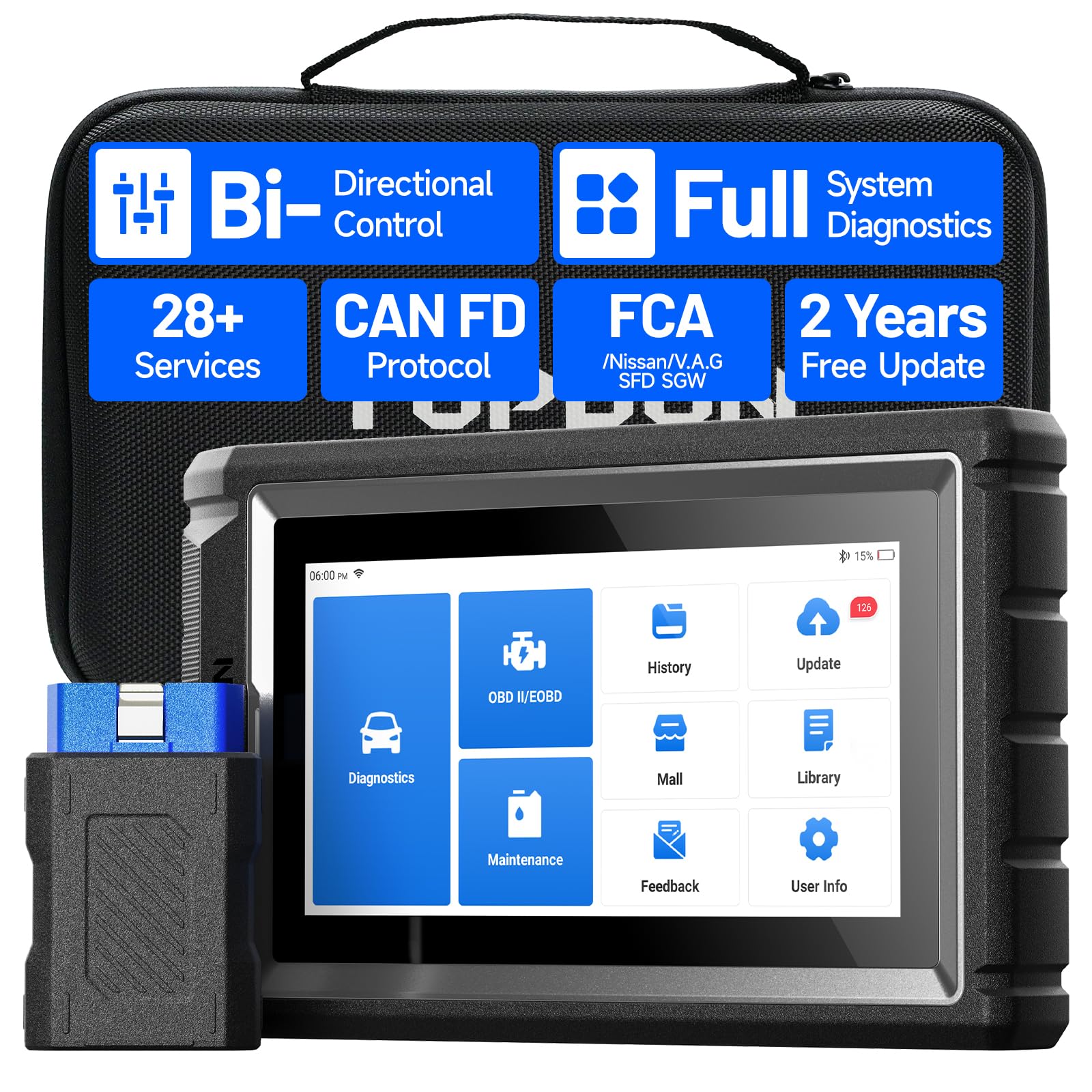
We recommend this scanner for DIY users and small shops that need full-system diagnostics, active tests, and useful service resets in one device.
Pros
- Bi-directional tests can help confirm whether components work.
- Covers many vehicle systems and common maintenance functions.
- Wireless use, AutoVIN, live data, and graphing make testing easier.
Cons
- Bluetooth pairing may take troubleshooting on some vehicles.
- Updates and advanced functions can require a stable Wi-Fi connection.
- Some features may not work on every make, model, or year.
We found the AD800BT V2.0 more capable than a basic code reader. It can scan systems such as the engine, transmission, ABS, airbags, battery, and tire-pressure control. Live data and graph views also help us track changing sensor readings instead of relying only on stored fault codes.
The bidirectional controls add practical value. We could command selected actuators and test vehicle responses, while service functions support tasks such as oil resets, battery registration, electronic parking brake work, and ABS bleeding. Vehicle support still varies, so we would check compatibility before buying it for one specific repair.
The wireless dongle kept the tablet free from a cable during testing, and AutoVIN reduced manual setup on supported vehicles. However, some users may need to reconnect the adapter or re-download software when pairing or updating causes trouble.
Its two years of included updates help keep coverage current without an immediate extra cost. Overall, we see the TOPDON AD800BT V2.0 as a strong choice for serious home mechanics who want more than basic code reading.
TOPDON TopScan Moto
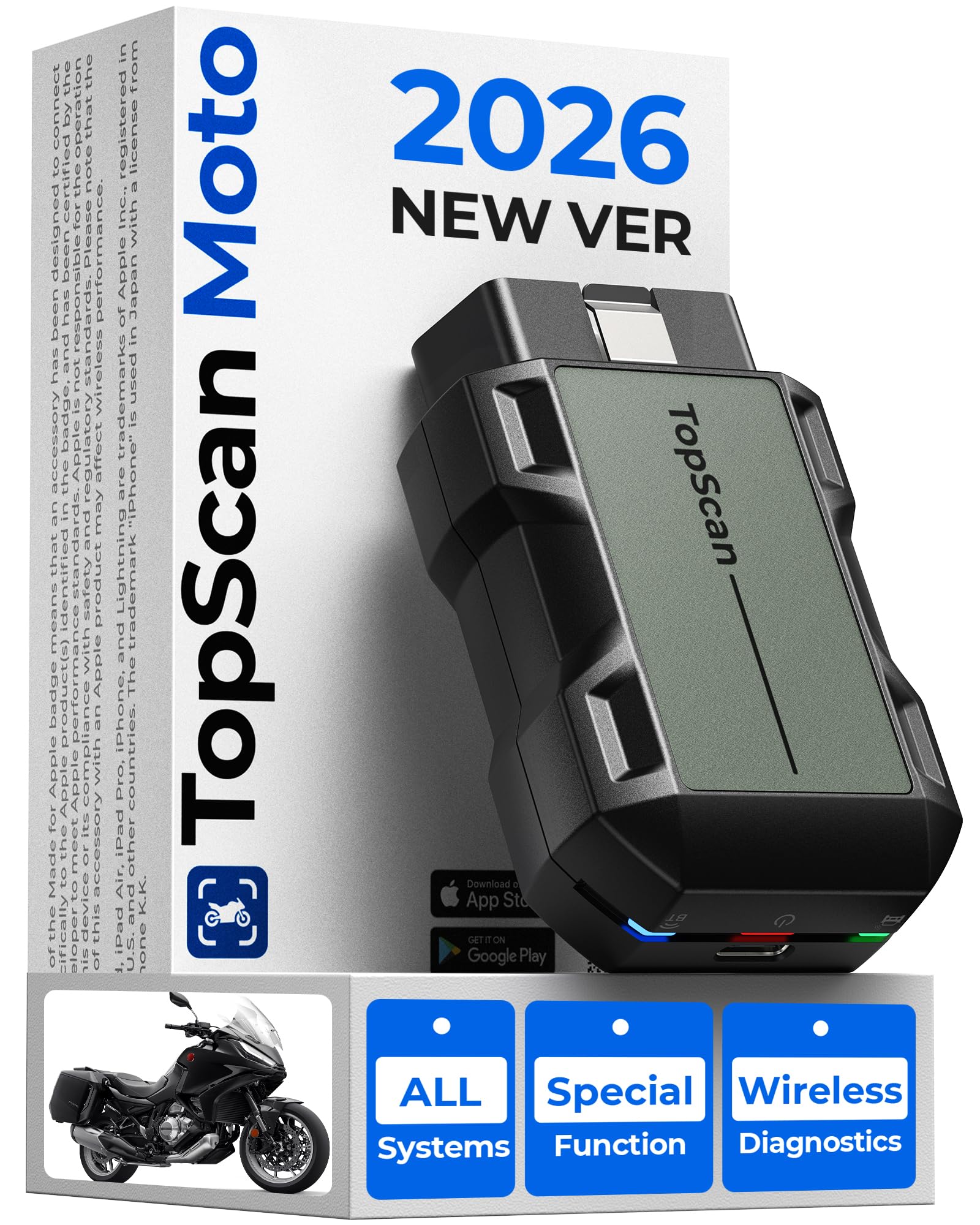
We recommend the TOPDON TopScan Moto for riders who want phone-based diagnostics, active tests, and service resets across many motorcycle brands.
Pros
- Wireless connection and a compact design make it easy to carry.
- Reads and clears codes from multiple motorcycle systems.
- Supports useful tests and service resets on compatible models.
Cons
- Brand software access lasts one year before renewal.
- Some bikes need adapters, which cost extra.
- App updates and model selection may require patience.
We connected the small scanner to a phone and found the setup simple once the app recognized the device. Wireless operation made it easier to work near the motorcycle without managing a short cable.
The tool can scan more than the engine system on supported bikes. We could view fault codes, live data, and vehicle information, while active tests helped check parts such as lights, fans, relays, and fuel pumps.
Service functions add value for regular maintenance. Depending on the motorcycle, the scanner can reset oil or service indicators and support tasks such as TPMS calibration. Coverage varies by model, so we would check compatibility before ordering.
The main drawback is the software plan. Access to the motorcycle brand package lasts one year, then requires a paid renewal. Owners of bikes with unusual diagnostic connectors must also purchase the correct adapter separately.
We also found that the app experience can vary. Some users report update or navigation problems, while others say the scanner worked well on Ducati, BMW, Harley-Davidson, and Japanese motorcycles. For riders who understand these limits, the TOPDON TopScan Moto offers useful home-garage diagnostics in a portable format.
TOPDON ArtiDiag600 Pro
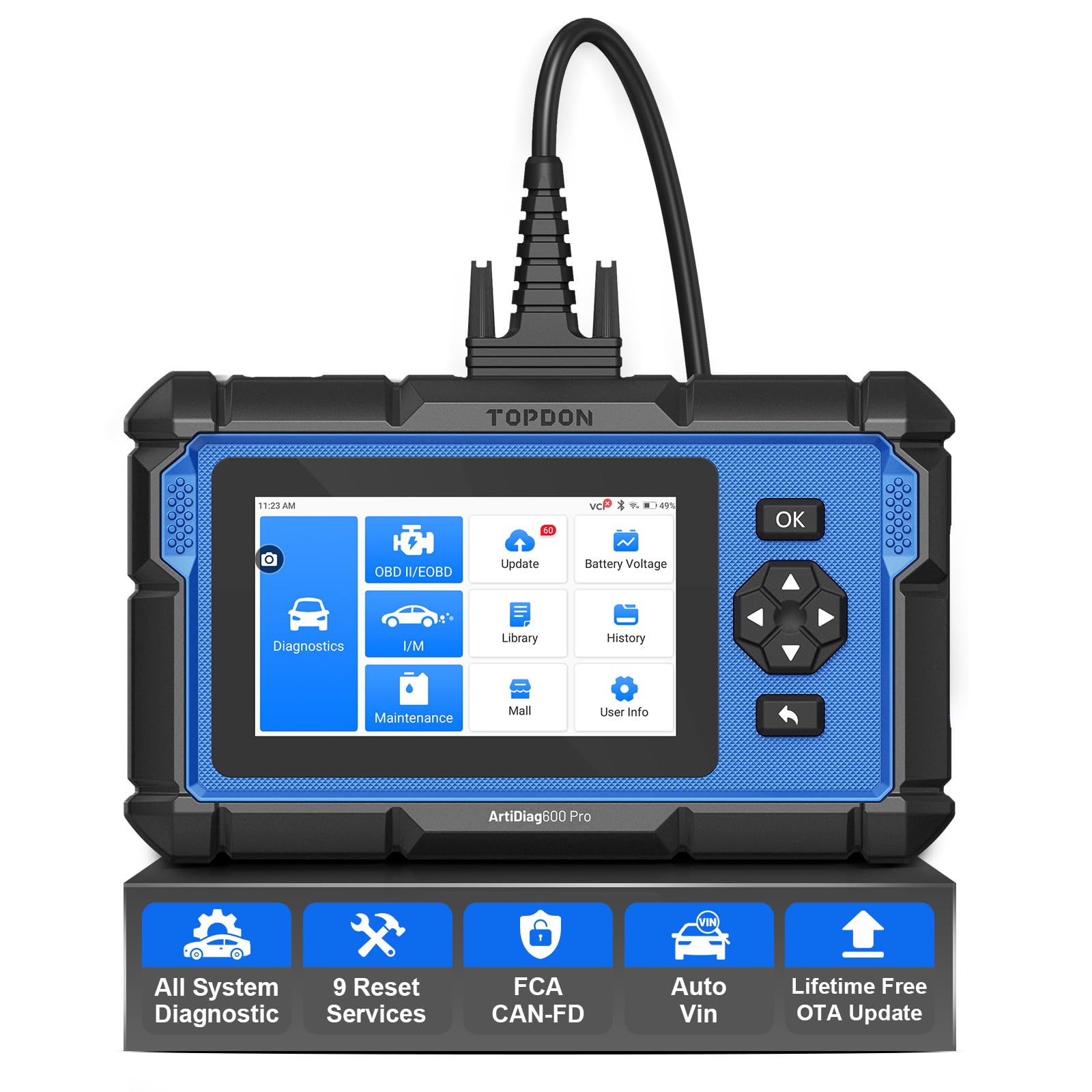
We recommend this scanner for serious DIY users who want deeper vehicle diagnostics and useful service resets without paying for a basic shop visit each time.
Pros
- Scans engine, ABS, SRS, and transmission systems
- Includes nine useful maintenance functions
- Offers lifetime over-the-air software updates
Cons
- Supported functions vary by vehicle
- Some protocols may require extra fees
- Advanced features may feel complex for beginners
We found the ArtiDiag600 Pro easy to start using. After connecting it, the automatic vehicle identification reduced setup time, and the menus made it simple to scan several control systems. It provided more information than a basic code reader, which helped us narrow down possible problems.
The live data graphs were useful when a fault did not appear as a simple stored code. We could watch sensor readings in real time and view ECU information, including part details. These tools can help prevent replacing the wrong component, although they do not replace proper testing or repair knowledge.
The nine service functions add value for home mechanics. We could use features such as oil resets, battery matching, brake resets, and throttle relearns when the vehicle supported them. TOPDON clearly notes that functions differ by make, model, and year, so we would check compatibility before buying.
Wireless updates make long-term ownership easier because we did not need a computer or cable for routine updates. The included case also made storage and transport convenient. Still, buyers should confirm whether their vehicle needs a paid protocol or subscription for specific functions.
TOPDON TopScan Moto

We recommend the TOPDON TopScan Moto for riders who want phone-based motorcycle diagnostics, bidirectional tests, and service resets, but buyers should plan for a paid software renewal.
Pros
- Wireless phone connection makes the scanner easy to carry and use.
- Reads multiple motorcycle systems and supports active tests.
- Can clear codes and reset services on many supported models.
Cons
- Motorcycle adapters may cost extra for non-OBD2 ports.
- The included software lasts one year before renewal.
- Bluetooth connections and module access may vary by motorcycle.
We found the compact scanner convenient for garage work and roadside checks. After connecting it to the app, we could read fault codes, view live data, and clear some service alerts without using a separate handheld display.
The bidirectional controls add useful testing options. We could command certain vehicle systems directly, which helped separate a likely electrical or mechanical issue from a simple stored code. Support covers major brands such as BMW, Harley-Davidson, Ducati, Honda, Yamaha, Kawasaki, and Suzuki, though functions depend on the specific model.
Setup takes some patience because the instructions are not always detailed. We also found that connection stability and module coverage can differ between bikes, especially on BMW models. Owners of motorcycles without a standard OBD2 port must buy the correct adapter separately.
The first year of brand software comes with the tool, but continued use requires a paid renewal. We would choose the TOPDON TopScan Moto for riders who want broad diagnostic features in a small package and accept those software and compatibility limits.
Buying Guide
We should match the scanner to our vehicle needs, repair skills, and budget. Start by checking vehicle coverage, including the makes, models, and model years supported. We should also confirm that the scanner works with the vehicle’s communication systems.
Important features to compare include:
- Diagnostic functions: Look for code reading, code clearing, live data, and system scans.
- Service resets: Check for functions such as oil, battery, brake, or steering resets if we need them.
- Connectivity: Bluetooth or cable connections can affect setup, range, and reliability.
- App support: We should review device compatibility, update policies, and any paid features.
- Data display: Clear graphs, reports, and fault descriptions make results easier to understand.
- Ease of use: A simple interface and guided instructions can help us avoid mistakes.
- Vehicle access: Some functions may require security access or additional approval.
| What to check | Why it matters |
|---|---|
| Vehicle coverage | Confirms compatibility with our vehicles |
| Diagnostic depth | Shows how many systems we can test |
| Service functions | Supports common maintenance tasks |
| Updates and fees | Helps us plan long-term costs |
| Warranty and support | Provides help if problems occur |
We should verify the latest compatibility list before buying, since features can vary by vehicle. We also need to check whether advanced functions require an active subscription, separate payment, or specific connection requirements.
Editor’s picks
We selected the TOPDON TopScan Pro for drivers and home mechanics who want advanced vehicle scans without buying a full-size diagnostic tool. Its Bluetooth design works with a mobile app, making it easy to carry and use in the garage or on the road.
| Best for | Why we picked it |
|---|---|
| DIY vehicle owners | Reads and clears many common fault codes |
| Mobile diagnostics | Connects to a phone for convenient testing |
| Advanced users | Offers service functions beyond basic code reading |
| Multi-car households | Supports many vehicle makes and models |
We value the TopScan Pro’s access to live data, system scans, and selected maintenance features. Coverage can vary by vehicle, model year, and software plan, so we recommend checking compatibility before purchase.
The tool suits users who want more detail than a basic OBD2 scanner provides. We would choose it for routine troubleshooting, warning-light checks, and selected service resets, while professional repair shops may need a dedicated scan platform with broader coverage.
Frequently asked questions
What is the TOPDON TopScan Pro?
We use the TOPDON TopScan Pro as a Bluetooth vehicle diagnostic tool. It connects to a smartphone app and reads trouble codes, displays live data, and supports selected service functions.
Which vehicles does it support?
The TopScan Pro supports many vehicles that use the OBD-II port, but coverage varies by make, model, year, and system. We recommend checking TOPDON’s current compatibility list before buying.
Does it work with iPhone and Android devices?
Yes. We can use the TopScan Pro with compatible iOS and Android phones or tablets through the TOPDON app. We should confirm the device and operating system requirements before installation.
Can it reset oil service lights?
It can perform some service resets, including oil reset functions on supported vehicles. Available functions depend on the vehicle and may require an active subscription or in-app purchase.
Does it program keys or control modules?
The TopScan Pro is not a complete key-programming or module-programming tool. We should review the supported functions for our specific vehicle because advanced features differ by model.
Does it require a subscription?
Basic diagnostic functions may be available without a full subscription, while some advanced features can require paid access. TOPDON’s pricing and included functions may change, so we should check the latest app details.
Conclusion
We find the TOPDON TopScan Pro a practical choice for drivers, home mechanics, and small repair shops. Its compact design, broad diagnostic coverage, and app-based controls make vehicle checks more accessible than with many basic code readers.
The tool works best for users who want more than simple code reading. We can use it to view live data, check system faults, and access service functions, though available features may vary by vehicle make, model, and year.
Before buying, we should confirm that the TopScan Pro supports our vehicle and the functions we need. We should also consider the app requirements, subscription terms, and the limits of Bluetooth-based diagnostics.
For regular maintenance and first-level troubleshooting, the TOPDON TopScan Pro offers useful features in a small package. We should treat its results as guidance and seek professional testing when a fault involves safety systems or complex repairs.