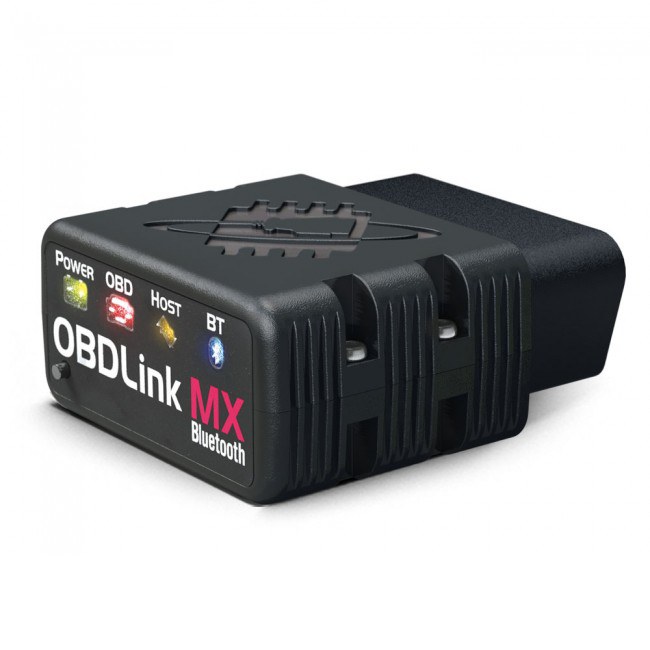
Can BlueDriver Read OBD1? Compatibility And Limitations
BlueDriver works with OBD2 vehicles, but most OBD1 vehicles use different connectors and communication systems. BlueDriver generally cannot read OBD1 vehicles directly.
You may use it with an older vehicle only if that vehicle supports OBD2 and you have the correct setup. Check the vehicle’s model year, diagnostic port, and BlueDriver compatibility before buying an adapter or scanner.
Key Takeaways
- BlueDriver targets OBD2 vehicles.
- Most OBD1 vehicles need a different scanner.
- Check compatibility before you diagnose your vehicle.
OBD1 And OBD2 Compatibility
BlueDriver communicates through standard OBD2 systems and cannot directly scan most OBD1 vehicles. Compatibility depends on your vehicle’s diagnostic system, connector, and communication protocol—not only on the shape of the plug.
Diagnostic Protocol Differences
OBD1 systems used different connectors and protocols across manufacturers. A 1994 Ford, for example, may use a different diagnostic method from a 1994 Toyota. You usually need a brand-specific OBD1 scanner or adapter designed for that vehicle.
OBD2 became standardized in the United States for most cars and light trucks built from 1996 onward. These vehicles generally use a 16-pin diagnostic connector and follow common communication rules that BlueDriver supports.
A simple physical adapter does not usually solve the problem. It may connect an OBD2 device to an OBD1 socket, but it cannot translate incompatible signals or provide the required manufacturer software. BlueDriver should not be expected to read OBD1 fault codes through a passive adapter.
Vehicle Model Year Considerations
Your vehicle’s model year provides a useful starting point, but it does not guarantee compatibility. Most U.S.-market vehicles from 1996 and newer use OBD2, while many earlier vehicles use OBD1. Some late-1990s vehicles, imported models, and vehicles sold in other regions may follow different timelines.
Check your vehicle’s year, make, and model with BlueDriver’s compatibility checker before purchasing or pairing the device. Also inspect the diagnostic port and confirm that the vehicle uses a supported OBD2 system.
If your vehicle has an OBD1 system, choose a scanner made for its manufacturer and model. An OBD1-to-OBD2 adapter may work only when the scanner and adapter support the vehicle’s exact protocol; the adapter alone does not make BlueDriver OBD1-compatible.
BlueDriver Supported Vehicles
BlueDriver targets vehicles with standard OBD2 systems, not older OBD1 systems. You can use it on many North American cars, SUVs, and light trucks from 1996 onward, but the available functions depend on the vehicle’s make, model, year, and control systems.
Standard OBD2 Coverage
You can use BlueDriver with most 1996 and newer vehicles sold in North America. It supports the main OBD2 communication protocols and can read and clear standard engine fault codes. The app can also display live data, check the malfunction indicator light status, and identify the vehicle through its VIN when supported.
This coverage includes many gasoline, diesel, and hybrid vehicles. However, standard OBD2 access does not mean that every vehicle provides the same information. Some models may offer only engine diagnostics, while others may provide access to additional systems.
BlueDriver cannot normally communicate with vehicles that use proprietary OBD1 systems. If your vehicle predates OBD2 or uses a nonstandard diagnostic connector, check the official compatibility list before you buy or connect the scanner.
Enhanced Manufacturer Diagnostics
BlueDriver provides enhanced diagnostics for selected manufacturers, including Ford, General Motors, Toyota, Honda, BMW, Chrysler, and Nissan. These features may let you read codes from systems such as the transmission, ABS, airbag, or other modules that standard OBD2 cannot access.
Support varies by exact vehicle. A compatible brand does not guarantee access to every module or function on every model year. For example, one vehicle may provide transmission codes while another supports only engine codes.
Before using BlueDriver for a specific repair, check its official compatibility information using your vehicle’s make, model, year, and engine. The listed systems show whether the scanner can access more than basic OBD2 emissions data.
Using BlueDriver With Older Vehicles
BlueDriver works with vehicles that use standard OBD2 communication, generally from model year 1996 onward in the United States. Older vehicles may use OBD1 systems, which often need a vehicle-specific connector and a scan tool that supports the manufacturer’s diagnostic system.
Adapter And Connector Requirements
BlueDriver plugs into a standard 16-pin OBD2 port. An adapter can change the connector shape, but it does not change the scanner’s communication protocol. Therefore, a simple OBD1-to-OBD2 adapter will not usually let BlueDriver read an OBD1 vehicle.
Before buying an adapter, check your vehicle’s year, make, model, engine, and diagnostic connector. OBD1 connectors vary widely. For example, some older vehicles use GM ALDL, Ford EEC-IV, or Chrysler SCI connectors. Each system may require different hardware and software.
Use BlueDriver’s vehicle compatibility checker to confirm support. If your vehicle has a standard OBD2 port but predates 1996, compatibility may still depend on its communication protocol.
When A Compatible Scan Tool Is Needed
You need an OBD1-compatible scan tool when your vehicle does not support standard OBD2 communication. Choose a tool that lists your vehicle’s specific system, connector, and functions. Some tools only read engine fault codes, while others can access systems such as transmission, ABS, or airbags.
You may also need a separate adapter cable made for your vehicle. Confirm that the tool supports the exact model year and engine rather than relying only on the connector’s appearance.
Do not assume that clearing a warning light proves full diagnostic access. A compatible tool should communicate with the vehicle, display accurate codes, and provide the test functions your repair requires.
Alternative Diagnostic Options
BlueDriver works with OBD2 vehicles, not most older OBD1 systems. For an OBD1 vehicle, you need a brand-specific reader or professional equipment that supports its connector, communication method, and diagnostic functions.
Manufacturer-Specific Code Readers
Manufacturer-specific readers can access older systems that use proprietary OBD1 connectors and codes. GM, Ford, Chrysler, Toyota, and Jeep each used different connectors and procedures, so you must match the tool to your vehicle’s make, model, year, and engine.
These readers often provide basic functions such as:
- Reading and clearing trouble codes
- Displaying code definitions
- Checking selected engine data
- Supporting the correct adapter cable
Some tools only retrieve codes and do not erase them. Others may require a separate adapter for the vehicle’s diagnostic port. Check the product’s coverage list before buying, since “OBD1 compatible” does not guarantee support for every older vehicle.
Professional Diagnostic Equipment
Professional scan tools offer broader coverage for older and newer vehicles. A model such as the INNOVA 3170RS supports several common OBD1 vehicle families, including GM, Ford, Toyota, Chrysler, and Jeep, while also supporting OBD2 functions.
Professional equipment may provide live data, system tests, code clearing, and access to systems beyond the engine computer. However, features vary by vehicle and tool. Some advanced functions may require paid software updates, brand-specific cables, or manufacturer access.
Before you purchase, confirm that the tool supports your vehicle’s exact diagnostic connector and system. A professional scanner cannot automatically communicate with every OBD1 vehicle.
Choosing The Right Scanner
BlueDriver works with many vehicles that use standard OBD-II, but it does not directly read older OBD-I systems. Check your vehicle’s model year, diagnostic connector, and protocol before you buy an adapter or scanner.
Confirming Vehicle Compatibility
First, identify whether your vehicle uses OBD-I or OBD-II. In the United States, OBD-II became standard for most cars and light trucks from the 1996 model year. Earlier vehicles often use manufacturer-specific connectors and communication methods that BlueDriver cannot interpret.
Do not rely only on the shape of the plug. Some late OBD-I vehicles use connectors that resemble the 16-pin OBD-II port, while some OBD-II vehicles may need a manufacturer-specific adapter. Check BlueDriver’s official compatibility list using your vehicle’s year, make, model, and engine.
If your car has an OBD-I system, choose a scanner made for that exact vehicle brand. You may need a dedicated cable, a code reader with built-in OBD-I support, or a manual procedure using the vehicle’s diagnostic connector. An adapter that changes the plug shape does not automatically convert OBD-I data into an OBD-II format.
Evaluating Available Features
For a compatible OBD-II vehicle, BlueDriver can read and clear many engine, transmission, ABS, and airbag codes, depending on the vehicle. It can also show live data, freeze-frame information, and repair reports through its mobile app. Coverage varies by make and model, so verify the supported systems before purchase.
BlueDriver does not replace a professional scan tool for every task. It may not support advanced functions such as key programming, module coding, bidirectional controls, or full service resets on your vehicle. If you need those functions, compare BlueDriver with a wired scanner or a professional tool that lists them specifically.
Choose a basic code reader for simple engine-light checks. Choose BlueDriver when you want Bluetooth access, detailed code descriptions, and broader system coverage on a supported OBD-II vehicle.
Frequently asked questions
Can BlueDriver read OBD1 codes?
No. BlueDriver is designed for OBD2 vehicles, generally model year 1996 and newer in the United States. It cannot directly read most OBD1 systems.
Can an adapter make BlueDriver work with OBD1?
A physical adapter may connect the tool to an older diagnostic port, but it does not convert the vehicle’s communication system into OBD2. BlueDriver still needs compatible OBD2 data, so an adapter alone usually will not provide OBD1 diagnostics.
How can you tell whether your vehicle uses OBD1 or OBD2?
Check the vehicle’s model year, diagnostic connector, and service information. OBD2 normally uses a standard 16-pin connector, while OBD1 systems often use manufacturer-specific connectors and communication methods.
Will BlueDriver read every system on an OBD2 vehicle?
BlueDriver can read standard engine-related OBD2 codes on compatible vehicles. It also offers enhanced diagnostics for selected manufacturers, but coverage varies by make, model, year, and system.
What should you use for an OBD1 vehicle?
You need a scanner made for your vehicle’s specific OBD1 system. Check the manufacturer, model year, connector type, and required adapter before buying a tool.
Conclusion
BlueDriver generally cannot read OBD1 systems directly. It connects through a standard OBD2 port and supports vehicles that use OBD2-compatible communication protocols. Most vehicles sold in the United States before the 1996 model year use OBD1, although some manufacturers introduced OBD2 earlier.
You may use BlueDriver on a vehicle with an OBD1 system only if you have a compatible, manufacturer-specific adapter and the vehicle supports communication that BlueDriver can interpret. An adapter that only changes the plug shape will not convert OBD1 data into OBD2 data.
| Your vehicle | BlueDriver compatibility |
|---|---|
| OBD2 vehicle with a standard port | Usually compatible |
| Pre-1996 OBD1 vehicle | Usually not compatible |
| OBD1 vehicle with a simple plug adapter | Not enough by itself |
| Vehicle with ABS or airbag codes | Depends on the make, model, year, and system |
Check your vehicle’s service information and BlueDriver’s compatibility details before buying an adapter. If your car uses OBD1, you may need a dedicated scan tool, a manufacturer-specific reader, or the vehicle maker’s built-in diagnostic procedure.